
- Pika in 2026: Pika 2.5, viral effects (Pikaffects, Pikadditions, Pikaswaps), free vs. paid plans, comparison with Kling and Runway, and a step-by-step walkthrough.
Pika was founded in 2023 by two Stanford PhD students, Demi Guo and Chenlin Meng, who dropped out of their doctoral programs after losing an AI film competition and decided to build a video tool anyone could use. Within less than a year the company was valued at hundreds of millions of dollars.
Update October 31, 2026: Pika has launched Pika H3 Flex, a video model with synchronized sound, up to 12 reference files, 5 separate audio channels, and up to 4K output quality, along with open weights. Full details, including what "15 seconds in seven seconds" actually means, are in the full story on Pika H3 Flex.
Pika is an AI-powered video generator from Pika Labs, and it has become the go-to tool for social content creators thanks to a rare combination: a simple interface, a mobile app, and a family of viral effects, Pikaffects, Pikadditions, and Pikaswaps, that no competitor has matched. Write a description, upload a photo or real video, and Pika produces a short clip in minutes. As of July 2026, the core engine is Pika 2.5, generating clips of up to roughly 10 seconds at resolutions up to 1080p. While Sora and Kling chase cinematic realism, Pika has chosen a different path: being the fastest and most fun tool for producing viral moments. That is exactly what makes it the perfect entry point into the world of AI video.
In this guide we will cover everything you need to know about Pika in 2026: what it can actually do, how the effects system that turned it into a cultural phenomenon works, what you get for free versus what requires a paid plan, how it stacks up against Kling, Runway, and CapCut, and how creators and businesses in Israel can extract real value from it, without glossing over its limitations.
What Is Pika?
Definition: Pika is a generative video platform from Pika Labs that creates short videos from text (Text-to-Video), from an image (Image-to-Video), or from an existing video clip (Video-to-Video), with an emphasis on creative effects, speed, and simplicity. The tool is available at pika.art and as an iOS app.
Pika Labs was founded in 2023 by Demi Guo and Chenlin Meng, two Stanford computer science PhD students who left their programs to build a video tool that "anyone can use." The company's founding story has already become legend in the AI world: the two entered an AI film competition, lost, and realized the problem was not talent but the fact that the existing tools were too complicated. Pika was born from that frustration.
That DNA runs straight through the product to this day. While competitors like Runway are building a "Hollywood studio" and OpenAI is emphasizing Sora's realism, Pika is building a serious toy: a tool that delivers an impressive result in two minutes even for someone who has never edited a video before, while still keeping experienced creators around because of how fast it is to work with. The evolution has been rapid: Pika 1.0 at the end of 2023, Pika 2.0 at the end of 2024 with the Ingredients system, versions 2.1 and 2.2 adding Pikaframes and resolution improvements, and in early 2026, Pika 2.5, the current engine, with better temporal consistency, improved physics understanding, and full 1080p support on paid plans.
The key thing to understand: Pika is not "just another text-to-video generator." It is built around the concept of effects and manipulation applied to real footage, taking a video or photo you shot on your phone and doing something physically impossible to it. That is a fundamentally different approach from most competitors, and it is the reason we will spend considerable time on it below.
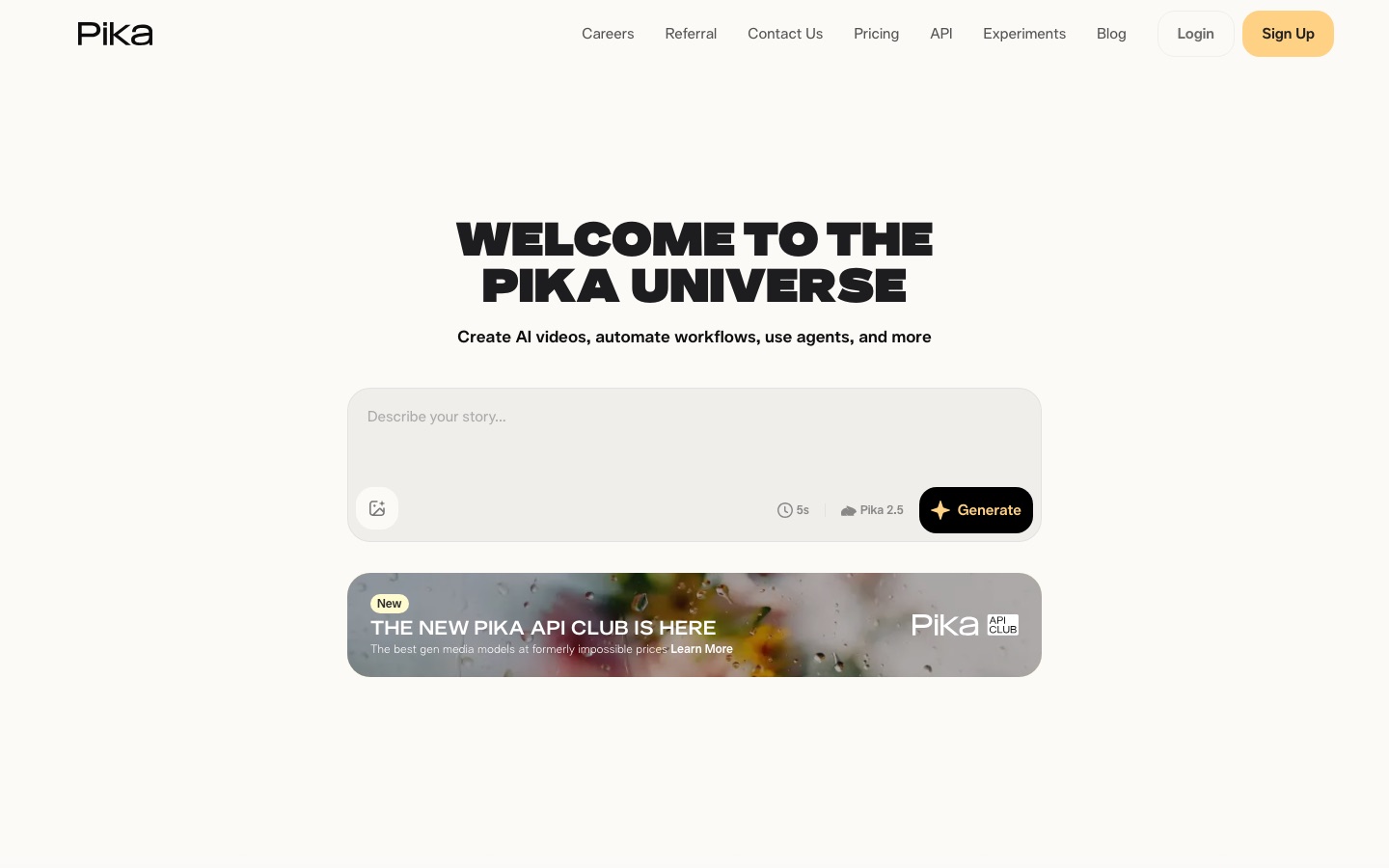 The official Pika website, captured in September 2026. Credit: Pika
Why Is Everyone Talking About Pika?
The short answer: viral effects culture. If you have been scrolling TikTok or Instagram over the past two years, you have almost certainly seen Pika output without knowing it: people "squishing" their cat as if it were dough, inflating a company logo until it explodes, turning their selfie into a cake being sliced with a knife, or adding a dinosaur to their living room. Those trends, "Squish it," "Cake-ify," "Inflate it," all originated in Pikaffects, and they are what turned Pika from a niche name into a tool that millions of creators recognize.
There is a marketing insight here worth pausing on, because it is relevant to any business: Pika did not win on video quality. On that metric, Sora and Kling are stronger. It won because it created a social format. A Pika effect is not just a feature, it is a content template: something easy to replicate, fun to share, and that invites the viewer to try it themselves. In a world where most video generators compete on "who is the most photorealistic," Pika competes on "who gets shared the most."
The result is that Pika occupies a unique niche in the market: it is the social tool among video generators. Its audience is not production studios but content creators, social media managers, small business owners, and anyone who needs to feed a hungry feed with scroll-stopping content. The fact that it has a full iOS app, while some competitors still live only in a browser, reinforces that positioning: you create the video in the same place you upload it.
💡 From the field: In the workshops I run for organizations, Pika is almost always the group's "addiction moment." I ask each participant to upload a photo of a company product and apply one effect, and within five minutes the entire room is laughing and comparing results. That is worth its weight in gold pedagogically: people who were afraid of AI in the morning leave at lunch with a video they made themselves. For those who want cinematic output afterward, we move on to Sora or Kling, but for building that initial confidence, Pika delivers fastest.
Pika's Core Capabilities in 2026
As of July 2026, Pika is far more than "text in, video out." Here is a structured breakdown of the arsenal, which the company partly markets under the name "Pika Powers":
The Pika 2.5 Engine: The Foundation
The current engine produces clips of up to roughly 10 seconds at resolutions up to 1080p (on paid plans; on the free tier, 480p). Compared to earlier generations, 2.5 delivers better temporal consistency, meaning fewer flickering frames and distortions between frames, as well as improved physics: liquids pour, fabric ripples, and hair moves much more convincingly. There is also a Turbo mode that generates significantly faster and consumes far fewer credits, at the cost of a slight quality reduction. It is excellent for drafts and experimentation.
Pikaffects: The Effects That Started It All
The original effects family: choose an image or object, then choose what happens to it. Inflate, Melt, Squish, Explode, Cake-ify, Dissolve, and dozens of other effects that are constantly updated. The magic is that the model understands the geometry of the object and produces a physically convincing transformation: a logo actually "inflates" with correct stretching and reflections. This is the feature to start with, because it delivers an impressive result on the first try almost every time.
Pikadditions: Add Anything to Real Footage
This is where Pika gets genuinely interesting for businesses. You upload a real video you shot on your phone and add an object, character, or creature to it, either from a text description or a reference image. Pika handles motion tracking, lighting, shadows, and depth on its own, so the addition looks as if it were there during filming. Want a penguin to walk alongside you on the street? Your product to float next to the presenter? This is exactly the tool for that: a kind of VFX that used to require an After Effects specialist, now done with a single click.
Pikaswaps: Replace Elements in Video
The sibling of Pikadditions: instead of adding, you replace. You mark an object in an existing video clip, a bottle, a shirt, a sign, a person's head, and swap it out for something else, while the original motion and audio are preserved. For example: film a product showcase video once using a generic bottle, then swap it out each time for a different item from the catalog. This feature has real commercial potential for e-commerce stores and UGC creators.
Pikatwists: The Unexpected Twist
Feed in an image and let Pika "go wild" with a surprising twist: the subject in the photo comes to life, the background collapses, something unexpected happens. Less useful for precise commercial work, excellent for viral content and inspiration sessions.
Pikaframes: Transitions Between Keyframes
Define an opening image and an ending image (with optional intermediate keyframes), and Pika generates the animated transition between them. This is the tool for transformation videos, before-and-after renovations, a product that disassembles and reassembles, a logo built from its components. In recent versions, transitions support relatively long clips and maintain impressive coherence.
Pikascenes and the Ingredients System
Upload several "ingredients": a character image, a product image, a background image, and Pika assembles them into a single coherent scene where all of them appear together. This is Pika's answer to the consistency problem: when you feed the same ingredients into multiple clips, the character and product remain visually consistent from video to video.
Pikaformance: Talking Characters
The relatively newest addition to the family: sync speech to a character by uploading an image and an audio file, and the character speaks with matching lip movements and facial expressions. This brings Pika into HeyGen territory, though with a less "corporate" and more creative finish. Combined with AI voiceover from ElevenLabs, you can produce talking characters entirely from scratch, no camera required.
The Mobile App: Pika in Your Pocket
One of the biggest practical differences between Pika and its competitors is the full iOS app. Most of Pika's viral workflow happens there: shoot something on your phone, apply an effect, upload to TikTok, all from the same device, in minutes. The app includes all the core effects, an inspiration feed of user creations (which is itself an excellent source of ideas and prompts), and push notifications when your video is ready.
As of July 2026, Android users work through the browser at pika.art, which is well-optimized for mobile but still a less seamless experience than a native app. If you are a social media team working on Android, factor that in.
Why does this matter? Because the best tool is the one that is where the content gets created. A social media manager shooting Stories on her phone is not going to stop, transfer files to a computer, open a browser, and come back. She will use whatever is in her pocket. Pika understood that before most of its competitors did, and it is a large part of the explanation for its grip on the younger creator audience.
Free vs. Paid: What Do You Actually Get?
Pika runs on a credits model: each generation "costs" a number of credits that depends on the model, resolution, and length. Prices and quotas change frequently, so always check the official pricing page for exact numbers. As of July 2026, the picture looks like this:
| Plan | What you get | Best for |
|---|---|---|
| Free | Small monthly credit quota (a few dozen), 480p resolution, watermark, no commercial use | Trying it out and deciding whether the tool is right for you |
| Standard (a few dollars per month) | Hundreds of credits per month, watermark removal, 1080p, commercial usage rights | Creators and small businesses with ongoing needs |
| Pro (low tens of dollars) | Several times the credits, priority queue and faster generation | Social media managers, freelancers, small agencies |
| Fancy (the heavy-duty plan) | Very large quota, all models, highest speed | Agencies and high-volume content teams |
A few things worth understanding before you reach for a credit card:
- The free version is a demo, not a working tool. The quota is small, there are no commercial rights, there is a watermark, and you cannot even purchase extra credits without a subscription. It is perfect for exactly what it is meant for: figuring out whether Pika is right for you. But a business that publishes content needs a paid plan, if only because of the commercial use clause.
- Credits do not roll over. Whatever you do not use in a month disappears. If you work in waves (one busy month, one quiet month), factor that into your plan choice.
- Turbo mode saves real money. During experimentation and drafting, Turbo consumes a small fraction of the credits that the full model uses. The right flow: polish the idea in Turbo, then run only the final version at full quality.
- The value-for-money ratio is excellent compared to the market. Pika's paid entry point is significantly cheaper than Runway or Sora plans, which makes it the natural choice for creators just starting out.
From the field: The most common mistake I see from businesses is buying a heavy subscription "just to have it," then finding at the end of the month that 15% of the credits were used. My recommendation is the opposite: start with the cheapest paid plan, work with it for a real month, and only upgrade if you actually hit the credit ceiling. And by the way, if you run out of credits mid-campaign, it is almost always a sign that you are generating too many variations without planning, not that the plan is too small.
How to Get Started with Pika: Step by Step
Getting started with Pika is simple, but there is a right way that delivers impressive results on day one, and a frustrating way that burns through all your free credits for nothing. Here is the recommended path:
- Sign up at the official site (pika.art) or download the iOS app. Registration is fast: a Google account and you are in. The free version is more than enough for the first week of experimentation.
- Start with an effect on an image, not free text. This is the most important rule for beginners: upload an existing image, a product, a logo, even a selfie, and choose one Pikaffect from the menu. Effects on images produce good results almost every time, because you give the model a visual anchor instead of asking it to invent everything from scratch.
- Move on to Image-to-Video with a motion prompt. At the next stage, upload an image and write only what happens in it: "the camera slowly zooms in, steam rising from the coffee cup." The image determines the look; the prompt determines only the motion. That division of labor gives you far better control.
- Only then try full Text-to-Video. When writing a prompt from scratch, the winning structure is: subject + action + setting + style + camera movement. Short and concrete, in plain English. Long, flowery prompts actually confuse the model.
- Generate 3 or 4 variations on every idea. Generative video is still a probabilistic affair. Even experienced creators do not get the exact clip they want on the first try. Changing one word in the prompt can sometimes transform the entire scene.
- Work in Turbo, finish at full quality. Run all your experiments in the fast, cheap mode, and only re-run the version you like in the full model at high resolution.
- Finish in a video editor. Pika generates the raw material. The final cut, joining clips, captions, and music are done in an editor like CapCut. That pair, Pika plus CapCut, is probably the cheapest and fastest social stack available today.
- Keep a prompt library. Every prompt that worked gets saved in a document alongside the clip it produced. After a month you have a personal recipe book worth more than any guide.
Pika vs. Kling, Runway, and CapCut
This is the comparison Israeli creators ask about most, so let's put it on the table. The important thing to understand upfront is that these are four tools with four different philosophies. The question is not "which is best" but "which is best for what":
| Pika | Kling | Runway | CapCut | |
|---|---|---|---|---|
| What it is | Video generator + viral effects | Realistic video generator | Professional AI studio | Video editor with AI features |
| Core strength | Effects (Pikaffects, Pikaswaps), speed, fun | Realism, physics, relatively long clips | Professional control, VFX tools, Act-One | Editing, automatic captions, templates |
| Target audience | Social creators, small businesses | Creators chasing realism | Productions, advertisers, filmmakers | Anyone editing for social |
| Learning curve | Lowest on the market | Moderate | High | Low |
| Clip length | Up to around 10 seconds | Longer (with extensions) | Moderate | Not relevant (editor) |
| Mobile | Full iOS app | App | Primarily desktop | Excellent app |
| Entry price | Low | Moderate | Relatively high | Low |
In plain terms:
- Pika vs. Kling: Kling produces more convincing human movement and physics, and it is the right choice when you need a "real" shot: a person walking down a street, a product falling into water. Pika wins on everything creative and intentionally exaggerated, and on speed from idea to result. Many creators keep both: Kling for shots, Pika for effects.
- Pika vs. Runway: Runway is a professional tool with deep control: virtual camera, masks, character animation. It is also more expensive and requires more learning. If you are producing a commercial, Runway. If you need five reels by Thursday, Pika.
- Pika vs. CapCut: This is not a competition at all, it is a partnership. CapCut is an editor: it joins, cuts, and adds captions. Pika is a generator: it creates footage from scratch. The combination is my recommended stack for a small business entering video.
For a broad overview of the whole market, including Sora, Veo, and Firefly, see the big AI video tools comparison, and for the full map of AI tools in Hebrew, see the Hebrew AI tools guide. And if you are on the advertising side, with UGC presenters and video from a product URL, the tool built for that is Higgsfield.
For clips that require frame-to-frame motion control, the complete Luma guide explains how to work with keyframes and what each resolution costs.
And if effects are what drew you to Pika, it is worth knowing the closest competitor in that category: the complete PixVerse guide covers the template library, the V6 model with clips up to 15 seconds and sound, and what the terms of service say about commercial use.
Real-World Uses for Creators and Businesses
Let's come down from theory to ground level. These are concrete scenarios I have seen work, or built myself, with Israeli businesses:
Restaurants, Cafes, and Food
Food is a playground for Pika: photograph the dish on your phone (one good image is enough), then apply effects. The pizza "opens up" in a hypnotic loop, the chocolate melts in generative slow motion, the dessert "explodes" into a celebration of its ingredients. A video like that in a feed stops scrolling far more effectively than a still photo, and the production cost is a few minutes and a handful of credits.
E-commerce Stores and Product Brands
This is where Pikaswaps and Pikadditions change the game: film one template video, a hand holding a product, a styled table, and swap in every item from the catalog. Instead of a full shooting day for ten products, you get a series of videos from a single shoot. Product launches work great too: inflate the new product until it explodes into confetti as a teaser, then publish the full promo the next day.
Real Estate and Interior Design
Pikaframes is a perfect before-and-after tool: the apartment before renovation as the opening frame, after as the closing frame, and Pika generates the transformation transition between them. Agents and interior designers who publish videos like this report significantly higher engagement than static posts.
Social Media Managers and Agencies
The ability to produce a visual hook in minutes changes the economics of content. Instead of waiting for assets from the client, the agency creates an intriguing opener from a single product photo. A new effects trend on TikTok? You can ride it the same day with the client's brand, not two weeks later.
Lecturers, Consultants, and Knowledge Creators
Even "serious" content benefits: a 3-second opener with a surprising effect before a professional tip dramatically increases the watch rate. And combined with Pikaformance alongside Hebrew voiceover from ElevenLabs, you can produce a talking character for a tips series without standing in front of a camera at all.
Events, Communities, and Nonprofits
One area that surprises people every time: event invitations. Instead of a static "Save the Date" graphic, inflate the conference logo until it explodes into the date, or use Pikaframes to create a transition from a photo of the empty venue to a packed-crowd photo from last year. Nonprofits use the same trick for fundraising campaigns. A short, surprising video beats a text post almost every time, and when the production cost is effectively zero, even an organization with no marketing budget can look like a million dollars.
From the field: A client of mine, a food retail chain, used to commission one social video per month from an external vendor. After a single workshop, their team now produces 4 or 5 effects videos a week in Pika on their own, and the external vendor is kept only for major campaigns. The saving is not just money. It is the ability to react to a trend the same day. If you want to build that capability in your organization, that is exactly what I do in AI workshops for organizations.
One word on automation: advanced teams connect the entire pipeline, idea, prompt, generation, publishing, into a semi-automated process. Systems like Claude can draft prompts, manage the content calendar, and even trigger external tools via MCP. How do you build a process like that? That is exactly what we cover in the AI agents guide and in the practical courses.
Hebrew: What Works and What Doesn't?
A critical point for the Israeli audience, so here is complete honesty:
- The interface: English only, as of July 2026. There is no official Hebrew interface, but it is visual and simple enough that even someone who is not strong in English will find their way around within an hour.
- Hebrew prompts: They work partially, and are not recommended. The model was trained primarily on English, and a Hebrew prompt will produce less accurate results. The simple solution: write your idea in Hebrew and ask Claude or ChatGPT to translate it into an English video prompt. It is a ten-second step that dramatically improves results.
- Hebrew text inside the video: Here is the real limitation. Like almost all video generators, Pika cannot render readable Hebrew text inside a clip. Hebrew letters come out as gibberish. The practical solution: generate the video clean of any text, then add Hebrew captions in a editor. CapCut or Canva (Canva AI guide) handle this beautifully, including automatic Hebrew subtitles.
- Israeli visual content: Faces, locations, and local aesthetics work well when you feed in your own images (Image-to-Video or Ingredients). When generating from text alone, the model defaults to an American-global aesthetic.
The bottom line: Pika is entirely usable for Israeli creators, as long as you adopt the right flow. Idea in Hebrew, prompt in English, Hebrew text in post-production.
💡 From the field: The trick I teach in every workshop: open Claude alongside Pika and assign it a fixed role, "You translate video ideas from Hebrew into English prompts in this format: subject, action, environment, camera movement." From that point on, you type "I want the bourekas to explode into a cloud of pastry layers" and get back a precise, paste-ready prompt. Teams that work this way report that the percentage of usable clips they get jumps two to three times, simply because the prompts become consistent.
Advanced Tips: Squeeze More Out of Every Credit
Once the fundamentals are solid, these are the techniques that separate a casual user from a professional:
- Think in "ingredients," not prompts. Instead of describing everything in text, build a reference image library, your character, your product, your background style, and feed them as Ingredients in every creation. This maintains visual consistency across videos, which is the biggest weak point of generative video.
- One camera movement at a time. A prompt with "zoom in while panning left and orbiting" produces chaos. Choose one clear movement, slow zoom, orbit, static shot, and the result will be far more stable.
- Use the Negative Prompt. Specifying what you do not want (blurry, distorted hands, text, watermark) noticeably improves the hit rate.
- Build perfect loops. In Pikaframes, use the same image as both the opening and closing frame and you get a smooth infinite loop, a format that is especially hypnotic in a feed.
- Chain clips into a story. Need 30 seconds? Generate 3 or 4 clips where the last frame of each clip serves as the source image for the next one, then join them in an editor. This is the way to work around the length limit.
- Steal inspiration from the community feed. For every creation in Pika's feed you can see the full prompt. Ten minutes of scrolling the feed is worth an entire prompting course.
- Time the trends. Pika's new effects arrive in waves, and each wave generates a trend. Whoever adopts a new effect in its first week rides the algorithm; whoever joins a month later gets swallowed by the noise.
Common Beginner Mistakes
- Expecting cinematic realism. That is not Pika's league. If you need a photorealistic shot of a speaking human character for 30 seconds, go to Kling, Sora, or Runway. Pika excels at the creative, the exaggerated, and the fast.
- Writing prompts in Hebrew. As noted, the model thinks in English. Always translate.
- Burning credits without a plan. Jumping in "just to try things" is the fastest way to exhaust your quota without a single usable output. Come with 2 or 3 ideas defined in advance.
- Giving up after one attempt. The first result is almost never the final one. A second or third variation with a small wording change is part of the process, not a failure.
- Publishing commercial content on the free plan. Beyond the embarrassing watermark, the free terms of service do not include commercial rights. Any business publishing content needs a paid plan.
- Forgetting post-production. A raw Pika clip without subtitles, music, and proper cutting feels like a draft. Two minutes in CapCut turns it into a real post.
- Ignoring platform policies. Some networks require labeling AI-generated content. Label it, both because you should, and because transparency builds trust with your audience.
The Limitations: Honestly
No tool is perfect, and anyone selling you Pika as a replacement for a production studio is doing you a disservice. These are the real limitations, as of July 2026:
- Clip length. Up to roughly 10 seconds per clip. For Reels that is exactly the right format; for a one-minute brand video it means chaining clips manually, with all the consistency challenges that come with it.
- Consistency between clips. Even with Ingredients, a character or product will not look 100% identical from one generation to the next. For a branded content series this is manageable; for a continuous story with a recurring character it is still a genuine headache, across every tool on the market.
- Human realism. Hands, natural walking, complex physical interactions. Pika 2.5 improved significantly, but Kling and Sora are still ahead on this parameter. Pika knows this, which is why it plays in the creative field rather than the photorealistic one.
- Text inside video. Even in English it is shaky, and in Hebrew it is gibberish. Always add text in editing.
- Limited control. No timeline, no manual masks, no fine per-frame control as in Runway. Pika is betting on simplicity, and that is the price of it.
- Dependency on credits and the cloud. There is no local processing; under heavy load the queue lengthens, and credits run out fast for high-volume creators. And like any young cloud service, prices, quotas, and features change without much notice.
- Organizational immaturity. There is no rich enterprise offering yet in the style of SSO, advanced team management, or SLA. The tool is built for creators and small teams, less so for corporations.
Who Pika Is Right For, and Who It Is Not
Pika is a great fit for:
- Social content creators who need volume, Reels, TikTok, Shorts, quickly and at low cost.
- Small and medium businesses without a production budget who want video that stops the scroll.
- Social media managers and agencies who want to ride trends the same day.
- E-commerce stores that want to turn product photography into video.
- AI beginners looking for an experiential, non-intimidating entry point.
- Teachers, lecturers, and instructors who want to visualize ideas.
Pika is a poor fit for:
- Broadcast-level advertising productions that require control over every frame. Go to Runway.
- Anyone who needs maximum realism and convincing human movement. Kling or Sora.
- Long, continuous videos with a recurring character. No tool really solves this yet, but Pika is especially built for short-form.
- Organizations with heavy security and compliance requirements. The enterprise offering is still thin.
- Anyone looking for a talking corporate avatar for training videos. HeyGen does that better.
Frequently Asked Questions
What is Pika in short?
An AI video generator from Pika Labs that creates short clips from text, from an image, or from an existing video, known for its creative effects: Pikaffects, Pikadditions, and Pikaswaps. As of July 2026 the current engine is Pika 2.5, and the tool is available on the website and on the iOS app.
Can you use Pika for free?
Yes, there is a free plan with a small monthly credit quota, 480p resolution, and a watermark. It is excellent for experimentation, but does not include commercial usage rights. Any business publishing content needs one of the paid plans, which start at a price point that is very accessible relative to the market (as of July 2026).
How long does it take to generate a video?
Usually anywhere from a few seconds to a few minutes, depending on the model (Turbo is significantly faster), resolution, and server load. This is one of Pika's major advantages: from idea to result in less than a coffee break.
Does Pika understand Hebrew?
Partially. Prompts should be written in English (or translated with Claude); Hebrew text inside the video comes out garbled and should be added in editing. The interface is in English but very straightforward to operate.
What is the difference between Pikaffects, Pikadditions, and Pikaswaps?
Pikaffects are effects applied to an object (inflate, melt, crush); Pikadditions adds new elements to real footage you shot; Pikaswaps replaces an existing object in a video with another, while preserving the original movement and audio. All three work on your own real media, and that is Pika's key differentiator.
Is commercial use of the videos allowed?
On paid plans, yes, commercial usage rights are included. On the free plan, no. Also be aware of the obligation to label AI content on some advertising platforms, and of the rights over source material you upload (do not use images of people without their consent).
Pika or Kling: which to choose?
If the goal is fast, fun, creative social content, Pika. If the goal is realism, convincing human movement, and longer clips, Kling. Many professional creators simply keep both and choose the right tool for each job.
How do you learn to work with AI video tools properly?
Start from the fundamentals, understanding prompts, models, and workflows, then practice on a real project. You can start on your own with the free courses at the Academy, and anyone who wants personal guidance is welcome to book a private lesson or, at the organizational level, tailored AI consulting.
The Bottom Line
Pika is not the most powerful video generator on the market, and it is not trying to be. It is the most fun, fastest, and most accessible tool, with a family of unique effects no competitor has truly replicated, a real mobile app, and a low barrier to entry. For content creators, social media managers, and small businesses in Israel, it is probably the shortest path from idea to scroll-stopping video. And for anyone who needs cinematic realism or Hollywood-level control, Pika is still the perfect entry point before upgrading to Kling or Runway.
My recommendation, simply put: open a free account today, upload one image of your product or logo, apply one effect to it, and see for yourself why everyone is talking about it. And if you want to turn that experience into a real business capability, start with the free courses at the Academy, join an AI workshop for your organization, or simply talk to me.
Frequently asked questions

Yaakov Tzedek
An Israeli AI lecturer, consultant and implementer who has supported 100+ organizations in AI implementation and lectured for 200+. Official content partner of Meta, Google, Canva and TikTok, featured on Israel's Channel 13.
More about Yaakov →