- What PixVerse is, what V6 can do (up to 15 seconds, 1080p, built-in sound), templates, effects, lip-sync, all plans, API, commercial rights, privacy, and PixVerse vs Pika vs Hailuo.
On July 14, 2026, PixVerse announced an extension of its Series C round to a total of 439 million dollars, with investors including Alibaba, and in the same announcement reported more than 150 million users across more than 177 countries. The company was founded only in 2023.
PixVerse has surpassed 150 million users across more than 177 countries, and its app has over 50 million downloads on Google Play. This is a tool everyone has already tried. But most people uploading reels from it to their business page haven't read a single clause: according to the terms of service updated in May 2026, use of outputs is restricted to non-commercial purposes unless separate permission is obtained.
That doesn't mean you should walk away. PixVerse is today one of the most accessible tools for turning a photo into a viral clip: the V6 model generates up to 15 seconds at 1080p with sound, there's a template library that gets the job done in one click, and there's a mobile app. You just need to know what you're paying, what you're paying for, and what you're allowed to do with the result.
This guide was built from the official subscription page, the V6 model page and the V6 and C1 launch announcements, the API platform documentation and its pricing page, the terms of service and privacy policy, and the app page on Google Play. All pages were checked on September 15, 2026.
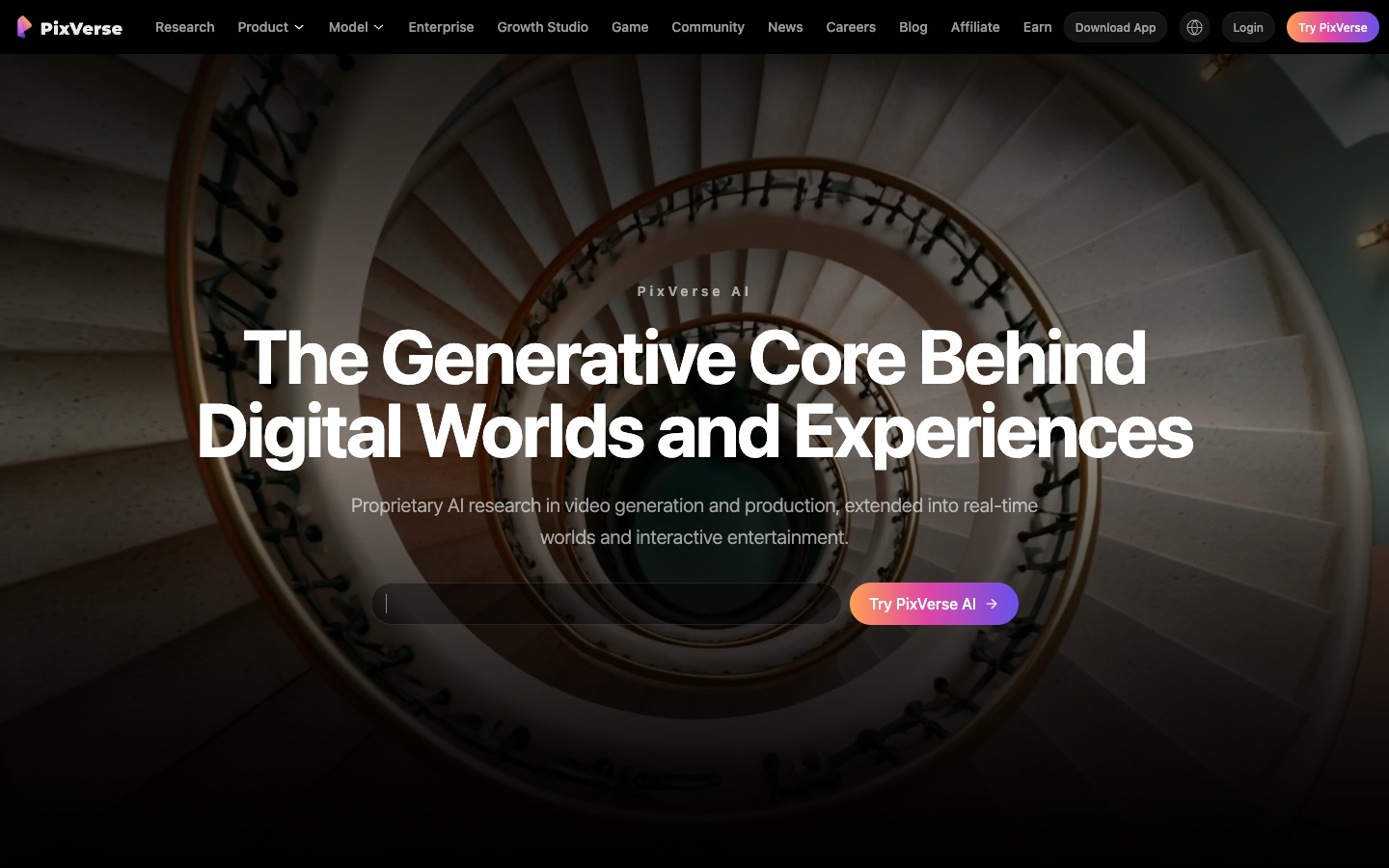 The official PixVerse website, captured on September 15, 2026. Credit: PixVerse
In short
| Question | Short answer |
|---|---|
| What it is | An AI video and image generator in the browser and as an app, with a template and effects library |
| Current model | PixVerse V6 (March 2026): 1 to 15 seconds, up to 1080p, built-in sound, multi-shot. Alongside it, C1 for productions |
| How much it costs | Basic is free. Standard $10, Pro $30, Premium $60, Ultra $199 per month. Annual plans are 20% cheaper or more |
| What you pay for | Credits by model, length, resolution and sound. Daily credits disappear at end of day |
| Hebrew | Not officially listed. Write prompts in English; Hebrew in subtitles and voiceover in editing |
| Rights | Terms of service on the site: non-commercial only without separate permission. For business use: subscription and written approval |
What is PixVerse?
PixVerse is a cloud service and app where you turn text and images into short clips, on your own or using ready-made templates. It started as an effects machine for social media, and in 2026 it is trying to become a full production platform.
Definition: PixVerse is an AI video and image generator, available at app.pixverse.ai and as Android and iOS apps. The main model as of September 2026 is PixVerse V6, which produces clips of 1 to 15 seconds at up to 1080p with sound. You pay in credits.
The company was founded in 2023, and its teams are spread between Asia and the United States according to its launch announcements. The service is operated, according to the terms of service, by AIVORA PTE. LTD. of Singapore. In March 2026 the company announced the close of a Series C round and unicorn status, and in July it announced an expansion of that round to $439 million.
Two models are worth knowing. V6 launched on March 30, 2026, and is the general-purpose model. C1 launched on April 7, 2026, and is designed for productions: a storyboard that becomes a sequence of shots, up to 15 seconds at 1080p with sound. And within the same platform there are also models from other companies, including Seedance, Kling, Sora 2 and MiniMax H3.
What can PixVerse do?
It can animate an image, generate a clip from text, apply a viral template, voice a character and extend a video. These are the core capabilities according to the V6 page, the API documentation and the app page, each with a business use case:
- Text to video and image to video with V6. 1 to 15 seconds, resolutions of 360p, 540p, 720p and 1080p, and prompts of up to 5,000 characters according to the API documentation. Use case: an existing product photo becomes a 6-second clip for a Story.
- Multi-shot (MultiShot). According to the V6 page, a single clip that combines a wide shot, medium shot and close-up with transitions. Use case: a 15-second mini-ad from one prompt, instead of three separate clips.
- Built-in sound. V6 generates dialogue, sound effects and background sound together with the image. Use case: a café clip with espresso machine noise, without searching a sound library.
- Templates and effects (AI Templates). A one-click effects library: dances, a transformation series (muscular look, robot suit, red carpet), beauty and fashion. Use case: a quick trend reel for a business page, from a single photo.
- Lip-sync. Upload a character, type text or upload an audio file, and the character speaks. According to the API documentation, up to 60 seconds and up to 200 characters of text to read. Use case: a brand character explaining a promotion in two sentences.
- Motion control. Upload a character image and a reference motion video, and the character moves like the video. Use case: a brand mascot doing the trending dance.
- Multiple reference inputs. Several reference images for a character, object, scene and style. Use case: the same character across multiple clips in a series.
- First-to-last frame transition. Provide two images and receive a smooth transition between them. Use case: a before-and-after of a room, product or design.
- Video extension, editing and upscaling. Continue a clip by describing the next scene, edit parts of the video, and upscale to 4K according to the app page. Use case: extend a good shot instead of generating a new one.
- Sound effects generator and Vibe MV. Add sound to an existing video, or upload a song and receive a music video clip with a character and subtitles. Use case: a short clip for a company event song.
- Agent, Canvas and CLI. An agent that helps write prompts and storyboards, a canvas for workflows, and a command-line tool that according to the V6 announcement works with Claude Code, Codex and Cursor. Use case: a developer integrating clip generation into an existing system.
Anyone who has read the complete Pika guide will recognize the category. The main difference here is a longer clip with sound, and a template library that sits alongside models from other companies.
How to get started: step by step
In the first hour, the goal is one good clip from one image, at 540p, without sound. This order saves most of your credits.
- Sign up at app.pixverse.ai or download the app. On the Basic plan you get 60 credits on sign-up and another 30 each day. Daily credits reset at 00:00 UTC and disappear if unused.
- Start with a template on an image, not from text. Upload a product photo or illustrated character, and choose one template. A template gives a predictable result, and that quickly teaches you what the model does with your images.
- Move to image-to-video with a motion prompt in English. The image determines the look; the prompt determines only the motion. For example: "Slow push-in, steam rising from the coffee cup, soft morning light".
- Change one thing per attempt. One time the camera move, next time the lighting. Anyone who changes five things at once won't know what worked.
- Only after the shot works, add sound and resolution. Sound and 1080p make the clip more expensive. According to the API pricing table, V6 at 1080p with sound costs 4.6 times more than 360p without sound.
- Download and finish in editing. Hebrew subtitles, logo and voiceover are added in a video editor like in the CapCut guide, not inside the generator.
One tip that saves real pain: save every prompt that worked in a text file, together with the model, length and resolution. A month from now, when you need another clip in the same style, that's the difference between ten minutes and two hours.
Effects, characters and sound: how to use them right
A good viral template works for attention, a consistent character works for a brand, and built-in sound works for drafts. Each of the three works differently.
Effects and templates. According to the API documentation, there are templates for a single image and templates for multiple images, and each template is identified in the effects center. The advantage: fast results. The disadvantage: thousands of people are uploading the exact same effect, and audiences recognize it. The right approach is to use a template as a 2-second opening and then continue with your own content. And note: the terms of service state that the platform's creative materials are intended for non-commercial creative use within the platform.
Consistent character. The V6 page recommends repeating the same "identity anchors" in the description of every shot: age, hair, clothing, color. In practice, work with one fixed reference image and copy the same description sentence to every clip in the series. An illustrated character holds consistency better than a real person's face, and it also solves the consent problem.
Lip-sync and sound. For lip-sync you upload a prepared audio file or use built-in voices. The API documentation says multiple languages are supported, without specifying which ones. For Hebrew it is therefore better to record or generate a voiceover separately, for example as in the ElevenLabs guide, and upload it as a file. V6's built-in sound is excellent for atmosphere and less suitable for precise Hebrew text.
Hebrew and RTL
Hebrew is not officially listed anywhere, and the interface is not in Hebrew. The official site is translated into 13 languages, including Japanese, Korean, Turkish and Russian, and Hebrew is not on the list. The V6 launch announcement mentions text inside the frame in English, in Chinese "and other languages."
What this means in practice, across three layers:
- The prompt. Write in English. Formulate the idea in Hebrew, then translate it into short, clear English.
- Speech inside the clip. Spoken Hebrew is not guaranteed, neither in the built-in sound nor in the preset voices. Upload a Hebrew voiceover file for lip-sync, and listen before building on it.
- Text inside the frame. A sign or title in Hebrew inside the video will almost always come out garbled or reversed. Add subtitles and titles in an editor.
Hebrew testing protocol (15 minutes, minimal credits): Choose one image and a simple shot. Run it twice with a Hebrew prompt and twice with an English prompt, using identical settings, at 540p without sound. Check three things: whether the action was performed, whether the environment is correct, and whether strange text appeared in the frame. If two out of three things failed with Hebrew, switch to English. To test lip-sync, upload a one-sentence Hebrew audio file and check that the lips don't look dubbed.
How Much It Costs: Every Plan from the Official Site
Six plans: one free with daily credits, four paid personal plans, and one team plan. According to the official subscriptions page, as of September 15, 2026:
| Plan | Monthly / Annual price (per month) | What you get | Limits |
|---|---|---|---|
| Basic | $0 | 60 credits on signup, 30 daily credits | Up to 540p, 2 concurrent generations, no watermark removal, up to 30 folders |
| Standard | $10 / $8 ($96/year) | 1,200 credits every 30 days, 60 daily, no watermark and no ads, 10% bonus on credit packages | Up to 720p, 3 concurrent |
| Pro | $30 / $24 ($288/year) | 6,000 credits, 60 daily, up to 4K, batch generation, off-peak mode saves 30% | 5 concurrent |
| Premium | $60 / $48 ($576/year) | 15,000 credits, 60 daily, up to 4K, off-peak saves 50%, 50% bonus on packages | 8 concurrent |
| Ultra | $199 / $149 ($1,788/year) | 25,000 credits, 60 daily, unlimited generations during off-peak hours, discounts on third-party models | 8 concurrent |
| Team Ultra | $199/seat / $149/seat | 25,000 credits in a shared pool, permissions management, centralized billing | 12 concurrent |
Additional credit packages: 500 credits for $5, 2,000 for $20, 5,000 for $50, and 10,000 for $100. All paid plans also include a 20% discount in Preview mode. Access to third-party models appears on the paid plan cards, with discounts starting from Pro. Prices are subject to change, so check the official site.
What you are actually paying for. Credits, and according to the FAQ there are three types. Daily credits reset at 00:00 UTC and expire at the end of the day. Subscription credits renew every 30 days from your signup date, and any unused balance disappears. Bonus credits, whether from a purchase or a promotion, never expire. The cost of each generation is shown in the interface before you confirm, and depends on the model, duration, resolution, and whether sound is included. The refund policy is narrow: only an unused, still-active subscription qualifies, and credit packages are non-refundable entirely. Also, deleting your account does not cancel your subscription, you have to cancel separately.
The cheapest plan that works for a small business: Standard, billed monthly for the first month. It removes the watermark and gives you 1,200 credits plus 60 per day. The key limitation to know: 720p maximum. If your clips are going to Reels and Stories, that is enough. If you need 1080p for an ad or a large screen, move up to Pro.
API via the PixVerse Platform
For anyone who wants to integrate video generation into their own system, there is a separate platform, and its credits do not carry over to the main site and vice versa. According to the official pricing page: Essential at $100/month with 15,000 credits, Scale at $1,500 with 239,230, and Business at $6,000 with 1,069,500. Pay-as-you-go: 1,000 credits for $10, up to 500,000 for $5,000.
V6 cost in credits per second, from the same page:
| Resolution | Without sound | With sound |
|---|---|---|
| 360p | 5 | 7 |
| 540p | 7 | 9 |
| 720p | 9 | 12 |
| 1080p | 18 | 23 |
That means a 15-second V6 clip at 1080p with sound costs 345 credits. In C1, each tier costs one additional credit. Lip sync costs 4 credits per second, sound effects 2, and resolution upscaling 5.
Business Use Cases in Israel
The right way to use this tool is short clips that grab attention in the opening seconds, not a full video born from a single prompt. Five scenarios by role:
- Business owner: An existing product photo becomes a 6-second Story clip, with an inward camera push and rising steam. A short Hebrew voiceover is added in post.
- Marketing: Three variations for an ad opening, one using a trending template, one with a clean product shot, and one with a speaking brand character, then testing which one holds more watch time.
- Operations: A "before and after" transition from the first frame to the last, for example a cluttered warehouse and an organized one, to illustrate a new procedure.
- HR: An illustrated character welcoming new employees via lip sync, using a Hebrew voiceover file, without putting real employees' faces on screen.
- Sales: A short Vibe MV music clip for a client event or conference, with a clear note that the content was AI-generated.
PixVerse vs. Pika vs. Hailuo: An Honest Comparison
There is no overall winner. There is a tool that fits the shot. This comparison is based on PixVerse's own pages, Pika's pricing page (checked September 15, 2026), and the guides on Pika and Hailuo:
| Criterion | PixVerse (V6) | Pika (Pika 2.5) | Hailuo (MiniMax H3) |
|---|---|---|---|
| Operator | AIVORA, Singapore | Pika Labs, USA | Nanonoble, Singapore (MiniMax, China) |
| Standout strength | Viral templates, multi-shot clips, third-party models on-site | A family of effects that work on your existing video | Up to 12 reference files, up to 2K |
| Clip length | 1 to 15 seconds | Up to approx. 10 seconds | 4 to 15 seconds |
| Built-in sound | Yes | Talking characters (Pikaformance) | Yes |
| Free tier | 60 credits on signup and 30/day, up to 540p | 80 credits per month, 480p | One-time trial credits |
| Paid entry | Standard: $10/month monthly, $8/month annual, up to 720p | Standard: $8/month annual, 700 credits | Standard: listed at $14.99 |
| Commercial rights | Not unambiguous in the terms of service | Included in paid plans | Per the FAQ, a video without watermark |
| Hebrew | Not officially specified | Weak | Not officially specified |
When to choose which. PixVerse when you want a quick trending template, a 15-second clip with multiple shots and sound, or when you want to try third-party models without another subscription. Pika when your source material is real footage you shot yourself and you want to add or replace something in it, and when clear commercial rights matter. Hailuo when you need many reference files in a single request and 2K resolution.
And the rule that saves the most money: take one photo from your actual work and run it through every tool you have access to. Within an hour it is obvious which tool fits your style. And anyone on Pro can compare V6 against MiniMax H3 within the same site. For a full category overview, see Leading AI Video Tools.
Privacy and Limitations
The service is operated from Singapore, personal data may be transferred to the United States, and the terms of service grant the company a license to use your content to improve the service and train models. So upload only what you are comfortable leaving with them.
What the official documents say (terms of service and privacy policy, last updated May 7, 2026):
- Operator: AIVORA PTE. LTD., Singapore, and the governing law is Singapore law.
- Data location: According to the privacy policy, personal data may be transferred to the United States and other locations where service providers operate, subject to binding legal commitments.
- Data retention: "No longer than necessary" for the purposes described in the policy, unless law requires or permits a longer period. No specific timeframe is defined.
- Model training: The user grants the company a worldwide, perpetual, transferable license to use data and content, in an aggregated and anonymized form, to improve the service, including training models. You can request to be excluded from this only "where the option exists."
- Facial data: Facial data from images is used only for the generation process, is not stored, is not shared with third parties, and is permanently deleted when processing is complete.
- Age: 16 and above.
- The app: According to the Google Play safety page, the app may share location and personal data with third parties, data is encrypted in transit, and deletion can be requested. It includes ads and in-app purchases.
What not to upload: Photos of clients or employees without consent, documents or screens containing internal information, designs for a product not yet launched, another brand's logo or character, and faces of recognizable people. The terms of service prohibit sexual content of a person without their consent, and using the service for political campaigns or election influence.
On commercial rights, honestly. There are three formulations here that do not align. The site's terms of service say the company makes no ownership claim over outputs, but their use is restricted to non-commercial purposes unless there is separate authorization or a commercial license. The V6 model page says commercial usage rights depend on the subscription plan. And the API platform terms, updated September 4, 2026, state that commercial use of content generated through the API is unrestricted. The takeaway: for business use, only paid subscriptions qualify. Email support@pixverse.ai and ask for written confirmation of commercial use rights on your specific plan, and for a major campaign either get a legal review or move to the API.
Honest limitations: Short clips only (up to 15 seconds), text inside the frame is unreliable, popular templates look identical across everyone's accounts, Standard is capped at 720p, and output varies between attempts. PixVerse itself states in the FAQ on the subscriptions page that AI video results may be inconsistent, and for that reason does not issue refunds for a result you simply did not like.
Common Mistakes
- Publishing a business clip from the free plan. It has a watermark, and even on a paid plan it is worth getting written confirmation of commercial use rights.
- Forgetting the daily credits. They disappear at the end of every day. Anyone who tries the tool once a week is losing most of them.
- Generating at 1080p with sound for every attempt. Draft at 540p without sound, and render at the expensive settings only for what actually worked.
- Building an entire campaign around a trending template. Your audience recognizes the effect. A template is an opening, not the content.
- Buying a large credit package before you have tested the tool. Packages are non-refundable. Start with the free credits and one month of Standard.
- Hebrew text inside the prompt or the frame. Write in English, and add Hebrew in subtitles and voiceover during editing.
Frequently Asked Questions
What is PixVerse?
A cloud-based and mobile video and image generator from a company founded in 2023. You write a description or upload an image, choose a template or model, and get a clip. As of September 15, 2026, the main model is PixVerse V6: up to 15 seconds, up to 1080p, with built-in sound.
How much does PixVerse cost?
According to the official subscription page (checked September 15, 2026): Basic is free with 60 credits on signup and 30 per day; Standard is $10/month; Pro is $30; Premium is $60; Ultra is $199. With annual billing: $8, $24, $48, and $149 per month. Prices change, so check the official site.
What does the free plan include?
60 credits on signup plus 30 daily credits that reset at 00:00 UTC and expire if unused. Resolution up to 540p, two generations in parallel, and no watermark removal, which is available only on paid plans.
Can you use PixVerse videos commercially?
Not straightforwardly. The PixVerse website terms of service restrict outputs to non-commercial use without separate permission. The V6 model page says it depends on your plan, and the API platform terms do not restrict commercial use. For business use: a paid subscription and written approval from support.
Does PixVerse work in Hebrew?
Not officially stated. The site is translated into 13 languages and Hebrew is not among them, and the V6 launch announcement mentions in-frame text in English, Chinese, and other languages. In practice: write prompts in English, test Hebrew with a short protocol, and add Hebrew subtitles and voiceover in post-production.
Where is data stored?
The operator is AIVORA PTE. LTD. from Singapore, and the governing law is Singaporean law. According to the privacy policy, personal information may be transferred to the United States and other locations. Facial data from images is used only for generation and deleted after processing.
PixVerse or Pika?
Both are built around effects. PixVerse gives you longer clips (up to 15 seconds), built-in sound in V6, a large template library, and access to external models. Pika offers an effects family that works on your own real footage. The right way to decide: run the same image through both and compare.
Does PixVerse have an API?
Yes, on a separate platform. According to the official pricing page, plans start at $100/month (15,000 credits), or top-up packs from $10 for 1,000 credits. V6 costs between 5 and 23 credits per second depending on resolution and sound. API credits are separate from site credits.
The bottom line
PixVerse is not a machine that produces a finished ad from a single prompt. It is an excellent machine for scroll-stopping openers, single-image clips, and rough cuts with sound, for anyone who works with a system: daily credits for experiments, one change at a time, expensive renders only at the end, and Hebrew added in editing.
And to come back to the opening: 150 million users are not wrong about the tool. They just did not read the terms of service. A business that reads them, requests written approval, and uses templates as a seasoning rather than the main course gets a very cheap and very fast video tool.
Want to practice this directly on the page? The interactive PixVerse course for 9.90 ILS, part of the interactive AI courses series.
Further reading: Pika: the complete guide · Hailuo: the complete guide · Kling: the complete guide · CapCut: the complete guide · The interactive Pika course · The interactive Hailuo course
Sources
All pages checked on September 15, 2026. Prices change, so check the official site.
- PixVerse official subscription page: https://app.pixverse.ai/subscribe (plans, monthly and annual prices, daily and subscription credits, resolution, parallel generations, credit packs, external models, FAQ on credit types, refunds and account deletion)
- PixVerse official website: https://pixverse.ai/en (products: website, Agent, Canvas, CLI, API, apps; list of site languages)
- PixVerse V6 model page: https://pixverse.ai/en/model/pixverse-v6 (15 seconds at 1080p, sound, MultiShot, character identity anchors, rights by plan)
- V6 launch announcement: https://pixverse.ai/en/blog/pixverse-launches-v6-advancing-ai-video-generation (launched March 30, 2026, multilingual in-frame text, CLI, Series C, founding year)
- C1 launch announcement: https://pixverse.ai/en/blog/pixverse-introduces-c1-ai-video-model-for-film-production (launched April 7, 2026, up to 15 seconds at 1080p, storyboard)
- Series C extension announcement: https://pixverse.ai/en/blog/pixverse-closes-series-c-extension-and-announces-expansion-into-interactive-entertainment (July 14, 2026, $439 million, 150 million users, 177 countries)
- V6 documentation on the API platform: https://docs.platform.pixverse.ai/v6-2056814m0 (1 to 15 seconds, resolutions, aspect ratios, sound, multi-shot, first and last frame, 5,000 characters)
- API pricing: https://docs.platform.pixverse.ai/model-pricing-796039m0 (Essential, Scale, Business plans, packs, credits per second for V6 and C1, lip sync, sound effect, upscale)
- Effects documentation: https://docs.platform.pixverse.ai/video-effects-796054m0 (single-image and multi-image templates, effects hub)
- Lip sync documentation: https://docs.platform.pixverse.ai/speechlip-sync-1268530m0 (audio file or text-to-speech, up to 60 seconds, 200 characters)
- API plan purchase: https://docs.platform.pixverse.ai/how-to-subscribe-api-plans-882969m0 (API credits are separate from site credits)
- PixVerse terms of service: https://pixverse.ai/en/terms-of-service (AIVORA PTE. LTD., Singapore law, non-commercial use of outputs, training license, age 16, prohibited uses)
- PixVerse privacy policy: https://pixverse.ai/en/privacy-policy (data transfer to the US and other locations, data retention, facial data)
- API platform terms: https://pixverse.ai/en/pixverse-platform-terms-of-service (updated September 4, 2026, unrestricted commercial use via API)
- App on Google Play: https://play.google.com/store/apps/details?id=com.pixverseai.pixverse (capabilities, 50 million+ downloads, 4.6 rating, data safety, updated September 11, 2026)
- Pika pricing page: https://pika.art/pricing (for comparison: Pika 2.5, plans, credits, 480p on free tier, commercial rights)
- For comparison: the Pika guide and the Hailuo guide, and the official sources listed in each
Frequently asked questions

Yaakov Tzedek
An Israeli AI lecturer, consultant and implementer who has supported 100+ organizations in AI implementation and lectured for 200+. Official content partner of Meta, Google, Canva and TikTok, featured on Israel's Channel 13.
More about Yaakov →