- Pika launched Pika H3 Flex on October 29, 2026: up to 15-second clips with synced stereo sound, 12 reference inputs, 5 separate audio stems via API, and upscaling to 4K. Pricing, open weights, and what it means for video production.
Pika notes in the fine print at the bottom of the announcement that the "seven seconds" measures only the transformer's compute time for a controlled benchmark, not the total time from request to finished video. References, resolution upscaling, audio stem separation, hardware, and service load all extend the actual completion time.
15 seconds of video with sound, in seven seconds. That's the number Pika chose to lead with for the Pika H3 Flex launch. It's accurate, but only if you read the fine print at the bottom of the announcement. And the genuinely interesting part of this launch isn't the speed at all.
In short:
- What launched: Pika H3 Flex, a video model from Pika, on October 29, 2026. According to Pika, this is a MiniMax H3 model they further trained to run in 6 steps instead of 50.
- What it does: Clips of 5 to 15 seconds with synchronized stereo sound, up to 12 reference files at once, 5 separate audio channels, and upscaling to 4K.
- The speed: "Seven seconds" is the model's compute time in a controlled test, not the total time you'll be waiting.
- Open weights: You can run it on your own hardware, but only at 480p and 768p and without audio separation. 4K finishing and channel separation stay in Pika's paid service.
- Availability: Via API today, and in the Pika product from November 2.
What did Pika launch?
Pika, the company behind one of the more widely used video generators among content creators, announced Pika H3 Flex. According to the announcement, this is not a model built from scratch: Pika took MiniMax H3 and applied post-training to make it generate video in 6 steps instead of 50, then improved quality and control.
The idea Pika is selling is iterative work. The first generation is a starting point, and the creative work begins from there. That's why the model is built to generate fast, accept a lot of direction, and allow targeted corrections.
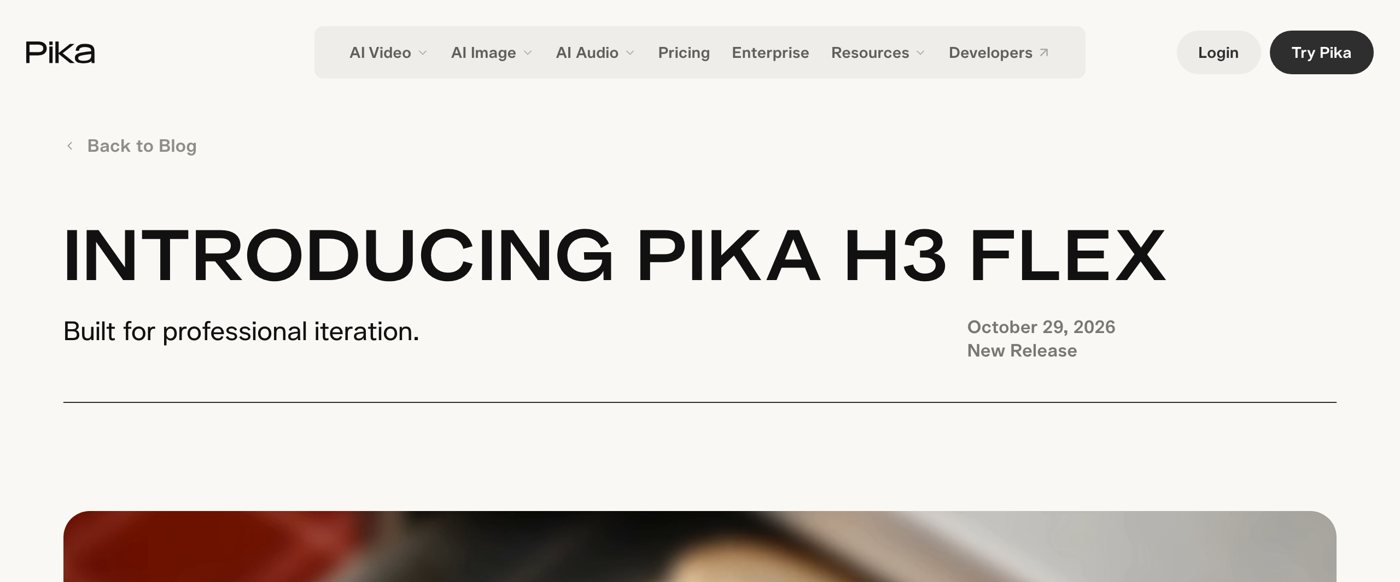 Screenshot: the official announcement on the Pika blog, pika.art, October 29, 2026
What exactly can the model do?
According to the announcement and the model page, these are the core capabilities:
- Synchronized sound. Every clip is generated with stereo audio that matches what's happening on screen, including dialogue.
- Up to 12 reference files. Images, videos, and audio clips in a single request. You can pull a character from one image, a world from another, and motion from a video, and define what each reference contributes.
- Audio separation into 5 channels. Via the API you can receive dialogue, music, effects, foley (action sounds like footsteps), and ambiance as separate tracks. That means you can remove the music without touching the speech, and keep editing in your own software.
- Reference-based editing. Swap a piece of clothing, an accessory, or a background, and ask the model to preserve the motion and timing of the original.
- Finishing up to 4K. Generation itself is at 480p or 768p. The version you like gets upscaled to 1080p, 2K, or 4K.
- Formats. According to the model page, clips of 5 to 15 seconds at 24 frames per second, and 11 aspect ratios, from 21:9 to 9:21.
So is it really 15 seconds in seven seconds?
The straight answer: it depends what you're measuring. Pika writes that the model can generate a 15-second clip with sound at 768p "in seven seconds of transformer compute." In the fine print, it clarifies that this measures the central compute component in a controlled test, not the total time from when you submit a request to when the video is ready.
According to Pika, what adds time in practice: references, upscaling to higher resolution, audio channel separation, the hardware, and service load. On the model page, Pika also presents a more conservative figure: on average 1.8x faster than H3Max, and up to 80% cheaper than it.
The practical takeaway: don't plan a workflow around "seven seconds per video." This is a very fast model, but you measure the real time against your own requests.
What's the difference between the open weights and Pika's service?
This is the most important part of the launch, and also where it's easy to get confused. Pika is releasing the generator components and inference code (on Hugging Face and GitHub), so developers can run the model on their own hardware and customize it, subject to the license terms.
What's included in the open version: text-to-video generation, first-and-last-frame generation, and reference-based generation, with synchronized sound, at 480p and 768p.
What is not included and stays in Pika's service: upscaling to 1080p, 2K, and 4K, audio channel separation, prompt enhancement, and the fast inference infrastructure. Pika also notes that local performance depends on hardware and configuration. In other words: the speed and finishing quality shown in the demos come with the paid service.
According to Pika, at launch the model ranked first among open-weight models and seventh overall on the DesignArena text-to-video leaderboard.
What does it cost?
The model page lists launch pricing per second of video. A few examples:
| Resolution | Text-to-video | Reference-based |
|---|---|---|
| 480p | $0.01 | $0.03 |
| 768p | $0.02 | $0.06 |
| 1080p | $0.035 | $0.075 |
| 4K | $0.08 | $0.10 |
Audio channel separation costs an additional $0.001 per second. By simple calculation, a 15-second text-to-video clip at 768p costs about $0.30. These are launch prices, and Pika also offered 15 free generations per day between October 29 and November 5 via the API. Check the official pricing page before building anything around these numbers.
What does this mean for businesses that produce video?
I haven't tested the model myself, so there's no quality recommendation here. What can be said from the announced capabilities:
Product video from a product image. Pika demonstrates exactly this: a single product image turned into an ad with several shots. For a small business with a catalog of dozens of products, this is a way to generate video drafts without a shoot. Those drafts still need a human eye.
Control over sound is real savings. Anyone who has ever made an AI video knows the problem isn't just the visuals. Music that drowns out dialogue, or a sound effect that doesn't fit, means regenerating everything. Separate channels let you fix it in post.
References preserve brand consistency. Up to 12 reference files is enough for a fixed character, brand colors, and style. For a business publishing reels every week, consistency matters more than one impressive effect.
Open weights matter for organizations. Anyone who doesn't want to send materials to an external service can explore local inference. Just keep in mind that the local version is capped at 768p and has no audio separation.
Building a workflow, not just trying a tool. The real value comes when you connect the API to a workflow: a product list, a fixed prompt, automated generation, and a human review before publishing. That's exactly the kind of integration people are building today with tools like Claude Code. For the broader picture of Pika, including effects and the app, see the complete Pika guide. For a comparison against other tools, see the AI video tools overview.
Related stories from today: Meta is testing an AI stylist that builds a wardrobe from your Instagram photos, and anyone publishing content on a website should read about the new robots.txt signal that asks AI companies not to train on your content.
The bottom line
Pika H3 Flex is not just "another fast model." It's a model built for iterative work: quick draft, reference-based correction, sound in separate channels, and finishing only the version you chose. The number "seven seconds" will make the headlines. What will actually change how you work is the control.
📬 This article appeared in the weekly "This Week in AI" roundup for November 6, 2026, together with all the guides and articles published on the site that week.
Want to build a workflow that generates for you, not just try tools?
Most businesses that try AI video tools get stuck in the same place: manual generation, one video after another, with no workflow. The AI agents bundle teaches you to build agents and systems that work for you, from a Claude Code course where you build tools and workflows with no programming background, to a Grok Bot course. Includes a free SocialFlow course for turning comments into leads. 297 ILS + VAT instead of 594, until November 12, with 16 lessons open to watch for free.
Sources:
Frequently asked questions

Yaakov Tzedek
An Israeli AI lecturer, consultant and implementer who has supported 100+ organizations in AI implementation and lectured for 200+. Official content partner of Meta, Google, Canva and TikTok, featured on Israel's Channel 13.
More about Yaakov →