
- Runway is a full AI-powered video studio. What it can do, how much each plan costs, what's free, and how to produce your first video with zero editing experience.
Runway is one of the pioneers of AI-generated video and was involved in the development of Stable Diffusion, one of the most influential image generators in the world.
Runway is one of the oldest, most influential, and most professionally serious AI video studios in the field. As of July 2026, it offers Gen-4.5, the video generation model that ranks at the top of blind comparison charts against Veo and Sora; Aleph 2.0, which edits existing footage without reshoots; and Act-Two, which transfers a real actor's performance onto an animated character. The fundamental difference between Runway and a "one-click video generator" is its philosophy: Runway is built as a complete studio for creators who want control, not just a pretty result, but a full workflow of creation, editing, refinement, and assembly in one place.
What is Runway?
Definition: Runway is a New York-based research and product company that develops models for generating and editing video, images, and sound, delivered through a single web platform that functions as an AI-powered production studio. Input can be text, an image, or existing footage. Output is video that approaches professional production quality.
Runway was founded in 2018, long before anyone was talking about "AI video," by three NYU graduates. The company was a co-developer of Stable Diffusion, the image generator that ignited the image-generation revolution, and has maintained its pioneering status ever since: Gen-1 and Gen-2 were among the first models to make text-to-video publicly available, Gen-3 set the benchmark in 2024, Gen-4 introduced character consistency in 2025, and Gen-4.5, launched in December 2025, climbed to the top of Artificial Analysis's blind preference rankings, surpassing Veo 3.1 and Sora 2 Pro.
But the truly important point is not any single model. Runway has built a complete working environment around its models: generation, editing of existing video, character animation, background removal, resolution upscaling, scene assembly into full films, and even an AI agent that runs entire campaigns. That is what transforms it from "an impressive toy" into a tool that studios, advertising agencies, and professional creators actually use.
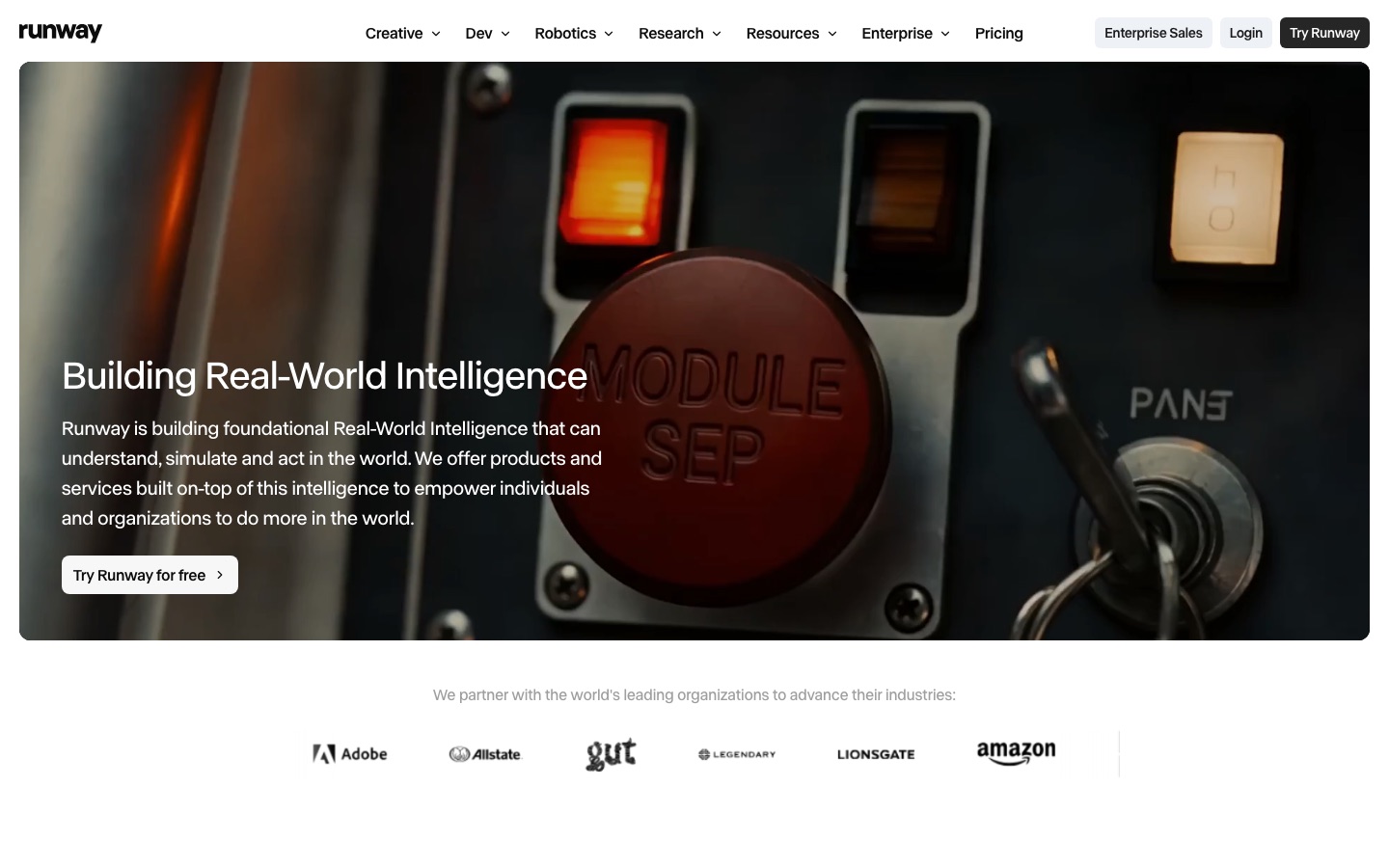 The official Runway website, captured in September 2026. Credit: Runway
Why is everyone talking about Runway right now?
Several things converged in recent months and brought Runway back to the forefront:
- Gen-4.5 at the top of the charts. After a year in which Google's Veo and OpenAI's Sora grabbed the headlines, Runway's model returned to the top of blind comparisons, with motion realism, prompt fidelity, and support for cinematic aspect ratios like 21:9.
- Aleph 2.0 and Edit Studio (May 2026). This may be the quiet revolution of the year: instead of generating new video, you upload existing footage, up to 30 seconds at 1080p, and ask it to change only what needs changing: a product's color, the background, the lighting, the season. Everything else stays exactly as shot.
- Hollywood inside. Runway has signed partnerships with major studios (including Lionsgate), runs an annual AI film festival (AIFF), and hosts a creation competition called Gen:48. The effects team behind "Everything Everywhere All at Once," the Oscar winner, used Runway's tools, a fact the company is rightly proud of.
- From a single-model platform to a full suite. As of July 2026, you can run third-party models inside Runway, including fast image models, a sound model that generates up to two minutes of speech and music, and more, making it a single destination for complete production.
Searches for "Runway" in Hebrew have been growing steadily, and for good reason. It is one of the few tools in the space that is genuinely built for work, not just for demos. And the context matters: the generative video market is changing at a dizzying pace. What was "the best model in the world" six months ago is now in third place. Runway's advantage lies precisely in what surrounds the model: even when a competing model briefly pulls ahead on quality, the working environment, the editing tools, and the integrations are what keep professionals from leaving.
Core capabilities: what Runway can actually do
Gen-4.5: video generation from text and images
The heart of Runway is the Gen model family. The current model, Gen-4.5, produces clips ranging from a few seconds to roughly 10 seconds at a quality that approaches real photography: believable physical motion, consistent character identity across frames, coherent lighting, and support for a range of aspect ratios including the cinematic 21:9. Two primary workflows:
- Text to Video: describe a scene in words and receive a clip. Fast, but less predictable.
- Image to Video: upload an image, a real photograph or one you created in Midjourney, and Runway animates it. This is the preferred workflow for professionals, because the image locks in the composition, colors, and character, while the prompt controls only the motion.
Alongside the main model, faster and more credit-efficient Turbo versions are available, ideal for drafts before committing to a final production pass.
Aleph 2.0 and Edit Studio: editing footage you already shot
If Gen-4.5 answers "how do you create new video," Aleph answers a question that is worth far more money to businesses: how do you change existing video without reshooting it. You upload a clip, mark or describe the change, or simply edit a single reference frame, and Aleph 2.0 applies the change across the entire video while preserving the original lighting, motion, and background. Real-world examples:
- Replace a product's color in a brand video, with no additional shoot day.
- Turn a summer scene into a winter scene for a seasonal campaign.
- Remove passersby, cables, or a competitor's logo from the frame.
- Change the background behind a presenter without touching the presenter at all.
Edit Studio, launched alongside Aleph 2.0 in May 2026, is the dedicated interface for all of this, available on all paid plans.
Act-Two: performance capture
Act-Two is one of the most impressive tools on the platform, and continues the work of Act-One from 2024. The concept: you film yourself on your phone, talking, moving your hands, making expressions, then upload the video alongside a character image (illustrated, 3D, or photorealistic), and Runway "dresses" your performance onto the character: facial expressions, head movements, lip sync, and even body language. In practice, this is motion capture without a suit, without a studio, and without a Hollywood budget. And because the performance is driven by real video, it works perfectly in Hebrew: the character will speak Hebrew exactly as you do, because it is imitating you.
Classic editing tools: why editors love Runway
Even before the Gen revolution, Runway was known for its AI Magic Tools, and they remain a core part of its value:
- Background removal (Green Screen): cut a subject out of video without a green screen, at a precision level that saves hours of rotoscoping.
- Camera control: define camera movement, dolly, pan, zoom, tracking, as an explicit parameter rather than something you hope a prompt will produce.
- Erase and replace (Inpainting): mark an object in the video and it disappears or is replaced.
- Frame expansion (Expand/Outpainting): convert horizontal video to vertical (or vice versa) through intelligent edge completion, essential for anyone publishing on both YouTube and Reels.
- Resolution upscaling (Upscale): bring clips up to 4K for delivery.
- Lip sync: match a speaker's lips to a new audio track, useful for dubbing and localization.
Studio and Agent: from a single clip to a complete film
Two 2026 updates close the loop. Studio (June 2026) lets you cut, join, reorder, and export a complete film inside Runway, without exporting to Premiere or DaVinci Resolve just for basic assembly. Agent 2.0 and Agent Skills (June and July 2026) add an agent layer: give a command like "build an ad campaign for this product" and the agent breaks it down into a script, scenes, platform-specific versions, and even localization. It is still early, but the direction is clear, and it connects directly to the world of agents we cover in the AI agents guide: anyone who understands how an agent thinks will get far more out of these tools.
External models inside the platform
As of July 2026, Runway also hosts models it did not build: fast image models for reference purposes, Google's Gemini video model, and a sound model (Seed Audio) that generates up to 120 seconds of speech, sound design, and music from a prompt. The practical implication is fewer jumps between tools. Anyone who still needs high-quality Hebrew voiceover will find that ElevenLabs remains the category leader, and the two tools pair easily.
💡 From the field: In my workshops I run the same exercise in two tools: in Sora you get an impressive clip on the first try and feel excited; in Runway the first try is average, and then you refine it with Aleph, dial in the camera, assemble it in Studio, and suddenly you have something that looks like a real production. The difference is between a "one-time wow" and a workflow. A business that produces video on a regular basis needs the second one.
Positioning: the filmmaker's tool, not the casual user's
It is important to understand Runway's DNA, because it explains both its strengths and its weaknesses. While OpenAI built Sora as a social app, an AI TikTok, Runway went in the opposite direction: partnerships with film studios, an annual film festival, the Gen:48 competition where creators produce a short film in 48 hours, and tools that speak the language of professionals: shots, aspect ratios, camera control, scene continuity.
What this means for the average Israeli user: if you want one funny clip for a WhatsApp group, there are simpler tools. If you produce video content on an ongoing basis, for a business, for clients, for a channel, Runway is built for you. It is a tool that rewards investment: the more you learn from the capabilities inside it, the larger the gap becomes between you and someone who only uses "text to video."
How to get started: your first video, step by step
- Sign up for free at the official site (runwayml.com). The free account includes a one-time credit allowance, enough for a few short clips to understand the tool, but not for ongoing work.
- Start from an image, not text. Create or choose a strong image, the opening frame of the scene you want. A good image is worth more than any prompt, because it fixes the composition, the colors, and the character.
- Open a generation session and choose a model. For first attempts, choose the Turbo model (cheaper on credits). Save Gen-4.5 for the final version.
- Write a short motion prompt in English. When working from an image, the prompt should describe only what moves: "slow dolly-in, the woman turns her head toward the window, curtains move gently in the breeze." Do not redescribe what is already visible in the image.
- Generate 2 or 4 versions of the same idea. This is the right working method in every AI video tool: generation is a directed lottery, and you pick the winner. Think of it like a photographer pressing the shutter twenty times to choose one frame.
- Refine instead of regenerating. Something almost perfect? Do not burn credits on another roll of the dice. Take the clip to Aleph or the Inpainting tool and fix only what is bothering you.
- Assemble in Studio and export. Join several clips into a sequence, add sound (inside Runway or in an external tool), upscale the resolution, and export.
A first video takes a beginner roughly an hour. After a week of practice, ten minutes.
Prompt Patterns That Work in Runway
A good video prompt is different from an image prompt. The formula I teach:
[Shot type and camera movement] + [subject] + [one action] + [environment] + [lighting and mood] + [style]
Examples (in English, because that is what the model was trained on):
Cinematic tracking shot, a barista pours latte art in a sunlit Tel Aviv café, steam rising, warm morning light, shallow depth of fieldSlow aerial pull-back over a desert highway at dusk, a single car driving north, long shadows, anamorphic 21:9Handheld close-up, an elderly craftsman sands a wooden chair, dust particles in a beam of light, documentary style
Principles that come up again and again among people who get good results:
- One action per clip. "She stands up, walks to the window, opens it, and waves" is four clips, not one. Models lose the thread when given a sequence of actions.
- Camera vocabulary. dolly in, tracking shot, crane up, whip pan, static shot, rack focus. These terms are real control handles, and the model responds to them.
- Lighting is half the style. golden hour, neon-lit, overcast soft light, hard rim light. Changing the lighting changes the entire clip.
- Change one variable per iteration. Got something close? Change only the camera movement, or only the lighting. Changing everything at once throws away what was already working.
- Hebrew prompts: not recommended. The model will understand a Hebrew description partially, but it was trained primarily on English. Write the idea in Hebrew and let Claude translate it into a cinematic prompt. This is an exercise we do in workshops and the difference is dramatic.
Real-World Business Use Cases in Israel
Here are concrete scenarios I have seen or worked through directly, not theory:
- Real estate agency: Turns still photos of properties into live "walkthrough" videos using image-to-video with slow camera movement. Instead of hiring a videographer for every listing, they produce a marketing video from any existing photo set.
- E-commerce store: Shoots one product video and uses Aleph to generate all the variations: every color of the product, summer background and holiday background, vertical version for Reels and wide version for YouTube. One shoot day becomes a campaign library.
- Marketing agency: Produces teasers and opening sequences for client videos using Gen-4.5 instead of buying footage from stock libraries. The opening is tailored precisely to the client, not "another stock shot everyone has seen."
- Lecturers, instructors, and course creators: Use Act-Two to animate a consistent guide character that accompanies the course. You film yourself once on your phone, and the character speaks Hebrew exactly like you. For anyone who prefers an avatar that speaks directly from text, HeyGen is the faster route, and Runway is the more cinematic one.
- Restaurants and hospitality: Atmosphere clips of a dish or space from still photos. The result looks like a full video production. The cost is a handful of credits.
- Training departments in organizations: Scenario videos (customer service, safety, employee onboarding) with no actors and no shoot days. Script, reference images, Runway.
The common thread: Runway pays off for anyone who produces video repeatedly. A business that needs one video a year is better off commissioning it. A business that needs one video a week, the tool pays for itself in the first month.
💡 From the field: The most common mistake I see in organizations I work with is trying to replace the videographer. That is not the point. The real wins are in "video that would never have been made at all": the third campaign variation, the internal training clip, the teaser for a post. In those cases the budget was zero, and every deliverable is pure gain.
Full Example: A Brand Video for a Business in Three Hours
To show how all the pieces connect, here is a real workflow I walk through in workshops: producing a 30-40 second brand video for a small business, from scratch.
- Script (20 minutes). Define five shots of 5-8 seconds each: an atmosphere opener, the product or service in action, a human moment (a customer or the business owner), a detail that sets you apart, and a closing shot with room for the logo. Write one descriptive sentence per shot. Working on the script with Claude is very convenient: give it a description of the business and ask it to break things down into shots using this format.
- Anchor images (30 minutes). For each shot, prepare an opening image: some from real photos of the business (preferred), some from an image generator. Make sure all images share the same visual language, similar lighting, similar color palette.
- Drafts in Turbo (40 minutes). Each image goes into image-to-video with a short motion prompt. Two versions per shot, using the cheaper model. At this stage you are only checking that the motion makes sense. Do not fall in love with details yet.
- Finals in Gen-4.5 (30 minutes). Only the shots that worked get re-run in the full model. A shot that came out "almost perfect" with a small flaw does not get re-generated. Fix it in Aleph or with Inpainting.
- Assembly in Studio (30 minutes). Arrange the five shots, trim each to its strongest portion, make sure the energy builds toward the end.
- Sound and text (30 minutes). Music and sound, inside Runway or in an external tool. Hebrew voiceover if needed, via ElevenLabs. Hebrew subtitles and logo, in external editing, after export.
Total: roughly three hours of work and a credit cost of a few dozen shekels, for a deliverable that traditional production would price in the thousands of shekels. By the third time you do this, the process will be down to an hour and a half.
A Short Glossary for Newcomers
- Prompt: The text instruction that describes what to generate.
- Text-to-video / Image-to-video (T2V / I2V): The two main creation paths: from text description alone, or from an opening image that gets animated.
- Credits: Runway's internal currency. Every second of video costs credits based on the model and resolution.
- Shot: A single unit of footage in a sequence. In AI terms, one generated clip.
- Reference: An image that locks in a character, object, or style to keep it consistent across shots.
- Inpainting: Targeted correction. You mark a region in a frame and the model replaces only that area.
- Upscale: Increasing the resolution of a finished clip, for example to 4K.
Hebrew: What Works and What Does Not
Let me be precise here, because there is a lot of confusion around this.
- The interface: English only. There is no Hebrew interface, and there likely will not be one anytime soon. Anyone comfortable with English-language editing interfaces will not feel anything is missing.
- Hebrew prompts: Partially functional, not recommended. Write in English or translate with AI.
- Hebrew text inside the video: This is the weak point of every video generator, Runway included. Hebrew characters in signs, subtitles, or logos inside the scene will usually come out as gibberish. The practical solution: generate the video clean and add Hebrew text in editing, in Canva, Premiere, or any subtitling tool.
- Hebrew speech: This is actually good news. Act-Two is driven by real video of you, so an animated character will speak perfect Hebrew because it is imitating you. Lip-sync to an external Hebrew audio track works reasonably well. Generating Hebrew speech from text inside Runway is still not at the level of dedicated tools. For Hebrew voiceover, use ElevenLabs and sync it in.
- Israeli audiences in the final product: The models can produce convincing "Mediterranean" scenes, but for precise local details (signs, recognizable streets), shoot real reference footage and work in image-to-video or Aleph.
The practical takeaway for an Israeli business: the right workflow is bilingual. Think and script in Hebrew, generate in English, and bring the Hebrew back in the final stage: voiceover, subtitles, and on-screen text. Anyone who adopts this order stops running into "Hebrew problems" almost entirely, because the Hebrew simply never passes through the generative model. It is added in the editing layer, where you have full control.
Pricing and Credits: Honestly
Runway runs on a credits system, and this is where the most important honest caveat in this guide lives: quality AI video is relatively expensive, and credits burn fast.
The structure is current as of July 2026 (prices change, check the official site):
- Free: A one-time credit allocation (non-renewing), for experimentation only.
- Standard (around $12 per month on annual billing): A monthly allowance that covers a few dozen seconds of the advanced model per month, or more with Turbo models. Suitable for a beginner creator.
- Pro (around $28 per month): Several times more credits, more storage, early access to features. The realistic entry point for commercial work.
- Max (around $76 per month): The heavy-duty tier. Worth knowing: in May 2026, Runway replaced the long-standing Unlimited plan with the Max plan, which carries a large but capped credit allowance. Anyone reading older reviews that mention "unlimited generation" should verify the current situation.
- Enterprise: Negotiated pricing, for teams and studios.
A few rules of thumb that will save you money:
- Drafts in Turbo, final version in Gen-4.5. The cost-per-second difference is significant, and a draft only needs to check composition and motion.
- Image-to-video saves generations. The more precise the input, the fewer failed attempts.
- Fixing is cheaper than regenerating. Editing a nearly-good clip in Aleph costs less than generating a new one from scratch.
- Think in cost per deliverable, not cost per month. If a Pro subscription replaces one shoot day per month, it has paid for itself ten times over. If you are producing one clip a month, even Standard is unnecessary.
💡 From the field: When a business asks me "how much will AI video cost us," I answer with a question: what does a minute of edited video cost you today? For most businesses in Israel the answer ranges from hundreds to thousands of shekels per minute, whether with a freelancer or an agency. Against that number, even Runway's heaviest tier is a rounding error. The real problem is never the price. It is the time it takes to learn the tool. And that, unlike credits, cannot be bought.
Runway vs. the Competition: Comparison Table
The 2026 video market is crowded, and every tool excels at something different:
| Criterion | Runway | Kling | Veo (Google) | Sora 2 (OpenAI) | LTX Studio |
|---|---|---|---|---|---|
| Current model | Gen-4.5 + Aleph 2.0 | Kling 2.x | Veo 3.x | Sora 2 | LTX-2 |
| Core strength | Full studio: generation + editing + control | Motion and physics at an accessible price | Realism + built-in sound + Google ecosystem | Virality, built-in sound and dialogue | Full-film planning from a script |
| Existing video editing | Best in class (Aleph, Inpainting) | Basic | Partial | Limited | At the scene level |
| Built-in sound | Via third-party models | Partial | Yes, built-in | Yes, including dialogue | Yes |
| Best suited for | Professional creators and editors | Social creators on a small budget | Gemini users and enterprises | Fast, viral content | Producers working from a script |
Full deep-dives are on the blog: Kling guide, Google Veo guide, Sora 2 guide, and LTX Studio guide, the last one, worth noting, from Israeli company Lightricks, which is another reason to know it. And if what you are looking for is cinematic control for advertising, one-click camera moves, and a consistent presenter, it is worth comparing against Higgsfield. For a full picture of all the tools see the guide to leading AI tools and the complete video tools review.
The practical rule I give in workshops: do not choose a tool based on demo reels on Twitter. Take one idea of your own, run it through two or three tools using their free tiers, and compare on your content. Runway almost always wins in one clear category: what happens after the clip is generated.
The Learning Curve: The Truth
No sugarcoating: Runway is not the easiest tool to start with, and that is the price of its professionalism.
- Day one is frustrating. The interface is dense, with dozens of tools, models, and modes. Anyone coming from "I typed a sentence and got a video" will feel like they have been dropped into a broadcast control room.
- The first week is disorienting. It takes time to understand when to use what: when Gen-4.5, when Turbo, when Aleph, when the older Magic Tools. The logic is there, generate, fix, assemble, but you have to build it in your head.
- The first month pays off. Those who clear the hurdle discover that the skills compound: understanding shots, articulating motion, working from references. These are director skills, not typist skills, and they carry over to every other tool you will ever use.
The comparison I like: simpler video tools are point-and-shoot cameras; Runway is a DSLR. On automatic both take pictures, but only one of them grows with you. Anyone who wants guided support through the learning process on their own material, that is exactly what a private lesson is for.
Advanced Tips: Squeezing More Out of Every Credit
- Build a reference library. A folder of strong opening frames (your own or from an image generator) is your most valuable asset. A good frame is half the clip.
- Consistent character means one anchor image. When the same character needs to appear across multiple scenes, always work from the same reference image using the References feature. Do not rely on identical text descriptions.
- Think in shots, not in films. Break every idea into 5- to 10-second shots with one action each, generate them separately, and assemble them in Studio. That is how real productions work, and that is how Runway works best.
- Use vertical expansion. Generate once in widescreen, then use Expand to crop a 9:16 version for Reels, instead of generating twice.
- Document winning prompts. Keep a file of prompts that worked, including the model and settings. After a month you will have a "recipe book" that is worth its weight in gold.
- Connect Runway to an automated workflow. Runway has an API, and anyone working with AI agents can build a full chain: concept in Claude, image in a generator, video in Runway, the same way we cover in the automation guide with Zapier and Make. In advanced teams this is already part of the standard production routine.
Common Beginner Mistakes
- Prompts that are too vague. "A beautiful ocean video" will produce a random result. A defined shot with a camera move, lighting, and one action will produce something you can actually work with.
- Expecting a finished film in one click. AI video tools excel at short clips that connect into a sequence, not at a complete film in a single shot. Those who expect magic are disappointed; those who expect excellent raw material are satisfied.
- Burning credits on lottery tickets instead of fixes. Beginner habit: the clip is almost good, so they generate from scratch again. Pro habit: fix the 10% that bothers you in Aleph.
- Skipping the image step. Going straight from text to video is the most expensive and least predictable path. A good image first, always.
- Ignoring the editing tools. Anyone using Runway only as a generator is paying for a full studio and using just the camera, then complaining about the price.
- Comparing your first attempt to someone else's showreel. Every impressive video you have seen online is the best of dozens of attempts, plus editing. That is not cheating, that is the process.
The Limitations: Honestly
So you can make an informed decision, here is what Runway still does not solve, as of July 2026:
- Clip length. Generation still lives in the world of single-digit to tens of seconds. A multi-minute film is always an assembly of clips, with all the continuity challenges that entails.
- Perfect consistency between shots. The References feature has reduced the problem significantly, but a character can still "drift" slightly between scenes: hairstyle, clothing detail, facial structure. Projects that demand absolute precision still require manual work.
- Fine physics. Hands holding objects, complex touch interactions, large crowds: you can still see the seams sometimes.
- Text inside the frame. In Hebrew especially, as mentioned. Solve it in post.
- Price. Compared to Asian competitors like Kling, Runway is expensive. You are paying for the full studio, and it is only worth it if you use it.
- No Hebrew interface and no official Hebrew support. Community and learning materials are almost entirely in English (except this blog).
- Rights and regulation. Runway offers protections for Enterprise subscribers, but copyright questions around generated content are still being worked out globally. For sensitive commercial use, get legal advice, as with any generative tool.
Who Runway Is Right For, and Who It Is Not
A strong fit for:
- Content creators and video editors who want real creative control, not just "another generator."
- Agencies and marketing departments that produce video continuously and need fast variations.
- Independent filmmakers: pre-viz, teasers, shots there is no budget to shoot.
- Businesses with an existing video library that Aleph can turn into a renewable asset.
- Anyone already working with AI who wants to upgrade from the basic tools, for example after the free courses at the Academy.
A weaker fit for:
- Anyone who needs one video, right now, without learning anything. Simpler tools exist (Sora or Canva will do).
- Zero budget. The free tier is a taste, not a working solution.
- Anyone whose main need is a talking-avatar for training content. HeyGen will deliver faster results with less of a learning curve.
- Organizations that require a Hebrew interface and Hebrew support.
Frequently Asked Questions
What is Runway in short? An AI-based video studio: video generation from text and image (Gen-4.5), editing of existing video (Aleph 2.0), character animation from real performance (Act-Two), advanced editing tools and film assembly, all in one web platform.
Is Runway better than Sora and Veo? It depends what you are measuring. For pure generation, Gen-4.5 leads in blind comparisons as of early 2026, but the differences are small and the lead changes every few months. For editing existing video and for creative control, Runway leads by a clear margin. For built-in sound and simplicity, Sora and Veo are more convenient.
How much does Runway cost? There is a free tier for experimentation (one-time credits), and paid plans starting at around $12 per month, scaling with credit volume. As of July 2026 the heavy plan is called Max (which replaced Unlimited). For ongoing commercial work, most users end up on the mid-tier plan or above.
Can you work with Runway in Hebrew? The interface is in English and prompts are best written in English. That said, dubbing characters in Hebrew works great through Act-Two (because it mimics your real video), and Hebrew text is added in editing after generation.
What is Aleph and why does it matter? Aleph 2.0 is a model that edits existing video according to an instruction or reference frame: replacing backgrounds, product colors, lighting, and objects, without reshooting. For businesses this is often worth more than generation itself, because it leverages footage you have already paid for.
What is the difference between Gen-4.5 and Gen-4 Turbo? Gen-4.5 is the quality model, highest-level realism and motion, at a high credit cost. Turbo is significantly faster and cheaper. The right workflow: drafts in Turbo, finals in Gen-4.5.
Is Runway suitable for complete beginners? You can start with it, but the learning curve is steeper than with the competition. Anyone completely new to AI is better off building a foundation first. The free courses at the Academy are a good starting point, and after that Runway will feel far less intimidating.
Can you use the output commercially? Yes, the paid plans are designed for commercial use, and there is an Enterprise plan with extended protections for organizations. As with any generative tool, the responsibility for ensuring the output does not infringe rights (for example, recognizable individuals) is yours.
How long does it take to generate a clip in Runway? Generation itself typically takes anywhere from thirty seconds to a few minutes per clip, depending on the model, length, resolution, and system load. But the real time is your working time: a beginner will invest an hour in a first clip; an experienced user produces a finished shot, including iterations and fixes, in 10-15 minutes.
Does Runway work on mobile? There is a mobile app, but the full working experience, especially Edit Studio and Studio, is built for a desktop browser. My recommendation: learn and work on a computer, and leave mobile for viewing and quick approvals.
Where is the best place to start learning? With this guide, then by practicing on a real project of your own, not on generic examples. Anyone who wants a broader foundation in the AI space before diving into video will find free Hebrew-language courses at the Academy, and from there you can go deeper into complementary tools like Midjourney for images and ElevenLabs for voiceover, two natural neighbors of Runway in any production workflow.
The bottom line
Runway is the studio, not just the generator. As of July 2026, it offers the strongest combination in the field: one of the world's leading generation models (Gen-4.5), the best existing-video editing tools on the market (Aleph 2.0 + Edit Studio), character animation that works great even in Hebrew (Act-Two), and the ability to assemble a complete film in one place. The cost: a real learning curve and a credit system that demands disciplined working habits.
My recommendation is simple. If you produce video on a recurring basis, for a business, for clients, or for a channel, Runway is worth the investment, and the return comes faster than you'd expect. Start with the free version, work through this guide (image, clip, correction, assembly), and give the tool a week before you judge it.
Want to learn how to work with AI properly, from the ground up? Start with the free courses at the Academy. Want hands-on guidance for your own projects, a private lesson is the fastest way. And if you're an organization looking to integrate AI video tools into your marketing or training team, our AI workshops for organizations and AI consulting are built exactly for that. Talk to me.
Frequently asked questions

Yaakov Tzedek
An Israeli AI lecturer, consultant and implementer who has supported 100+ organizations in AI implementation and lectured for 200+. Official content partner of Meta, Google, Canva and TikTok, featured on Israel's Channel 13.
More about Yaakov →