- On October 28, 2026, Google added an Immersive Explorations library to Gemini: step inside a jet engine, a lightning bolt, or the Silk Road and tap labels to go deeper layer by layer. Access is through the Student Hub, currently in English only. How to open it, 3 ways to use it at home and in class, and what the limitations are.
According to Google's announcement, the full experience is available in six languages: English, Indonesian, Hindi, Brazilian Portuguese, French, and Simplified Chinese. Users whose interface is set to any other language, including Hebrew, currently receive the explorations in English only. Google notes that more languages are coming soon, with no date given.
A child asks how a jet engine works. Until now, they got a paragraph, maybe a video. As of yesterday, you can take them inside the engine and tap on every part. Google added a library of visual explorations to Gemini, where you tap a label and drill down layer by layer. And the most interesting part for audiences in Israel is exactly what looks like a drawback: everything is in English.
In short:
- What launched: A library of Immersive Explorations in the Gemini app, announced on October 28, 2026.
- How it works: Each topic is a scene. You tap a label and go deeper, from the scale of planets down to molecules and atoms. Narration is coming soon.
- Where to find it: In the Gemini Student Hub, via the Try immersive explorations button. Coming soon directly from within a conversation.
- Language: Six languages are supported. Hebrew is not among them, so users in Israel get the experience in English.
- Who it's useful for: Parents, teachers, and training managers in organizations who need a way to explain a complex system without a lecture.
What exactly did Google add to Gemini?
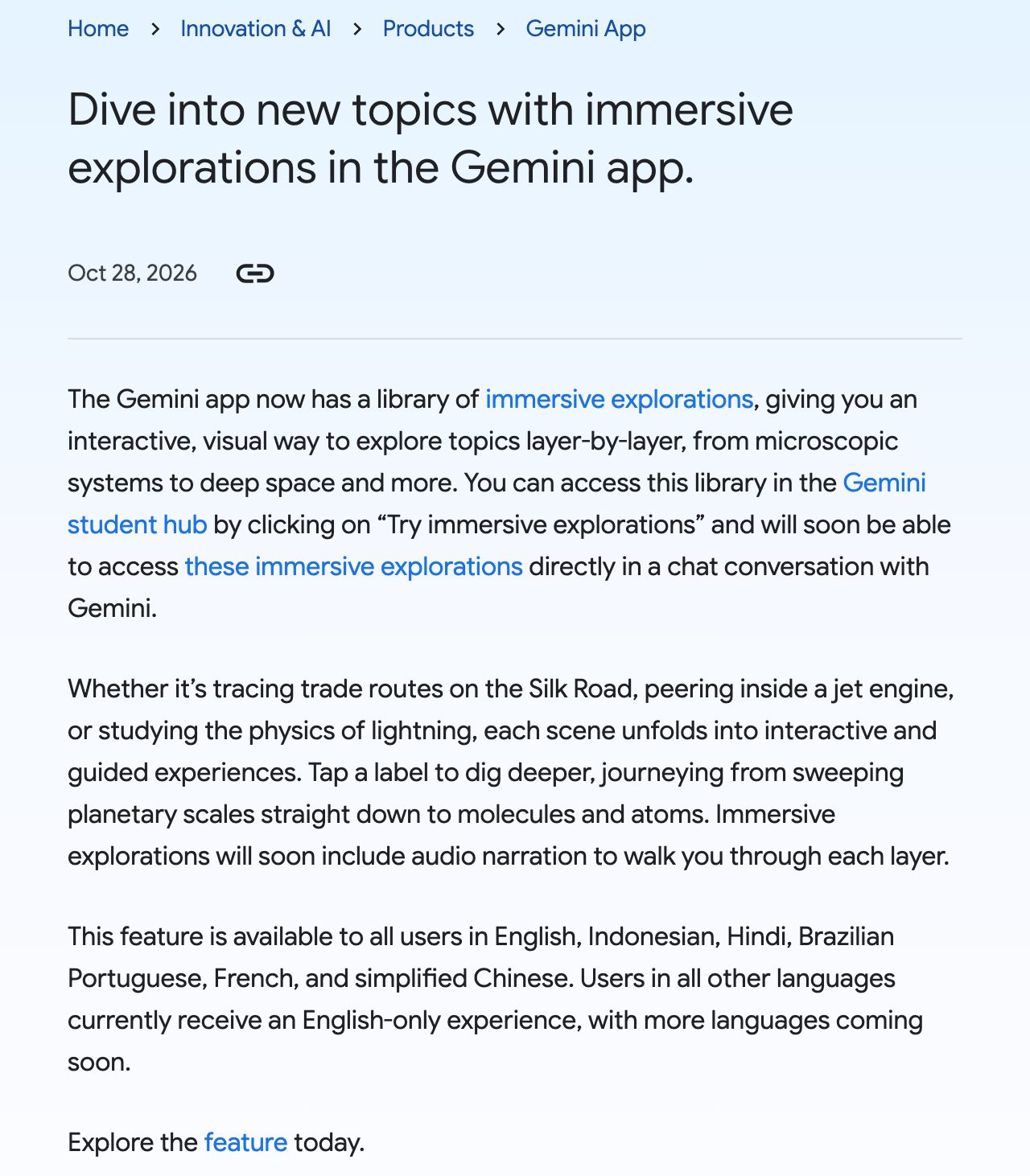
A library of visual topics you can explore by tapping, instead of reading about them. According to the announcement on the official Google blog, the library lets you explore topics "layer by layer, from microscopic systems to deep space." The examples Google chose: tracing trade routes along the Silk Road, looking inside a jet engine, and the physics of lightning.
The mechanic is straightforward: each scene opens into a guided, interactive experience, and tapping a label takes you deeper. Google adds that narration explaining what you're seeing is coming soon for each layer, and that you'll soon be able to open explorations directly from a regular Gemini conversation.
 Screenshot: The official Google blog (News from Google), October 28, 2026
What do you actually see when you go in?
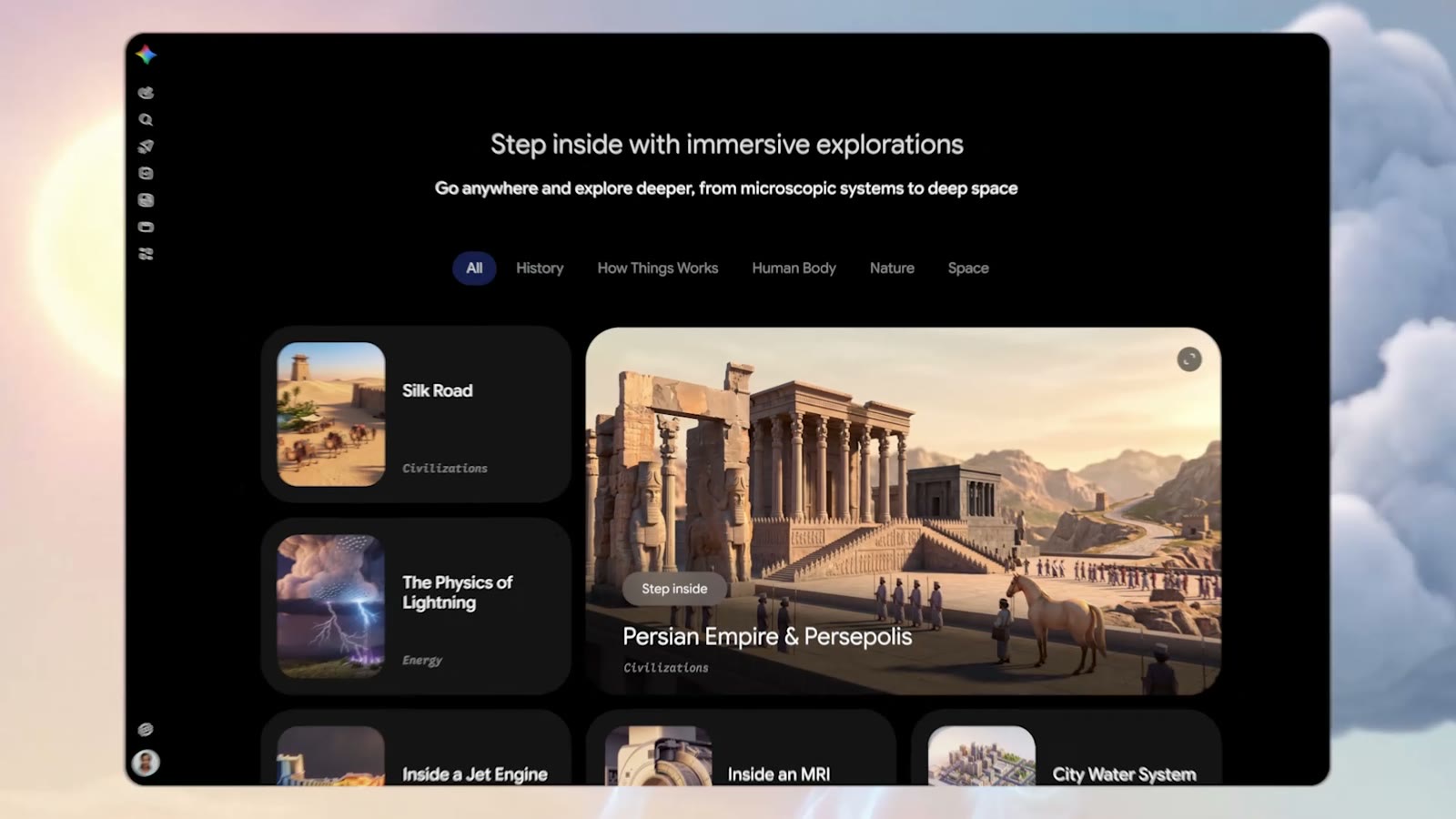
A library screen with categories, and within each category topics that open as a full scene. In the official demo video Google attached to the announcement, the library is divided into five categories: History, How Things Works, Human Body, Nature, and Space. Topics that appear in the video include the Silk Road, the physics of lightning, a jet engine, an MRI machine, a city's water system, quasars, and the Persian Empire and Persepolis.
 From Google's official demo video, the official Google blog, October 28, 2026
Inside a topic, such as a quasar, you see a large image with small labels on different parts. Tapping a label opens a brief explanation in the corner and moves the camera into the next layer: from the galaxy, to its interstellar dust lanes, and further inward from there.
 From Google's official demo video, the official Google blog, October 28, 2026
How do you open it, and do you need to sign in?
Yes, you need a connected Google account. We tested the direct URL gemini.google.com/immersive-explorations in a clean Chrome browser without an account on October 29, and it immediately redirected to Google's sign-in screen. So there is no public page you can send a child to without them being signed in.
The official path according to Google:
- Open Gemini and go to the Student Hub, at gemini.google.com/students or via the Students option in the app menu.
- Tap Try immersive explorations.
- Choose a category and a topic, then tap the labels to go deeper.
The Student Hub itself is Gemini's learning space, with study notebooks, flashcards, and practice quizzes. According to an official Google Workspace update, it is available to personal Google accounts, Workspace customers, and Workspace for Education users of all ages. On school accounts, the administrator decides whether the Gemini app is enabled, and individual users do not have their own toggle.
What about Israel? Google writes that the feature is available "to all users" and does not list specific countries. What is confirmed: anyone whose language is not supported, including Hebrew, gets the experience in English. What we did not test: how the screen looks on an actual Israeli account when signed in, since we did not log into an account. That test takes you about a minute.
Why is English actually an opportunity in Israel?
Because every student in Israel has an English class, and there is not much material that makes a child want to read in it. An exploration of a jet engine in English is reading-comprehension practice the child chooses for themselves. The explanations are short, the words are anchored to images, and the visual context helps with guessing unfamiliar vocabulary.
Here are three ways to use this starting this week, even without Hebrew:
1. At home: a fifteen-minute exploration, then the child explains it to you. Sit together with one topic, say lightning. The child taps and navigates, you ask questions. At the end they explain in Hebrew what they understood. The act of explaining it back is what cements the learning, and it also reveals what was not understood. A word they got stuck on? Open a separate Gemini conversation and ask in Hebrew: "What are Interstellar Dust Lanes, in language for a fifth grader?"
2. In English class: vocabulary from the image. The teacher projects an exploration on the board and pauses at each layer. Students write down three new words from the labels and guess their meanings from the image before checking. This works especially well in the How Things Works category, where every label is a concrete noun: a part in an engine, a pipe in a water system.
3. In science and geography: explore in English, summarize in Hebrew. Open a new unit, say a city's water system, with a pair activity. Each pair gets one layer and presents it to the class in Hebrew in one minute. That way the tool opens curiosity, and the summary stays in the language of the lesson. Teachers looking for more ready-made classroom tools can refer to the MagicSchool guide in Hebrew, and anyone who wants to build a full lesson with AI will find ideas in the Claude guide for teachers.
What limitations are worth knowing?
This is a tool for opening up a topic, not a substitute for the actual study material. Four caveats before making this part of the routine:
- No Hebrew. Young students or those weak in English will need support, and without it the experience will end in frustration.
- An account is required. Young children should not sign in on their own. At home it is better to explore together on a parent's account, and at school through the account the institution manages, once the administrator has enabled Gemini.
- The library is closed. Google does not state in the announcement how many topics are available, and there is no indication you can create an exploration for a topic of your own. You work with what is there.
- Simplification is not accuracy. A visualization of a complex system always simplifies. Google does not detail in the announcement how the content is built and verified, so any fact going into a test should be checked against the textbook.
What does this mean for your business or organization?
The idea behind the tool is relevant to any training manager: explain a complex system through layers, not through a presentation. A new employee does not need the entire ERP architecture on day one. They need one image, and a tap that takes them one layer deeper only when they are ready.
Three things you can take from this right now:
- The tool itself, for employees. The library covers general topics only, so it will not explain your own systems. But it is a good entry point for workshops on technology, and for employees improving their professional English.
- The method, for your own training materials. Instead of a 30-page onboarding document, build a single process diagram and add a short explanation to each component in a separate layer. Tools like Gemini Notebook can already turn internal documents into mind maps and summaries that can be explored.
- Policy before tools. In an organization or school running Google Workspace, the decision of whether Gemini is enabled belongs to the administrator. That decision is worth making deliberately, not discovering after someone is already using it.
Anyone just getting started with Gemini will find all the basics in the complete Gemini guide. The related story today: Google is connecting its apps to Gemini and Search, and launched Gemini 4 Carbon, its new advanced model.
The bottom line
Google took the moment when a child asks "how does that work?" and turned it into an image you can step inside. In Israel it is still in English, and that is exactly why it is worth trying: one fifteen-minute exploration is both a science lesson and an English lesson. According to Google it is open to all users, and no training is needed. You just have to sit next to the child and ask what they saw.
Want your teaching staff to know how to work with these tools themselves?
Tools like Gemini's explorations reach the classroom faster than school policy can keep up. The AI training for schools and education networks program gives staff the hands-on skills to work with the tools, prepare lessons faster, and set clear rules for student use. For organizations that want to train entire teams, there are AI workshops for organizations.
Sources:
Frequently asked questions

Yaakov Tzedek
An Israeli AI lecturer, consultant and implementer who has supported 100+ organizations in AI implementation and lectured for 200+. Official content partner of Meta, Google, Canva and TikTok, featured on Israel's Channel 13.
More about Yaakov →