- Google added GIF creation to the Gemini app: roughly 3 second looping GIFs from text, images or video, powered by Gemini Omni 1.2 Flash. Who gets it, in which countries, and why it is not available in Israel yet.
A GIF made in Gemini can be copied and pasted straight into an email, a document or a message, where it shows up animated, without downloading a file.
We all know the moment: you are looking for the perfect GIF to reply with, and you cannot find it. Now Gemini simply makes it. Just not in Israel, for now.
On November 20, 2026, Google announced, through the official Gemini app account on X, that the app can now create a GIF of anything you can imagine. Behind it is Gemini Omni 1.2 Flash, Google's latest video generation model.
In short:
- What: looping GIFs of about 3 seconds, from text, images or video.
- Who: Google AI plan subscribers and holders of a qualifying Workspace license, aged 18 and over.
- Where: eight countries. Israel is not one of them, as of 25.11.2026.
How does it work?
According to Google's help center, GIF creation lives inside video creation in the app. You open the side menu, choose Create video, optionally pick a template, and describe what you want to see.
You can also start from your own material: up to 5 images and one video. That way a photo of your dog can become a short loop of it dancing. Generation can take a few minutes, and you cannot keep using the same chat in the meantime.
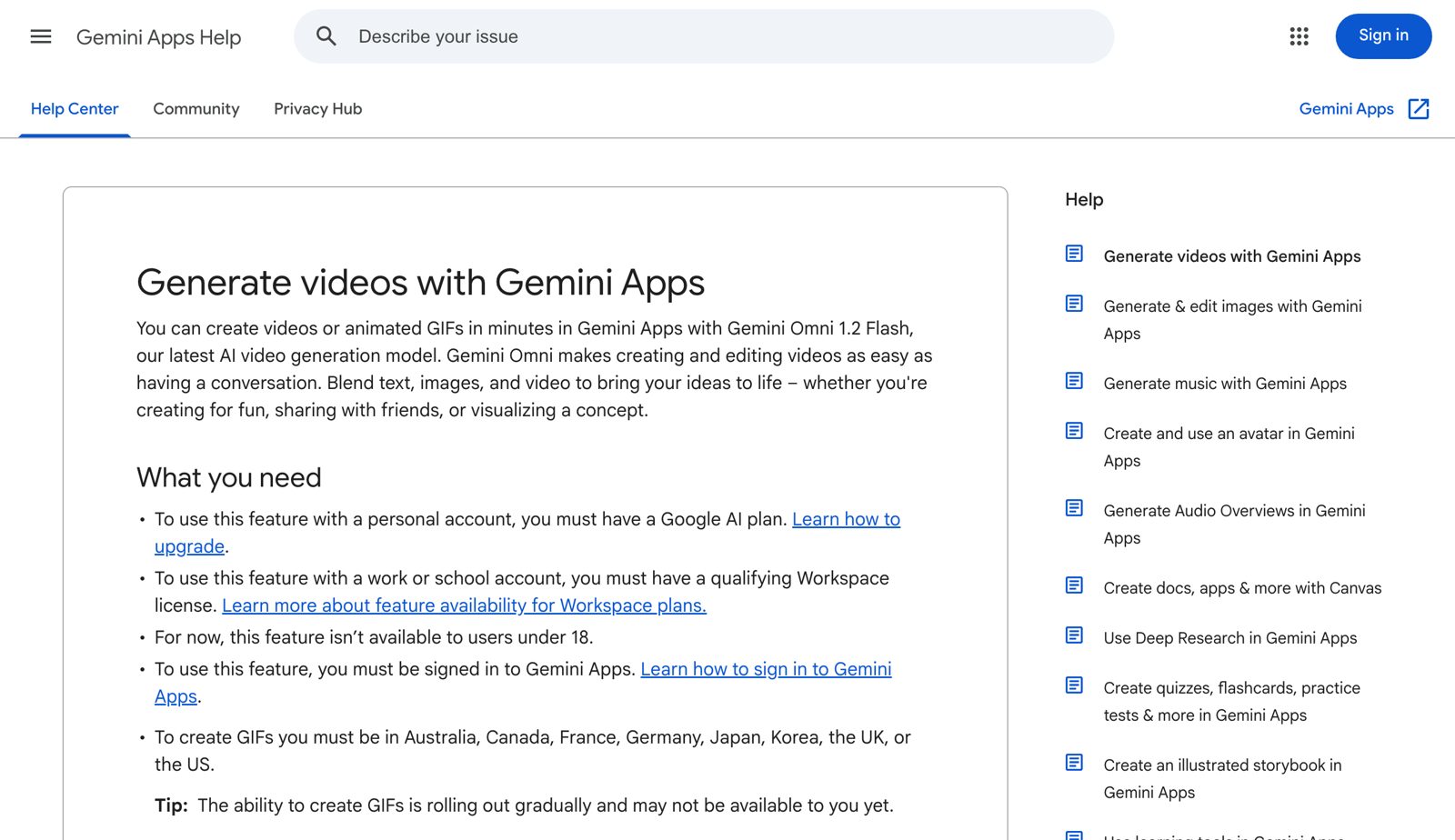 Screenshot: Gemini Apps Help (support.google.com), November 2026.
The result is a regular GIF file. You copy and paste it into an email, a document, a message or a social network, and it shows up animated. You can also download it as a .gif file.
Who gets it, and why not in Israel?
Google lists three conditions. Personal accounts need a Google AI plan, and work or school accounts need a qualifying Workspace license. The feature is not available to users under 18. And the countries are Australia, Canada, France, Germany, Japan, Korea, the UK and the US.
The rollout is also gradual, so even people who meet every condition may not see the option yet. Google has not given a date for more countries, and it has not said which languages the description can be written in.
What does it mean for you?
If you work in marketing or run social accounts: a GIF is one of the cheapest formats for attention, in replies, emails and posts. Being able to make a branded GIF from a product photo, without a designer and without searching stock libraries, will save time once it arrives here.
If you are a private user: for now you can get to know Gemini Omni through video creation and learn how to write a good description for a short clip. The same skill will carry over to GIFs.
And mind the rights: Google reminds users that you need rights to every image you upload and must not violate other people's rights, including privacy and copyright. A photo of a customer or anyone else without their permission does not go into a GIF.
There is more on everything Gemini can do, including video and images, in our complete Gemini guide (in Hebrew). And if you are curious how other tools turn creative work into video, today's companion story is Suno Visuals, which turns a song into a clip.
Want to get more out of Gemini than GIFs?
Gemini already sits inside Gmail, Docs and Drive for most businesses, and most people use only a small part of it. The Gemini video course shows step by step how to use it for research, email and documents.
Sources: Gemini Apps Help: generate videos and GIFs, Android Authority.
Frequently asked questions

Yaakov Tzedek
An Israeli AI lecturer, consultant and implementer who has supported 100+ organizations in AI implementation and lectured for 200+. Official content partner of Meta, Google, Canva and TikTok, featured on Israel's Channel 13.
More about Yaakov →