- What MagicSchool is, how to build lesson plans, rubrics, and quizzes, student rooms, Hebrew support, student privacy in Israel, Free vs. Plus pricing, and how it compares to ChatGPT, Gemini, and Brisk.
In MagicSchool's 2025 annual recap, Hebrew appears on the list of the platform's top ten languages alongside English, Spanish, and Chinese, out of 48 languages in active use. This is despite the fact that the official FAQ does not list Hebrew as a supported interface language.
More than 80 AI tools for teachers, on the free plan. That's not even the interesting part.
The interesting part: according to the company's annual recap, Hebrew was one of the top ten languages on the platform in 2025. That means teachers in Israel are already using MagicSchool, without a Hebrew interface and without anyone explaining to them what they're allowed to put into it. And this tool was built first and foremost for American school districts, under American privacy law.
This guide was built from the pricing page, the FAQ page, the product pages for teachers and students, the student data policy, and MagicSchool's trust and privacy page, as well as the Ministry of Education guidelines for AI use. All sources were checked on September 15, 2026. What it is, how to build your first lesson plan, what happens with Hebrew, what it costs, and what you need to check before a single student enters the room.
In short
| Question | Short answer |
|---|---|
| What is it? | An AI platform for educators: 80+ tools for teachers and 50+ tools for students |
| How much does it cost? | Free; Plus at $8.33/month on annual billing or $12.99/month; Enterprise by quote |
| Hebrew? | Output translation into 98 languages including Hebrew; Hebrew UI and RTL are not officially listed |
| Students? | In rooms the teacher opens, with moderation, and the teacher sees all conversations |
| Privacy? | The company declares FERPA, COPPA, SOC 2 compliance and no training on data; servers in the United States |
| Who should skip it? | Anyone who works all day inside Google Docs and just wants help inside the document, where Brisk is more convenient |
What is MagicSchool?
MagicSchool is a single website that brings together dozens of AI tools ready for teaching work. Instead of writing a prompt, the teacher picks a tool, fills out a short form (grade level, topic, goal), and gets an output.
Definition: MagicSchool is an artificial intelligence platform for educators, running in the browser and as a Chrome extension. It includes more than 80 tools for teachers, such as a lesson plan generator, rubrics, multiple-choice quizzes, worksheets, writing feedback and accommodation plans, an AI assistant chatbot called Raina, and MagicStudent: more than 50 AI tools for students that open inside rooms the teacher sets up, sees, and supervises.
According to the homepage, the platform serves districts including Atlanta, Denver, and Seattle, and according to the FAQ page it draws on several language models from OpenAI, Anthropic, and Google, depending on the task. The company also publishes its own impact data, for example that 88% of teachers report the tool helps them reach every student. These are numbers the company writes about itself, so treat them accordingly.
The key thing to understand about the positioning: MagicSchool is not competing with ChatGPT over who is smarter. It is competing for the teacher's time. The ready-made form eliminates the step where a tired teacher at 10 p.m. tries to write a good prompt, and the step where you have to explain to an AI what a four-level rubric is.
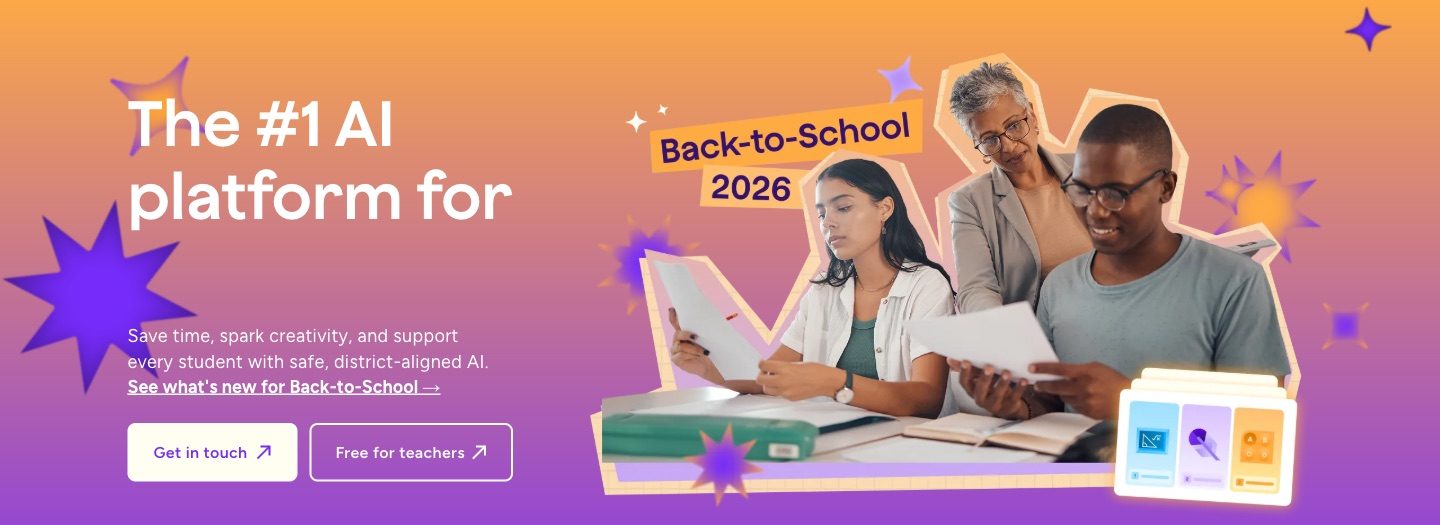 The official MagicSchool website, captured September 15, 2026. Credit: MagicSchool
What can MagicSchool do?
The capabilities divide into three layers: teacher tools, a conversational assistant, and a student environment. Here are the main ones according to the official site, each paired with one real-world use case.
- Lesson Plan Generator. Fill in grade level, topic, and objectives, and get a plan with an opening, an activity, and a closing. Use case: a skeleton lesson on the water cycle for fifth grade that the teacher rewrites for their own class.
- Rubric Generator. A rubric built around criteria and performance levels. Use case: a research rubric for a geography project that students receive in advance.
- Quizzes and worksheets. A multiple-choice quiz generator and a worksheet generator. According to the Back to School 2026 update, there are six worksheet templates, including an exit ticket, a reading comprehension sheet, and a vocabulary sheet. Use case: a three-question exit ticket at the end of every lesson.
- Text Rewriter. According to the annual recap, this was the most-used tool on the platform in 2025. Use case: the same science text at three difficulty levels for a mixed-ability class.
- Writing Feedback. Feedback on essays, including whole-class feedback on the free plan. Use case: a draft of feedback on twenty essays that the teacher reviews and edits before sending, not as-is.
- Accommodation and individualized plan tools. The homepage mentions an IEP generator, the individualized education plan from American special education. Use case: a skeleton of goal objectives for a student, with no name or identifying details, later built into an individualized educational plan according to local procedures.
- Report card comments. A report card comment tool appears on the product page. Use case: a first draft that the homeroom teacher fills in with details only she knows.
- Raina. A chatbot that points you to the right tool based on a plain-language request, and knows your grade level, subject, and role, according to the June 2026 update. Use case: "I need something for a history test review" instead of searching through 80 tools.
- MagicStudent and student rooms. More than 50 tools for students, such as a guided chatbot, a historical figure chatbot, Quiz Me, and writing feedback. Use case: a room with "Talk to Herzl" for a Zionism lesson, where the teacher sees everything written.
- Safety alerts. According to the 2026 update, moderation flags are categorized by type and severity level, to distinguish between problematic language in a history assignment and a genuine risk. Use case: the school counselor receives what requires intervention, not every profanity.
- Integrations. Google Docs, Google Classroom, Canvas, Schoology, Clever, ClassLink, and Microsoft, according to the product page. Use case: exporting a worksheet directly to Google Classroom.
How to get started: step by step
Six steps from registration to a first lesson plan you can bring to class tomorrow. It takes about half an hour, and everything works on the free plan.
- Register as a teacher. On magicschool.ai, click Free for teachers and sign up. If your school uses institutional accounts, use the school account so your materials don't end up sitting in a personal account.
- Fill in your profile. Grade level, subject, and role. The home screen and Raina use this to recommend relevant tools, so it's worth spending a minute on it.
- Pick one tool and configure it well. Start with the lesson plan generator. Write in the grade level, topic, lesson duration, and what students need to know by the end. The more specific the objective, the less generic the plan.
- Ask for Hebrew. Write your input in Hebrew and add "write the entire output in Hebrew." If the output comes out in English, use the translation option in the output action bar (98 languages, including Hebrew).
- Refine and export. Ask Raina to shorten it, add a closing question, or adapt it for struggling students, then export to Google Docs or Classroom. There, check the right-to-left alignment, numbering, and lists, and fix them.
- Open your first student room, carefully. Only after the school has approved it. Choose one tool, give the room a name, and share via link, code, or QR code (or as an assignment in Google Classroom). For younger grade levels, following Ministry guidelines, this is done under the teacher's login and without students' identifying details.
A practical tip: don't start with 80 tools. Pick three that come up every week (lesson plan, exit ticket, text rewriter at multiple levels) and save them in a personal collection (according to the site, you can organize tools into Collections). After a month, add two more.
Hebrew and RTL
The short answer: content can come out in Hebrew, but the platform does not officially claim a Hebrew interface or RTL support. According to the FAQ page there are 24 interface languages and translation into 98 languages, and Hebrew appears on the translation list.
What works. The models behind the tool (from OpenAI, Anthropic, and Google) write good Hebrew, so Hebrew input generally returns Hebrew output. The built-in translation also includes Hebrew. And the figure from the annual recap, Hebrew among the top ten languages, shows that Hebrew-speaking teachers are already using it in practice.
What breaks, or may break. The forms and buttons are in English, and a Hebrew interface is not officially listed. Some tools are built around American concepts: state standards, K-12 grade levels, IEPs. And Hebrew inside a left-aligned interface tends to scramble punctuation, numbers, and numbered lists.
What to check before relying on it (ten minutes):
- A complete lesson plan in Hebrew. Does the entire output come out in Hebrew, or do the section headings stay in English.
- Export to Google Docs. Is the text right-aligned, and is the section numbering preserved.
- Multiple-choice quiz. Are the correct-answer marking and the option labels (alef, bet, gimel) in order, rather than a, b, c inside Hebrew text.
- Student room. Open a test room and type in it as a student, in Hebrew, including spelling mistakes. Check that the chatbot responds in Hebrew and that the moderation doesn't flag ordinary words by mistake.
- Local concepts. Ask for a question about an Israeli curriculum element (bagrut, learning units) and check that the tool doesn't invent an American structure.
If you already have a workflow with ChatGPT or Claude, it's worth keeping a standing prompt for Hebrew format instructions on the side. The Hebrew prompts guide can help you write one.
How Much It Costs: Every Plan from the Official Site
Three tiers: Free for an individual teacher, Plus for a teacher who uses it every single day, and Enterprise for a school, network, or district. The table below is drawn from the pricing page and FAQ page, verified September 15, 2026:
| Plan | Price | What You Get | Limitations |
|---|---|---|---|
| Free | $0 | 80+ teacher tools, the Raina chatbot, quizzes, class writing feedback, basic support and onboarding | Standard usage limit displayed in the account, resets automatically |
| Plus | $12.99/month billed monthly, or $8.33/month billed annually ($99.96/year) | Unlimited generations, unlimited history and editing, 50+ student tools, student learning insights, advanced capabilities and access to MagicSchool Labs | Individual teacher account, no central management, no custom data agreement |
| Enterprise | Quote-based, volume discounts | Custom Data Processing Agreement (DPA), SSO, integrations with Clever, ClassLink, Canvas and Schoology, tool and restriction management, advanced moderation in student tools, dashboards, dedicated account manager and training | Requires contacting sales |
What you are actually paying for. With the two personal plans, you are paying for volume: the Free plan is usage-limited, and Plus removes that limit and adds the student tools. With Enterprise, you are paying for control: who sees what, which tools are open, how moderation is configured, and a signed data agreement. For any school that wants to bring students in, that control is not an add-on. It is the prerequisite.
The cheapest plan that actually fits. An individual teacher building materials for personal use: start with Free, and move to the annual Plus only when the usage limit runs out in the middle of a normal working week. A private tutoring center or private tutor: annual Plus is enough, as long as no student data is uploaded. A school or network that wants student rooms: Enterprise, because the custom DPA, SSO, and advanced moderation exist only at that tier. The company states on its pricing page that its annual price is more than 50% lower than Copilot and ChatGPT Plus. That is a comparison the company made itself. Prices change, so check the official site.
Uses for Businesses and Educational Institutions in Israel
The examples here are built from templates that come up repeatedly in training sessions with education teams. No names, no student data, no school data.
A subject teacher (middle school). Three recurring tools: a lesson plan on Sunday, text rewritten at three levels before each unit, and an exit ticket at the end of every class. The gain is not just time, it is consistency. Every lesson ends with a comprehension check, because preparing an exit ticket no longer costs twenty minutes.
A school principal. Does not start with students. Starts with the staff: one workshop where every teacher builds one rubric, while simultaneously checking with the IT coordinator and the privacy officer what is permitted. Only after a written policy is in place, and only if the tool meets the requirements, does the school consider Enterprise and student rooms in a single grade as a pilot.
A training and professional development coordinator (school, district, or organization). Builds an onboarding kit for the team: three recommended tools, one full example for each, and a short list of what must never be uploaded. Anyone training employees in an organization rather than classroom teachers will find that the rubric, quiz, and leveled-rewrite tools work exactly the same way on internal training materials.
A special education team and school counselor. Use the accommodations tools to get a skeleton of goals and activities based on a general description of a difficulty ("reading comprehension difficulty, 4th grade"), with no name, ID number, diagnosis, or family details. The connection to the specific student is made outside the tool, in the school's own documents.
The owner of a private tutoring center. Builds a bank of worksheets and quizzes organized by grade level and exports them to Google Docs with the center's logo. The annual Plus plan makes sense here. Students never enter the platform, and the only information that goes in is the academic content itself.
MagicSchool vs. ChatGPT, Gemini, and Brisk: An Honest Comparison
No single tool wins in every column. The main distinction is between ready-made forms and student rooms (MagicSchool), full flexibility (ChatGPT), whatever is already in the school's account (Gemini), and working inside the document itself (Brisk).
| Criterion | MagicSchool | ChatGPT | Gemini in Classroom | Brisk |
|---|---|---|---|---|
| What it is | A site with 80+ teacher tools and 50+ student tools | General-purpose chat | AI tools inside Google Classroom | Chrome and Edge extension inside Docs, Slides, and YouTube |
| Price for a teacher | Free; Plus $8.33/month on annual billing | ChatGPT for Teachers free only for verified US teachers | Included in all Google Workspace for Education editions | Free with 20+ tools; school plans by quote |
| Hebrew | Translation into 98 languages including Hebrew; Hebrew interface not explicitly listed | Good Hebrew in chat | In languages where Classroom and the Gemini app are supported; check Hebrew in the account | Creation in 50+ languages; Hebrew not checked on the list |
| Student rooms | Yes, teacher sees the conversations | Not in the teacher product | For students with a license, if the admin has enabled it | Brisk Boost for students |
| School-level control | In Enterprise: SSO, DPA, tool management | In ChatGPT for Teachers: SSO and permissions, in the US | Via Workspace admin | In school plans: dashboard, tool management, DPA |
When MagicSchool. A teacher who wants ready-made forms and does not want to write prompts, and a school that wants a closed environment for students with moderation and teacher visibility. That is its real strength: rooms the teacher can see.
When ChatGPT. A teacher who already writes good prompts, needs natural Hebrew, and wants full flexibility, strictly for the teacher's own materials and not for student work. Worth knowing: the free ChatGPT for Teachers and Claude for Teachers plans are currently available only to teachers in the United States.
When Gemini. A school already working in Google Workspace for Education. According to the Classroom Help Center, Gemini is included in all editions, and there is no new product to approve, only a configuration in the admin console. Anyone who wants to turn learning materials into a source they can query will find that in Gemini Notebook.
When Brisk. A teacher who lives in Google Docs and Slides and wants feedback, leveled rewrites, or a presentation generated from a document that is already open. According to the plans page, the free tier includes unlimited use of 20+ tools. The price of the paid personal plan (Educator Pro) is not shown on the plans page; according to the comparison site SlideSpeak, it is in the range of $99.99 per year as of 2026.
And what about the quiz itself. Anyone who builds material in MagicSchool and wants to run it as a game-based classroom activity, with homework, accommodations, and reports, will find the full pricing, run modes, and what works in Hebrew in the complete guide to Wayground (formerly Quizizz).
Privacy and Limitations
This is where the difference lies between a teacher trying a tool and a school adopting one. MagicSchool invests heavily in privacy, but everything is built around US law, and a school in Israel is subject to Israeli law and Ministry of Education guidelines. What follows is general information, not legal advice.
What the company declares. According to the Trust and Privacy page: SOC 2 Type II certification, iKeepSafe certifications for COPPA and FERPA, a 95% privacy rating from Common Sense, and certification under the EU-US Data Privacy Framework. According to the Student Data Policy (updated March 9, 2026): the school is the data controller and MagicSchool processes data on its behalf, the data is not sold or used for advertising, model providers are contractually obligated not to retain students' personal information, upon contract termination data is deleted or returned within 60 days, and data is stored in US data centers.
What that means, and what it does not. FERPA and COPPA are US laws. Compliance with them is a good sign of seriousness, but it does not mean the tool has been approved for use in the Israeli education system. In Israel, Amendment 13 to the Privacy Protection Law came into effect on August 14, 2025, and significantly tightened the obligations on anyone holding personal information (the guide to Amendment 13 and AI). And the data here leaves for servers abroad.
What the Ministry of Education says. The AI page of the Pedagogical Space explicitly states that student privacy must be protected and that identifying details must not be uploaded. According to the report on the Davar website covering the guidelines from January 2025: any student use of AI requires parental consent; in grades 5 through 7, use takes place under the teacher's login with no student identification; independent use from grade 8 upward, under teacher guidance; and only tools that have been approved and appear in the Ministry's catalog may be used. The guidelines are updated, so check the current version and the catalog before making any decisions.
What to never upload, even on the free plan:
- Student names, ID numbers, photos, or parent details.
- Diagnoses, medical, emotional, or family information, even "just to get a customized plan."
- Grades and assignments with names on them, or screenshots of the grading system.
- Internal school documents, such as committee meeting minutes.
Honest limitations. Output is generic when input is generic, and a lesson plan needs editing by a teacher who knows the class. The tools are built around the US curriculum. There is no declared Hebrew interface. And on the free plan, the usage limit is not published as a number, only displayed in the account, which makes it hard to plan ahead.
Common Mistakes
- Opening a student room before the school has made a decision. This is not a technical matter. Check parental consent, age, the approved tool catalog, and school policy, then invite students.
- Entering a student's name "just for the personalization." The tool can build a plan based on a general description of a difficulty. The name gets added afterward, in the school's own document.
- Copying a lesson plan as-is. The plan sounds good, but it does not know the class, the actual time available, or the curriculum. Go through it, shorten it, delete what does not fit.
- Testing the tool in English and drawing conclusions about Hebrew. Test the full chain in Hebrew: input, output, export to Docs, and printing.
- Trying all 80 tools in the first week. Three tools that come back every week of yours are worth more than a tour of all of them.
- Paying for Plus before the usage limit has actually run out. The free plan is enough for most teachers in the first month.
Frequently Asked Questions
What is MagicSchool?
An AI platform for educators: more than 80 ready-made tools for teachers (lesson plan, rubric, quiz, worksheet, writing feedback), a chatbot called Raina, and MagicStudent, with more than 50 tools for students inside rooms that the teacher opens and controls. It runs in the browser, with a Chrome extension.
How much does MagicSchool cost?
According to the official pricing page (checked September 15, 2026): Free at $0; Plus at $12.99/month billed monthly or $8.33/month billed annually ($99.96/year); Enterprise for schools and districts by quote. Prices may change, so check the official site.
Does MagicSchool work in Hebrew?
Partially. According to the FAQ page, you can translate outputs into 98 languages, and Hebrew is on the list. There are 24 interface languages, but it is not officially stated that Hebrew is among them or that RTL is supported. Test one lesson plan in Hebrew, including export to Google Docs, before you rely on it.
What is the difference between Free and Plus?
Free includes all 80+ teacher tools, Raina, quizzes, and class writing feedback, with a usage limit that resets automatically. Plus adds unlimited creation, unlimited history and editing, 50+ student tools and student insights, and access to MagicSchool Labs.
Are students in Israel allowed to use MagicSchool?
That is a school-level decision, not the teacher's alone. The Ministry of Education guidelines stress that no student identifying information should be uploaded, and according to reporting on the January 2025 guidelines, student use requires parental consent and there are age-based rules. Check the current wording and the approved-tools catalog.
Does MagicSchool train AI on student data?
According to the official site, no. Student and teacher data is not used to train models, model providers are contractually bound not to retain students' personal information, and data is stored in data centers in the United States. This is the company's statement and does not replace a school-level review.
MagicSchool or ChatGPT?
ChatGPT is more flexible and handles Hebrew well, but every prompt has to be written from scratch. MagicSchool provides ready-made forms organized by grade level and goal, and student rooms where the teacher can see every conversation. The free ChatGPT for Teachers is available only to verified teachers in the United States.
MagicSchool or Brisk?
Brisk is a Chrome and Edge extension that works inside Google Docs, Slides, and YouTube, with 20+ free tools and content creation in more than 50 languages. MagicSchool is a standalone site with more tools and full student rooms. If you live inside Docs, start with Brisk. If you want a tool library and student rooms, start with MagicSchool.
The Bottom Line
80 tools is an impressive number on a homepage, but what actually changes a teacher's week is three tools used repeatedly: lesson plan, exit ticket, and differentiated rewrite, none of which cost a whole evening anymore. And what actually changes a school is not the tools at all, but the decision about what is permitted: no identifying information, with parental consent, and only after checking against the guidelines.
What to do this week: sign up for free, build one lesson plan in Hebrew and export it to Docs, and go through the ten-minute checklist from the Hebrew section. If you also work with design, Canva for Education covers the visual side, and if you are responsible for policy, AI Policy for Organizations is a good starting point for a school-level document.
Want to practice this inside the page? The interactive MagicSchool course for 9.90 ILS, and the rest of the interactive courses are in the same place.
Sources
All sources checked September 15, 2026:
- Official homepage (80+ teacher tools, 50+ student tools, districts, standards, integrations, IEP generator): https://www.magicschool.ai/
- Official pricing page (Free, Plus, Enterprise, what each plan includes, company price comparison): https://www.magicschool.ai/pricing
- Official FAQ page (24 interface languages, 98 translation languages including Hebrew, annual price $99.96, usage limits, language models, training on data): https://www.magicschool.ai/faq
- Teacher product page (tools, integrations, Labs): https://www.magicschool.ai/magicschool
- AI tools for teachers page (tool list, 80+ for teachers and 50+ for students, tools organized in collections): https://www.magicschool.ai/magic-tools
- MagicStudent page (50+ student tools, teacher transparency, moderation, Student Room Insights): https://www.magicschool.ai/magicstudent
- Official blog, what's new for teachers back to school 2026 (Raina, worksheet templates, severity-based safety alerts, June 25, 2026): https://www.magicschool.ai/blog-posts/whats-new-b2s-2026-teachers
- Official blog, 2025 year in review (most-used tools, 48 languages, Hebrew in the top ten): https://www.magicschool.ai/blog-posts/most-used-classroom-ai-tools-2025
- Student data policy (updated March 9, 2026; controller and processor, deletion within 60 days, servers in the United States): https://www.magicschool.ai/privacy-security/student-data-policy
- Trust and privacy page (SOC 2 Type II, iKeepSafe, Common Sense 95%, Data Privacy Framework): https://www.magicschool.ai/privacy/trust
- External tutorial on sharing a student room (link, code, QR, Google Classroom): https://www.iorad.com/player/2465678/MagicSchool---How-to-Launch-a-Student-Room
- MagicSchool extension on the Chrome Web Store: https://chromewebstore.google.com/detail/magicschool-ai-ai-assista/oplfencnkfofaoeedbmphcbplaceplim
- Ministry of Education, Pedagogical Space, Artificial Intelligence (privacy protection, do not upload identifying information): https://pop.education.gov.il/special-education/ai/
- Ministry of Education, Guidelines for Responsible Use of Generative AI: https://meyda.education.gov.il/files/Pop/0files/Annual-theme/tashpad/Responsible-Use-policy.pdf
- Davar, report on Ministry of Education guidelines from January 2025 (parental consent, grade-level rules, tools catalog): https://www.davar1.co.il/576584/
- Goldfarb Gross Seligman, entry into force of Amendment 13 to the Privacy Protection Law: https://www.goldfarb.com/he/%D7%9B%D7%A0%D7%99%D7%A1%D7%AA-%D7%AA%D7%99%D7%A7%D7%95%D7%9F-13-%D7%9C%D7%97%D7%95%D7%A7-%D7%94%D7%92%D7%A0%D7%AA-%D7%94%D7%A4%D7%A8%D7%98%D7%99%D7%95%D7%AA-%D7%9C%D7%AA%D7%95%D7%A7%D7%A3/
- OpenAI, Help Center, ChatGPT for Teachers (eligibility for teachers in the United States): https://help.openai.com/en/articles/12844995-chatgpt-for-teachers
- Google, Classroom Help Center, Gemini in Classroom (included in all Workspace for Education editions): https://support.google.com/edu/classroom/answer/15410566?hl=en
- Brisk, plans page (free, 20+ tools, 50+ languages, school plans): https://www.briskteaching.com/plans
- SlideSpeak, comparison of Brisk alternatives (Educator Pro price, not an official source): https://slidespeak.co/blog/brisk-teaching-alternatives
Frequently asked questions

Yaakov Tzedek
An Israeli AI lecturer, consultant and implementer who has supported 100+ organizations in AI implementation and lectured for 200+. Official content partner of Meta, Google, Canva and TikTok, featured on Israel's Channel 13.
More about Yaakov →