- What Google's Gemini actually does, what's free, how it compares to ChatGPT and Claude, and who it's really for. The complete guide, updated for 2026.
Gemini is built directly into Google Search (AI Overviews), Gmail, Docs, and Android, so billions of people use it regularly without realizing they are using something called Gemini.
Gemini is Google's AI, and as of November 2026, its free tier is arguably one of the most generous AI packages you can get without a credit card. Without paying a shekel, you get a smart chat running on the Flash-Lite model (or automatic model selection), image generation with Nano Banana, a research agent (Deep Research), a workspace (Canvas), Gemini Notebook (formerly NotebookLM) for personal knowledge management, and apps for Mac and Windows. This guide cuts straight to the question everyone is asking: what do you get for free with Gemini, where are the limits, and when does it actually make sense to pay.
📘 Want the full picture? This article is a practical guide focused on the free tier: what's included, how to get started, and how to squeeze the most out of it. For the complete deep-dive guide to Gemini, including advanced business use cases and common mistakes, read Gemini: The Complete Guide.
Want to learn Gemini step by step, lesson by lesson? There is a Gemini video course in Hebrew, with the first lessons available for free.
What Is Gemini: In Two Minutes
Definition: Gemini is Google's family of artificial intelligence models, developed at Google DeepMind. It includes a standalone chat interface at gemini.google.com (and apps for Android, iPhone, Mac and Windows), several models available in the model selector (Flash-Lite, Flash, Pro, and the most powerful Gemini 4 Argon), and an AI layer built into Google's products: Search, Gmail, Docs, Sheets and Android. The model is multimodal: it understands text, images, audio and video.
One quick note before diving in: if you landed here after searching for "Gemini chat," "Gemini free," or any number of alternate spellings, they all refer to exactly the same tool. The official name is Gemini, and you access it at one address: gemini.google.com. If you are looking to download Gemini: on a desktop you can work through the browser with nothing to install, or you can download the Gemini app for Mac (shortcut: Option + Space) or Windows (shortcut: Alt + Space). On mobile, download the official Gemini app from your app store.
The most important thing to understand about Gemini is that it is not "just another chat." Google built it as a layer that sits across its entire ecosystem. When you ask Google a question and get a summarized answer at the top of the results page (AI Overviews), that is Gemini. When you ask Gmail to draft a reply to an email, that is Gemini. When the assistant on Android answers you out loud, that is Gemini too. That scope is precisely why the free tier is so interesting: Google wants you to get used to working with its AI, so it gives away far more for free than the market norm.
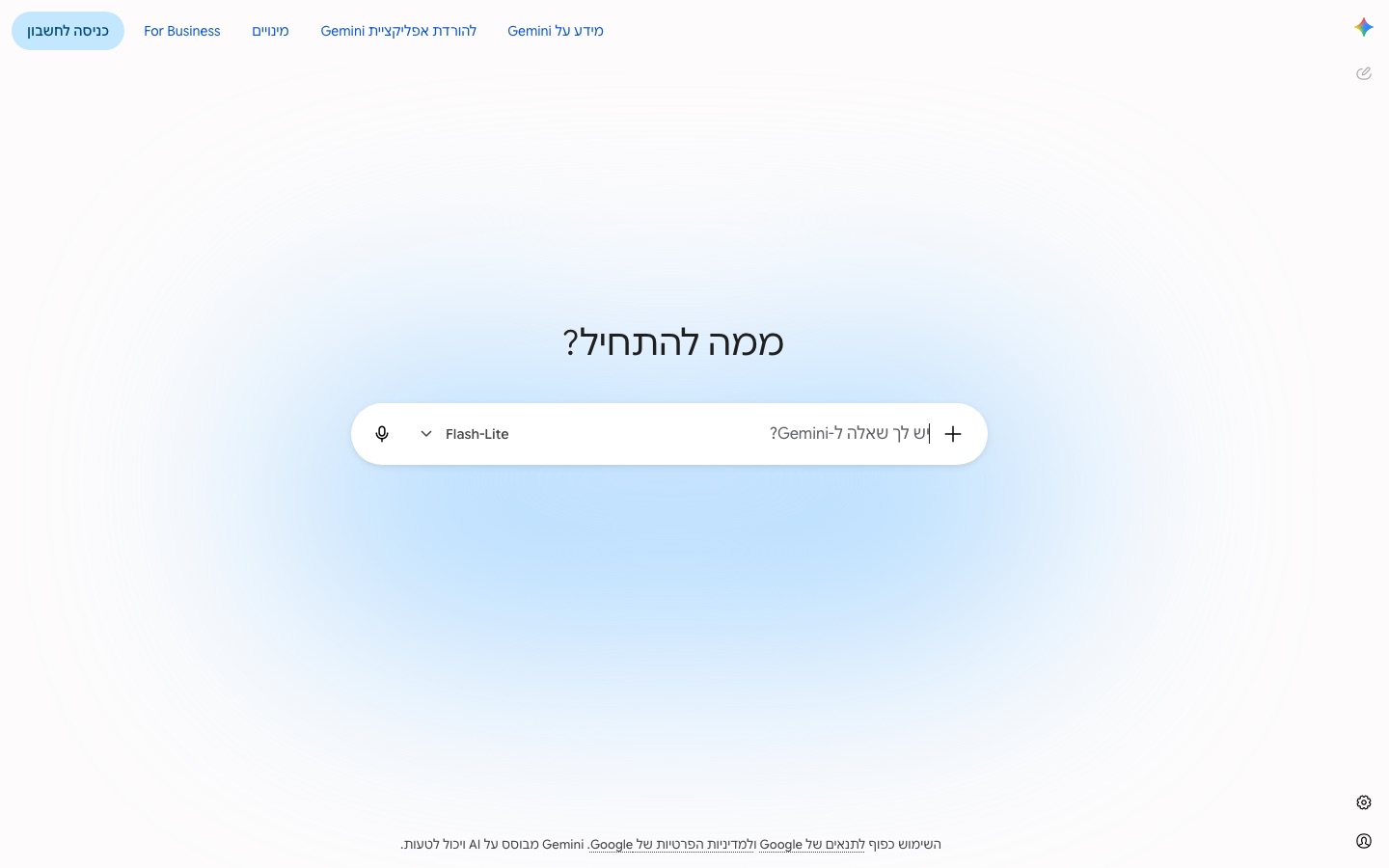 The official Gemini website, photographed in September 2026. Credit: Gemini
What You Get for Free with Gemini: The Full Picture (November 2026)
This is the central question of the guide, so let's start with the condensed answer. As of November 2026, according to Google's plans page, a regular free Google account with no subscription at all gets all of the following:
- Chat with the Flash-Lite model: Google's fast, efficient model for everyday questions, or Auto selection, where Gemini decides which model fits the request.
- Image creation and editing with Nano Banana: with a daily quota that Google does not publish as a specific number.
- Deep Research: a research agent that scans sources and returns a structured report, with a daily cap.
- Canvas: a workspace for writing, presentations and code alongside the chat.
- Skills: persistent instruction sets that run on repeat, replacing Gems which are being phased out (details below).
- Gemini Live: natural voice conversation with the model in the mobile app.
- Gemini Notebook (formerly NotebookLM): Google's knowledge management tool, in a generous free version.
- 15 GB of storage in your Google account, as always.
And what is not included for free, which is worth knowing upfront: Gemini inside Gmail and Docs on a personal account, video generation, and the Flash, Pro and Argon models. All of those are only available on paid plans.
Let's break this down piece by piece, because the details hide both the pleasant surprises and the limits you need to know about.
The Models: Flash-Lite for Free, Argon for Subscribers
According to Google's help page on models, the selector offers four models: Flash-Lite (fast and efficient, for everyday questions), Flash (fast and balanced), Pro (advanced reasoning for complex tasks and code), and Gemini 4 Argon, Google's most powerful model in the app, which opened to Google AI Pro and Ultra subscribers on October 13, 2026. The older Deep Think mode is replaced by it, according to Google's help page. If you want to go deeper on Argon itself, we wrote a separate guide.
On a free account you work with Flash-Lite or with Auto selection. Do not let the "Lite" name mislead you: for summarizing text, drafting emails, translating, brainstorming and knowledge questions, it delivers solid results at high speed. A Plus subscription unlocks Flash and Pro, and a Pro or Ultra subscription adds Argon. Within each model you can also choose a thinking level (Low, Medium or High), with Low as the default.
Deep Research, Canvas and Skills: Also Free
Three capabilities that used to be reserved for paid subscribers are now available on the free tier as well, in limited quantities:
- Deep Research: you give it a question ("comparing payment processing solutions for small businesses in Israel"), the model presents a research plan you can edit, goes off on an independent search run of roughly five to ten minutes, and returns a structured report with sources. There is a daily cap (Gemini shows you how many requests remain), and Pro and Ultra subscribers can run the research with the Pro model for higher quality.
- Canvas: instead of answers in chat, an editing environment opens where the document, presentation or code lives alongside the conversation, and you can request targeted changes ("shorten the second paragraph") without starting over, then export to Docs or Slides.
- Skills: a fixed instruction set that Gemini runs every time it is needed: a skill that always drafts business emails in a specific style, a skill that checks a price proposal against your own rules, and so on. You create one in the side menu under Customize and then Skills, and activate it by typing "/" in the chat. According to the desktop help page, Skills are available without a subscription for users aged 18 and over with the Keep Activity setting enabled.
What about Gems? Google is replacing them with Skills. On personal accounts, as of November 17, 2026, Gems become read-only (you cannot use, edit or create them), and on December 17, 2026 they are deleted from the app. Your Gems are transferred to Skills automatically, but not all attached files carry over, so if you attached important files to any Gems, download them before December 17.
Gemini Live: Talking to the AI, Out Loud
In the mobile app you can open a continuous voice conversation with Gemini without typing, including interruptions mid-sentence just like a human conversation, and you can also share your camera or screen. Note: according to Google's help page, Live is not available in the browser version. You can speak to Gemini in Hebrew, but some voice commands (such as "Hey Google") do not work in Hebrew. A scenario I recommend to beginners: driving in the car and talking to Gemini about something you need to think through before a meeting. Ten minutes like that are worth more than any demo.
Nano Banana: Free Images, Right from the Chat
One of the big reasons Gemini's free tier attracts so many users is Nano Banana, Google's image creation and editing engine, which became a global phenomenon thanks to its remarkable ability to edit existing photos: swap a background, add people, change lighting, all with a single text command. Google also notes that text rendering inside images is more accurate across all supported languages, and Hebrew is one of them, though you should check the spelling in every image before publishing.
According to Google's help page, when the model is Flash-Lite (as on the free account) images are created with Nano Banana 2 Lite, while with Flash or Pro they are created with Nano Banana 2. There is a daily quota that Google does not publish as a specific number, and without a subscription images download at 1K resolution. Paid Google AI plan subscribers download at 2K and can request a revised version with Nano Banana Pro. For preparing an image for a post, an initial logo concept or a designed greeting card, the free version is more than enough.
We wrote a complete, focused guide on this: Nano Banana: Creating Images with Hebrew Text. If images are your primary use case, start there. And if you are still weighing Nano Banana against other generators, Which AI Tool Is Best for Image Generation in 2026 compares the top 9 by task, price and Hebrew support.
Gemini Inside Gmail and Docs: The Assistant Already Sitting in Your Workspace
This is the part that's easiest to miss, and it may be the most valuable of all, but accuracy matters here: on a personal account, Gemini inside Gmail and Docs is not included for free. According to Google's plans page, Gemini in Gmail unlocks from the Google AI Plus plan, and Gemini in Docs from the Google AI Pro plan. On a Google Workspace business account, Gemini in Gmail is included on every plan, while Docs, Sheets, Slides, Drive, and Meet unlock from Business Standard and above.
And the most important caveat for users in Israel: according to Google's language support page, the Gemini side panel in Gmail, Docs, Sheets, Slides, and Drive is available in Hebrew, but the "Help me write" button in Gmail and Docs, along with AI-generated summaries of email threads, do not appear on the Hebrew support list. In Hebrew, you work through the side panel.
What this actually gives you, on a plan that includes it:
- In Gmail: open the side panel and ask it to draft a reply, improve your phrasing, or summarize a long thread. Open an email with twenty replies and get a three-line summary.
- In Docs: draft from scratch based on a description, rewrite paragraphs in a different tone ("make this more formal"), shorten or expand, and smart proofreading that catches more than spelling errors.
- In Sheets: help building formulas in plain language ("calculate the average of column B only for rows where column C is 'paid'"), and AI functions inside the spreadsheet itself, which are available in Hebrew as well.
Three Actions Worth Trying Today
- Open the longest email you received this week and ask for a bullet-point summary in the side panel. No plan that includes it? Paste the text into the chat at gemini.google.com, it works on the free tier too.
- Write to Gemini (in Docs, or in chat with Canvas): "Draft a price proposal for my service, in Hebrew, in a professional but warm tone," and edit from the base you get back.
- In Sheets with your own real data, ask for a formula in plain words instead of hunting for syntax on Google.
💡 From the field: In the AI workshops I run at organizations, the moment that sparks something is almost never a demo of the most powerful model. It's the moment when an employee realizes AI is already sitting inside their Gmail. The difference between "a tool you need to open" and "a button already on your screen" is the difference between an interesting talk and an actual change in work habits. If your organization lives in Workspace, Gemini already included in the license is the cheapest possible entry point for AI adoption.
Gemini Notebook (formerly NotebookLM): The Free Bonus Worth the Most
If I had to pick one thing from Google's free offering and recommend it to every working person, it would be Gemini Notebook, known as NotebookLM until July 2026. It runs on Gemini models and works the opposite way from a regular chat: instead of asking a model that knows "everything about everything," you upload your own sources, documents, PDFs, links, YouTube videos, recordings, and the model answers only from those, with precise citations back to the source. Since the rename, notebooks also sync with the Gemini app.
The free tier is unusually generous: according to the Gemini Notebook plans page, up to 100 notebooks with up to 50 sources each, with paid plans raising those limits. And Audio Overviews are included too, the well-known feature that turns your sources into a podcast-style conversation between two hosts. Real Israeli use cases: students uploading full course notes and studying for exams through Q&A; lawyers loading a contract and asking "where are the risk points"; consultants building a notebook from all a client's materials and getting a "second brain" for the project.
Our full guide is here: Gemini Notebook (formerly NotebookLM), the complete guide in Hebrew.
Google AI Studio: The Door for Advanced Users
There's another channel most people don't know about: Google AI Studio (aistudio.google.com), the interface Google built for developers. That's where you work with the models directly via API, including Gemini 4 Argon, and build personal automations, a small bot, or a script that summarizes something for you every morning. If you want to dive in, we wrote a dedicated guide: Google AI Studio, Google's model playground. And anyone building serious automations will also want to explore the world of AI agents, where we typically work with Claude via MCP, but the principles are the same.
How to Get Started: Step by Step (Five Minutes)
- Go to gemini.google.com in your browser, or download the Gemini app for mobile, Mac, or Windows. On Android, Gemini is usually already the built-in assistant, accessible with a long press on the power button.
- Sign in with a regular Google account. No credit card needed, no trial period that expires, the free tier is genuinely free.
- Check the model at the bottom of the input box: click the current model name and choose another. On the free account you'll see Flash-Lite or auto-select, and models with a lock icon require an upgrade. You can also select a thinking level there.
- Start with a real task, not "hi how are you." Take a long email you received today and paste it in: "Summarize this email in three bullet points and write a polite draft reply." The difference between playing with AI and actually working with it lives exactly here.
- Connect the apps. In settings you can authorize Gemini to access Google apps like Gmail, Drive, and YouTube, and then ask "what important emails haven't I replied to this week?" Some connections roll out in the US and in English first, so check what's available on your account. This is the moment you understand why Google's integration is the real advantage.
- Try one "advanced" feature. Upload an image and ask a question about it, start a Live voice conversation on mobile, or request an image from Imagen. One task like this a day, and within a week you'll know how to use the tool better than 90% of users.
Gemini in Hebrew: What Actually Works
For anyone who searched "Gemini in Hebrew free," here is the honest answer, drawn from daily use, not marketing material.
What works excellently: understanding Hebrew, including slang and colloquial phrasing; summarizing long Hebrew texts; high-quality two-way Hebrew-English translation; drafting emails and business documents; voice conversation in Hebrew via Gemini Live; and the Gemini side panel inside Gmail, Docs, Sheets, and Drive, which Google confirms is available in Hebrew.
What's good but needs a watchful eye: long marketing copy in Hebrew can come out feeling "translated" in character, syntax that feels English, inconsistent masculine/feminine address. The fix is simple: add to your prompt "write in natural, flowing Hebrew, address the reader in plural" and ask for a rewrite pass. Hebrew proofreading is solid too, but don't skip a human read before publishing. Same goes for Hebrew text inside Imagen images: check every word.
What still stumbles: reliable automatic nikud (vowel marks); rhyme and meter in Hebrew (for poems and slogans, ask for ten suggestions and pick); and gender-agreement errors in complex sentences. Beyond that, some features simply don't appear on the Hebrew support list at all: "Help me write" in Gmail and Docs, AI summaries for email threads, the "Hey Google" voice command, and Gemini inside Chrome.
It's worth saying clearly: the writing weaknesses are shared across all major models in Hebrew, not just Gemini. In the comparisons I run, Gemini and Claude are usually the leading pair in Hebrew, with each having better days on different tasks. A broad overview of tools that work in Hebrew is available in the Hebrew AI tools guide.
And this is exactly the point where Gemini beats dedicated writing tools: the popular English rephrasing tools simply don't speak Hebrew. The rephrasing engine of QuillBot, for example, supports roughly 20-25 languages, and Hebrew is not among them. If your task is rewriting a paragraph in Hebrew, a general language model like Gemini or Claude isn't a "workaround," it's simply the right tool.
Five Hebrew Prompts to Get Started Immediately
Copy, paste, adapt. These are prompts I use in workshops and they work well on the free tier:
- Morning email triage: "Here is the content of three emails [paste them]. Rank them by urgency, summarize each one in a sentence, and write a short draft reply for the most urgent one, in Hebrew, in a professional tone."
- Meeting prep: "I'm meeting tomorrow with [type of client] about [topic]. Prepare a prep sheet for me: 5 questions I should ask, 3 likely objections with responses, and an opening paragraph to break the ice."
- From image to insight: [upload a screenshot of a table or report] "Explain what we're seeing here, what the three main takeaways are, and what questions I should be asking about this data."
- Deep Research: "Conduct an in-depth study: what are the leading alternatives to [tool/service] for a small business in Israel in 2026? Compare pricing, Hebrew support, and ease of implementation, and finish with a reasoned recommendation."
- Personal skill: In the Customize menu, then Skills, create a new skill with the instruction: "You are my writing assistant. Any text I send, rewrite it in natural Hebrew, short sentences, no empty superlatives, preserve my message." From now on you have a dedicated editor, activated by typing "/".
More principles for effective prompting are in the free courses at the academy. They teach with Claude, but the theory of prompting is identical across all models.
Free vs. Google AI Pro: The Honest Comparison
When is it worth paying? Google sells its subscriptions under the "Google AI" plans (formerly Gemini Advanced under Google One). As of November 2026 there are three tiers: Google AI Plus at 19 ILS per month, Google AI Pro at 74.9 ILS per month, and Google AI Ultra starting at 390 ILS per month. Those are the prices shown in Israel on Google's plans page (in the US: $4.99, $19.99, and starting at $99.99). Google changes prices and names with surprising frequency, so check the official page before you buy. What stays consistent is the logic:
| Feature | Free | Plus | Pro | Ultra |
|---|---|---|---|---|
| Monthly price in Israel | 0 ILS | 19 ILS | 74.9 ILS | From 390 ILS |
| Models in chat | Flash-Lite or automatic selection | Flash-Lite, Flash, Pro | Gemini 4 Argon as well | Like Pro, with highest access |
| Usage limits | Standard | 2x | 4x | 5x or 20x Pro |
| Context window | 32K tokens | 128K | 1 million | 1 million |
| Gemini inside Gmail and Docs | No | Gmail and more | Gmail, Docs and more | Gmail, Docs and more |
| Images (downloads) | 1K | 2K | 2K | 2K |
| Video generation (Gemini Omni) | No | Yes | Yes | Yes, up to 15 seconds |
| Scheduled tasks (Tasks) | No | No | Yes | Yes |
| Gemini Notebook | Generous free version | More notebooks and sources | More | Most |
| Storage | 15GB | 400GB | 5TB | From 20TB |
My rule of thumb: if you're asking yourself whether you need the subscription, you don't. You'll know you need to upgrade when you hit the free limit in a way that actually hurts: you keep getting blocked mid-workday, you need a stronger model than Flash-Lite for analysis and complex tasks, the image quota is blocking real work, or you want Gemini inside Gmail. Until then, the free tier is enough, and you're better off investing that money in structured AI learning.
Free Gemini vs. Free Claude vs. Free ChatGPT
A comparison that interests almost everyone assembling a free toolkit. All three leaders offer a free tier, but they differ in character:
| Gemini | Claude | ChatGPT | |
|---|---|---|---|
| Free model | Flash-Lite or automatic selection | Current model with message quota | Current model with variable quotas |
| Free tier generosity | Generous, no published numbers | Moderate (quota resets) | Moderate |
| Images in free tier | Yes (Nano Banana, daily quota) | No | Yes, limited |
| Unique strength | Google integration + live search | Writing, code, excellent Hebrew, depth | Versatility and ecosystem |
| Hebrew | Very good | Excellent | Very good |
| Connection to your email and documents | Built-in (Gmail, Docs, Drive), on paid plans | Via integrations and MCP | Via dedicated connectors |
| Free companion knowledge tool | Gemini Notebook | Projects (mostly paid) | - |
The bottom line from that table: Gemini gives you a lot of "real estate" for free, especially when you count Gemini Notebook, Nano Banana, and Deep Research. Claude delivers the highest quality for writing and deep work in Hebrew, which is why it's the tool I teach in depth at the Academy. The smart strategy isn't to pick one, it's to combine them: Gemini for everything that touches Google and for research with live search, Claude for writing and thinking. A detailed comparison of all the major players is at Comparison of Leading AI Models and Claude vs. ChatGPT, and a broad list of free tools is at The Free AI Tools Guide.
Worth mentioning a fourth free assistant that many people miss: Meta AI on WhatsApp, which since mid-2026 runs in full Hebrew on a new model called Muse Spark. It doesn't compete with Gemini in depth, but nothing beats the convenience: it already lives inside the WhatsApp window you have open all day.
And a fifth assistant worth knowing, especially if you're active on X (Twitter): Grok, Elon Musk's AI. It also has a free tier, and its unique edge is real-time information from the X network plus a fast image and video generator (Grok Imagine). It's weaker in professional Hebrew than Gemini or Claude, but nothing compares to it when you want to know "what's happening right now."
Real Business Use Cases in Israel: Without Spending a Shekel
To keep this out of the theoretical, here are scenarios I've seen working at Israeli businesses, all on the free tier:
- Real estate agency: An agent films an apartment on her phone, uploads the photos to Gemini, and asks for a draft ad in Hebrew based on what's visible in the images, plus a shortened version for a Story. Twenty minutes of work became five.
- Accountant: A Gemini Notebook connected to relevant tax authority circulars; instead of searching through files, you ask and get an answer with a reference to the exact clause.
- Online store: Product descriptions written in chat or in Canvas and transferred to Docs, and background images for campaigns generated in Nano Banana, including promotional text on the image (which gets checked before publishing).
- Independent consultant: Before every sales call, one Deep Research run on the prospective client's company. Walking into a call already knowing what's going on with them is worth more than any sales technique.
- Office manager: A permanent Skill that drafts replies to service inquiries in the business's tone. Consistent communication without writing every email from scratch.
Notice the pattern: none of these scenarios require technical knowledge. That's exactly the point of these tools in 2026. The barrier is habits, not technology. Organizations that want to make this leap in a structured, company-wide way, that's exactly what I do through AI implementation consulting.
How to Roll This Out Across a Team: No Project, No Budget
The simple approach I recommend to small businesses: pick one process that repeats every week (responding to inquiries, preparing quotes, meeting summaries), and give one employee two weeks to run it with free Gemini alongside the old method. At the end of two weeks, compare: how much time was saved, where human editing was needed, and what you learned about how to phrase requests. If the result is positive, expand to the next process and write the winning prompts in a shared document (or turn them straight into Skills). That's how real adoption is built: not through announcements, but through one small, measurable win at a time. And when the team is ready for the next level, automations, system integrations, and agentic workflows, it's worth looking at a focused AI workshop tailored to your industry.
💡 From the field: A mistake I keep seeing in businesses: they try the free version for five minutes, get a mediocre response to a six-word prompt, and conclude that "it's not ready yet." Then I sit with the same team for one hour, we build three good prompts together for their actual tasks, and suddenly the free tool has "magically upgraded itself." The model didn't change. The question changed. Before you judge Gemini (or any model), give it the same chance you'd give a new employee: context, an example, and feedback.
Advanced Tips for Squeezing the Most Out of the Free Tier
- Manage the limit like a budget. According to Google's limits page, Deep Research is among the most resource-intensive operations. Don't burn it on a question a regular answer would solve. Save it for questions that genuinely warrant a full report.
- Split large tasks. The free tier's context window is 32K tokens, so instead of dumping an 80-page report all at once, ask for a chapter-by-chapter summary and then a summary of summaries. You'll get better output even from the free model.
- Use temporary chat for things that don't need saving. According to Google's Privacy Center, Temporary chat is retained for 72 hours and is not used to train the models. Good for one-off questions.
- Build Skills instead of repeating yourself. Any prompt you've written twice, turn into a Skill. It's the fastest return on investment the tool offers.
- Connect YouTube. Gemini can summarize YouTube videos from a link. A one-hour lecture becomes five bullet points. For students and professionals, that's worth its weight in gold.
- Move knowledge into Gemini Notebook. Chat is short-term memory; a notebook is long-term memory. Every significant project of mine gets its own Gemini Notebook (formerly NotebookLM).
- For anyone building automations: the logic you learn here transfers one-to-one into more advanced territory, AI agents and Claude Code, where models connect to real systems through MCP.
Common Mistakes: And How to Avoid Them
- Treating Gemini like Google. Typing three words and expecting magic. A language model needs context: who you are, what the goal is, who the audience is, what tone you want. One sentence of context changes the output entirely.
- Not fact-checking. Gemini is connected to search and that reduces hallucinations, but it doesn't eliminate them. Numbers, names, quotes, and professional rules of thumb should be verified before you publish. Always.
- Pasting in sensitive information. Don't upload customer data, medical information, or trade secrets to a personal account, especially when Keep Activity is turned on. Organizations have solutions with appropriate privacy commitments. Consult before, not after.
- Giving up after a mediocre first response. The first response is a draft, not a verdict. "That's too generic, sharpen it," "give me three different versions." Iteration is 80% of the value.
- Spreading one conversation across ten topics. A long, mixed conversation confuses the model, and on the free tier it also fills the context window quickly. New topic, new chat.
- Forgetting that the free tier changes. Google shifts quotas and features between tiers every few months. If a feature disappears on you, it probably moved to a higher tier or was replaced (like Gems becoming Skills), not deleted.
The Limitations: Honestly
A guide that praises without caveats is an advertisement. Here is what people tend not to talk about:
- Usage quotas are deliberately vague. Google does not publish fixed numbers for chat users, only multipliers: Plus is 2x the standard limit, Pro is 4x, and Ultra is 5x or 20x the Pro limit. Limits are calculated by processing volume, reset every five hours up to a weekly ceiling. You cannot plan critical work around a quota you do not know when you will hit.
- Product instability. Plan names, prices and feature placement change frequently. In 2026 alone, NotebookLM was renamed Gemini Notebook, and Gems are being replaced by Skills. What is accurate as of November 2026 may look different a quarter from now. Check the official page before making budget decisions.
- Staged rollouts are frustrating. New capabilities arrive in the US and in English first, and most third-party app connections are still US English only. Israeli users sometimes read about a feature weeks before it shows up for them.
- Hebrew is very good, not perfect. As detailed above: long-form writing needs polishing, vowel pointing and rhyme are weak, and "Help me write" is not supported in Hebrew.
- Privacy. On a personal account for users 18 and older, the Keep Activity setting is on by default. Conversations and uploads are saved and used to improve services, including model training. The default auto-delete period is 18 months (you can choose 3, 18 or 36 months, or no deletion). When you turn the setting off, future conversations are still stored for 72 hours. There is one more point worth knowing: conversations selected for review by human reviewers are retained for up to three years, disconnected from your account, and are not deleted when you delete your activity. On a Workspace business account, most plans carry Google's commitment that data is not used for model training and is not read by human reviewers.
- Ecosystem dependency. Gemini's magic is Google, and that is also its limitation. If your organization runs on Microsoft 365, a large part of the value simply does not apply to you, and you should consider other tools. Talk to me in an AI consulting session before committing to a direction.
- Not the best at every task. For long-form writing, complex code and agentic work, many people (myself included) prefer Claude. Gemini wins on convenience and integration. For raw quality in long Hebrew text, it usually does not.
Who the Free Tier Is Enough For, and Who It Is Not
The free tier is enough for you if: you are an individual or a small business looking for summaries, phrasing, translations and basic research; you are willing to paste text into the chat rather than work inside Gmail; you need a few images a day, not a production pipeline; and you are in a learning and experimentation phase. This describes the vast majority of users.
You will need to pay if: you spend hours a day working with the powerful model (Pro or Argon); you regularly process very long documents; you want Gemini inside Gmail and Docs; you need a lot of images per day or video (Gemini Omni); or you are an organization that needs privacy commitments and Workspace-level security.
And you will need a different tool if: your core work is long, high-quality Hebrew writing, software development or autonomous agents, where the combination of Claude and Claude Code is stronger. That is exactly what the free courses at the Academy are designed for.
And if you want to see all of this working on screen, step by step: the Gemini video course for work covers running research with verifiable sources, building a price proposal in Canvas, writing emails in Hebrew, creating Skills that handle your repetitive work, and setting up a morning report waiting for you every day. 54 lessons, with the first eight open for free.
Frequently Asked Questions
Is Gemini really free, or is there fine print? Genuinely free: no credit card required, no trial period that expires. The "fine print" consists of usage limits, the free-tier model is Flash-Lite (or automatic selection), Gemini inside Gmail and Docs requires a subscription, and the fact that on a personal account your data may be used to improve the product according to the Keep Activity setting.
What is the difference between the Gemini chat on the website and Gemini in Gmail? Same models, different packaging. The chat (gemini.google.com) is a general-purpose tool for any task and is available for free. Gemini inside Gmail and Docs is focused on actions applied to the content in front of you: drafting, summarizing, rewriting. On a personal account it requires a Google AI subscription. In Hebrew you work there through the side panel.
How many images can I generate for free? Google does not publish a number. There is a daily quota, and without a subscription images download at 1K resolution (with a subscription, 2K). For anyone who needs images seriously there are the paid tiers, or a tool combination. See the Nano Banana guide.
Does Gemini work well in Hebrew on the free tier? Yes. Hebrew support is identical on free and paid tiers. The difference is model strength and limits, not language. Hebrew is understood and written at a very good level, with the caveats we outlined (vowel pointing, rhyme, polishing in long-form writing, and "Help me write" not supported in Hebrew).
What is "kagemini" that people search for? Simply another common Hebrew spelling of Gemini (alongside the other Hebrew spellings). There is no other tool by that name. All spellings lead to the same Google product at gemini.google.com.
Can I use Gemini without a Google account? For the full chat experience, no. A Google account (free) is required. However, some capabilities reach you without signing in at all, for example AI Overviews in search results.
Do the free quotas reset, and when? Yes, but not once a day. According to Google's limits page, quotas are calculated by the processing volume your requests require and reset every five hours, up to a weekly ceiling. Heavy operations like Deep Research consume more. If you hit a limit message, waiting a few hours is usually enough.
Does Gemini save my conversations, and can I delete them? Yes. On a personal account for users 18 and older, Keep Activity is on by default, and conversations are automatically deleted after 18 months unless you chose 3 or 36 months or disabled deletion. You can turn it off or delete activity at gemini.google.com under Settings and help, then Activity. Even when the setting is off, conversations are stored for 72 hours, and conversations that went to human reviewers are retained for up to three years, separately from your account. A business wondering what it is safe to enter into the tool should set a short internal policy in advance. That is exactly the kind of thing sorted out in an AI consulting session.
Is Gemini's free tier better than ChatGPT's free tier? On quotas and bundled tools, usually yes: Gemini gives you Deep Research, images and Gemini Notebook for free. On quality, it depends on the task. The right approach is to keep both (and Claude) and choose by the job. See the full model comparison.
I want to learn to work with this seriously. Where do I start? With the free courses at the Academy, where you learn the fundamentals of working correctly with language models (the principles apply equally to Gemini, Claude and everything else). Anyone who wants a fast, personalized jump, one private lesson saves months of guesswork.
Questions People Ask the AI
How do I use Gemini in Hebrew for free?
Go to gemini.google.com and sign in with a Google account. The free version is available in Hebrew and is sufficient for conversation, writing, summarization and image analysis. No installation required.
What is better, Gemini or ChatGPT?
Gemini is especially strong when you need integration with Google products, up-to-date search and analysis of long files. ChatGPT is strong on ecosystem and tools. The recommendation: choose based on where you already work, not on benchmark results.
Is Gemini connected to my Google Drive and Gmail?
On the appropriate plans, yes, and you can grant it access to your content in Google services. Some connections open in the US and in English first, so check what is available in your account. This is its greatest strength, and also the reason to be precise about exactly what you share before granting access to an organizational inbox or Drive.
Want to compare all AI tools in one place before choosing? Our tools guide organizes them by use case, and the free course teaches you to work with them properly.
The Bottom Line
Gemini is Google's AI, and as of November 2026 its free tier is one of the best deals on the market: fast Flash-Lite model, images with Nano Banana, Deep Research, Canvas, Skills and a generous Gemini Notebook, all in a regular Google account with no credit card. Those who need Gemini inside Gmail and Docs, or Gemini 4 Argon, move to a paid plan. Hebrew support is very good, the limits are fair, and its natural home is with anyone who lives in the Google ecosystem.
My recommendation is simple: open gemini.google.com today, give it one real task from your work, and repeat that for a week. Do not pay for anything until you hit a limit that actually hurts. At the same time, learn to work with AI professionally from the ground up in the free courses at the Academy, and if you are an organization looking to implement AI tools intelligently or weighing your options between tools, talk to me.
For a full deep dive including ready-to-use prompts, business use cases and common mistakes, read the complete guide to Gemini in Hebrew. An organization considering deploying Gemini or another tool across a team will find a good starting point in the AI lectures for organizations and the AI workshop for companies.
New: Three in-depth guides on the stars of the ecosystem: Nano Banana: creating images with Hebrew text, Google AI Studio: the playground for Google's models, and Gemini Notebook (formerly NotebookLM): Google's personal knowledge manager.
Related: Google renamed NotebookLM to Gemini Notebook (July 2026). What changed, what stayed and what is new.
Frequently asked questions

Yaakov Tzedek
An Israeli AI lecturer, consultant and implementer who has supported 100+ organizations in AI implementation and lectured for 200+. Official content partner of Meta, Google, Canva and TikTok, featured on Israel's Channel 13.
More about Yaakov →