- What Otter.ai is, how OtterPilot transcribes Zoom, Meet and Teams, AI Chat, pricing, six languages without Hebrew, the class-action lawsuit, and how it compares to Fireflies.
According to Otter.ai's privacy policy (in effect from June 16, 2026), the company trains its AI technology on de-identified audio recordings and on transcripts, which the policy notes may contain personal information. The privacy and security page adds that this training is automated and that no human listens to the recordings.
35 million users and one billion transcribed meetings, according to Otter.ai itself. And not one of them in Hebrew.
Otter (Otter.ai) is one of the most established names in meeting transcription, and it does a lot of things well: a bot that joins from your calendar, real-time transcription, summaries with action items, chat across all your meetings, and sales agents. But the official pricing page lists six transcription languages, and Hebrew is not among them. So before you connect your calendar, there is one question you need to ask: what language are your meetings in?
This guide was built from the pricing page, the homepage, the privacy and security page, the privacy policy, the official Help Center (languages, Notetaker, consent, AI Chat), company announcements, and articles and court documents related to the class-action lawsuit. Everything was verified on September 15, 2026.
In short
| Question | Short answer |
|---|---|
| What is it? | An AI bot (Otter Notetaker) that joins Zoom, Meet and Teams, then transcribes, summarizes and extracts action items |
| Hebrew? | No. Six transcription languages: English, Spanish, French, German, Japanese and Chinese |
| How much does it cost? | Free; Pro $8.33/month (annual) or $16.99 (monthly); Business $19.99 (annual) |
| What runs out first on the free plan? | Time: 30 minutes per conversation and 300 minutes per month |
| Consent? | Email to invitees 5 to 10 minutes before the meeting, if enabled; the responsibility falls on the user |
| Who in Israel is this right for? | Anyone whose meetings are mostly in English: clients, investors or a team abroad |
What is Otter.ai?
Otter.ai is a service that records, transcribes and summarizes meetings. The primary method is a bot that joins from your calendar; the second is a desktop app that records without a bot.
Definition: Otter (Otter.ai) is an AI meeting assistant. Otter Notetaker, also called OtterPilot, automatically joins meetings on Zoom, Google Meet and Microsoft Teams based on your calendar, transcribes in real time with speaker identification, and generates a summary with decisions and action items. After the meeting, you use Otter AI Chat to ask questions about a single meeting or across all your meetings. Transcription is supported in six languages: English, Spanish, French, German, Japanese and Simplified Chinese.
The company now describes itself as a "Conversational Knowledge Engine." According to the official announcement from April 28, 2026, the goal is to connect thousands of meetings into structured knowledge that can be searched and acted upon. In that same announcement the company reported 35 million users and over one billion meetings. The company wrote those numbers about itself, so treat them accordingly.
Otter no longer wants to be just a "transcriber," but what determines whether it is relevant to an Israeli business is still the foundation: what language does it transcribe.
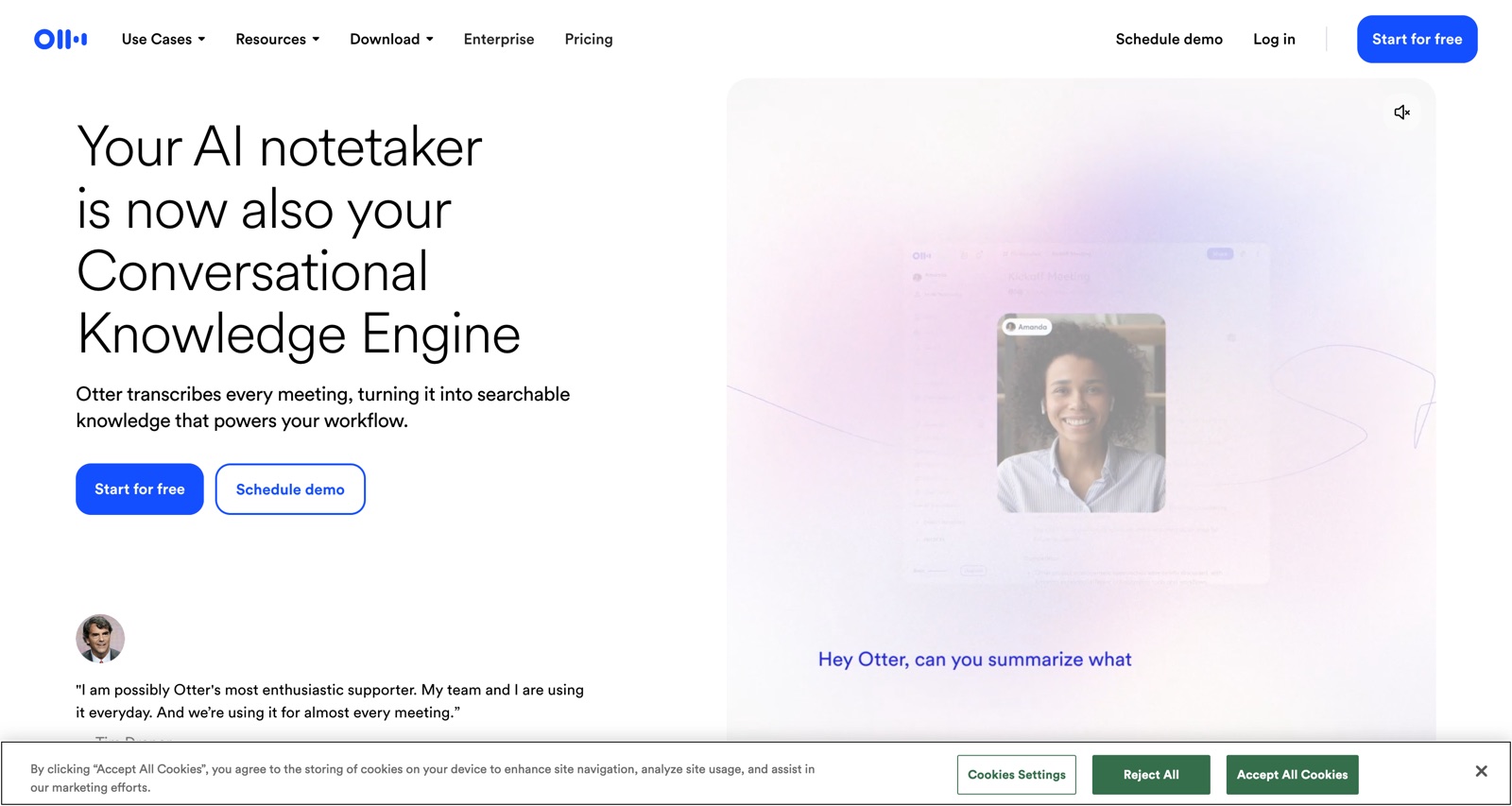 The official Otter.ai website, captured September 15, 2026. Credit: Otter.ai
What can Otter.ai do?
Otter covers the entire meeting lifecycle: joining, live transcription, summaries, action items, chat and integrations. Here are the capabilities according to the website, the pricing page and the Help Center, each paired with one practical business use case.
- Otter Notetaker (OtterPilot) from the calendar. Connect a Google or Microsoft calendar and the bot joins meetings that have a Zoom, Meet or Teams link. According to the Help Center, you choose: all meetings, only when you are the host, only external meetings, only internal meetings, or only ones you select manually. Use case: client calls abroad that land in transcription automatically.
- Live transcription with speaker identification. The transcript appears in real time during the meeting, labeled with each speaker's name. Use case: a manager who joins late and catches up on the first ten minutes.
- Automatic summary and action items. According to the Help Center: a live summary during the meeting, automatic slide capture, a meeting summary and an action-item list. Use case: a summary email in English to the client five minutes after the call.
- Otter AI Chat. Chat about a single meeting or across all meetings, during or after, including files you have imported. According to the Help Center, you can ask it to translate a transcript into other languages and ask questions in a different language. Use case: "What did the client say about the timeline" before the follow-up call.
- Channels and sharing. Group meetings by team, project or topic, and automatically share notes with invitees if enabled. Use case: a channel for each client, visible to the whole team, with every conversation in one place.
- Desktop app without a bot. According to the homepage, record directly on a Mac or Windows machine, with no extra participant in the room. Use case: a meeting with a client who is uncomfortable having a bot on the participant list.
- Mobile apps and Chrome extension. iOS, Android and a Chrome extension. Use case: recording an in-person conversation in English at a conference.
- File import. Upload existing audio or video for transcription: 3 lifetime imports on the free plan, 10 per month on Pro, unlimited on Business. Use case: transcribing a recording of an English-language webinar.
- Custom vocabulary. Names and terms the transcriber needs to recognize: 5 on the free plan, 100 names and 100 terms on Pro. Use case: your product names, so they do not come out garbled.
- Integrations and MCP. According to the pricing page: Salesforce, HubSpot and Zapier from Pro onward, and an Otter MCP server available even on the free plan, for connecting to ChatGPT, Claude and other chat tools. Use case: asking Claude questions about a month of sales meetings.
- Agents. In March 2025, Otter announced the Otter Meeting Agent, a voice-activated agent that answers questions during a meeting from the company's meeting database, schedules follow-ups and drafts emails. It also announced a Sales Agent that coaches in real time during calls and an SDR Agent that runs product demos autonomously. According to the announcement, the voice agent launched on Zoom first. The homepage now lists agents for education, media and recruiting as well, and Otter Sales Notetaker appears on the Enterprise plan. What is available in your account, check in your account.
If you already work with Zapier, an Otter summary is a natural trigger: a meeting ends, a row opens in a spreadsheet and the action items go to whoever needs them.
How to get started: step by step
From sign-up to the first summary of a real English meeting takes about fifteen minutes. The steps below follow the Help Center and the pricing page, in an order that avoids the most common mistakes.
- Sign up with your calendar account. Go to otter.ai and sign up with the Google or Microsoft account you use for work, the same account where your meetings live. Without this, the bot cannot see your calendar.
- Set your transcription language. Choose the language of most of your meetings from the six available. According to the Help Center, Otter transcribes one language at a time, and the only parallel combination supported is French and English (set French as the default). For a meeting in a different language, switch before it starts.
- Choose which meetings the bot joins. Under Account Settings, then Meetings. My recommendation for an Israeli business: "Only meetings I select manually." Otherwise the bot will show up at the Hebrew team standup and burn through minutes on a transcript that will not work.
- Enable the notification email and check auto-sharing. Turn on "Send pre-recording emails," so invitees receive an email 5 to 10 minutes before the meeting. On the same screen, review the auto-sharing setting: send notes to all invitees, or to no one. Both settings are covered in detail in the privacy section.
- Add terms and run a real meeting. Add your company name and two product names to the custom vocabulary (5 terms on the free plan). Run a real English meeting with two speakers. On the free plan it will stop after 30 minutes, so for a longer meeting split it up or upgrade.
- Read, ask, decide. After the meeting, go through the transcript: names, numbers, who said what. Ask AI Chat "what did I promise and to whom." If the answer is accurate, the tool will work for you.
The tip that saves the most time: before you connect your calendar, look at next week and count how many meetings are actually in English. If it is fewer than two, you are probably looking for a different tool, and the guide to Fireflies.ai is where to go next.
Hebrew and RTL
Otter does not transcribe Hebrew. This is not a question of accuracy; it is a question of a list. Hebrew is not among the six supported languages, according to the official pricing page and Help Center as of September 15, 2026.
What is stated officially. The pricing page says "AI transcription in English, Spanish, French, German, Japanese, and Chinese." The languages article in the Help Center repeats the same list (Simplified Chinese). Otter transcribes one language at a time, and automatic switching to English only works when the default is set to French. In other words, the list cited in the Fireflies guide is still accurate, and no new languages have been added.
What you can do in Hebrew. According to the Help Center, AI Chat can translate a transcript into other languages and answer in whatever language you ask in. That means a meeting conducted in English can be transcribed, and you can then request a summary in Hebrew. What it does not solve: a meeting where people are speaking Hebrew.
What is not addressed. There is no mention of RTL. The interface is in English, and a Hebrew summary generated through the chat will appear inside a left-to-right interface. There is also no documentation of what happens when Hebrew is spoken in a meeting set to English. That is something to test, not a fact from the documentation.
What to test in your own setup:
- An English meeting with an Israeli accent. This is the real use case for most Israeli users. Test names, numbers and terms.
- Hebrew words inside an English meeting. "Sababa," a street name, an Israeli company name. See what comes out, and add whatever keeps recurring to the custom vocabulary.
- A Hebrew summary through AI Chat. Ask "summarize the meeting in Hebrew, with action items and owners," and check whether figures and names stayed correct.
- Copying out. Copy a Hebrew summary into an email and into Slack, and check alignment and punctuation.
The rule I give in my workshops: choose a meeting tool based on the language of your meetings, not the tool's reputation. A business where half the meetings are in Hebrew needs a tool that transcribes Hebrew, and that tool is not Otter.
Pricing: All Plans from the Official Site
Four tiers, priced per user, with a significant difference between annual and monthly billing. The table is from the official pricing page, checked September 15, 2026:
| Plan | Price (per user per month) | What you get | Limits |
|---|---|---|---|
| Basic | $0 | Notetaker for Zoom, Teams and Meet, live transcription, speaker identification, AI Chat within and across meetings, mobile apps, MCP server | 300 transcription minutes per month, up to 30 minutes per conversation, 3 file imports lifetime, 20 AI Chat questions per month, 1 concurrent meeting, last 25 conversations, 5 vocabulary terms |
| Pro | $8.33 billed annually, $16.99 billed monthly | 1,200 minutes per month, up to 90 minutes per meeting, unlimited storage, advanced templates, export to mp3, txt, pdf, docx and srt, Salesforce, HubSpot and Zapier, playback speeds | 10 file imports per month, 50 AI Chat questions, 2 concurrent meetings, CRM integrations limited by number of users |
| Business | $19.99 billed annually, $30 billed monthly | Unlimited meetings and recordings, up to 4 hours per meeting, unlimited file imports, custom AI workflows, admin activity logs and analytics, bulk export, priority support | 200 AI Chat questions, 3 concurrent meetings |
| Enterprise | Custom pricing, via demo | Everything in Business, Otter Sales Notetaker, SSO, SCIM and Domain Capture, API and Webhooks, custom CRM connections, video playback for Zoom and Meet, HIPAA as an add-on | Contact only |
Two notes from the page itself. At the time of review, Pro showed a starred promotional discount of 50% ($8.49 billed monthly, $4.17 billed annually), and Business showed a 20% discount for commitments of 3 months or more. A promotion is a promotion: check what the price is once it ends. Also, minutes do not roll over to the next month, and students and teachers with a .edu email get 20% off Pro.
What you are actually paying for. Not transcription itself, but time. On the free plan, a meeting stops after 30 minutes, and 300 minutes is roughly ten short meetings per month. Pro raises that to 90 minutes per meeting and 1,200 minutes per month, and only Business removes the cap entirely. The second thing you are paying for is export: txt, docx and srt files only appear on Pro and above.
The cheapest plan that works for a small Israeli business. If most of your meetings are in English: Pro billed annually, $8.33 per user. That gives you 90-minute meetings, export, and 1,200 minutes, roughly 20 hours of meetings per month. If most of your meetings are in Hebrew, the cheapest plan that actually works is not an Otter plan. Prices change, so check the official site.
Use Cases for Israeli Businesses
Every scenario here assumes English-language meetings, because that is where Otter works. The examples are drawn from templates that come up repeatedly in workshops, with no names or client data.
Business owner (a studio working with international clients). Every scoping call with a US client goes into transcription, and the summary with action items is sent to the client the same day. The six supported languages cover a client in France or Germany as well. For the internal team summary in Hebrew, you ask AI Chat.
Marketing (a team working with an international agency). Brief calls with the agency are transcribed, and AI Chat answers "what did the agency commit to for the launch." One channel per campaign holds all conversations in one place instead of scattered across five email threads.
Operations (a company with an overseas supplier). Weekly calls with a supplier or manufacturer are transcribed, and action items are assigned to whoever is responsible. After a month, search answers "when did the supplier promise the shipment" without any digging. File import is useful here for older recordings too.
Human resources (hiring for a global role). English-language interviews with candidates abroad are transcribed, and interviewers compare notes against a consistent summary structure. Here it is essential to get explicit candidate consent before the bot joins, and to have a written policy on deleting recordings of candidates who were not hired.
Sales (a SaaS company selling into the US market). Every demo call flows into HubSpot or Salesforce via Pro, and the manager reads summaries instead of listening to recordings. Enterprise adds Otter Sales Notetaker and dialer integrations. This is where AI for sales teams becomes a process.
Otter.ai vs. Fireflies vs. Fathom vs. Granola: An Honest Comparison
Otter wins on the price of its first paid tier and on track record. Fireflies wins on Hebrew. Fathom wins on the free plan for English meetings. Granola wins when you do not want a bot. Otter data is from its pricing page; competitor data is from their respective guides, built from official pages (September 14-15, 2026):
| Otter.ai | Fireflies.ai | Fathom | Granola | |
|---|---|---|---|---|
| Free | 300 minutes per month, up to 30 minutes per conversation | 400 minutes of team storage, no transcript downloads | Unlimited recordings, transcripts and storage; advanced AI for 5 meetings per month | No daily limit, 30-day history |
| First paid tier | Pro $8.33 annual / $16.99 monthly | Pro $10 annual / $18 monthly | Premium $16 annual / $20 monthly | Business $14, billed monthly |
| Hebrew transcription | No (6 languages) | Yes, in the list of 117 languages | No (38 languages) | Yes, in the desktop app (31 languages) |
| How it records | Bot from calendar, or desktop app without a bot | Bot, desktop app, mobile | Bot; no bot on Mac | No bot, from the computer, no audio saved |
| CRM | Salesforce, HubSpot from Pro | HubSpot, Salesforce and others | HubSpot, Salesforce, Close | HubSpot, Attio on Business |
| Model training on your data | Yes, on de-identified data, per policy | No, per policy | On non-identifying data, with opt-out | On anonymized data, with opt-out |
When to choose each one:
- Otter.ai: Most of your meetings are in English (or one of the other five supported languages), you want an affordable paid plan with 90-minute meetings and export, and you value agents and MCP. Not the right fit for a business that runs in Hebrew.
- Fireflies.ai: A team that works in Hebrew, operates across multiple platforms, and needs the summary in a CRM. The complete Fireflies guide walks through the Hebrew setup step by step.
- Fathom: A freelancer whose meetings are mostly in English and who wants a free plan with no minute cap. The complete Fathom guide covers the plans and the acquisition by Superhuman.
- Granola: Anyone who does not want a bot, does not want a recording saved, and works from their computer. The complete Granola guide explains how it works without a bot.
And anyone looking for an Israeli tool that handles Hebrew and English in the same meeting should read the timeOS guide, which explains how it became Timeless.
Privacy and Limitations
A meeting involves people who did not choose the tool. So three topics here: what Otter does with the data, what you are obligated to do toward participants, and what the lawsuit claims.
What happens to the data, according to the official policy (in effect from June 16, 2026). The privacy policy states that Otter trains its AI technology on de-identified audio recordings and transcripts, which may contain personal information. The Privacy and Security page adds that de-identification uses the company's own method, that training is automated and no employee listens to recordings, and that employee access to a recording for support purposes requires explicit customer consent. I did not find an opt-out option on the page itself. Data is stored on AWS in the United States, encrypted with AES-256, and the company declares SOC 2 Type 2, HIPAA, GDPR and CCPA compliance. The policy also mentions third-party AI providers that power some capabilities.
What you are obligated to do toward participants. Per the terms of service and the help center, the responsibility to notify and obtain consent is yours, under the law that applies to you. Otter provides the tools; you need to use them:
- Email before the meeting. Send pre-recording emails sends everyone on the invite an email 5 to 10 minutes before the meeting, notifying them that the bot will join and record. A Workspace admin can enforce this across the entire organization, overriding personal settings.
- Automatic sharing. You can automatically send notes to all invitees. That is convenient, but everyone on the invite will receive the transcript, including any external party. Check this before a meeting with someone outside your organization.
- Removing the bot. According to the help center, you can remove Notetaker from a Zoom, Meet or Teams meeting. If someone asks, remove it without argument.
- Consent before manual recording. Enterprise includes a setting that displays a confirmation prompt requiring you to confirm you have consent before starting a manual recording.
In Israel, recording a conversation you are a party to is permitted, but that is not the whole story: some participants will not know a bot recorded them, and Amendment 13 to the Privacy Protection Law tightens obligations around personal information. The simple rule from AI policy for organizations: if you would not send it to an outside vendor by email, do not record it in a cloud tool.
The class action lawsuit, without the drama. On August 15, 2025, Justin Brewer filed a lawsuit against Otter.ai in federal court in the Northern District of California. According to reports in NPR and The Register, the claims are: the bot records everyone in a meeting, including people without an account who were never asked to consent, and the recordings are used to train speech recognition models. The cases were consolidated into In re Otter.AI Privacy Litigation. On August 13, 2026, Judge Eumi K. Lee partially granted Otter's motion to dismiss: claims under the CFAA, California's computer fraud statute and Washington's privacy law were dismissed with leave to amend; claims under the federal wiretapping law (ECPA), the California Invasion of Privacy Act (CIPA), the Illinois Biometric Information Privacy Act and others remain pending. It is important to be precise: this is a preliminary stage. The court found the claims sufficient to proceed, not that they are correct. The case continues.
Honest limitations, as of September 2026:
- No Hebrew. Not in transcription, and the interface is in English with no RTL support.
- One language per meeting. Except for French and English together, there is no dual-language transcription within a single meeting.
- Short free tier. 30 minutes per conversation. A standard client meeting does not fit.
- Training on your data. Per policy, on de-identified data, and no opt-out option appears on the page.
- AI Chat questions run out. 20 per month on free, 50 on Pro. Anyone asking questions every day will need Business.
Common Mistakes
- Connecting the calendar without checking the language setting. The bot joins a Hebrew team meeting, the transcript is unusable, and the minutes are gone. Choose manual join instead.
- Leaving auto-join on for every meeting. Exactly the scenario the lawsuit describes: participants who did not know. Start with meetings you select deliberately.
- Not enabling the notification email. Two seconds in settings, and participants know in advance. At the organization level, an admin enforces it for everyone.
- Forgetting about automatic sharing. Notes go to everyone on the invite, including an external party who joined for half the meeting. Check before any sensitive meeting.
- Trusting the 30-minute limit. A one-hour meeting on the free plan gets cut off in the middle. Know this in advance, or upgrade.
- Sending a summary without reading it. A wrong figure or a misspelled name in a summary sent to a client is your mistake, not the tool's.
Frequently Asked Questions
What is Otter.ai (Otter)?
An AI meeting assistant. Otter Notetaker (also called OtterPilot) joins meetings from your calendar on Zoom, Google Meet, and Microsoft Teams, transcribes in real time with speaker identification, writes summaries and action items, and lets you ask Otter AI Chat questions about a single meeting or across all of them. There is also a desktop app that records without a bot.
Does Otter.ai support Hebrew?
Not for transcription. According to the official pricing page and help center (checked September 15, 2026), Otter transcribes only in English, Spanish, French, German, Japanese, and Simplified Chinese. A meeting held in Hebrew will not be transcribed properly. The help center notes that you can ask AI Chat to translate a transcript or ask questions in other languages, but that is not a substitute for Hebrew transcription.
How much does Otter.ai cost?
According to the official pricing page (September 15, 2026): Basic is free with 300 minutes per month; Pro is $8.33 per user per month on annual billing or $16.99 monthly; Business is $19.99 on annual or $30 monthly; Enterprise is custom pricing. A promotional offer on Pro was displayed at the time of review. Prices change, so check the official site.
What does the free plan include?
According to the pricing page: 300 transcription minutes per month, up to 30 minutes per conversation, 3 file imports lifetime, 20 AI Chat questions per month, one concurrent meeting, and access to the last 25 conversations. Minutes do not roll over to the next month. For a one-hour client meeting, that is not enough.
Do participants know the meeting is being recorded?
Only if you configure it. According to the help center, the Send pre-recording emails setting sends every invitee an email 5 to 10 minutes before the meeting. Workspace admins can enforce it for everyone. The Terms of Service state that responsibility for notifying participants and obtaining consent rests with the user.
What is alleged in the class action lawsuit against Otter?
In August 2025, a lawsuit was filed in California (Brewer v. Otter.ai) alleging that the bot recorded participants without consent and used the recordings for training. The cases were consolidated. On August 13, 2026, the court dismissed some of the claims and allowed others to proceed. These are allegations, not findings, and the proceedings are ongoing.
Otter or Fireflies?
For a business that works in Hebrew: Fireflies, because Hebrew appears on its list of 117 supported languages and does not appear on Otter's list of six. Otter is the right choice for anyone whose meetings are mostly in English and who wants a cheaper paid plan, $8.33 on annual billing versus $10 at Fireflies.
The Bottom Line
35 million users is a convincing number, but it does not answer the question an Israeli business needs to ask. The question is: what language are your meetings in? If English, Otter.ai is a mature, affordable tool: a calendar bot, summaries and action items, chat across all your meetings, MCP and agents, and Pro at $8.33 a month. If Hebrew, it is not the tool, and it is fine to know that before you connect your calendar.
What to do this week: count how many English-language meetings are on your calendar. If there are any, sign up for free, set joining to manual, enable the notification email, and run one meeting through it. The transcripts you accumulate can then be fed into Gemini Notebook (NotebookLM) so you can ask questions across a whole month of meetings.
Want to work through this inside the page? The interactive course for Otter.ai at 9.90 ILS, and the rest of the interactive courses are in the same place.
Sources
All sources checked September 15, 2026:
- Official pricing page (Basic, Pro, Business, Enterprise, minutes, languages, AI Chat, export, promotions): https://otter.ai/pricing
- Official homepage (Otter Meeting Agent, OtterPilot, AI Chat, desktop app without bot, agents, MCP): https://otter.ai/
- Privacy and security page (training on de-identified data, encryption, AWS, standards): https://otter.ai/privacy-security
- Official privacy policy (effective June 16, 2026): https://otter.ai/privacy-policy
- Official Terms of Service, section 9.2 (user responsibility for notification and consent, updated September 19, 2025): https://otter.ai/terms-of-service
- Help center, transcribing in English, Spanish, French, German, Japanese, or Chinese: https://help.otter.ai/hc/en-us/articles/26660468516631-Transcribe-conversations-in-English-Spanish-French-German-Japanese-or-Chinese-Simplified
- Help center, supported languages: https://help.otter.ai/hc/en-us/articles/360047247414-Supported-languages
- Help center, Otter Notetaker overview: https://help.otter.ai/hc/en-us/articles/4425393298327-Otter-Notetaker-Overview
- Help center, choosing which meetings Otter Notetaker records: https://help.otter.ai/hc/en-us/articles/26010355877911-Choose-which-meetings-Otter-Notetaker-records
- Help center, enforcing pre-meeting recording notification emails: https://help.otter.ai/hc/en-us/articles/13353091821591-Enforce-pre-meeting-recording-notifications
- Help center, automatic sharing settings: https://help.otter.ai/hc/en-us/articles/20424842990999-Manage-OtterPilot-Conversation-Share-Settings
- Help center, removing the bot from a meeting: https://help.otter.ai/hc/en-us/articles/14288936562199-Remove-Otter-Notetaker-from-your-Zoom-Google-Meet-or-Microsoft-Teams-meeting
- Help center, recording permissions: https://help.otter.ai/hc/en-us/articles/39339238308503-Recording-Permissions-with-Otter
- Help center, Otter AI Chat overview (including translation): https://help.otter.ai/hc/en-us/articles/19682180167575-Otter-AI-Chat-Overview
- Otter.ai announcement, Conversational Knowledge Engine, 35 million users (April 28, 2026): https://otter.ai/blog/otter-ai-evolves-from-ai-notetaker-to-create-100b-enterprise-conversational-knowledge-engine-market
- Otter.ai announcement, Meeting Agent suite, Sales Agent and SDR Agent (March 25, 2025): https://otter.ai/blog/otter-ai-breaks-100m-arr-barrier-and-transforms-business-meetings-launching-industry-first-ai-meeting-agent-suite
- NPR, report on the class action filing (August 15, 2025): https://www.npr.org/2025/08/15/g-s1-83087/otter-ai-transcription-class-action-lawsuit
- The Register, detail on the claims in the lawsuit (August 18, 2025): https://www.theregister.com/2025/08/18/otter_ml_privacy_lawsuit/
- Court ruling on the motion to dismiss, In re Otter.AI Privacy Litigation (August 13, 2026): https://caselaw.findlaw.com/court/us-dis-crt-n-d-cal/322025.html
- Fireflies.ai pricing page (via our guide, checked September 14, 2026): https://fireflies.ai/pricing
- Fathom pricing page (via our guide, checked September 15, 2026): https://fathom.ai/pricing
- Granola pricing page (via our guide, checked September 15, 2026): https://www.granola.ai/pricing
Frequently asked questions

Yaakov Tzedek
An Israeli AI lecturer, consultant and implementer who has supported 100+ organizations in AI implementation and lectured for 200+. Official content partner of Meta, Google, Canva and TikTok, featured on Israel's Channel 13.
More about Yaakov →