
- The complete Zapier guide: 8,000+ integrations, AI Agents, Tables, Interfaces, task-based pricing, comparison with n8n and Make, and real use cases for businesses.
Every tool call an AI agent makes through Zapier MCP costs two "tasks" from your Zapier plan. That means a Claude agent can send an email from your Gmail account for the price of two tasks, without writing a single line of code.
Zapier is the world's most established and connected automation platform, with more than 8,000 apps (and according to figures Zapier itself publishes, the number has already crossed 9,000) that can be linked together without a single line of code. By 2026 it is far beyond "when an email arrives, add a row to the spreadsheet": it is a full platform with AI agents (Zapier Agents), databases (Tables), interface building (Interfaces), chatbots, and a visual macro-map (Canvas). It matters because it is the fastest way for the average business to start saving hours of manual work, and also because its pricing model, billed by task, is exactly the place where you need to keep your eyes open before you fall in love.
This is a deep-dive guide: what Zapier can do today, how to set up your first automation step by step, real-world scenarios for businesses, the state of non-English language support, what it actually costs, and when n8n or Make might be the smarter choice.
What Is Zapier?
Definition: Zapier is a cloud automation platform that connects web apps, CRMs, email, forms, spreadsheets, online stores, and project-management tools through "Zaps": rules in the style of "when trigger X happens in one app, perform action Y in another app." Everything in a visual interface, no code, no servers, no developer required.
The most important word in that definition is "no." Zapier built its entire product around eliminating friction: signing up takes a minute, integrations come pre-built, authenticating with any app takes a few clicks, and your first Zap can be running within fifteen minutes of registering. That is why the name became generic. The way people say "just Google it," the automation world says "just Zap it."
Three concepts you need to know:
- Zap: The automation itself. Always starts with a trigger followed by one or more action steps.
- Trigger: The event that fires the Zap: a new lead in a form, an incoming email, a new row in a spreadsheet, an order in a store.
- Task: The billing unit. Every time a Zap performs an action that moves data, one task is counted. We will expand on this later, because it is the heart of the economic picture.
And since 2025, Zapier has positioned itself not as an "app connector" but as an AI orchestration platform, a place where Zaps, agents, data, and people work together. That is not just marketing copy, and we will see why shortly.
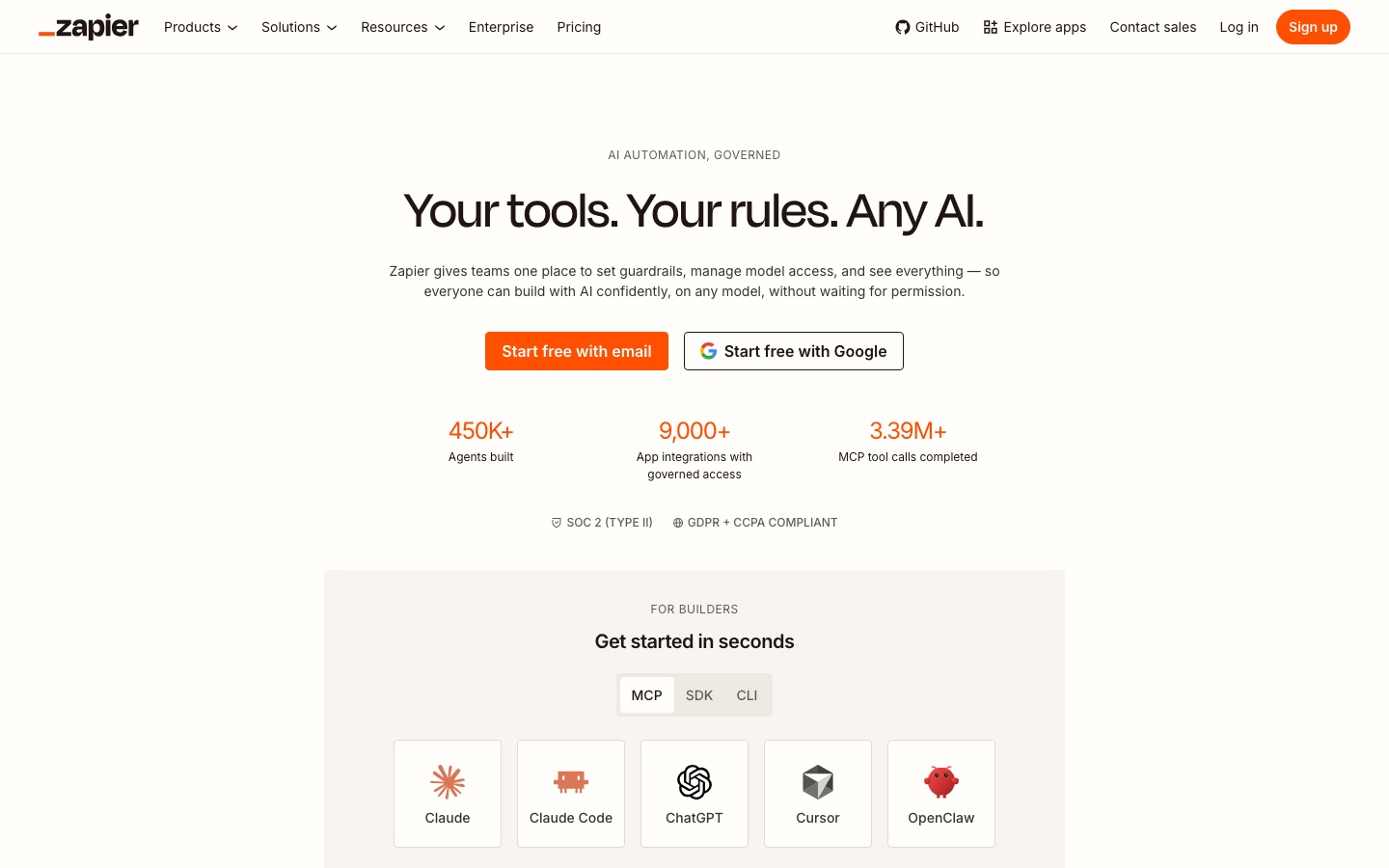 The official Zapier website, captured in September 2026. Credit: Zapier
Why Everyone Is Talking About Zapier Right Now
Zapier has been around since 2011, so what changed? Three big things happened in the past year or two that shifted the equation for businesses:
1. AI agents became part of the product, not an add-on. Zapier Agents, agents that receive a goal in plain language and decide on their own which actions to take, came out of beta and are available today to all users, including organizational management and security controls. The difference from a regular Zap is fundamental: a Zap is an assembly-line robot that does exactly what was defined; an agent is a junior employee who understands context. If you have been asking "how do I build an AI agent without a development team," Zapier is one of the main answers today.
2. The tool suite expanded, and everything was included in the standard plans. As of July 2026, Tables (database), Interfaces (page and simple app building), Forms, Chatbots, and Canvas are all included in the standard plans. In practice, a small business can drop separate subscriptions to Airtable, a form tool, and a chatbot platform, and manage everything under one roof.
3. Zapier MCP connected the platform to the entire AI ecosystem. Through the MCP protocol (Model Context Protocol), the same open protocol we teach in depth in the context of Claude, any AI assistant can receive managed access to more than 30,000 actions in Zapier. That means your Claude can send an email, update a CRM, or add a row to a spreadsheet, with Zapier serving as the integration layer. More on this below.
The combination of these three things is why Zapier is more relevant than ever, and also why competition against it (n8n, Make, and others) has become sharper than ever.
Core Capabilities in 2026
Zaps: The Classic Heart
The foundation has not changed: trigger, then actions. But it has grown considerably richer:
- Multi-step Zaps: one trigger can lead to dozens of sequential actions.
- Paths: branching logic in the style of "if the lead is from New York, send to rep A, otherwise to rep B."
- Filters and delays: "continue only if the amount is above 500 ILS," "wait 24 hours then send a reminder."
- Built-in AI fields: inside a Zap you can add a language-model step: summarize the email, classify the inquiry, draft a reply. No separate API account needed.
- Formatter: a built-in utility for formatting dates, splitting text, running calculations, the small things that turn an automation that "almost works" into one that works.
AI Agents: Zapier Agents
This is the big leap. Instead of defining every step, you write the agent an instruction like: "Every morning, go through the new leads from the website, enrich them with LinkedIn information, rank them by potential, and send me a summary in Slack." The agent plans, invokes tools from the app library, and responds to situations that were not defined in advance. You can also chain agents, an agent that activates an agent, to create small AI teams. As of July 2026 there is also a library of ready-made agent templates that can be adopted and customized in minutes.
To be honest: agents are a powerful tool but less predictable than a Zap. For critical processes (billing, contracts) a deterministic Zap is preferable; give agents the grunt work where a small mistake does not break anything.
Zapier Tables
A simple database that lives inside Zapier. The advantage over an external Google Sheet: Tables communicate with Zaps natively (without consuming tasks just for reading), fields have validation, and you can trigger a Zap directly from a row using a button. For a small business, this is a reasonable substitute for Airtable when it comes to managing leads, orders, or simple inventory.
Interfaces and Forms
Build landing pages, forms, and simple internal apps: a mini client portal, an employee onboarding form, a status dashboard, all connected directly to Tables and Zaps. This does not replace a real website, but for internal tools it saves development time.
Canvas
A visual map of all your automations: how Zaps, Tables, Interfaces, and Agents connect to one another. When you have 30 Zaps built over two years, Canvas is the difference between a "system" and "spaghetti that nobody dares touch." The map is generated automatically and is editable, and you can use it to plan new processes before you build them.
Chatbots
A language-model-based bot you can embed on a website, feed with documents and FAQ content, and connect to Zaps. For example: a conversation with the bot ends in a lead that enters the CRM automatically, complete with a conversation summary.
Zapier MCP: The Connection to Claude and Every AI Assistant
In our view this is the most interesting capability for our audience. Zapier MCP is a managed MCP server: go to mcp.zapier.com, choose your client (Claude, ChatGPT, Cursor, and others), choose which actions to expose, for example "create a draft email in Gmail" and "add a row in Google Sheets," and receive a secure connection. From that point, your Claude can perform those actions in free conversation or inside Claude Code. The cost: two Zapier tasks per tool call, available on all plans including the free one. For anyone learning to build agents, this is an excellent bridge between the brain (Claude) and the hands (Zapier's 8,000+ apps).
From the field: In organizations I work with, the most common mistake is thinking you have to choose between "the Claude world" and "the Zapier world." In practice, the combination is where the magic is: Claude drafts, analyzes, and decides, while Zapier executes against the systems. A Claude agent that summarizes a sales call and then, via MCP, opens a task in Monday and sends a summary email to the client is a process we set up for a client in a single morning, without a developer.
How to Get Started: Step by Step
Here is the setup path for a real first automation: new lead from a website form, row in Google Sheets, notification in WhatsApp or Slack, automatic thank-you email.
- Sign up for free at zapier.com (email or Google account). The free plan is enough for experimentation.
- Create a new Zap and click on the trigger step. Search for your form tool (Elementor Forms, Google Forms, Typeform, Facebook Leads, they are all there).
- Connect your account: Zapier will request one-time permission for the app (OAuth). This is the step that feels "magical" compared to writing an integration in code.
- Pull sample data: Zapier will fetch the latest real lead from your form so you can see the fields (name, phone, email) and map them.
- Add an action: Google Sheets, Create Spreadsheet Row. Map each field from the form to a column in the sheet.
- Add a second action: a notification. Slack, Telegram, or WhatsApp (via existing WhatsApp Business integrations). Write a message: "New lead: {{name}}, {{phone}}."
- Add an AI step (optional): an AI field that classifies the inquiry ("sales / support / spam") based on the message content, and a Path that routes each type to a different channel.
- Test every step with the built-in test button and watch the real data flow through.
- Publish the Zap. From this moment it runs 24/7.
- Monitor task consumption under Usage. In the first week you will understand how many tasks the process actually consumes, and that is the basis for deciding on a paid plan.
Ten steps, roughly 30 to 45 minutes the first time. Your second Zap will take ten minutes.
From the field: Start with the process that hurts most in your day-to-day, not the most impressive one. In most businesses I encounter it is "a lead comes in and nobody follows up the same day." One lead-instant-notification automation pays back the annual subscription cost with a single deal that did not slip through.
Business Use Cases in Israel: Real-World Scenarios
The best examples are specific ones. Here are five scenarios that fit typical Israeli businesses:
Private Clinic or Medical Practice
A lead comes in from a Facebook campaign, gets automatically logged in Tables, receives a WhatsApp message with a booking link, and if no appointment is made within 48 hours a follow-up Zap sends a reminder. The receptionist gets a morning summary of open leads in Slack or by email. An AI field classifies urgent inquiries ("severe pain") and triggers an immediate alert.
E-Commerce Store (Shopify / Wix / WordPress)
A new order triggers an invoice sent through the billing system, the customer is added to the mailing list, and if the order is above a certain amount a "personal thank-you call" task is created. An abandoned cart kicks off an email and WhatsApp sequence. A weekly AI Agent reviews accumulated reviews and summarizes product insights in Hebrew.
Accounting Firm or Law Office
An email with an attachment from a client automatically saves the file to the client's folder in Drive, logs a row in the "Documents Received" sheet, and an AI field extracts the document type and relevant month from the email. Automatic reminders go out to clients who haven't sent materials by the 10th of the month. That alone saves hours of manual sorting every week.
Real Estate Agency or Brokerage
A lead from Yad2, Facebook, or the website enters the CRM, an AI Agent cross-references the lead's requirements (area, budget, number of rooms) against the active listings table, sends the agent a ready-made match list, and an automated "we received your inquiry" email goes to the client with relevant properties. Response time drops from hours to minutes, and in real estate that is the whole difference.
Service Providers and Lecturers (Including This Kind of Work)
A contact form submission tags the lead by source, an initial proposal goes out automatically, a calendar booking triggers Zoom room creation and a day-before reminder, and after the meeting a call summary (from transcription) is sent to Claude via MCP to draft a follow-up email. If you want to see what a workflow like this looks like from the inside, that is exactly the kind of thing we build together in AI consulting for businesses.
Non-Profits and Social Organizations
A new donor fills out a form, gets registered in the donor management system, and receives a personalized thank-you letter composed by an AI field based on donation amount and history. The fundraising coordinator gets an alert for returning donors, and once a month an AI Agent compiles a donation report by source and drafts an update for the board. Non-profits are a clear example of organizations with no development budget where automation genuinely changes operational capacity. With the free or low-cost plan you can cover a substantial portion of the needs.
Notice the common thread: none of these scenarios requires a developer, and all of them are built from existing building blocks. That is Zapier's promise, and it is real, as long as your tools are in the integration library. Local Israeli tools (Israeli invoicing systems, local payment processors) are not always there, and the solution in those cases is Webhooks. We will get to that in a moment.
From the field: When I build a workflow like this with a client, I always start by sketching the process on paper before touching Zapier: who gets what, when, and what happens when something is missing. Ten minutes of sketching saves two hours of rebuilding. In Zapier's Canvas you can do that sketch directly inside the tool and then turn each box into a real Zap.
When the step before automation is building and enriching your client list, the complete guide to Clay completes the picture.
Hebrew: What Works and What Doesn't
This is a critical point for Israeli readers, so let's be precise.
What works great:
- Hebrew data: Names, messages, and Hebrew content pass between apps without any issue. Hebrew is just text as far as Zapier's pipes are concerned.
- AI fields in Hebrew: Summarization, classification, and drafting in Hebrew work well, because modern language models handle Hebrew at a high level.
- Hebrew chatbots: You can configure a bot that responds in Hebrew, including feeding it knowledge documents written in Hebrew.
What is partial or missing:
- The interface itself: English only. There is no Hebrew UI and no RTL support in the editor. For anyone who finds English challenging, the learning curve is steeper.
- RTL in Interfaces: Pages built in Interfaces are not right-aligned by default. You can work around it, but it feels "backwards" and requires extra effort.
- Israeli integrations: WhatsApp exists (via WhatsApp Business and third-party providers), but many local Israeli systems (Cheshbonit Yeruka, Summit, Rivchit, local payment processors) are not available as official integrations. The solution is Webhooks and a generic API. It works, but it already requires a basic technical understanding.
- Support: English only.
The bottom line on Hebrew: as a "plumbing" platform, excellent. As a Hebrew-language product, no. Anyone who manages their business in English at the tools level will feel no friction. Anyone who needs a Hebrew interface will feel it.
Zapier vs. the Competition: n8n, Make, and Power Automate
This is probably the question that brought some of you here, so let's answer it seriously. The comparison table, as of July 2026:
| Criterion | Zapier | Make | n8n | Power Automate |
|---|---|---|---|---|
| Number of integrations | 8,000+ (largest in the world) | 2,000+ | ~1,200 + any API via code | Hundreds, strong in Microsoft ecosystem |
| Ease of use | Easiest | Intermediate (visual-engineering) | Requires technical knowledge | Intermediate, ecosystem-dependent |
| Pricing model | Per task (expensive at volume) | Per operation (cheaper) | Per workflow run / self-hosted near free | Per user/flow |
| AI Agents | Built-in Agents + templates | AI Agents inside scenarios | Built-in LangChain, full control | Copilot Studio |
| Self-hosting | No | No | Yes (open source) | No |
| Data control and privacy | Cloud only | Cloud only | Full (on your own server) | Microsoft cloud |
| Best for | Businesses that want speed and simplicity | Automation enthusiasts with a tight budget | Technical teams and high volumes | Organizations living in Microsoft 365 |
When Zapier Wins
- When your stack is popular SaaS: Gmail, Slack, Monday.com, HubSpot, Shopify, Notion. The chance that the integration exists and is polished in Zapier is the highest in the market.
- When there is nobody technical in the business: Zapier's editor is the most user-friendly, and ready-made templates shorten everything.
- When setup speed matters more than cost: An automation that works today is worth more than a perfect automation in a month.
- When you want everything in one place: Forms, tables, bots, agents, and automation under a single subscription.
When n8n Wins
We just published a complete n8n guide in Hebrew, and in short: n8n is the better choice when volumes grow (its pricing is per workflow run, not per individual action, a gap that can easily be ten times or more in cost), when data control matters (self-hosted on your own server, critical for regulated industries, healthcare, finance), and when you need complex logic and code inside the workflow. The price: a significantly steeper learning curve. If you have someone technical on the team, n8n is a worthwhile investment.
What About Make?
Make (formerly Integromat) sits in the middle: visual and clean, cheaper than Zapier, with fewer integrations but good flexibility. We wrote a practical comparison in the guide Building an AI Agent with Zapier and Make. Rule of thumb: if Zapier is too expensive but n8n feels intimidating, Make is the middle ground. We also published a complete Make guide in Hebrew, covering all plans, how operations are counted, and its AI agents.
From the field: In training sessions I run for more than 100 organizations, I see a consistent pattern: people start with Zapier because it is the easiest, and after a year, when there are 20 Zaps and 10,000 tasks a month, the bill starts to hurt and thoughts of migration begin. My advice: that is completely fine. Zapier is an excellent school for automation. Just build your workflows in an organized, documented way, so that migration, if it comes, is a copy job and not a rebuild.
And anyone looking for an agent that handles email, meetings, and leads from a plain-language instruction, rather than a scenario you build step by step, can compare with the complete guide to Lindy.
Pricing and Plans: The Truth About Per-Task Billing
Full honesty is required here, because this is the part that is easiest to fall in love with at the start and regret six months later.
Plan structure, as of July 2026:
- Free: Around 100 tasks per month, two-step Zaps only (trigger plus one action). Great for testing, not enough for a real business.
- Professional: Starts around $20 per month billed annually (close to $30 monthly), with a few hundred tasks. Unlocks multi-step Zaps, Paths, Webhooks, AI fields, and premium apps. Task tier pricing climbs as you need more.
- Team: Starts at several tens of dollars per month billed annually, with Zap sharing and connections across team members.
- Enterprise: Custom pricing with advanced security controls and management.
How tasks are actually counted: Every action that moves data counts as a task. Triggers, filters, Paths, and built-in tools (Formatter, Tables, Delay) do not count, which is fair. But watch the cumulative math: a 5-step Zap running on 30 leads a day equals roughly 4,500 tasks per month from a single Zap. Going over your quota is automatically billed at a rate higher than normal (around 1.25x), and calling a tool via MCP costs two tasks.
The practical implication:
- For a small business with 3 to 5 lean automations, Zapier is cheap and highly worthwhile relative to the hours it saves.
- For a business with dozens of multi-step workflows or high data volumes (an active e-commerce store, a large lead center), the monthly bill can reach hundreds of dollars, and at that point n8n or Make save an order of magnitude.
- Important tip: Make the decision based on measurement, not gut feeling. One month on a cheaper plan with Usage tracking will give you the real number.
This is not "Zapier is expensive" as a blanket statement. It is "Zapier is priced for convenience, not for volume." Anyone who understands that upfront will not be surprised.
Advanced Tips
- Use Tables instead of Google Sheets when possible: Reads and writes to Tables from Zaps don't consume tasks the way external integrations do, which significantly reduces costs.
- Early filters save money: Place your filter step as close to the trigger as possible. A Zap that stops at a filter before executing any actions costs almost no tasks.
- Consolidate Zaps with Paths: Instead of five Zaps on the same trigger, use one Zap with five paths. Far easier to maintain and monitor.
- Webhooks are the magic door: Any Israeli system with an API (invoicing software, payment processors, local CRMs) connects via Webhooks by Zapier even without an official integration. This is the point where one guided session with someone who has done it before is genuinely worth it.
- Give agents background work, give Zaps production work: AI agents are excellent for research, classification and drafts. Use deterministic Zaps for anything that touches money or a customer directly.
- Connect Claude via MCP for on-demand actions: Instead of building a Zap for every whim, expose 5 or 10 useful actions to Claude (draft an email, add a row to a sheet, create a task in Monday) and let it execute them conversationally. We walk through this step by step in our courses.
- Build a "watchdog Zap" for monitoring: A Zap that listens for errors in other Zaps (there is a trigger for exactly this) and sends you an alert. Automation that breaks silently is worse than automation that never existed.
- Document every Zap in its name: "Facebook Lead to Sheets to WhatsApp (May 2026)" not "Zap 47." You will thank yourself in a year.
Common Mistakes: And How to Avoid Them
- Building automation around a process that doesn't work manually. Automation multiplies what you already have, including the mess. Fix the process first, then automate it.
- Ignoring the task counter until the first invoice. Check Usage after one week, not after two months.
- One giant Zap that does everything. Hard to debug, hard to change. Better to have several focused Zaps communicating through Tables.
- Forgetting edge cases: What happens when a lead has no phone number? When a field is empty? Filters and default values prevent 90% of failures before they happen.
- Giving an AI agent overly broad permissions on day one. Start with read-only plus draft permissions, and expand only after two weeks of solid results.
- Not testing with real Hebrew data. Sometimes a field mapping looks fine in English and breaks on quotation marks or RTL text in Hebrew. Always run a test with a real Hebrew lead.
- Comparing tools by list price alone. The right comparison is cost-per-process-per-month: sometimes the "expensive" Zapier is cheaper once you factor in setup and maintenance hours.
The Limitations: Honestly
A guide that doesn't tell you this is doing you a disservice:
- The pricing is not built for high volume. This is the central limitation. A business processing tens of thousands of tasks per month will pay significantly more on Zapier than on n8n or Make. That is built into the model, not a bug.
- No self-hosting. Your data passes through Zapier's cloud, full stop. For organizations with regulatory requirements (healthcare, finance, security), this is sometimes an immediate disqualifier, and again, n8n is the answer.
- Complex logic gets clunky. True loops, sophisticated list processing, and heavy data transformations are possible but feel like fighting the tool. Zapier excels at linear-with-branching, not at algorithmic work.
- Dependency on third-party integrations. When an official integration is missing a field or trigger you need, you are dependent on Zapier and the vendor to update it. Webhooks provide a workaround, but with technical effort.
- Agents are still not "fire and forget." Zapier Agents are impressive, but like every AI agent in 2026 they make mistakes sometimes, and they require careful goal-setting and human oversight at the start.
- No Hebrew interface, no Hebrew support: as noted above.
- The add-ons (Interfaces, Chatbots) are good, not exceptional. Each is weaker than the dedicated competitor (Airtable, Typeform, bot platforms). The advantage is the integration, not the depth.
Who This Is Right For: And Who It Isn't
Zapier is a strong fit if:
- You are a small to mid-sized business running on well-known SaaS tools and you want to cut manual work hours, starting this week.
- You don't have (and aren't planning to hire) a technical person, and you need even the office manager to be able to fix a Zap.
- You want to experiment with AI agents in the most accessible environment available, with ready-made templates.
- You are a Claude user who wants to give it "hands" into your applications via MCP without spinning up a server.
Zapier is a weaker fit if:
- Your volumes are large (tens of thousands of operations per month): the pricing will hurt. Go to n8n or Make.
- You are subject to regulations that require data to stay on your own infrastructure. You need self-hosting, and that means n8n.
- Your processes are highly algorithmic and deeply branched: you will hit the ceiling fast.
- Most of your systems are local Israeli platforms without a convenient API: check first that there is actually something to connect.
If you are unsure where you fall on that spectrum, that is exactly the kind of question worth resolving in one focused conversation. You can book a private lesson and walk away with an automation map tailored to your business.
Frequently Asked Questions
Can you use Zapier for free long-term?
Yes, but within tight limits: around 100 tasks per month and two-step Zaps only. That is enough for a small personal automation (for example, "save email attachments to Drive") but not for a business. The upside: you can build and test everything for free before you pay.
What is the difference between a Zap and an Agent?
A Zap is a deterministic process: the same trigger always fires the same steps in the same order. An Agent receives a goal in plain language and decides on its own which tools to use and in what order, including handling situations that were never predefined. Zap equals production line. Agent equals personal assistant. For critical processes, prefer a Zap. For flexible knowledge work, an agent.
How long does it take to learn Zapier?
The basics: a few hours. Your first working Zap takes under an hour. Real proficiency (Paths, Filters, Webhooks, AI fields) takes two to three weeks of daily use. It is one of the gentler learning curves in the field, which is exactly why we recommend it as a first step before moving to more powerful and complex tools.
Can Zapier replace a developer for me?
For "connect A to B" processes, yes, absolutely. For product development, building a website, or custom business logic, no. Its precise sweet spot: all those internal processes that never justified a development project but burn hours anyway. A developer (or consultant) is still worth their weight in gold for architecture planning and unusual integrations.
How does Zapier connect to Claude and other models?
Three paths: (1) AI fields inside Zaps, a language model as a step in the workflow; (2) direct integrations with model providers, including Anthropic; (3) Zapier MCP, exposing Zapier actions to Claude or any MCP client, at a cost of two tasks per call. For anyone who wants to understand which model suits which task, we have an updated AI model comparison.
Is my data safe on Zapier?
Zapier is a mature company with industry-standard security, permission controls and org-level access management (on higher-tier plans). That said, your data passes through their cloud in the US and there is no self-hosting option. For most businesses that is sufficient. For organizations with data sovereignty requirements it is not, and the solution is an open-source tool on your own server.
My Zap isn't triggering / is missing events: what do I do?
The three immediate suspects: (1) Permissions: the app connection has expired. Go to App Connections and reconnect. (2) A polling-based trigger that checks every few minutes rather than instantly: on higher plans the polling interval is shorter. (3) A filter that is filtering out more than you intended. The run history (Zap History) shows every run with full data, and you will find the answer there almost every time.
Which Israeli apps are supported on Zapier?
The picture is mixed, as of July 2026. International tools widely used in Israel, including monday.com, Wix, Facebook Lead Ads and WhatsApp Business, are well supported. Local Israeli systems such as domestic accounting software, Israeli payment processors and local CRMs mostly lack official integrations. The practical solution: nearly all of them have an API, and through Webhooks by Zapier you can connect to those too. It requires one to two hours of one-time technical work (or a short session with someone who has done it before), and from there everything runs automatically.
What is the difference between Zapier MCP and Zapier's regular Claude integration?
The standard Anthropic integration runs Claude as a step inside a Zap: the Zap is in control and Claude performs a specific text task. Zapier MCP is the reverse: Claude is in control and Zapier serves as a toolbox. You have a conversation with Claude (in an app or in Claude Code) and it triggers Zapier actions as needed. For fixed, repeating processes, a Zap with an AI step is better. For interactive and flexible work, MCP.
Is it worth switching to Zapier from Make, or vice versa?
If something is working for you, don't migrate for the sake of migrating. A migration is justified when there is real pain: a climbing invoice (moving away from Zapier), a missing critical integration (usually moving toward Zapier), or the need for self-hosting (toward n8n). Before deciding, build your most expensive process in the other tool as a pilot and compare actual cost and maintenance.
The Bottom Line
Zapier in 2026 is the fastest and most accessible way to bring automation and AI agents into a business: 8,000+ integrations, an editor anyone can learn in hours, and a complete package of tables, interfaces, bots and agents under a single subscription. The price of that convenience is per-task pricing that stops being friendly at high volumes, and the absence of self-hosted data control. Our formula is straightforward: start with Zapier, measure, and know when (and if) to grow beyond it, toward n8n when volume and control matter, or toward deeper integration with Claude and code-based agents when your business is ready for it.
Want to learn to build this yourself, in Hebrew and for free? Start with the free courses in our academy, including the fundamentals of automation, Claude and AI agents. And if you want to cut the learning curve and build your business automations together with us one-on-one, book a private lesson or schedule an AI workshop for your team. The hours you will save are already waiting for you.
Frequently asked questions

Yaakov Tzedek
An Israeli AI lecturer, consultant and implementer who has supported 100+ organizations in AI implementation and lectured for 200+. Official content partner of Meta, Google, Canva and TikTok, featured on Israel's Channel 13.
More about Yaakov →