- What Fireflies.ai is, how Fred transcribes Zoom, Meet, and Teams in Hebrew, AskFred, HubSpot, all official pricing, recording consent, and a comparison with Fathom and Otter.
According to the official Fireflies.ai pricing page, even the free plan includes AskFred credits, but storage is capped at 400 minutes per team. That means after about a week and a half of daily meetings, old recordings have to make room. The first thing that runs out is not the transcription, it is the storage.
117 transcription languages, Hebrew among them. That's not even the interesting part.
The interesting part is what happens at the average business: ten Zoom calls a week, someone scribbles something on their phone, and the following week there's an argument about who committed to what. Fireflies.ai sends a bot to the meeting in your place, transcribes it, writes a summary, produces a task list, and if you want, pushes everything into the client record in your CRM. And all of it starts on a free plan.
This guide was built from the Fireflies.ai pricing page, product page, help center (languages, credits, recording consent, HubSpot integration) and official privacy and security policies, all verified on September 14, 2026. What it is, what it can do, what it costs, what happens with Hebrew, who needs to consent, and when Zoom's built-in summary is simply enough.
In short
| Question | Short answer |
|---|---|
| What is it? | An AI bot (Fred) that joins Zoom, Google Meet and Teams meetings, transcribes and summarizes them |
| Hebrew? | Yes, on the official list of 117 languages; interface is in English; mixed Hebrew-English in beta mode |
| How much does it cost? | Free; Pro $10 per seat per month (annual); Business $19; Enterprise $39 |
| What runs out first on the free plan? | Storage: 400 minutes per team, and you can't download transcripts |
| CRM? | HubSpot, Salesforce and more; saving transcripts to HubSpot requires Pro or above |
| Who should skip it? | Anyone whose meetings are all on paid Zoom with internal audiences, where Zoom's AI Companion is already included |
What is Fireflies.ai?
Fireflies.ai is a service that records, transcribes and summarizes video meetings on your behalf. It does this primarily through a bot, an additional participant in the meeting, that joins automatically from your calendar.
Definition: Fireflies.ai (Fireflies.ai) is an AI meeting assistant. A bot named Fred (fred@fireflies.ai) joins meetings on Zoom, Google Meet and Microsoft Teams based on your calendar, records and transcribes them in more than 100 languages, and produces a summary with key points and action items. After the meeting you can search across all transcripts, ask AskFred questions in natural language, and sync the summary to your CRM, Slack and task management tools.
According to the official homepage, the service is used by more than one million companies, holds a 4.8 out of 5 rating on G2, and meets SOC 2 Type II, GDPR and HIPAA standards. The company writes those numbers about itself, so take them accordingly, but they explain why this name comes up in every conversation about "who summarizes our meetings."
The important thing to understand about its positioning: Fireflies is not a single-platform tool. Zoom, Teams and Google all offer built-in summaries today, but each one only works inside its own house. Fireflies sits above all of them, and adds desktop-app recording without a bot, a mobile app for in-person meetings, and a Chrome extension for Google Meet.
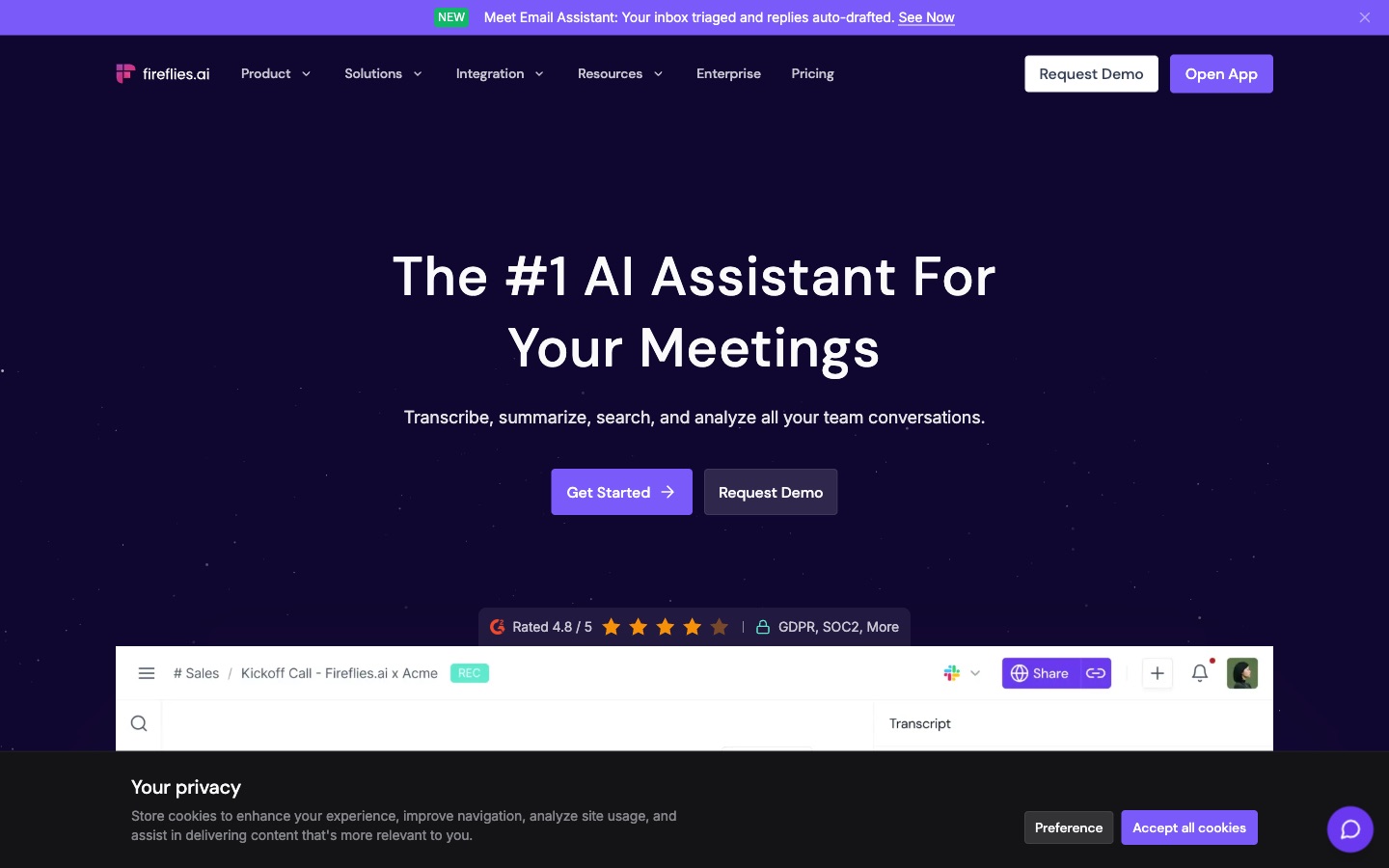 The official Fireflies.ai website, captured September 14, 2026. Credit: Fireflies.ai
What can Fireflies.ai do?
Fireflies covers the entire chain: joining meetings, transcribing, summarizing, tasks, search, and connecting to your business systems. Here are the capabilities according to the website and help center, each paired with one practical business use case.
- A bot that joins from your calendar automatically. Connect Google Calendar or Outlook and Fred joins every meeting that has a Zoom, Meet or Teams link. Use case: a manager jumping between meetings who doesn't need to remember to hit "Record."
- Transcription in more than 100 languages with speaker identification. According to the help center: 117 languages, including Hebrew, with identification of who said what and speaking-time data. Use case: transcribing a client discovery call that you can reference later instead of arguing about what was said.
- AI summary with highlights and action items. Every meeting gets an overview, detailed bullet points and an action item list, with the option to add templates. Use case: a follow-up email to the client within five minutes of the call.
- AskFred. Chat about a single meeting or across all meetings: "What did the client say about the budget," "Who owns the proposal task." Use case: before a follow-up call, ask what was agreed last time instead of reading an hour of transcript.
- Global search. Search across all meetings at once (marked as new on the site). Use case: "Which meeting did we talk about the new supplier."
- AI Skills, more than 100 templates. According to the help center: templates such as BANT and MEDDIC for sales, or interview feedback for recruiting, billed against credits. Use case: every sales call comes out with the same summary structure.
- Soundbites. Automatic clips of key moments from the recording. Use case: sending the CEO 40 seconds of "exactly what the client said," not an hour.
- Live Assist. Real-time suggestions during the meeting, according to the homepage. Use case: a new salesperson getting a reminder of what to ask.
- Integrations with CRM, Slack and task management. Salesforce, HubSpot and additional CRMs, Asana and Trello, recruiting systems such as Lever and BambooHR, Slack, and Zapier. Use case: the call summary lands in the client record automatically, with no one copying anything manually.
- Recording without a bot. The desktop app records audio from Zoom, Meet, Teams, WhatsApp, FaceTime and phone calls, with no extra participant in the meeting. Use case: a client who isn't comfortable with a "bot" in the participant list.
- Mobile app for in-person meetings. According to the pricing page: unlimited in-person recording from the app. Use case: a construction site walkthrough or a coffee-shop meeting that gets a summary just like a Zoom call.
If you already work with Make or Zapier, a Fireflies summary is an excellent trigger: meeting ends, summary goes to the salesperson's WhatsApp and a new row opens in the spreadsheet.
How to get started: step by step
From sign-up to your first summary of a real meeting, including setting up Hebrew, takes about fifteen minutes. Here's how to do it right the first time.
- Sign up with your calendar email. Go to fireflies.ai and sign up with the Google or Microsoft work account that holds your meetings. That's what allows the bot to see your calendar.
- Configure which meetings the bot joins. In the recording settings, choose: all meetings, only meetings you organize, or only when invited manually (add fred@fireflies.ai as a participant). For a business just getting started, my recommendation: only meetings you organize.
- Set the transcription language. The default is English. Under Settings, then Recording and Privacy, select Hebrew as the default language. For a one-off meeting in English, go to the Upcoming tab, click the language icon next to that meeting and change only that one.
- Enable the consent notification. Under Compliance Notification, turn on the email sent to participants an hour before the meeting and the chat message when the bot joins. Edit the email text into Hebrew. More on this in the privacy section.
- Run one real meeting. Not a one-minute test: at least a 20-minute meeting, with two speakers, in ordinary Hebrew with professional terminology. After the meeting, open the transcript and check names, numbers and terms.
- Connect one system. Not five. If sales, HubSpot or Salesforce. If operations, Slack or Asana. Confirm the first summary arrived where you expected, and only then add more.
The tip that saves the most time: after the first meeting, ask AskFred "What are my action items from the meeting and what did I promise to whom." If the answer is accurate, the tool will work for you. If not, the problem is almost always audio quality or the wrong language setting.
Hebrew and RTL
Hebrew is officially supported for transcription and summaries, but the interface is in English and accuracy figures for Hebrew are not stated in the official documentation. That means: it works, with verification.
What is officially stated. The Fireflies help center publishes a table of 117 supported languages, and Hebrew (code he) appears in it. The site declares transcription and summaries in more than 100 languages. There are four language modes: a fixed default language, Auto-Detect which identifies one primary language per meeting, Multi-Language mode (marked as beta) which transcribes multiple languages in the same meeting, and a per-meeting setting. You can also re-transcribe a meeting in a different language.
What is not stated. The site includes no accuracy figure for Hebrew (the "95% accuracy" on the homepage is a general claim). There is no RTL support in the interface: Hebrew summaries are displayed inside an English interface and text alignment is not always correct. Punctuation at the end of a Hebrew sentence can jump to the wrong side when pasting into an email.
What to test before you rely on it:
- A "clean" Hebrew meeting. One speaker, a decent microphone. If accuracy is poor here, it's an audio problem, not a language problem.
- Names and terminology. Names of people, companies and products are the weak point of every transcription engine. Go through the transcript and correct them; an editor is available for that.
- Hebrew and English in the same meeting. That's most meetings in Israeli tech. Select Multi-Language and check the results. It's beta, so you may prefer to set Hebrew as the default and accept that English words get transcribed "in Hebrew."
- Numbers and amounts. "Thirty-five thousand" should come out as 35,000. Test with one meeting that includes prices.
- The summary itself. Even if the transcript is good, verify that the summary is in Hebrew and not English. If it isn't, set the summary language in settings.
The rule I give in workshops: one week of "Fireflies runs in the background and I still take my own notes." After a week, compare your notes to its summary and decide what you're willing to give up.
How Much It Costs: Every Plan from the Official Site
Four tiers, with pricing set per seat and a significant difference between annual and monthly billing. The table is from the official pricing page, verified September 14, 2026:
| Plan | Price (per seat per month) | What you get | Limitations |
|---|---|---|---|
| Free | $0 | Transcription for meetings the bot joins from your calendar, basic AI summaries, AskFred, mobile app, global search | 400 minutes of team storage, meetings up to 2 hours, 20 credits, 3 public channels, no video, no transcript downloads, limited integrations |
| Pro | $10 billed annually, $18 billed monthly | Unlimited transcription and summaries, transcript downloads, 720p video recording, unlimited integrations, transcript sync to HubSpot | 8,000 minutes of storage per seat, meetings up to 2 hours, 20 credits |
| Business | $19 billed annually, $29 billed monthly | Everything in Pro, unlimited storage, 720p video, conversation analytics and team analytics, unlimited private channels, API access, integration rules | Meetings up to 3 hours, 30 credits, bot name change at additional cost |
| Enterprise | $39 billed annually only | Everything in Business, 1080p video, SSO and SCIM, audit logs, private storage at a location of your choice, HIPAA, customer success manager | Meetings up to 4 hours, 50 credits |
A note on the free plan: the pricing page marks transcription and summaries as "Limited," but the help center states that meetings the bot joins automatically from your calendar are transcribed without restriction, and that the real limitation is the 400-minute storage cap. In practice: the transcription doesn't run out, the storage does.
What you're actually paying for. Three things: seats, storage, and credits. A seat is anyone whose meetings the bot joins, so a sales team of five on annual Pro comes to $50 a month. Storage is what moves people from free to Pro, and from Pro to Business when the team records a lot. Credits are used only for advanced features: AskFred and Live Assist, Soundbites, AI Skills, custom summary items, and Daily Digest. According to the help center, standard summary templates don't consume credits, and re-processing a summary is free. Additional credits: 50 for $5, 200 for $20, 1,000 for $90, and purchased credits don't roll over to the next month.
The cheapest plan that works for a small Israeli business. A freelancer or a two or three-person office: Pro billed annually at $10 per seat. The reason isn't the transcription, it's three things that simply don't exist on the free plan: transcript downloads (so the content is actually yours), 8,000 minutes of storage, and transcript sync to a CRM. If you just want to try it out, the free plan is sufficient for two weeks of meetings. Prices are subject to change, so check the official site.
Use Cases for Israeli Businesses
The examples here are drawn from templates that come up repeatedly in workshops, with no names and no client data included.
Business owner (small consulting office). Every client discovery meeting is recorded by the bot, and the summary with action items is sent to the client the same day. The real gain isn't time, it's protection: when a client says "we never agreed to that," there's a timestamped transcript. It's worth setting up one AI Skill for discovery meeting summaries so every summary looks the same.
Marketing (agency or in-house team). Client brief calls turn into a brief document without anyone having to write it. AskFred answers "what did the client say about the target audience" in seconds. Soundbites pull out the 30 seconds where the client described the product in their own words, and that's the best raw material for copy.
Operations (office manager at a 30-person company). The weekly team meeting in Teams gets transcribed and action items flow into Asana. After a month, global search answers "when did we decide on the vendor" without digging through meeting notes. Here it's worth asking whether the Teams recap is actually enough, more on that in the comparison section.
HR (recruiting). Zoom interviews are summarized according to a fixed interview feedback template, and the summary is saved in the recruiting system (there are integrations with Lever and BambooHR). Opt-In mode is mandatory here: a candidate must explicitly consent to recording, and recordings of candidates who weren't hired must be deleted according to a written retention policy.
Sales (team of five). Every demo call goes into HubSpot: summary, link to transcript, and action items become CRM tasks on the lead. On Business, the analytics show the manager who's talking 80% of the time and who's asking questions. This is exactly where AI for sales teams stops being a buzzword.
Fireflies.ai vs. Fathom, Otter, and the Built-In Summaries in Zoom and Teams: An Honest Comparison
Fireflies wins on breadth: the most languages, the most platforms, and the most integrations. Fathom wins on the free tier for freelancers, Otter is cheaper for a solo user working in English, and the built-in summaries win when all your meetings live in one place. Data is from the official pricing pages, verified September 14, 2026:
| Fireflies.ai | Fathom | Otter.ai | Zoom AI Companion / Teams recap | |
|---|---|---|---|---|
| Free | 400 minutes of team storage, no downloads | Unlimited recordings and transcripts, instant summaries | 300 minutes per month, up to 30 minutes per call | Zoom: 3 uses per month on the free plan (per official page, September 15, 2026); Teams: requires Teams Premium or Microsoft 365 Copilot |
| First paid plan | Pro $10 annual / $18 monthly | Premium $16 annual / $20 monthly | Pro $8.33 annual / $16.99 monthly | Zoom: included in paid Workplace plans (from $14.16 per user per month per Zoom) |
| Hebrew transcription | Yes, on the official list (117 languages) | 38 languages per the help center, Hebrew not on the list (verified September 15, 2026) | Not on the list (English, Spanish, French, German, Japanese, Chinese) | Zoom: 30+ languages for summaries, Hebrew does not appear on the page; Teams: depends on licensing |
| Platforms | Zoom, Meet, Teams and 10+ more, phone, mobile in-person | Zoom, Meet, Teams | Zoom, Meet, Teams | Only within its own platform |
| CRM | HubSpot, Salesforce and more | On paid plans | Limited | Through the platform |
| Recording without a bot | Yes, from the desktop app | Yes (beta) | Not the base feature | Built in, no bot at all |
When to choose each one:
- Fireflies.ai: A team that works in Hebrew, operates across more than one platform, and needs summaries in a CRM. Also for anyone recording in-person meetings from their phone.
- Fathom: A freelancer who wants transcription and summaries without paying and without a storage cap. For meetings in English or another language on their list: their help center lists 38 languages for transcription, and Hebrew is not among them (verified September 15, 2026).
- Otter.ai: A solo user working in English who wants something cheap and doesn't need Hebrew. For an Israeli business, this is usually not the right call.
- The built-in Zoom or Teams summary: All meetings on one paid platform, an internal audience, and an IT department that prefers not to bring in another vendor. If Hebrew is critical, test it on one meeting before giving up on an external tool.
Anyone weighing the platforms themselves, our comparison of Copilot, Gemini, and Claude for organizations also covers the meetings angle.
Anyone seriously considering Fathom, the complete Fathom guide covers every plan, the implications of the acquisition by Superhuman, and the official 38-language list, which does not include Hebrew.
Anyone who doesn't want a bot in the meeting at all, the complete Granola guide explains how it works without a bot and without storing a recording, what that means for participant consent, and the fact that Hebrew is only supported in the desktop app.
And anyone whose meetings are mostly in English and is considering Otter, the complete Otter.ai guide goes through the plans, the six supported languages (Hebrew not among them), and the class action lawsuit over recording consent.
Privacy and Limitations
Recording a meeting is not the same as editing a video: it involves other people who didn't choose the tool. So this section covers two things: what Fireflies does with the data, and what you are obligated to do for participants.
What happens to the data, according to the official policy (updated March 6, 2026). Fireflies collects meeting details: names and emails of participants and invitees, title, audio and video files, transcripts, and summaries. The policy states that personal information is not used to train models, and that vendors (transcription and AI engines) are contractually required not to train on it and not to retain meeting content after processing ("Zero Data Retention" with vendors). Account data is deleted within 30 days of account closure. Servers are located in the US and other countries. Per the security page: AES-256 encryption at rest and TLS in transit, SOC 2 Type II, GDPR, HIPAA, and private storage at a location of your choice on Enterprise only. The vendor list is published at trust.fireflies.ai.
What you are obligated to do for participants. In Israel, recording a call you are party to is permitted, but a client who discovers two weeks later that a bot was recording them will remember it. Fireflies provides the tools, and you need to use them:
- Email one hour before. Under Compliance Notification, participants receive an email that the meeting will be recorded, with a link to opt out. Anyone who clicks it, the bot doesn't join. Edit the text into Hebrew.
- In-meeting chat message. When the bot joins, it posts in the meeting chat that the meeting is being recorded, along with the commands to pause it or remove it. A participant can type /ff leave or remove the bot from the participants list.
- Opt-In mode. Recording only begins if all participants respond "yes." For recruiting interviews, calls with patients, or sensitive client conversations, this is the right mode.
- Recording without a bot. With the desktop app there's no extra participant, so Fireflies offers a chat message (on Mac), a verbal consent prompt, and a watermark on the camera. Do not turn these off so "nobody notices." That's exactly the scenario that damages trust.
What not to record. Calls containing medical, legal, or financial information about private individuals, unless you've reviewed it with whoever is responsible for privacy in your organization (Enterprise has HIPAA and location-specific storage, but that doesn't substitute for an internal decision). Board discussions and inside information. And any meeting where the other party explicitly asked not to be recorded. The simple rule we lay out in AI policy for organizations: if you wouldn't send it to an outside vendor by email, don't record it in a cloud tool.
Honest limitations, as of September 2026:
- The interface is in English and not RTL. Summaries come out in Hebrew, the surrounding UI does not.
- Hebrew accuracy is not published. It works, but names and terminology require correction.
- Storage is the real quota. Free is 400 minutes for the team, Pro is 8,000 per seat. A team that records everything will hit Business.
- No transcript downloads on free. Your content is locked inside the service until you pay.
- Credits run out. 20 per month on Pro is not much for anyone using AskFred every day.
- The bot is a presence. Some clients don't like it, and your organization's recording culture has to come before the tool.
Common Mistakes
- Turning on "Join all meetings" on day one. The bot shows up to a recruiting call, a conversation with your accountant, and a client meeting where the other side had no idea. Start with meetings you're organizing.
- Leaving English as the default. Hebrew transcriptions come out as gibberish, and you conclude "it doesn't work in Hebrew." Set Hebrew before your first meeting.
- Not enabling consent notifications. You save one second and lose trust. The email an hour before and the chat message are part of the setup, not an optional extra.
- Sending an AI summary to a client without reading it first. The summary is good, but a wrong figure or a misspelled name in something you sent the client is your mistake, not the tool's.
- Forgetting that storage runs out. On the free plan, old recordings fill up and then the bot stops saving. Check the storage meter once a week, or pay.
- Connecting the CRM before you have a summary template. Five salespeople with five summary styles produce a CRM no one can read. First agree on one template (AI Skill), then connect.
Frequently Asked Questions
What is Fireflies.ai?
An AI meeting assistant: a bot named Fred joins Zoom, Google Meet, and Teams meetings through your calendar, records, transcribes, writes a summary with bullet points and action items, and lets you ask questions about the meeting (AskFred). According to the official website it transcribes in more than 100 languages and integrates with CRMs like HubSpot and Salesforce.
Does Fireflies support Hebrew?
Yes. Hebrew (code: he) appears in the list of 117 supported languages in the official help center, for both transcription and summaries. The interface itself is in English and is not RTL. A meeting that mixes Hebrew and English requires Multi-Language mode, which is marked as beta. Accuracy in Hebrew is not officially specified, so test it on one meeting before relying on it.
How much does Fireflies cost?
According to the official pricing page (checked September 14, 2026): free with 400 minutes of team storage; Pro at $10 per seat per month billed annually or $18 billed monthly; Business at $19 annually or $29 monthly; Enterprise at $39 per seat billed annually only. Prices change, so check the official site.
Do participants know the meeting is being recorded?
Yes, if you enable it. According to the help center you can send an email an hour before the meeting with an opt-out link, the bot posts a message in the chat when it joins, and any participant can remove it with the command /ff leave. There is also an Opt-In mode where recording only begins once all participants have confirmed.
What is AskFred and what are credits?
AskFred is a chat interface for your meetings: you ask "what was agreed about the price" and get an answer drawn from the transcript. It runs on monthly credits: 20 on Free and Pro, 30 on Business, 50 on Enterprise, according to the pricing page. Standard transcription and summaries do not consume credits, only the advanced features do.
Fireflies or Zoom's built-in summary?
If all your meetings are on paid Zoom and your audience is internal, Zoom's AI Companion is included in paid plans and may be enough. Fireflies wins when you use multiple platforms (Zoom, Meet, Teams, phone), when you need CRM integration, and when you need Hebrew, which does not appear in Zoom's published list of languages for meeting summaries.
Fireflies or Fathom?
Fathom offers unlimited recordings and transcriptions for free, which is a major advantage for a freelancer. Fireflies is stronger on languages (117 versus 38 according to their respective help centers), on cross-meeting search, and on CRM integration. For an Israeli business that works in Hebrew the decision is simpler: Hebrew does not appear in Fathom's language list (checked September 15, 2026), so between the two, Fireflies is the option.
What happens to recordings from a privacy standpoint?
According to the privacy policy (updated March 6, 2026): data is not used to train models, vendors are contractually required not to retain meeting content after processing, and account data is deleted within 30 days of account closure. Servers are in the US and other countries; storage in a location of your choice is available only on Enterprise.
The Bottom Line
117 languages is an impressive number, but the real reason to bring a bot into your meetings is different: next week's argument about who committed to what ends, because there is a transcript, a summary, and an action-item list written while you were still talking. Fireflies.ai does this across all platforms, in Hebrew (with testing), and pushes the results into your CRM. The cost for a freelancer is $10 a month, and the real cost is not money but culture: notify people, ask for consent, and read the summary before you send it.
What to do this week: sign up for free, set Hebrew, enable consent notifications, and run one real meeting through it. After a week, compare its summary to your own notes. And the transcripts you've accumulated can be fed into Gemini Notebook so you can ask questions across months of meetings at once.
Want to practice all of this inside a guided page? There's an interactive Fireflies.ai course for 9.90 ILS, and you'll find the rest of the interactive courses in the same place.
Sources
All sources checked September 14, 2026:
- Official homepage (features, 100+ languages, platforms, integrations, standards): https://fireflies.ai/
- Official pricing page (Free, Pro, Business, Enterprise, storage, meeting length, credits, video): https://fireflies.ai/pricing
- Official blog, which plan is right for you (annual vs. monthly pricing, July 10, 2026): https://fireflies.ai/blog/fireflies-pricing-which-plan-is-right-for-you
- Help center, what is included in the free plan: https://guide.fireflies.ai/articles/4027724828-learn-about-the-fireflies-free-plan
- Help center, AI credits and additional credit pricing: https://guide.fireflies.ai/articles/2114151875-learn-about-ai-credits+
- Help center, supported languages (117 languages, Hebrew he): https://guide.fireflies.ai/articles/2973706448-learn-about-fireflies-supported-languages
- Help center, setting transcription language, auto-detection, and multilingual mode: https://guide.fireflies.ai/articles/5788629108-learn-about-fireflies-auto-language-detection
- Help center, recording consent: Opt-In, Opt-Out, and notifications: https://guide.fireflies.ai/articles/7003995379-Recording+Consent+and+Meeting+Compliance+in+Fireflies:+Opt-In,+Opt-Out,+and+Controls
- Help center, recording without a bot on the Fireflies desktop app: https://guide.fireflies.ai/articles/6666374717-how-to-record-meetings-without-a-bot-on-the-fireflies-desktop-app
- Help center, connecting HubSpot (what syncs, Pro requirement): https://guide.fireflies.ai/articles/4037978139-how-to-integrate-hubspot-with-fireflies
- Help center, connecting Salesforce: https://guide.fireflies.ai/articles/5110528792-learn-about-the-salesforce-fireflies-integration
- Official privacy policy (updated March 6, 2026): https://fireflies.ai/privacy-policy
- Official security page (encryption, SOC 2, GDPR, HIPAA, private storage): https://fireflies.ai/security
- Fathom pricing page: https://fathom.ai/pricing
- Otter.ai pricing page: https://otter.ai/pricing
- Zoom, AI note taking (included in paid Workplace plans, 30+ languages for summaries): https://www.zoom.com/en/products/ai-assistant/features/ai-note-taking/
- Microsoft, Intelligent recap in Teams (requires Teams Premium or Microsoft 365 Copilot): https://learn.microsoft.com/en-us/microsoftteams/intelligent-recap-calls-meetings
Frequently asked questions

Yaakov Tzedek
An Israeli AI lecturer, consultant and implementer who has supported 100+ organizations in AI implementation and lectured for 200+. Official content partner of Meta, Google, Canva and TikTok, featured on Israel's Channel 13.
More about Yaakov →