
- Writesonic in 2026: AI visibility tracking in ChatGPT and Gemini, article writer, site audit, all plans from the official site, privacy, and Writesonic vs. Jasper.
Even though Writesonic advertises tracking across 10 AI platforms, standard paid plans (Starter, Basic, and Growth) only track three: ChatGPT, Gemini, and Google AI Overviews. Perplexity, Claude, Copilot, and Grok are tracked only on Enterprise.
Writesonic starts at $79 per month and measures, every day, how often ChatGPT, Gemini, and Google AI Overviews mention your brand. For any marketing manager who has watched organic traffic decline, that sounds exactly like the tool they've been missing. But the standard plans don't track Perplexity or Claude, and they cover only one market.
That doesn't mean the tool isn't good. It means you need to know what you're buying. Anyone who remembers Writesonic from 2022 as a post-writing tool will find a completely different product: a platform that measures visibility in answer engines, shows which sites are being cited instead of you, and gives you tools to fix it. And for an Israeli business, there is one open question that must be checked before paying: Hebrew.
This guide was built from the pricing page, the homepage, the MCP page, the privacy policy, and the official Writesonic Help Center (all reviewed September 15, 2026). It is intended for marketing managers and SEO professionals in Israel: what the tool measures, how to set up a first project, what it costs, what is known about Hebrew support, and when it makes more sense to do GEO manually.
In short
| Question | Short answer |
|---|---|
| What it is | A platform for measuring AI visibility and SEO, with an article writer, site audit, and WordPress publishing |
| How much it costs | Starter $79, Basic $199, Growth $399 per month on annual billing. Enterprise is custom |
| Is there a free plan | No permanent free plan. 7-day trial, no credit card required |
| What is tracked | On standard plans: ChatGPT, Gemini, and AI Overviews. All 10 platforms only on Enterprise |
| Hebrew | Not officially listed. Language and country selection exists; check during the trial week |
| Privacy | Per the policy, customer data is not used to train models. Storage on Microsoft Azure |
What is Writesonic?
Writesonic is a platform that measures how AI engines talk about your brand, and helps you improve it. On its homepage, the company describes itself as an "AI search growth engine" that combines classic SEO with optimization for answer engines (GEO and AEO).
Definition: Writesonic is an American cloud service that runs a list of questions (prompts) against AI engines every day, checks which answers mention your brand and who is being cited instead of you, and suggests fixes: new content, page refreshes, technical corrections, and outreach to sites that cite your competitors.
This shift is significant. Writesonic used to be primarily a writing tool, with a chat product called Chatsonic and templates for posts. Those tools still exist in the Help Center, but they are no longer the core product. Today the core product is measurement, and writing is one of the tools for remediation.
According to the Help Center, the central idea is that SEO feeds GEO: AI engines draw from content that already ranks well, so weakness on Google hurts visibility in answers too. On the homepage, the company states that its database includes more than 2 billion real AI conversations, across 10 platforms and more than 50 markets.
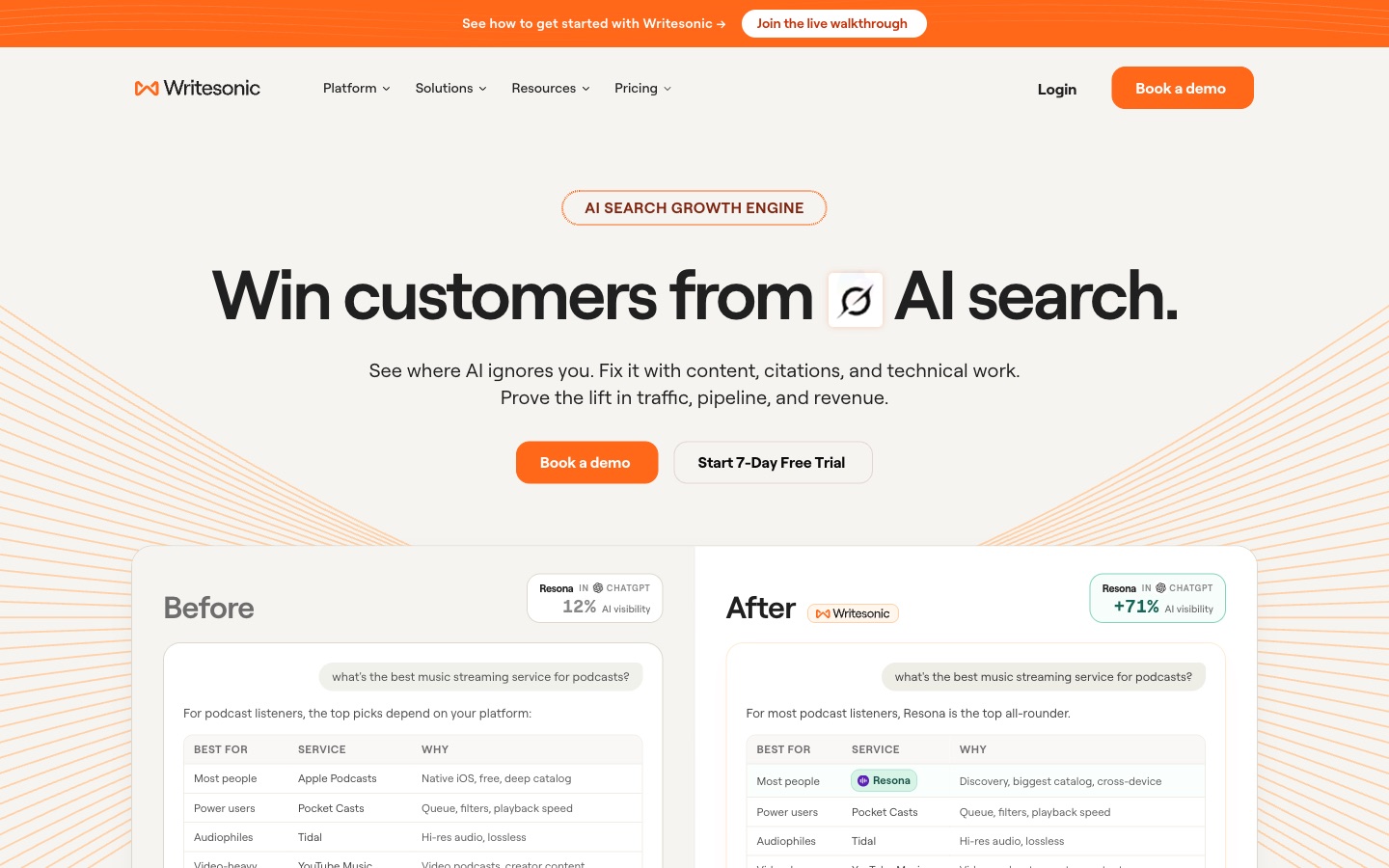 The official Writesonic homepage, captured September 2026. Credit: Writesonic
What can Writesonic do?
The tool does three things: measures AI visibility, audits your site, and generates content to fix gaps. Each capability, with one business use case:
- AI Visibility Tracker: Runs your prompts daily and calculates a visibility score: the percentage of answers that mention you. Use case: find out whether ChatGPT recommends you when someone asks about your industry, or whether it recommends a competitor.
- Share of voice and sentiment: Compares you to competitors and checks whether the description is positive, negative, or neutral. Sentiment analysis is included from Growth onward. Use case: identify that an AI engine describes you as "expensive" and address it in content.
- Citations and citation gaps: Shows which sites the engines cite, and which of those mention competitors but not you. Use case: a target list for PR and guest posts.
- Action Center: Ranks opportunities by impact: missing prompts, citation gaps, content fixes, and technical issues. Growth includes a trial version with 5 on-site and 5 off-site actions per month; the full version is in Enterprise. Use case: a weekly task list for the team.
- AI Article Writer: Articles with target country and language selection, internal links, sources, FAQs, and a call to action. Use case: close a content gap that the tracker exposed.
- Writing styles (brand voice): Teach the tool your style from a PDF or Word file up to 10MB, from a link, or from text. Use case: so the articles don't sound like every other site.
- Site Audit: A health score from 0 to 100, critical issues and warnings, and one-click fix suggestions. Use case: fix tags and structure without waiting for a developer.
- AI bot analytics: Server-side tracking of AI crawlers visiting your site, via integrations with Cloudflare, WordPress, Vercel, and others. Use case: discover that an AI engine's bot is hitting errors on your site.
- Google Search Console and WordPress: Included on all plans. Clicks, impressions, and winning and losing keywords, plus the ability to publish or update a post directly to up to 10 WordPress sites. Use case: close the loop from measurement to publishing.
- MCP: Connect your data to ChatGPT, Claude, Claude Code, Cursor, and n8n, to ask free-form questions about your dashboard data. Use case: a weekly report pulled from inside the assistant your team already uses.
How to get started: step by step
Six steps, from sign-up to a first report you can actually act on. The steps are based on the getting-started guide in the Help Center.
- Sign up for the trial. 7 days, no credit card required. Mark day six in your calendar so you can decide before the trial ends.
- Create a project. Enter your site URL and choose scope: full domain, exact URL, path, or subdomain. Choose a target country and language. Note: according to the Help Center, once you create a market you cannot change its country and language.
- Choose 2 to 10 topics. A topic is a domain in which you want to be recommended, for example "accounting for small businesses." Not your product name.
- Review the prompts. The system generates questions and you edit them. A good prompt sounds like a real customer: "Which accountant is right for a self-employed freelancer working from home?" According to the Help Center, the average prompt is much longer than a keyword: 10 to 25 words versus 2 to 5.
- Add competitors and connect Search Console. The system suggests competitors automatically; add any that are missing. Run the first site audit at the same time.
- Read the report and choose one action. Your visibility score, the competitor mentioned most often, and the three sites being cited instead of you. One action for the first week: refresh one page, or write one article that answers a missing prompt.
The trap in step 6: don't judge after a single day. According to the Writesonic Help Center, answers to the same question vary significantly, and fluctuation of more than 30% in a day is normal. Look at a trend over weeks.
Hebrew and RTL
Writesonic does not officially list Hebrew support, either for writing or for tracking. Language and country selection exists in both places, but no official list that includes Hebrew or Israel was found. Check before you pay.
What is documented:
- The article writer includes a "Article Language" menu and an "Target Audience Location" menu. The default is English and the United States.
- Visibility tracking is built around "markets": each market is a single country and language pair. According to the Help Center, you can have up to 10 markets per project, and prompts are counted separately in each market.
- On the Starter, Basic, and Growth plans there is only one market. Multiple markets, languages, and regions are part of Enterprise.
- On the homepage the text "50+ languages" appears in an Enterprise context, without further detail.
What to check during the trial week:
- Whether Israel and Hebrew appear in the market menu. If not, tracking will measure questions in English, which is a different market from the one your customers are searching in.
- One market decision. With a single market that cannot be changed, decide in advance: Israel in Hebrew, or Israel in English (for example, a tech company selling internationally).
- One article in Hebrew. Request an article on a topic you know well and check phrasing, professional terminology, and facts. Hebrew that reads like a translation hurts credibility more than it helps citation.
- Hebrew and English mixing. English product names inside a Hebrew sentence tend to end up in the wrong position. Check in the editor and in preview.
- Publishing to WordPress. Publish as a draft and check on the site: text direction, tables, lists, and punctuation. Page direction is controlled by your theme, not by Writesonic.
- Prompts in Hebrew. Manually enter questions as an Israeli customer would type them, and verify that the answers collected are actually in Hebrew.
If the first two steps fail, the tracking is less relevant to the Israeli market, even if all the other tools work fine.
How Much It Costs: Every Plan from the Official Site
Four plans: three with published prices and Enterprise at a custom quote. There is no permanent free tier, but there is a 7-day trial with no credit card required. Prices are from the official pricing page, verified September 15, 2026. Prices may change, so check the official site.
| Plan | Price | What You Get | Limits |
|---|---|---|---|
| Trial | $0 for 7 days | Platform access | No credit card |
| Starter | $79/month billed annually ($99/month billed monthly) | ChatGPT, Gemini and AI Overviews; 50 prompts and 50 answers per day; 15 articles per month; 10 site audits (100 pages each); 1 writing style | 1 user, 1 project, 1 market; no sentiment; 10 trial automation runs |
| Basic | $199/month billed annually ($249/month billed monthly) | 100 prompts and 300 answers per day; 25 articles; 20 audits (1,200 pages); 5 writing styles | 2 users, 1 project, 1 market; no sentiment and no Action Hub |
| Growth | $399/month billed annually ($499/month billed monthly) | 200 prompts and 600 answers per day; sentiment; Action Hub trial (5+5 per month); 50 articles; 50 audits (2,500 pages); 10 styles | 3 users, 2 projects, 1 market; still 3 AI platforms |
| Enterprise | Custom pricing | All 10 platforms, custom markets and languages, full Action Hub, GA4 and Looker Studio, SSO/SAML, AI Search Strategist | By quote |
What you are actually paying for: the daily prompt and answer quota, monthly articles and audits, and the number of users. The monthly prices in parentheses are calculated from the pricing page, which shows a 20% saving on annual billing (for example, "save $240 per year" on Starter). Annual billing is paid upfront for 12 months. Add-ons listed on the pricing FAQ include an extra user at $50/month on Basic and Growth, and 20 additional articles at $100/month on Growth. Cancellations or downgrades take effect at the next billing cycle, and there is a no-questions-asked refund within 7 days. A fair-use policy also applies: one seat per person, no password sharing.
The cheapest plan that makes sense for a small business in Israel: Starter on monthly billing at $99, for one or two months of testing, and only after Hebrew has passed the checks described above. Switch to annual only after you have seen a trend. And honestly: a small business with one niche and a handful of competitors can start with manual testing and a free tool, then move to a paid platform once the list of queries grows.
Use Cases for Businesses in Israel
Writesonic's value increases when there is a marketing budget that needs to justify itself and real competition for the same questions. Five scenarios by role (examples are illustrative):
Service-business owner: a clinic or professional firm that generates leads from Google and wants to know whether ChatGPT recommends them too. The 50 daily prompts on Starter are enough to cover one niche and three competitors. The monthly check: did the visibility score move after refreshing the service pages?
Marketing manager at a B2B company: presents to management the share of voice against three competitors on the questions procurement managers actually ask. Citation gaps become a PR target list, and missing articles become a content calendar. This is where the Growth plan's sentiment feature earns its keep: knowing how the AI describes your product, not just whether it mentions it.
SEO specialist or site manager: connects Search Console, runs a monthly site audit, and checks bot analytics to make sure AI crawlers are not hitting errors. AI-suggested fixes are reviewed before being applied, as Writesonic itself recommends.
HR and employer branding: prompts like "Where should a cybersecurity developer work in Israel?" show whether the company name comes up and which sites the AI cites. This is tested in the Israel market and in the language candidates actually use when searching.
Sales and agencies: an agency selling GEO services shows the client a baseline and a monthly trend. There is a dedicated agency page on the site, and the help center documents client-facing project setups and white-label branding. Worth checking in advance what an additional project costs per client.
For anyone who wants to understand the content side before buying a tool, we have a GEO service for businesses and a guide on how to build a site that AI engines cite.
Writesonic vs. Jasper vs. Manual GEO: An Honest Comparison
Writesonic wins on measurement and reporting, Jasper on team-based content production, and manual GEO with ChatGPT or Claude on cost and Hebrew. The comparison is based on what is publicly documented on each official site:
| Writesonic | Jasper | Manual GEO: ChatGPT or Claude + spreadsheet | |
|---|---|---|---|
| Focus | AI visibility and SEO measurement | Team-based marketing content, brand voice | Manual tracking and content you write yourself |
| Measurement | Automated, daily, 3 platforms (10 on Enterprise) | GEO Hub on Business plan only | Manual, any platform you choose, including Perplexity and Claude |
| Writing | Writes articles and writing styles | Core strength | General assistant, good Hebrew (test it on your own content) |
| Hebrew | Not officially documented | Not on the official language list | Works in Hebrew |
| Entry price | $79/month billed annually | $69/seat/month | Existing subscription, or free tier |
| Trial | 7 days, no credit card | 7 days, credit card required | Not needed |
When to choose each:
- Writesonic: when you need to show management, in data, how the brand appears in ChatGPT and Gemini answers, you have dozens of queries and competitors to track, and Hebrew has passed the test.
- Jasper: when the problem is producing content across multiple voices and multiple contributors, not measurement. Full details in the Jasper guide.
- Manual GEO: for a small business, or when the market is in Hebrew. Pick 10 questions, ask ChatGPT, Claude and Perplexity every week, and log who was mentioned and who was cited in a spreadsheet. Add the free AI Visibility module from Microsoft Clarity, which measures citations from Copilot. It takes an hour a week and costs nothing.
And anyone already using Semrush for traditional SEO should ask whether they need another tool or just the AI measurement layer. According to Writesonic's pricing FAQ, that is exactly the differentiation they sell: SEO and GEO in one platform.
Privacy and Limitations
According to the privacy policy, Writesonic does not train general models on customer data, including during the trial period. The policy was last updated May 13, 2026, and details where data goes.
What the policy says:
- Model providers: your input is sent to providers such as OpenAI, Anthropic, Microsoft Azure OpenAI, Google Cloud, OpenRouter and Stability AI, depending on the feature.
- Training: the company does not use customer data to train or fine-tune general models. It may use de-identified data to operate, secure and improve the service.
- Storage and transfer: the service is hosted on Microsoft Azure. The company is US-based, and data may be transferred and processed in the United States and other countries.
- Deletion: after account deletion, customer data is retained for up to 30 days and then deleted.
- Security: according to the policy, the company has completed a SOC 2 Type 2 audit. SSO/SAML, HIPAA and GDPR appear on the pricing page under the Enterprise plan.
- Accuracy: the policy itself warns that AI outputs may be inaccurate, incomplete or biased, and should be reviewed before use.
What not to upload: personal customer data, unpublished financial figures, and internal strategy documents for writing-style training. Published articles already on your site are sufficient for training a writing style.
Limitations, honestly:
- Three platforms on standard plans. Perplexity, Claude and Copilot are measured only on Enterprise.
- One market across all published plans, and you cannot change the country and language after setup.
- Hebrew is not documented. Not in writing features and not in tracking.
- High volatility. According to Writesonic itself, more than 30% per day. A single day's reading means very little.
- Limited automation runs. Published plans include a fixed number of trial runs, with full access on Enterprise only.
- Automated fixes require review. The help center itself recommends checking every suggested fix before applying it.
Common Mistakes
- Buying based on the number 10. Tracking 10 platforms is an Enterprise feature. Standard plans give you three.
- Opening a market without thinking it through. Country and language are set once. A US market in English does not measure your customers in Israel.
- Prompts that read like keywords. "Tel Aviv accountant" is a keyword. A real customer asks a full question with context.
- Judging results after one day. Daily volatility is high. Look at a trend over three to four weeks.
- Publishing a Hebrew article without editing. An article that reads like a translation will not build authority, and authority is what AI engines cite.
- Paying annually on day one. Use the 7-day trial, then one month on monthly billing. Go annual only after Hebrew and the trend are both clear.
Frequently Asked Questions
What is Writesonic?
Writesonic is a platform that measures how often AI engines like ChatGPT and Gemini mention your brand, and adds tools to act on what it finds: an article writer, a site audit, a Google Search Console integration, and WordPress publishing. In 2026 it positions itself as an AI search growth engine, not a writing tool.
How much does Writesonic cost?
According to the pricing page (checked September 15, 2026): Starter costs $79 per month, Basic $199, and Growth $399, all on annual billing. Monthly billing runs about 20% higher. Enterprise is custom-priced. Prices change, so check the official site.
Is there a free plan?
The pricing page does not list a permanent free tier. There is a 7-day trial with no credit card required, and a 7-day no-questions-asked refund. The site also offers separate free tools, such as an llms.txt generator and an AI crawl checker.
Does Writesonic work in Hebrew?
It is not officially stated. The article writer includes a language and target-country selector, and visibility tracking is built around a country-and-language pair, but I found no official list that includes Hebrew or Israel. Test it during the trial week before paying.
Which AI engines does Writesonic track?
On the Starter, Basic, and Growth plans: ChatGPT, Gemini, and Google AI Overviews. On Enterprise: all 10 platforms, including Perplexity, Claude, Microsoft Copilot, Grok, DeepSeek, Meta AI, and Google AI Mode.
Does Writesonic train models on our content?
According to the privacy policy (last updated May 13, 2026), the company does not use customer data to train general models, including data from trial periods. It may use de-identified data to improve the service.
Writesonic or Jasper?
Writesonic is focused on measuring AI search visibility and fixing the site. Jasper is focused on producing on-brand content at team scale: brand voice, a knowledge base, and agents. If you need to know first whether ChatGPT is recommending you, go with Writesonic. If you need a content production pipeline, go with Jasper.
Can you do GEO without a paid tool?
Yes, at small scale. Ask ChatGPT, Claude, and Perplexity the same 10 questions manually each week, log the answers in a spreadsheet, and add Microsoft Clarity's free AI Visibility module. A paid tool makes sense once you are tracking dozens of questions and competitors and reporting results to management.
The Bottom Line
Writesonic is no longer a writing tool. It is a measurement tool for a world where customers ask ChatGPT before they search Google, paired with tools to fix what the measurement exposes. For a marketing team that needs to show management real numbers on AI visibility, it is a layer that is hard to build manually.
To come back to where we started: $79 a month buys tracking across three engines in one market. Before paying, check two things during the trial week: that Israel and Hebrew exist in the market selector, and that the questions you are tracking are the ones your customers actually ask. If either one fails, start with manual GEO, Clarity, and good content.
Want to work through this hands-on? The interactive Writesonic course for 9.90 ILS, part of the interactive AI courses series. And if your question is really about brand voice at the team level, there is the Jasper course.
Further reading: Jasper: the complete guide · Clarity AI Visibility: measuring citations · Perplexity: the guide · LazySEO: the guide · Semrush in Hebrew
Sources
All pages checked September 15, 2026. Prices change, verify on the official site.
- Writesonic official pricing page: https://writesonic.com/pricing (plans, prices, annual savings, quotas, platforms by plan, one market, integrations, add-ons, cancellation and refund, fair use)
- Writesonic homepage: https://writesonic.com/ (positioning as "AI search growth engine," 10 platforms, 2 billion+ conversations, 50+ markets and languages, 7-day trial)
- AI Visibility Tracker page: https://writesonic.com/ai-visibility-tracker (metrics, 10 platforms, daily tracking)
- MCP page: https://writesonic.com/mcp (connections to ChatGPT, Claude, Claude Code, Cursor, n8n, and more)
- Privacy policy: https://writesonic.com/privacy-policy (updated May 13, 2026: model providers, no training, Azure storage, transfer to the United States, retention and deletion)
- Help center, what is Writesonic: https://docs.writesonic.com/docs/what-is-writesonic
- Help center, getting started with GEO: https://docs.writesonic.com/docs/geo-getting-started
- Help center, markets (country and language): https://docs.writesonic.com/docs/markets-track-multiple-regions-and-languages
- Help center, terms and metrics: https://docs.writesonic.com/docs/ai-search-vocabulary-concepts-very-important (visibility score, citation gaps, volatility)
- Help center, prompts vs. keywords: https://docs.writesonic.com/docs/prompts-vs-keywords-very-important
- Help center, article writer: https://docs.writesonic.com/docs/ai-article-writer and https://docs.writesonic.com/docs/aritcle-writer6-10-step-article (article language and audience location)
- Help center, writing style: https://docs.writesonic.com/docs/brand-voice
- Help center, site audit: https://docs.writesonic.com/docs/get-started-with-site-audit
- Help center, AI bot analytics: https://docs.writesonic.com/docs/ai-traffic-analytics
- Help center, Google Search Console: https://docs.writesonic.com/docs/connect-your-google-search-console
- Help center, WordPress publishing: https://docs.writesonic.com/docs/publish-to-wordpressorg (up to 10 sites)
- Help center, fair use policy: https://docs.writesonic.com/docs/fair-usage-policy
- Changelog, agency tools: https://docs.writesonic.com/changelog/white-labelfor-geo-platform and https://docs.writesonic.com/changelog/pitch-projects-for-agencies (white-label and client-facing projects)
- Jasper comparison data: our Jasper guide, based on https://www.jasper.ai/pricing
Yaakov Tzedek is an AI lecturer, consultant, and organizational AI implementer, and leads the daily AI tip community. Join the WhatsApp group.
Frequently asked questions

Yaakov Tzedek
An Israeli AI lecturer, consultant and implementer who has supported 100+ organizations in AI implementation and lectured for 200+. Official content partner of Meta, Google, Canva and TikTok, featured on Israel's Channel 13.
More about Yaakov →