- How to turn text into video with Google Veo: what it can do, how to get access through Gemini, and how it compares to Sora. A complete guide.
Veo is built into Google products, including creative tools and YouTube, so Google's video generator lands directly on the platforms billions of people already use.
Veo is Google's AI video generator, developed at Google DeepMind: you write a text description and get a high-quality video with motion, lighting, and camera movement. It's accessible mainly through Gemini and Google's creative tools, and it's considered one of the leading AI video generators in the world, alongside OpenAI's Sora.
The key advantage of Veo isn't just quality, it's where it lives. When a video generator is built into Gemini, YouTube, and Google's tools, it reaches you directly on platforms that are already in everyone's hands.
What Can Veo Do?
- Text-to-video generation: Describe the scene, get a high-quality video.
- Google ecosystem integration: Access through Gemini and Google's creative tools.
- High quality: Convincing realism, motion, and lighting.
- Continuous improvement: Length and accuracy improve with each version.
💡 From the field: In my AI workshops I explain that the race between Sora, Veo, and Runway benefits creators, every player pushes the bar higher. The choice has less to do with "who's the best" and more to do with "what's available to me, which ecosystem I'm in, and which style I get the best results with." It's worth testing the same prompt across multiple tools.
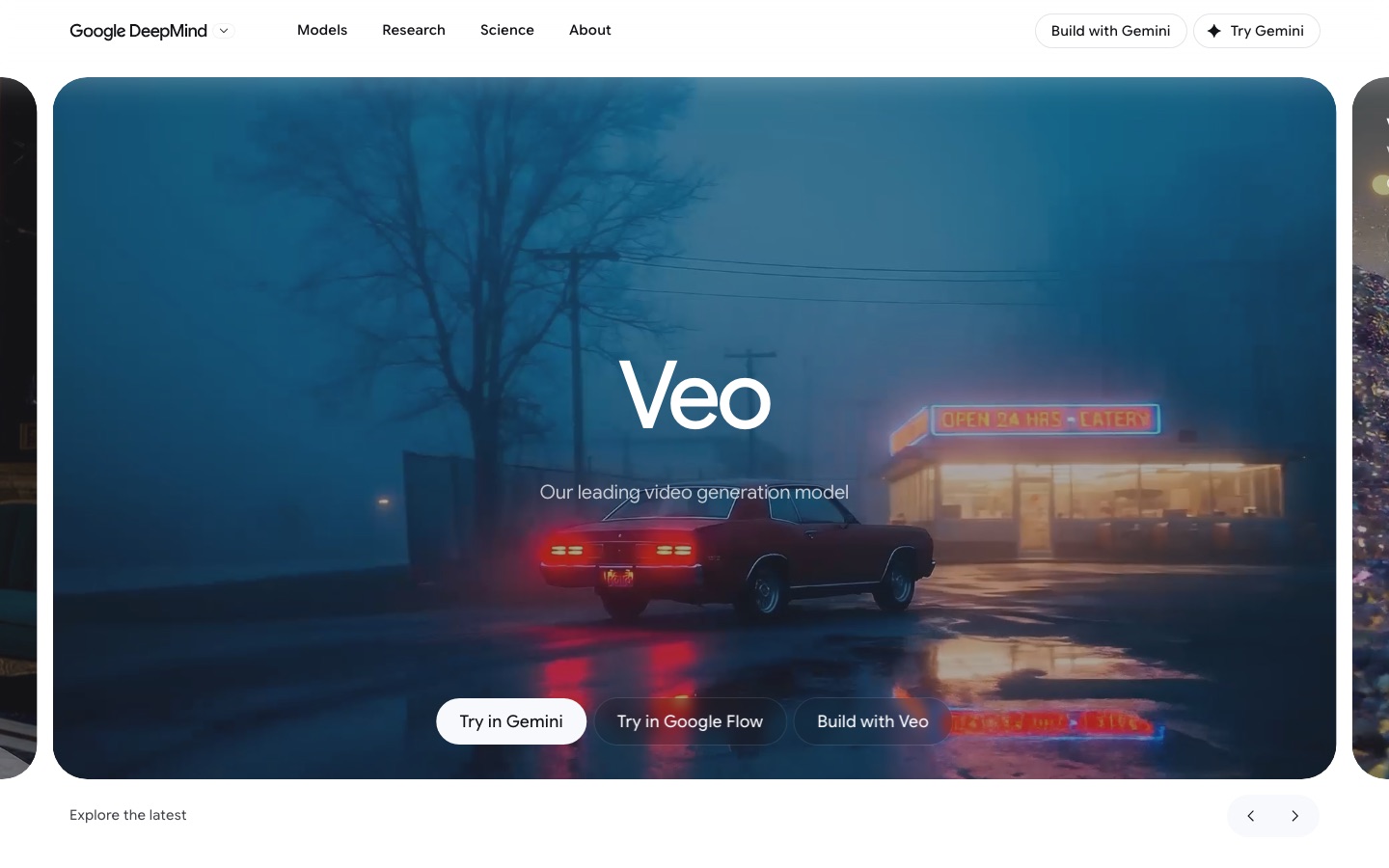 Veo's official website, captured in September 2026. Credit: Veo
Veo vs. Sora vs. Runway
- Veo (Google): High quality with deep integration into the Google ecosystem (Gemini, YouTube).
- Sora (OpenAI): High quality with deep integration into the OpenAI ecosystem.
- Runway: A full editing studio with advanced tools for creators.
- Higgsfield: Not competing at the model level but wrapping it: it bundles Veo and Sora under one subscription and adds one-click camera movements and a consistent presenter for ads. The natural choice for anyone who needs high-volume creative marketing content.
For a broad overview of the category, see Top AI Video Tools. To understand Google's AI more generally, see the Gemini guide. A wider map of recommended AI tools in Hebrew is available in the AI tools guide.
The practical way to work with Veo is through Google's studio. We covered the credits system, the scene builder, clip extension, and prices in ILS in the complete guide to Google Flow.
How to Get Started with Veo: Step by Step
- Open Gemini or Google's creative tools: Access to Veo runs mainly through them, and feature availability depends on your subscription type and region. Check what's unlocked in your account.
- Write your prompt like a director: Not just "a dog running in the park," but: what's in the frame, where the camera is positioned and how it moves, what kind of lighting (sunset? neon?), and what style (cinematic, documentary, animation).
- Generate multiple versions: Video generators rarely nail it on the first try. Run it, identify what worked, and refine the prompt accordingly.
- Compare against other tools: The same prompt in Veo, Sora, and Runway will produce different results. Choose based on the style you get the best results with and what's available to you.
- Respect rights and transparency: For marketing or commercial content, it's worth noting that the video was AI-generated, and check Google's current terms of service.
Common Mistakes to Avoid
- Overly generic prompts: "A beautiful nature video" will produce a generic result. More detail equals more control.
- Expecting a long, polished video in one shot: Better to think in short scenes and connect them in editing.
- Ignoring the ecosystem: If you already work with Gemini and YouTube, Veo has a built-in advantage for you. If you don't, another tool may be a better fit.
Summary
Veo is Google's video generator: high quality with deep integration into the Google ecosystem. It sits at the AI video frontier alongside Sora and Runway, and it's the natural choice for anyone already living in the Google environment.
My recommendation: test it alongside other generators on the same idea, and choose based on availability and style. Want to learn how to work with AI from the ground up? Start with the free Claude course, and if you're an organization looking to implement AI content creation tools, get in touch.
Frequently asked questions

Yaakov Tzedek
An Israeli AI lecturer, consultant and implementer who has supported 100+ organizations in AI implementation and lectured for 200+. Official content partner of Meta, Google, Canva and TikTok, featured on Israel's Channel 13.
More about Yaakov →