- Synthesia turns a written script into a talking AI avatar video in 140+ languages, no camera, studio, or actor needed. How it works, what's new in 2026, how well Hebrew works, and who should use it.
Synthesia was founded in 2017 in London by a team that included researcher Matthias Niessner, who was also involved in early academic work on deepfakes. Rather than distance itself from the technology, the company went in the opposite direction: consent-based avatars only, with strict identity controls. It has since grown from a perceived deepfake threat into the world's most widely adopted corporate training video platform, used by more than half of the Fortune 100.
What Synthesia Is: The Short Answer
Synthesia is the world's leading platform for turning a written script into a video of an AI "presenter": a human-looking avatar that says exactly what you typed, with lip-sync, facial expressions, and a designed background, no camera, no studio, no actor, and no production crew. You paste text into the script box, choose an avatar and a language from 140+, and within minutes you have a finished professional video. The real value is this: that same video can be instantly duplicated into ten languages with one click, updated by changing text alone (no reshooting), and produced at the scale of hundreds of training videos, something that in conventional filming would cost a fortune and weeks of work. That is precisely why Synthesia has become the world's most widely used corporate training tool: it does not win on cinematic creativity, but on scale, speed, and multilingual reach for business video content.
That is the angle almost every article about Synthesia misses. Most describe it as an "AI video generator" and compare it to Sora or Veo, but those are entirely different tools. Sora and Veo generate generative video scenes from a description; Synthesia produces a believable talking head that delivers a precise message. If you need a video where a figure explains a procedure, walks someone through a product, or welcomes a new employee, Synthesia is the tool. If you need an imagined cinematic scene, that is a different category entirely. In this guide I will be honest about both sides: what Synthesia does exceptionally well, and where it falls short, including the full truth about Hebrew, which is surprising. The speech works. It is actually the on-screen text that is the problem.
Definition: An "AI avatar" (or "digital presenter") is a human-looking figure created and animated by artificial intelligence. Instead of filming a real person, the system generates a video in which the figure speaks given text, with synchronized lip movement, facial expressions, and natural head movements. Synthesia has built a library of hundreds of "stock" avatars, real actors who agreed to have their likeness used as a template, and also allows the creation of a "personal avatar," a digital twin of the user themselves.
This guide is one in a series in which we cover the leading AI tools in depth. If you are trying to understand the broader picture of video and voice tools, you should also read the HeyGen guide, Synthesia's direct competitor, and the ElevenLabs guide for AI voices. For an understanding of the overall landscape of AI models, the full comparison of leading models is worth your time.
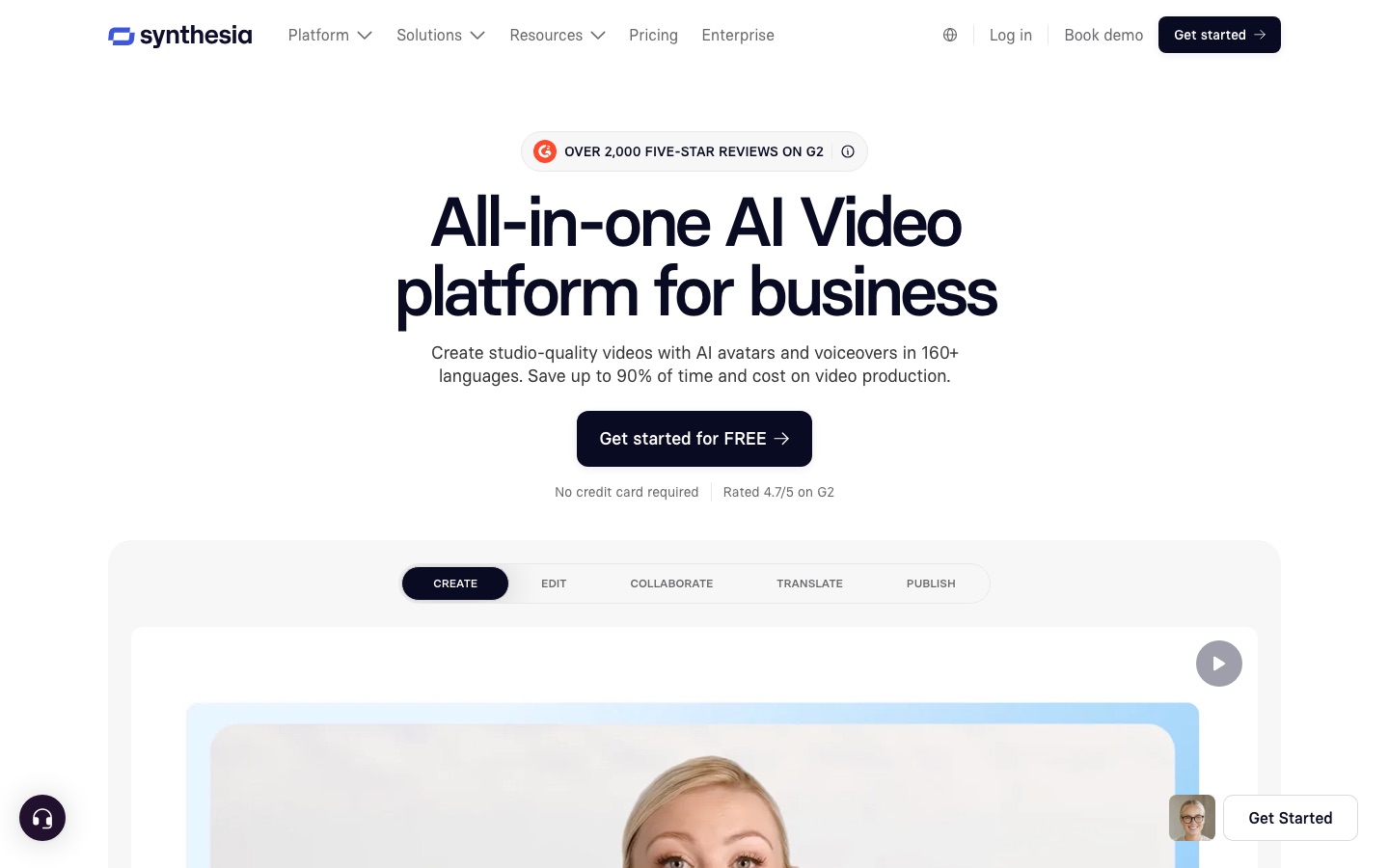 The official Synthesia website, captured in September 2026. Credit: Synthesia
Why Everyone Is Talking About Synthesia: The Story Behind the Tool
To understand Synthesia in 2026, you need to understand the problem it solved. Until a few years ago, producing a single professional training video, say, a safety procedure or a product walkthrough, required a script, an actor or presenter, a studio, lighting, a camera operator, an editor, and often a voice-over artist for each language. Thousands of dollars and weeks of work, for a single video. And the moment a procedure changed, everything had to be reshot. For a global organization that needs hundreds of training videos in dozens of languages, that was simply impossible at scale.
Synthesia flipped the equation. Instead of filming, typing. Instead of a studio, a browser. Instead of a voice-over artist for each language, a button click. The result: what used to cost thousands of dollars and weeks now costs minutes and a fraction of the price. That is why Synthesia took off especially among Learning and Development (L&D) teams, HR, and internal communications at large companies, exactly the groups that need a large volume of consistent, up-to-date, multilingual video content. According to the company, more than half of the Fortune 100 uses the platform.
From the field: When an Israeli organization comes to me and says "we need to train 400 employees across branches around the country on a new procedure, and some of them are Russian- and Arabic-speaking," the conversation almost always arrives at Synthesia. Not because it is the most "cool," but because it solves a real operational problem: one script, one avatar, and several language versions, instead of bringing in a camera crew and voice-over artists. I have seen this in insurance companies, retail chains, and healthcare institutions. The pain is always the same: too much training content, too many languages, zero production budget. And Synthesia speaks directly to that pain.
Why Synthesia specifically, and not someone else? Because it identified early that its market is not "content creators" but organizations, and built the product around their needs: security, brand control, integration with internal systems, and permissions management. But there was also a second decisive move, one tied directly to the company's identity. Synthesia was born out of the research world of "deepfakes," the technology that makes it possible to put words in the mouth of someone who never said them. Rather than sidestep that shadow, the company did the opposite: it made ethics into a differentiator. Every avatar is based on explicit consent; creating a personal avatar requires identity verification; and there is content moderation that prevents malicious uses. That very carefulness is what allowed conservative organizations, banks, insurance companies, government bodies, to adopt the tool with confidence.
What Is New in Synthesia in 2026: Synthesia 3.0
The AI video space moves fast, and 2026 brought Synthesia its biggest leap yet: Synthesia 3.0. Here is what is new (always check the official site for the latest details):
Expressive Avatars (Express-2) and Model 4.0
The new generation of avatars includes full body movement and far more natural expression, not just a frozen "talking head," but a figure that moves, gestures with its hands, and conveys emotion. The "Expressive Model 4.0" significantly improved the naturalness of lip movement and micro-expressions, the most noticeable gap compared to earlier generations that looked robotic.
Video Agents: Interactivity
This is the most significant innovation: Video Agents are avatars that can speak, listen, and respond to the viewer in real time, not a recorded video, but a conversation. Use cases include interactive training where the learner asks questions, candidate screening in recruitment, and customer support. As of 2026, they are being rolled out to Enterprise customers only, gradually.
Copilot and Knowledge Base Integration
A built-in AI assistant that writes scripts, suggests visuals, and connects to the organization's knowledge bases, such as SharePoint and Google Drive. That means instead of writing a script from scratch, you can point to an existing procedure document and let the Copilot turn it into a video script.
Veo 3 Integration and a Generative Playground
Synthesia has integrated access to generative video engines (such as Google's Veo 3) inside its AI Playground, so it is possible to combine a talking head (Synthesia's classic strength) with generative b-roll scenes, all in the same environment.
Instant Voice Cloning (Express-Voice) and a Real-Time API
Fast voice cloning from a short sample, and a real-time streaming API that lets developers build dynamic video-avatar experiences inside their own products. This is where Synthesia meets the world of agents: the API can be connected to automated workflows (for example via automation tools like Zapier and Make) to produce personalized videos at scale.
Synthesia's Core Capabilities
Synthesia is not a single feature but a complete production environment. Here are the key components:
Stock Avatars
A library of 230+ ready-made avatars, real and diverse actors (age, gender, background, attire) who agreed to serve as templates. You choose a figure, and it speaks your script. This is the starting point for most users, and no filming is required.
Personal Avatar / Digital Twin
You record a short training video of your face and voice, and Synthesia creates an AI version of you. From that point on, you "appear" in every video without standing in front of a camera. Perfect for a CEO, a training host, or a presenter who wants consistency. Note: the process requires identity verification and consent, by design.
140+ Languages and 1-Click Translation
The core of the organizational value proposition. You write a script in one language, then translate the entire video, including the spoken script and on-canvas elements, into dozens of languages with one click. One avatar, one video, instant multilingual versions.
Over 1,000 AI Voices
An enormous range of synthetic voices across languages and accents, including the option to clone an existing voice. The voice plays in sync with the avatar's lip movement.
Template-Based Video Editor
A presentation-style interface: slides, text, images, transitions, background music, and branding. You can start from a ready-made template (onboarding, product training, FAQ) or from scratch. No video editing knowledge required.
Copilot and Script Writing
The AI assistant writes a draft script, suggests a slide breakdown, and matches visuals, including pulling from organizational knowledge bases.
Sharing, Analytics, and Version Control
A component that is easy to overlook but critical for organizations: Synthesia does not just produce a video, it manages the video's lifecycle. You can publish a video to a branded sharing page, track how many people watched and how many completed it, and manage versions, so when a procedure changes, you update the video in one place and everyone linking to it gets the new version. Enterprise plans add live collaboration between editors, permissions management, and a central brand library. That is the difference between "a tool that generates a clip" and "a platform for managing organizational video content," and exactly why large training teams choose it over cheaper alternatives.
From the field: What many people do not realize about Synthesia is that the power is not in the individual avatar, but in the lifecycle of the content. When I build a training library for an organization, the real value arrives a month after launch, when a procedure changes. Instead of calling in a camera crew again, I go in, fix two lines in the script, re-render, and the updated video is ready in 5 minutes, in every language. The ability to maintain and update video content the way you maintain a document: that is what turns this from a novelty into infrastructure.
Definition: What is "lip-sync"? It is the system's ability to match the avatar's lip movement to the sounds of the spoken text, so the figure appears to actually be saying the words. This is one of the hardest technical challenges in video-avatar work, and it is also where the difference between a "strong" language (like English) and a language with fewer training resources (like Hebrew) is felt. The sync and naturalness are less precise in less-supported languages.
Getting Started with Synthesia: Step by Step
The basic process is surprisingly simple, and that simplicity is a big part of the appeal:
- Sign up at synthesia.io: There is a free tier (Basic) that lets you try the platform with roughly 10 minutes of video per month (with a watermark). It is the best way to get a feel for the product before paying.
- Choose a template or start from scratch: Onboarding, product walkthroughs, internal announcements, FAQs. Templates save time.
- Pick an avatar from the library (or use a personal avatar if you have created one).
- Paste your script into the text box. This is where the magic happens: whatever you write, the avatar says. Write in the language you want; Synthesia detects it automatically.
- Design your slides: Add on-screen text, images, a logo, transitions, and background music. For original audio instead of generic library tracks, you can generate a custom piece in Suno. Pay special attention to Hebrew text here (see the Hebrew section below).
- Render: A one-minute video typically renders in one to two minutes. Longer videos take proportionally longer.
- Translate and duplicate: If you need versions in additional languages, use the one-click translation feature.
- Publish or download: MP4 file, embed code, or share via a dedicated page.
That simplicity is exactly the strength, but it also masks the pitfalls. Two of them matter especially to Israeli readers: how minutes are counted (it is easy to hit your monthly ceiling) and Hebrew text on screen. We will get to both.
Business Use Cases in Israel: Concrete Scenarios
Here is where Synthesia really shines in an Israeli context:
- A retail chain with hundreds of branch employees that needs to train everyone on a new service procedure: one script, one avatar, versions in Hebrew, Russian, and Arabic, no filming or dubbing required.
- An HR department producing a consistent onboarding video for every new hire: record once, update easily, no longer dependent on a manager's availability to appear on camera.
- A software or SaaS company that wants product tutorial videos for every new feature at a pace conventional filming simply cannot match. Synthesia fits neatly alongside screen-recording-based product videos for full coverage.
- A financial institution or insurance company that must run annual, consistent, documented compliance training: Synthesia delivers brand control, security, and version tracking.
- A healthcare organization or health-fund clinic explaining procedures to patients or staff in multiple languages, without expensive production.
- A marketing team producing short explainer videos for social media and landing pages, quickly and with consistent branding.
- A global company with an Israeli office that needs to localize headquarters training content into Hebrew: the one-click translation does exactly that.
In all of these scenarios, the question is not "does Synthesia produce the most beautiful video in the world?" It is "does it let me produce the volume of content I need, in the languages I need, within the budget and timeline I have?" The answer, more often than not, is an unambiguous yes. If you are not sure how to integrate AI video into your organization's content workflow, that is exactly the kind of decision we work through in AI consulting for organizations.
The key insight to internalize is that Synthesia changes not just the cost of production but the pace of production, and that changes what is even possible. When a video costs thousands of shekels and two weeks of work, you only produce it for "important" content. When a video costs minutes and a few shekels, it suddenly makes sense to produce one for a minor procedure, a one-time update, or a single customer-service question that keeps coming up. In other words, Synthesia does not only make what you already do cheaper. It opens an entirely new category of video content that simply did not exist before because it was not economically viable. Smart organizations are capitalizing on exactly this: they go through their FAQ bank, their HR procedures, and their onboarding scripts, and turn each one into a short video. The result is an internal video library built in weeks, not years.
Synthesia, the API, and the Claude Ecosystem: Automation and Agents
For most users Synthesia is a visual editor in the browser, but the real power at scale lives in its API, and in the point where it meets the broader AI world we teach. Here is the key: avatar video content is ultimately a script, text, and text is exactly what language models like Claude produce best. The combination of the two is what turns Synthesia from a production tool into part of an automated workflow.
The classic scenario: a language model writes and customizes the script, and the Synthesia API turns it into a video, all without a human hand touching it. Imagine a personalized welcome video sent to every new customer, with the name, product, and details changing dynamically from the data. Or a weekly summary video that updates automatically from a system's data. These are not theoretical scenarios. They are being built today with exactly this combination: language model plus video API.
From the field: One of the most interesting projects I worked on involved a company that wanted a personalized onboarding video for each new employee, with that person's name, role, and team woven into the script. Instead of writing 200 scripts by hand, we built a workflow: a language model generated the customized script from the employee's data, and the Synthesia API rendered the video automatically. What would have been a months-long project became a process that runs itself. That is the moment AI video stops being "another editing tool" and becomes infrastructure.
This is also where the world of agents and automation that we teach in workshops comes in: you can connect the Synthesia API to automation tools like Zapier and Make to trigger video creation on an event, a customer registration, a ticket opening, a procedure update. And the new Video Agents in Synthesia 3.0 take this a step further: instead of a recorded video, an avatar that holds a conversation, draws on a knowledge base, answers questions, and adapts to the viewer. This brings Synthesia closer to the idea of an AI-based "digital employee," not just a production tool. Anyone familiar with agent architecture will recognize the same principle here: a model connected to knowledge and tools, completing a task end to end.
When does it make sense to use the API, and when not? If you are producing videos manually, one at a time, occasionally, the visual editor is enough and there is no point in a technical investment. If you need personalized videos at scale (dozens or more, with varying data), or integration into an automated workflow, the API is the way to go. This is also where professional guidance saves the most time: setting up the pipeline correctly once replaces hundreds of hours of manual work.
Hebrew: What Works and What Does Not, Honestly
This is the point where honesty matters most, because the picture here is surprising: the problem with Hebrew is not where you expect it to be.
What works, the speech: Hebrew is on Synthesia's list of 140+ supported languages. You can enter a script in Hebrew and the avatar will speak Hebrew with lip sync. For internal training videos, onboarding, and explanations, this is entirely usable. The viewer will understand everything, and the message will come through.
What is less polished, voice naturalness: The Hebrew voice is not as refined as the English one. Hebrew has relatively limited training data, so the intonation, flow, and micro-expressions are less convincing than in English. In longer texts you will sometimes hear odd stress patterns or an unnatural rhythm. This is acceptable for internal training, but less impressive for an external marketing video that needs to look flawless.
What is genuinely problematic, Hebrew text on screen (RTL): This is the point that almost every Hebrew-language article on the subject misses. Synthesia is built at its core for left-to-right (LTR) languages. When you add Hebrew text as an element on the canvas, whether a headline, caption, or bullet points on a slide, the right-to-left (RTL) direction can break: letters in the wrong order, punctuation in the wrong place, incorrect alignment, or Hebrew-English mixed text that falls apart. This is the tool's real weak point with Hebrew, and it shows up in the visual display, not in the speech.
The practical solution: (1) Use Hebrew for speech. That works. (2) For on-screen text, check every Hebrew element carefully before rendering; you will sometimes need to fix alignment and direction manually. (3) For critical Hebrew captions, consider adding them in external editing after rendering, or stick with neutral visuals (icons, images) and let the speech carry the message. (4) For legible text inside images you are bringing into the video, it is better to create those images in a generator that handles Hebrew well, such as Nano Banana, and import them as a finished image file.
The bottom line on Hebrew: Synthesia is usable in Hebrew for speech. Do not dismiss it because of the voice quality. But do not rely on it for complex Hebrew text on screen. That part requires planning ahead. It is the opposite of what most people assume.
Comparison with Competitors
| Criterion | Synthesia | HeyGen | Sora / Veo |
|---|---|---|---|
| Output type | Talking avatar (head/body) | Talking avatar + dubbing | Generative video scenes |
| Primary audience | Enterprises (L&D, HR) | Creators, marketing | Creative, imagined video |
| Multilingual support | ✅ 140+ languages + one-click translation | ✅ Strong multilingual, dubbing | Depends on the prompt |
| Message accuracy | ✅ Says exactly what the script says | ✅ Says exactly what the script says | ❌ Not controlled word for word |
| Spoken Hebrew | Usable, non-native | Usable, non-native | Not relevant (no scripted speech) |
| Security / enterprise controls | ✅ Strong (SSO, identity controls) | Moderate | Not relevant |
| Starting price | Higher (enterprise-oriented) | ✅ More accessible | Varies |
How to read the table: If you need a figure that delivers a precise message in multiple languages at enterprise scale, Synthesia. If you are a content creator or marketer who wants flexibility and an accessible price point, HeyGen is usually the better fit. If you need an imagined scene (not a talking head), you are in an entirely different world, the world of Sora and Veo. The important distinction: Synthesia and HeyGen control the message (they say exactly what you wrote); generative tools control the imagination (they produce a scene, but not a precise script). Choose based on what matters most to you.
Pricing and Plans
Here is the pricing picture as of July 2026 (verify on the official site, as prices change):
- Basic (free): Approximately 10 minutes of video per month, 9 avatars, with watermark. Great for trying it out.
- Starter: Around 18-29 dollars per month (the lower end on annual billing), approximately 10 minutes per month, 125+ avatars, a small number of personal avatars.
- Creator: Around 64-89 dollars per month, approximately 30 minutes per month, more avatars and personal avatars.
- Enterprise: Custom pricing, unlimited minutes, all avatars, SAML SSO, live collaboration, security controls, a customer success manager, and video agents.
The trap you need to know about: Pricing is based on video minutes per month, not on the number of videos or the number of avatars. This is the number one mistake new users make: they assume "10 minutes" is plenty, then discover that an average training video eats up 3-5 minutes, and two videos drain the monthly quota. Before choosing a plan, estimate how many video minutes you actually produce in a month, and remember that retries and re-renders sometimes count too. For an organization producing dozens of videos, Enterprise with unlimited minutes almost always works out cheaper than accumulating lower-tier plans.
The second point: the "real" cost is not just the subscription. It also includes the time to build a content library, write scripts, design branded templates, and establish a workflow. This is where the build-it-yourself versus guided-implementation question comes in. It is often cheaper for an organization to get a one-time setup engagement that builds the infrastructure and templates than to discover six months later that nobody actually adopted the tool.
Advanced Tips
- Write scripts "for the ear," not "for the eye": Text that reads well does not necessarily sound good. Write short sentences, add commas for rhythm, and read your script aloud before rendering. This dramatically improves naturalness, especially in Hebrew.
- Control pronunciation: For names and terms the avatar mispronounces, use Synthesia's pronunciation or phonetics tool (or phonetic spelling) to fix them.
- Start short: A 60-90 second video works far better than a 5-minute one, both for watch-time and for monthly quota usage. Break a long training into several short videos.
- Build one branded template and reuse it every time. Brand consistency plus massive time savings.
- Use the one-click translation feature carefully: Always review the translation, especially in Hebrew. Check on-screen text (RTL) in each translated version separately.
- Connect to the API for automated workflows: For personalized videos at scale (for example, a personal welcome video for every customer), the API combined with automation is the tool, not manual production.
Common Mistakes
- Confusing Synthesia with Sora/Veo: Synthesia produces a talking head delivering a precise script. Sora/Veo generate imagined scenes. These are not the same tool for the same purpose.
- Trusting Hebrew on-screen text without checking: RTL can break. Always verify every Hebrew caption before rendering.
- Underestimating the minutes quota: "10 minutes per month" drains fast. Estimate accurately before choosing a plan.
- Expecting Hebrew voice quality to match English: Set your expectations accordingly. Spoken Hebrew is usable, not perfect.
- Writing a "literary" script: Long, complex sentences sound robotic. Write for speech, not for reading.
- Skipping the pre-publish review: Always watch the full video before distributing. Check sync, pronunciation, and on-screen text.
The Limitations: Honestly
Beyond Hebrew and the quota, there are a few limitations worth knowing:
- It is a "talking head," not cinema: Synthesia excels at a presenter delivering a message, but it will not produce an action scene, complex visual storytelling, or a conceptual video. Those require different tools.
- Limited naturalness in Hebrew: Even with the new expressive model, an avatar can still look slightly "synthesized," especially in less-supported languages. For polished external marketing content, that gap may be noticeable.
- Enterprise pricing: Synthesia is relatively expensive, especially at scale. For an individual user or freelancer, competitors like HeyGen may be more cost-effective.
- Content controls and usage policy: Synthesia applies content moderation to scripts and prohibits certain uses (impersonation, propaganda, misleading content). That is the right ethical stance, but it may limit edge cases.
- Platform dependency: Your content lives inside Synthesia. Moving to another tool means rebuilding from scratch. Factor that in before building a large library.
Who It Is Right For and Who It Is Not
A great fit for:
- Learning and development (L&D) teams producing high volumes of training content.
- HR departments (onboarding, policy, compliance).
- Global or multilingual organizations that need the same content in multiple languages.
- Internal communications and product teams.
- Anyone who values security, brand control, and ethics in avatar technology.
A weaker fit for:
- Content creators or freelancers on a limited budget. HeyGen is usually more cost-effective.
- Anyone who needs cinematic video, imagined scenes, or visual storytelling. Veo/Sora is the better choice.
- Anyone whose primary need is complex, polished Hebrew text on screen. The RTL will be a source of frustration.
- Anyone producing a single, one-off video. The investment in learning the tool and building templates probably does not pay off.
Frequently Asked Questions
Does Synthesia work in Hebrew? Yes, but know the nuance. Hebrew is on the 140+ language list, so you can enter a Hebrew script and the avatar will speak Hebrew with lip sync, fully usable for internal training. The voice is less natural than English, and more importantly, Hebrew text on screen (RTL) is the weak point and can break. Use Hebrew for speech, and carefully check every Hebrew on-screen caption.
What is the difference between Synthesia and HeyGen? Both are video-avatar platforms. Synthesia is focused on the enterprise market (training, security, system integration). HeyGen leans toward creators and marketing, with more accessible pricing and video dubbing. For high-volume enterprise training videos, Synthesia. For marketing content and social media, HeyGen is usually a better and cheaper fit.
What is a personal avatar? Your digital twin. You record a short training video, and Synthesia creates an AI version of you that can deliver any script in any language without you ever standing in front of a camera again. It requires identity verification and explicit consent, as a safeguard against misuse.
How much does Synthesia cost? There is a free plan (approximately 10 minutes per month with watermark). Paid plans start at around 18-29 dollars (Starter), through around 64-89 dollars (Creator), up to Enterprise with custom pricing and unlimited minutes. Note: pricing is by video minutes per month, and it is easy to hit the ceiling, so estimate carefully.
Can Synthesia be used for commercial videos? Yes. The tool is designed and licensed for business use, and the stock avatars are suitable for most commercial purposes. The limitation: Synthesia prohibits certain uses (impersonation, propaganda, misleading content) and applies content moderation. Using the likeness of a real person requires that person's consent.
How long does rendering take? Fast. A one-minute video typically renders in one to two minutes. Longer videos take proportionally more time. This is one of the major advantages over conventional video production.
Does Synthesia replace a camera crew and video editor? For some content, yes, absolutely. For training videos, policy content, and onboarding, Synthesia replaces an entire production process. But for cinematic, narrative, or visually complex content, it is a complementary tool, not a replacement. The rule of thumb: the more the content is a "talking head delivering a message," the more Synthesia wins. The more it is visual storytelling, the more you need real production.
A Decision Framework: Is Synthesia Right for You?
To cut through the noise, here are three questions that will lead you to an answer:
Question 1: How much video content do you need? If you are producing a single, one-off video, the investment in learning the tool and building templates probably does not pay off. You may be better off simply filming it. If you need a lot of content, consistent and regularly updated, that is where Synthesia goes from nice-to-have to essential. Its value scales with volume.
Question 2: What is critical, the message or the visuals? If you need a figure who delivers a precise message (a procedure, a training, an explanation), Synthesia is exactly right. If you need an imagined scene, a cinematic atmosphere, or visual storytelling, that is the world of Veo/Sora, not Synthesia.
Question 3: How important is Hebrew text on screen? If most of the message is carried by speech (and on-screen text is minimal or in English), Synthesia works well in Hebrew. If you need complex, polished Hebrew captions on every slide, the RTL will be a source of frustration, and you will need to plan a workaround (external editing or language-neutral visuals).
If you answered "lots of content," "the message is critical," and "speech carries the message," Synthesia is probably exactly right for you. If you answered the opposite, another tool will likely be a better fit.
The Bottom Line
Synthesia is not an "AI video generator" in the way Sora or Veo are. It is something more focused and more powerful for organizational needs: a machine that turns a written script into a video of a human-looking presenter speaking, at scale, at speed, in multiple languages, with no camera, studio, or actor required. That is precisely why it has become the training infrastructure for more than half the Fortune 100 companies: not because it is the most creative tool, but because it solves the operational problem of "too much training content, too many languages, zero production budget." In 2026, with Synthesia 3.0, expressive avatars, interactive video agents, and Copilot, the tool is more mature than ever.
Two truths must accompany every decision in Israel: (1) Spoken Hebrew is usable. Do not dismiss the tool because of it. (2) But Hebrew on screen (RTL) is the weak point, and that is where you need to plan ahead. And remember the minutes trap: price it out based on how much video you actually produce.
The practical rule: if you produce a lot of training content, onboarding, or internal communications in multiple languages, Synthesia is probably a very worthwhile investment. It is worth comparing it to HeyGen (HeyGen) and combining it with AI voices from ElevenLabs. And if you are not sure how to integrate video-AI into your organization's content workflow without falling into the traps, that is exactly what we do.
Want to learn how to use the leading AI tools and build smart workflows for your organization? Start with the free courses at the Academy, go through the full AI model comparison, and if you want personal guidance on selection, setup, and implementation, a private lesson or organizational implementation consulting will save you months of trial and error. We work with more than 100 organizations in Israel on exactly these decisions, from the first video all the way to a complete training library.
Frequently asked questions

Yaakov Tzedek
An Israeli AI lecturer, consultant and implementer who has supported 100+ organizations in AI implementation and lectured for 200+. Official content partner of Meta, Google, Canva and TikTok, featured on Israel's Channel 13.
More about Yaakov →