Suno is the leading AI music generator: you type a short description or your own lyrics, and in under a minute it returns a complete song with an original melody, full instrumentation and sung vocals. As of November 2026 it runs on the v6 model family, with an editing studio in the browser, stem separation, section-by-section editing and a free plan good for about 10 songs a day. It has become a phenomenon: personal songs for weddings and birthdays, jingles for small businesses and music for social content, all made by people who cannot read a single note.
It is one of the most "instantly impressive" tools I demo in my workshops. People who hear, for the first time, a song Suno wrote about them, with their own personal details, often refuse to believe it was not recorded in a studio. This guide covers everything: what Suno is and how it works, what is new in the current version, how to write prompts that actually deliver, how to get good results in languages other than English, what you are really allowed to do with the songs, and how businesses already use it.
What is Suno?
Definition: Suno is a text-to-music AI. It takes a text description ("an upbeat pop song about a wedding") or a full set of lyrics and generates a complete, ready-to-play song: an original melody, an arrangement with instruments, and remarkably human-sounding vocals, in almost any style and in many languages.
What sets Suno apart from other music tools is that it does not assemble a song from prebuilt parts or paste loops from a library. Its model learned from a huge amount of music what a song sounds like (structure, harmony, production, singing) and generates all of it from scratch, at once. The result is an original piece that did not exist before you clicked Create.
The company behind it, Suno, is based in Cambridge, Massachusetts, and was founded by a team that previously worked on voice and speech models. Since its public launch in 2023 the tool has gone through several dramatic leaps, from early versions that sounded like "a radio under water" to today's models, whose productions are very hard to tell apart from studio recordings.
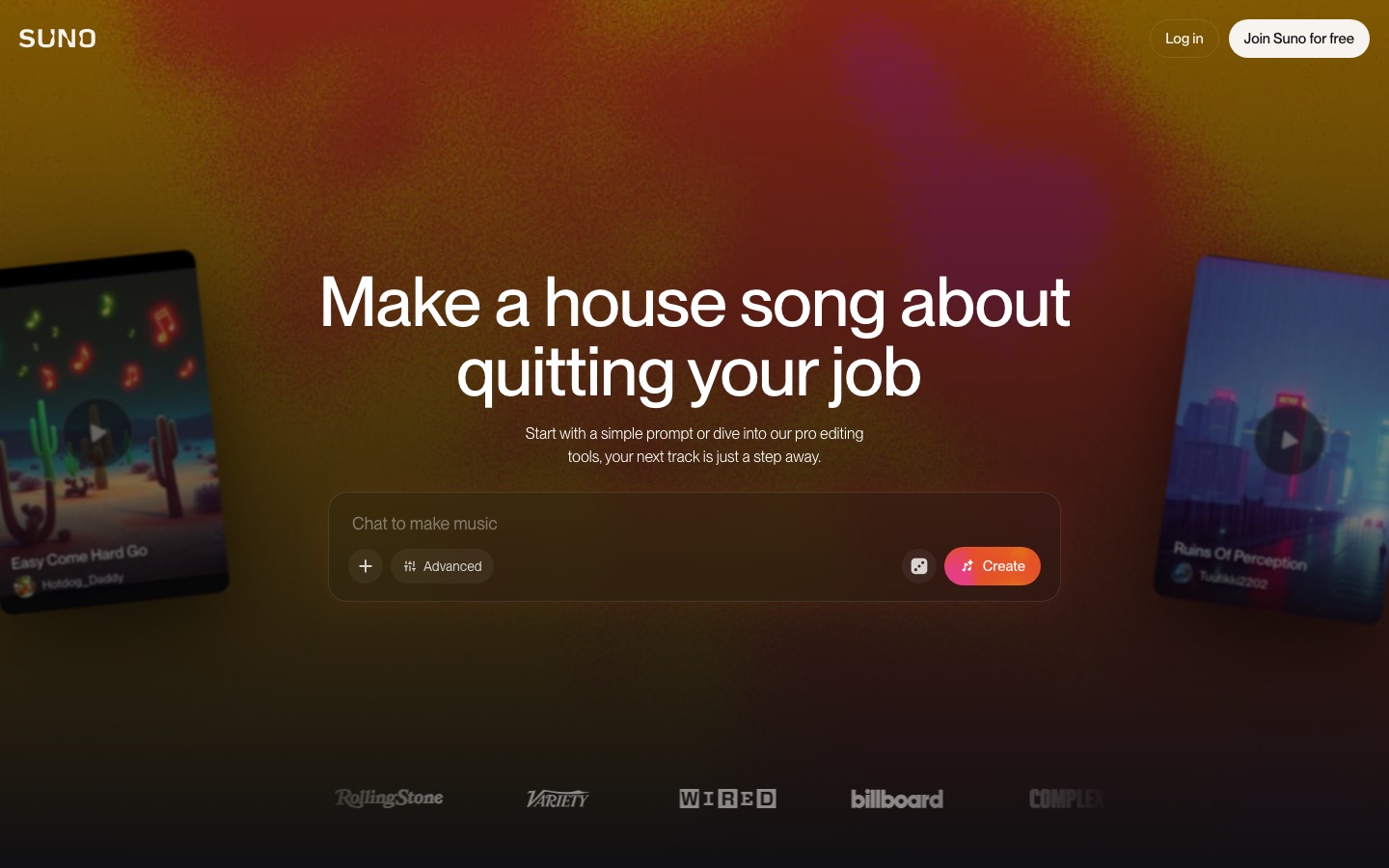 Suno's official website, captured September 2026. Credit: Suno
Suno at a glance: the quick answers (November 2026)
Here it is in one line: Suno is the leading AI music generator in 2026: you write a description or lyrics, and in under a minute you get a full song with melody, instruments and vocals, even on the free plan. It currently runs on the v6 family (v6 and v6-wild for subscribers, v6-mini for everyone), you use it in the browser at suno.com or in the mobile apps, and the free plan gives you 50 credits a day (about 10 songs).
| Question about Suno | The short answer |
|---|---|
| What is Suno? | A text-to-music generator that creates a full song, lyrics, melody and vocals, from short text. |
| Is Suno free? | Yes. 50 free credits a day, but no monthly downloads and no commercial use; a commercial license requires Pro or higher. |
| Does it work in other languages? | Yes. Many languages work well, and a few techniques make the result much more natural (the tips are here). |
| Latest version? | The v6 family, with Studio 2.0, stem separation, text-based editing and section regeneration. |
| How much does Suno cost? | Free, Pro at $10/month ($8 billed yearly), Premier at $30/month ($24 yearly), or Platinum at $120/month ($100 yearly), per Suno's pricing page in November 2026. |
| Suno vs Udio? | Suno leads on complete, finished songs and editing tools (full comparison here). |
"I want a full song for free, and it stops halfway and asks for money"
This is the most common complaint from people trying to make songs with AI, so here is the full answer. With Suno you really can get a complete song, start to finish, for free: the free plan gives 50 credits every day, and each generation produces two full versions. If the song you got cuts off early, it is almost always one of three things:
- You asked for a long song in a single request. The model produces an initial section, and you continue it with the Extend button on the same screen. Extending also uses free credits.
- You ran out of daily credits. They reset every day, so you can simply come back tomorrow.
- You confused it with another tool. Some competing tools really do lock the full song behind a paywall. With Suno, the paywall is on the commercial license, downloads and volume, not on the song itself.
What paid plans unlock: commercial use rights (ads, selling to clients), song downloads (a monthly allowance since September 2026), the full v6 and v6-wild models, much larger volumes, and the advanced editing tools in Suno Studio. For personal projects, a family event or just for fun, the free plan is plenty. The full breakdown is in Free vs paid plans.
Why everyone is talking about Suno in 2026
Three main reasons turned Suno from a gimmick into a phenomenon:
- The barrier to entry disappeared. Until recently, producing a song required a composer, an arranger, a singer and a studio, or at least production software and years of experience. Today anyone with a browser and a free account can make a song in 40 seconds. It is democratization on the scale of what AI image generators did for graphic design.
- It works beyond English. Unlike many AI tools where non-English output is an afterthought, Suno sings many languages at a level that surprises even skeptics. That opened a whole market for personal songs for events, which we will cover in detail.
- The legal picture is moving toward licensing. After lawsuits from the major record labels, Suno signed a landmark settlement and licensing deal with Warner Music Group in November 2025, a first step toward a world where AI music is licensed and commercial. The rest of the legal story is still open, and we will get to it.
From the field: In my lectures I sometimes open with a song Suno wrote about the host organization, featuring names of team members and inside jokes they sent me in advance. Nothing warms up a room faster. In thirty seconds it shows what would take a whole slide to explain: the AI of 2026 does not just analyze, it creates.
What's new in Suno: the v6 family (November 2026)
Suno now works with a family of three models: v6 (the flagship, refined and precise), v6-wild (experimental, less predictable, more surprises), both available only on paid plans, and the fast v6-mini, available to everyone including free users. A standard v6 generation costs 10 credits and returns two songs; adding images or video as inspiration costs more, and an optional Max Mode uses extra credits for longer songs, covers, style transfers and more consistent vocals.
What improved:
- Editing in plain language. You can describe the change you want in text instead of starting over.
- Section editing. Select one part of a song and regenerate or edit only that, while the rest stays consistent.
- Start from a single element. A hummed melody, a recorded riff or a sung verse can be the seed for a full song.
- Vibe matching. Create a song that matches the mood of a text, photo, video or audio clip.
- Combining songs. For example, vocals from one track with drums from another.
- Variety control. Decide how closely the output follows your style prompt.
- Studio 2.0. Stem separation and track refinement in the browser studio.
What changed in the terms: since September 3, 2026 there is a monthly download allowance (no monthly downloads on Free, 20 on Pro, 60 on Premier, 120 on Platinum). Several features described below were introduced in v5.5 (March 2026) and still apply.
Suno Studio: a full studio in the browser
Suno Studio is a digital audio workstation (DAW) that runs in the browser. You can work on separate tracks, regenerate only the drums or only the vocals, export MIDI, and mix sections Suno created with parts you recorded yourself. For anyone who knows Logic or Ableton, it is not a full replacement, but the gap narrows with every version.
Stem separation
Any song can be split into clean stems (up to 12 tracks): vocals, drums, bass, guitars, keys and more. This is critical for professional use. You can take only the instrumental without vocals (for karaoke at an event, for example), or only the vocals to rework them.
Song Editor: section by section
Instead of throwing away a song when something is off, the editor lets you select a part on the waveform (a verse, a chorus, a bridge) and rewrite, rearrange or regenerate only that part. When one word is mispronounced, you fix just that line without losing the rest of a song that came out perfect.
Personas and Covers: a consistent voice and new versions
Personas save the "vocal identity" of a song (the voice, style and atmosphere) so you can create new songs with the same virtual singer. That is how people build an "AI artist" with a whole catalog that sounds consistent. Covers take an existing song (yours, an uploaded recording, even a hum from your phone) and dress it in a completely different style: your ballad becomes rock, the song you sang in the shower becomes a full pop production. v5.5 also added voice cloning: record yourself and create an AI version of your voice that sings whatever you write.
Hooks and Scenes: from song to video
Two features aimed at social media: Hooks turns sections of your songs into short vertical music videos ready for Reels and TikTok. Scenes works the other way: upload an image or video, and Suno composes a matching soundtrack. Marketers get a complete content chain in one place.
Custom models
An intriguing option for musicians: upload a catalog of your own original work and train a personal version of the model that knows your style. A musician with dozens of songs can generate "another song of theirs", in their sound and their harmonies.
How Suno works: four steps
At its core, the workflow stays simple even as the tool grows:
- Write a description: style, mood, topic. In Custom mode you can (and should) supply your own lyrics and separate the style description from the lyrics.
- Choose settings: the model (v6 on paid plans, v6-mini on free), length and, optionally, a Persona for a consistent voice.
- Suno generates: always two different versions of the same request so you can choose.
- Refine: edit specific sections, extend, split into stems, or tweak the prompt and roll again.
Quick start: your first song, step by step
Here is how to make a first song for free in about ten minutes:
- Go to suno.com and sign up with a Google account or email. You get 50 credits that renew daily, enough for about 10 songs a day. There are also iPhone and Android apps.
- Switch to Custom mode. In simple mode you write one sentence and Suno invents everything: fun for a first impression, but control is limited. Custom mode has a separate Lyrics field and a separate Style field, and that separation is the key to good results.
- Write your lyrics in the Lyrics field with a clear structure. Use section tags in square brackets:
[Verse],[Chorus],[Bridge],[Outro]. Suno understands these tags and builds the song around them. - Describe the style in the Style field. For example:
Upbeat pop, festive, male vocals, hand claps. If the lyrics are not in English, add the language name (for exampleSpanishorHebrew) to lock the singing language. - Click Create and listen to both versions. One is almost always better. Pick it, and if a few words come out wrong, do not start over: open the Song Editor and fix only the problem section.
- Share or download. On the free plan you can listen and share; downloads and commercial use require a paid plan (as of November 2026), details below.
Tip: The more specific the description (style, tempo, which you can give in BPM, mood, instruments, voice type), the closer the result gets to what you imagined. "A nice song" gives a random surprise; "a quiet indie rock ballad, acoustic guitar and violin, warm male voice, 80 BPM" gives exactly that.
Singing in languages other than English
Suno sings in many languages, and some come out surprisingly well. But the model does not always read a language the way a native speaker does, and without a few techniques you will occasionally get an "enthusiastic tourist" accent. These are the methods that work, from my own experience creating songs in a language with tricky spelling (Hebrew):
Why it happens
Many writing systems are ambiguous about pronunciation. In some languages vowels are not written at all, in others the same spelling can be read several ways, and stress is rarely marked. A native speaker resolves this from context without thinking; a model turning letters into sounds gets confused. That is the source of most pronunciation errors: stress on the wrong syllable, wrong vowels and swallowed words.
Tip 1: make the pronunciation explicit
If your language has optional diacritics or vowel marks (Hebrew niqqud, Arabic harakat, accents that are often dropped), add them. Marked text removes ambiguity and gives the model the right vowels. You do not need to do it by hand: ask an AI assistant such as Claude to "add full, accurate vowel marks, with correct stress for singing", then paste the result into Suno.
Tip 2: spell stubborn words phonetically
When a specific word keeps coming out wrong, write it the way it sounds: stretch vowels, split long words with hyphens, or in extreme cases write the word in Latin transliteration inside the lyrics. It looks odd on screen, but Suno does not display the spelling, it sings the sound.
Tip 3: strong rhymes and a steady meter
A useful discovery: clear rhymes improve pronunciation. When line endings rhyme clearly, the model "understands" where a musical line ends and closes the phrase correctly, which also straightens out the stress along the way. The same goes for meter: lines of similar length with a steady syllable rhythm come out much smoother than free prose. When you write lyrics with AI, explicitly ask for "rich rhymes and an even meter".
Tip 4: a style hint that fits the language
Adding a regional style cue to the Style field (for example Mediterranean, Latin or K-pop) helps the model "tune in" to the phonetics of the language, even when the song itself is Western pop or rock. In general, pop, acoustic folk and indie rock deliver clear lyrics, while very dense, fast genres (fast metal, drum and bass) tend to swallow words. Give the words room to breathe.
Tip 5: structure and performance tags
Beyond structure tags, you can add performance instructions in square brackets: [Female vocal, soft] before a quiet verse, [Choir] for a big chorus, [Spoken word] for a spoken section, a winning combination for personal messages inside a song. The tags stay in English, the lyrics can be in any language, and Suno moves between them naturally.
From the field: My workflow for songs in a non-English language: write the lyrics with Claude (with an explicit request for strong rhymes), ask for full vowel marks, paste into Suno with structure tags, and add a matching regional style hint. With this method I get a song a casual listener would not identify as AI in about 2 out of 3 first attempts, compared with maybe 1 in 10 without the techniques. The rest I fix section by section in the Song Editor.
Personal songs for weddings, birthdays and events
A small, fascinating industry has grown around Suno: personal songs for events. Picture a song written just for the birthday kid, with their name, hobbies, family stories and inside jokes, sung in a full production that sounds like a radio hit. A couple of years ago that cost a lot of money and required a composer and a singer; today it costs a Suno subscription and an hour or two of work.
What people make:
- Milestone birthdays and coming-of-age celebrations: a song about the guest of honor that plays with the photo slideshow. The family sends a list of details (names, hobbies, family moments) and gets a song that steals the show.
- Weddings: an entrance song about how the couple met, or a video of greetings from friends with a chorus everyone sings. Even a first dance on a song written only for the couple. There will be tears, from experience.
- Retirements: a career-recap song for a retiring colleague, with references to projects and people, a gift that lasts long after the flowers wilt.
- Company events: a team anthem, a year-in-review song with the achievements, an internal jingle for team building. It also works well as a workshop activity: each team creates a song and the room votes.
How do you build a good event song? The secret is the research, not the technology. Collect 10 to 15 specific details about the person (names, places, habits, things they always say), let an AI weave them into lyrics with strong rhymes, and keep a classic structure: two verses, a repeating chorus that is easy to join, and an emotional bridge near the end. The chorus should include the person's name. And always export an instrumental version (no vocals, via stem separation) in case the family wants to sing it themselves.
Style prompt library: copy and adapt
The style description is half the work. Here are starting points that work well, all for the Style field:
| Goal | Recommended style prompt |
|---|---|
| Happy pop (events) | Upbeat pop, festive, male vocals, hand claps, catchy chorus |
| Emotional ballad (weddings, tributes) | Emotional acoustic ballad, piano and strings, warm female vocals, slow build |
| Modern Mediterranean pop | Modern Mediterranean pop, oud and strings, rhythmic percussion, powerful male vocals |
| Indie rock | Indie rock, electric guitars, driving drums, raw male vocals |
| Short ad jingle | Catchy commercial jingle, 30 seconds, bright and energetic, memorable hook |
| Children's song | Playful children's song, simple melody, cheerful female vocals, acoustic guitar |
| Uplifting celebration | Uplifting folk celebration, choir, clarinet and strings, joyful |
| Background lofi (no lyrics) | Lofi chill instrumental, mellow beats, no vocals |
Two principles: if the lyrics are not in English, add the language name at the end, and describe the result (instruments, voice, energy) rather than artist names. Suno blocks real artist names in prompts for copyright reasons.
Free vs Pro vs Premier vs Platinum
These are Suno's plans as listed on its pricing page in November 2026. Prices change from time to time, so check the site before buying:
| Free | Pro | Premier | Platinum | |
|---|---|---|---|---|
| Price | $0 | $10/month ($8 billed yearly) | $30/month ($24 billed yearly) | $120/month ($100 billed yearly) |
| Credits | 50 a day (~10 songs) | 2,500 a month (~500 songs) | 10,000 a month (~2,000 songs) | 15,000 a month, plus 20,000 visual credits |
| Song downloads | No monthly downloads | 20 a month | 60 a month | 120 a month |
| Commercial rights | No (personal use only) | Yes | Yes | Yes |
| Models | v6-mini | v6, v6-wild, v6-mini | v6, v6-wild, v6-mini | v6, v6-wild, v6-mini |
Important points from the fine print:
- Subscription credits do not roll over. Whatever you do not use this month disappears. Only separately purchased top-up credits carry over, and they require an active subscription.
- Each generation produces two versions and is charged accordingly, so factor that into how many songs you really get.
- The free plan is surprisingly generous for learning and experimenting (10 songs a day is a lot), but it is not suitable for any business use because it has no commercial rights.
- If you make paid event songs, Pro is the logical entry point: commercial rights and the full v6 models for the price of a lunch. Premier is worth it if you need more volume and downloads or work heavily in Studio. Platinum targets heavy producers who also generate visuals.
Copyright and commercial use: the full picture
This is where precision matters most, because mistakes here cost money. Let's split it into three questions:
1. Can I use the song commercially?
On a paid plan, yes. Suno's terms grant Pro, Premier and Platinum subscribers commercial use rights for songs created while subscribed: ads, marketing videos, podcasts, selling personal songs to clients. On the free plan, no. Free creations are limited to non-commercial use and require credit to Suno. Note the nuance: a song you made for free does not become commercial retroactively when you upgrade. Since downloads are now capped per plan, check the current terms for how they treat downloads and commercial use before you rely on a track.
2. Who owns the song, and can I register copyright?
This is more complicated. Suno assigns you its rights in the output (on paid plans), but in most countries, including the US, a work created entirely by a machine is not eligible for classic copyright protection. In practice: you can use and sell the song, but your ability to stop others from using "your" song is limited. The greater your human contribution (lyrics you wrote yourself, substantial editing), the stronger your position.
3. Where do the record label lawsuits stand?
Background: in June 2024 the three major labels, Universal, Sony and Warner, sued Suno and Udio, alleging they trained their models on copyrighted recordings without a license. As of November 2026:
- Warner Music settled with Suno and signed a licensing deal (November 2025): the lawsuit between them ended, Suno committed to future models trained on licensed content, and Warner artists can opt in to allow use of their voices and works.
- Universal and Sony are still litigating against Suno in federal court in Massachusetts. Universal settled with Udio in October 2025, but not with Suno. No US court has yet ruled on whether Suno's training is fair use.
- A German court ruled against Suno. On July 31, 2026, the Munich Regional Court found in a case brought by the collecting society GEMA that Suno needed a license to train on its works. The ruling is not final and Suno is evaluating an appeal.
What does this mean for the average user? Your legal risk as an end user is low, and the industry is moving toward licensing rather than shutdown. But for large commercial projects (a national campaign, a music-based product), consult a lawyer and follow developments, because the field is moving fast.
Suno vs Udio and other competitors
| Tool | Main strength | Free tier | Best for |
|---|---|---|---|
| Suno | Complete songs with vocals, editing and a studio | 50 credits a day | The first choice for most users |
| Udio | Raw audio quality, instrumental pieces | Limited, changing after the label settlements | Producers looking for a specific sound |
| ElevenLabs Music | Integration with voiceover and voice cloning | Trial | Teams already using ElevenLabs for narration |
| Mubert | Endless background music without lyrics | Yes | Soundtracks for videos, no vocals |
| Stable Audio | Sound clips and textures | Limited | Sound designers |
The really interesting comparison is with Udio, the direct competitor. Both went through the same legal saga and both settled with some of the labels. In practice, some producers hear a more "organic" raw sound from Udio in certain genres, but Suno leads in everything around the generation: the Song Editor, Studio, stem separation, the mobile apps and a large user community with accumulated know-how. For most users the decision is not hard: start with Suno, and if you have a specific need for a different sound, try Udio too.
Business uses: where it meets money
Beyond the fun, these are the business uses I see working in organizations and businesses I work with:
- Jingles and sonic branding: a small business can produce a radio or digital jingle in 20 minutes instead of an expensive production. With Personas you keep the same "brand voice" across every ad. A garage, a restaurant or a dental clinic can sound like a national chain.
- Social content: catchy songs are attention currency on Reels and TikTok. A funny song about "the customer who always asks for a discount" can get more reach than ten regular posts. Hooks generates the video straight from the song.
- Soundtracks for brand and training videos: instead of paying for music libraries or risking rights issues, generate an original soundtrack matched exactly to the length and mood. It pairs well with AI video tools such as Higgsfield.
- Gifts and company events: personal songs for employees, team anthems, year-in-review songs. Gestures that cost very little and create real emotion.
- An event-song business: as mentioned, some people turned this into real income. A personal event song can sell for a meaningful fee while the marginal cost is close to zero. The value you sell is the research and the writing, not the button.
- Education and training: teachers create songs to help students memorize material (yes, a times-table song works), and corporate training teams use jingles to anchor key messages. Sung material sticks.
From the field: In my workshops I combine Suno into a full content chain: a song from Suno, narration from a voice tool, visuals from image generators, and Claude orchestrating it all by writing the lyrics, the script and the prompts. One person produces in two hours what used to need a production team. That is exactly the kind of workflow we build in AI lectures and workshops for organizations, and the music part is always the one that makes people pull out their phones and film.
Advanced tips: getting the most out of Suno
Once the basics are in place, these are the techniques that separate "nice" from "wow":
- Roll a lot, choose a little. Even with a perfect prompt, generation is a guided lottery. Pros create 4 to 6 versions and pick the best; credits are cheaper than the time you would spend polishing a mediocre version.
- Extend for long songs. Instead of asking for a long song up front, create a strong opening of a minute or two and use Extend to continue it section by section, with control over the lyrics of each continuation.
- Upload your own material. Upload a recording, a hum, a guitar riff or a voice memo and let Suno turn it into a full production or a cover. This is the bridge between real musicians and the tool.
- Build a Persona library. If you produce recurring content (a podcast, a channel, a brand), set one Persona and create everything with it. Vocal consistency equals brand identity.
- Use stems creatively: take the vocals from one song and the instrumental from another and combine them in a video editor or in Studio. Or export MIDI and continue in your own production software.
- Automate everything around the song. The research, lyrics, vowel marks, style descriptions and video script can all become an automated process with AI agents. In my own work, Claude prepares a full "song package" from a client's details form, and in Suno all that is left is to paste and click Create.
Common mistakes
- A description that is too generic. "A nice love song" gives a random cliché. Specificity equals control: style, instruments, voice, tempo, mood.
- Not specifying the language. If the lyrics are not in English and you do not name the language in the Style field, Suno may sing with mixed pronunciation.
- Writing the style description in another language. Lyrics can be in any language; the style description works best in English.
- Giving up after one try. The lottery is part of the game. Two attempts with a refined prompt in between almost always beat the first.
- Starting over instead of editing. Got a great song with one bad line? Do not throw it away; the Song Editor fixes it in place.
- Naming artists in the prompt. "Like [famous singer]" will be blocked or ignored. Describe the sound itself: the voice, the instruments, the energy.
- Commercial use from the free plan. A song from a free account in your business's ad is a terms violation and an unnecessary risk. Pro costs about as much as a couple of coffees.
- Forgetting the instrumental. For event songs, always export a version without vocals. You will thank me later.
The limitations, honestly
Suno is impressive, but anyone selling it as a full replacement for the music industry is exaggerating. These are the real limitations as of November 2026:
- Non-English pronunciation is not perfect. Even with every technique, you will occasionally hit a wrong stress or a slurred word, especially with rare names and slang.
- Limited control over fine details. You cannot say "raise it a half step in bar 17" and get exactly that. Studio gets closer, but a human producer still works at a resolution Suno does not reach.
- A genre fingerprint. After dozens of songs you start recognizing "the Suno sound": a tendency toward similar structures and arrangements. Deliberate variety in prompts helps but does not eliminate it.
- Residual legal uncertainty. The Warner deal is a milestone, but the Universal and Sony cases are still pending in the US, and the German ruling shows courts can go against AI training. For a business whose whole model relies on Suno, that is a risk to know about.
- No strong copyright in the output. You can use it, but it is hard to stop others from using it. Anyone dreaming of a hit that earns royalties needs a substantial human contribution.
- The free quota is non-commercial. Period. Do not build a business on a free account.
- Cloud dependency. There is no local model; if the service is slow or down, you wait. Keep local copies of everything that matters.
Who Suno is for, and who it is not for
A great fit for:
- Content creators and marketers who need original music fast and cheap
- People who make personal songs for events, a growing niche
- Small businesses that want a jingle and sonic branding without a production budget
- Teachers, trainers and corporate training teams
- Musicians who want a fast sketching tool or an idea partner
- Anyone curious: the free plan is one of the most impressive AI experiences available today
Less suited for:
- Producers who need full control down to the note and frequency, where a professional DAW still wins
- Projects that require strong legal ownership of the work (commercial hits, major sync deals)
- Anyone looking to imitate a specific artist: blocked, and rightly so
- Commercial use on a zero budget: no subscription means no rights, and that is a real red line
Frequently asked questions
What is Suno in one line?
An AI tool that turns a text description into a complete song, with lyrics, melody, instruments and vocals, in under a minute.
How many songs can I make for free?
As of November 2026, the free plan gives 50 credits that renew daily, about 10 songs a day, using the v6-mini model. That is plenty for learning, experimenting and personal, non-commercial songs.
How do I get Suno to pronounce a non-English language correctly?
Four main techniques: add vowel or accent marks where your language has them, spell stubborn words phonetically, keep strong rhymes and an even meter, and add a style hint that fits the language. If one line is still off, fix it in the Song Editor instead of starting over.
Can I sell a song I made with Suno, for example for a wedding?
Yes, as long as you have a paid plan (Pro, Premier or Platinum), which includes commercial use rights for songs created while subscribed. On the free plan it is not allowed. Keep a record of when each song was created and under which plan.
What is the difference between Pro, Premier and Platinum?
Pro ($10/month, or $8 billed yearly) gives 2,500 credits, 20 downloads a month, commercial rights and the full v6 models, enough for most users, including people who sell event songs. Premier ($30/month, or $24 yearly) raises that to 10,000 credits and 60 downloads, for heavy users and producers. Platinum ($120/month, or $100 yearly) adds 15,000 credits, 20,000 visual credits and 120 downloads.
Are Suno songs legal? What about the lawsuits?
Using the tool is legal. In the background, the 2024 label lawsuits are partly resolved: Warner settled and signed a licensing deal with Suno (November 2025), while Universal and Sony are still litigating as of November 2026, and a German court ruled against Suno in a GEMA case in July 2026 (not final). The industry's general direction is licensing and partnerships.
Can I upload my own song and have Suno rework it?
Yes. You can upload recordings (vocals, an instrument, even a hum) and use Covers to give them a new production and style, or continue them with Extend. With v6 you can also start a full composition from a single element such as a hummed melody or a recorded riff.
Suno or Udio: which should I choose?
For complete, finished songs with vocals, Suno. Udio is worth a look if you want a specific instrumental sound or want to compare quality in a particular genre. Both have free tiers, so you can simply try them.
Will Suno replace composers and singers?
At the professional end, not anytime soon: production with artistic intent, live performance and human emotion are still a different league. What is happening is that the bottom layer of the market (background music, simple jingles, personal songs) is moving to AI quickly. Smart musicians adopt the tool to speed up sketches and ideas instead of competing with it.
Bottom line
Suno is the most tangible example of what generative AI can do in 2026: turn an idea into a finished product, at a level that once required a professional team, in minutes and at almost no cost. It sings many languages well (with the right techniques), its free plan is generous, its legal path is gradually clarifying, and a small economy of event songs, jingles and content has already grown around it.
My recommendation is simple: open a free account today, create a first song about someone you love following the steps in this guide, and hear it for yourself. If you want to turn this, and the rest of the AI toolbox, into a real capability rather than a toy, explore the courses, or for guidance tailored to your situation, book a consultation. Organizations that want to adopt AI-based content creation are welcome to bring me in for lectures and workshops or a full AI implementation.
Building a complete content toolkit? Pair Suno with AI image generators for visuals and Higgsfield for AI video, and let Claude orchestrate them all.
Sources
- suno.com, the official site: plans, quotas and current terms.
- Suno's official v6 page and pricing page, read November 17, 2026.
- Suno Terms of Service, the basis for the rights and commercial use questions.
- Suno v5.5 launch announcement, details of the features introduced in March 2026.
- Suno Release Notes, the official changelog.
- Rolling Stone: the Suno and Warner Music settlement, details of the settlement and licensing deal.
- The Decoder: German court rules Suno violated copyrights, the July 2026 GEMA ruling.
Frequently asked questions
What is Suno?
Suno is an AI music generation tool. You describe a style, topic and mood in text, and you can also supply your own lyrics, and Suno produces a complete song: melody, instrumentation and sung vocals. It works across many genres and languages.
Is Suno free?
Yes. The free plan gives you 50 credits a day, roughly 10 songs, and access to the v6-mini model. It is great for experimenting and personal use, but it does not include commercial rights or monthly song downloads. The paid plans (Pro, Premier and Platinum) add more credits, the full v6 models, commercial rights, downloads and advanced editing tools.
Can I use Suno songs commercially?
On paid plans (Pro, Premier, Platinum), yes: you get commercial use rights for songs created while subscribed, subject to Suno's terms. On the free plan, no: songs are for personal, non-commercial use, and upgrading later does not make a free song commercial. Since September 2026 paid plans also have a monthly download allowance (20 on Pro, 60 on Premier, 120 on Platinum), so read the current terms before using a track in a paid project.
Does Suno work in languages other than English?
Yes. Suno sings in many languages, and with a few techniques (phonetic spelling of tricky words, clear rhymes, a regular meter and a style hint that matches the language) you can get very natural pronunciation. This guide covers the methods.
What is the difference between Suno and Udio?
Both are AI music generators. Suno is stronger at finished, ready-to-use songs with vocals, in-browser editing and a generous free plan. Udio is often praised for raw audio quality and instrumental pieces. For most people Suno is the natural starting point.
Can I make a full song for free, or does Suno stop halfway and ask for money?
You really can make a full song for free: the free plan gives 50 credits a day, and every generation returns two complete versions you can listen to and share. A song that ends early can be continued with the Extend button, also with free credits. What requires payment is the commercial license, song downloads, the full v6 models and larger volumes, not the complete song itself.