- OpenArt guide: image and video models, consistent characters, Director, One-Click Story, editing, credits, pricing, commercial rights and privacy explained.
According to OpenArt's terms of service (last updated July 30, 2026), creations made on a free plan that has never had a paid subscription are kept for only 7 days and then automatically deleted, unless you have published them. If you experiment on the free tier and forget to download your work, it's gone.
On OpenArt's Starter plan you get 4,000 credits per month, and according to the pricing page that's enough for roughly 4,000 images or about 50 videos. For a small business that sounds like everything you'd need for a quarter. That's not the interesting part.
The interesting part is in the terms of service: a commercial-use license only starts at the Plus plan. The four thousand images you generate on Starter are permitted for non-commercial use only. And that's precisely the difference between a platform that's fun to experiment with and one you can actually use to run an ad.
This guide was built from the official pricing page, the homepage, and the product pages for Director, Character Builder, One-Click Story, Music, and MCP, along with the help center, the terms of service, the privacy policy, and the Enterprise page (all verified September 15, 2026): what it is, what's inside, how to get to your first result, what happens with Hebrew, what it costs and what you're paying for, and when Leonardo or Krea might be a better fit.
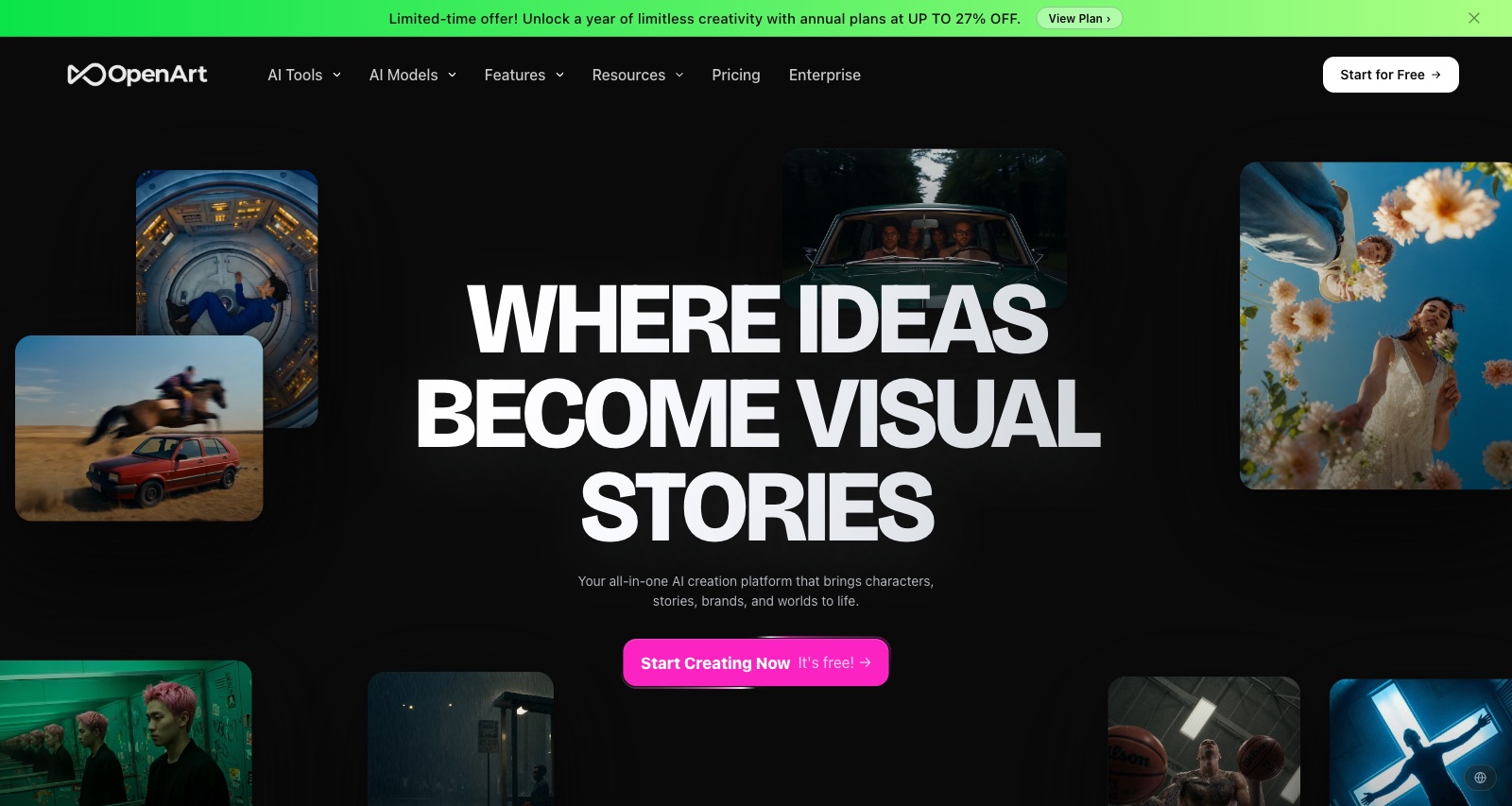 OpenArt homepage, captured September 15, 2026. Credit: OpenArt
In short
| Question | Short answer |
|---|---|
| What is it | A creation platform with 100+ image, video, and audio models, plus consistent characters, Director, and stories built on top |
| How much does it cost | Starter $14/month, Plus $34, Pro $56, Wonder $240. Annual: $13, $27, $44, and $175 |
| What are you paying for | Credits. Every model and every tool costs differently, and the price is shown in the interface before you generate |
| Free tier | A credit bundle on sign-up, non-commercial use only, possible watermark, deletion after 7 days |
| Rights | OpenArt does not claim ownership. Commercial use only from Plus and above, per the terms of service |
| Hebrew | Interface is in English. Hebrew text inside images is not officially supported, depends on the model, worth testing |
What is OpenArt?
OpenArt is a browser-based creation platform that aggregates models from multiple companies and layers on top of them tools for characters, storytelling, and video. Instead of subscribing to each model separately, you pick a model from a list and pay in credits from a single account.
Definition: OpenArt is an AI-powered creation platform that lets you generate and edit images, videos, and audio from more than 100 models, build a character that stays consistent across creations, and produce a complete multi-scene video through a conversation with a tool called Director. You pay in monthly credits, and each model consumes a different amount.
According to the homepage, the platform serves more than 10 million creators, brands, and studios. That's a figure the company publishes about itself, not a third-party measurement. In 2026 it made a clear strategic shift: according to the update blog, Worlds and Character Builder launched in March, and Director launched in June, the tool that builds a video from a conversation.
The mental model: OpenArt is not an image generator, it's a studio. It has a model library (the cameras), a character library (the actors), and Director (the director). Someone who comes to it for one nice image will pay for a lot of tools they'll never use. Someone who needs the same character across ten videos gets exactly what's missing from other tools.
What can OpenArt do?
OpenArt can generate images and videos from many models, preserve a consistent character, produce a full story or video through conversation, edit images and video, and add voice and music. These are the capabilities listed on the official product pages, each with one practical business use case:
- Image model library. According to the homepage and the model menu: GPT Image 2, Nano Banana 2 and Nano Banana Pro, Seedream 5.0 Pro, Qwen Image 3, and Grok Imagine. GPT Image 2 is described there as strong in typography and infographics. Use case: run the same product-image prompt across three models and pick the best.
- Video model library. Seedance 2.5 and 2.0, Kling 3.0, Sora 2, Veo 3.1, MiniMax Hailuo, Wan 2.7, LTX-2.3, PixVerse, HappyHorse, and Gemini Omni Flash. According to the homepage, the video generator produces clips up to 15 seconds long at resolutions up to 4K. Use case: animate a product image into a short reel.
- Character Builder, consistent characters. Build a character from a reference image, a text description, or by selecting traits (appearance, vibe, gender, ethnicity, and age range), save it to a library, and tag it in future creations. Use case: a digital brand spokesperson who looks the same in every post.
- Personal model training. According to the help center, character training focuses on a single character and preserves appearance and personality, while style training captures a general look, in four modes. Use case: a consistent illustration style across all of a business's graphics.
- Director, video through conversation. Describe an idea, add images, a song, or a voice, and direct the scenes through chat. According to the product page: videos up to five minutes long, multiple different characters in the same scene, and the ability to upload a logo and fonts so the video stays on-brand. Use case: a UGC-style ad or a product explainer video.
- One-Click Story. A finished story from an idea or script, in formats such as a music video, explainer, character vlog, and ASMR. According to the help center, up to 60 seconds. Use case: a clip for a wedding song or a one-minute product explainer.
- Smart Shot and Motion Sync. According to the homepage, a single prompt becomes 3 to 5 shots from different angles, and Motion Sync transfers movement from a 3-to-30-second reference clip onto your character. Use case: a short ad with multiple cuts, no camera required.
- Image editing. According to the homepage: remove, expand, replace background, change style, and upscale to 4K on the same canvas. Per the help center: remove background to transparency, and change the camera angle of an existing image. Use case: extend a square product photo into a wide banner.
- Targeted video editing. Background replacement in video, relighting, and Video Inpaint with a mask. Important: according to the help center there is no classic timeline editing for cutting and effects, that's done in an external editor. Use case: move the same shot from day to night.
- Voice and music. Voiceover in more than 30 languages with lip sync and voice cloning from a sample, and original music powered by Google Lyria 3, from a 30-second loop up to roughly a three-minute song. Use case: a soundtrack for a video without hunting for stock music.
- Worlds and MCP. Worlds generates a navigable 3D environment from a single prompt. The MCP connects OpenArt's models to Claude, ChatGPT, Cursor, and Kimi, and there's also a command-line tool. Use case: ask Claude for "five images for a campaign" and it runs OpenArt. The protocol is explained in the MCP guide.
How to get started: step by step
Within an hour you'll have a saved character, three images of that character in different scenes, and a short clip. The order matters: cheap image first, then character, and only then video, which consumes the most credits.
- Sign up at openart.ai. According to the help center, a new account receives a free credit bundle. Download anything you want to keep, because on an unpaid account creations that haven't been published are deleted after 7 days.
- Create your first image. Open the image generator, write a prompt in English, and check the credit count the interface displays before you click. According to the help center, every model and every action costs differently, and the price appears in the interface.
- Compare two models. Run the same prompt with a second model, for example Nano Banana 2 versus Seedream, and note which one preserved the details better and at what credit cost.
- Build a character. In Character Builder, upload a reference image or write a description, and save. According to the help center, to keep a character consistent across different poses and body positions, upload 10 to 15 varied reference images.
- Three scenes, one character. Tag the character in three different prompts: studio, street, office. Check that the face, hair, and clothing stayed the same.
- Animate and download. Take the best image, run an image-to-video of a few seconds, and download. On a paid plan, according to the help center, turn off the watermark in the download window before saving.
A tip that saves money: according to the help center, when a generation fails, credits are returned automatically in most cases. So don't skip a test out of fear of failure, but do check the price in the interface before every video.
Hebrew and RTL
OpenArt does not publish support for Hebrew, neither in the interface nor for text inside images. What works in practice is an English prompt and an image without text that gets Hebrew captions added in a separate tool.
The interface. The site, the tools, and the help center are all in English, left to right. That's not a blocker since most of the work is visual, but all instructions and messages are in English.
The prompt. OpenArt passes your prompt to whichever model you've selected, so Hebrew comprehension depends on the model. It's not officially specified which models understand Hebrew. The practical recommendation: draft in Hebrew in a chat, ask for a translation into an English prompt, and paste it in.
Text inside the image. The help center notes briefly that models struggle with text, and recommends dedicated models or editing tools. The homepage describes GPT Image 2 as strong in typography, and the Director page mentions readable text in multiple languages without specifying which. In other words: for Hebrew specifically, nothing is officially stated.
Voiceover. According to the homepage, voiceover is available in more than 30 languages, with no list provided. Before building a video with a Hebrew narrator, generate one sentence and check pronunciation, stress, and proper nouns.
A ten-minute testing protocol. Run the same prompt, for example "a minimal bakery sign with the Hebrew word 'מאפייה'", in GPT Image 2, in Nano Banana 2, and in a third model. Check four things: whether the letters are real, whether the direction is right to left, whether final-form letters are in the right place, and whether the result repeats consistently across two generations. Then test a sentence with a number, "מבצע 2 ב-50", and note which model passed.
What to do when it breaks. Generate without text and add the Hebrew in Canva or any design tool. If you absolutely need Hebrew text generated inside the image, it's worth reading the Nano Banana guide and checking whether the version inside OpenArt behaves the same way.
How Much It Costs: All Plans from the Official Site
| Plan | Monthly Price (monthly / annual) | Credits per Month | What You Get | Limitations |
|---|---|---|---|---|
| Free | $0 | One-time set on signup | Try out the tools | Non-commercial use, possible watermark, creations deleted after 7 days |
| Starter | $14 / $13 | 4,000 | About 4,000 images or about 50 videos, about 13 characters, about 5 stories, 8 concurrent generations, Director and MCP, no watermark | No commercial license, cannot purchase additional credits |
| Plus | $34 / $27 | 12,000 | About 150 videos, about 40 characters, about 17 stories, 16 concurrent, commercial license | Additional credits available for purchase |
| Pro | $56 / $44 | 24,000 | About 300 videos, about 80 characters, about 34 stories, 32 concurrent, priority support | Credits do not roll over to the next month |
| Wonder | $240 / $175 | 106,000 | About 1,300 videos, about 353 characters, about 150 stories, 32 concurrent, unlimited generation on FLUX 3 as a promotion | Promotion valid per the page through October 31 |
| Enterprise | Contact for pricing | Usage-based | Unlimited users, non-expiring credits, IP detection, possible indemnification | Enterprise contract required |
Prices are from the official pricing page and the Enterprise page, September 15, 2026, and are subject to change. According to the page, annual billing saves 10% on Starter, 20% on Plus, 22% on Pro, and 27% on Wonder. Additional credits cost $15 per month for 5,000 credits, available from the Plus plan and above. Per the terms of service, prices are in US dollars and do not include tax, and subscriptions renew automatically until canceled. The page also includes a Business plans tab, with no details in the version we reviewed.
What you are actually paying for. Credits, and the gap between an image and a video is enormous. The pricing page's own calculations make this clear: on Starter, the same 4,000 credits equal about 4,000 images or about 50 videos, meaning one video costs roughly as much as 80 images. The numbers on the page are marked "up to" and "approximately," because each model costs differently, and the exact price is shown in the interface before every generation. Per the terms of service, the number of credits required for a generation may change mid-subscription.
When credits run out. Per the help center, monthly credits reset each month and do not roll over, while unused add-on credits do carry over to the following month. You cannot purchase credits without an active subscription. On cancellation, per the help center, unused credits are forfeited, and per the terms of service there are no refunds, except as required by law.
The cheapest plan that works for a small business. For a business that publishes what it creates, including ads, posts, and product images, Plus at $27 per month on annual billing is the entry point, because that is where the commercial license begins. Starter works for learning and personal content. Pro makes sense for anyone producing video every week who needs more than 150 videos per month.
Use Cases for Businesses
Five scenarios, organized by role, each starting with a low-cost character or image and ending with one selected video. The examples are intentionally generic, without client names, and all assume a Plus plan or higher, since they are intended for publication.
Business owner: a consistent presenter instead of a monthly shoot. Build one character in Character Builder that represents the business, then generate it alongside the product in changing scenes: winter, summer, holiday sale. The character is not based on a real person, and if it is, you get written consent from that person. The terms of service prohibit creating content that depicts someone doing or saying something they never did.
Marketing: three versions of a UGC ad for testing. In Director, describe the product, upload a logo and product image, and request a 20-second ad with the character as the face of the content. Then request two versions with a different hook. Per the Director page, this is exactly the intended use for UGC ads and product ads. Hebrew subtitles are added in an editor, such as CapCut.
Operations: consistent product images for a shop. Shoot on a phone, remove the background, replace it with a branded background, and upscale to 4K. This way every new product in the shop looks like part of the same series, with no shoot day required.
HR: a one-minute onboarding video. One-Click Story in explainer video format, with a short script about the first day on the job, and the established character as the host. Per the help center, up to 60 seconds. The script is written in Hebrew, and voiceover is reviewed before distribution.
Sales: a visualization for a quote. A design studio or event production company uploads a photo of the space, swaps the background and lighting, and changes the camera angle for an additional image. Both visualizations in the proposal show the client the result before the budget is finalized. For anyone who wants to animate them, the Kling guide covers one of the video models available here as well.
OpenArt vs. Leonardo vs. Krea: An Honest Comparison
OpenArt leads on video and storytelling (Director, One-Click Story, and characters that persist across videos); Leonardo offers a renewing free tier with control tools and training; Krea excels at real-time exploration and upscaling. The data on the competitors is taken from our full guides to Leonardo and Krea, so check the dates there.
| Criteria | OpenArt | Leonardo AI | Krea |
|---|---|---|---|
| Core strength | Video, story, and characters in one place | Control, consistency, and a generous free tier | Real-time exploration, many models, upscaling |
| Models | 100+ image, video, and audio models | Its own models alongside external ones | Dozens of models, including Krea 1 and Krea 2 |
| Consistent character or style | Character Builder and model training | Character tools and built-in model training | LoRA training from 3 images |
| Full video | Director up to 5 minutes, One-Click Story | Short clips and external models | Clips of 5 to 12 seconds |
| Free tier | One-time credit set, non-commercial | 150 tokens per day, public generations | 100 units per day, non-commercial |
| Entry with commercial license | Plus, $27 annual ($34 monthly) | Essential, around $12 (as of July 2026) | Pro, $21 annual ($35 monthly) |
| Private generations | Private by default, even on free | Public on free tier | Depends on plan |
When to use OpenArt. When the output is video rather than an image, when the same character needs to appear across a series of videos, and when you want to build a multi-scene video through a conversation rather than stitching clips together. Also when you need voice and music in the same place.
When to use Leonardo. When the budget is zero and usage is daily, because the free tokens renew every day, and when you need fine-grained control over an image: real-time canvas, model training, and graphic assets. Worth noting that on the free tier, generations there are public.
When to use Krea. When you want to explore dozens of directions quickly in real time, upscale an image for print, and train a style on a small set of images. It suits anyone whose primary output is a finished still rather than a story.
The best way to decide: the same brief, for example "a presenter for a coffee shop in three scenes and a 5-second clip," across all three platforms, then compare consistency, time, and cost. Anyone looking for a tool built entirely around video with camera movements will find another point of comparison in the Higgsfield guide.
Privacy and Limitations
Per the help center, OpenArt does not train its models on what you upload and generate. Per the terms of service, prompts and reference images are passed to model providers. Both statements are true simultaneously, and anyone uploading client material needs to understand both.
Per the terms of service (last updated July 30, 2026): OpenArt does not claim ownership or copyright over outputs. Generations are private by default and shared only if you choose to publish or share them. When you upload content, you grant OpenArt a worldwide, perpetual license to operate the service and to tag and filter content. The company works with external AI providers and shares inputs such as prompts and reference images, as well as outputs, with them for the purpose of operating and improving the service. Your name, email, and account details are not shared with them.
Per the same terms: use requires being 18 or older. Creating content that infringes intellectual property is prohibited, as is creating content that depicts someone doing or saying something they never did, that is, deepfakes. On the free plan you may not remove or hide the watermark. There is an arbitration clause that waives the right to class-action litigation. The privacy policy (in effect from March 2026) states that the company is based in the United States, and that data is processed and stored there and in other countries.
Per the Enterprise page, only an enterprise contract includes an explicit "we do not train on your data" commitment, with data control, built-in IP detection, and possible indemnification. Per a company blog post from April 2026, the IP Safety Check scans for similarity to protected works, celebrities, recognizable characters, and logos, and results are described as "informative, not a guarantee."
What this means in practice:
- Do not upload confidential material. A product before launch, client faces, documents: if it must not reach an external model provider, that requires an Enterprise contract or a different tool.
- Download quickly. On an account that has never paid, unpublished generations are deleted after 7 days. After a subscription ends, after 14 days. Deletion is permanent.
- Starter is not a business plan. Per the terms of service, commercial use starts at Plus. The help center gives a more general answer, but the terms are the binding document.
- Short video, longer story. Per the help center, a standard clip is 5 to 10 seconds and One-Click Story goes up to 60. The homepage mentions clips of up to 15 seconds, and Director up to five minutes. Check in the interface what the model you selected actually delivers.
- There is no full video editor. Cutting, effects, and subtitles are handled in an external tool.
- Parts of the help center are outdated. It still references a plan called Infinite and states that there is no public API, while the pricing page shows MCP on all plans. When there is a conflict, the pricing page and terms of service govern.
- No refunds. An annual subscription that is forgotten renews, and per the terms of service it is not refunded. Set a calendar reminder before the renewal date.
Common Mistakes
- Generating for a campaign on Starter. The cheapest option, the most tempting, and without a commercial license. Anything going to publication is created on Plus or above.
- Starting with video. One video costs roughly as much as 80 images based on the pricing page calculation. Lock in the composition as an image first, then animate.
- Building a character from one photo. The character breaks down from a different angle. Per the help center, 10 to 15 varied reference images.
- Leaving work in a free account. After 7 days it is deleted. Download everything worth keeping.
- Requesting Hebrew text from the model and publishing without checking. One reversed letter ruins an ad. Add the text in a design tool, or run a review pass.
- Building a character based on a real person without consent. The terms of service prohibit deepfakes. A character based on an employee requires written consent; a character based on a celebrity is not permitted at all.
Frequently Asked Questions
What is OpenArt?
A browser-based creation platform that brings together more than 100 image, video, and audio models, including GPT Image 2, Nano Banana, Seedream, Kling, Sora 2, and Seedance. On top of those, it offers its own tools: consistent characters, Director (which builds a full video through conversation), One-Click Story, image and video editing, music, and MCP.
How much does OpenArt cost?
According to the pricing page (checked September 15, 2026): Starter at $14/month with 4,000 credits, Plus at $34 with 12,000, Pro at $56 with 24,000, and Wonder at $240 with 106,000. With annual billing, the monthly price drops to $13, $27, $44, and $175. Prices are in USD, before tax, and subject to change.
Does OpenArt have a free plan?
Yes. When you sign up you receive a free credit allocation. According to the help center, no fixed number is published. Outputs on the free plan may include a watermark, use is permitted for non-commercial purposes only, and unpublished creations are deleted after 7 days.
Can I use OpenArt images for my business?
According to the terms of service, only on Plus and above. On the free plan and Starter, use is permitted for non-commercial purposes only. The help center gives a more general answer, but the binding document is the terms of service, so a business that publishes commercially starts on Plus.
How do I create a consistent character in OpenArt?
In Character Builder: upload a reference image, write a description, or select from preset attributes, save the character to your library, and tag it in future creations, including in video and Director. According to the launch announcement, at this stage the tool builds photorealistic human characters.
Can OpenArt write Hebrew text inside an image?
Not officially stated. The help center notes that models struggle with text and recommends dedicated models or editing tools. Test a short Hebrew word across several models, and if it breaks, add the text in a design tool afterward.
Does OpenArt train models on my images?
According to the help center, no: images you upload and content you create are not used to train OpenArt's models. However, according to the terms of service, prompts, reference images, and outputs are shared with model providers for the purpose of operating and improving the service. Do not upload confidential material.
OpenArt or Leonardo?
OpenArt when you need many video models, a character that recurs across videos, and a full video built through conversation. Leonardo when the budget is zero and use is daily, thanks to its refreshing free plan, and when you need a real-time canvas and model training. Run the same brief through both and decide.
The Bottom Line
OpenArt is a studio, not just a generator: a roster of models from multiple companies, a library of recurring characters, and a director that builds a complete video from a conversation. It is especially strong where other image tools stop, in a video series with the same character. It is not a Hebrew-text tool, not a place for confidential material, and not every plan on it is suitable for a business.
To return to the opening: 4,000 images a month for $14 is genuinely not the interesting part. The interesting part is that the first decision in OpenArt is not which model to use, but which plan lets you publish commercially. Anyone who answers that question before their first creation will not discover, after an entire campaign, that they need to produce everything from scratch.
Want to work through this hands-on? The interactive OpenArt course for 9.90 ILS, part of the interactive AI courses series. And if you want to compare on the same brief, there is also an interactive Leonardo course and a Krea course.
Further reading: Leonardo AI: The Complete Guide · Krea: The Complete Guide · Nano Banana: Hebrew Text Inside an Image · Kling: Video from Image · The Best AI Image Tools
Sources
All pages were checked on September 15, 2026. Prices change, verify on the official site.
- Official pricing page: https://openart.ai/pricing (plans, monthly and annual prices, credits, image and video estimates, characters and stories, parallelism, commercial license, credit top-ups, FLUX 3 promotion)
- Homepage: https://openart.ai/ (list of image and video models, 10M+ creators, video up to 15 seconds and 4K, image editing, Smart Shot, Motion Sync, voiceover in 30+ languages, Worlds)
- Director page: https://openart.ai/features/director/ (videos up to 5 minutes, multiple characters, logo and fonts, video types)
- AI character generator page: https://openart.ai/features/ai-character/ (three ways to build a character, reuse in image, video, and Director)
- Character Builder launch announcement: https://openart.ai/blog/character-builder-pr/ (March 30, 2026, photorealistic human characters at this stage)
- One-Click Story page: https://openart.ai/story (story types and community story gallery)
- AI music generator page: https://openart.ai/features/ai-music-generator/ (Google Lyria 3, 30 seconds up to three minutes)
- MCP and command-line tool page: https://openart.ai/mcp (integration with Claude, ChatGPT, Cursor, and Kimi)
- Updates blog: https://openart.ai/blog/category/updates/ (launch dates for Worlds, Character Builder, and Director)
- IP safety check: https://openart.ai/blog/post/ai-ip-safety-check-protect-ai-generated-images (April 2026, results are informational only)
- Help center: https://openart.ai/help (free credits, reset and rollover, per-model cost, credit refunds on failure, video length, character training vs. model training, 10 to 15 references, privacy, no training on uploads, data retention, text in images, watermark)
- Terms of service: https://openart.ai/suite/terms (updated July 30, 2026, ownership, commercial use from Plus, watermark, content license, AI providers, storage and deletion, age 18, deepfakes, refunds, arbitration)
- Privacy policy: https://openart.ai/privacy (effective March 2026, processing and storage in the United States)
- Enterprise page: https://openart.ai/enterprise/ (no training on data, IP detection, indemnification, unlimited users)
Yaakov Tzedek, AI lecturer, consultant, and organizational AI implementer, and leader of the daily AI tip community. Join the WhatsApp group.
Frequently asked questions

Yaakov Tzedek
An Israeli AI lecturer, consultant and implementer who has supported 100+ organizations in AI implementation and lectured for 200+. Official content partner of Meta, Google, Canva and TikTok, featured on Israel's Channel 13.
More about Yaakov →