- Nano Banana is Google's viral AI image model inside Gemini: the only tool that renders Hebrew text correctly inside images. Free access, prompts, pricing, and limits explained.
The name 'Nano Banana' started as an anonymous codename on the LMArena leaderboard. Users discovered a mysterious model that beat everything else at image editing, and only after the internet fell in love with the name did Google officially adopt it in place of the technical name Gemini 2.5 Flash Image.
Nano Banana is Google's image generation and editing model, running inside Gemini, and it is arguably the most important image tool for businesses in Israel right now. The reason is simple: it is the only model on the market that reliably produces legible, correct Hebrew text directly inside the image itself. A promotional post reading "50% off," a storefront sign, a restaurant menu, all without the infamous gibberish that tools like Midjourney spit out when asked to render Hebrew. Add to that free-form image editing, impressive character consistency, and free access for anyone with a Google account, and you have the tool every Israeli business owner needs to know in 2026.
In this guide we will cover everything: exactly what Nano Banana is and why it has that name, how to access it for free, what it can do that no other tool can, how to write Hebrew prompts that actually work, how much it costs, what the real limitations are, and how an Israeli business can turn it into a marketing machine.
What exactly is Nano Banana?
Definition: Nano Banana is the family name for Google DeepMind's image generation and editing models, available inside Gemini, Google's chatbot. Instead of a separate interface full of buttons and parameters, you simply describe in natural language (including Hebrew) what you want to create or change, and the model generates or edits the image in seconds.
That odd name was not born in a branding meeting. In August 2025, an anonymous model appeared on the blind-ranking arena LMArena under the codename "nano-banana" and began crushing every competitor on image-editing tasks. The internet went wild. Nobody knew who had built it, and by the time Google revealed it was Gemini 2.5 Flash Image, the nickname had already stuck so firmly that Google dropped the technical name and officially adopted the banana.
As of July 2026, the family includes three generations worth knowing:
- Nano Banana: the original model (Gemini 2.5 Flash Image). Fast, cheap, and excellent for everyday edits. This is the model that ignited the viral trend of collectible figurines and retro-style portraits.
- Nano Banana Pro: the flagship model, based on Gemini 3 Pro (November 2025). It "thinks" before it draws: it uses Gemini's reasoning capabilities and world knowledge, produces precise and legible text inside images, including in Hebrew, and supports resolutions up to 4K.
- Second generation (Nano Banana 2): a family of models based on Gemini 3.1 Flash Image that began rolling out during 2026, including a fast Lite version released in July. The goal: to combine Pro quality with Flash speed, for high-volume image production.
In practice, as users, you do not need to remember any technical name. You open Gemini, select image creation, and Google routes you to the right model based on your subscription and usage quota. Anyone who wants to understand the full Gemini ecosystem is welcome to read the complete Gemini guide in Hebrew and visit our Gemini course page.
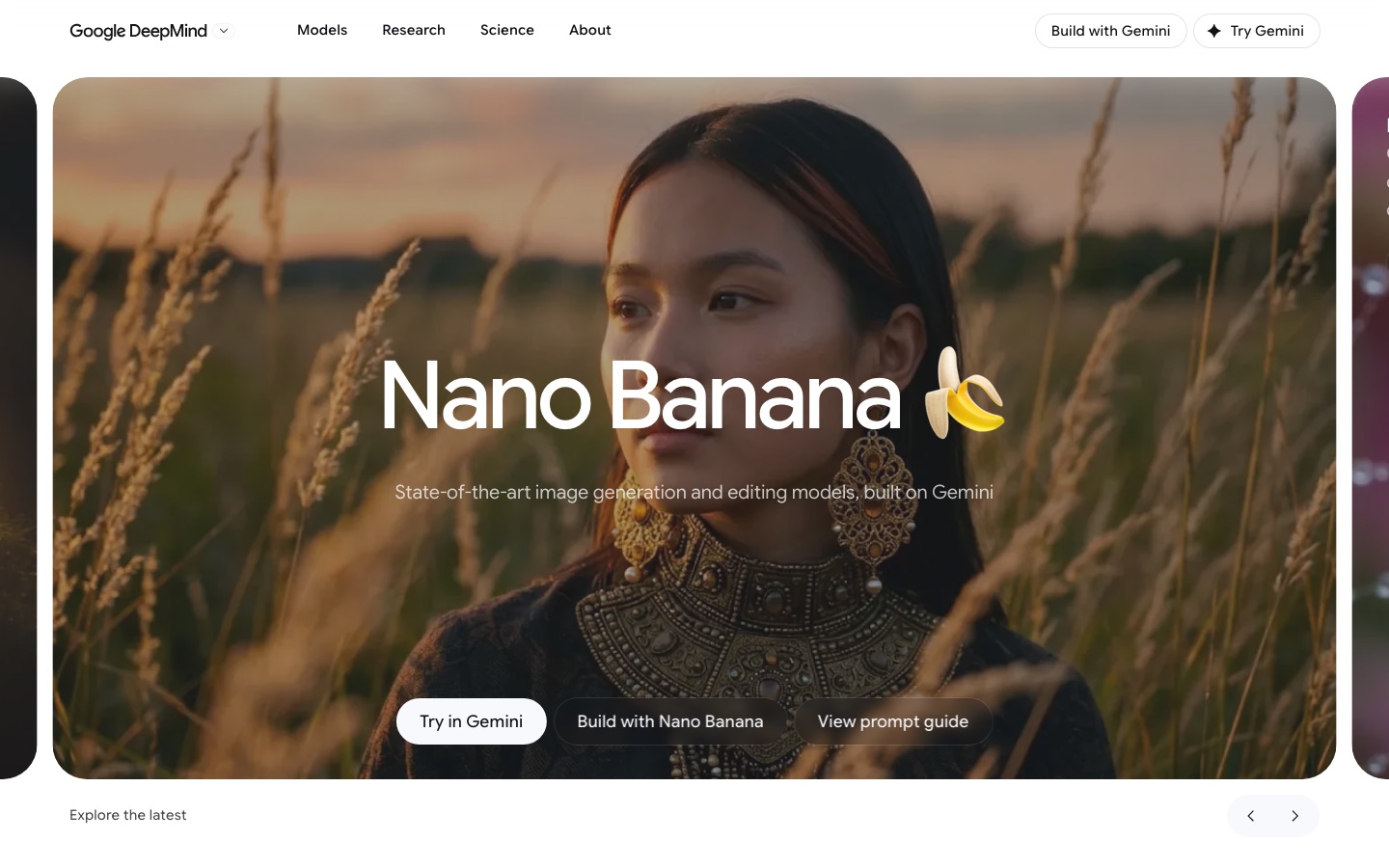 The official Nano Banana website, photographed in September 2026. Credit: Nano Banana
Why is everyone talking about this?
Several things converged into a genuine cultural phenomenon, plus one additional reason that is especially relevant for us in Israel.
The original virality. In the autumn of 2025 you could not open Instagram without seeing it: people uploading a photo of themselves and asking Nano Banana to turn them into a collectible figurine in a box, a 1990s-style character, or a professional studio portrait. Hundreds of millions of images were created within weeks, and the Gemini app shot to the top of the app stores. The magic was that the image remained you, the same face, the same smile, just in a different world.
Editing instead of generating. Most image tools up to that point knew how to create an image from scratch but failed when you asked them to change something small in an existing photo. Nano Banana turned free-form editing, "remove the person in the background," "swap the shirt for a blue one," "add a sign above the door," into a natural operation that works. That changed the rules of the game: suddenly you do not need Photoshop for 90 percent of everyday edits.
The Pro revolution: text you can actually read. In November 2025, Nano Banana Pro arrived with the capability no model had cracked before: long, accurate, legible text inside the image. No more smeared letters that look like alien script. Headlines, posters, complete infographics, with the correct text, in an appropriate font, in a range of languages.
And the Israeli reason: Hebrew. This is the real story for us. Midjourney, DALL-E, and most competitors simply cannot write Hebrew inside an image; they produce reversed, disconnected, or invented letters. Nano Banana Pro, thanks to Gemini's multilingual foundation, produces correct Hebrew text. For an Israeli business that needs a post saying "end-of-season sale, everything for 99 ILS," that is the difference between a toy and a real work tool. (OpenAI's generator, which many still call "DALL-E," has improved significantly on text since it became GPT Image; we covered that in detail in the DALL-E and GPT Image guide.)
From the field: In the workshops I run for organizations, the moment I ask the audience to generate a Hebrew poster with the name of their own business is the moment the room goes quiet. People who have struggled for years with Canva or paid a designer for every banner suddenly see a designed sign with perfect Hebrew appear before their eyes in 20 seconds. Of all the tools I teach, this is the most immediate "wow" there is.
Core capabilities: what Nano Banana can actually do
Text-to-image generation
The foundation: describe something in words, receive an image. The difference from competitors is that Nano Banana does not just "draw nicely," it understands what you asked for, because a full language model stands behind it. You can give it complex, multi-step instructions ("a product photo of a honey jar on a wooden table, soft morning light, blurred beehives in the background, and in the top corner the text 'Honey from the Galilee'") and it will follow every detail. The Pro version even "thinks" before creating, planning the composition, which is why it excels at scenes packed with detail.
Free-form image editing
This is the capability that broke the internet. You upload an existing image, a photo of yourself, a product shot, a screenshot, and ask for a change in plain words:
- "Remove the people in the background"
- "Replace the background with a beach at sunset"
- "Add a logo on the shirt"
- "Change this to evening lighting"
- "Clear the clutter off the table"
The model changes only what you asked for and leaves everything else alone. No layers, no masks, no Photoshop knowledge required, just a sentence in Hebrew. You can also chain edits: each request builds on the previous result, like a conversation with a designer.
Character consistency
The chronic problem with image models was that every new generation changed the face. Nano Banana keeps the same character across images: you upload a photo of yourself (or of the company founder, or a branded character) and receive that same person in dozens of different situations, with the same facial features. The Pro version can maintain consistency for several characters and objects simultaneously, and can even combine multiple source images into one, for example, you, your product, and your logo, all in a single staged scene.
Text inside the image: including Hebrew
The winning capability for Israelis, so it deserves more space. As of July 2026, Nano Banana Pro is the world's leading model for rendering text inside images: large headlines, full paragraphs, varied typography, and even localization. You can ask it to translate the text in an existing image to another language while preserving the design. The practical meaning: posters, ads, signs, menus, infographics, holiday greetings, presentations, all with real Hebrew text, not scrambled characters that merely resemble letters.
World knowledge and reasoning
Because Gemini and all its knowledge stand behind the model, Nano Banana can generate images that require understanding rather than just drawing: an infographic explaining a process, a step-by-step recipe illustration, a business-idea diagram, or an image grounded in up-to-date information. You can hand it a paragraph of text and ask "turn this into a Hebrew infographic," and it will build the hierarchy on its own.
Resolution, formats and professional control
The Pro version supports creation at resolutions up to 4K, in a range of aspect ratios (vertical story, square post, wide banner), and allows "photographic" control in plain language: depth of field, camera angle, lighting type, focus. For anyone coming from photography or design, it feels like directing a photographer rather than pulling a slot machine lever.
How to get started: step by step
The simplest way, for free, takes less than two minutes:
- Open Gemini. In a browser: gemini.google.com. On mobile: the Gemini app (Android/iPhone). Sign in with a regular Google account; no credit card required.
- Choose image creation. In the message field there is an image creation tool (Create images, or a "banana" banner 🍌 in some versions). You can also simply write your request; Gemini recognizes on its own that you want an image.
- Write your prompt, in Hebrew if you like. For example: "Create a square Instagram post for a flower shop called 'Prach Li,' with the text 'Home delivery in Ramat Gan,' soft pink background, clean modern style."
- Refine in conversation. Not happy with the result? Do not start over. Keep talking: "Make the text larger," "Switch the background to white," "Add a colorful bouquet in the corner." Each tweak takes seconds.
- Download and use. Click the image and download it. On the free plan a small visible Gemini watermark will appear; we will talk about that shortly.
For advanced users: Anyone who wants more control can work through Google AI Studio (free, developer-oriented) or via the API, where you choose a specific model, resolution and parameters, and can connect image generation to automations. More on that later when we discuss AI agents.
From the field: The first mistake everyone makes is writing a five-word prompt ("image of coffee") and then feeling disappointed. Treat Nano Banana like a talented new employee on their first day: they do not know your business. Tell them what the business is, who the audience is, what the image is for, and where it will be published, and you will get a completely different result. A good prompt is a good brief.
Business Use Cases in Israel: Real-World Scenarios
This is where Nano Banana moves from "cool toy" to "saving thousands of shekels a month." Real scenarios I see with clients:
Social Media Posts and Promotions
A clothing store in Holon that needs three posts a week: "Square Instagram post, clean beige background, floral summer dress photo, large bold text: 'Midweek Sale, 30% Off All Dresses', and small text at the bottom: 'Until Thursday'." Instead of waiting on a designer or wrestling with templates, ten minutes of work, including Story variations. Anyone working with Canva will find the combination unbeatable: generate the visual in Nano Banana and assemble the final version in Canva with its AI tools.
Signs, Menus, and Print Materials
A restaurant changing its seasonal menu: upload a photo of the existing menu and ask it to "update the design to a summer style and replace the dish list with the following: ...". Thanks to Pro's precise text rendering and 4K output, the result is print-ready, not just screen-ready. The same principle works for conference roll-ups, "Space for Rent" window signs, and business vehicle stickers.
Product Photos Without a Studio
A jewelry store owner photographs an earring on her kitchen counter with her phone, then asks: "Turn this into a professional product photo: clean white marble background, soft studio lighting, subtle reflection." Five background variations of the same product, no photographer, no studio, no location shoot. For e-commerce stores, this fundamentally changes the economics of catalog production.
Real Estate and Visualizations
A real estate agent who photographs an empty apartment and asks to "furnish the living room in a clean Scandinavian style" (virtual home staging, with proper disclosure to buyers, of course), or an architect who turns a sketch into an impressive client visualization in minutes instead of days.
Paid Ads at Scale
Advertisers know: creative fatigue is real, and you need variations. Nano Banana generates ten versions of the same ad, different backgrounds, different colors, different copy ("Free Shipping" vs. "Gift with Every Purchase"), ready for A/B testing on Facebook and Google. Combined with a consistent branded character, you can build a virtual "brand ambassador" who appears across all campaigns. And for anyone who wants that ambassador to speak, the images can feed straight into HeyGen for spokesperson video creation.
Personal Branding and Professional Content
Consultants, lecturers, and freelancers: one good profile photo becomes a series of brand images, on stage, in a meeting, at a desk, for a website, LinkedIn, and marketing materials. And every dull presentation gets visual slides with Hebrew infographics.
💡 From the field: A client of mine, a Pilates studio owner, calculated she was spending roughly 1,500 ILS a month on a designer for posts and promotions. After one workshop she produces everything herself in Nano Banana, and the designer stayed on only for the genuinely big projects, like the studio's overall brand identity. That is exactly the right division of labor: AI for the routine, a human designer for strategy.
Hebrew: What Works and What Doesn't
Let's be precise, because this is the core issue for us:
What works great:
- Prompts in Hebrew. You can write the entire request in free-form Hebrew. The model understands it perfectly, including slang and Israeli context. No need to translate into English (completely unlike Midjourney).
- Hebrew text inside the image. Headings and short phrases come out correctly in the vast majority of cases in the Pro version: correct letters, correct right-to-left direction, correct final-form letters.
- Hebrew editing of existing images. "Remove," "replace," "add" all work smoothly.
What partially works and requires checking:
- Long text. A full paragraph in Hebrew may contain the occasional wrong letter, missing space, or garbled word. The iron rule: check every letter before publishing. One mistake on your business sign costs more than all the savings combined.
- Vowel marks (nikud). If you need voweled text (children's books, learning materials), expect nikud errors. Better to generate without vowel marks and add them manually.
- Fine Hebrew typography. The model does not recognize specific Hebrew fonts by name. You can describe a style ("modern clean Hebrew font," "Hebrew handwriting") but you cannot ask for "Frank Ruehl."
- The base model (not Pro) is significantly weaker at Hebrew text. If Hebrew-in-image is the goal, it matters that generation runs on Pro. On the free plan the Pro quota is small, and that is a central reason to upgrade.
Golden tip: When Hebrew text comes out garbled, don't regenerate from scratch. Ask for a targeted fix: "The text in the image is wrong. Correct it so it reads exactly: 'Winter Sale, Everything 50% Off'." Specifying the exact text in quotes dramatically improves accuracy.
💡 From the field: If you work in an Adobe environment and full legal coverage for commercial materials is important to you, it's worth knowing that as of 2026, Nano Banana is also available inside Adobe Firefly as one of its partner models. That means you can enjoy Nano Banana's Hebrew-in-image capability alongside Adobe's natively indemnified model, within the same subscription. We covered this in detail in the complete Adobe Firefly guide.
Hebrew Prompts: Ready-to-Copy Templates
The general formula that works: what + for whom + style + exact text in quotes + format.
Promotional post: "Create a square Instagram post for a shoe store. Bold yellow background, white sneaker in the center at a dynamic angle, large prominent text: 'End of Season, Second Pair 50% Off', and small text at the bottom: 'This Weekend Only'. Young and energetic style."
Product photo: "Edit the attached image: turn it into a professional product photo for an online store. Clean white background, soft studio lighting from above, subtle shadow below the product. Do not change the product itself."
Business sign: "Create a wide rectangular sign design for a barbershop called 'Gazuz'. Retro-modern style, dark green background, large clean Hebrew typography: 'Gazuz, Barbershop', and below: 'Book an appointment on WhatsApp'. Print-quality."
Infographic: "Create a vertical Hebrew infographic on the topic '5 Steps to Building a Morning Routine'. Five numbered steps with an icon for each, calm blue and white color palette, main heading at the top. Texts: 1. ... 2. ..." (and list the full text).
Consistent character: "This is a photo of me. Create me with the exact same facial features, standing on a stage in front of an audience, microphone in hand, professional lecture lighting, wearing a blue button-down shirt."
Important: always write the text that should appear in the image explicitly and in quotes. Do not rely on the model to invent phrasing. It is an excellent designer and a mediocre copywriter.
Comparison with Competitors: Table
| Nano Banana Pro | Midjourney | GPT Image (DALL-E / GPT Image) | Ideogram | |
|---|---|---|---|---|
| Company | Google DeepMind | Midjourney | OpenAI | Ideogram |
| Text inside image | Excellent, best in market | Very weak | Decent in English | Good in English |
| Hebrew text in image | Yes, works | No | Not reliable | Not reliable |
| Hebrew prompt | Excellent | Weak (English preferred) | Good | Partial |
| Editing existing images | Excellent, in natural language | Limited | Good | Partial |
| Character consistency | Excellent | Partial (with tools) | Partial | Weak |
| Artistic aesthetic quality | Very good | The leader | Good | Good |
| Free plan | Yes (daily quota) | None | Limited | Limited |
| Best suited for | Marketing, business, Hebrew | Art, inspiration, high-end branding | ChatGPT users | English-language posters |
The bottom line from the table: if you're creating art and atmospheric images, Midjourney is still the king of aesthetics, and our complete guide to it is here. But if you're an Israeli business that needs marketing materials with Hebrew, there is no real competition: Nano Banana is the choice, and that's before we even mention that it's free to start. For a broad comparison of all leading AI models, see our AI models comparison page.
Pricing and Plans: How Much Does It Cost?
As of July 2026, the general structure is as follows (exact quotas change frequently, so we'll describe it qualitatively):
- Free: Every Google account gets image generation in Gemini at no cost. The quota for the Pro version on the free plan is small, a handful per day, after which the system automatically switches to the faster base model. Free-plan images are resolution-limited and carry a visible watermark.
- Google AI Pro (monthly subscription, in the range of tens of shekels): Significantly higher Pro quotas, higher resolutions, removal of the visible watermark, and expanded access to the rest of Gemini's capabilities (including Veo for video). For most small businesses, this is the right plan.
- Google AI Ultra (expensive premium subscription): Massive quotas for anyone generating images at industrial volume, with priority during high-demand periods.
- API (pay-per-use): For developers and automations, you pay per image, with the base model significantly cheaper than Pro. Relevant when connecting generation to systems (more on that below).
An important note for anyone already paying: a Google AI Pro subscription comes as a bundle that includes much more than images, full Gemini, expanded NotebookLM, storage, so the financial calculation against a dedicated Midjourney subscription (which has no free plan at all) clearly favors Google for the average Israeli business user.
Watermarks, SynthID, and Commercial Use
Three facts every business owner must know before publishing an AI image:
- Visible watermark: Images generated on the free plan carry a small Gemini visual stamp. On paid subscriptions and the API, the visible stamp is removed. If you're publishing paid banner ads, you want a subscription, full stop.
- SynthID, the invisible watermark: Every image Nano Banana generates, on every plan, is embedded with Google's SynthID technology, a hidden digital signature that identifies the image as AI-generated even after cropping, compression, or editing. It cannot (and must not) be removed. Google even allows you to check inside Gemini whether an image was created by its tools.
- Commercial use: permitted. Google's terms of service allow commercial use of images you generate, including on the free plan. The main restrictions: you may not present an AI image as a real photograph in a deceptive way (especially relevant in real estate, product reviews, and news contexts), you may not generate likenesses of real people without their consent, and naturally, responsibility for the content rests with you. On copyright: as of July 2026, the law in Israel and globally is still developing on the question of ownership of AI-generated output, so for legally sensitive projects, consult a lawyer.
Advanced Tips
- Work conversationally, not in isolated attempts. The biggest advantage Nano Banana has over classic image generators is its conversational context. Instead of rewriting a prompt from scratch ten times, build a solid foundation and refine in small steps: "Now just brighten the lighting," "Now just make the logo larger."
- Provide reference images. Want a consistent brand style? Upload 2 or 3 examples of the visual style you want (previous posts, a mood board) and ask for "exactly the same visual style." This bypasses the need to describe a style in words.
- Build a business "prompt library." Once a prompt delivers a winning result, save it in a document alongside the image. After a month you will have an internal recipe book: a prompt for a promotional post, a prompt for a product image, a prompt for a Story. Brand consistency is built from exactly that.
- Think in composition, not just content. Terms like "rule of thirds," "flat lay," "85mm lens," "shallow depth of field" are well understood by the model and produce far more professional results.
- Leverage its world knowledge. Nano Banana Pro knows things. Ask for "an infographic on the benefits of strength training after age 40" and it will fill in accurate content on its own. Just fact-check the output, as you would with any AI-generated material.
- Combine tools. The image is just one stop: take it further into a talking-head video, a Canva carousel, or a presentation. The powerful tool is never any single model; it is the pipeline connecting them. That is exactly what we teach in the AI workshops for organizations.
Common Mistakes: And How to Avoid Them
- Publishing without checking the Hebrew. The most expensive mistake. Even when Nano Banana writes excellent Hebrew, it is not perfect. Read every word aloud before publishing.
- Prompts that are too short. "Image for a post" will produce mediocrity. A complete brief covering business, audience, message, style, and format produces results that look like a designer's work.
- Giving up after one attempt. The first result is a draft. Professionals run 3 to 5 refinement rounds in conversation.
- Forgetting the aspect ratio. You generate a square image, then crop it for a Story and lose half the content. State it upfront: "vertical 9:16 format for a Story."
- Using the basic model for Hebrew text. If your Pro quota runs out and the text looks garbled, that is not a bug; you have simply dropped to the basic model. Wait until tomorrow or upgrade.
- Generating real people without consent. Beyond the ethical and legal problem, the model also blocks some of these requests. Do not try to work around it.
- Treating it as a full replacement for a designer. For 95% of day-to-day needs, it is excellent. For top-level brand identity, logo creation, and defining a visual language, a human professional is still worth it to set the direction, with AI executing within it.
The Limitations: Honestly
So you can make an informed decision, here is what is less than stellar as of July 2026:
- The free Pro quota is very small. A handful of images per day. For anyone generating seriously, the free tier is a taste, not a working tool. Plan for a subscription.
- Long Hebrew text is still not perfect. Headlines are almost always correct; paragraphs require proofreading. Punctuation errors are common. This is the last remaining gap, and it narrows with each generation, but it exists.
- No pixel-precise control. This is not Photoshop. You cannot move an element 3 pixels to the left or choose a specific font from a file. Any design requiring absolute precision (a final logo, a print file with strict specifications) still ends up with a designer using vector tools.
- Edits sometimes change unrelated details. You ask to swap the background and sometimes the product color shifts slightly too. Always compare before and after, especially with product images where accuracy is critical.
- Conservative content blocks. Public figures, sensitive content, and sometimes innocuous requests that are phrased vaguely get blocked. Rephrasing usually solves it.
- Visible watermark on the free tier. For respectable business use you will need a subscription.
- Dependency on cloud services and changing quotas. Google changes quotas, model names, and behaviors frequently. What was true in January is not necessarily true in July. Check the current terms.
- Pure "artistic" aesthetics: impressive, but Midjourney still wins for breathtaking atmospheric shots and extreme artistic styles. Nano Banana wins on everything practical.
Who This Is Right For: And Who It Is Not
A very strong fit for:
- Small and medium-sized businesses in Israel that need marketing materials in Hebrew on an ongoing basis
- Marketers and social media managers producing creative variations at volume
- Online stores that need product images at near-zero cost
- Freelancers, consultants and lecturers building a digital presence on their own
- Teachers, instructors and presentation builders who need Hebrew illustrations and infographics
- Anyone already living in the Google ecosystem who wants one tool for text and image
Less suited for:
- Digital artists chasing the absolute aesthetic edge (Midjourney)
- Studios that need precise vector print files and custom fonts (Illustrator plus a designer)
- Organizations with strict legal requirements around copyright on key visual assets
- Anyone who objects in principle to working with Google cloud tools
Connecting to Automations and AI Agents: The Next Step
This is where it gets genuinely interesting. Nano Banana is also available as an API, which means image generation can move from a manual step to an automated link in a complete business workflow:
- Automated content engine: A system that generates an article, sends the headline to Nano Banana to get a hero image with Hebrew caption, and publishes everything automatically; exactly the kind of system we build with Claude-based AI agents.
- Connecting via MCP to Claude: You can wrap the Gemini API as an MCP tool so that a Claude agent, for example in Claude Code, decides when an image is needed, drafts a brief for it, generates it through Nano Banana, reviews the result, and continues the workflow. The brain from Claude, the visual hands from Google; each tool doing what it does best.
- No-code automations: Even without touching code, you can connect image generation to Zapier and Make scenarios: new store order, a branded "thank you" image with the customer's name, sent by email.
This is exactly the philosophy we teach: not "another tool," but a system where the tools work for you. Those who want to go deeper will find that the free courses at the Academy cover the full picture, and on the Claude page you will find the language-model side that conducts the whole orchestra.
Frequently Asked Questions
What is Nano Banana and why is it called that?
Nano Banana is Google's image generation and editing model, running inside Gemini. The name started as an anonymous code name in the LMArena rankings arena in August 2025. The mysterious model defeated all competitors in image editing, the name went viral, and Google adopted it officially in place of the technical name Gemini 2.5 Flash Image. Today it is a full family: Nano Banana, Nano Banana Pro, and the second generation.
How do you access Nano Banana for free?
Go to gemini.google.com or the Gemini mobile app, sign in with a Google account, and ask for an image, in Hebrew. No credit card required. The free tier includes a small daily quota for the Pro version and a more generous quota for the basic model, with a visible watermark on the images.
Does Nano Banana really write correct Hebrew inside images?
Yes. Nano Banana Pro is, as of July 2026, the only model that does so with high reliability: correct right-to-left direction, final-form letters, correct headlines. In longer texts a few occasional errors still appear, so you must proofread every image before publishing. The basic model (free without limits) is far weaker in Hebrew. For important Hebrew text, make sure you are on Pro.
Which is better: Nano Banana or Midjourney?
It depends on the goal. For art, inspiration, and breathtaking atmospheric images, Midjourney still leads aesthetically. For business work, posts with Hebrew text, editing existing images, product photography, and character consistency, Nano Banana wins by a clear margin, and it also offers a free tier that Midjourney does not have at all. Many professionals use both: Midjourney for inspiration, Nano Banana for execution.
Can you use the images for Facebook and Google ads?
Yes, commercial use is permitted under Google's terms, even on the free tier. In practice, though, for paid advertising you will want a paid subscription to remove the visible watermark. Note that all images carry an invisible digital watermark (SynthID) that identifies them as AI-generated. That is not a problem in advertising, as long as you are not fraudulently presenting an AI image as a real photograph.
What is SynthID and can it be removed?
SynthID is Google's invisible digital watermark, embedded in every image the model generates, across all tiers including paid. It survives cropping, compression and editing, and allows the image to be identified as AI-generated. It cannot be removed with standard tools, and attempting to conceal that an image is AI-generated violates the terms of service. The logic: transparency in an era where the eye can no longer distinguish a photograph from a generated image.
How many images can you generate per day?
Quotas vary by tier and are updated frequently. On the free tier: a handful of Pro images per day, then a switch to the basic model. On paid Google AI subscriptions: tens to hundreds per day, depending on the subscription level. Via the API: no practical limit, billed per image. As of July 2026, check the current numbers on Google's plans page; they shift every few months.
Can Nano Banana edit a photo I took on my phone?
Yes, and this is one of its strongest capabilities. Upload any image (a photo, a scan, a screenshot) and request changes in plain language: removing objects, swapping the background, improving lighting, adding elements, and even restoring and reviving old or damaged photos. The edit preserves the rest of the image as it is.
The Bottom Line
Nano Banana is not just another image generator. It is the tool that finally closes the gap between "AI that produces beautiful images" and "AI that does real work for an Israeli business." The combination of free-form editing, character consistency, and correct Hebrew text inside the image, for free, inside a tool already sitting on your phone, makes it the recommended starting point for any business that wants to stop paying for every banner and start producing.
My practical recommendation: open Gemini right now, take one prompt template from this guide, and generate your business's next post. Ten minutes, and you will understand on your own why 49,500 Israelis search for this on Google every month.
And if you want to go beyond a single image and build a complete marketing system where images, copy and publishing run on their own: the free courses at our Academy are the place to start. In a one-on-one private lesson we can build the exact workflow for your business together, and for organizations there are practical AI workshops and lectures or full implementation consulting. You can find all the full courses here.
Good luck, and may your banana be a successful one. 🍌
Further reading: The original competitor for text-in-image, Ideogram: The Complete Guide, including a Hebrew performance comparison.
Weighing up the tools? The big comparison: every AI image generation tool head to head, a decision table broken down by task.
Frequently asked questions

Yaakov Tzedek
An Israeli AI lecturer, consultant and implementer who has supported 100+ organizations in AI implementation and lectured for 200+. Official content partner of Meta, Google, Canva and TikTok, featured on Israel's Channel 13.
More about Yaakov →