- Krea guide: draw and watch it become a photo in real time, image and video models, Enhancer upscaling, LoRA training, compute units, pricing, commercial rights and privacy.
According to the comparison table on Krea's pricing page, the free plan allows 900 images a day in the Realtime tool, but only 4 images a day in the Enhancer and one LoRA training session a day. Exploring is cheap. Finishing is not.
On Krea's free plan you can generate 900 images a day with the Realtime tool. That sounds like a lot, and it really is a lot. That's not the interesting part.
The interesting part appears in the same table on the pricing page: that same free plan gives you 4 enhancements per day, one style training per day, and not a single image from it is licensed for commercial use. Krea is built so that exploration is nearly free, and the finish, the image that goes into a campaign, costs money. Anyone who understands this upfront knows exactly when to pay, and what for.
This guide was built from the official pricing page, the image generator, video, editor, and Enhancer pages, the official documentation for Realtime, Training, Edit, Video, and compute units, the Krea 2 page, the terms of service, the Business terms, the privacy policy, and the security page (all checked September 15, 2026): what it is, what the tool can do, how to get to your first image, what happens with Hebrew, how much it costs and what's included, and when Leonardo or Midjourney might be a better fit.
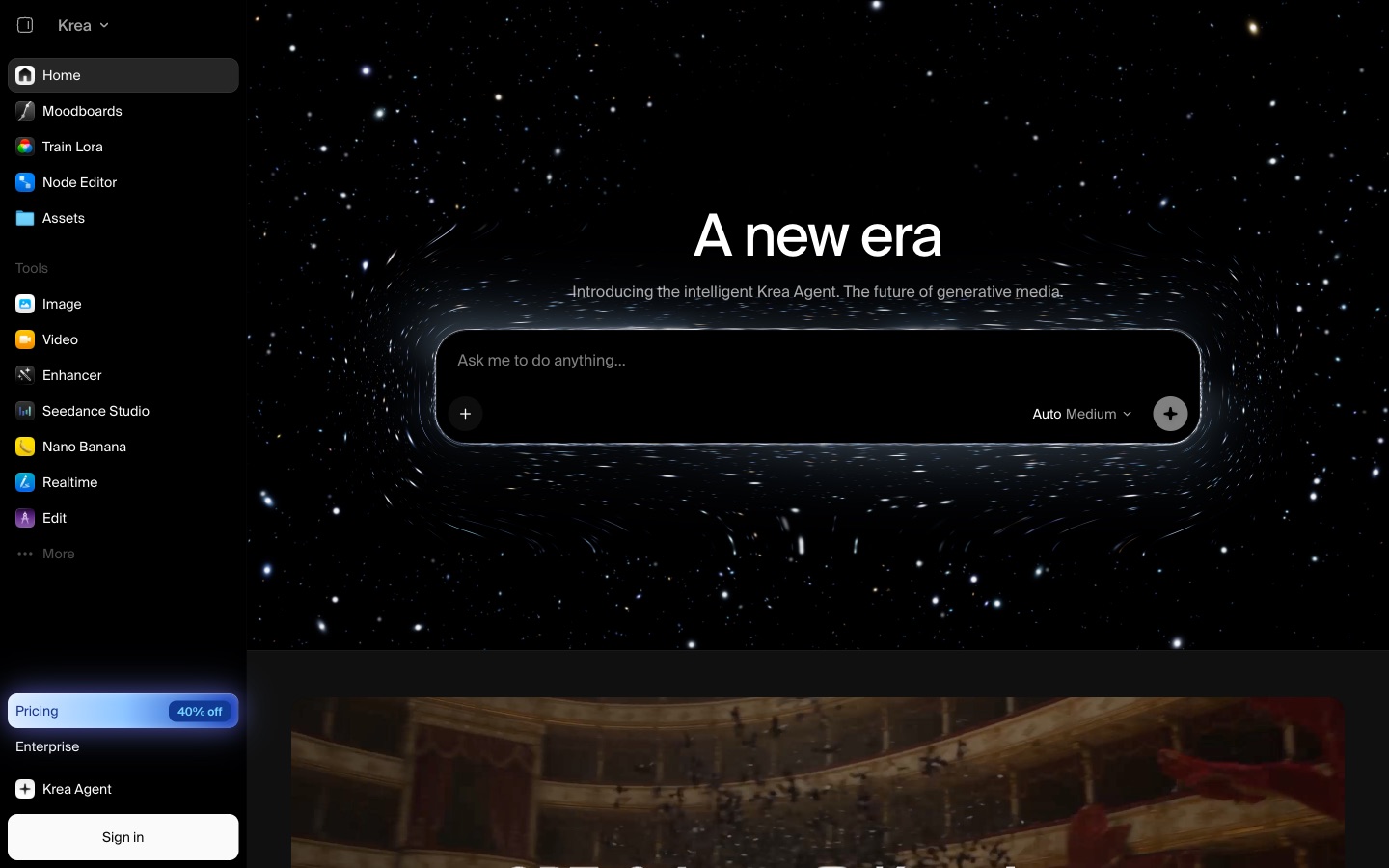 Krea's homepage, captured September 15, 2026. Credit: Krea
In short
| Question | Short answer |
|---|---|
| What it is | An AI creation suite: images, video, realtime, editing, upscaling, and style training, with dozens of models in one place |
| How much it costs | Free with 100 units per day. Pro $35/month ($21 annually), Max from $105 ($63 annually), Business from $200 |
| What you're paying for | Compute units. Each model costs differently: 8 units for Krea 1, 183 for ChatGPT Image, 1,000 and up for video |
| What's special | Realtime: you draw shapes and the image updates instantly, no generate button |
| Hebrew | Interface is in English. Hebrew text inside images is not officially listed, depends on the model, worth testing |
| Rights | Commercial license only on paid plans. Images from the free plan are not licensed for commercial use |
What is Krea?
Krea is a browser-based creation suite that centralizes dozens of image and video models and adds its own tools on top: a realtime canvas, an editor, an image upscaler, and style training. Instead of a separate subscription for each model, you pick a model from a list and pay in units.
Definition: Krea is an AI-powered creation platform by KREA.AI, Inc. It lets you create images and video from text or from an image, watch an image form in real time as you draw, edit and upscale images, and train a model on your style, character, or product. Payment is in compute units, and each model consumes a different amount.
According to the documentation, what sits at the heart of the tool is access to models from Google, OpenAI, Runway, and others, alongside Krea's own model, Krea 1. The Krea 2 page states that the model was announced on May 12, 2026, as the first image model the company built from scratch, with an emphasis on aesthetics, style references, and moodboards.
The mental model is simple: Krea is not a single model, it's a workbench. Anyone who approaches it like Midjourney, asking "which model looks best," misses the point. Anyone who approaches it like a studio, asking "where do I explore, where do I finish, and where do I maintain a consistent style," gets a lot out of it.
What can Krea do?
Krea can create, explore in real time, edit, upscale, animate, and train style, all within the same account and the same units. These are the capabilities according to the official product pages and documentation, each paired with one business use case:
- Realtime, real-time creation. A canvas on the left and an image on the right that updates with every brushstroke, shape, or prompt change. According to the documentation, there is a drawing mode, a webcam mode, browser-tab sharing, and text-only mode. Use case: lock in the composition for a banner in five minutes, before spending units on an expensive model.
- Image, image generation from dozens of models. Krea 1, Krea 2, Flux, Nano Banana, ChatGPT Image, Ideogram, Seedream, Qwen, and more. The default is Auto, which picks a model based on the prompt. Use case: run the same product-image prompt through three models and choose.
- Edit, image editing. According to the documentation: changing an area with a brush, rectangle, or automatic mask, notes per area, expanding an image beyond its borders, changing lighting, changing camera angle, color palette, and basic adjustments. Use case: extend a square product photo into a wide banner without reshooting.
- Enhancer, upscaling and improvement. Upscaling by 1x, 2x, 4x, or 8x according to the documentation, using the Krea Enhance model and Topaz models, and on paid plans up to 22K according to the pricing page. Video upscaling is also available. Use case: turn a 1,024-pixel image into a file suitable for print.
- Video, video generation. From text, from an image (with a start frame, end frame, or both), and extending an existing clip. According to the video generator page, the Pro plan includes more than 20 video models, including Veo, Kling, and Runway. Use case: animate a product image into a six-second reel.
- Training, style training (LoRA). You upload at least 3 images of a style, character, or product, and according to the documentation 10 to 30 images produce a better result. You receive a style code that can be activated during generation, editing, and in the Enhancer. Use case: a brand character that looks the same across every post.
- Nodes and App Builder. A visual editor that connects models, prompts, and processing steps into a workflow, then turns that workflow into an app you can run again or share. Use case: a fixed pipeline of "product image, new background, upscale" that any team member runs with one click.
- Krea Agent. According to the pricing page, a new agent that takes a single brief, plans, generates, and refines across multiple models. Use case: "five versions for a fall campaign" without switching tools one by one.
How to get started: step by step
Within half an hour you'll have your first image, built from a sketch, upscaled, and ready for review. The order matters: explore with the cheap tool first, and only then spend units on an expensive model.
- Sign up for free at krea.ai. According to the pricing page, no credit card is required, and you receive 100 compute units that refresh every day.
- Open Realtime and pick one of the built-in examples to see how the tool responds. Then clear the canvas, write a short prompt in English, and draw three rough shapes: a circle for the product, a rectangle for the background, a color blob for the lighting.
- Move and adjust. Move the circle, change the background color, add a word to the prompt, and watch the image change. According to the documentation, Fast models work at 512 pixels for exploration, and Quality models at 1,024 pixels once the direction is set.
- Switch to Image with the direction you found. Start with Krea 1 or Flux, which according to the documentation cost 8 and 5 units for four images, and only then try an expensive model on the winning prompt.
- Fix it in Edit. Mark any area that isn't working, write what to change, and extend the image to the aspect ratio the platform requires.
- Upscale in Enhancer and download. On the free plan that means up to 2K and 4 images per day according to the pricing page, so save the upscale for the one image that was actually selected.
One tip that saves units: open the Usage Statistics in Settings after every session. According to the documentation it updates within a minute or two and shows exactly which model consumed the budget.
Hebrew and RTL
Krea does not advertise Hebrew support, either in the interface or for text inside images. What works in practice is an English prompt and an image without text that gets Hebrew lettering added in a separate tool.
The interface. The site, tools, and documentation are in English, left to right. There is no language setting in the documentation we reviewed. That's not a blocker, since most of the work is visual, but all instructions, explanations, and error messages are in English.
The prompt. Krea passes the prompt to whichever model you chose, so Hebrew comprehension depends on the model, not on Krea. There is no official list of which models understand Hebrew. The practical recommendation: write in English, or draft in Hebrew in a chat tool and ask for a translation into a prompt.
Text inside the image. This is the most important part to test, because Krea aggregates very different models. The image generator page describes some models as producing legible text and controlled layout, but makes no mention of languages. In other words: not officially listed.
A ten-minute testing protocol. Run the same prompt, for example a minimal coffee shop sign with the word "kafeh" (coffee in Hebrew), through three different models. Check four things: whether the letters are real or just letter-like shapes, whether the direction is right to left, whether final-form letters appear in the right positions, and whether the result is consistent across two generations. Then test a phrase with a number, "mivtza 2 be-50" (a sale, 2 for 50), and note which model passed.
What to do when it breaks. Generate the image without text and add the Hebrew in Canva or any design tool. If you absolutely need Hebrew text generated inside the image itself, it is worth reading the Nano Banana guide and checking whether the version available inside Krea behaves the same way. In Realtime, where the resolution is 512 or 1,024 pixels, don't expect legible text at all.
How much it costs: all plans from the official site
| Plan | Price per month (monthly / annual) | Compute units | What you get | Limitations |
|---|---|---|---|---|
| Free | $0 | 100 per day, refreshed daily | Full access to Realtime models, limited access to other models, LoRA up to 50 images, upscaling up to 2K | No commercial license, one image at a time, 4 upscales and 1 training session per day |
| Pro | $35 / $21 | 20,000 per month | All image and video models, upscaling up to 22K including Topaz, commercial license, Nodes and App Builder | LoRA up to 50 images, 8 images and 4 videos in parallel, units don't roll over to the next month |
| Max | $105 / $63 (for 60,000) | 40,000 up to 100,000, your choice | Everything in Pro, unlimited LoRA training up to 2,000 images, unlimited relaxed generations on native models | 8 videos in parallel, units don't roll over to the next month |
| Business | $200 / $160 (for 80,000) | Packages from 20,000 up to 1.5 million | Up to 50 users at one price, Business terms with no training on your content, permissions, model controls | Pricing by unit package |
| Enterprise | Quote-based | Custom | SSO, SLA-backed support, intellectual property indemnification per agreement, per-user spending limits | Enterprise contract |
Prices are from the official pricing page as of September 15, 2026, and are subject to change. Annual billing saves 40% on personal plans, according to the page. On Max, the price increases with the number of units you choose. The Basic plan does not appear on the official page as of the review date, even though third-party comparison sites still list Basic at $9, so don't budget around it.
What you're actually paying for. Compute units, and the gap between models is enormous. According to the image tools documentation, generating with Krea 1 costs 8 units and Flux costs 5 units, each for four images, while ChatGPT Image costs 183 units and Nano Banana or Ideogram 3.0 cost 114, each for two images. Video is a different world: according to the video documentation, a clip consumes 1,000 units or more, runs 5 to 12 seconds, and takes anywhere from one to ten minutes to generate. In the comparison table on the pricing page, the 20,000 units in Pro are roughly equivalent to 3,600 images in Krea 1, or 83 videos in Seedance 2.0, or 33 videos in Veo 3.1.
When units run out. On the free plan you wait for the daily refresh. On paid plans you buy one-time unit packs, ranging from 2,000 to 50,000 units, which according to the page are valid for 90 days. According to the documentation, monthly units on personal plans don't carry over, while on Business and Enterprise they do.
The cheapest plan that works for a small business. For a business that needs social media images, banners, and product shots, Pro at $21 per month on annual billing is the entry point: it unlocks the commercial license, all models, and upscaling up to 22K. The free plan is excellent for a week of exploration, but not for anything going to publication. Max is only worth it for someone training a character or product on hundreds of images, or burning through units on video every week.
Use cases for businesses
Five scenarios, by role, each starting with cheap Realtime exploration and ending with one selected image. The examples are intentionally generic, with no client names.
Business owner: product page images without a photo shoot. Photograph the product on a white background with your phone, upload it to Edit, swap the background for a scene (wood table, kitchen, beach), extend it to banner proportions, and upscale in Enhancer. According to the editor page, this is exactly the use case of placing a product in a new scene from an existing photo.
Marketing: ten campaign directions before the creative brief meeting. Spend half an hour in Realtime with shapes and colors, save five compositions, and run each one twice in Krea 1. Walk into the meeting with ten visual directions instead of the sentence "something warm and inviting." And if you want to animate the chosen direction, the guide to Kling explains one of the video models also available inside Krea.
Operations: a repeatable workflow for every new product image. Build a three-step Nodes flow, background removal, branded background, and upscaling, and save it as an app. Whoever uploads products to the store runs it on every image, and the results look consistent without a designer checking every file.
Human resources: a brand character for onboarding presentations. Train a LoRA on 10 to 30 illustrations of a single character and generate it in different scenes: first day, team lunch, safety training. According to the documentation, to keep the character consistent you include varied poses and expressions in the dataset. And if the character is based on a real employee, get their written consent first.
Sales: a proposal that looks like the finished project. A client of an architecture or interior design firm sends a photo of the space. Upload it to Edit, change materials, lighting, and furniture in marked areas, and attach two versions to the quote. Krea presents dedicated solutions for architecture and interior design, and the editor describes preserving the room's structure while replacing furniture and materials.
Krea vs. Midjourney vs. Leonardo: an honest comparison
Krea leads in breadth (many models, real-time generation, upscaling, and video in one place), Midjourney in the aesthetics of a single powerful model, and Leonardo in a generous free plan with consistency tools. The competitor comparisons draw on our full guides to Midjourney and Leonardo, so check those for up-to-date dates.
| Criterion | Krea | Midjourney | Leonardo AI |
|---|---|---|---|
| Models | Dozens of image and video models, including Krea 1 and Krea 2 | Midjourney's own model | Its own models alongside third-party models |
| Real-time generation | Realtime, including camera and screen sharing | None | Realtime Canvas |
| Style or character training | LoRA from 3 images, up to 2,000 on Max | No training, but style and character reference | Built-in model training |
| Upscaling | Enhancer with Topaz, up to 22K on paid plans | Built-in | Available |
| Video | More than 20 models on Pro | Its own video model | Clips and third-party models |
| Free plan | 100 units per day, no commercial use | No permanent free plan | 150 tokens per day, public generations |
| Entry-level paid price | Pro $21 on annual ($35 monthly) | Four plans, from Basic | Essential around $12 (as of July 2026) |
When to use Krea. When you want to explore many directions quickly, when you need images, upscaling, and short video without three separate subscriptions, and when you have a style or product that needs to appear consistently across every image. Krea is especially well-suited for anyone who doesn't want to commit to a single model, since new models enter and leave the list all the time.
When to use Midjourney. When you want one strong image model, an instantly recognizable aesthetic, and a rich community of styles to learn from and copy parameters from. Anyone whose work is primarily mood imagery, concept art, and styling will get a more polished result there with fewer decisions to make.
When to use Leonardo. When the budget is zero and usage is daily, when you need consistent characters across a series, and when you're already working in Canva, which is Leonardo's parent company according to our guide. Worth keeping in mind that generations on the free tier are public there too.
And if upscaling is your primary task rather than a final step after generation, the Magnific guide explains the difference between creative upscaling and source-faithful upscaling, along with a comparison to Krea Enhancer and Topaz.
And if you need the same character to appear across a series of videos, or a multi-scene video from a conversation, the OpenArt guide covers the platform built specifically for that, including a comparison to Krea.
Privacy and limitations
The Business terms include an explicit commitment not to train on your content. Personal plans carry no such commitment. That is the sentence every manager needs to read before uploading an image of a product that hasn't launched yet.
According to the Business Terms (updated January 1, 2026): you retain ownership of inputs and outputs, Krea "will not use" them to train models, and use is limited to delivering the service, security, legal compliance, and anything you have authorized in writing. The same terms also state that outputs are not necessarily unique to you, that another user may receive a similar result, and that in some jurisdictions AI-generated output is not protected by copyright.
According to the general Terms of Service (updated May 20, 2024): everything you upload or generate is a "User Submission," and you grant Krea a broad, worldwide, perpetual license to use it in and to promote the service. According to the same terms, if your plan does not include a private mode, some generations may be visible to other users, and managing that visibility is your responsibility. The Privacy Policy, from the same date, lists images and videos among the types of data collected, for the purposes of delivering, personalizing, and improving the service, and restricts use to people aged 18 and over.
According to the security page: Krea is SOC 2 compliant, conducts external penetration testing at least once a year, stores primary databases on AWS in the United States, and encrypts data at rest and in transit over TLS.
What this means in practice:
- Don't upload sensitive material on a personal plan. A product before launch, client faces, documents, and project blueprints: if it cannot leak, use Business or a different tool.
- A free-plan image doesn't go to publication. According to the image generator page, it carries no commercial use license.
- Upscaling doesn't recover information. According to the documentation, Enhancer reconstructs what a sharp image "might" look like; it doesn't know what was written on a blurry sign. Blurry faces may come out as someone else's face entirely.
- Video is short and expensive. 5 to 12 seconds per clip, 1,000 units or more, and extending a clip costs additional units.
- Realtime is low resolution. 512 or 1024 pixels, and aspect ratios of 1:1, 3:2, or 2:3 only. It is an exploration tool, not a delivery tool.
- The model list moves. Models come and go, and unit prices change. Any workflow built around a specific model needs a monthly check.
Common mistakes
- Starting with the expensive model. 183 units for ChatGPT Image versus 8 for Krea 1. Explore cheap, finish expensive.
- Publishing an image from the free plan. It looks perfect, but there is no commercial license. Anything going to a client gets generated on a paid plan.
- Burning units on video before the image is finalized. A video costs as much as hundreds of images. Nail the opening frame first, then animate.
- Training LoRA on inconsistent images. Varying lighting, color, and resolution produce a confused style. According to the documentation: consistent data and 10 to 30 images.
- Buying a unit pack and forgetting it. According to the pricing page it expires after 90 days, and monthly units on a personal plan don't accumulate.
- Expecting Hebrew text inside the image. Not officially supported. Test it using the protocol, and if it breaks, add text in a design tool.
Frequently Asked Questions
What is Krea?
A browser-based AI creation suite: image and video generation from dozens of models in one place, a real-time canvas where your sketch becomes an image as you draw, editing, upscaling (Enhancer), and your own style training (LoRA). It also has its own models, Krea 1 and Krea 2.
How much does Krea cost?
According to the official pricing page (checked September 15, 2026): free with 100 compute units per day; Pro at $35/month or $21 on annual, with 20,000 units; Max from $105/month or $63 on annual, with 60,000 units; Business from $200/month for teams. Prices are subject to change.
Does Krea have a Basic plan?
As of September 15, 2026, the official pricing page lists Free, Pro, Max, Business, and Enterprise. No Basic plan appears there. Third-party comparison sites still mention a Basic plan at $9, so check the official page before budgeting.
Can I use Krea images commercially?
Only on a paid plan. According to the FAQ on the pricing page, Pro, Max, Business, and Enterprise include a commercial license. According to the image generator page, images from the free plan are not licensed for commercial use. For upscaled images, you also need rights to the source image.
What is Krea Realtime?
A canvas where the image updates instantly as you draw, move a shape, or change the prompt, with no generate button. According to the documentation, available modes include drawing, webcam, screen share, and text-only, with aspect ratios of 1:1, 3:2, or 2:3, and resolutions of 512 or 1024 pixels.
Can Krea write Hebrew text inside an image?
Not officially stated. Krea does not publish a language list, and results depend on the model you choose. Test a short Hebrew word in quotes across a few models. If it breaks, generate without text and add the caption in a design tool.
Does Krea use my images for training?
Under the Business Terms, updated January 1, 2026, Krea commits not to train models on inputs or outputs. Personal plans carry no such commitment in the privacy policy, which mentions using data to improve the service. Do not upload sensitive material.
Krea or Midjourney?
Krea when you want many models in one place, real-time sketching, upscaling, video, and style training. Midjourney when you want one model with strong aesthetics and a rich style community. Many creators use both: explore the idea in Krea, finish the final image in Midjourney.
The Bottom Line
Krea is the workbench for anyone who produces a lot of visuals and does not want to commit to a single model: explore in real time, pick the right model for each task, correct, upscale, animate, and lock in a style with LoRA. It is not a Hebrew-language tool, not the place for confidential material on a personal plan, and its free tier is not meant for work that goes to publication.
To return to where we started: 900 free images a day is genuinely not the interesting part. The interesting part is understanding that in Krea, exploration is cheap and finishing costs, which means anyone who spends ten minutes in Realtime before each project ends up paying for one correct image instead of twenty attempts.
Want to practice this inside the page? The interactive Krea course for 9.90 ILS, part of the interactive AI courses series.
Further reading: Midjourney: the complete guide · Leonardo AI: the complete guide · Recraft: vector in your brand style · Nano Banana: Hebrew text inside an image · Kling: video from an image · The best AI image tools
Sources
All pages checked September 15, 2026. Prices change, verify on the official site.
- Official pricing page: https://www.krea.ai/pricing (plans, monthly and annual prices, compute units, parallelism, LoRA, upscaling up to 2K and 22K, commercial license, unit packs for 90 days, rollover, per-model quantity table, Business and Enterprise)
- Image generator page: https://www.krea.ai/features/ai-image-generator (models, Realtime, editing and upscaling, commercial license on paid plans only)
- Video generator page: https://www.krea.ai/features/ai-video-generator (text and image to video, start and end frames, extension, more than 20 models on Pro, audio)
- Image editor page: https://www.krea.ai/features/ai-image-editor (object removal, background, outpainting, references, formats)
- Enhancer page: https://www.krea.ai/features/ai-enhancer (upscaling, detail restoration, video, rights for upscaling)
- Upscaler page: https://www.krea.ai/features/ai-upscaler
- Krea 2 page: https://www.krea.ai/krea-2 (announced May 12, 2026, model built from scratch, mood boards)
- Documentation, what is Krea: https://www.krea.ai/docs/user-guide/get-started/what-is-krea
- Documentation, Realtime: https://www.krea.ai/docs/user-guide/features/realtime (drawing modes, ratios, resolution, models, shortcuts)
- Documentation, image generation: https://www.krea.ai/docs/user-guide/features/krea-image (Auto, units per model, number of images, resolution)
- Documentation, video: https://www.krea.ai/docs/user-guide/features/video (5 to 12 seconds, 1,000+ units, extension, settings)
- Documentation, Edit: https://www.krea.ai/docs/user-guide/features/edit
- Documentation, Enhancer: https://www.krea.ai/docs/user-guide/features/enhancer (1x to 8x, Krea Enhance and Topaz, limitations)
- Documentation, Training: https://www.krea.ai/docs/user-guide/features/training (minimum 3 images, 10 to 30 recommended, style code)
- Documentation, compute units: https://www.krea.ai/docs/user-guide/help-and-support/compute-units (usage meter, packs, rollover)
- Terms of Service: https://www.krea.ai/terms (updated May 20, 2024, license on User Submissions, visibility by plan)
- Business Terms: https://krea.ai/business-terms (updated January 1, 2026, ownership, no training on content, non-exclusivity of outputs)
- Privacy Policy: https://www.krea.ai/privacy (updated May 20, 2024, data types, use for service improvement, age 18)
- Security page: https://www.krea.ai/security (SOC 2, penetration testing, AWS in the United States, encryption)
- For comparison purposes only, the Basic plan at $9 that appears on a third-party site but not on the official pricing page: https://costbench.com/software/ai-image-generators/krea/
Yaakov Tzedek, AI lecturer, consultant, and organizational AI implementer, and leader of the daily AI tip community. Join the WhatsApp group.
Frequently asked questions

Yaakov Tzedek
An Israeli AI lecturer, consultant and implementer who has supported 100+ organizations in AI implementation and lectured for 200+. Official content partner of Meta, Google, Canva and TikTok, featured on Israel's Channel 13.
More about Yaakov →