
- Adobe Firefly is now a multi-model studio with 30+ models: commercial safety, indemnification, video, Generative Fill, pricing, and API. Full guide, July 2026.
Firefly is nearly the only image generator in the world for which Adobe provides a legal indemnification guarantee for commercial use, because its native model was trained 100% on Adobe Stock, openly licensed content, and public domain material, with no scraping from the open web. And in 2026, Adobe opened that same application to over 30 competing models, including Nano Banana, Wan 3.1, and GPT Image, making it the platform that hosts more competitor models than any other.
Adobe Firefly is Adobe's AI-powered creative studio, and in 2026 it went through the biggest transformation in its short history. Not long ago, Firefly was "Adobe's safe model": a single image generator, trained only on licensed content, with Adobe standing behind it legally for commercial use. But as of July 2026, Firefly is no longer a single model. It is a multi-model studio housing more than 30 models under one roof: Adobe's native models, alongside models from Google (Nano Banana, Imagen 4, Veo 3.1), OpenAI (GPT Image), Runway, Black Forest Labs (Flux), Ideogram, and more. In other words, Adobe took its unique advantage, commercial safety and indemnification, and added what it was always missing: variety. This guide explains exactly what Firefly is today, why the 2026 story changes the game, what the core capabilities are, how to get started, what Adobe's legal differentiation actually means, the honest state of Hebrew support, pricing, and who this is and is not right for.
What is Adobe Firefly, and the short answer: a studio, not a model
Definition: Adobe Firefly is Adobe's AI-powered creative platform. It used to be the name of a single text-to-image model. As of July 2026, it is a multi-model studio that lets you generate images, video, audio, and concept boards, and choose between Adobe's native models and more than 30 models from other companies, all inside one application under one subscription. Firefly's central differentiator is that its native model is nearly the only one on the market that is legally safe for commercial use, because it was trained exclusively on licensed content.
Let's set the record straight right away, because this is where most of the confusion lives. If you heard about Firefly a year ago, you probably remember it as "Adobe's generator, safe for business but a bit less impressive than Midjourney." That was accurate, then. The 2026 shift turned Firefly from "another image generator" into a hub through which you access nearly every significant model on the market.
Adobe's logic here is sharp. Adobe was never going to compete head-to-head with Google or OpenAI on raw model quality. But it has two things nobody else has: millions of Creative Cloud users already working in Photoshop and Illustrator every day, and a reputation for legal trustworthiness. So instead of fighting for "the best model," Adobe built the place where all the models live together, and sold the safety and integration, not just the pixels.
For an Israeli business, the practical implication is straightforward. Instead of holding an account at Midjourney, an account at Gemini for Nano Banana, an account at Runway for video, and an account at Leonardo, you can access many of them from one place, with one credit ledger, and with Adobe's legal safety layer over all of it. It does not necessarily replace every account, but it consolidates them in a way that eliminates real operational headaches.
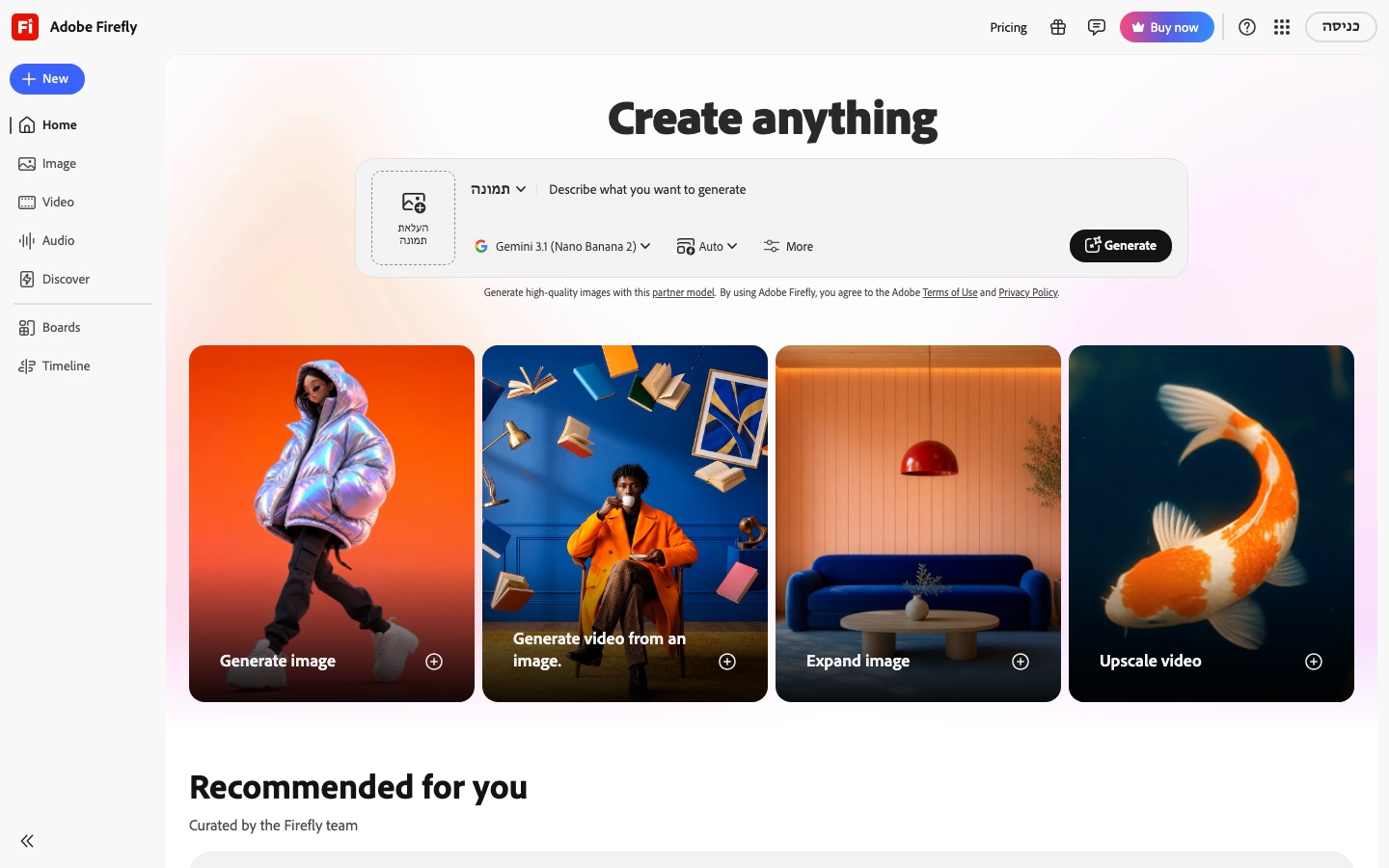 The official Adobe Firefly website, photographed in September 2026. Credit: Adobe Firefly
The big story of 2026: Firefly became a multi-model studio
This is the heart of the guide, so let's be precise. Around the Adobe MAX event in October 2025, and continuing through early 2026, Adobe made a move that surprised part of the industry: it opened the Firefly application to models from its own competitors.
Until then, when you logged into Firefly, you got Adobe's model. Full stop. Now when you log in, there is a menu of models to choose from. Want Adobe's safe native model? It's there. Want Google's model, which excels at text rendering? Also there. Want Runway video? Go ahead. As of March 2026, around 12 third-party models had already been integrated, and the list continues to grow toward more than 30.
Here is who is already inside, as of July 2026:
| Provider | Models inside Firefly | Main strength |
|---|---|---|
| Adobe (native) | Firefly Image Model 4, Firefly Video, Firefly Boards, Firefly Audio | Full commercial safety + Photoshop integration |
| Nano Banana Pro, Imagen 4, Veo 3.1 (video) | Text in image (including Hebrew), high-quality video | |
| OpenAI | GPT Image | Accurate English text, conversational editing |
| Runway | Gen-4.5, Aleph | Cinematic video, video editing |
| Black Forest Labs | Flux.2 [pro] | Realism and openness |
| Ideogram | Ideogram 3.0 | Typography and logos |
| Luma | Ray3 | Video |
| Others | Pika, Moonvalley Marey, and more | Video and specialty styles |
This combination changes the question you ask. The old question was "Firefly or the competition?" Today the question is "which model inside Firefly fits this task?", and that is a much better question, because it focuses you on the right tool for the job rather than on brand loyalty.
💡 From the field: I teach dozens of organizations in Israel, and one of the complaints I hear most often from marketing teams is not "the model isn't good enough," but "we have seven accounts across seven tools, nobody remembers passwords, nobody knows who is paying for what, and we can't find where we saved the file." Firefly in 2026 addresses exactly that pain. When I show a team that they can access Nano Banana, video generation, and Adobe's safe model from one place, with one account and one invoice, the first gain they feel is not artistic. It's operational. Less chaos means more actual output.
Why everyone is talking about it
There are several reasons Firefly came back into the conversation in 2026, after a period when it was considered "the solid but less exciting player."
First, the multi-model move itself. The fact that Adobe hosts its competitors inside its own product is a bold business step that the whole industry talked about. It repositioned Firefly not as a model but as an "access layer" for the entire generative AI world.
Second, commercial safety became more important, not less. As more businesses move into serious AI use, the copyright question shifts from theoretical to real. Legal managers in organizations ask "who protects us if we get sued?", and Firefly has an answer that almost nobody else can give.
Third, deep integration inside the tools. Firefly does not live only on a separate website. It is inside the tools professionals already use every day: Photoshop, Illustrator, and Adobe Express. Millions of people touch Firefly without ever opening the Firefly app. They simply use Generative Fill in Photoshop.
Fourth, expansion into new media. Firefly is no longer images only. There is video, generative audio, and collaborative concept boards. This is a transformation from "image generator" to "full studio."
The core capabilities
Let's break down what Firefly can actually do in 2026. One important distinction: some capabilities belong to Adobe's native models, and some arrive through the partner models.
Text-to-image: Firefly Image Model 4
This is the foundation. Firefly Image Model 4 is Adobe's leading native image model as of July 2026. It generates high-resolution photorealistic images, with meaningful improvement in text rendering (in English), and with control over lighting and camera angle, a capability that matters a great deal for anyone who wants professional consistency rather than "artistic surprise." You describe a scene, choose a style, and get an image. And when you use this specific model, you get Adobe's indemnification layer.
Video: Firefly Video and partner models
Firefly generates video. There is Adobe's native video model, and alongside it, especially powerful video models from partners: Google's Veo 3.1, Runway Gen-4.5 and Aleph, Luma Ray3, Pika, and Moonvalley Marey. The practical meaning: you can produce short clips for social media, product animations, or concept videos, and choose whichever video engine best fits the style and budget. Note that video consumes a significant number of credits (around 100 credits for a clip of roughly 5 seconds), so it is a resource worth planning around.
Concept boards: Firefly Boards
Firefly Boards is a collaborative canvas for moodboards and team work. Instead of generating individual images in isolation, a team can spread ideas, variations, and inspirations across a single board, work on it together, and develop a shared creative direction. This capability speaks directly to marketing and design teams working collaboratively, not to individual users working alone.
Audio: Firefly Audio
Since MAX 2025, Firefly also includes generative audio: voice creation, narration, and sonic elements. This closes the loop on "full studio": image, video, and soundtrack, in one place. For anyone producing short video content for social platforms, the ability to generate both visuals and narration in the same environment eliminates a full context switch between tools.
Integration in Photoshop and Illustrator: Generative Fill
This is probably the most practically useful capability for most people. Generative Fill in Photoshop lets you select a region in an image and ask the AI to fill it, remove an object from it, or extend the image's borders (Generative Expand). It is built on Firefly and runs directly inside Photoshop. For an Israeli business with product photography, this is gold: clean a background, extend a crop, remove a blemish, in seconds, inside the tool you are already using. The same concept exists in Illustrator for vector graphics and in Adobe Express for quick design work.
💡 From the field: In workshops, when I demonstrate Generative Fill in Photoshop to someone managing an online store, I watch the moment it lands. They have hundreds of product photos with inconsistent backgrounds, clipped corners, and products that are slightly off-center. Instead of a reshoot day, they select, ask, and receive. I always make one point clear: this does not replace a professional photographer for your flagship campaign. It saves you on the three hundred everyday images that nobody ever budgets a photographer for. That's where the real gain lives, in the routine.
Getting Started: Step by Step
Here is exactly how to start working with Firefly, from zero to finished output.
- Go to Firefly. Through the Adobe Firefly website, with an Adobe account (Adobe ID). There is a free tier with limited monthly credits, so you can try it without paying.
- Choose an output type. Image, video, board, or audio. Most people start with images.
- Choose a model. This is the new, critical step in 2026. There is a model menu covering Adobe's native model (for legal protection), Nano Banana (for text), Veo/Runway (for video), and so on. Choose based on the task.
- Write a prompt. Describe what you want in natural language. Hebrew works reasonably well; English gives more precision. The more detail you provide, style, lighting, angle, mood, color palette, the closer the result will be to your intent.
- Adjust settings. Aspect ratio, style, and within the native model, control over lighting and camera angle. Use these; they are what delivers professional consistency.
- Generate and choose. The system presents several variations. Pick the one closest to what you need.
- Refine. Generate additional variations of an output you liked, or send it to editing.
- Export to Photoshop if needed. This is where the Adobe ecosystem pays off: move the image to Photoshop for generative fill, color corrections, and especially adding precise Hebrew text (more on that in the Hebrew section).
- Download. In the right size and format for your use case.
Anyone who wants to learn this entire tool chain in an organized way and in Hebrew, from choosing the right model through prompting to final editing, will find practical courses covering exactly that at our free Academy.
Partner Models: What They Are and How to Choose
This is the part that confuses new users most in 2026, so let's sort it out. A "partner model" is a model from another company (Google, OpenAI, Runway, etc.) that Adobe has integrated into Firefly. You use it through the Firefly interface and pay with Firefly credits, but the engine itself belongs to the other company.
How do you choose? The simple rule I teach: start with the task, not the model.
- Need full legal protection for a major brand campaign? The Adobe native model (Firefly Image 4). It is the only place that provides full indemnification.
- Need readable Hebrew text inside the image? Nano Banana, the champion of Hebrew-in-image rendering.
- Need cinematic-quality video? Veo 3.1 or Runway Gen-4.5.
- Need extreme realism? Flux.2 [pro] from Black Forest Labs.
- Need typography and logos? Ideogram 3.0.
The important point, and we will return to it in the safety section: partner models do not enjoy Adobe's full indemnification. They are "generally safe," but operate under their own data and licensing policies. Choosing a partner model is always a trade-off between the capability you need and the level of legal protection you require.
Commercial Safety and Indemnification: Adobe's Real Differentiator
This is the section that leads large organizations to choose Firefly, so let us explain it thoroughly and honestly.
Definition: Indemnification is a legal commitment by Adobe to back you, typically by covering legal costs, if a third party claims that content you created in Firefly infringes their copyright. This is not a marketing promise; it is a contractual obligation. But it applies only to content created with Firefly's native model.
Why can Adobe commit to this when almost no one else can? Because Firefly's native model was trained 100% on licensed content: images from Adobe Stock (for which Adobe holds licenses), openly licensed content, and public domain content. There is no scraping of images from the open web, no harvesting of artists' work without permission. Adobe knows exactly what went into the model, which is why it is willing to stand behind it legally.
This is precisely the difference from most competitors, which were trained on massive amounts of content scraped from the internet, including, in all likelihood, protected works. They may produce stunning images, but they cannot guarantee that no one will ever claim your image looks too similar to an existing work.
What does this mean in practice for an Israeli business?
- Large brand campaign, broad advertising, demanding corporate client: stay with Firefly's native model. The legal protection is worth it, even if the artistic output is slightly less "wild" than a competitor's.
- Internal content, experiments, mockups, concept exploration: you can freely use partner models too; the legal risk is minor when the content is not going out to wide commercial publication.
It is important to know: partner models inside Firefly are "generally safe," but they do not carry the full indemnification of the native model. As of July 2026, the enterprise tier (Firefly Creative Production / Enterprise) extends some legal coverage to select Google and OpenAI models as well, but this is tier-dependent and model-dependent, and you should verify the exact terms with Adobe before building a campaign on that assumption.
From the field: I have clients, particularly large companies, financial institutions, and public-sector organizations, for whom the first question about any AI tool is not "how good is it?" but "who protects us legally?" When I present Firefly to them, the moment the legal department relaxes is when they hear the word indemnification. It removes a barrier that no image quality can remove. I always add one note: that protection applies to the native model. The moment you switch to a partner model, you are back in gray territory. Train your team to know when they are on the safe model and when they are not, because that is the difference between peace of mind and exposure.
Uses for Israeli Businesses: Real Scenarios
Let's get concrete. These are scenarios I see with clients and workshop participants, cases where Firefly is genuinely the right tool.
Marketing assets with legal peace of mind. An Israeli company launching a national campaign, billboards, broad digital advertising, client-facing materials, and wanting to sleep soundly on copyright. Firefly's native model gives them exactly that: original visuals with Adobe's legal commitment behind them.
Cleaning and extending product photography. An online store, an importer, a local brand with hundreds of product images. Generative fill in Photoshop removes backgrounds, eliminates flaws, and extends images that were cropped, without a reshoot day. This is the most tangible operational saving I see.
One subscription that centralizes models for a team. A marketing agency or in-house content team that until now was juggling five different accounts. Firefly consolidates many of them: less administration, fewer passwords, one invoice, and a layer of protection over everything.
Short video for social media. Product clips, short animations, concept videos, with a choice of powerful video engines (Veo, Runway) depending on the style. Adding generative audio closes the production loop in one place.
Concept boards for design teams. A team developing a visual direction for a brand can work together on Firefly Boards, spread out variations, and converge on a direction collectively, not in isolation.
Mockups and rapid prototyping. Visualizing packaging, a product concept, or a campaign idea before committing to full production. Fast, relatively cheap, and good enough to make a decision on.
From the field: The scenario that surprises my clients most, in a good way, is also the least glamorous: cleaning product photography. An organization with a catalog of hundreds of items whose images are "almost fine," inconsistent backgrounds, cropped corners, distracting shadows, suddenly straightens out the entire catalog in a week instead of months. This is not "let's run a massive AI campaign." It is a quiet fix to a routine. And routine, as always, is what actually moves the business needle.
Hebrew: What Works and What Doesn't
This is the section most Israeli readers came for, so let's be specific and honest. As of July 2026:
Prompting in Hebrew, understood reasonably well. Adobe supports many prompt languages, and Firefly understands a description written in Hebrew at a reasonable level. You can write "product photo of an olive oil bottle on a rustic wooden table, soft morning light" in Hebrew and the model will understand the general intent. That said, for precise nuances, an English prompt still gives slightly better control. For maximum precision, write in English; for everyday use, Hebrew works.
Hebrew text inside the image on the native model, not reliable. Honesty matters here. Like most Western models, Firefly's native model struggles to render readable Hebrew text inside the image. You may get broken, reversed, or gibberish characters. Do not plan on generating a Hebrew sign or headline from the native model.
The best solution in 2026: Nano Banana inside Firefly. This is where the multi-model move pays off. Because Nano Banana, Google's image model and the champion of readable Hebrew rendering, is now available directly inside Firefly itself, you can switch to it for the specific task of Hebrew text in images without leaving the environment. This is a perfect example of the studio model's power: the native model fails at Hebrew, but the solution is right there in the same place.
Alternative: compositing the text in Photoshop. The classic and most reliable approach: generate the visual in Firefly (without the critical text), then add the precise Hebrew text afterward in Photoshop or Adobe Express. This way you get the beauty of an AI-generated image combined with the absolute accuracy of real Hebrew type. The rule I teach: the machine builds the world, you assemble the critical words.
The interface. The Firefly interface itself is available primarily in English and major world languages; there is no full, polished Hebrew interface as of July 2026.
From the field: The mistake I see at every workshop: someone tries to generate a complete post with a Hebrew headline inside the image using the native model, gets broken characters, and writes off Firefly entirely. I stop them and show two paths: either switch to Nano Banana within the same application in two clicks, or generate the background in Firefly and add the text in Photoshop. The tool did not fail; they simply chose the wrong model for the task. Once you internalize that "Firefly equals a switchboard of models," you stop fighting and start choosing correctly.
Comparison with Competitors: Honestly
Where does Firefly stand against the rest? Here is the comparison I give clients. There is no absolute "winner" here, only the right fit for the right need.
| Criterion | Adobe Firefly | Midjourney | GPT Image (OpenAI) | Nano Banana (Gemini) |
|---|---|---|---|---|
| Commercial safety / indemnification | Strongest on the market (native model) | Weak | Weak | Weak |
| Range of models in one place | 30+ models | One model | One model | One model |
| Artistic quality | Very high | Highest on the market | Very high | Very high |
| English text in image | Good (improving) | Weak to moderate | Excellent | Excellent |
| Hebrew text in image | Weak on native / good via Nano Banana | Very weak | Reasonable (short text) | Best on the market |
| Integration in design tools | Photoshop / Illustrator / Express | None | Via API | Via Gemini |
| Video | Yes (native + partners) | Limited | Limited | Yes (Veo) |
| Price | Subscription / credits | Monthly subscription | Included with ChatGPT / API | Included with Gemini / API |
Where Firefly wins: commercial safety (nobody comes close), a wide range of models in one place, and deep integration inside the tools professionals already use. If you are an organization that needs legal certainty, or a team that already lives in Creative Cloud, this is your natural home.
Where it loses: Midjourney still delivers the most striking "wow" aesthetic. Nano Banana has the advantage for Hebrew-in-image (even though it is available inside Firefly too). And GPT Image has remarkable accessibility inside ChatGPT, which most people are already working in. For anyone who wants to go deeper on complementary tools, there is also a Freepik AI guide and a Leonardo AI guide. And for the full market picture, which AI tool is best for image generation compares the top 9 generators in 2026 by task, price, and Hebrew support.
Anyone looking for vectors and icons in a consistent brand style without an Illustrator subscription should read the Recraft guide.
Price, Credits, and Plans
As of July 2026, Firefly runs on a generative credits model. Every creation consumes credits, and the heavier the output (video, high quality), the more credits it costs.
Here are the main tiers, as of July 2026 (the numbers change, see the note below):
| Plan | Monthly price (approx.) | Monthly credits (approx.) | Best for |
|---|---|---|---|
| Free | 0 | Limited | Exploration, light use |
| Firefly Standard | ~$9.99 | ~2,000 | Individual, light marketing use |
| Firefly Pro | ~$19.99 | ~4,000 | Active content creator |
| Firefly Premium | ~$199.99 | ~50,000 | Heavy use, lots of video |
What does that actually get you? A video clip of roughly 5 seconds costs about 100 credits. So on the Standard plan (~2,000 credits) you can generate roughly 20 clips per month, on Pro about 40, and on Premium about 500. Still images consume far fewer credits than video, so if you are mostly working with images, those credits go a long way. Firefly is also included in some Creative Cloud packages, so if you already subscribe to Photoshop, you may already have credits without paying separately.
For developers and organizations: there is a Firefly API, priced at roughly $0.02 to $0.10 per image depending on type and quality, and an enterprise tier with a minimum of around $1,000 per month. I will cover the API in the next section.
⚠️ Important note on pricing: All the numbers here are approximate ranges as of July 2026, and they change. Adobe updates plans, credit quantities, and prices at a fast pace, especially in a multi-model world where partner model costs shift. Do not build an annual budget on these figures without checking Adobe's official pricing page before committing.
💡 From the field: The calculation I run with clients is simple. If you are mostly generating still images for marketing, the Standard or Pro plan covers you comfortably and the credits are more than enough. The moment the budget jumps is video. 100 credits per clip adds up fast. So I tell teams: plan your video work, do not generate twenty versions of the same clip just because you can. With images, play freely. With video, stay focused. And of course, if you are already paying for Creative Cloud, check what is already included before you buy a separate Firefly plan.
API for Developers: Firefly in Automated Workflows
This is the section that interests technical teams, and this is where the real power lies for businesses that produce at scale.
Firefly has an API that lets you plug image generation (and other media) into automated workflows. Imagine: a new product enters the management system, a call to the Firefly API generates a product image or banner, and the result is saved and published, automatically. Or a system that generates ten creative variations for A/B testing without a designer sitting over each one. The advantage of Firefly here, again, is legal confidence: content created with the native model through the API carries the same indemnification layer, which matters especially for an automated pipeline producing large volumes of advertising assets.
The real power shows up when you connect this to a full agentic workflow. You can build an AI agent that receives a brief, drafts a prompt, generates an image through the Firefly API, reviews it, and passes it along. In the Claude world we teach, the Firefly API can be one of the "tools" an agent calls as part of a broader process. The agent decides when a visual asset is needed, generates it, and integrates it into the output, automatically choosing the native model for commercial publishing and a partner model for other tasks. This is exactly the kind of automation that turns AI from a "toy" into "infrastructure," and it is what we build with organizations in our AI consulting projects. Anyone who wants to learn how to build these end-to-end workflows, in Hebrew and in a hands-on format, is welcome at our AI workshops.
Advanced Tips
- Start with the task, choose the model last. Do not walk in thinking "I want to use Firefly." Walk in with "I need a banner with legal coverage" or "I need Hebrew text in an image," and the task will dictate the model.
- For strict commercial use, stay native. The moment an output goes to broad publication, make sure it was created with Adobe's native model. That is where the indemnification lives.
- For Hebrew in image, switch to Nano Banana inside Firefly. Do not fight the native model over Hebrew text. The solution is inside the same application, two clicks away.
- Use the control over lighting and angle. The native model gives you control over lighting and camera angle. That is what delivers professional consistency across images, critical for a catalog or a series.
- Describe camera and lighting, not emotions. "A happy woman" is a weak prompt. "Portrait shot, soft natural light from the window, shallow depth of field" is a prompt that produces an image.
- Plan your credits before making video. Video is expensive in credits. Decide on the concept before you start generating, not while you are in the middle of it.
- Finish in Photoshop. Firefly image plus generative fill plus precise Hebrew text added in Photoshop equals a professional, reliable output.
- Use Boards for team work. Do not create in isolation. Scatter ideas on a shared board and converge on a direction together.
Common Mistakes: And How to Avoid Them
- Thinking Firefly is still a single model. It is a studio of 30+ models. If you have not consciously chosen a model, you may not be in the right one for your task.
- Expecting the native model to render long Hebrew text. It will not. Switch to Nano Banana or add the text in Photoshop.
- Assuming every model in Firefly is covered legally. Only the native model is fully covered. A partner model is a gray area unless your enterprise plan extends the coverage.
- Burning credits on video without planning. 100 credits per clip adds up. Plan ahead.
- Dismissing Firefly because one model did not get the job done. Try a different model inside the same application before giving up.
- Paying twice. If you are a Creative Cloud subscriber, check what credits are already included before buying a separate Firefly plan.
The Limitations: Honestly
- The native model does not lead on artistic quality. It is very good, but Midjourney still delivers the stronger aesthetic "wow." Firefly sells safety and integration, not necessarily the most stunning image.
- Hebrew text in image is weak on the native model. You need to switch to Nano Banana or finish in Photoshop. Do not build a sign or a headline directly from the native model.
- Prices and credits are in motion. The ranges are correct as of July 2026, but Adobe updates at a fast pace. Check the pricing page before committing.
- Legal coverage is not uniform across models. Full indemnification applies to the native model only. Partner models are "generally safe" but under their own policies. This confuses users, and teams need to be taught the distinction.
- Video is expensive in credits. Roughly 100 credits per short clip limits heavy use without a higher-tier plan.
- The interface is primarily in English. There is no full, polished Hebrew experience, which challenges less technical users.
- Partner models depend on availability. The model list changes, what is available today may change, and each partner model's terms are set jointly with the company behind it.
Who It Is Right For: And Who It Is Not
Firefly is especially right for:
- Organizations that need legal safety: financial institutions, large companies, the public sector. The native model's indemnification is peace of mind that no competitor offers.
- Anyone who already lives in Creative Cloud: Photoshop and Illustrator users. Generative fill is already in your hands, and Firefly is a natural extension.
- Teams that want to centralize models: instead of seven accounts, one subscription with access to many models and a single safety layer.
- Businesses with a lot of product photography: generative fill for cleanup and expansion saves shoot days.
- Developers building an automated publishing pipeline: the API with legal coverage on the native model fits large-scale asset production.
Firefly is less right for:
- Anyone chasing the most striking artistic aesthetic: Midjourney still leads there.
- Anyone whose entire output is long Hebrew text in images: go straight to Nano Banana (even if through Firefly).
- Anyone who wants the cheapest and simplest option, with no ecosystem: if you are already in ChatGPT, GPT Image is more accessible for casual use.
- Non-technical users who want a fully Hebrew interface: the interface is primarily in English.
Frequently Asked Questions
Is Firefly one model or many models?
As of 2026, it is many. Firefly started as a single Adobe model ("the safe model"), but it has fundamentally transformed into a multi-model studio that brings together more than 30 models under one roof: Adobe's native models (Firefly Image 4, Video, Boards, Audio) alongside more than a dozen models from other companies, Google, OpenAI, Runway, Black Forest Labs, Ideogram, Luma, Pika and more. You choose a model based on the task, and you pay with unified Firefly credits.
What exactly is "commercial safety" and why does it matter so much?
It is Adobe's legal commitment (indemnification) to back you up if someone claims that content you created infringes copyright. Adobe can make that commitment because Firefly's native model was trained only on licensed content, Adobe Stock, open-license material and public domain works, without scraping images from the open web. Most competitors were trained on content scraped from the internet, which is why they cannot offer the same guarantee. For a large organization or a brand campaign, that is the difference between launching a campaign with peace of mind and living in fear of a lawsuit. Note: full coverage applies only to the native model, not to partner models.
Does Firefly support Hebrew?
Partially, and the distinction is worth spelling out. A Hebrew prompt is understood at a reasonable level; you can describe the image you want in Hebrew. Hebrew text inside the image on the native model is not reliable: letters can come out broken, as is the case with most Western models. The best solution in 2026 is to switch to the partner model Nano Banana, which is available inside Firefly itself and excels at Hebrew, or to add precise Hebrew text afterward in Photoshop. The interface itself is primarily in English.
How much does it cost, and what are generative credits?
Firefly charges by credits: every creation consumes credits, and video consumes far more than a still image. As of July 2026: a limited free tier; Standard at approximately $9.99 (around 2,000 credits); Pro at approximately $19.99 (around 4,000 credits); Premium at approximately $199.99 (around 50,000 credits). A video clip of roughly 5 seconds costs about 100 credits, so still images deliver far more output per credit. Firefly is also included in some Creative Cloud plans. Prices change, so check the official pricing page before building a budget.
When should I use the native model and when should I use a partner model?
The rule is: the task determines the model. For any task that requires full legal certainty, a brand campaign, broad commercial publication, a conservative organization, stay with Adobe's native model, because only it carries full indemnification. For a task that requires a specific capability, Hebrew text in the image (Nano Banana), high-quality video (Veo/Runway), extreme realism (Flux), switch to the appropriate partner model, with the understanding that it is "generally safe" but governed by its own policy. The enterprise tier extends some legal coverage to select partner models as well.
Can I connect Firefly to my website or automation pipeline?
Yes, through the Firefly API. You can connect it to workflows: new product arrives, image is generated automatically, or a system that produces creative variations for testing. A major advantage: content created with the native model through the API enjoys the same commercial safety, making it ideal for an automated pipeline that produces assets for advertising. The advanced agentic workflows in which an AI agent selects a model and generates an asset automatically are what we teach how to build in our workshops and private lessons.
Does Firefly replace Midjourney or Nano Banana?
Not necessarily. It hosts them and adds a layer on top. Firefly does not beat Midjourney on pure aesthetics, and it does not replace Nano Banana for Hebrew text in images, though Nano Banana is available inside it. What Firefly does add that no one else has: full commercial safety on the native model, a single hub for many models, and deep integration inside Photoshop. So this is not an either-or question but a question of how the tools complement each other.
The Bottom Line
The Firefly story in 2026 is the story of a company that understood precisely where its strengths lie and where they do not. Adobe did not try to beat Google and OpenAI at "best model." Instead, it took the two things it has that no one else does, full commercial safety and deep integration into the tools every professional already works in, and added to them what it lacked: variety. The result is a Firefly that has gone from "another image generator" to a switchboard through which you can reach almost every significant model on the market, with a legal safety layer over the whole thing.
The practical takeaway for an Israeli business: if you are an organization that needs legal certainty, or a team that already lives in Creative Cloud, or someone tired of juggling seven separate AI accounts, Firefly is a natural home. Use the native model when legal certainty is critical, switch to Nano Banana inside the same application when you need Hebrew text in an image, make use of Generative Fill in Photoshop for your routine product photography, and plan your credits before diving into video. And remember the core rule: the task determines the model, not brand loyalty.
What to do right now, practically: open Firefly on the free tier, take one real task, cleaning up a product photo, a banner you need to be legally safe, a packaging mockup, and try it. See for yourself the difference between "image generator" and "multi-model studio." And if you want to learn this entire tool chain in an organized way and in Hebrew, from choosing the right model through editing in Photoshop to integrating it into automation, the free courses in our academy are the place to start. Anyone who wants someone to sit with them one-on-one and build it out precisely for their needs is welcome to book a private lesson. And if you are an organization that wants to train an entire team, that is exactly what we do, with more than a hundred organizations in Israel. The tools will keep changing beneath our feet; what does not change is the value of truly understanding what is running under the hood, and when to choose each model.
Frequently asked questions

Yaakov Tzedek
An Israeli AI lecturer, consultant and implementer who has supported 100+ organizations in AI implementation and lectured for 200+. Official content partner of Meta, Google, Canva and TikTok, featured on Israel's Channel 13.
More about Yaakov →