- Monica: an AI extension for Chrome and Edge with GPT, Claude and Gemini in one subscription, page and YouTube summaries, writing, translation, all plans and pricing, and privacy.
Monica and Manus, the well-known AI agent, are both products of the same company, Butterfly Effect. In August 2026 Monica's help center announced that the company is operating again as an independent company, and that in certain regions data created after December 29, 2025 was deleted, following a backup window for users.
40 free queries a day, GPT, Claude and Gemini in the same sidebar, and an extension that opens with a keyboard shortcut on any site you're browsing. That's not even the interesting part.
The interesting part is what's written in the fine print. According to Monica's terms of service, the content you enter may be passed to third-party AI providers that are not necessarily bound by confidentiality obligations, and the account is intended for personal use only. In other words, it's an excellent tool for reading, writing and translation, and exactly the kind of tool you should think twice about before running on work systems.
This guide was built from Monica's official homepage, pricing page, help center, terms of service and privacy policy, and the extension's page in the Chrome Web Store (all checked on September 15, 2026): what it is, what it can do, how to get to your first useful result, how it handles Hebrew, what each plan costs and what you're actually paying for, and when it's better to work directly with ChatGPT or Claude.
In short
| Question | Short answer |
|---|---|
| What it is | An AI assistant in the Chrome and Edge sidebar, plus a desktop and mobile app |
| How much it costs | Free with 40 queries a day. Pro $9.9/month, Max $24.9, Ultra $99.9. Annual billing is cheaper |
| Which models | Basic: Claude 4.5 Haiku, Gemini 3.1 Flash-Lite, GPT-5.4 mini. Advanced: GPT-5.5, Claude 4.6 Sonnet, Gemini 3.1 Pro |
| What it's good at | Summarizing pages, YouTube videos and PDFs, writing and translating inside any text box, comparing responses across multiple models |
| Hebrew | The extension is offered in 54 languages including Hebrew. The help center is not in Hebrew. Quality varies by model |
| What it's not for | Customer data, internal systems, confidential documents. The account is for personal use only |
What is Monica?
Monica is an AI assistant that lives inside your browser. Instead of opening a ChatGPT tab and pasting text, you press Cmd+M (on Mac) or Ctrl+M (on Windows), a sidebar opens, and it already sees the page you're on.
Definition: Monica is an extension for Chrome and Edge, and an app for Windows, Mac, iOS and Android, that bundles models from multiple providers (OpenAI, Anthropic, Google) under a single subscription. It summarizes pages, videos and documents, writes and translates inside websites, stores knowledge in Memo, and generates images and video. Behind it is Butterfly Effect Pte. Ltd., based in Singapore.
According to the homepage, Monica has more than 10 million users worldwide, and according to the Chrome Web Store extension page it has 3,000,000 users and a rating of 4.9 from approximately 32,000 ratings. These are the numbers the company and the store present, not an independent measurement.
Important background on the company: according to Monica's help center, Monica and Manus are both products of the same company, Butterfly Effect. In August 2026 it was announced there that the company "will return to operating as an independent company," and that in certain regions, in order to comply with regulatory requirements, data belonging to certain users created after December 29, 2025 was deleted following a backup window. The help center emphasizes that Monica is not shutting down. We covered its sister agent in the Manus guide.
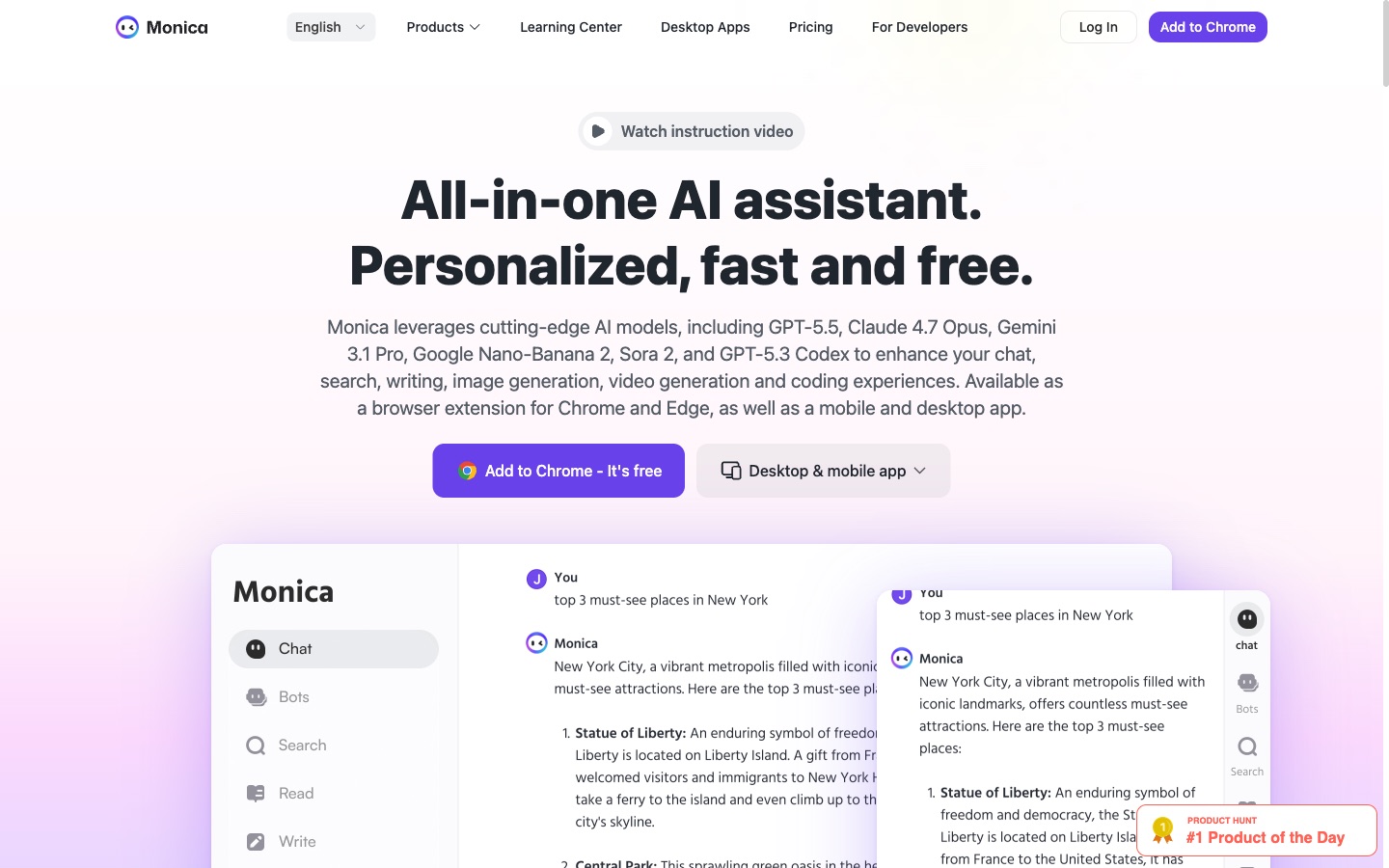 The official Monica homepage, photographed on September 15, 2026. Credit: Monica
What can Monica do?
The short answer: almost every text task you do in a browser, without leaving the page. According to the help center, these are the core capabilities, each paired with one practical business use:
- Chat with multiple models: choose a model from the menu and ask. For business: draft a reply to a client and request a second version from a different model.
- Multi-Model Answer Comparison: the same question, multiple models, answers side by side. For business: check which performs better in Hebrew before committing to a default model.
- Web page summarization: one click summarizes the article you have open. For business: skim five articles about a competitor in ten minutes.
- YouTube video summarization: a summary with timestamps for the key moments. For business: understand what was said in a one-hour webinar before deciding whether to watch it.
- File reading and chat (ChatPDF): upload a PDF and ask questions about it. For business: pull the terms and dates out of a lengthy proposal.
- Write: draft new content or a reply, with control over length, format, tone and language. For business: a follow-up email draft after a meeting.
- Smart Toolbar: select text on any website and get a translation, grammar check or expansion. For business: fix a paragraph in English before sending it to a supplier.
- Quick Compose: improve text with a single click inside form fields on websites. For business: a polite LinkedIn comment without copying anything to another window.
- Bilingual page translation: translates a page while keeping the original alongside the translation, and also translates PDFs. For business: read a foreign vendor's terms of service without losing the original wording.
- Search: an answer with sources from multiple sites. For business: a quick check on regulations or market prices, with links for verification.
- Memo: a personal knowledge base. According to the help center, YouTube, PDF and page summaries are saved automatically, and you can manually save other results and have a conversation with the whole collection. For business: gather research on a topic over the course of a week and query it at the end.
- Images and video: the pricing page lists Nano Banana 2, GPT Image 2, Sora 2 and Veo 3, alongside image tools such as background removal. For business: a quick visual for a post.
- AI Agents: Deep Research, presentation creation, Image Studio and Browser Operator, which performs actions in the browser. For business: a background report on a new market.
- Integrations: according to the pricing page, enhancements for Google Search, Gmail and Outlook, writing on X and Facebook, and integration with WhatsApp and Messenger.
How to get started: step by step
Six steps and fifteen minutes to your first summary that saves you real time.
- Install from the official source. Go to monica.im and click Add to Chrome, or search for Monica in the Chrome Web Store and confirm that the developer is Butterfly Effect Pte. Ltd. Impersonator extensions are a real risk, so do not install from a link someone sent you.
- Register and configure. Sign in to your account and choose a response language in settings. If you are evaluating the tool for work, use a personal account, because according to the pricing page the account is intended for personal use.
- Open the sidebar on a real page. Open a professional article you have been meaning to read, press Cmd+M or Ctrl+M, and choose summarize. Ask: "Summarize in Hebrew in five bullet points, and what does it mean for a small business in Israel."
- Summarize a video. Open a webinar on YouTube and activate the video summary. Jump to the timestamp of the most relevant point and check that the summary actually matches what was said.
- Write inside a text box. In a Gmail draft, select a paragraph and ask for a shorter, more professional version. Read it before you send, always.
- Compare models on one task. Send the same request in Hebrew using the multi-model comparison, and note which model produced the most natural Hebrew. That decision determines whether you will need a paid plan.
After the sixth step you have three things: a useful summary, an improved draft, and an informed decision about which model to work with. That is enough to know whether Monica fits into your routine.
Hebrew and RTL
The extension is offered in Hebrew, but the quality of Hebrew in the responses depends on the model, not on Monica. That is the key distinction: Monica is a wrapper, and the model you choose is the one doing the writing.
What is officially known:
- Interface: according to the Chrome Web Store extension page, the extension is offered in 54 languages, Hebrew among them.
- Help center and site: the help center is available in approximately 25 languages, and Hebrew is not among them. You will read the official documentation in English.
- Translation: according to the help center, translation supports "more than 30 major languages." The help page does not list them in full, so Hebrew as a target language is not explicitly mentioned there.
- Page translation engines: according to the pricing page, the free plan uses Google and Microsoft, while paid plans also include advanced models and DeepL.
What to test yourself (a ten-minute protocol):
- Summarize a Hebrew page: open an article from an Israeli news site and request a summary. Check names, numbers and dates against the source.
- Translate a page from English to Hebrew: check that the bilingual translation is aligned correctly, and that punctuation does not jump to the wrong side in lines that mix Hebrew and English.
- Write inside Gmail: request Hebrew text inside a text box, and check text direction and foreign words in the middle of a sentence.
- The same request across three models: in the multi-model comparison, which one writes Hebrew that sounds like a person and not like a translation.
- A PDF in Hebrew: upload a Hebrew document and ask a question whose answer appears on a specific page. Check that the citation is accurate.
From the field: the rule I give in workshops about every model-aggregator tool: "Don't judge the tool, judge the model." If the Hebrew came out awkward, before giving up on Monica switch models and run it again. The difference between a basic and an advanced model in Hebrew is very noticeable.
How Much It Costs: Every Plan from the Official Site
There is a free tier and three paid plans: Pro, Max, and Ultra. According to the pricing page (checked September 15, 2026), here is what they look like. Prices change, so check the official site.
| Plan | Price | What you get | Limitations |
|---|---|---|---|
| Free | $0 | 40 daily accesses to basic models, writing, translation, and summarization on basic models | Limited trial for images, video, ChatPDF, and agents. No advanced models. Up to 3 devices |
| Pro | $9.9/month, or $99/year ($8.3/month) | 5,000 basic queries and 200 advanced queries per month, 1,500 Advanced Credits | 200 advanced queries run out fast with daily use. Up to 5 devices |
| Max (formerly Unlimited) | $24.9/month. Annually $299/year, and at the time of review on sale at $199/year ($16.6/month) | Unlimited basic and advanced models, 4,500 Advanced Credits | According to the FAQ on the page, the plan is still in beta and the rules may change. Up to 5 devices |
| Ultra | $99.9/month, or $995/year ($82.9/month) | Same as Max, with 20,000 Advanced Credits | Designed for heavy use of agents, images, and video. Up to 10 devices |
What you are actually paying for. There are two currencies. The first is chat queries, divided into basic and advanced models. The second is Advanced Credits, used for the heavier features. According to the credits rules page: deep research costs 138 credits, creating a presentation costs 187, Browser Operator costs 150, and a Veo 3 video costs 1,600 credits per action. That means Pro's 1,500 credits are not even enough for a single Veo 3 video. According to the feature table on the pricing page, ChatPDF, image and video generation, and agents all consume Advanced Credits on paid plans, and on the free plan they are limited trials only.
Three more details worth knowing before you pay. Credits and monthly quotas reset on the 1st of each month at midnight UTC and do not carry over, and the free daily quota resets every day at midnight UTC. According to the help center FAQ, payments are final and non-refundable as a rule, except for a 14-day window in the EU, the UK, and Turkey. And a team subscription, according to that same page, has not launched yet.
The affordable plan that works for a small business in Israel. For a business owner who wants summaries, translation, and drafts: start free for a week and count how many times you hit the 40-query cap. If you hit it, Pro on an annual plan ($99 per year) is the next step. Max is only worth it for someone working with advanced models all day. And note: one account per person, not a shared account for the whole office.
Use Cases for Businesses in Israel
Monica's strength is working inside the page. Here are five scenarios where it saves real time, with public content or your own content only.
Business owner: Reads three industry articles every morning. Instead of reading everything, summarizes each article in five bullet points, saves to Memo, and at the end of the week asks the Memo "what are the three things that changed in the market this week." Half an hour a day becomes ten minutes.
Marketing: A content manager who needs a post from an hour-long YouTube webinar. She summarizes the video with timestamps, picks the strongest moment, and asks for three versions of a LinkedIn post in Hebrew. The image can be generated in the same place, and if precise branding matters to you, a dedicated tool is better.
Operations: A procurement manager receives a proposal from a foreign supplier as a PDF in English. He runs a bilingual translation to see the original phrasing, then asks the file "what are the payment terms, what are the delivery timelines, and what happens if there is a delay." Every answer is checked against the page in the document before a decision is made.
HR: A recruiter writing a job posting. She drafts one version, asks for a short version for Facebook and a professional version for LinkedIn, and runs a grammar check. What stays out: candidates' resumes, because those are other people's personal data.
Sales: A salesperson preparing for a meeting. He summarizes the prospective client's company website and recent articles about it, then asks for five opening questions for the conversation. After the meeting, a follow-up email draft inside Gmail. The CRM data stays in the CRM.
Monica vs. ChatGPT and Claude Directly, and vs. Sider: An Honest Comparison
Monica wins on convenience and variety; the native tools win on depth and control over your data. Sider is the closest competitor in concept.
| Monica | ChatGPT or Claude directly | Sider | |
|---|---|---|---|
| What it is | A sidebar that aggregates several model providers | The model provider's own application | A sidebar that aggregates several model providers |
| Models | GPT-5.5, Claude 4.6 Sonnet, Gemini 3.1 Pro, and more | Only the provider's own models, including their latest capabilities | According to the pricing page: GPT, Claude, Gemini, DeepSeek, and more |
| Entry price | Free, Pro from $9.9/month | Free and paid plans at each provider | According to the pricing page, Nano from $10/month |
| Working inside pages | Strong: summarization, translation, writing in any input box | Depends on the provider's extension or app | Strong, including a browser agent |
| Teams and organizations | According to the help center, a team subscription has not launched yet | Business and enterprise plans at the providers | According to the pricing page there are team plans |
| Data | Passes through Monica and from there to model providers | Directly with the provider, under its privacy settings | Passes through Sider and from there to the providers |
When to choose each one:
- Monica: You work mainly in the browser, want to try several models without three separate subscriptions, and your content is public or your own.
- ChatGPT or Claude directly: You have committed to one model, need its full capabilities, or work in a team that needs user management and enterprise privacy settings. I covered the differences between them in Claude vs. ChatGPT, and working with Claude inside the browser in the Claude for Chrome guide.
- Sider: Same need as Monica, so compare them over a week of real tasks. A small advantage for Israelis: Sider's pricing page is available in Hebrew as well.
And anyone who is mainly looking for answers with sources rather than a writing assistant is better served by a dedicated tool like Perplexity. And anyone who mainly translates documents should get to know DeepL, which Monica uses for page translation on paid plans.
I took a close look at the nearest alternative the same day, in the Sider guide: plans, credits, the Hand agent, and what the privacy policy actually says.
Privacy and Limitations
The short answer: what you enter leaves your hands and goes to external model providers. For public content that is fine; for sensitive information it is not. Here is what the official documents say.
Terms of Service (updated December 1, 2025):
- You authorize the company to share the content you provide with one or more external AI providers, and according to the wording, those AI services "may not be required to maintain confidentiality."
- The company receives a perpetual, irrevocable license to use your content in aggregated form to improve the service.
- The company does not claim ownership of what you enter or of the outputs.
- Minimum age 18, and the governing law is Singapore law.
Privacy Policy (updated June 14, 2024):
- Technical information is collected (IP address, device identifier, browser) as well as content you enter, upload, or leave as feedback, including for history purposes.
- Servers and databases are located in the United States.
- The company states that it does not collect information about the websites you visit, and that it does not sell data to third parties.
The extension's Chrome Store page: The developer's privacy disclosure states that the extension handles personally identifiable information, payment information, personal communications, and user activity, and that the data is not sold to third parties outside approved uses. An extension that summarizes pages must have access to the page content when you activate it, so it is worth thinking about which screens you have it open on.
Personal use only. According to the pricing page, Monica accounts are intended for personal use, and account sharing, multi-person use, or automated calls in volume may result in suspension.
What not to put into Monica:
- Identifying information about clients, patients, or employees.
- Screens from internal systems: CRM, payroll systems, client files, medical or legal systems. Do not activate the sidebar on those pages.
- Contracts, third-party proposals, and confidential documents.
- Passwords, credit card details, and access keys.
Honest limitations:
- The model determines quality. A basic model can miss nuances in Hebrew and in long documents.
- A summary is not a source. Summaries of pages and videos can omit or distort. Numbers and dates should be checked against the original.
- Model names are not consistent. The homepage mentions Claude 4.7 Opus, while the pricing page lists GPT-5.5, Claude 4.6 Sonnet, and Gemini 3.1 Pro as advanced models. Check the menu to see which model counts as advanced.
- Company stability. The data deletion incident in August 2026 affected, according to the help center, only certain regions and only after a backup window, but it is a good reminder: important knowledge should be saved outside the tool as well.
Common Mistakes
- Activating the sidebar on work systems. The extension sees the page it is activated on. CRM, payroll systems, and client files, no.
- Paying before a week of free use. 40 accesses per day is enough to know whether the tool fits your routine. Pay only after you have hit the cap.
- Thinking Pro gives you everything. 200 advanced queries per month and 1,500 credits is not much for someone working with powerful models every day, and it is not enough for a single Veo 3 video.
- Sharing an account at the office. According to the pricing page the account is personal, and sharing may lead to suspension.
- Trusting a summary without checking. A summary of an article or webinar is a starting point. Any quote, number, or date should be verified at the source.
- Saving important knowledge only in Memo. Anything that matters to the business should be backed up somewhere else as well, as users who were asked to back up their data in August 2026 learned.
Frequently Asked Questions
What is Monica?
An AI assistant that works as a Chrome and Edge extension, and also as a desktop and mobile app. It opens in a sidebar on any website (Cmd+M on Mac, Ctrl+M on Windows), and lets you query models from OpenAI, Anthropic, and Google under a single subscription, summarize pages, YouTube videos, and PDFs, and write and translate.
How much does Monica cost?
According to the pricing page (checked September 15, 2026): free with 40 daily accesses to basic models; Pro at $9.9 per month or $99 per year; Max at $24.9 per month; Ultra at $99.9 per month. Prices change, so check the official site.
What is the difference between a basic model and an advanced model in Monica?
Basic models are the lighter, cheaper ones (listed on the pricing page: Claude 4.5 Haiku, Gemini 3.1 Flash-Lite, GPT-5.4 mini). Advanced models are the more powerful ones (GPT-5.5, Claude 4.6 Sonnet, Gemini 3.1 Pro). Pro includes 200 advanced queries per month; Max and Ultra are unlimited.
What are Advanced Credits?
A separate currency for heavy features: agents, deep research, presentations, images, and video. According to the credits rules, deep research costs 138 credits and a Veo 3 video costs 1,600. Credits reset each month and do not roll over.
Does Monica work in Hebrew?
According to the Chrome Web Store, the extension is offered in 54 languages, Hebrew among them. The help center and the main site are not in Hebrew. Answer quality in Hebrew depends on the model you choose, so test it with a real task before paying.
Is it safe to use Monica at work?
For public content and drafts, yes. According to the terms of service, content you enter may be passed to external AI providers that are not necessarily bound by confidentiality, and the account is intended for personal use. Do not enter customer data, internal systems, or confidential documents.
Monica or ChatGPT directly?
Monica gives you access to multiple providers and lets you work inside any page. ChatGPT directly gives you the full depth of OpenAI's capabilities and team plans. If you mostly use one model and want that depth, the native tool is the better choice.
Monica or Sider?
Both extensions share the same concept: a sidebar with multiple models. According to their pricing pages, Monica's entry-level plan (Pro) starts at $9.9 per month, and Sider's (Nano) at $10. The real difference is in quotas and features, so compare them over a week of actual use.
The Bottom Line
Monica is a very convenient way to bring AI into the browser: summarize an article with one click, translate while keeping the original in view, draft text inside Gmail, and access three model providers without three separate subscriptions. For most small businesses, the free plan is enough to know within a week whether it fits into your workflow.
To return to where we started: the 40 free daily queries are not the interesting part. The interesting part is deciding what you actually point the sidebar at. For articles, webinars, and your own emails, Monica saves hours. For your work systems and client data, it is not the right place. And once you realize you are mostly working with one assistant, it is worth learning it deeply, for example in the ChatGPT course.
Want to practice this inside the page? The interactive Monica course for 9.90 ILS, part of the interactive AI courses series.
Further reading: Manus: The Guide · Perplexity: The Complete Guide · ChatGPT Work: The Guide · Claude for Chrome · DeepL: The Complete Guide
Sources
All pages were checked on September 15, 2026. Prices change, so verify on the official site.
- Monica official homepage: https://monica.im/ (product definition, platforms, models mentioned, displayed user count)
- Official pricing page: https://monica.im/pricing (Free, Pro, Max, and Ultra plans, monthly and annual prices, quotas, basic and advanced models, Advanced Credits, devices, translation engines, personal use only, Max formerly Unlimited)
- Help center, quick start: https://monica.im/help/ (Cmd+M and Ctrl+M shortcuts, chat, reading, search, writing, translation, toolbar, YouTube summary)
- Help center, Advanced Credits rules: https://monica.im/help/FAQs/rules_for_using_advanced_queries (cost of deep research, presentations, Browser Operator, video, monthly reset)
- Help center, FAQ: https://monica.im/help/FAQs/common_question (devices, quota reset at UTC, refund policy, team subscription not yet launched)
- Help center, Memo: https://monica.im/help/Features/Memo (what is saved and how to chat with the knowledge base)
- Help center, translation: https://monica.im/help/Features/Translate/ (bilingual translation, PDF, more than 30 languages)
- Help center, service change August 2026: https://monica.im/help/Data_Backup_and_Restoration_Information/am_i_affected (Butterfly Effect, Manus, data deletion in certain regions, timeline)
- Terms of service: https://monica.im/terms (sharing content with AI providers, license for service improvement, ownership of outputs, age 18, Singapore law)
- Privacy policy: https://monica.im/privacy (data collected, servers in the United States, no data selling)
- Extension page on Chrome Web Store: https://chromewebstore.google.com/detail/monica-chatgpt-ai-assista/ofpnmcalabcbjgholdjcjblkibolbppb (3,000,000 users, rating, 54 languages including Hebrew, privacy disclosure, developer)
- Sider pricing page: https://sider.ai/pricing (plans and prices for comparison)
Yaakov Tzedek, AI lecturer, consultant, and organizational AI implementer, and leader of the daily AI tip community. Join the WhatsApp group.
Frequently asked questions

Yaakov Tzedek
An Israeli AI lecturer, consultant and implementer who has supported 100+ organizations in AI implementation and lectured for 200+. Official content partner of Meta, Google, Canva and TikTok, featured on Israel's Channel 13.
More about Yaakov →