- What v0 is, how to turn a prompt or Figma file into a real React/Next.js app, connect Supabase, Neon and Stripe, deploy to Vercel, export to GitHub, all plans and credits explained, RTL, privacy, v0 vs Bolt vs Lovable.
According to Vercel's official announcement, v0's Design Mode lets you change text, colors, fonts and spacing directly on screen, with no prompt required and no credits consumed. Most users keep paying credits for edits they could make with a single click.
Five dollars of free credits, seven messages a day, and that is enough to get a landing page in real React code within fifteen minutes. That is not even the interesting part.
The interesting part is what v0 has become in 2026. The tool everyone knew as "a pretty component generator" describes itself today in the official documentation as an agent that builds real code, full applications, and agents. It connects a database with a click, reads a Figma file directly instead of guessing from a screenshot, runs terminal commands, and opens a Pull Request in your GitHub repo. Anyone who still thinks of it as "a button-styling tool" is missing the picture.
This guide was built from the pricing page, the official documentation, Vercel's AI policy, and the v0 changelog (all verified on September 14, 2026): what it is, what it can do, how credits are counted, what happens with Hebrew, what you can upload, and when Bolt or Lovable might actually be a better fit.
Update October 6, 2026: In the comparison table we updated Lovable's stack. New projects there have been built on TanStack Start with server-side rendering since May 13, 2026; only older projects still use Vite.
In short
| Question | Short answer |
|---|---|
| What is it? | A Vercel AI agent that turns a prompt, a Figma file, or a screenshot into a real React/Next.js application |
| What comes out? | React, Next.js, TypeScript, Tailwind CSS, shadcn/ui, with a server side running in App Router |
| What does it cost? | Free: 5 $ in credits per month and 7 messages per day. Plus: 30 $ per user. Business: 100 $. Enterprise: custom |
| Hebrew? | Prompts and responses in Hebrew work. RTL is not officially documented; you request it and test it |
| The differentiator | Direct Figma import, a GitHub branch per conversation, one-click deploy to Vercel, import of an existing repo |
| Who is it for? | Anyone building on Next.js and Vercel, designers working in Figma, teams with an existing repo |
What is v0?
v0 is an AI agent by Vercel that turns a text description into working code. You write "a landing page for a yoga studio with a pricing section and a contact form," and you get not an image or a mockup but real React components running in a live preview, with code you can open, edit, and download.
Definition: v0 is a tool by Vercel (the company behind Next.js) for generating interfaces and applications from prompts. According to the official documentation it is "an AI agent that helps anyone create real code, full applications, and agents," and its output is React, Next.js, TypeScript, Tailwind CSS, and shadcn/ui, with a server side running in Next.js App Router via Server Actions and API Routes.
The difference between v0 in 2024 and v0 in 2026 is the difference between a "generator" and an "agent." According to the changelog, in May 2026 terminal command execution was added in a sandboxed environment with permissions; in June, GitHub repo import via the API was added; in July, Figma import was switched from screenshot-based guessing to direct file reading; and in September, the branching and deployment workflow was unified with preview deployments and Pull Request management. This is no longer a tool that produces a component and stops; it is a tool that maintains a project.
What sets it apart from every competitor is who stands behind it. Vercel runs Next.js, the deployment service, and the Marketplace, so v0 does not need to "export" anywhere: the project is born inside the same infrastructure it will be deployed on.
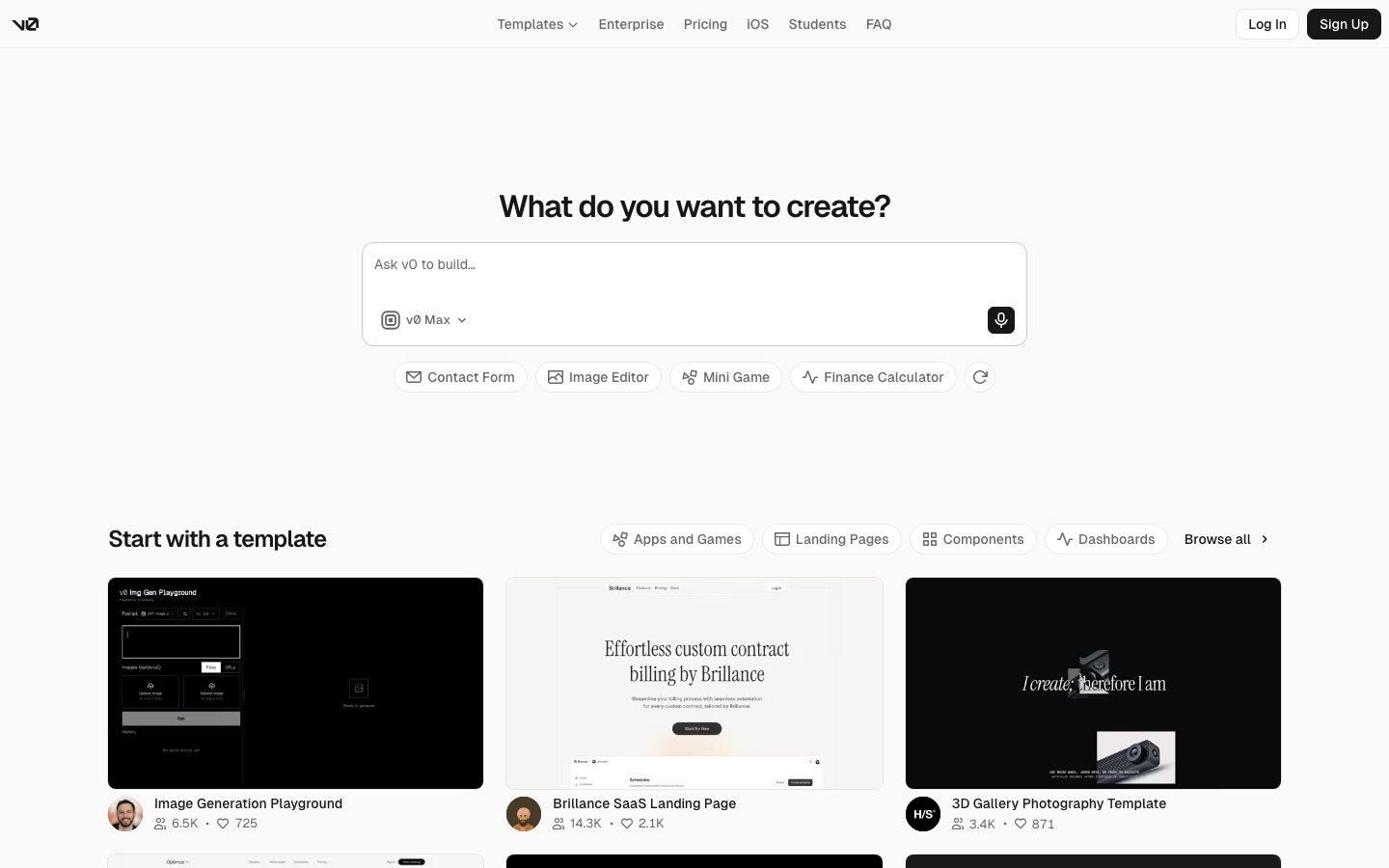 The official v0 website, photographed in September 2026. Credit: v0
What can v0 do?
The official list is longer than "a pretty interface from text," and every capability here comes from the documentation and the changelog. One business use case is listed alongside each.
- Prompt to interface and application. Write in natural language, get React components with Tailwind and shadcn/ui, and refine in conversation. Use case: a landing page for a campaign the marketing department needs by tomorrow.
- Full-stack applications. According to the documentation, v0 connects a server side and a database and builds "rich data-driven applications," not just a visual layer. Use case: an event registration form that writes rows to a real database.
- Figma import. Paste a link to a file or a frame, and v0 reads the variables and styles, the auto layout, the exact text, exports icons and logos, and uses component names to maintain consistency. Available on paid plans only. Use case: the designer hands off a screen and the developer gets code the same day.
- Build from a screenshot or mockup. There is a dedicated documentation page for building from uploaded images. Use case: "make me something like this competitor's page, in our colors."
- Design Mode. Visual editing of font, size, color, spacing, borders, and shadow, directly on screen. According to the official announcement, without consuming credits. Use case: the marketing manager fixes a headline herself without opening an AI conversation.
- One-click integrations. According to the databases page: Neon, Supabase, Upstash, Vercel Blob, and Snowflake. The connection creates an account with the provider and injects environment variables into the project, and you can generate and run SQL from the conversation. According to the Vercel changelog, Stripe is also available in v0 at general availability, and a Shopify integration was added in July 2026. Use case: a small store with real payment processing, no manual API key copying.
- GitHub as the source of truth. A connected repo becomes "the source of truth for the code": every conversation works from a base branch, creates a working branch, commits and pushes automatically, opens a Pull Request, and merges. You can also import an existing repo. Use case: a development team that keeps v0 inside its normal code workflow.
- Deploy to Vercel. Working branches get a preview deployment with its own URL, and "publish" updates production. Your own domain is managed from the project menu. Use case: a preview link sent to a client before the change goes live.
- Agent capabilities. According to the documentation: web search, browser automation, error fixing, and terminal commands. Use case: "fix the build error" instead of copying logs.
- Export and ownership. According to the FAQ, you can export the code for local development, and "Vercel does not own the generated code." Use case: continue in Claude Code or Cursor without asking anyone.
- Models. According to the changelog, Claude Opus 5 has been available since July 2026 and GPT-5.6 Sol since August. Plus plans and above have access to all models.
- iOS app and MCP server. You can continue a conversation from your phone, and v0's MCP server allows an external agent (such as Claude) to create conversations and read previews.
How to get started: step by step
From zero to a page running at a real URL, in six steps, on the free plan. The process is based on the official getting-started guide and the GitHub and deployment documentation.
- Sign up at v0.app with a Google or GitHub account, no credit card required. The free plan gives you 5 dollars in credits and 7 messages per day, so plan those seven messages for day one in advance.
- Write one complete prompt, not seven short ones. "A landing page in Hebrew, RTL direction, for a yoga studio in Haifa: a headline, three benefits, a three-column pricing table, a form with name and phone number, a footer. Clean style, Heebo font, dark blue as the primary color." Every message costs credits and counts as one of your seven.
- Fix things in Design Mode, not in the conversation. Headline too large, button color, spacing between sections: click the element and change it. According to the official announcement, this does not consume credits, and on the free plan that is the difference between a productive day and a wasted one.
- Connect a database only if you need one. From the project menu, settings, integrations: Supabase or Neon with a click. v0 sets up the account and injects the environment variables. For a leads form that is enough; the Supabase guide explains what happens on the other side.
- Connect a GitHub repo. v0 creates a private repo and pushes the code. From here every change is a branch, a commit, and a Pull Request, and you can continue working on the same code in any other tool.
- Publish. On the first publish you confirm a project name, visibility, and domain, and you get a Vercel URL. Working branches get a separate preview deployment, so you send the client a preview link before merging.
Anyone who wants to practice these six steps interactively, with exercises and a certificate, will find that in the interactive v0 course for 9.90 ILS, part of the interactive AI courses series.
Hebrew and RTL
Hebrew in prompts and content works. RTL direction is not officially guaranteed, so you request it explicitly and test it. This is the section that justifies the existence of a Hebrew-language guide.
What the documentation says. According to the official FAQ, "you can write prompts in your preferred language and v0 will respond in the same language." That means a conversation in Hebrew and Hebrew content inside the interface are a supported state. On RTL, Hebrew fonts, or right-to-left languages there is no mention in the documentation, so we write: not officially documented.
What actually happens, and what to test. Tailwind and shadcn/ui can handle RTL when dir="rtl" is set at the document level, but the model needs to know that is what you want. After every major generation, go through this checklist:
- Document direction: Did the
htmlelement getdir="rtl"andlang="he", or is the text just right-aligned and everything looks "almost right." - Menu and navigation: Logo on the right, menu items running right to left, the hamburger button on the correct side on mobile.
- Directional icons: Do "next" and "back" arrows flip? Without an explicit request, usually not.
- Forms: Label above a field aligned to the right, phone and number fields staying LTR inside an RTL line, error messages in Hebrew.
- Tables and pricing grids: First column on the right, consistent number alignment.
- Spacing and borders: Spacing written as
mlandmrinstead ofmsandme"sticks" to the wrong side in RTL. Ask v0 to use logical properties. - Font: Request a Hebrew font from Google Fonts (Heebo, Assistant, Rubik) in the first prompt, otherwise you get a fallback that looks like a government form.
The prompt that prevents most of the corrections: "The site is in Hebrew, full RTL direction (dir="rtl" and lang="he" on the html element), Heebo font, spacing with logical properties (ms/me/ps/pe), directional arrow icons adapted to the layout direction, phone and number fields in LTR." For a broader look at working correctly in Hebrew with AI tools in general, including the RTL checks we run on every project, see the Hebrew and RTL guide.
How much it costs: all plans from the official site
The free tier is a sandbox; real work starts at Plus, $30 per user per month. The table below is taken from the official pricing page and the pricing documentation page, accurate as of September 14, 2026.
| Plan | Monthly price | Included credits | What you get | Limits |
|---|---|---|---|---|
| Free | $0 | $5/month | Publish to Vercel, design mode, sync to GitHub | Up to 7 messages per day |
| Plus | $30/user | $30/user/month, plus $2/day on login | All models, additional credit purchases, shared team credit pool, conversation sharing, consolidated billing on vercel.com | Credits consumed by tokens and model |
| Business | $100/user | $30/user/month | Everything in Plus, plus opt-out of model training by default | Same as above |
| Enterprise | Contact sales | Custom | Your data is never used for training, SAML SSO, role-based access control, priority with no queues, support SLA | Per contract |
Note: the old Premium plan ($20/month with $20 in credits) is, according to the documentation, being wound down and is no longer available to new users. Prices change, so check the official site.
What you actually pay for. According to the pricing documentation, credits are a prepaid balance that every generation draws from. The unit is tokens: the prompt and any files you attached are input, what v0 writes is output, and "the number of tokens per credit depends on the model." A long conversation with Opus on a full application burns far more than a short prompt with a fast model. When the balance runs out, generation stops. Unused monthly credits roll over to the next month and expire after 65 days; separately purchased credits expire after one year and require an active subscription to use. On team plans, once a personal allocation runs out, it draws from the shared pool.
The cheapest plan that works for a small business: start on the free tier for a week to get a feel for the tool and build one landing page. Once there is a real project, Plus for one user ($30) is the right choice: it unlocks Figma import, all models, and credit purchases. Business ($100) only enters the picture when the training opt-out is a client or organizational requirement, not because of features.
Use cases for businesses
Five scenarios by role, all hypothetical, all achievable on a single Plus subscription.
Business owner: a four-page branding site for a clinic or office, in Hebrew with RTL, including a lead form that writes to Supabase and sends an email. Build it in one evening, publish it on your own domain via Vercel, and stop paying a website builder for every headline change because you fix headlines yourself in design mode.
Marketing: a dedicated landing page for each campaign instead of one page for everything. Each page lives in its own branch, with a preview link you send to the manager for approval before merging. Pairing this with an AI agent for marketing that generates the copy closes the loop.
Operations: an internal dashboard that reads from Neon or Snowflake and displays open orders, inventory, and tasks. v0 generates and runs the SQL from within the conversation, and "who sees what" is added via Auth.js or Clerk from the Marketplace. For an internal tool with built-in permissions, it is worth comparing against Base44 as well.
HR: an employee onboarding form or annual feedback survey, in Hebrew, with fields tailored to the organization, saved to a database and exportable to Excel. You can attach the existing Word questionnaire directly to the conversation (according to the changelog, from June 2026), and v0 builds the form from it.
Sales: a quote calculator the client fills out themselves, with Stripe for a deposit payment. Stripe connects from the Marketplace with keys injected automatically, and you move from the test environment to production without copying keys. For a full store managed externally, there is also a Shopify integration.
v0 vs. Bolt and Lovable: an honest comparison
All three build an application from a prompt; the difference is where the code lives and who owns the backend. The table is based on v0's documentation, Vercel's official comparison page against Lovable, and our guides to Bolt and Lovable.
| v0 | Bolt | Lovable | |
|---|---|---|---|
| Behind it | Vercel | StackBlitz | Lovable |
| Default stack | React, Next.js, TypeScript, Tailwind, shadcn/ui | Full application running in the browser (WebContainers) | React, TanStack Start (from May 13, 2026; Vite in older projects), TypeScript, Tailwind, shadcn/ui |
| Backend | Next.js App Router, integrations with Supabase, Neon, Upstash, Blob, Snowflake, Stripe | Your choice, Supabase common | Supabase by default, or Lovable Cloud |
| GitHub | A branch per conversation, PR to main, import existing repo | Sync | Two-way sync and ZIP export, no existing repo import (per Vercel) |
| Publishing | One click to Vercel with PR previews | Netlify and others | Lovable Cloud, exportable |
| Figma import | Direct file read (paid) | Not a focus | Not a focus |
| Pricing model | Dollar credits by tokens and model | Tokens | Credits by messages |
| Free tier | $5 in credits, 7 messages/day | Daily and monthly token quota | Message quota |
When to choose v0: when the target is Next.js on Vercel, when you have a Figma file that needs to become code, when you want to work on an existing repo, or when designers on the team want to fix things themselves in design mode.
When to choose Bolt: when you want to see a full application running in the browser within minutes without thinking about infrastructure, and you want to test an idea before committing to a stack.
When to choose Lovable: when you want Supabase from day one (auth, database, storage) and a wide integration catalog, and you care less about which infrastructure it runs on. In the Lovable to Claude Code guide, we showed what happens after export.
And what about Replit? It belongs to the same family, with an emphasis on an agent that plans and tests on its own and a full cloud runtime environment. The practical recommendation is the same for all of them: pick one spec, build it in two tools on the same day, and within an hour you will know which one speaks to you.
For a marketing site that mainly needs design, content management (CMS), and SEO rather than code, it is worth reading the complete guide to Framer as well. And when you continue v0's output in Claude Code or Cursor, the UI UX Pro Max Design Skill helps maintain a consistent design system and avoid the generic look that plagues AI-generated interfaces.
Privacy and limitations
Your data passes through Vercel's cloud, and training opt-out depends on your plan. Real customer data should not be uploaded to any plan. This section draws on the pricing page, the v0 security page, and Vercel's AI policy.
Model training, by plan. The pricing page states that Business includes "opt-out of training by default," and Enterprise means "your data is never used for training." Vercel's AI policy adds that users on free plans can opt themselves out via Team Settings, and that Enterprise customers are excluded from training in all cases. The takeaway for anyone on Free or Plus: go into settings and turn it off. Do not assume it is already off.
What Vercel declares on security. According to the security page, v0 is included in Vercel's SOC 2 Type 2 certification covering security, confidentiality, and availability, and complies with GDPR. Server-side environment variables stay in Vercel's vault, and only variables prefixed with NEXT_PUBLIC_ are exposed to the browser. Functions run in isolated sandboxes. Enterprise customers get separate processing infrastructure and "private workspaces" for sensitive projects.
What not to upload, on any plan: real client files (lists, contracts, case files), API keys inside the prompt (use environment variables instead), and internal documents you would not send to an outside vendor. Building a form does not require real data, it requires structure. Anyone who must work with a real document removes identifying details first, using a tool like Balmas AI.
Honest limitations, as of September 2026:
- Seven messages per day on the free tier is very little for an application. That plan is for getting acquainted, not for working.
- Credits priced by tokens and model make costs hard to predict. A project that starts at $30 may require a mid-month credit purchase.
- Figma import is paid only, and even then it is subject to the read limits of your Figma account, not of v0.
- RTL is not documented. It works when you ask for it, breaks when you forget, and there is nobody to file a complaint with when "it doesn't match the docs."
- Generated code is not tested code. The documentation itself says you are responsible for evaluating whether the output is appropriate. An application handling payments or user data needs a review by someone who reads code, or by an agent like Claude Code with testing instructions.
- Vendor lock-in to Vercel. Publishing, the vault, and the integrations all live there. Your code is exportable, but the most convenient workflow is inside the ecosystem.
Common mistakes
- Seven messages spent on "move this left." On the free tier every minor tweak in the conversation is one-seventh of your day. Spacing, color, and text are fixed in design mode, for free.
- A first prompt without Hebrew and RTL. Fixing text direction after ten screens have been built is a headache. Ask for it in the very first message.
- Building without a repo. Without GitHub connected there are no branches, no PRs, and no clean way to continue in another tool. Connect it on day one.
- API keys inside the prompt. Environment variables are stored in Vercel's vault. Text in the conversation is not.
- Expecting a complete application in one message. Ask for one screen, approve it, then continue. Both the agent and your credits prefer small steps.
- Choosing a plan before measuring. The Usage dashboard has been open to everyone since August 2026. Watch your credit consumption for two weeks, then decide between Plus and Business.
Frequently Asked Questions
What is v0?
v0 is Vercel's agent for building code and applications: you describe what you want, paste in a Figma link or a screenshot, and you get a React/Next.js application with Tailwind and shadcn/ui, including server-side logic, a database, and deployment to Vercel. According to the official documentation, the code that is generated belongs to you.
Is v0 free?
Yes, there is a free tier: according to the pricing page (checked September 14, 2026) it includes $5 of credits per month, up to 7 messages per day, deployment to Vercel, Design Mode, and GitHub sync. That is enough for a first landing page, but not for a full application.
How much does v0 cost?
According to the official pricing page: Plus is $30 per user per month with $30 in credits plus $2 per day on sign-in; Business is $100 per user with data excluded from training by default; Enterprise is custom-priced. The old Premium plan ($20) is closed to new users. Prices change, so check the site directly.
What is a credit in v0?
A dollar balance that each generation draws down based on tokens: the prompt and any files you upload are input, what v0 writes is output, and each model is priced differently. When the balance runs out, generation stops. Unused monthly credits roll over to the next month and expire after 65 days.
Can you build a Hebrew-language app in v0?
Yes. According to the documentation, v0 responds in the language you used to write the prompt. RTL support is not officially documented, so you should explicitly request a Hebrew interface with right-to-left direction and a Hebrew font in your first prompt, and check menus, forms, and tables after every major change.
v0 or Bolt or Lovable?
v0 is strongest when the target is Next.js on Vercel, when you have a Figma design, or when you need to work on an existing GitHub repo. Bolt builds a full application that runs directly in the browser. Lovable comes with Supabase as the default and a wide integration catalog. Try two of them on the same spec.
Does v0 use my prompts for training?
According to the pricing page, in the Business tier, exclusion from training is the default, and in Enterprise, data is never used for training. In the free and Plus tiers, Vercel's AI policy allows you to opt yourself out through team settings. Either way, never upload real customer data.
The Bottom Line
Five dollars and half an hour are enough to see a Hebrew landing page running on a real URL, but that is not what v0 is selling in 2026. What it sells is a workflow: Figma read directly, a database connected in one click, a GitHub branch per conversation, and deployment to Vercel with a preview before every merge. Anyone who builds on Next.js and lives in Vercel will find the shortest path here from idea to code someone else can pick up and continue.
It is not perfect: seven messages a day on the free tier, credits that are hard to predict, RTL that you have to ask for, and output that needs someone to review it before you wire in payments. But in its category, "from design to code that lives in your repo," there is no tool today that closes the loop more smoothly.
The practical recommendation: one complete prompt in Hebrew with RTL, Design Mode for fixes, a repo from day one, and two weeks on the usage dashboard before you pick a plan. Then run the same spec in Bolt too, because a comparison on a real project is worth more than any table. Want to practice all of this inside a guided page? The interactive v0 course for 9.90 ILS. For an organization that wants to bring the "designer, v0, code agent" workflow to an entire team, our AI workshops are built around exactly that.
Sources
All facts in this guide were taken from the following official pages, checked September 14, 2026:
- v0 pricing page: https://v0.app/pricing
- Pricing and credits documentation: https://v0.app/docs/pricing
- Documentation home page (what is v0, the stack): https://v0.app/docs
- Official FAQ (languages, code ownership, export, iOS app): https://v0.app/docs/faqs
- Figma import: https://v0.app/docs/figma
- Databases and integrations: https://v0.app/docs/databases
- GitHub integration: https://v0.app/docs/github
- Design Mode: https://v0.app/docs/design-mode
- Design Mode announcement (no credits): https://community.vercel.com/t/introducing-design-mode-on-v0/13225
- Deployment and publishing: https://v0.app/docs/deployments
- Security and privacy: https://v0.app/docs/security
- Vercel AI policy (model training and opt-out): https://v0.app/policy
- v0 changelog (models, Figma, GitHub, Shopify, usage dashboard): https://v0.app/changelog
- Stripe general availability on v0: https://vercel.com/changelog/stripe-is-now-generally-available-on-the-marketplace-and-v0
- Vercel's official comparison, v0 vs. Lovable: https://vercel.com/i/v0-vs-lovable
Frequently asked questions

Yaakov Tzedek
An Israeli AI lecturer, consultant and implementer who has supported 100+ organizations in AI implementation and lectured for 200+. Official content partner of Meta, Google, Canva and TikTok, featured on Israel's Channel 13.
More about Yaakov →