

Supabase has become one of the leading backend platforms for building digital products in 2026: an open-source Firebase alternative that provides a database, authentication, storage and Edge Functions in one managed service. This guide explains what it offers, what it costs, and how it differs from Firebase.
Correction (October 2026): Base44 is not built on Supabase. According to its official documentation, it uses its own NoSQL, MongoDB-compatible database. Lovable does rely on Supabase, through Lovable Cloud or by connecting to your own project.
Supabase at a glance: the quick answers
If you are here to decide whether Supabase fits your project, these are the five answers most people look for:
| Question | Short answer |
|---|---|
| What is Supabase? | An open-source backend platform on PostgreSQL: database, auth, storage and API in one service, with no servers to manage. |
| Is it free? | Yes, a real free plan: a 500 MB database and 50,000 monthly active users. A free project is paused after a week of inactivity, which is worth knowing up front. |
| Supabase or Firebase? | Supabase if you need SQL, complex queries, open source and self-hosting. Firebase if you are comfortable with NoSQL and the Google ecosystem. |
| What does production cost? | The Pro plan from $25 per month: 8 GB of disk per project, 100,000 MAU and backups, with no automatic pausing. |
| Do I need to code? | Not necessarily. Supabase is the backend behind vibe-coding tools like Lovable, so people who build without code often rely on it already. |
Bottom line: if you are building a real digital product and want a database you truly own, Supabase is probably the right starting point in 2026. The details follow.
What is Supabase, exactly?
What is Supabase? Supabase is an open-source Backend-as-a-Service platform built on the PostgreSQL relational database. It gives you a real database, sign-up and login, file storage and a ready-made API, without managing servers or writing infrastructure from scratch.
Unlike Firebase, which is built on a proprietary NoSQL database, Supabase keeps your data in a real relational database you can query with SQL. You own the data, and you can always run the whole system on your own server (self-hosting).
Supabase is released under the Apache 2.0 license and combines mature open-source components: PostgreSQL as the database, PostgREST for the API, Supabase Auth (originally based on GoTrue) for authentication, and Realtime and Storage layers. In 2026 the company positions itself not just as a "Firebase alternative" but as "the Postgres development platform."
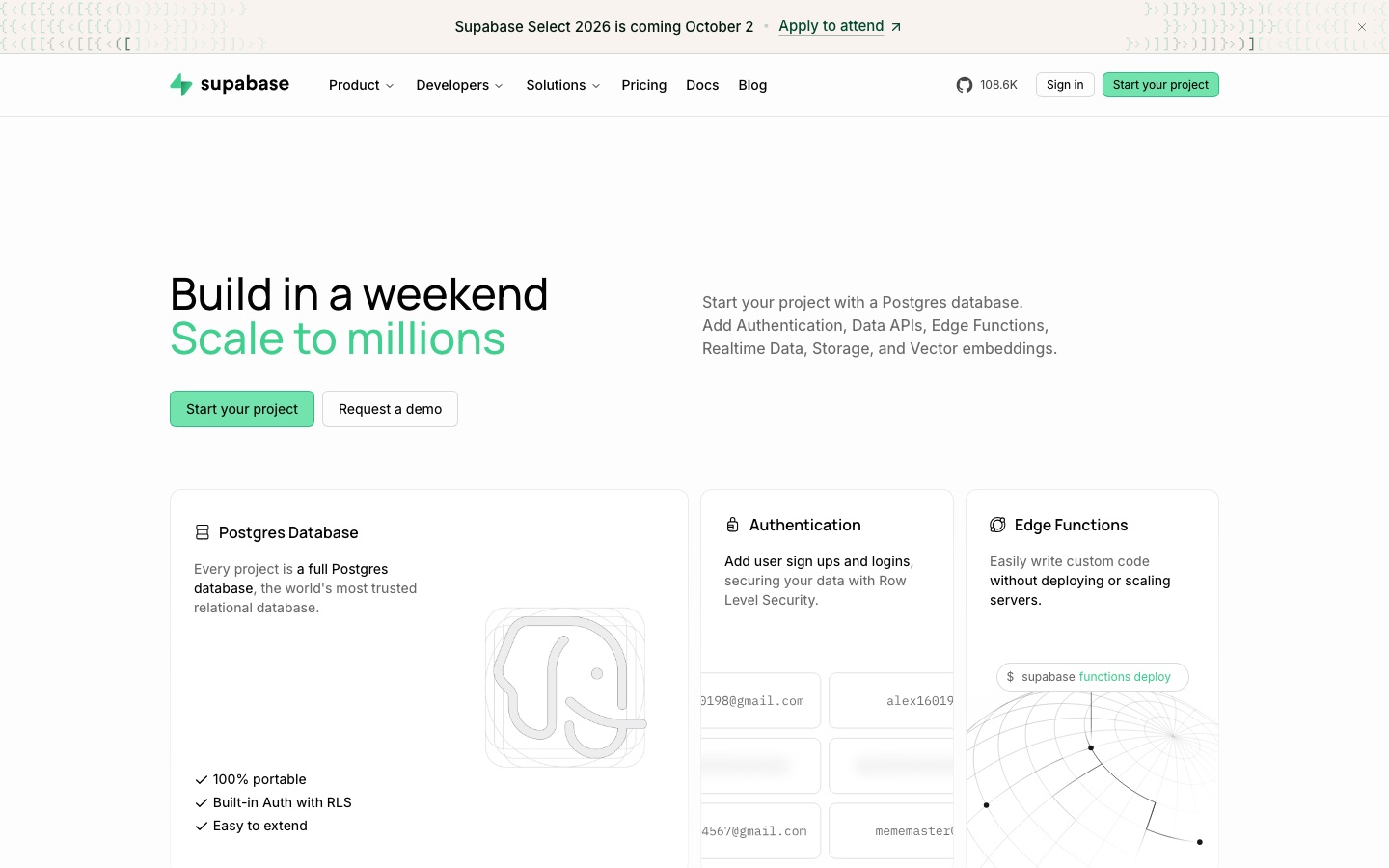 The official Supabase website, captured in September 2026. Credit: Supabase
What does Supabase give you? The building blocks
Supabase provides a full backend kit in one service: database, authentication, storage, server-side functions, realtime updates and vector search for AI. Every project gets all of these by default.
- Managed PostgreSQL database: with auto-generated REST and GraphQL APIs and dozens of Postgres extensions available.
- User authentication (Auth): built-in sign-up and login with many social providers (Google, Apple, GitHub and more) and passwordless options.
- File storage (Storage): S3-compatible object storage served through a global CDN.
- Server-side functions (Edge Functions): globally distributed server code, based on Deno, for running business logic.
- Realtime: listen to database changes and broadcast them instantly to clients over WebSockets.
- Vector search (pgvector): store embeddings next to your regular data in the same database, essential for AI apps.
Database-level security: Row Level Security
One of Supabase's standout strengths is Row Level Security (RLS): access control defined in the database layer itself, not only in the application layer. Each user sees and edits only the data that belongs to them, even if someone bypasses your client-side code.
Supabase vs Firebase: what is the difference and which to choose?
The core difference is the database type: Supabase is built on relational PostgreSQL with full SQL, while Firebase is built on Firestore, a NoSQL document database. Supabase is open and self-hostable; Firebase is closed and managed only.
| Parameter | Supabase | Firebase |
|---|---|---|
| Database | Relational PostgreSQL (SQL) | Firestore, NoSQL documents |
| Open source | Yes (Apache 2.0) | No, closed source |
| Self-hosting | Yes, on your own server | Not available |
| Complex queries | JOINs, full-text search, JSONB | Limited, requires denormalization |
| Vendor lock-in | Low, Postgres is portable | High |
| Cost at scale | Often lower, depending on workload | Often higher at scale |
The choice depends on your needs: if you want full control, SQL, complex queries and the ability to run everything yourself, Supabase is the strong pick. According to the 2025 Stack Overflow Developer Survey, PostgreSQL is now the most popular database, used by about 55.6% of respondents.
How much does Supabase cost? 2026 pricing
Supabase offers four plans: Free ($0), Pro (from $25 per month), Team (from $599 per month) and Enterprise with custom pricing. Self-hosting the open-source version is free.
| Plan | Price | Best for | Main inclusions |
|---|---|---|---|
| Free | $0 | Learning, MVPs, personal projects | 500 MB database, 50,000 MAU, 2 active projects, unlimited API requests |
| Pro | From $25 / month | Production apps | 8 GB disk per project, 100,000 MAU, backups, usage-based billing beyond the quota |
| Team | From $599 / month | Growing companies | SOC 2 and ISO 27001, SSO for the dashboard, HIPAA as a paid add-on, priority support |
| Enterprise | Custom | Large organizations | Dedicated SLA, private networking, custom data residency |
An important note about the free plan
The free plan is generous, but it has one major catch: free projects that receive no activity for a week are paused automatically. Your data is kept, but the project goes offline until you restore it manually, which makes the free plan a poor fit for a live app that must run 24/7.
On real costs: most small and mid-sized SaaS products stay on the Pro plan and pay usage charges only once they exceed its quotas (for example, extra MAU or disk). Compute is billed per project, so every additional project adds to the monthly bill. Model your expected usage on the official pricing page before you launch.
What can you build with Supabase?
Supabase fits any app that needs a backend: SaaS products, mobile apps, member portals, realtime chat, personal dashboards, and AI apps that rely on vector search.
- SaaS products: managing users, subscriptions and complex data with SQL.
- Apps with a personal area: built-in sign-up, login and permissions from day one.
- Realtime features: chat, collaborative boards, live notifications.
- AI apps: embeddings and semantic search in the same database, a common foundation for AI agents and automations. See our guide to building an AI agent with Claude.
- Mobile apps: one backend serving iOS, Android and the web.
Why it matters even if you do not code
Supabase is the backend behind many AI app builders ("vibe coding" tools). When you build an app in Lovable, or with Claude Code, there is a good chance the data, sign-up and storage sit on Supabase under the hood. Base44, by contrast, uses its own NoSQL, MongoDB-compatible database.
In practice, a founder or creator with no coding background can launch a real app with users, a database and permissions without setting up servers. The AI tools generate the code, and Supabase provides the infrastructure behind it. That is why understanding Supabase basics has become a useful skill even for people who do not call themselves developers. Building with other AI coding tools? See our guides to Bolt and Cursor.
A bonus for anyone working with AI tools: Supabase has an official MCP server that lets AI assistants like Claude read your database schema and work with it directly in a conversation. For other servers worth connecting, see the best MCP servers.
How do you get started with Supabase?
Start free on the Supabase website: create a project, get a ready PostgreSQL database, and connect it to your app through the auto-generated API. You can also work locally with the CLI.
- Sign up at supabase.com and create a new project (free).
- Define your database tables, in the visual editor or in SQL.
- Enable Row Level Security and set access policies.
- Connect your app using the project's API keys.
For developers who prefer to work locally, the CLI runs a full development environment on your machine (it needs a container runtime such as Docker Desktop). The official docs recommend adding the CLI to your project as a dev dependency rather than a global npm install, or installing it with Homebrew:
npm install supabase --save-dev
npx supabase init
npx supabase start
On macOS or Linux, brew install supabase/tap/supabase gives you a global supabase command instead.
Another developer perk: Supabase generates TypeScript types automatically from your database schema, so every table and column gets a full type with no manual maintenance.
Frequently asked questions about Supabase
Is Supabase really free?
Yes. The free plan costs $0 and includes a 500 MB database, 50,000 monthly active users (MAU), unlimited API requests and up to two active projects. The main drawback: free projects are paused automatically after a week of inactivity.
Is Supabase suitable for production apps?
Yes. For a live app, move to the Pro plan from $25 per month, which includes 8 GB of disk per project, 100,000 MAU and backups, and avoids the free plan's automatic pausing.
Supabase or Firebase: which should I choose?
Choose Supabase if you need SQL, complex queries, open source and self-hosting. Choose Firebase if you are comfortable with a NoSQL document model and the Google ecosystem. At scale Supabase is often cheaper, but compare against your own workload.
Do I need to know how to code to use Supabase?
Not necessarily. Supabase is the backend behind AI app builders like Lovable, so founders and creators without a coding background can ship real apps.
Can I run Supabase on my own server?
Yes. Because it is open source, you can run the entire Supabase stack on your own infrastructure with no license fee, an advantage for organizations that need full control over their data or must meet regulatory requirements.
Bottom line
Supabase has become one of the leading backend platforms of 2026, thanks to its mix of open source, a reliable PostgreSQL database, an excellent developer experience and predictable pricing. Whether you are an experienced developer or building your first app with AI tools, it gives you full infrastructure that grows with you, from a free MVP to a production system.
Want to build apps with AI tools the structured way? Browse my courses, and if you are bringing AI into your business and need professional guidance, my AI consulting and AI implementation services are built for exactly that.
Frequently asked questions
Is Supabase really free?
Yes. The free plan costs $0 and includes a 500 MB database, 50,000 monthly active users (MAU), unlimited API requests and up to 2 active projects. The main catch: free projects are paused automatically after one week of inactivity.
Is Supabase suitable for production apps?
Yes. For a live app, the Pro plan from $25 per month is recommended: it includes 8 GB of disk per project, 100,000 MAU and backups, and projects are never paused for inactivity.
Supabase or Firebase, which should I choose?
Choose Supabase if you need SQL, complex queries, open source and the option to self-host. Choose Firebase if you are comfortable with a NoSQL document model and the Google ecosystem. At scale, Supabase is often the cheaper option, but compare against your own workload.
Do I need to know how to code to use Supabase?
Not necessarily. Supabase is the backend behind AI app builders such as Lovable (through Lovable Cloud or a direct connection), so founders and creators without a coding background can ship real apps. Knowing SQL gives you more control, but it is not a requirement.
Can I run Supabase on my own server?
Yes. Because it is open source, you can run the entire Supabase stack on your own infrastructure with no license fee. That is an advantage for organizations that need full control over their data or must meet regulatory requirements.