

Cursor is an AI-powered code editor (IDE) built on VS Code, with an AI layer that writes, completes and fixes code and even runs autonomous coding agents inside the editor. Instead of writing every line by hand, you describe what you want in plain language ("add a button that exports the table to CSV"), and the AI edits the files directly, shows you the changes for approval, and can even run your tests. As of November 2026 it is one of the two dominant tools in AI coding, alongside Anthropic's Claude Code.
This guide covers what Cursor can do today (including its agent mode), what is actually free and what costs money under the plans introduced in October 2026, the 2025 pricing story worth knowing, how it compares with Claude Code, Windsurf (now Devin Desktop) and GitHub Copilot, how well it handles non-English prompts and RTL text, and how to get started step by step.
Cursor at a glance: the quick answer (November 2026)
Cursor is the most popular AI code editor in the world: a development environment built on VS Code, where AI writes, completes and fixes code with you in real time. If you do not have time for the whole guide, here is what matters before you start:
| Question | Short answer |
|---|---|
| What is Cursor? | A code editor (IDE) with AI built into every layer: completions, natural-language edits and agents |
| Is Cursor free? | There is a free plan with limited usage; paid plans start at $8/month (Plus) and $30/month (Premium) |
| Who is it for? | Developers and coding learners who like to see and edit the code |
| Cursor or Claude Code? | Cursor for visual, interactive editing; Claude Code for end-to-end automated tasks. Many use both |
| Can I prompt it in other languages? | Yes. Describe what you want in your own language and it understands well (the code itself is written in English) |
| Who owns it? | Anysphere, which became part of SpaceX when the acquisition closed in August 2026 |
The bottom line: if you write code and want AI sitting exactly where you type, with a view of the whole project, Cursor is the natural choice. If you want to build a complete app in natural language without touching code, consider Lovable, Bolt or Base44 first, or the agent approach of Claude Code.
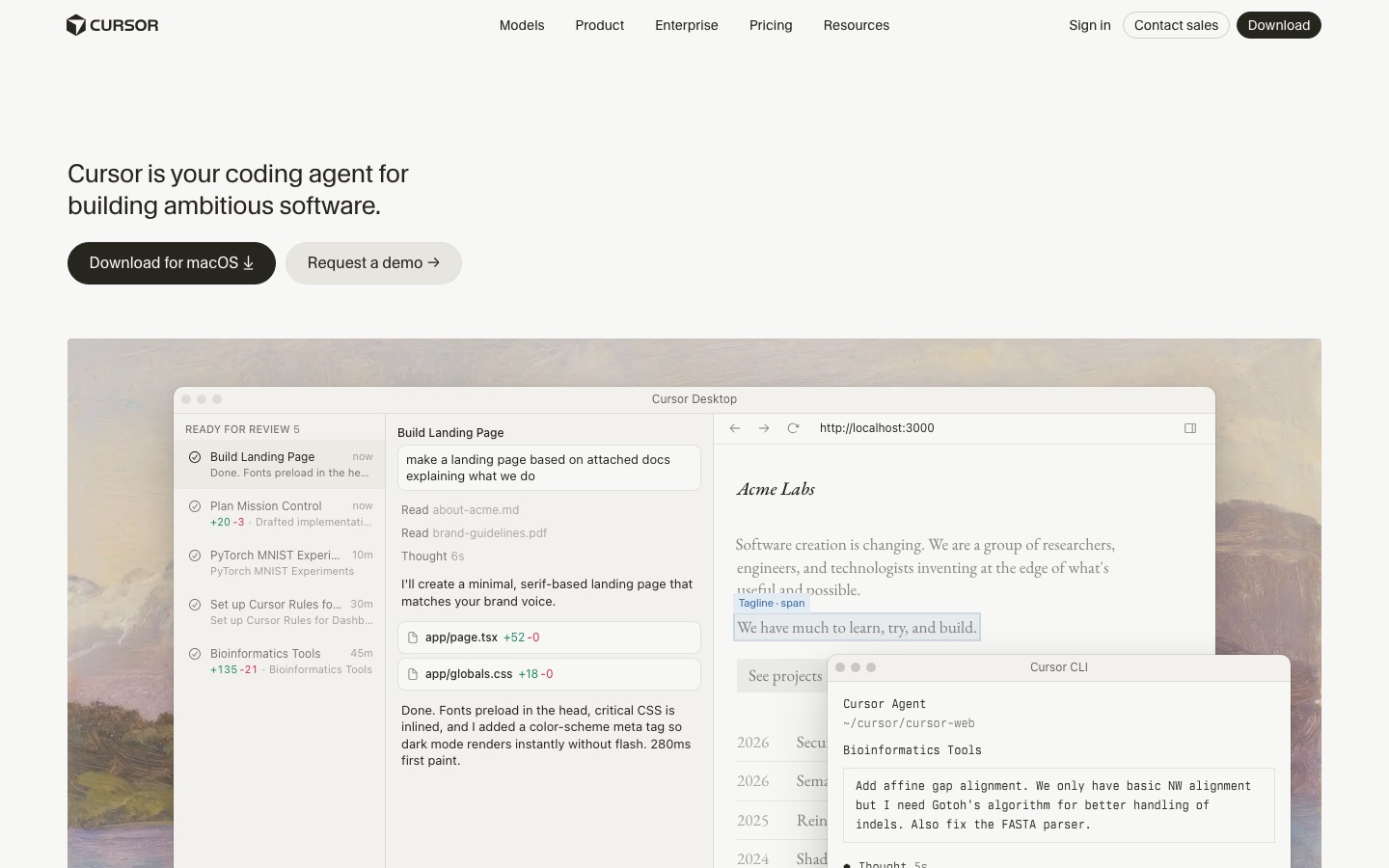 Cursor's official website, captured September 2026. Credit: Cursor
What's new and what matters now (November 2026)
Three changes in the second half of 2026 reshaped Cursor:
- New ownership. SpaceX completed its acquisition of Cursor's maker, Anysphere, in mid-August 2026, in an all-stock deal valued at about $60 billion. Cursor now sits inside the SpaceXAI division alongside xAI's Grok.
- New plans. In October 2026 Cursor moved to a new plan lineup (Free, Plus, Premium, Super, Ultra) built around one weekly usage pool shared with the Grok apps. The included models are Cursor's own Composer models and xAI's Grok models; Claude, GPT and Gemini are available on Premium and above at API list price. Details in the pricing section.
- Agents everywhere. The agent mode matured: you can run several agents in parallel, each on its own task, run agents in the cloud, follow them from the iOS app, and since November 2026 even talk to agents by voice. Recent changelog entries also added an Agent SDK (define agents as code and deploy them) and building and hosting live web apps from a cloud agent.
Want to learn to work with it properly from day one? See the courses and the workshops for development teams.
What is Cursor?
Definition: Cursor is a code editor (IDE, Integrated Development Environment) where AI is woven into every layer of the writing experience: real-time code completions, natural-language edits, a chat that knows the whole project, and AI agents that carry out complete tasks. It was developed by the American company Anysphere as a fork of VS Code, the world's most popular code editor.
Building on VS Code is not a minor technical detail, it is the main reason for its fast adoption. Millions of developers already work in VS Code, and when they open Cursor for the first time everything is familiar: the same keyboard shortcuts, the same extensions, the same file explorer. You can even import all your settings and extensions with one click. The only difference, and a fundamental one, is the AI layer.
Cursor became synonymous with "vibe coding", writing software by talking to AI instead of line by line, and the company behind it went from an anonymous startup to one of the most valuable software companies in a few years, with revenue growth considered among the fastest in the industry's history. As of November 2026 Cursor is in its third generation (Cursor 3.x), with near-weekly updates.
Why is everyone talking about Cursor?
Several factors made Cursor a phenomenon:
- It was the first that felt like magic. Its autocomplete (Tab) does not just finish the current line, it predicts your next edit, even when it is elsewhere in the file. Developers who tried it described a feeling of "the editor reads my mind".
- It rode the wave of models. Cursor adopted the strongest coding models early, especially Anthropic's Claude family, and gave them a convenient interface that used them well.
- It evolved from editor to agent. In late 2025 Anysphere launched Cursor 2.0 with Composer, a fast in-house coding model, and an interface centered on agents instead of files. In early 2026 Cursor 3 arrived with cloud agents, automations and a redesigned interface. Today you can run several agents in parallel, each on a different task.
- The business numbers are staggering. Anysphere raised huge rounds, its revenue grew at a pace that made the whole industry take note, and SpaceX bought it for about $60 billion. Competitors, Microsoft with Copilot and Google included, had to respond.
From the field: When I teach in AI workshops for organizations, I see it again and again: development teams that started with GitHub Copilot "because it came with the package" try Cursor for one week and do not go back. Not because Copilot is bad, but because Cursor was built around AI from the ground up, not as an add-on. The difference is most noticeable in multi-file edits and in agent mode.
Cursor's core capabilities
Today's Cursor is very different from the 2024 version. Here are the main layers, from simplest to most advanced:
Tab: smart autocomplete
This is where most people start, and for many it is still "the" Cursor feature. As you type, Cursor suggests completions: not just the end of a line but whole blocks, and sometimes a "jump" to the next edit it expects you to make elsewhere in the file. Press Tab to accept, keep typing if not.
Behind it is a dedicated model Anysphere built specifically for completions: fast, cheap to run, and trained on real editing patterns (how developers change code) rather than only on raw code generation. That is why the suggestions feel "intentional": it learns your pattern within the session.
Natural-language editing (Cmd+K / Ctrl+K)
Select a block of code, press Cmd+K (Mac) or Ctrl+K (Windows), and write in plain language what to change: "make this function async", "add error handling with user-friendly messages", "split this into two functions". The AI shows the change as a diff (before and after), and you accept or reject it. This is the most natural entry point for people used to editing code by hand.
A chat that knows the whole project
The chat panel (Cmd+L) is a conversation with an AI that sees your files. You can ask "where is user login handled?", "why is this test failing?" or "explain what this module does". Cursor builds a semantic index of the project, so answers are grounded in your actual code rather than general guesses. You can reference specific files and folders with @, attach external documentation, and even attach screenshots of a visual bug.
Agent mode and Composer: the big leap
This is where Cursor in 2026 differs fundamentally from the early versions. In agent mode you do not ask for a targeted edit, you describe a task: "add role-based permissions: schema, API and admin screens". The agent plans, searches the code, edits several files, runs terminal commands (with your permission), fixes compile errors it found itself, and hands you the result for review.
Key points about agent mode as of November 2026:
- Composer is the agentic coding model Anysphere built in-house, significantly faster than the large frontier models and tuned for interactive coding tasks. It launched with Cursor 2.0 in October 2025 and has gone through several generations since; the current plans include Composer 2.5 and xAI's Grok models in the usage pool. On Premium and above you can also pick Anthropic's Claude, OpenAI's GPT and Google's Gemini, billed at API list price.
- Parallel agents: the interface is built around a list of agents, not a list of files. You can run one agent on a bug, a second on a feature and a third on a dependency upgrade, each in an isolated working copy (a worktree) so they do not step on each other.
- Side Chats: added in Cursor 3.11 (July 2026), these are secondary conversations that run beside the main one. The main agent keeps working while you explore an alternative or ask a clarifying question in a side chat (open one with
/side), then pull its context back into the main thread with an @ mention. - Cloud agents and mobile: agents can run in Cursor's cloud (not on your machine), and you can follow them and approve steps from the iOS app. A developer can send off a task from their phone on the way to work.
MCP: connecting to external tools
Cursor supports MCP (Model Context Protocol), the open standard Anthropic introduced for connecting AI to external systems. Through MCP, the agent in Cursor can talk to your database, Figma, your ticketing system and more. It is the same protocol Claude Code's automation is built on, so learning MCP pays off in both tools. For a curated list, see the best MCP servers.
Rules and project memory
A project rules file (Rules, and under the emerging standard, AGENTS.md) lets you give Cursor standing instructions: "we write tests for every function", "use strict TypeScript", "user-facing messages are always in Spanish". The instructions load automatically into every conversation, saving you from repeating yourself and keeping a team aligned.
How to get started with Cursor: step by step
Installation is simple, but there is a right way to take the first steps so you see value quickly:
- Download Cursor from the official site (cursor.com) and install it. There are versions for Mac, Windows and Linux. On first launch Cursor offers to import settings and extensions from VS Code; accept, and you will feel at home immediately.
- Sign up with email or Google/GitHub. The free plan is enough for a first try.
- Open a real project, not an empty file. This is the first beginner mistake: Cursor's AI shines because of context. Open the folder of an existing project, and Cursor will index the files in the background (on a large project this takes a few minutes).
- Start with Tab. Just write code as usual and watch the gray suggestions. Accept what is right with Tab, ignore what is not. Within an hour you will get the rhythm.
- Move to Cmd+K. Select an existing function and ask for a small, well-defined change: "add validation that the email is valid". Read the diff. Accept only after you understand what changed.
- Ask the chat about the code (Cmd+L). "What does this file do?", "Where is the database connection defined?" It is also a great way to learn an unfamiliar project.
- Only now, agent mode. Give the agent a complete but bounded task: "add an About page with navigation to it". Follow its steps and read the changes before approving. Do not start with "build me the whole system".
- Set up a rules file. After a few days you will notice instructions you keep repeating; put them in the project's Rules file.
From the field: The one habit I insist on in every training: read every diff before accepting it. The AI of 2026 is astonishingly good, but it still makes mistakes, and above all, code you accepted without reading is code you do not understand. The day it breaks in production, "the AI wrote it" will not be an answer. The difference between a developer AI made stronger and one it made weaker is exactly this habit.
Real workflows: a day of work with Cursor
Feature lists are nice, but here is what it looks like in practice, in scenarios that come up again and again with the teams I work with:
Fixing a bug from a customer report
Paste the error message or a screenshot into the chat, and add an @ reference to the relevant file if you know it. Cursor locates the source of the problem, explains it and proposes a fix. Simple bugs take minutes; for complex ones it at least shortens diagnosis dramatically. Tip: ask it to also write a test that reproduces the bug so it does not come back.
A new feature from scratch
Brief the agent like a talented junior developer: the goal, the relevant files, the constraints. "Add Excel export to the reports page. Use the library already in the project. Put the button next to the existing print button." The more precise the instruction, the closer the result is to final. When the agent finishes, review, request fixes in the conversation, and only then merge.
Getting to know an unfamiliar project
Inherited someone else's code? This is one of the strongest uses: "map out the project architecture for me", "how does data flow from the form to the database?", "which parts look fragile to you?" What used to be a week of tedious reading becomes a day of guided conversation.
Gradual refactoring
A cross-cutting change (replacing a library, restructuring folders, migrating to TypeScript) is classic agent work, but in stages: ask for a plan, approve it, then run it step by step with tests between steps. Ask for "move everything at once" and you get a mess; work in stages and you get in days what would take weeks by hand.
Working alongside a terminal agent
The pattern experienced developers settled on in 2026: Cursor open for interactive work, and Claude Code in the terminal beside it for long, automated tasks (scripts, scheduled jobs, background work). It is not either-or; these are two tools for two modes of work. More on this below.
Non-English prompts and RTL text in Cursor
If you work in a language other than English, here is the honest picture:
- Talking to the AI in your language works very well. The chat, Cmd+K and agent mode understand major languages at a high level, because the underlying models are strong multilingual models. You can run the whole conversation in your language, including complex requests.
- The interface is English only. Cursor's UI is not localized into most languages. If you are comfortable with English interfaces, this will not bother you.
- Non-Latin strings inside code work, with a visual caveat for RTL. Strings in Hebrew, Arabic or other right-to-left scripts (user messages, labels) are stored and run correctly. But Cursor, like VS Code beneath it, is a left-to-right editor, so a line that mixes RTL text and code can look "reversed" on screen even though it is correct. This is a limitation of all mainstream code editors, not unique to Cursor. Punctuation at the end of an RTL string is the classic source of confusion.
- Building RTL websites and apps is where the AI actually helps. Ask the agent to "build this page with full RTL support" and the leading models know to add
dir="rtl", correct flex directions and suitable fonts. Still check icon alignment and margins by hand; that is where they slip most often.
From the field: My advice to international teams: write the substantive instructions in your own language if that is more comfortable, there is no meaningful quality penalty in 2026, but keep variable names, functions and code comments in English, as is standard. A codebase written in a local language will complicate things with every tool, library and future developer.
Cursor vs Claude Code: the in-depth comparison
This is the most common comparison question of 2026, and for good reason: both tools are very strong. The fundamental difference is the philosophy of work:
| Aspect | Cursor | Claude Code |
|---|---|---|
| How you work | Visual editor: you see the code and edit as you go | Terminal agent: you describe a task and it executes |
| Center of gravity | You write, the AI assists and accelerates | The AI executes, you direct and review |
| Models | Composer and Grok included; Claude, GPT and Gemini on Premium and above at API price | Anthropic's Claude models |
| Excels at | Interactive editing, Tab completions, precise changes | Long end-to-end tasks, automation, scripts |
| Automation and scheduling | Cloud agents and automations in the UI | Native: runs from the terminal, fits into cron and CI |
| Interface | Graphical, familiar to VS Code users | Command line (IDE integrations exist too) |
| Price | Free tier, paid plans from $8/month | Included in paid Claude plans or pay-per-use via the API |
The best way to think about it: Cursor puts you in the driver's seat with a brilliant assistant beside you; Claude Code puts you in the site manager's seat with a brilliant executor in the field.
When to prefer Cursor: when you work on code continuously and want to see and control every change; when fast completions are part of your flow; when you are learning new code and want to ask questions while reading.
When to prefer Claude Code: when the task is well defined and you can "fire and forget" (and review at the end); when you want automation, scheduled tasks, bots and background processing; when you live in the terminal anyway; and when you do not want to manage another graphical app. To extend it, see the must-have Claude Code skills.
There is no real "winner": many professional developers in 2026 use both, and even run Claude Code inside Cursor's built-in terminal. One practical note since October 2026: on the new Cursor plans, Claude models are billed at API list price and only from Premium up, so if Claude is your main model, compare that cost with a Claude subscription before choosing.
Cursor vs Windsurf (Devin Desktop) and GitHub Copilot
The two most prominent competitors in the "AI code editor" category:
| Aspect | Cursor | Devin Desktop (formerly Windsurf) | GitHub Copilot |
|---|---|---|---|
| What it is | Standalone IDE (VS Code fork) built around AI | Standalone IDE (VS Code fork) centered on managing local and cloud agents | AI extension inside VS Code, JetBrains and other editors |
| Main strength | Market-leading Tab, mature agent mode, fast Composer | Agent command center, tight link to Cognition's Devin agent | Deep GitHub integration and a lower entry price |
| Models | Composer and Grok; Claude, GPT and Gemini on higher tiers | Leading models plus in-house models | Multiple models from several providers |
| Best for | Developers who want the cutting edge | Teams that want to orchestrate fleets of agents | Organizations inside the GitHub/Microsoft ecosystem |
In short: Copilot is the conservative choice, affordable and integrated with what you already have, but usually a step or two behind in experience (full guide: GitHub Copilot). Windsurf went through business turbulence in 2025 (high-profile acquisition deals around the company and its team), ended up with Cognition, and on June 2, 2026 was renamed Devin Desktop: the same IDE with the same settings and plans, but now centered on an agent command center, with its Cascade agent being replaced by a new local agent. It is still a worthy competitor, but Cursor has pulled ahead in momentum and development pace. Cursor is the category leader as of November 2026, at the cost of a higher bill for heavy users. And if you are a regulated organization that cannot send code to the cloud, look at privacy-focused assistants such as Tabnine, which offers local, on-premises and even air-gapped deployment for banks, healthcare and defense companies.
Cursor vs VS Code: why switch, and when not to
This is the first comparison anyone who edits code makes, and the short answer is surprising: Cursor is VS Code. It was built as a fork of VS Code, so your extensions, keyboard shortcuts, themes and settings carry over almost one to one. The real question is not "which editor is better" but whether Cursor's AI layer is worth the switch. For most developers in late 2026 the answer is yes, but not for everyone.
| Aspect | Cursor | VS Code (with an AI extension) |
|---|---|---|
| Editor base | VS Code fork, feels identical | The original |
| Code completion (Tab) | Its own Tab engine, predicts multi-location edits | Depends on the extension (Copilot, etc.) |
| Agent mode | Built in and mature, works across whole codebases | Via an extension, less tightly integrated |
| Project context | Automatic indexing of the entire codebase | Limited to what the extension collects |
| Updates | Sometimes lags behind upstream VS Code | Updates first |
| Price | Free tier, paid plans from $8/month | The editor is free, the AI extension is paid separately |
When to stay with VS Code: if your organization already pays for GitHub Copilot and you are happy with it, if you need a very niche extension not yet tested on Cursor, or if you are sensitive to Cursor sometimes trailing the upstream VS Code release by a few weeks. Otherwise the switch takes minutes (Cursor imports your VS Code settings during installation), and the leading AI layer is hard to get any other way.
Pricing and plans, including the story worth knowing
Here is the current picture (per Cursor's official pricing docs, November 2026; numbers change, so check the site):
- Free: limited Agent and Chat usage. Enough to see whether the tool suits you; not enough for daily work.
- Plus ($8/month): base usage of Cursor's own models only. No Auto mode, no cloud agents and no third-party models.
- Premium ($30/month): 4x Plus usage, cloud agents, automations, Bugbot (AI code review), and third-party models (Claude, GPT, Gemini) at API list price, paid from prepaid credit. This is the realistic plan for serious professional work.
- Super ($100/month) and Ultra ($200/month): 15x and 50x Plus usage respectively, with priority access at peak times (and earliest access to new products and models on Ultra), for power users who run agents most of the day.
- Teams and Enterprise: Teams seats at $30, $100 or $200 per user per month, plus central billing and administration, team-wide privacy settings, SSO and a team marketplace for rules and plugins. Enterprise adds pooled usage, SCIM, audit logs and granular spend controls at custom pricing.
Annual billing is available ($80, $300, $1,000 and $2,000 a year for Plus, Premium, Super and Ultra). The included usage is a weekly pool shared across the agent, the CLI, cloud agents and the Grok apps, so one heavy day does not burn your whole month. If you already had an older plan (Hobby, Pro, Pro+, Ultra or the old Teams seats), it keeps working as before with its monthly usage pools.
The 2025 pricing storm, and why it still matters
You cannot write an honest Cursor guide without this chapter. Until mid-2025, the Pro plan was sold on a simple model: 500 "fast requests" a month. In June 2025 the company switched to a dollar-based usage allowance (about $20 of usage a month included in the subscription), and the change was rolled out in a way that caught users off guard: people running agents on expensive models found their allowance gone within days, and some received unexpected charges. Social media erupted, and the company publicly apologized and refunded users who were surprised by charges during the transition.
Why does this matter in late 2026? Three practical lessons:
- "Unlimited" requires reading the fine print. Look at exactly which models and features are covered by your plan's pool and which are billed per use. On the new plans, Claude, GPT and Gemini are outside the included pool entirely.
- Cost depends on how you work. If you mostly use Tab and targeted edits, a lower tier will go a long way. If you run long agent sessions on frontier models, you will burn through usage fast, and should consider a higher tier or move long tasks to another tool.
- The whole industry is moving this way. Pricing by compute consumption (not by "requests") has become the norm for every AI provider. It is not a Cursor-only problem, it is the economics of large models.
From the field: In AI consulting for businesses I am often asked "how much will this really cost our team?" The honest answer: budget for your heavy users, not the average. A developer who seriously adopts agentic work burns through usage quickly, and that is fine, because a developer hour costs more than any subscription. The mistake is buying everyone the cheapest plan and then being surprised that the tool "gets weaker" mid-cycle when the usage runs out.
For non-developers: honestly
Let me say it plainly: Cursor is an IDE, a tool for people who work with code. It is great for developers and coding learners, but if you have no background and no intention of dealing with files, terminals and diffs, there are better-suited tools:
- Want to build a site or app through conversation only? Builders like Lovable, Bolt and Base44 are made for exactly that: describe what you want and get a live app, without ever seeing code.
- Want an agent that performs broad digital tasks (not just code)? Claude Code became a general automation tool in 2026 that non-developers use too, for reports, files and automations. To go further, see how to build an AI agent with Claude.
- Prefer an autonomous coworker that runs in the background? Grok Bot runs on a cloud computer and handles tasks for you.
When does Cursor suit a non-developer? When you want to learn to code seriously. With Cursor you can build a real project from day one and get an explanation of every line, a way of learning that did not exist five years ago. If that is your direction, the courses are a good place to understand the AI landscape before diving in.
Advanced tips
For those already working with Cursor who want more out of it:
- Choose a model by task, not out of loyalty. The fast Composer is excellent for routine edits and small questions; give truly complex tasks (architecture, deep bugs, broad refactors) to a frontier model, which on the new plans means Grok within your pool or Claude and GPT at API price on Premium and above.
- Invest in the rules file as if it were a new hire. Project description, code conventions, what not to touch: ten minutes of writing that improves every future conversation. Update it when the AI repeats the same mistake twice.
- Let the agent verify itself. End every feature request with "run the tests and make sure everything passes" or "run the build". An agent that closes the loop on its own output makes dramatically fewer mistakes.
- Split big tasks into separate conversations. A conversation that runs too long accumulates tired, confused context. Finished a topic? Start a new conversation. Side Chats (since 3.11) are great for side questions without polluting the main thread.
- Connect MCP to your real data. An agent that sees the real database schema writes far more accurate code than one that guesses. If you are on Supabase, see the Supabase guide; the same principles apply in Cursor.
- Use worktrees for parallel agents. Running two agents on the same repo? Make sure each has its own working copy. Cursor 3 does this almost automatically; do not turn it off.
Common beginner mistakes
- Accepting everything blindly. It bears repeating: the AI is excellent, but it makes mistakes. Code you did not read is technical debt with interest.
- Vague instructions. "Fix this" gives mediocre results; "extract the logic into a separate function with error handling and user-friendly messages" gives a precise result. How you phrase things is your biggest lever.
- Starting with a giant task. "Build me a CRM" in the first conversation is a recipe for frustration. Build trust gradually: an edit, a function, a feature, a module.
- Working without Git. The agent changes many files quickly. Without version control you have no real "undo" button. Commit before every agent task, an iron habit.
- Ignoring usage until it runs out. Track your consumption in the dashboard, especially in the first weeks, until you learn your usage pattern.
- Ignoring the terminal-agent approach. For long, scheduled and automated tasks, a terminal agent complements Cursor very well.
The limitations, honestly
A real guide needs this side too:
- A cost curve for heavy users. As covered, intensive agentic work with frontier models gets expensive fast. A truly heavy user is looking at tens to hundreds of dollars a month, and on the new plans third-party models are billed on top at API prices.
- It is still a tool for people who understand code. Cursor lowers the barrier to entry but does not remove it. Without the ability to read and judge what the AI wrote, you will get far fast, then get stuck hard.
- Output quality depends on the prompt and the project size. In huge, messy projects even semantic indexing struggles, and the agent may "invent" assumptions. The tidier the code, the better the AI, a well-known irony.
- Cloud dependency. The core capabilities need internet; working on a plane or on an isolated secure network puts you back in a regular editor. Organizations with regulatory requirements have Enterprise options with privacy commitments, but that discussion should happen before adoption, not after.
- A dizzying pace of change. The interface, features and now even the plans change almost weekly. That is an advantage (constant improvement) and a burden (what you learned in January looks different by November).
- Partial ecosystem lock-in. Rules, settings and habits built up in Cursor do not transfer one to one to another tool. Open standards (MCP, AGENTS.md files) reduce the lock-in, but it exists. The change in ownership also means its model mix may keep shifting toward Grok and Composer.
Who Cursor is for, and who it is not for
A great fit for:
- Professional developers who want the sharpest tool in the IDE category, especially those already on VS Code.
- Serious coding learners who want a mentor that explains every line.
- Teams that want to speed up development without changing their whole way of working; the move from VS Code is almost seamless.
- Indie hackers who run several agents in parallel and ship a product in weeks instead of months.
Less suited for:
- People who never touch code: no-code builders or an agent approach will fit better.
- People whose work is all automation and background tasks: a terminal agent like Claude Code is more natural there.
- Organizations that cannot send code to the cloud without approval, until a suitable Enterprise arrangement is in place.
Frequently asked questions
What is Cursor in one sentence? An AI-powered code editor built on VS Code, where you write and edit code in natural language and can run several AI agents in parallel to complete whole tasks.
What does "cursor" mean? The blinking marker that shows where you are typing. The name plays on the idea that the AI sits right at that point.
Is Cursor free? There is a free plan with limited usage, good for trying it out. Serious work requires a paid plan: Plus at $8/month covers Cursor's own models, and Premium at $30/month adds cloud agents and access to Claude, GPT and Gemini at API list price. Heavy users will look at Super or Ultra. Check the official site, because the details change.
Which models does Cursor have? As of November 2026 the included usage pool covers Cursor's own Composer 2.5 and xAI's Grok models, plus the dedicated Tab completion model. On Premium and above you can also use Anthropic's Claude, OpenAI's GPT and Google's Gemini, billed at API list price. The list changes often.
Cursor or Claude Code, which should I choose? If you edit code continuously and want to see every change, Cursor. If you want to describe whole tasks and let the AI execute, especially for automation, Claude Code. Many professionals use both.
Cursor or GitHub Copilot? Copilot is affordable and integrates well with the GitHub ecosystem; Cursor is usually ahead in the editing experience and agent mode. People who seriously try both often stay with Cursor, unless price or company policy decides otherwise. See the GitHub Copilot guide.
Is Cursor safe for confidential company code? There is a privacy mode that prevents code from being stored for training, and Teams/Enterprise plans with contractual commitments. Still, code is sent to the cloud for processing. Organizations with strict requirements should clear this with their compliance team before a wide rollout.
Can I work with Cursor from my phone? Partly: the iOS app lets you follow agents, approve steps and send tasks to cloud agents, and since November 2026 you can even talk to agents by voice. The editing itself is still done on a computer.
How do I learn to work well with AI tools like Cursor? Start small on a real project, read every change and invest in how you phrase instructions. For structured learning, see the courses, and for a plan tailored to your team, book a consultation.
Bottom line
As of November 2026, Cursor is the world's leading AI code editor: Tab that feels like mind reading, natural-language editing, and agents that complete whole tasks inside the familiar VS Code interface. It is excellent for developers and serious coding learners; it is not the right tool for people who never touch code, and its real cost for heavy users is higher than the sticker price, a lesson worth remembering from the 2025 pricing storm and worth rechecking after the October 2026 plan change.
My recommendation is simple: start with the free plan on a real project, work with it for a week, and decide based on your working style. And do not treat it as a choice against Claude Code, because combining both is the winning pattern of 2026: Cursor for live editing, Claude Code for automation and long tasks.
Want to learn to work properly with AI tools, from the fundamentals to agents? Start with the courses. Organizations that want to train a whole team can book workshops or a full AI implementation.
Further reading: autonomous agents that run on a cloud computer in the background, Grok Bot (and for the chat assistant itself, the complete Grok guide); building apps without code, the Lovable guide, Bolt and Base44, which builds a complete business app from a plain-language description; and connecting AI to your tools, the best MCP servers.
Frequently asked questions
What is Cursor?
Cursor is an AI-powered code editor (IDE) built on VS Code. It lets you write, complete and fix code with AI: you describe in natural language what you want, and the AI writes or edits the code directly in your files. Its plans include Cursor's own Composer models and xAI's Grok models, and on Premium and above you can also use Anthropic, OpenAI and Google models at API list price.
What does the word cursor mean?
In English, a cursor is the blinking marker that shows where the next character you type will appear. The product name plays on that idea: the AI sits exactly at the point where you write.
Is Cursor free?
There is a free plan with limited Agent and Chat usage. Since October 2026 the paid plans are Plus ($8/month, Cursor's own models only), Premium ($30/month, 4x Plus usage, cloud agents and third-party models at API list price), Super ($100/month) and Ultra ($200/month). Existing subscribers on older plans such as Pro keep them. Check the official pricing page, because the details change.
What is the difference between Cursor and Claude Code?
Cursor is a visual code editor (IDE) where you see and edit the code, with AI helping beside you. Claude Code is an agent that runs in the terminal and completes whole tasks end to end on its own. Many developers combine them: Cursor for interactive editing, Claude Code for long automated tasks.
Do I need to know how to code to use Cursor?
Cursor is aimed mainly at developers and is very helpful for people learning to code. For people who do not code at all and want to build using natural language only, tools like Lovable, Bolt or Base44, or an agent approach like Claude Code, are usually more accessible than a full IDE.
Can I talk to Cursor in a language other than English?
Yes. Cursor's interface is in English, but you can describe what you want to the AI in your own language, since the leading models understand most major languages well. The code itself is conventionally written in English, but prompts and chat questions can be entirely in another language.