
- What it is: A visual, no-code database: linked tables, typed fields, views (grid, kanban, calendar, gallery, Gantt), forms, automations, and interfaces.
- What is new: Omni, a conversational agent that builds tables and interfaces from a prompt and edits data; Field Agents that run research, analysis, and writing on every record; and AI actions inside automations.
- What it costs: Free up to 1,000 records and 5 editors. $20 per seat per month on Team (annual), $45 on Business, Enterprise by quote. AI is billed in credits that are included in your plan.
Building a full app with Omni, Airtable's conversational agent, does not cost a single AI credit. According to Airtable's official billing documentation, only running Field Agents, AI-powered automations, deep research and document analysis consume credits. That means you can build an entire CRM through conversation, for free, and only pay once the AI starts working on your actual records.
Airtable is a cloud database that looks like a spreadsheet, behaves like a real database, and since June 2025 comes with an AI agent that builds your app from a conversation and AI agents that work inside every row. The free plan gives you 1,000 records, five editors, and 500 AI credits per editor per month, according to the pricing page as of September 21, 2026. That is not even the interesting part. The interesting part is that most small businesses in Israel are still managing leads, clients, and content calendars in Excel, while the tool that replaces all three has already reached the point where you type "build me a CRM for a photography studio" and get back tables, relationships, a form, and an interface. What exactly is it, what does it cost, what is the situation with Hebrew, and what should you build first: the complete guide.
In short
- What it is: A visual, no-code database: linked tables, typed fields, views (grid, kanban, calendar, gallery, Gantt), forms, automations, and interfaces.
- What is new: Omni, a conversational agent that builds tables and interfaces from a prompt and edits data; Field Agents that run research, analysis, and writing on every record; and AI actions inside automations.
- What it costs: Free up to 1,000 records and 5 editors. $20 per seat per month on Team (annual), $45 on Business, Enterprise by quote. AI is billed in credits that are included in your plan.
- Hebrew: Data in Hebrew works, the AI understands Hebrew, but there is no Hebrew interface and no right-to-left alignment. Workarounds exist.
- Who it is for: A small business or team that wants a lightweight CRM, content calendar, inventory system, or project management tool in one place, with no developer. Not for anyone who needs a polished customer-facing app.
What is Airtable?
Definition: Airtable is a cloud database with a spreadsheet interface. Each "base" contains tables; every table has fields with a defined type (text, number, date, single select, file, link to a record in another table); and the same data can be displayed in multiple views, collected through forms, processed in automations, and presented in interfaces. Since June 2025 the company has called the product "AI-native": AI is not layered on top of the data, it builds, edits, and analyzes the data from within.
The company was founded in 2012 in San Francisco by Howie Liu and two partners. According to Taskade's history overview, it raised approximately $1.4 billion, reached a valuation of $11.7 billion at the end of 2021, and serves more than 500,000 organizations. Those numbers come from Taskade's reporting, not from an independent source, so read them as an order of magnitude: this is not a young startup but a 14-year-old company that has gone through several iterations, from a pretty table, to an app-building platform, to a product now leading on AI.
How is Airtable different from a spreadsheet?
The difference is not about design. It comes down to three things a plain spreadsheet simply cannot do.
1. Typed fields. In a spreadsheet, a date cell is text that looks like a date. In Airtable a date field is an actual date, a single-select field offers only the values you defined, and an attachment field holds the contract itself. That sounds minor until you have 3,000 records and it becomes the difference between a report that works and two hours of cleanup.
2. Relationships between tables. A client is linked to their deals, a deal is linked to tasks, a task to a team member. Open a client and see everything that belongs to them, with no VLOOKUP and no copy-pasting.
3. Multiple views on the same data. The same leads table is a kanban by stage for sales, a calendar by meeting date for the manager, and a gallery with photos for the team. Change something in one place and everyone sees it.
On top of those three sit forms (a lead from your website goes straight into the table), automations (a lead comes in, an email goes out), and interfaces (a clean screen for team members who do not need to see the raw table). Softr's review from August 2026 gives Airtable 7.5 out of 10 for small businesses and notes a score of 4.6 out of 5 on G2 across more than 3,000 reviews, with two caveats that appear in almost every review: a learning curve around linked fields and formulas, and a price that climbs with every seat.
What is Airtable AI: Omni, Field Agents, and AI in automations
On June 24, 2025, Airtable's CEO published a letter called "AI-native Airtable is here," laying out three components. As of September 2026 they remain the backbone of the offering.
What is Omni?
Definition: Omni is Airtable's conversational agent. You tell it in plain language what you need ("a system for managing catering orders with clients, events, and menus"), and it builds the tables, fields, relationships, sample data, and interface. In the same conversation it also edits data (paste in a meeting summary and it creates records) and runs analysis ("which clients have not ordered in three months").
According to Taskade's history overview, Omni merged two earlier products: Cobuilder, which launched in 2024 and built bases from a prompt, and Assistant, which answered questions. So if you read about Cobuilder, this is the same idea under a new name. Two practical details from Gap Consulting's guide, a consultancy specializing in Airtable: Omni tends to overbuild (fields you did not ask for, and deleting them afterward can break interface components), and as of their guide it does not build automations. Those you still configure by hand.
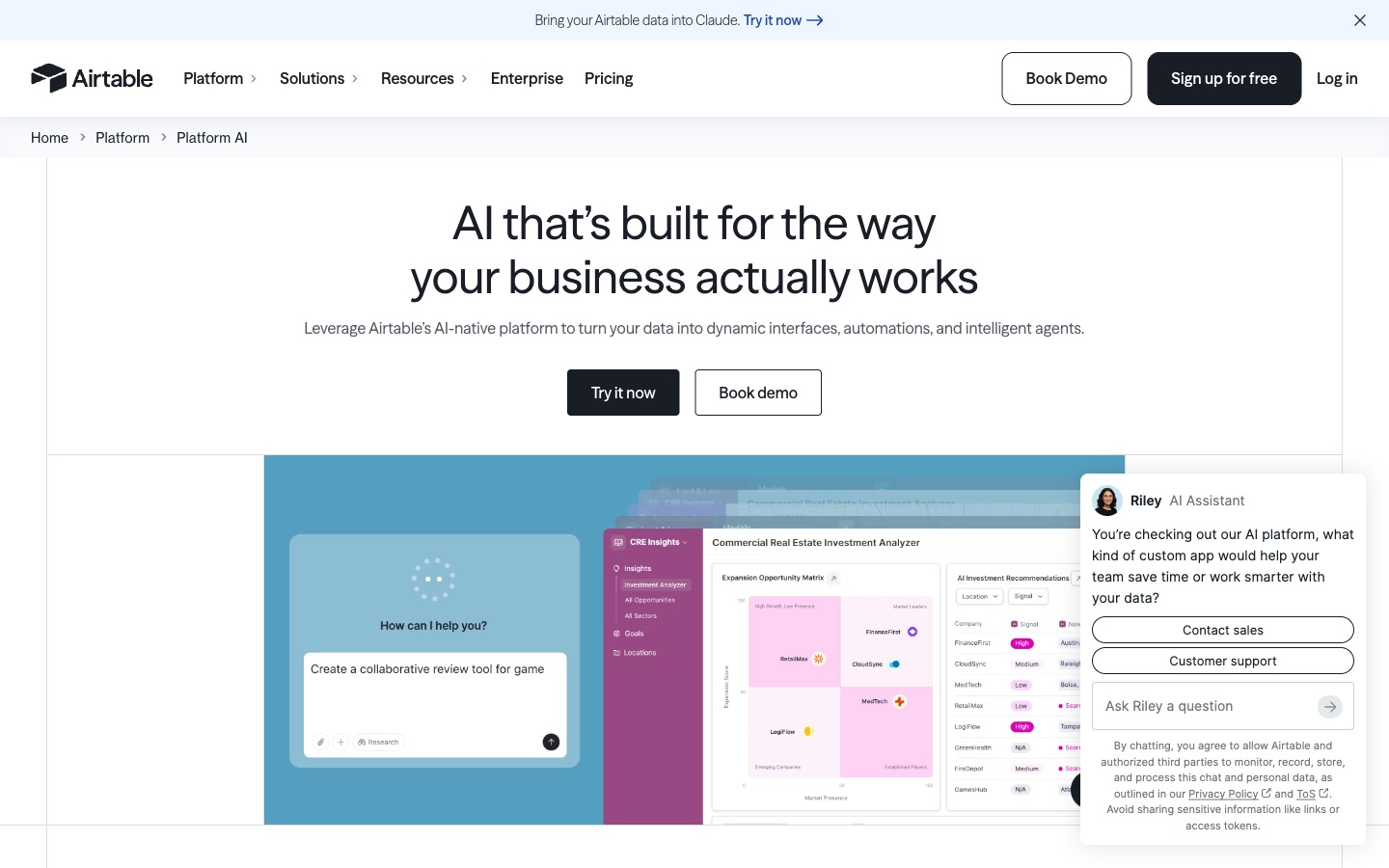 Airtable's AI platform page, captured September 21, 2026. Note the banner at the top: connecting your data to Claude. Credit: Airtable
What are Field Agents?
Definition: A Field Agent is a table field with an AI instruction behind it. For every record that meets a condition, the agent runs, reads the other fields, searches the web if needed, and returns a result to the field: a classification, a summary, a draft, research on a company. Airtable describes them as "personal researchers, analysts, and content creators that execute tasks at scale."
The example from the CEO's letter: sales call transcripts come into a table, one agent extracts feature requests, pain points, competitor mentions, and buying signals, and a second agent researches the competitor solutions that came up. For a small business that sounds like an enterprise story, but the pattern is identical: an inbound inquiry from your website, a Field Agent that classifies it (pricing, service, partnership), assigns a heat score, and drafts a follow-up question. Here the detail from Gap Consulting's guide matters: Field Agents consume credits, so you set a condition ("run only when the 'message' field is not empty") to avoid burning credits on half-filled records.
AI inside automations
The third component is an AI action inside an automation: when a record moves to the "quote" stage, the automation drafts an email based on the fields, saves it to a field for review, and only sends it after approval. The difference from a Field Agent: a Field Agent lives in the table and runs on records; an AI action lives in a flow and fires when a trigger happens.
According to the platform page, the models powering everything come from OpenAI, Anthropic, and Meta, and Airtable states that model providers do not store your data. On Business plans and above, an admin has "AI controls" that allow turning off AI for the entire workspace.
How AI credits work, and what they are worth
This is the part that confuses people, so here it is simply. Airtable does not charge for AI per seat (that was discontinued on June 24, 2025, according to its billing documentation). It charges in credits that are included in your plan and pool together:
| Plan | Credits per month | Pool |
|---|---|---|
| Free | 500 per editor | Workspace |
| Team | 15,000 per paid user | Workspace |
| Business | 20,000 per paid user | Organization |
| Enterprise Scale | 25,000 per paid user (at list price) | Organization |
What consumes credits, according to the same documentation: running Field Agents, automations with AI, deep research questions, feedback classification, document analysis, and image generation. The range Airtable quotes: 1 credit to classify a feedback item, more than 200 to analyze a document. Building apps and agents with Omni is free and does not consume credits. Anyone who runs out of credits can buy add-on packages, but only on paid plans: 10,000 credits for $20 per month, 20,000 for $40, 50,000 for $100, up to 400,000 for $800 per month.
What does that look like in practice? Jotform's blog, in a review from September 2026, pulls examples from the documentation: a simple question costs 10 credits, creating records 10, classifying one data point 1, a web search 10, analyzing a 10-page document 200. A simple calculation for a small business: a three-person team on Team gets 45,000 credits a month. Classifying 1,000 inquiries costs roughly 1,000. Twenty company research runs with web search, a few hundred. The pool covers most small businesses without buying an add-on, as long as Field Agents run conditionally and not on every change.
What does Airtable cost? Every plan from the pricing page
All numbers here were taken from the official pricing page on September 21, 2026. Airtable bills per seat; read-only viewers, form submitters, and share link recipients are free.
| Free | Team | Business | Enterprise Scale | |
|---|---|---|---|---|
| Price per seat per month | 0 | $20 billed annually, $24 billed monthly | $45 billed annually, $54 billed monthly | By quote |
| Records per base | 1,000 | 50,000 | 125,000 | 500,000 |
| Editors | Up to 5 | Per seats | Per seats | Per seats |
| Storage per base | 1 GB | 20 GB | 100 GB | 1,000 GB |
| Automation runs per month | 100 | 25,000 | 100,000 | 500,000 |
| AI credits | 500 per editor | 15,000 per user | 20,000 per user | 25,000 per user |
| Also includes | Unlimited bases, Interface Designer | Standard sync, extensions, Gantt and Timeline | Premium sync, two-way sync, admin panel, SSO, admin AI controls | HyperDB, app library, audit logs and DLP, enterprise API |
| Portals (add-on) | From $120 for 15 guests per month | From $150 for 15 guests per month |
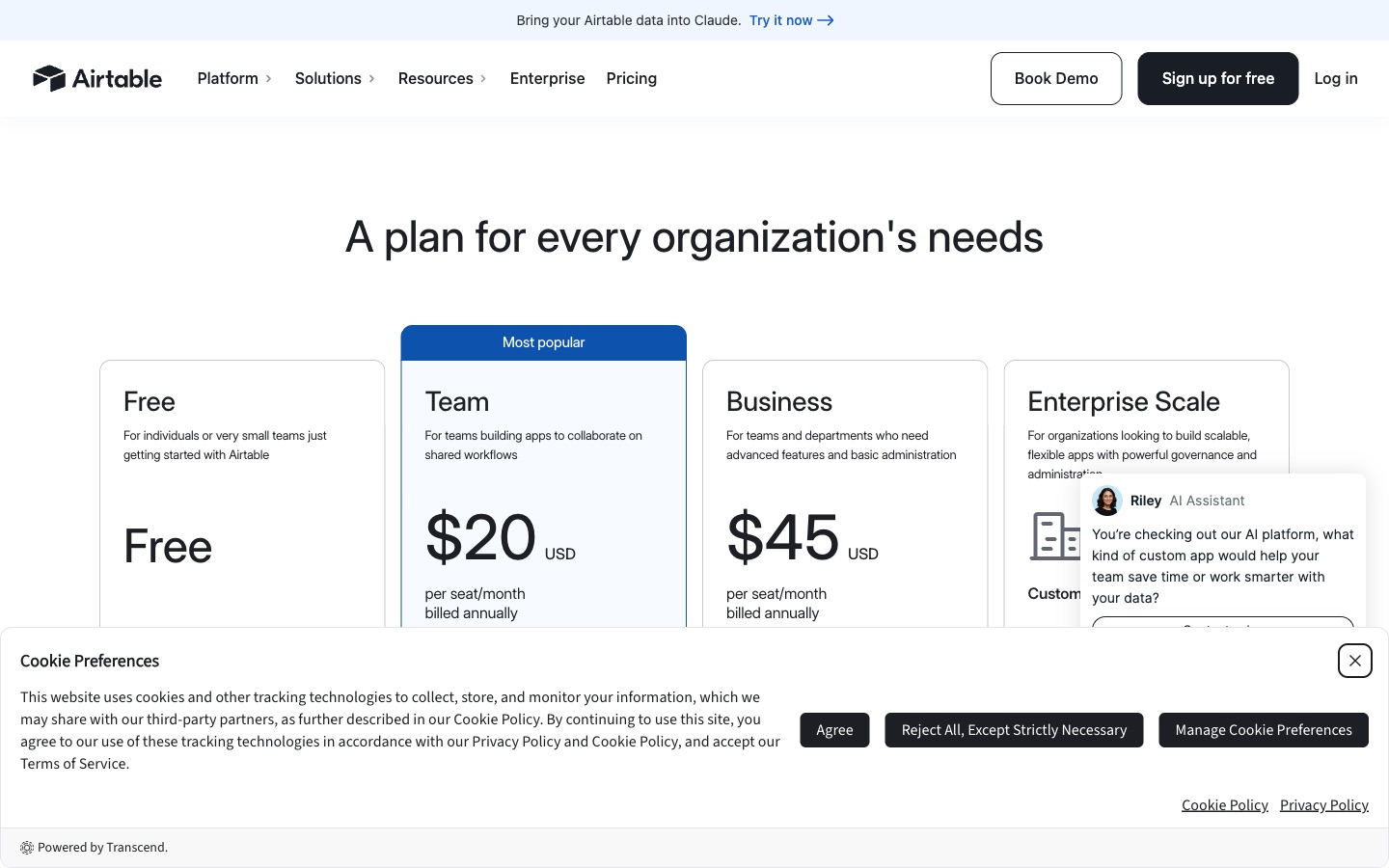 The official pricing page, captured September 21, 2026. Credit: Airtable
Three practical notes:
- The first limit that hurts is records, not seats. 1,000 records on the free plan disappear quickly in an active CRM. When you hit the limit, according to the pricing page, the base is not deleted and you can still read it, but you cannot add records.
- The price climbs with the team. Five editors on Team is $100 per month billed annually, and $270 on Business. Hack'celeration's review warns that "costs double quickly for teams above 10 people." The common solution: a small number of editors, and many viewers and portals.
- Performance. The same review reports slowdowns around 50,000 records in a single base without optimization. For a small business that is a long way off, but worth planning an archive structure for.
Does Airtable support Hebrew and right-to-left text?
The straight answer: data yes, interface no. You can type Hebrew in any field, search, filter, sort, submit forms in Hebrew, and the AI (Omni and field agents) reads and writes Hebrew because the underlying models know the language. But according to Airtable's help center, the interface is available only in English, French, German, and Spanish. Hebrew or Arabic text in views, interfaces, and automated emails is displayed left-aligned. There is no RTL direction setting, not for a base and not for a field. A community thread from January 2025 that asked for exactly this was closed without an official response, and the consultant who replied there concluded: "I don't think there's a way to set RTL."
What people actually do, based on our experience and the community:
- Chrome extensions. There are two community-built extensions in the Chrome store, "Airtable RTL Cells" and "Airtable RTL Toggle," that right-align cells and interfaces in the user's browser. They help a team working on a desktop, not a customer filling out a form on a phone.
- Automated emails. In the "Send email" action, choose HTML and wrap the text in
<p style="direction:rtl;text-align:right">. This solves the most embarrassing problem: a customer email that is aligned the wrong way. - Forms. An Airtable form will display Hebrew field labels, left-aligned. Anyone who needs a clean Hebrew-facing form connects an external form (or the form on their own site) to Airtable via Make.
- Field names. Giving fields Hebrew names works, but in formulas and scripts English is more convenient. Our rule: field names in English, values in Hebrew.
This is a real limitation, and there is no point in dressing it up. For an internal team comfortable with English-language tools, it is manageable. For a business that wants Israeli customers to see a Hebrew interface, Airtable is the back end, not the front.
How to build a CRM for a small business in Airtable: step by step
This is the first build we recommend to every business, because it replaces the spreadsheet everyone is already maintaining and shows within an hour what AI inside a record is actually worth.
- Open a new base and ask Omni (in English is better, because it generates field names in the prompt language): "CRM for a small architecture studio in Israel: Leads (name, phone, email, source, project type, budget range, status, notes), Companies, Meetings linked to leads, and a pipeline interface." You get four linked tables and an interface.
- Clean it up. Delete fields you won't use right now, before the interface depends on them. The "status" field becomes a single-select with five Hebrew values: new, contacted, meeting, proposal, closed.
- Form. Create a form view on the leads table and embed it on your site, or connect your existing form via Make. Every inquiry comes in as a record with a timestamp.
- First field agent: classification and heat. Add an AI field with the instruction: "Read the 'message' field and classify it as one of: price, consulting, partnership, spam. If a budget or timeline is mentioned, also return a heat score from 1 to 5." Run condition: only when 'message' is not empty.
- First automation. Trigger: a record enters the "new and hot" view (filter: heat 4 or above). Action: a Slack message or email to the business owner with the name and phone number. The 100 free monthly runs are enough for testing, then Team.
- Views. Kanban by status for sales, calendar by meeting date, and a filtered table "no contact in 3 days" for follow-up.
- Measure after two weeks. How many leads were classified correctly, how many credits were consumed, and how much time the automatic tagging saved. If the classification is wrong, improve the field agent instruction, not the tool.
WhatsApp to a customer, an invoice in Sumit, or dialing from a phone system? Those are not in Airtable. For that you connect Make, as we explained in the complete Make guide.
Content calendar with AI
The second most popular build, and for a business publishing on Facebook, Instagram, and LinkedIn it closes the gap between "we have ideas" and "we actually published this week":
- Posts table with fields: topic, platform (multi-select), publish date, status (idea, draft, for approval, scheduled, published), text, media (attachment), link.
- Calendar view by publish date is the calendar itself. Kanban view by status is the workflow.
- Field agent "first draft": for every record with status "idea," it drafts three Hebrew opening variations based on the topic and the platform. You choose and rewrite. It does not write the final post for you, because your voice is the asset.
- Automation: two days before the publish date of a post still in "draft," send a reminder to the person responsible. When a post moves to "published," log a reporting row in a performance table.
Anyone who works in Notion will recognize what Notion does in documents. The difference: in Notion AI the content lives in pages and AI answers from within them; in Airtable the content lives in structured records and AI runs across them at scale. A content calendar of 20 posts a month works fine in either. A calendar of 200, with statuses, owners, and metrics, works better in Airtable.
Automations: what you can do without Make, and when you need Make
According to the help center, an Airtable automation is a trigger and one or more actions. The built-in triggers: record created, updated, entered a view, or matches conditions; form submitted; scheduled time; button clicked; incoming webhook; and triggers from Google Workspace and Outlook. The actions: creating and updating records, script, email, and integrations with Slack, Teams, Twilio, Gmail, Outlook, Salesforce, Jira, GitHub, and more. Every trigger run counts toward your limit, even if it failed.
Our rule: anything that stays inside Airtable, or goes out to Slack and email, stays in Airtable automations. Anything that needs to talk to WhatsApp, Sumit, a phone system, Google Ads, or any Israeli API goes through Make, which listens to Airtable (it has built-in triggers on records) and handles the rest. That way you also avoid burning Airtable's run quota on something Make does in a single action.
Airtable vs. Notion vs. Google Sheets
| Airtable | Notion | Google Sheets | |
|---|---|---|---|
| What it is at its core | Database with views and interfaces | Documents with databases inside | Spreadsheet |
| Strongest at | Structured records, relationships, automations, AI per record | Knowledge, procedures, documentation, AI that queries documents | Calculations, quick reports, universal sharing |
| AI | Omni builds the app, field agents run on data | Assistant that writes and summarizes, asks and answers from pages | Gemini in cells and sidebar |
| Hebrew | Data yes, interface and direction no | Interface in English, RTL text works reasonably well | Full Hebrew interface and RTL |
| Free tier | 1,000 records, 5 editors | Personal free, team paid | Free |
| When to choose | CRM, inventory, large content calendar, process with stages | Wiki, procedures, meetings, planning | Simple accounting, one-off report |
The choice we see most often in the businesses we work with is not "either/or," but Notion for knowledge, Airtable for processes, and a spreadsheet for whatever the accountant needs. AI exists in all three; the question is where your data needs to live.
What is Hyperagent, and why it is not the same product
On January 27, 2026, Airtable launched its first independent product in 13 years, called Superagent: a system of agents that runs specialists in parallel for research and analysis. In April 2026, according to Taskade's history review and a guide by Sid Saladi, a product manager who wrote about the product in depth, the product was rebuilt as Hyperagent, a platform for persistent agents with memory and "skills," on a separate domain, running on models such as Claude Opus 4.8, with 1,000 dollars in credits to get started. This is a different product from Airtable itself: it is not your database, but an agent that does research and writing work, and will in the future connect to your data. Anyone reading "Airtable launched agents" needs to distinguish between field agents inside a base, which are included in the plans, and Hyperagent, a separate product with separate billing. This guide covers the former.
Privacy and limitations, honestly
- Your data is in Airtable's cloud, in the United States, and according to the platform page the model providers do not retain the data passed to them for AI. For anyone managing medical or financial customer data, this is still information leaving the country to a third party, and it is worth consulting whoever is responsible for privacy at your organization before putting that data in.
- Admin AI controls exist only from Business onward. On Team, every editor can run a field agent on any table, which means credits and data are less controlled.
- Omni does not build automations, tends to overbuild, and the fields it creates sometimes break an interface when deleted. Treat it like a fast assistant, not an architect.
- Field agents make mistakes like any language model. In lead classification, a "human review" field next to the result is not a luxury.
- Pricing is not linear: the limits (records, runs, files) jump between plans, and sometimes a business that needs 60,000 records pays for Business just for that.
- No Hebrew interface and no RTL. We said it, and we will say it again.
Common mistakes
- Building everything in one table. If you have columns "client 1," "client 2," that is a linked table waiting to be created.
- Running a field agent without a condition. Every edit triggers it again, and credits disappear on half-filled records.
- Giving every employee an editor seat. Most of the team needs to view, not edit. Viewers are free.
- Forgetting backups. Airtable keeps record history, but a weekly CSV export to your own folder takes one minute.
- Expecting a Hebrew interface for customers. It will not happen. Build the customer-facing side on your website or in an external form.
What this means for your business
Three two-minute questions:
1. Which spreadsheet you already have is behaving like a database? Leads with statuses, inventory with suppliers, posts with dates. That is the first one to move to Airtable, because it already has structure, just without the right tools.
2. What decision repeats on every row? Classify, rank, draft a follow-up question, research a company. Each of those is a one-instruction field agent. And the instruction, not the tool, is what determines whether it works.
3. What needs to go outside? WhatsApp, invoice, phone. That is not in Airtable, and that is not a reason to give up on it. That is a reason to connect Make.
And if what you need is not a smart table but a standalone application built from a Hebrew description, with its own database and login, that is exactly what Base44, the Israeli tool acquired by Wix, does.
Anyone who wants to do this step by step, with the practice built into the page itself, built the interactive Hebrew course on Airtable exactly for that: 14 lessons, a CRM and a content calendar that come out of the course already built, and a certificate.
Frequently Asked Questions
What is Airtable? A cloud database with a spreadsheet interface: linked tables, typed fields, views, forms, automations and interfaces, and since June 2025, an AI agent that builds an app from a conversation (Omni) and AI field agents that run on every record (field agents).
Is Airtable free? There is a free plan: 1,000 records per base, up to 5 editors, 1 GB of file storage, 100 automation runs and 500 AI credits per editor per month, according to the pricing page as of September 21, 2026. Beyond that, $20 per seat per month on Team with annual billing.
Does Airtable support Hebrew? Data, yes, and the AI understands Hebrew. The interface is available in English, French, German and Spanish only, with no right-to-left alignment. There are Chrome extensions and an HTML workaround for emails.
What is the difference between Omni and a field agent? Omni is conversational: it builds tables and interfaces, edits and analyzes data, and does not consume credits. A field agent is a field inside a table with an instruction that runs on every record meeting a condition, and it does consume credits.
How many AI credits does a small business need? A three-person team on Team gets 45,000 credits per month. Based on the examples in the documentation cited by Jotform, classifying an item costs one credit, a question or search costs 10, and analyzing a 10-page document costs 200. For most small businesses that is enough without purchasing an add-on package.
Does Airtable replace Make? No. Airtable is where data lives and it has its own internal automations. Make connects it to WhatsApp, to Summit and to any external API. Most businesses use both.
The Bottom Line
Airtable is the tool that replaces the "leads spreadsheet" with a real database, and since 2025 it also builds that database through conversation and runs AI on every row. The free plan is enough for serious testing, pricing starts at $20 per seat, and AI is billed in credits that are sufficient for most small businesses. The limitations are real: no Hebrew interface, no RTL, the price climbs with team size, and Omni still cannot build automations. If you have one spreadsheet that is already behaving like a database, that is the place to start.
For all our guides and courses on AI in organizations: our implementations and interactive AI courses at 9.90.
Sources: Airtable pricing page · Airtable AI billing, Help Center · AI platform page · CEO letter on AI-native Airtable · Introduction to automations, Help Center · Airtable MCP server · Community thread on RTL · Gap Consulting on Omni, field agents and automations · Jotform on Airtable AI pricing · Softr review · Hack'celeration review · Taskade on the history of Airtable. All figures are accurate as of September 21, 2026.
Yaakov Tzedek, AI lecturer, consultant and organizational AI implementation specialist, and leader of the largest Claude Code community in Israel.
Frequently asked questions

Yaakov Tzedek
An Israeli AI lecturer, consultant and implementer who has supported 100+ organizations in AI implementation and lectured for 200+. Official content partner of Meta, Google, Canva and TikTok, featured on Israel's Channel 13.
More about Yaakov →