- Meta AI on WhatsApp now runs on Muse Spark, with full Hebrew support. What it is, how to start, image generation, voice, privacy, competitor comparison and pricing. Updated July 2026.
Most people still assume Meta AI runs on Llama, but the engine was quietly swapped out in April 2026. Meta Superintelligence Labs launched a brand-new model called Muse Spark, a multimodal reasoning model, and that is what powers the blue circle in WhatsApp today, including the Hebrew version that launched in Israel at the end of June 2026.
What Is Meta AI: The Short Answer
Meta AI is Meta's artificial intelligence assistant, and what makes it unusual is not its capabilities but its location: it lives directly inside WhatsApp, Instagram, Messenger, and Facebook, the apps you already have open all day. In Israel, this became especially significant in June 2026, when Meta officially launched full Hebrew support: you can now chat with Meta AI in natural Hebrew, upload a photo for it to analyze, and ask it to write, summarize, and generate images, all without installing any new app and without signing up for anything. You simply send a message to the blue circle, exactly as you would to any contact.
That is precisely its strength and its weakness. For most people in Israel, Meta AI is the first AI they will use without thinking about it, because it is already there, inside the most-used app in the country. But because it is so accessible, it is worth understanding what it can actually do, which model it runs on (hint: it is no longer what you think), and what happens to the data you send it.
Definition: Meta AI is a conversational, multimodal AI assistant (text, images, voice) integrated directly into Meta's family of apps and on the dedicated website meta.ai. In WhatsApp it is identified by the "blue circle" in the corner of the screen and by the option to tag
@Meta AIinside conversations.
This guide is one of a series in which we cover all the major AI tools in depth. If you want a broad picture of who leads in each area, it is worth reading the comparison of leading AI models and the complete guide to Google's Gemini, Meta AI's direct competitor for the same audience.
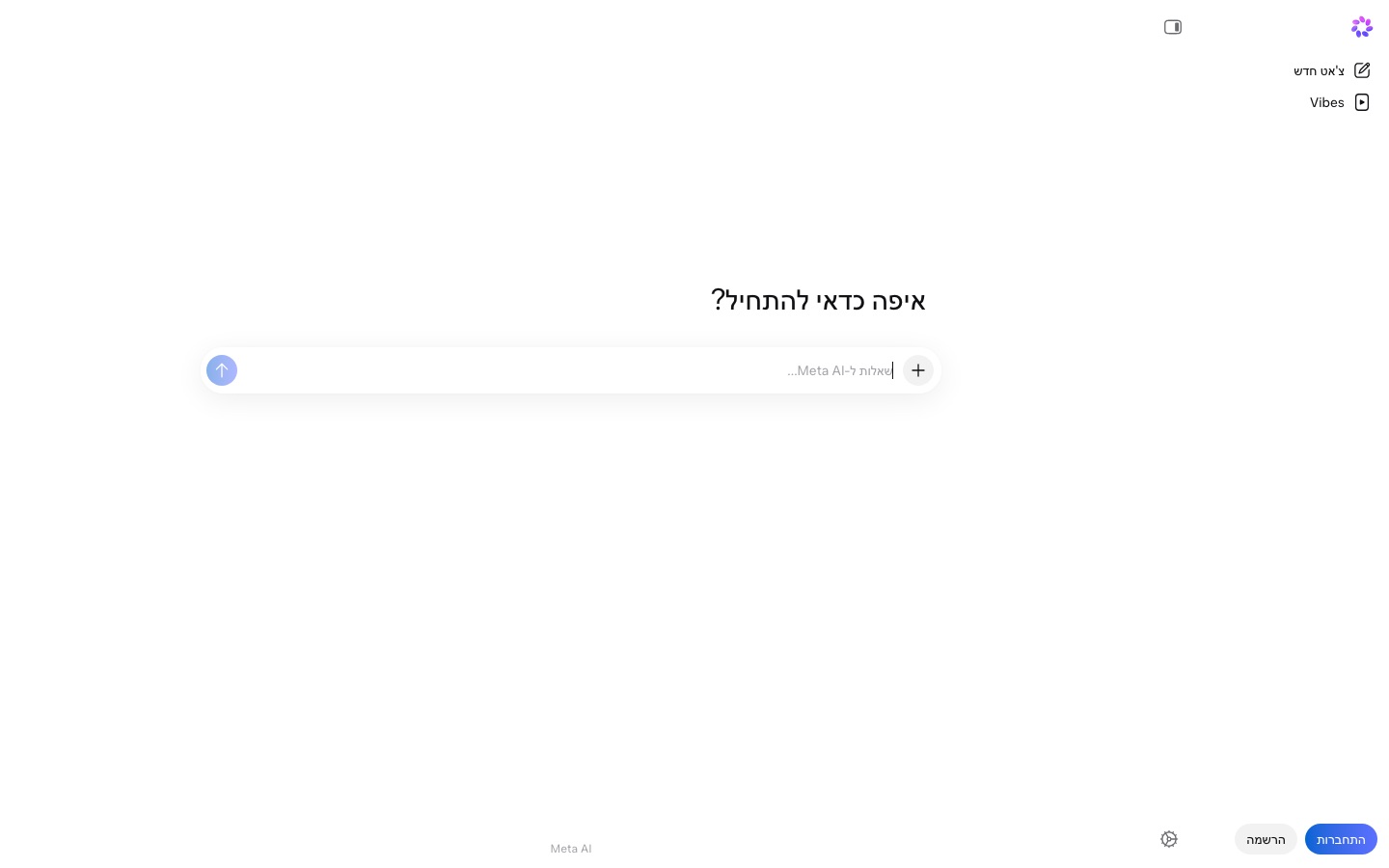 The official Meta AI website, photographed in September 2026. Credit: Meta AI
The Big News of 2026: Muse Spark Replaced Llama
If there is one thing worth taking from this guide, it is this: Meta AI no longer runs on Llama.
For years, the engine powering Meta AI was the open-source model family Llama, first Llama 3, then Llama 3.1, and later Llama 4 in its two variants, Llama 4 Scout and Llama 4 Maverick (native multimodal models with a mixture-of-experts architecture). Then in April 2026 something significant happened: Meta Superintelligence Labs launched a completely new model called Muse Spark, which Meta described as "our most capable model to date."
Muse Spark is a multimodal model with reasoning capabilities, meaning that, like its competitors Gemini and ChatGPT, it processes text and images in parallel and can solve complex reasoning tasks in areas such as science and mathematics, not just "complete a sentence." This is the model that powers Meta AI today across consumer apps, including the Hebrew version launched in Israel.
💡 From the field: When I teach organizations, I keep running into this same confusion. Executives tell me, "Oh, Meta AI, that's the open-source Llama thing." That is no longer accurate. Llama still exists and still matters as an open-source model family that developers can download and run themselves, but the assistant you are talking to in WhatsApp runs on Muse Spark, Meta's closed, managed model. The distinction matters because it also changes the privacy question: a cloud-managed model behaves differently from a model you run on your own server.
In practical terms, the move to Muse Spark meaningfully improved answer quality, multi-step reasoning, and Meta AI's multimodal comprehension. It is one of the main reasons that in 2026 this tool became worthy of serious attention, rather than just "a toy they pushed into your app."
Why did the name change from Llama to Muse Spark? This is not just rebranding. Llama was built as an open-source model family. The idea was that anyone could download the weights and run the model themselves. Muse Spark, by contrast, is the flagship project of Meta's new superintelligence lab: a closed, managed model that competes directly with the flagship models from OpenAI and Google. The shift signals a strategic change at Meta: from "giving the community an open model" to "running our own closed flagship model for consumers." For the end user in WhatsApp this is transparent, you simply get better answers, but for understanding where Meta is headed, it is critical.
Anyone who wants to explore the full Muse family beyond WhatsApp, including the Muse Code agent, the API, pricing, and benchmarks, will find everything in the complete guide to Muse Spark.
Meta AI Arrived in Israel: Full Hebrew in WhatsApp
Until mid-2026, the Meta AI experience in Hebrew was partial and clunky. That changed: at the end of June 2026, Meta officially launched full Hebrew support for Meta AI in Israel, across WhatsApp, the desktop browser, and the mobile app.
What does that mean in practice? Israeli users can now:
- Chat in natural Hebrew: ask questions, request drafts, summarize and explain, all in fluent Hebrew.
- Upload a photo and get analysis in Hebrew: photograph a product, a document, a restaurant dish, or a screenshot, and ask questions about it in real time.
- Create and edit images and videos from text: describe in Hebrew what you want and receive an image.
- Connect external services: Meta noted that the assistant can connect to services such as Gmail and Outlook to help with tasks.
This move turned Meta AI, almost overnight, into one of the most accessible Hebrew-language AI assistants for the general public in Israel, simply because it sits inside the app that is already on every phone in the country. If you are comparing it to alternatives, it is also worth reading the guide to Perplexity in Hebrew and the comparison between Claude and ChatGPT, to understand when it makes sense to leave WhatsApp for a dedicated tool.
Why Everyone Is Talking About It
Three main reasons turned Meta AI into a topic of conversation in 2026:
- Unprecedented distribution. Meta does not need to convince you to download an app. It simply placed the blue circle inside WhatsApp, which is already installed on billions of devices. This may be the fastest rollout of an AI assistant in history, purely in terms of the number of people exposed to it on a single day.
- The move to Muse Spark. The quality leap from Llama to the new multimodal reasoning model transformed it from "fine" to "surprisingly good" on many tasks.
- Local Hebrew. The Israeli launch with full Hebrew support gave the tool immediate relevance for an audience that until then had experienced it as half-English.
Alongside the enthusiasm, though, there is also criticism, mainly around privacy, around the fact that "you can't get rid of it," and around the question of whether an AI assistant should be inside a private messaging app at all. We will address all of that honestly later.
There is also a strategic dimension worth understanding: Meta is betting that the future of AI is voice-first and personal, not just text-based. The company announced significant investment in advancing voice capabilities in the coming half-year, and also launched a standalone Meta AI app built around voice conversations, so that it becomes a "personal AI" that talks with you rather than just writes. That direction, an assistant that accompanies you verbally throughout the day, is exactly what Meta is trying to establish with the massive distribution it already has. Whether it succeeds or not, it explains why Meta is pushing the blue circle so hard.
Core Capabilities
Text Chat and Reasoning
The heart of Meta AI. You can ask it any question, request a draft email, summarize a long text you have pasted in, explain a concept, translate, help with homework, or think through an idea together. With Muse Spark, multi-step reasoning, for example solving a math problem step by step or analyzing the logic of a business decision, is significantly stronger than before.
Image Generation from Text
Meta AI generates images from a text prompt directly inside the chat. Write "draw me..." or "Imagine..." and it will return an image. You can also edit existing images with text instructions, create custom stickers from text, and animate static images. In 2026, Meta's image generation capabilities improved substantially and they also feed creative experiences inside Instagram and WhatsApp.
Image Analysis (Multimodal)
This is one of my favorite capabilities to demonstrate in workshops: upload a photo, a shot of a product label, a menu, a chart, a document, an item of clothing, and Meta AI analyzes it and answers questions about it. "What are the ingredients in this?", "Summarize this document for me," "What would go well with this outfit?" In Hebrew this has worked well since the Israeli launch. Real examples I show: photographing a menu at a restaurant abroad and asking "Which of these dishes is vegetarian?"; photographing an invoice and asking "Summarize how much I paid in each category"; photographing an error on a computer screen and asking "What does this mean and how do I fix it?" This multimodal capability, combining an image and text in a single question, is exactly what Muse Spark introduced, and it transforms Meta AI from a "chatbot" into an "assistant that sees."
Custom Stickers and Avatars
Beyond "regular" images, Meta AI creates custom stickers from text (write "sticker of a cat working at a computer" and you will get a sticker to send in chat) and personal avatars. This is a light feature but a viral one. Many Israeli users encountered Meta AI for the first time through sticker creation in family group chats.
Voice and Voice Conversations
Meta added voice to Meta AI across its apps, and in 2026 also voice conversations with the AI in WhatsApp. Instead of typing, you can simply speak to the assistant. Meta has stated that it is investing significantly in advancing voice capabilities.
Video from Text
Beyond images, Meta AI also enables the creation and editing of short videos from text. This area is developing rapidly, and as with every competitor, the results improve month by month. Anyone who wants to go deeper into the AI video space will also find value in the dedicated guides on that topic.
Getting Started: Step by Step in WhatsApp
The big advantage: no installation, no signup. Here is how to do it:
- Make sure WhatsApp is updated. Meta AI comes through app updates, so update WhatsApp to the latest version from your app store.
- Look for the blue circle. In the corner of your chats screen you will see a round blue button. That is Meta AI. Tap it to open a direct conversation.
- Just type a message. Ask a question in Hebrew, request a draft, or write "draw me..." to generate an image. No complicated menus. It is like texting a friend.
- Upload an image for analysis. Attach a photo inside the Meta AI chat and ask about it.
- Try it in a group. Inside a group chat, type
@Meta AIfollowed by your question. Every group member will see the response (more on that in the next section).
That is it. In under a minute you are using a full AI assistant. If you want to learn to work with AI systematically, not just play around but make it a daily work tool, there are free courses at the Academy that teach exactly that, from the ground up.
Not seeing the blue circle? A few possible reasons: (1) WhatsApp is not updated, update it from the app store; (2) the feature is rolling out gradually by region and device, so it may simply not have reached you yet; (3) you hid it previously through settings, go to Settings, Chats, and check the "Show Meta AI button" toggle. If you have updated, waited, and it is still not there, this is most likely a gradual rollout, not a bug. Even then, you can use Meta AI through the website meta.ai in a browser.
Tip for beginners: Start with a simple question to break the ice, for example: "Explain briefly what Meta AI is and what you can do." The answer itself will show you the capabilities and let you get a feel for the Hebrew conversation flow before you tackle anything serious.
Meta AI in Group Chats: @Meta AI
One of the features that surprises people most: you can summon Meta AI into a group conversation without leaving it. Just type @Meta AI followed by a question, and the assistant replies inside the group so everyone can see.
This is very useful in scenarios like:
- Group decisions: "@Meta AI what is the weather in Tzfat on Saturday?" to plan a family trip.
- Settling a debate: "@Meta AI explain briefly what the difference is between X and Y," instead of everyone searching separately.
- Quick ideas: "@Meta AI give us 5 names for our football team."
Important to know from a privacy perspective: Meta AI sees only the message in which you tagged it, not the rest of the group conversation. Regular group messages remain end-to-end encrypted and it is not exposed to them. But what you do intentionally send it may be used. So do not tag it on sensitive information.
Meta AI Beyond WhatsApp: Instagram, Messenger, and meta.ai
It is important to understand that Meta AI is not just a WhatsApp feature. It is the same assistant, running on Llama 4 (Maverick), across the entire Meta ecosystem:
- Instagram: You can reach Meta AI in Direct Messages, use it for content ideas, and see it powering creative features in Stories and Reels.
- Messenger and Facebook: The same assistant is available in chat, including in groups and conversations.
- meta.ai (standalone website and app): Meta AI also has its own home, a dedicated website and app where the experience is fuller, including an organized conversation history. This is the convenient option for anyone who wants to work "seriously" with Meta AI rather than just fire off a quick question in WhatsApp.
The advantage of this unified approach: Meta AI's conversations and memory can follow you across platforms. The downside: this is precisely what reinforces concerns about cross-app data collection, because Meta sees the full picture in one place. We will come back to that in the privacy section.
Business Use Cases in Israel: Real Scenarios
Beyond personal use, Meta AI and the Meta ecosystem offer genuine business value. Here are concrete scenarios I see with clients:
- Small business / freelancer: Quickly drafting customer messages, answering questions, writing a social post draft, all inside WhatsApp that is already open anyway. Instead of switching to a separate tool, you summarize a customer inquiry or draft a reply in 30 seconds.
- Retail / e-commerce: Creating product images and descriptions, analyzing inventory photos, brainstorming campaign ideas.
- Restaurant / cafe: Writing enticing dish descriptions for the digital menu, ideas for posts with an image, and quick answers to recurring questions ("Do you have vegan options?"). You photograph a dish and ask for a sales-oriented description in Hebrew.
- Real estate / agent: Drafting persuasive property descriptions from a list of features, writing follow-up messages to clients, and quickly summarizing requirements a client sent in a long message.
- Clinic / therapist / coach: Drafting educational content for clients, newsletter drafts, and post ideas, without entering any identifying patient details (very important, see the privacy section).
- Online store: Creating product images and descriptions, promotional headlines, and seasonal campaign ideas.
- WhatsApp Business with an AI agent: In June 2026, Meta launched an AI agent for WhatsApp Business globally, a tool that lets businesses set up an automated assistant that manages customer conversations, answers frequently asked questions, and guides users toward a purchase. This is different from consumer Meta AI: it is an agent the business configures for its own customers, running against customers through the WhatsApp Business channel.
From the field: The most important distinction for businesses is between convenience and infrastructure. Meta AI is excellent as a "quick writing assistant" sitting beside you while you work, for drafting, summarizing, brainstorming. It is not designed to be the system that runs your business. The moment you are talking about a repeating process, integration with a CRM or booking system, or customer data, you move to a dedicated tool. I see businesses trying to "stretch" Meta AI into a role it was not built for, and ending up disappointed. Use it for exactly what it excels at.
That said, and here I am straight with my clients: Meta AI is not the tool to build a serious, secure business process on. For automation, custom AI agents, and working with sensitive organizational data, I recommend a system based on Anthropic's Claude with dedicated agents, which offer the control, security, and connectivity to internal systems through MCP and other tools that Meta AI simply does not provide. If you are considering a serious AI implementation in your organization, that is exactly what we do in AI consulting and implementation.
Hebrew: What Works and What Does Not
Since the Israeli launch at the end of June 2026, Meta AI has taken a significant step forward in Hebrew. Here is the accurate picture:
What works well:
- Conversation in Hebrew: Understanding and expression at a high level, including slang and Israeli context.
- Image analysis in Hebrew: Upload an image and get a fluent Hebrew response.
- Understanding a Hebrew prompt for image generation: You can describe what you want in Hebrew and the model understands.
What is still weak:
- Readable Hebrew text inside a generated image: Like almost every Western image generator, Meta AI struggles to render Hebrew words accurately inside an image. For a Hebrew heading or sign inside a graphic, it is better to add the text afterward in an editor, or use a tool that excels at this.
- Consistency in long RTL formatting: Very long text mixing Hebrew and English sometimes still breaks in directionality.
From the field: The difference between "understands Hebrew" and "produces perfect Hebrew inside an image" confuses a lot of people. Meta AI is excellent at understanding you in Hebrew and responding in Hebrew. It is less good at writing Hebrew inside an image it draws. This is not a problem unique to it, it is a limitation of almost every model. If accurate Hebrew inside graphics is critical to you, that is a reason to choose a different tool for that specific task.
Privacy and Data: Honestly
This is the section that matters most to read, and also the one most people skip. Let us be precise, no scare tactics, no whitewashing:
What Meta AI does not see: Your private WhatsApp conversations remain end-to-end encrypted. Meta AI does not read your chats with other people. It sees only messages you deliberately send to it, when you open a direct chat with it or tag @Meta AI in a group.
What does happen with what you send it: What you do send to Meta AI itself, the messages, requests, and images you upload to it, may be used to train future versions of the model. And since December 2025, Meta has also been using your AI conversation data to personalize ads on Facebook, Instagram, and WhatsApp, and there is no way to opt out of this, except in regions with strict privacy laws such as the European Union, the United Kingdom, and South Korea. Israel is not protected under those laws, so here this personalization is active.
"You cannot turn it off": There is no central "off switch" that removes Meta AI entirely. It is part of the app. What you can do: hide the blue circle via Settings, Chats, and turn off the "Show Meta AI button" toggle (the feature is rolling out gradually and not everyone sees it yet). And even if you have not hidden it, as long as you do not send Meta AI a message, it does not enter your conversations.
The private option: In May 2026, Meta added an Anonymous AI Chat (Private Processing), a conversation that runs in a locked environment which Meta claims even its own employees cannot read, and which is deleted the moment you close it. This is the right option if you want to ask something without it being stored.
What about "protected" regions? In the EU, the UK, and South Korea, strict privacy laws (such as GDPR) restrict Meta's use of data for training and advertising, and allow users to submit a Right to Object form to stop their public posts from being used for AI training. Israel currently has no equivalent regulatory framework, so the default here is less protective, another reason to be mindful of what you send. It is worth saying fairly: this is not unique to Meta. Most major AI services enjoy the same "default permission" in unregulated regions. The difference is that Meta connects the data directly to its massive advertising machine, and that is what concerns more people.
Is this really a "privacy danger" the way people warn about? Not exactly. The common fear that "Meta AI reads all my chats" is exaggerated. The end-to-end encryption of private conversations is maintained, and this has been confirmed by fact-checking organizations. The real problem is narrower and more specific: what you type directly to Meta AI is not private in that sense and is used by Meta. Once you separate the two, it becomes much easier to use the tool wisely.
From the field: The rule I give organizations is simple: do not send Meta AI anything you would not put on a public bulletin board. No customer ID numbers, no medical information, no business secrets. For general questions, brainstorming, and non-sensitive images, it is excellent. For sensitive information, use a secure organizational tool, full stop.
Competitor Comparison: Honestly
Where does Meta AI stand against ChatGPT, Gemini, and Claude? Here is an honest comparison:
| Criterion | Meta AI | ChatGPT | Gemini | Claude |
|---|---|---|---|---|
| Accessibility | Highest, already inside WhatsApp | Separate app/website | App + Google products | Separate app/website |
| Model (2026) | Muse Spark | Advanced GPT | Advanced Gemini | Claude (Opus/Sonnet) |
| Hebrew | Very good (since 6/2026) | Very good | Very good | Excellent, including RTL |
| Image generation | Yes, built-in | Yes (GPT Image) | Yes | No (text only) |
| Base price | Free in WhatsApp | Free + Plus | Free + plans | Free + plans |
| Privacy/control | Relatively weak | Medium | Medium | Relatively strong |
| Best suited for | Fast everyday use with zero friction | Rich general use | Google ecosystem | Professional work, code, enterprises |
The bottom line from this comparison: Meta AI wins decisively on accessibility and convenience. No other tool already sits in your pocket without any effort. It loses on control, privacy, and professional depth, where ChatGPT, Gemini, and especially Claude lead. For most people, Meta AI is "the first thing within reach." For serious work, a dedicated tool is worth it. Want the full picture? We have a deep comparison of AI models.
Price and Plans
Basic use inside WhatsApp is completely free: chat, questions, basic image generation, image analysis, and group tagging. This covers the needs of the vast majority of users.
During 2026, Meta also added a paid premium plan with advanced capabilities, higher usage quotas, and additional features, alongside the launch of voice calls with the AI and supervised accounts for children under 13. Exact prices vary by region and plan, so as of July 2026, it is worth checking the current price directly inside the app. For most people, there is no real need for the paid plan.
Advanced Tips
- Tag only when it makes sense in a group. In a group,
@Meta AIexposes your question to all members. Use it when the answer is relevant to everyone, not for a personal question. - Give context in the first message. Meta AI does not see your regular chat history, so give it full context in the message you send ("I own a bakery in Haifa, write me...").
- Use the image upload feature. One of the strongest and most underused capabilities. Take a photo and ask. A menu, a label, a document, a problem with a device.
- For sensitive information, use private mode. Enable the anonymous chat (Private Processing) for questions you do not want saved.
- Connect to Gmail/Outlook with caution. The ability to link external services is convenient, but think carefully about what you are granting access to.
- Do not rely on it for critical facts. Like every model, it can "make things up" (hallucinate). For important data, verify with an additional source.
- Ask for a specific format. Like every language model, Meta AI responds very well to format instructions: "answer in three bullet points," "write in a formal tone," "give me a table." The more specific your request, the closer the result to what you actually wanted.
- Use it as a "first layer," not the final word. The smart way to use Meta AI is to get a quick draft or direction from it, then edit and refine yourself. It eliminates the blank page problem. It does not replace your judgment.
💡 From the field: The number-one mistake I see beginners make is expecting Meta AI to "read their minds." A vague request returns a vague answer. Instead of "write me a post," try "write a short Instagram post, in a friendly tone, about an end-of-season sale at a shoe store in Tel Aviv, with a call to action and 3 hashtags." The difference in the result is enormous. This applies to every AI tool, and it is exactly the skill we teach at the Academy.
Common Mistakes and How to Avoid Them
- Thinking it reads all your chats. Not true. It only sees what you send it intentionally. But the opposite mistake is more dangerous:
- Sending it sensitive information. What you send to Meta AI can be used for training and advertising. Do not send secrets.
- Confusing it with Llama. In 2026 the engine is Muse Spark, not Llama. This matters for answer quality and the character of the model.
- Expecting perfect Hebrew text inside an image. That is a limitation. For a Hebrew headline in a graphic, add it afterward.
- Thinking you cannot hide it. You can hide the blue circle through the settings (rolling out gradually).
- Using it for sensitive business processes. For automation and enterprise AI agents, use a dedicated and secure tool, not the consumer assistant.
The Limitations: Honestly
- Limited privacy and control. There is no way to prevent data from being used for training and advertising in Israel, and there is no full "off switch" for the tool.
- Not built for deep professional work. For code, long documents, complex data analysis, and automation, dedicated tools (such as Claude) are far more capable.
- Hallucinations. Like every language model, Meta AI can present incorrect information with confidence. Verify critical facts.
- Hebrew text inside images. Still unreliable.
- Dependent on Meta. You are inside Meta's ecosystem, with its policies and advertising. It is not a neutral environment.
- Less transparency about the model. Muse Spark is a closed, managed model. It does not have the transparency of Llama as open source.
Who It Is Right For, and Who It Is Not
Especially well suited for:
- Anyone who wants a free, instant AI assistant without installing or signing up for anything.
- Light everyday use: questions, drafts, summaries, quick image generation.
- Anyone who already lives inside WhatsApp and wants a quick answer inside their existing workflow.
- Groups that want a fast shared assistant (using
@Meta AItagging).
Less suited for:
- Working with sensitive information (business, medical, personal).
- Serious business processes, automation, and customized AI agents.
- Anyone who wants maximum control and privacy.
- Deep professional work in code, long documents, or complex analysis, where a dedicated tool is preferable.
Frequently Asked Questions
Does Meta AI in WhatsApp work in Hebrew? Yes, fully. Since the end of June 2026 there is native Hebrew support across WhatsApp, browser, and mobile: chat, image analysis, and inference in Hebrew. Image generation understands a Hebrew prompt. Readable Hebrew text inside the generated image is still less reliable.
What model does Meta AI run on in 2026? Muse Spark, a multimodal reasoning model from Meta's Superintelligence Labs, introduced in April 2026 and replacing Llama as the engine powering the consumer assistant.
How do you hide or disable Meta AI (the blue circle)? There is no full off switch. It is part of the app. You can hide the circle: Settings, Chats, turn off "Show Meta AI button" (rolling out gradually). And as long as you do not send it a message, it does not enter your conversations.
Does Meta AI read my private chats? No. Private chats are end-to-end encrypted. It only sees messages sent to it intentionally. But what you do send it can be used for training and advertising.
Is Meta AI free or paid? Basic use in WhatsApp is free. There is also a paid premium plan with advanced capabilities (as of July 2026). Most users get along perfectly well with the free tier.
What is the difference between Meta AI and ChatGPT or Gemini? Meta AI wins on accessibility (already in WhatsApp) and convenience. ChatGPT, Gemini, and especially Claude lead on professional depth, control, and privacy. For a quick task: Meta AI. For serious work: a dedicated tool.
Can I connect Meta AI to my business systems? The consumer assistant is limited in this regard. For businesses there is an AI agent for WhatsApp Business (globally available from June 2026) for customer service. But for automation and customized agents with access to internal systems, a dedicated solution based on Claude and AI agents is the right approach, not the consumer assistant.
The Bottom Line
Meta AI in 2026 made a genuine leap: it moved to running on Muse Spark instead of Llama, gained full Hebrew in Israel from the end of June, and it sits in exactly the most convenient place there is: inside WhatsApp. As a free, instant, Hebrew-language AI assistant for everyday use, it has almost no competition on sheer convenience. It is an excellent entry point into the world of AI for anyone who has not yet tried it.
But be aware of the trade-off: the convenience comes at the cost of privacy and control. What you send it is used for training and advertising, there is no full off switch, and it is not built for sensitive information or serious business processes. The rule is simple: for light, non-sensitive tasks, it is excellent. For sensitive information and professional work, use a dedicated tool.
Want to learn to work with AI seriously, not just "play" with the blue circle, but actually turn artificial intelligence into a real work tool? Start with the free courses at the Academy, which teach AI from the ground up in Hebrew. And if you want close, personalized guidance, for a business, a team, or individually, you can book a private lesson or reach out to us for AI consulting and organizational implementation. That is exactly what we do with more than 100 organizations.
Frequently asked questions

Yaakov Tzedek
An Israeli AI lecturer, consultant and implementer who has supported 100+ organizations in AI implementation and lectured for 200+. Official content partner of Meta, Google, Canva and TikTok, featured on Israel's Channel 13.
More about Yaakov →