- What Manychat is, how to build automation from Instagram comment to lead, WhatsApp costs in Israel, Manychat AI, all plans and prices, and what Meta's policies actually mean for your business.
According to Manychat's official WhatsApp pricing guide, a marketing template message to a customer in Israel costs $0.0406, while a Utility template message costs $0.0061. The same message, a six-and-a-half times price difference, just because of the category you chose in Meta.
A marketing WhatsApp message to a customer in Israel costs around four cents through Manychat, and a Story someone replies to can turn into a conversation, a lead, and a sale without anyone at the business touching their phone. That's the simple part.
The part nobody tells you: the free plan gives you 25 active contacts per month, Meta closes the messaging window after 24 hours, AI is a paid add-on, and the interface has no idea what right-to-left means. Anyone who starts without knowing this finds out on the invoice.
This guide was built from Manychat's official pricing page, the Manychat AI product page, five articles in the official help center (WhatsApp pricing, WhatsApp connection, messaging windows, AI Step, and intent recognition), Meta's WhatsApp Business Platform pricing page, and Manychat's privacy policy. Everything was verified on September 14, 2026.
In short
| Question | Short answer |
|---|---|
| What is it? | Messaging automation: a reply on a post, a Story, or a keyword triggers a private message sequence on Instagram, WhatsApp, Messenger, TikTok, and Telegram |
| What does it cost? | Free (25 contacts), Essential $17, Pro $39, Business $99, Advanced $199 per month. Annual billing saves 18 to 30 percent |
| What about WhatsApp? | Via the Meta API: on top of your subscription, every template message is billed. In Israel: $0.0406 for marketing, $0.0061 for utility |
| What about AI? | A $29/month add-on for Pro: AI Step, intent recognition, AI Replies, and AI Comments |
| Hebrew? | Messages work, AI detects language automatically, the interface is English-only and not RTL |
| Who is it for? | A business that gets inquiries on Instagram or WhatsApp and wants the first conversation to happen on its own, even at two in the morning |
What is Manychat?
Manychat is a social media messaging automation platform. Instead of you answering every person who comments "price?" under a Reel, the automation detects the reply, sends a private message with the price, asks a question or two, and saves the phone number. By the time you're free, the lead is already sorted.
Definition: Manychat is a cloud service that connects to your business accounts on Instagram, WhatsApp, Messenger, TikTok, and Telegram (plus SMS and email), and runs "automations": a trigger (a comment, a message, a Story, an ad click) that sets off a sequence of messages, questions, conditions, and actions, including passing the details to a CRM. According to the official site, it is an official Meta Business Partner and a TikTok partner, and is used by more than one million creators, marketers, and brands.
That last number comes from Manychat's own website, so treat it as a marketing claim rather than an audited figure. What can be said from the field: when someone in Israel says "I have a bot on Instagram," it's Manychat most of the time.
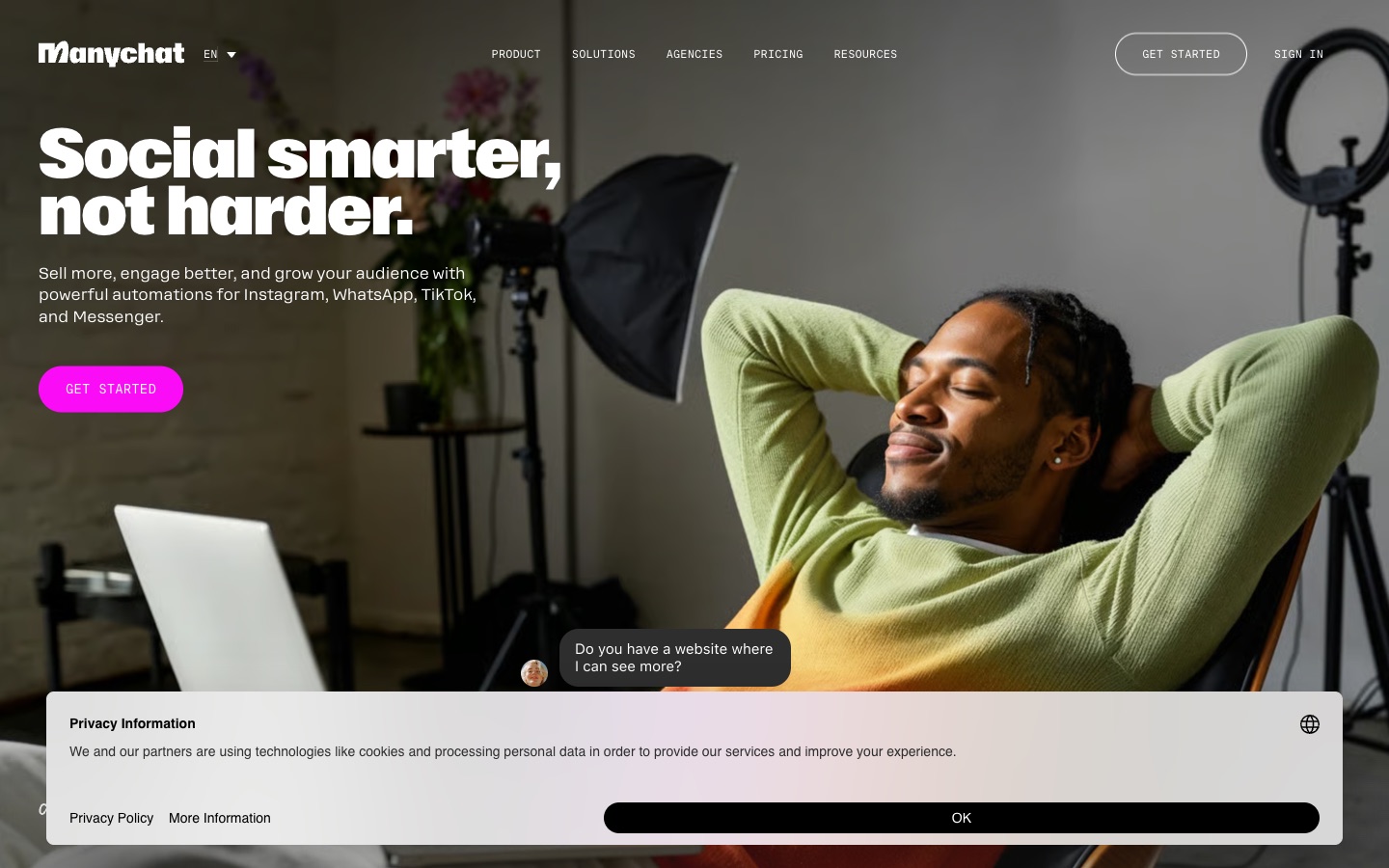 Manychat's official homepage, captured on September 14, 2026. Credit: Manychat
What can Manychat do?
The core is triggers that start a conversation, and a visual flow builder that manages it. These are the capabilities listed in the comparison table on the official pricing page, with one business use case for each:
- Comment to DM: Someone who comments on a post or Reel receives a private message, plus a public reply on the post. Use case: "Comment 'guide' and get the file," and the file goes out automatically along with a request for an email address.
- Keywords: A message containing a specific word triggers an automation. Use case: "pricelist" in a DM sends the price list and asks which service they're interested in.
- Story Reply and Story Mention: A reply or reaction to a Story opens a conversation. Use case: a Story poll that becomes a sales conversation with everyone who responded.
- Follow to DM and follow check: An automatic greeting to a new follower, and a check whether someone follows before giving them a benefit. Use case: a discount for followers, and a follow request for those who don't.
- Live to DM: Comments during an Instagram Live trigger a message. Use case: "Type 'yes' and get the registration link" during the live.
- Referral links and QR codes: A link, QR code, or button on a website that opens a conversation with a specific automation. Use case: a QR code on an in-store sign that opens WhatsApp with a coupon.
- Data collection and tagging: Saving email, phone number, and free text in fields, and tagging contacts. Use case: "Budget above X" gets a "hot" tag and is routed to a rep.
- Conditions, actions, and randomizer: Branching by answer, tag, or external data, and A/B testing between two message versions.
- Broadcasts: A message to the whole list, on channels that support it (not Instagram or TikTok), and on WhatsApp only with pre-approved templates.
- Ads that open conversations: Meta ads that lead to a message on Instagram, Messenger, or WhatsApp, and TikTok message ads.
- Inbox: All conversations from all channels in one place, with a mobile app, reminders, labels, and team assignment (depending on the plan).
- Integrations: CRM, email and SMS platforms, commerce and payments, and API. Anything without a native integration comes through n8n or Make.
And above all of that sits the AI layer, which is a paid add-on and is covered later.
How to get started: step by step
The first result you want is a Reel comment that turned into a lead's contact details, without touching anything. Six steps, most of them taking minutes:
- Free account and Instagram connection. Sign up at manychat.com, no credit card required, and connect a business or creator Instagram account linked to a Facebook Page. On the free plan you can connect up to two channels.
- A ready-made automation. Manychat offers more than 60 ready-made templates according to the pricing page. Start with "Auto-DM links from comments": choose a post, a trigger word ("guide"), a private message with the link, and a short public reply.
- One question and one field. Add a question to the automation ("What email should I send it to?") and save the answer to a field. Now every comment is a lead with details.
- A condition and a tag. After the answer, a condition: if they wrote a word that signals a business, apply the "business" tag and send a message offering a call. Otherwise, apply the "personal" tag and send the link only.
- Test it from your phone. Comment on the post yourself from another account and read the message in Hebrew on your phone, not in the preview screen. This is when you spot broken line breaks, punctuation that jumped, and misplaced emojis.
- Review the numbers after two weeks. Check how many active contacts were counted, how many left an email, and how many moved to a conversation. Those three numbers decide whether to stay on the free plan, upgrade to Essential or Pro, and whether WhatsApp is worth the subscription at all.
Anyone who prefers to practice this with feedback built into the page can find an interactive Manychat course for 9.90 ILS, part of our interactive AI courses series.
Hebrew and RTL
Hebrew messages go through fine, the interface does not speak Hebrew, and RTL is not officially supported. That is the situation as of September 14, 2026, and here is how to work around it:
What works. Hebrew text in messages on Instagram, Messenger, and WhatsApp arrives to the customer exactly as you wrote it, because the platforms themselves support Hebrew. Hebrew keywords work. According to the help center, Manychat's AI "automatically detects the language in the contact's message" and replies in it, and the Manychat AI product page states that intent recognition understands "all major languages." Hebrew is not mentioned by name, so this is something to test rather than assume.
What breaks. The management interface is in English, and according to community discussions it is available only in English, Spanish, and Portuguese (not stated officially on the pricing page). In the flow builder, text is displayed left to right: punctuation at the end of a Hebrew sentence jumps to the wrong side, and numbers or English words inside a Hebrew sentence get scrambled in the display. A request posted in the Manychat community in February 2025 for RTL support in Hebrew and Arabic, primarily in the email builder, received no official response. Third-party browser extensions exist that fix the display in the builder, and no specific one is recommended here, since they are not from Manychat.
What to check before going live. Send every message to yourself and read it on your phone. Watch for question marks and periods at the end of lines. Use short lines and avoid mixing English inside a Hebrew sentence. For intent recognition, write the intent description in English ("user asks about price") and test it with ten different Hebrew phrasings, including slang and spelling variations. In WhatsApp templates, verify that the variables ({{1}}) do not scramble word order. Write automation names, tags, and field names in English, as recommended in Make and every other non-RTL tool.
What it costs: all plans from the official site
The price is based on active contacts per month, not messages. According to the official pricing page, an active contact is "a real person you've messaged during a monthly billing period," regardless of how many messages: one person equals one contact for the month, whether through automation, AI, broadcast, or the inbox.
| Plan | Monthly price (monthly / annual) | Active contacts | What opens up | Limits |
|---|---|---|---|---|
| Free | $0 | 25 | 2 channels, basic automations, basic inbox | Up to 4 active automations, 1 user, Manychat branding in messages |
| Essential | $17 / $14 | 250 | 2 channels, unlimited automations, inbox with reminders, email support | 2 users, no broadcasts, no AI |
| Pro | $39 / $29 | 2,500 | 3 channels, advanced automations, broadcasts, inbox with labels and rules | 3 users; AI at additional cost |
| Business | $99 / $69 | 7,500 | Unlimited channels, shared team inbox and assignments, priority support | 5 users |
| Advanced | $199 / $139 | 25,000 | Same as Business | 10 users |
Prices are from the official pricing page, September 14, 2026, in US dollars and before tax. According to the page, the final price is determined by billing country and shown at checkout. On annual billing the saving is 18 percent on Essential, 25 on Pro, and 30 on Business and Advanced. Essential and Pro include a 14-day free trial, and according to the page you can cancel and receive a refund within 30 days of purchase. Prices change, so check the official site.
What you actually pay for. Three things that don't appear in the headline price: (1) overage, described on the page as "a small fee for each additional contact," which you can cap in advance by setting an overage limit, with the exact amount shown at checkout rather than in the public table; (2) Manychat AI, a $29/month add-on for the Pro plan according to the official product page; (3) WhatsApp template messages, billed by Meta through your Manychat wallet, per delivered message. Those numbers are covered in the next section.
The cheapest plan that fits a small business in Israel. If all you need is Instagram: free for a two-week test, then Essential at $17, because 25 contacts runs out after one post that worked. If you need WhatsApp with automation, Pro at $39 (or $29 annual) is the floor, and according to Manychat's official guides, connecting WhatsApp requires a paid plan. Confirm this in the full comparison table on the pricing page before paying. Add AI only after the core flow is already running.
WhatsApp Through Manychat: How It Works and What It Costs in Israel
WhatsApp in Manychat runs through Meta's WhatsApp Business Platform (the API), not through the app. According to the Help Center (updated June 4, 2026), you can connect an existing number, including one already in use with the WhatsApp Business app or with another provider, or purchase a new number through Manychat. Chat history does not carry over, and some app capabilities become unavailable after connecting. There is also a "Coexistence" mode (in beta) that lets you continue using the app alongside Manychat.
What Meta charges. According to Meta's pricing page, as of July 1, 2025 billing is per delivered template message, based on category (Marketing, Utility, Authentication) and the recipient's country. Regular messages (non-template) are free, but can only be sent within a 24-hour service window that opens when a customer writes to you and resets with each message they send. Utility templates within the window are free. And anyone who reaches you through a "click to WhatsApp" ad or a Facebook Page button opens a 72-hour window in which all messages are free.
The numbers for Israel. According to Manychat's WhatsApp pricing guide (updated August 27, 2026, rates in effect from July 1, 2026), Israel is a standalone market in the pricing table:
| Category | Price per delivered message in Israel |
|---|---|
| Marketing | $0.0406 |
| Utility | $0.0061 |
| Regular message within the 24-hour window | Free |
| Message from the customer to you | Always free |
A simple calculation: a marketing broadcast to 1,000 customers in Israel costs roughly $40 to Meta, on top of your subscription. An order confirmation or appointment reminder (Utility) to those same 1,000 people costs about $6. The money is deducted from your Manychat wallet (prepaid) the moment the message is delivered. Note that Meta determines a template's classification at approval, so a "reminder" template that includes a coupon will be classified as Marketing.
Business verification. According to the Help Center, without Meta verification and without an approved display name, an account may be limited to 250 conversations per month instead of 1,000 and above. Verification is done in Meta Business Manager, and that step takes far longer than the Manychat setup itself.
Manychat AI: What the $29 Add-On Includes
Manychat AI is an add-on to the Pro plan at $29 per month, not part of the base subscription. That is what the official product page states, and the Help Center (updated August 27, 2026) notes that some capabilities are in beta. Here is what is included:
- AI Step: A step inside an automation that receives a goal ("find out what the customer needs") and context about the business (up to 10,000 characters according to the product page), manages the conversation on its own, and completes tasks including saving responses to fields. Supported on Messenger, Instagram, WhatsApp, TikTok, and Telegram.
- Intention Recognition: A trigger that fires an automation based on the meaning of a message, not an exact keyword match. The recommended phrasing in the Help Center: "user asks about delivery." "How much is it?", "price?", and "hw mch is it" all land in the same place. Available on Instagram, Messenger, WhatsApp, and Telegram.
- AI Replies, AI Comments, and AI Goals (Instagram only, in beta): The AI runs in the background, identifies questions in messages and comments and answers from your "knowledge library" (links and up to 250,000 characters of text per entry), responds to compliments in comments in your tone, and guides the conversation toward a goal (a link, a follow, a lead). According to the Help Center, AI Comments works on posts and Reels only, not on Stories or Lives, and the AI stops waiting for a reply after 10 hours.
- Flow builder assistant and message improver: Describe a goal in plain language and receive a draft automation; or refine the wording of an existing message.
When it pays off: when you have dozens of recurring questions per day and the answers are written down somewhere. When it does not: when the business has not yet defined what it sells and to whom. An AI agent without solid context is like a new rep on their first day, answering confidently. Anyone who wants an agent that also takes action in external systems, as in the guide on a sales agent with Grok Bot, should connect Manychat to n8n rather than relying solely on AI Step. Full background on what this tool can do and what still breaks is in the complete Grok Bot guide.
Use Cases for Businesses in Israel
Five scenarios by role, all synthetic, no names.
- Small business owner (clinic, studio, shop): A Reel with "Comment 'appointment' to get available slots." The comment triggers a message with a calendar link, a question about the type of service, and a tag. By evening the owner sees a list of categorized leads instead of 40 comments.
- Marketing: A lead magnet on Instagram: "Comment 'guide'", a message requesting an email, saving it to a field and passing it to the mailing list through an integration. A/B test with the randomizer between two opening messages.
- Operations and service: On WhatsApp, Utility templates for order confirmation and reminders at $0.0061 per message. Frequently asked questions (hours, address, cancellation policy) handled by Intention Recognition, with everything else routed to an agent in the inbox.
- HR: A recruitment campaign in a Story: anyone who replies receives three screening questions (role, location, availability), and the answers are saved to fields and sent to a spreadsheet or recruitment system. Irrelevant candidates receive a polite reply immediately.
- Sales: A lead who typed "price" receives a price list and a question about budget; above a certain threshold, a "hot" tag and a notification to a rep with the details. In parallel, AI Step filters out those who are just browsing. The actual sales conversation on WhatsApp itself stays human.
Manychat vs. the WhatsApp Business App vs. a Custom Bot: An Honest Comparison
Manychat is the middle path: more than the app, less commitment than building a bot from scratch.
| Manychat | WhatsApp Business App | Custom bot (n8n / Claude Code / API) | |
|---|---|---|---|
| Base cost | Free up to 25 contacts; Pro $39 | Free | Server or API access provider, plus development time |
| Automation | Full flows, conditions, tags, AI (add-on) | Quick replies, greeting and away messages, catalog | Everything, within the limits of what you built |
| Instagram and TikTok | Yes, this is the core | No | Only through Meta's official API, with development work |
| WhatsApp template messages | Via the API, billed by Meta | No templates, manual sending | Via the API, billed by Meta, or unofficial providers |
| CRM and system integrations | Pre-built integrations and API | Manual | Full, customized to your needs |
| Who maintains it | Manychat | You, on your phone | You, or whoever built it |
| Hebrew and interface | Messages yes, interface not RTL | Full Hebrew interface | Whatever you build |
When to choose what. A business answering 30 conversations a day on its own, without Instagram as a sales channel, stays with the free app: it is in Hebrew, simple, and has no template charges. A business receiving dozens of comments and inquiries on Instagram that wants the first conversation to happen automatically, Manychat. An organization that needs the conversation to touch internal systems, sensitive data, or custom logic builds its own bot: in the guide on connecting Claude Code to WhatsApp we covered that approach, and in the n8n guide the connection to systems. And often the answer is a combination: Manychat opens and filters, n8n transfers to the CRM and triggers what comes next.
Privacy and Limitations
Manychat processes your customers' data on your behalf, and legal responsibility for that data rests with you. This is according to the official Privacy Policy (in effect from August 14, 2026):
- Who is the processor and who is responsible. The company is Manychat, Inc. According to the policy, "customer content" (the details of the people messaging you) is processed only on your instructions and under a Data Processing Agreement (DPA), and you are responsible for ensuring you have permission and a legal basis to collect the information and for informing the people involved.
- What not to upload. The policy explicitly asks you not to send sensitive information: health, origin, political opinions, beliefs, biometrics, criminal background. A clinic that collects treatment details through a bot goes beyond this, so medical questions should stay in a human conversation.
- Data use. According to the policy, Manychat does not sell data, may use anonymized customer content to improve the product and for analysis, and shares data with sub-processors listed on a separate page on the site. There are also separate "AI Supplemental Terms," and you should read them before activating the add-on.
- International transfers. Data is stored with providers outside Israel, under standard contractual clauses (SCC). An organization subject to policies that prohibit customer data in foreign cloud environments needs approval before connecting.
- Meta's 24-hour window. According to the Help Center, on Messenger, Instagram, and WhatsApp it is prohibited to send automated messages outside the 24-hour window from the customer's last interaction. Manychat automatically blocks scheduled messages to anyone who has left the window. On Messenger and Instagram there are then 7 days for manual messages from the inbox; on WhatsApp there are none, and beyond 24 hours only an approved template can be sent. Violations lead to warnings, sending restrictions, and even page removal or Instagram account suspension.
- Dependence on Meta. Everything you have built lives on Meta's and TikTok's APIs. A policy change, a rejected template approval, or a blocked account stops the automation, and that decision does not lie with Manychat.
- Honest limitations. The free plan allows 25 contacts and four automations, which is enough for testing, not for running a business. AI Comments works only on posts and Reels. Broadcasts are not available on Instagram or TikTok. And the interface is not RTL.
Common Mistakes
- Opening WhatsApp on day one. Start with Instagram on the free plan, learn the tool, and only then add a channel that costs money both on the subscription and per message.
- A "reminder" template with a coupon. Meta will classify it as Marketing, at six and a half times the price in Israel. Utility templates should stay purely operational.
- Trusting the Hebrew preview screen. Test every message on a real phone, including punctuation at the end of a line.
- AI Step without context. A one-line goal with no business information produces an agent that makes things up. Write full context: what you sell, what you do not, prices, tone, and what to do when the answer is unknown.
- Forgetting the 24-hour window. An automation that tries to re-engage a customer after two days will not send, and if it does send through incorrect tags, the account is at risk.
- Not setting a spending cap. One viral post and 2,000 new contacts, and an invoice you did not plan for. Set a cap in the billing settings in advance.
Frequently Asked Questions
What is Manychat?
Manychat is a messaging automation platform for social networks: Instagram, WhatsApp, Messenger, TikTok, Telegram, SMS, and email. You build an automation (a trigger such as a reply to a post, followed by a message sequence), and it replies, collects details, and passes along leads without you touching your phone. According to the official website, Manychat is an official partner of both Meta and TikTok.
How much does Manychat cost?
According to the official pricing page (checked September 14, 2026): Free with 25 active contacts per month; Essential at $17/month ($14 billed annually) with 250; Pro at $39/month ($29 annually) with 2,500; Business at $99/month ($69 annually) with 7,500; Advanced at $199/month ($139 annually) with 25,000. Beyond the included quota, you pay per additional contact. Prices are pre-tax and subject to change.
What is an Active Contact?
One person you have exchanged messages with through Manychat within a billing month, regardless of how many messages were sent. One person equals one contact. Every plan includes a monthly quota, and going over it triggers a per-contact surcharge. You can set an overage cap in advance.
Is Manychat AI included in the price?
No. According to the official product page, Manychat AI is an add-on to the Pro plan at $29 per month, and includes AI Step, intention recognition, a flow-building assistant, a text improver, and on Instagram also AI Replies, AI Comments, and AI Goals (in beta).
How much does WhatsApp cost through Manychat?
On top of your subscription, Meta charges per delivered template message. According to the Manychat pricing guide (current as of September 14, 2026): in Israel, a marketing message costs $0.0406 and a Utility message costs $0.0061. Replies within the 24-hour window following a customer message are free, and inbound messages from customers to you are always free.
Does Manychat work in Hebrew?
The messages themselves pass through Instagram and WhatsApp in Hebrew, and according to Manychat the AI automatically detects the customer's language. The interface is not in Hebrew and does not support RTL, and a community request for RTL support (February 2025) is still without an official response. Test every WhatsApp template on a real device before going live.
What is the difference between Manychat and the WhatsApp Business app?
The app is free, manual, and comes with quick replies and a catalog. Manychat connects to Meta's WhatsApp Business Platform: full automation, broadcasts using approved templates, CRM and AI integration, but with a subscription and a per-template-message charge. A business that personally handles 30 conversations a day does not need anything beyond the app.
The Bottom Line
Four cents per marketing message and a Story that turns itself into a lead: this genuinely works, and most businesses in Israel selling on Instagram will see a return from one good automation within a week. But Manychat is not a "free bot": 25 contacts on the free plan is a trial run, the AI costs an extra $29/month, WhatsApp costs money on Meta's side too, and Meta decides when you are allowed to send. Knowing those four numbers upfront is the difference between building a process that pays for itself and meeting them for the first time on your invoice.
Want to work through this inside the page itself? The interactive Manychat course for 9.90 ILS. And when the conversation needs to reach your CRM and the rest of your stack, n8n: The Complete Guide and the n8n course pick up right from that point. For anyone who wants the full picture on agents, there is the AI Agents Guide. And if you want an AI agent to manage your reply automations for you, including choosing keywords based on what has already worked, there is a guide on using Grok Bot as an agent that generates leads from Instagram.
Looking for an alternative that handles only comment replies, responses, and DMs, priced in ILS? I wrote a guide to a Manychat alternative in Hebrew, with a fair comparison and guidance on when it makes more sense to stay with Manychat.
Sources
All sources checked on September 14, 2026:
- Manychat official pricing page: https://manychat.com/pricing (plans, prices, active contacts, channels, and feature comparison table)
- Manychat AI product page: https://manychat.com/product/ai ($29/month add-on for Pro, AI Step, intention recognition, AI Replies, AI Comments, AI Goals)
- Help Center, "Power up your chat marketing with Manychat AI" (updated August 27, 2026): https://help.manychat.com/hc/en-us/articles/14281227789468-Power-up-your-chat-marketing-with-Manychat-AI
- Help Center, "Manychat AI Step" (updated July 31, 2026): https://help.manychat.com/hc/en-us/articles/14281187288860-Manychat-AI-Step
- Help Center, "Manychat AI Intention Recognition" (updated December 3, 2025): https://help.manychat.com/hc/en-us/articles/14281187229468-Manychat-AI-Intention-Recognition
- Help Center, "WhatsApp pricing guide" (updated August 27, 2026, Israel rates): https://help.manychat.com/hc/en-us/articles/14281380243740-WhatsApp-pricing-guide
- Help Center, "How to connect WhatsApp to Manychat" (updated June 4, 2026): https://help.manychat.com/hc/en-us/articles/19247843644060-How-to-connect-WhatsApp-to-Manychat-choosing-the-best-method
- Help Center, "Understanding messaging windows" (updated August 27, 2026): https://help.manychat.com/hc/en-us/articles/23358636027932-Understanding-messaging-windows
- Meta for Developers, WhatsApp Business Platform pricing: https://developers.facebook.com/documentation/business-messaging/whatsapp/pricing
- Manychat Privacy Policy (effective August 14, 2026): https://manychat.com/legal/privacy
- Manychat Community, request for RTL support in Hebrew and Arabic (February 17, 2025): https://community.manychat.com/ideas/urgent-request-add-right-to-left-rtl-support-for-hebrew-arabic-5124
Yaakov Tzedek, AI lecturer, consultant, and organizational AI implementer, and the host of the daily AI tip community. Join the WhatsApp group.
Frequently asked questions

Yaakov Tzedek
An Israeli AI lecturer, consultant and implementer who has supported 100+ organizations in AI implementation and lectured for 200+. Official content partner of Meta, Google, Canva and TikTok, featured on Israel's Channel 13.
More about Yaakov →