- The engine: SocialFlow. Someone comments a keyword, the system replies publicly, sends a private message with a link, and saves the lead.
- The manager: Grok Bot, an agent with its own cloud computer that runs scheduled routines.
- The connection: SocialFlow connects to Grok Bot as a custom MCP server, with a key in the authorization header.
Meta allows a business to send one private message in response to a user's comment on a post, within seven days of that comment. After that, you may only reply within 24 hours of the user's most recent message. There is no permitted way to broadcast a message campaign to a list of followers or commenters, which means every Instagram lead agent must start from an action the user takes first.
One agent wakes up every morning, checks which Instagram posts brought in leads yesterday, attaches automation to every post that still doesn't have one, and drafts the next post with a call to comment. On paper, that's a part-time social media manager. The interesting part is what this agent is not allowed to do.
Because the natural mistake when building an Instagram lead agent is to think in terms of outreach: "have the agent message everyone who follows." Meta doesn't allow that, and any account that tries to work around it with unofficial tools risks a ban. The agent that actually works is built the other way around: the customer comments, and the agent makes sure every post has a reply waiting for them.
In this guide we'll build that agent using Grok Bot as the manager and SocialFlow as the execution engine. SocialFlow is currently in closed beta, so I'll be explicit about what isn't open to everyone yet.
In short: the agent in seven lines
- The engine: SocialFlow. Someone comments a keyword, the system replies publicly, sends a private message with a link, and saves the lead.
- The manager: Grok Bot, an agent with its own cloud computer that runs scheduled routines.
- The connection: SocialFlow connects to Grok Bot as a custom MCP server, with a key in the authorization header.
- The routine: Every morning: data from
get_insights, posts without automation, suggestions, and a report. - The control: Every automation creation and every post publish stops for your approval.
- The boundary: No outbound messaging. A private message goes out only to someone who commented or replied to a story.
- The metric: Not how many messages went out, but how many leads came in from each post.
What is an Instagram lead agent?
An Instagram lead agent is software that manages the full path from comment to lead on its own: it decides which posts to activate an auto-reply on, which keyword to use and which link to include, checks what worked, and improves the next post. The difference from regular automation: automation replies according to a rule someone set up, while the agent is the one that sets and updates the rules based on the data.
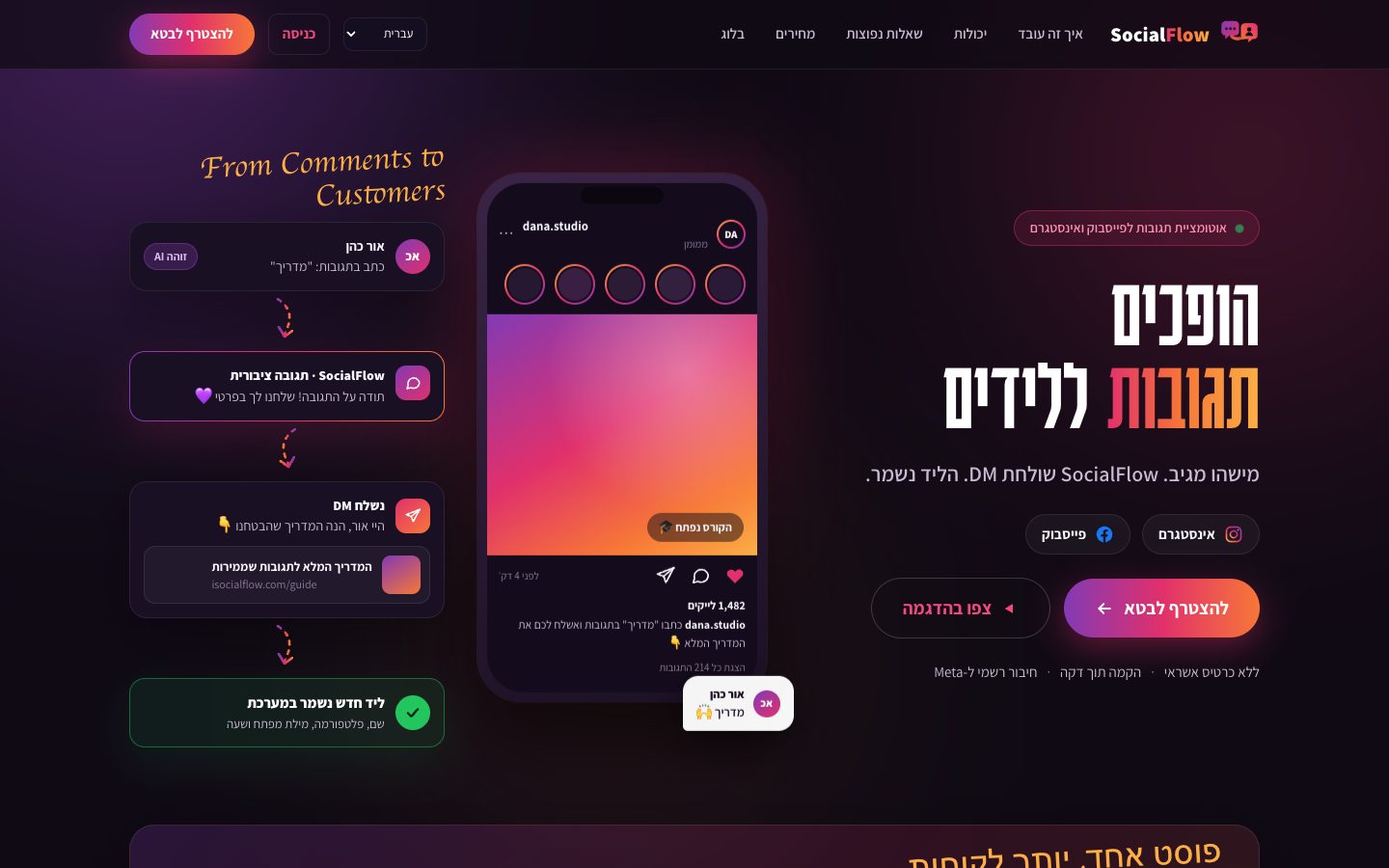
SocialFlow's homepage in Hebrew, isocialflow.com, screenshot taken on 26.9.2026. The names in the demo are sample data.
Why comments, not outbound messages
Two Meta rules define the entire architecture, and they're worth understanding before you write a single line of instructions:
- One private message per comment, within seven days. When someone comments on a post, the business is allowed to send them one private message in response to that comment.
- A 24-hour window. After someone sends you a message, you can reply within 24 hours of their last message. After that, the window closes.
And what doesn't exist: no broadcasting. There is no permitted way to send a message campaign to a list of followers or to anyone who commented in the past. SocialFlow simply has no such tool, so the agent can't do it either, even if asked.
The implication for the agent is clear: all its work is about creating reasons to comment, and making sure every comment has a reply waiting.
The architecture: two tools, one role each
| Component | Role in the agent | What it doesn't do |
|---|---|---|
| SocialFlow | Scans comments every two minutes, replies publicly, sends a private message, saves the lead, measures what worked | Does not independently decide which post to attach automation to |
| Grok Bot | Reads data, suggests automations, drafts posts, runs the daily routine, reports | Does not send private messages itself and does not reply in the inbox |
| You | Approve every automation and every publish, and reply to leads who continue the conversation |
This division matters for one reason: even if Grok Bot gets stuck, updates, or hits its weekly quota, the automations in SocialFlow keep running. The agent is a management layer, not a single point of failure.
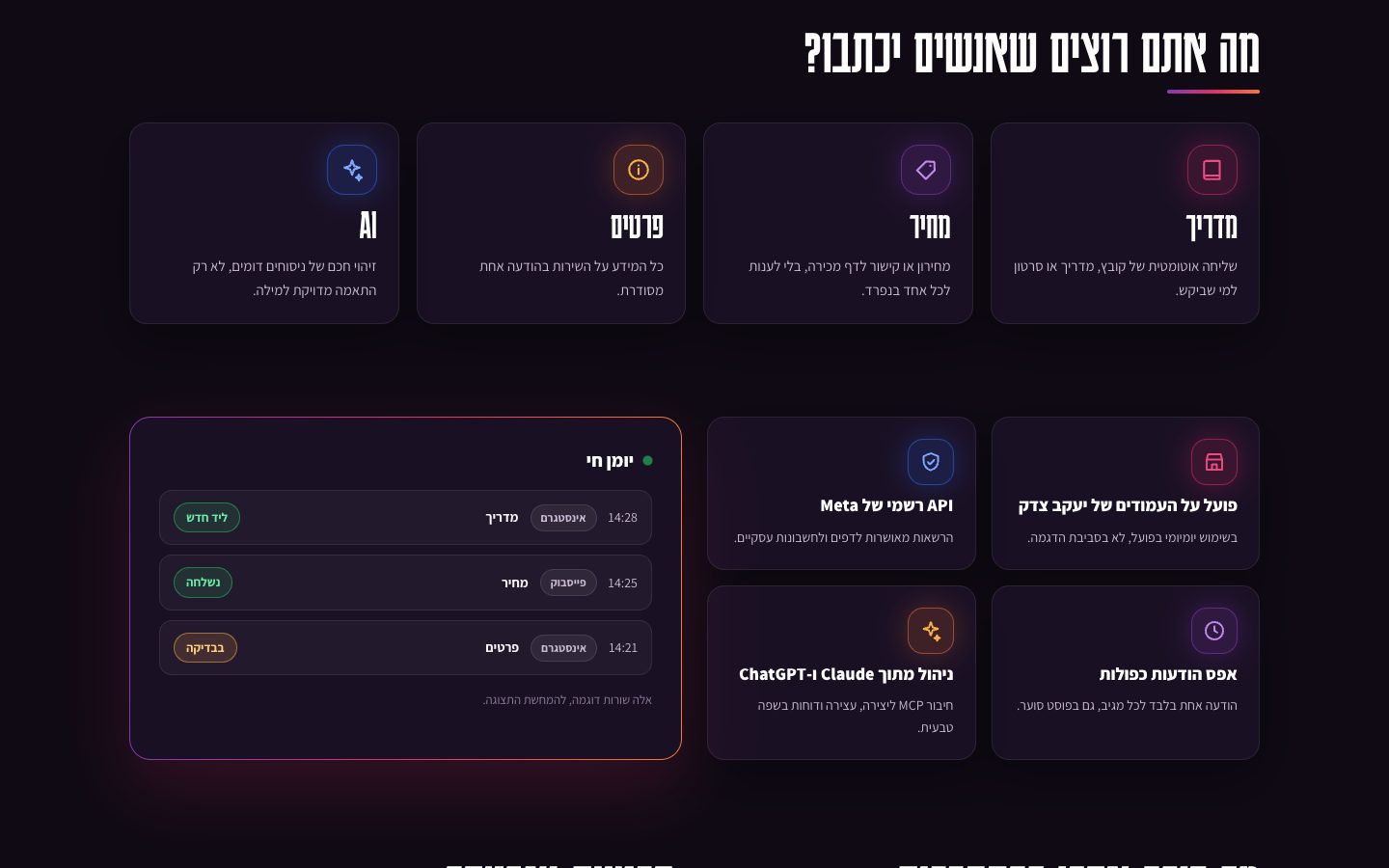
The features section on SocialFlow's homepage. The log entries in the screenshot are examples for illustration.
What the agent can do through SocialFlow
SocialFlow's MCP server exposes 11 tools. These are the exact names as the agent will see them:
| Tool | What it does | Its role in the agent |
|---|---|---|
list_pages | The connected Facebook pages and Instagram accounts, with IDs | First step in every routine |
list_posts | Up to 25 recent posts or reels, with comment counts | Finding new posts |
list_automations | All automations, with activations, messages sent, and failures | Knowing which posts are already covered |
get_automation | One automation and its last 20 activations | In-depth inspection |
create_automation | New automation: keywords, public reply, private message, and link | The core action |
update_automation | Pause, activate, change keywords or copy | Improving what isn't working |
delete_automation | Delete | Only with approval |
get_activity | Log: who commented, what was sent, what failed | Finding failures |
get_report | Summary for today, 7 days, or 30 days | The daily report |
get_insights | What the account has learned from its own history: posts, keywords, and automations that brought the most leads, and the conversion rate from comment to lead | The basis for today's decisions |
publish_post | Publish an image, carousel, video, reel, or story | The next post, with approval |
Two tools are worth extra explanation. get_insights returns numbers counted from the actual activity log, not a forecast: which posts and keywords converted best, at what times matching comments tend to arrive, and formulated recommendations. create_automation supports three scopes: a single post, all posts in the account, or Instagram story replies (story_replies), where there is no public reply, only a private message.
How to connect SocialFlow to Grok Bot
Step 1: Account, page, and first automation in the app
Log in to SocialFlow with Facebook, choose your page and the linked business Instagram account, and create one first automation manually in the app. This isn't a formality: at that moment, the page's permission with Meta gets saved. Without it, every attempt by the agent to create an automation will return an error called page_not_ready.
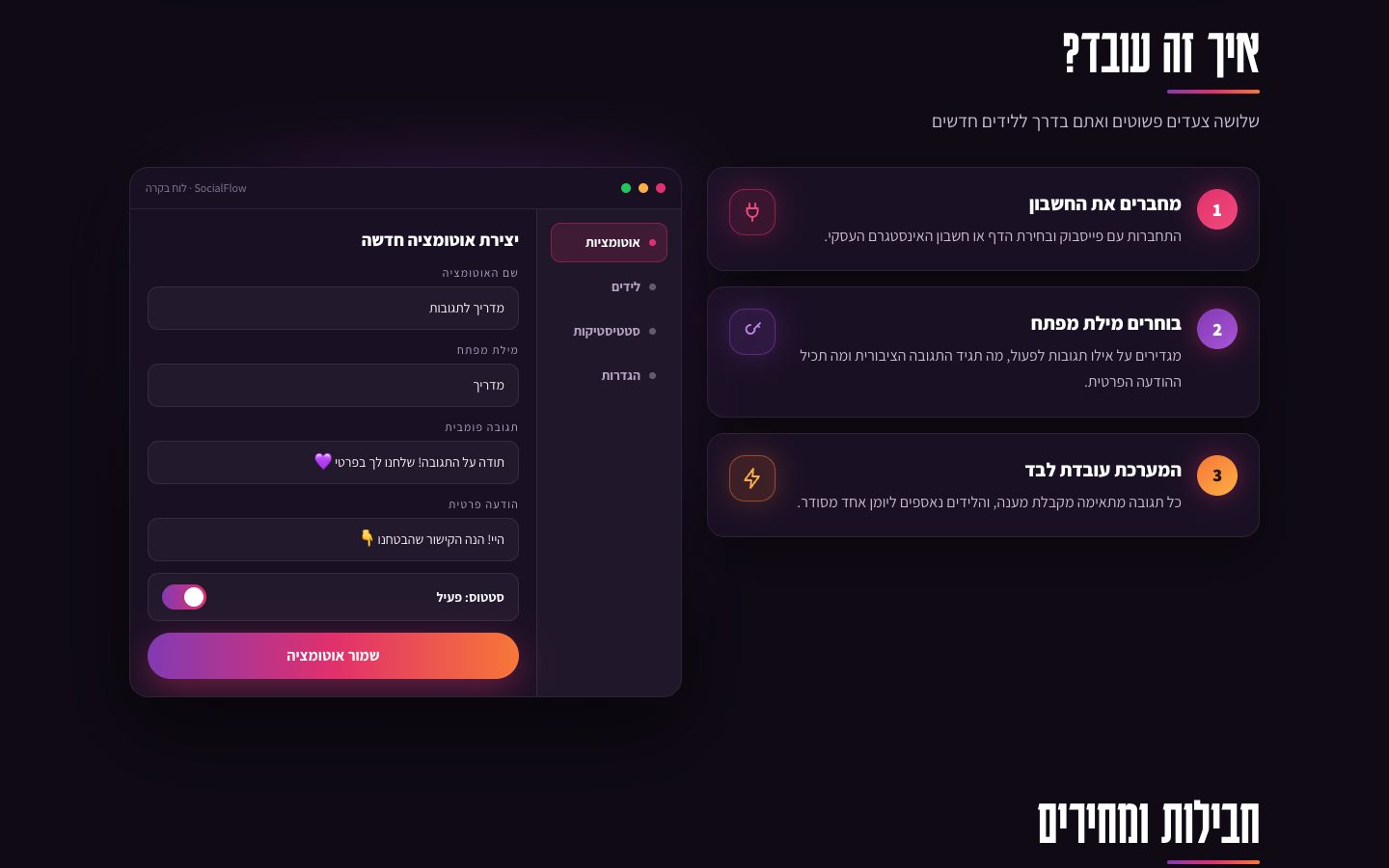
The three steps and the automation creation form, as shown on SocialFlow's homepage. You fill out this form once manually, and from there the agent takes over.
Step 2: Connection key
Inside your account, go to the MCP Connection page and click New Connection Key. The key starts with sf_ and is shown in full only once, so save it immediately. It's recommended to create a dedicated key for Grok Bot so you can revoke just that one if needed.
Step 3: Adding a custom MCP server in Grok Bot
- Open Settings in Grok Bot, then Plugins.
- Add a custom MCP server with these values:
| Field | Value |
|---|---|
| Name | SocialFlow |
| URL | https://isocialflow.com/api/mcp |
| Authorization header | Authorization: Bearer sf_YOUR_KEY |
- In a conversation, type
@, select SocialFlow, and write: "Show me my connected pages." If a list comes back with your page name and Instagram username, the connection is working.
Three notes that will save you time:
- Prefer a key in the header over browser-based login. A forum thread on Cursor reported an issue where a custom MCP connection based on browser login would not open in Grok Bot. SocialFlow also supports OAuth (which is how it connects to Claude and ChatGPT), but in Grok Bot the header key is the safe path.
- There is an alternative for tools that don't support headers: the URL with the key embedded,
https://isocialflow.com/api/mcp/sf_YOUR_KEY. It works, but a URL with a key in it tends to leak into logs and screenshots, so treat it as a last resort only. - The connection in Grok Bot is account-level. All bots in the same account share connections, so your SocialFlow key is available to every bot you have. More detail on that model in the full Grok Bot guide.
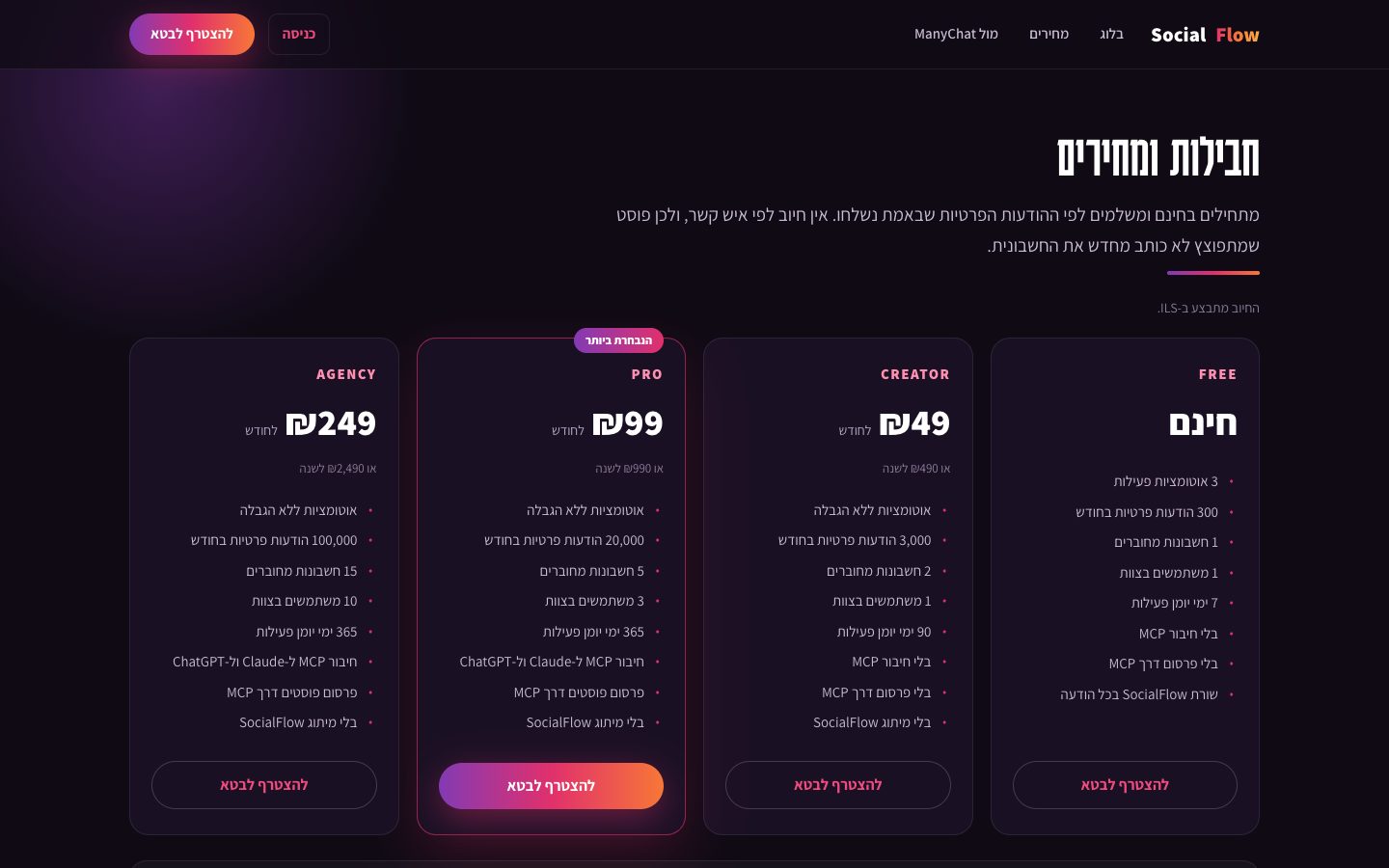
SocialFlow's pricing page in Hebrew, isocialflow.com/he/pricing, screenshot taken on 26.9.2026.
The Standing Instructions for the Agent (Ready to Copy)
The instructions are saved as a Skill in Grok Bot and triggered from a Routine. This is a template that works. Replace everything in square brackets:
Role: You are a lead-generation agent for the Instagram account [account name] belonging to [business name].
Goal: Every post and reel from the past two weeks should have an active reply automation
that brings in leads, and every morning I should receive a brief status update.

Tools: The SocialFlow connection only.

Workflow on each run:
1. list_pages: Locate the [page name] page and its connected Instagram account.
2. get_insights with days=30: List the 3 posts and 3 keywords
   with the highest comment-to-lead conversion rate.
3. list_automations: List which posts are already covered.
4. list_posts on Instagram with limit=10: Find posts with no automation.
5. For each uncovered post, prepare a proposal: one or two keywords
   (prefer those that performed in step 2), 3 short varied public reply templates,
   a private message of up to 3 sentences, and the appropriate link from the lead magnet list.
6. get_activity with since_hours=24: Find triggers where the private message
   failed to deliver, and report them separately.
7. get_report with period=today.

Approved lead magnets (use only from this list, do not invent links):
- [Magnet name 1]: [link with utm]
- [Magnet name 2]: [link with utm]
- [Magnet name 3]: [link with utm]

Constraints:
- Do not call create_automation, update_automation, delete_automation,
  or publish_post before I have explicitly approved the specific proposal in the conversation.
- once_per_user is always true.
- The private message answers only what the person asked for in their comment. No unapproved promotions,
  no promises, no superlatives.
- Never attempt to send messages to people who have not commented. If I ask for this, remind me that Meta
  does not allow proactive outreach.
- If a tool returns an error, stop and report the error exactly as it is. Do not attempt to work around it.

Output: A single message in Hebrew with 4 sections: what worked yesterday (with numbers),
proposals for new automations awaiting approval, failures that require attention, and a daily summary.
Three things worth noting in this template. The link list is closed, because an agent that makes up a link sends people to a 404 page. The error-handling instruction stops the agent from "solving" a problem in a creative way. And the approval line is written using the actual tool names, because a vague formulation like "ask before important actions" leaves the agent to decide what counts as important.
The Routine: What Runs and When
A Routine in Grok Bot tells the bot when to run a Skill. Here is the breakdown to start with:
| When | What the agent does | What you receive |
|---|---|---|
| Every day at 08:30 | The seven steps from the instructions: data, uncovered posts, proposals, failures, and report | One message with proposals awaiting approval |
| After your approval | create_automation for each approved proposal | Confirmation with the automation ID |
| Twice a week | A proposal for a new post or reel with a comment call-to-action, based on the winning keyword | A draft caption for approval |
| Every Thursday | get_report with period=7d and get_insights with days=7 | A one-page weekly summary |
Start with the daily Routine only. Add post proposals only after it has been running steadily for two weeks.
The Full Recipe: From Post to Lead in Six Steps
Step 1: What Worked
The agent starts with get_insights. This is the difference between an agent and an automation: it does not guess which keyword to pick, it picks the one that has already proven itself in your account. With a new account that has no history, the tool will return limited data, and in that case it is better to choose one simple keyword and measure.
Step 2: What Is Not Covered
Comparing list_posts against list_automations produces the most important list of the day: posts that people are commenting on and that nobody is answering. A simpler alternative is a single automation covering all posts in the account (all_posts), but then every post gets the same lead magnet, which is usually less precise.
Step 3: Proposal and Approval
For each post, the agent proposes a keyword, three public reply templates (so the replies under the post do not look like copies of each other), a private message, and a link. You approve, edit, or reject.
Step 4: Creation
Only after approval does the agent call create_automation. The automation appears immediately in the SocialFlow dashboard and enters the next scan cycle within about two minutes.
Step 5: The Next Post
Twice a week the agent proposes a new post built around the winning keyword: a caption that ends with "Write 'guide' in the comments and I'll send it to you in a DM." If you approve, publish_post publishes it, and the agent immediately attaches a new automation to it, because a post with a comment call-to-action and no automation is a promise that will not be kept.
Step 6: Failures and Report
get_activity shows every trigger and what happened with it. Here comes the most valuable lesson from the first week SocialFlow was running: out of 18 triggers, five private messages never reached their destination, and the dashboard showed everything was fine. Today the system automatically retries when Meta rejects a message for a temporary reason, but the lesson for the agent remains: a report that counts only successes hides exactly what needs to be seen. That is why the failures section in the instructions is separate, not buried inside a summary.
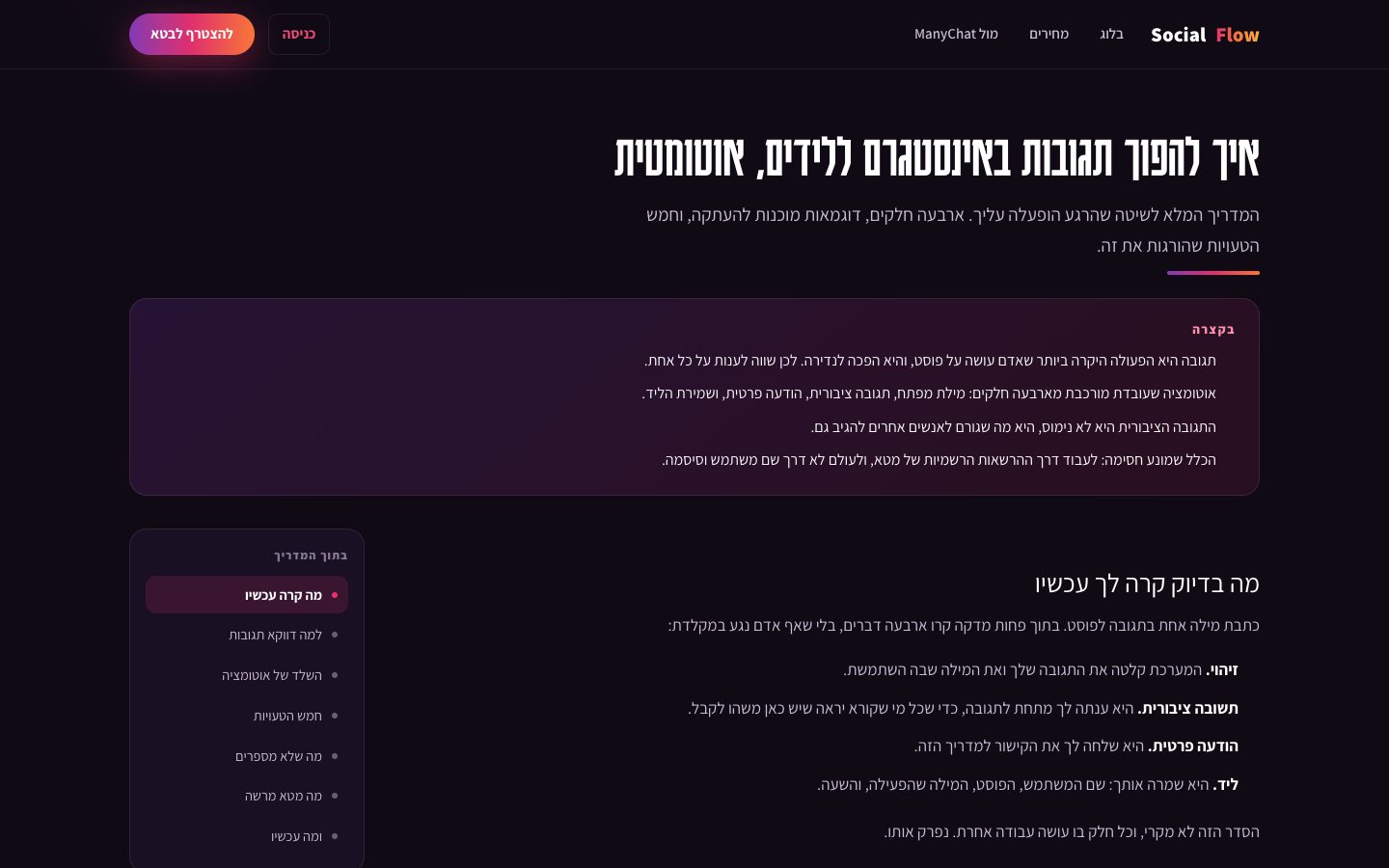
The public guide on the SocialFlow site, isocialflow.com/he/guide, photographed on September 26, 2026.
Three Lead Magnets That Work With the Agent
A lead magnet is what the commenter receives in their DM. It needs to be small, immediate, and directly relevant to the post. Three examples, by business type:
| Business type | Keyword | What is sent in the DM | Why it works |
|---|---|---|---|
| Clinic or therapist | questionnaire | A short compatibility questionnaire before a session, on a page on the site | Whoever fills it in is a warm lead, with contact details and a real question |
| Consultant, coach, or lecturer | guide | A one-page PDF guide on the topic of the post | Immediate value, and the commenter understands there is more where that came from |
| Store or brand | price | A price list or the product page from the post, with a discount code valid for one week | Answers the most common question in the comments, without publishing the price publicly |
One rule for everyone: a link with UTM parameters for every magnet, for example utm_source=instagram and utm_campaign with the name of the post. That way you will know in your website analytics, not only in SocialFlow, which post brought the lead.
Approval Gates: What Is Free and What Stops
| Free for the agent | Stops for your approval |
|---|---|
| Reading pages, posts, and automations | Creating a new automation |
| Fetching get_insights, get_report, and get_activity | Changing the copy or link in an active automation |
| Drafting proposals and caption drafts | Pausing or deleting an automation |
| Summarizing and reporting | Publishing a post, reel, or story |
As I wrote in the guide on the sales agent built on Grok Bot, according to Grok Bot's documentation, Routines should require approval before sending, publishing, or modifying systems, but that instruction is written in plain language and is not technically enforced. An extra layer is therefore worth adding: a separate read-only Skill that runs in the Routine, and an execution Skill that is triggered only manually from the conversation.
What Does It Cost?
Prices are taken from the official pricing pages as of September 2026. They change, so check before committing:
| Component | To start | As you grow |
|---|---|---|
| Grok Bot | Included in Cursor Pro (20 USD/month) or SuperGrok (30 USD/month), with a weekly quota | Higher-tier plans give a larger quota |
| SocialFlow Free | 3 active automations, 300 DMs per month, one account | |
| SocialFlow Creator | 49 ILS/month: unlimited automations, 3,000 messages, 2 accounts, no MCP | |
| SocialFlow Pro | 99 ILS/month: 20,000 messages, 5 accounts, MCP connection and publishing via MCP | 990 ILS/year |
| SocialFlow Agency | 249 ILS/month: 100,000 messages, 15 accounts, 10 users | 2,490 ILS/year |
Important note on the beta: During the closed beta, the MCP connection is open to beta participants on all plans, including the free one. When the product opens to the public, MCP will return to Pro and above. Publishing posts via MCP (publish_post) remains Pro and above even now.
Measurement in SocialFlow is based on private messages sent in a calendar month, not on the number of contacts. A post that goes viral does not spike the bill based on follower count.
What Is Not Yet Open to Everyone (as of September 26, 2026)
I would rather you hear this from me than discover it mid-setup:
- SocialFlow is in closed beta. You join via the beta form on the site, not through self-registration.
- Meta app review is still pending. The request was submitted on September 21, 2026. Until it is approved, every new account is added manually as a tester in the app, so onboarding takes a little longer.
- Publishing via publish_post depends on Meta publishing permissions. Until those are approved for all users, it is available only to accounts that have been manually configured in the app. Reply automations and private messages are the core feature, and they do not depend on this.
- There is no inbox tool in the MCP. Conversations that continue after the automated message are managed in the message management screen inside the app, within the 24-hour window.
What Not to Do
- Do not ask the agent to "message everyone who ever commented." That is proactive broadcasting. Meta does not allow it, and SocialFlow cannot do it.
- Do not use tools that connect via username and password. Anything that bypasses Meta's official permissions puts the account at risk.
- Do not turn off once_per_user. A person who comments three times does not need to receive three messages. The default in SocialFlow is one message per commenter, and the agent should not change it.
- Do not duplicate a single public reply. Twenty identical replies under a post look like a bot. Use at least three templates.
- Do not promise something in a post that has no automation. "Write 'guide' and I'll DM you" with no active automation means dozens of people waiting for nothing.
- Do not overload. Meta rate-limits API calls per account, and Grok Bot's quota is weekly. One Routine per day is enough. The agent does not need to check every five minutes. SocialFlow already does that.
Troubleshooting
| What you see | What it means | What to do |
|---|---|---|
| page_not_ready | The page has no saved permission | Create one automation for the page inside the app, then try again |
| "No permission: API key missing or revoked" | The key is wrong, revoked, or the word Bearer is missing | Create a new key on the MCP connection page and update the header |
| "MCP is available on Pro and above" | The account is on a plan without MCP, outside the beta | Upgrade on the billing page |
| "Post publishing is available on Pro and above" | publish_post on a lower plan | Upgrade, or publish manually and then use create_automation for the post |
| Media error on publish | The file is not at a public https URL that Meta can download | Upload the file to public storage and give the agent the direct link |
| Connection does not open in Grok Bot | Usually browser-based login instead of a key | Switch to a key in the Authorization header |
| Runs failing on direct message | A momentary Meta error, or more than seven days have passed since the comment | Check the error message in get_activity and report if it keeps happening |
What This Means for Your Business
A two-minute check: open your last five posts and count the comments where someone asked a question, requested a price, or wrote "details," and did not get a reply within an hour. Every single one of those is a lead who already raised their hand.
If that number is greater than zero, the right starting point is not the full agent. Start with one automation, on your strongest post, with one magnet. After a week, set up the Grok Bot daily routine so every new post gets the same treatment. Only after that: post suggestions and publishing.
If you want to practice working with Grok Bot hands-on, there is an interactive Grok Bot course for 9.90 ILS. If you want a deeper understanding of what MCP is and why it lets an agent operate external systems, you will find that in the MCP guide in Hebrew. And if you are comparing tools, the full comparison with ManyChat is in the ManyChat guide.
To join the SocialFlow beta: the sign-up form on the homepage, and the full plans on the pricing page.
The Bottom Line
The agent that generates Instagram leads does not send messages to anyone who did not ask. It makes sure every post asks a question, that a message is waiting for every reply, and that every morning you know what worked. The tools already talk to each other. What determines whether this works is the order: who approves, what gets sent, and who is allowed to receive it.
The next step after this guide is on the Grok Bot Master page: bot teams, routines, permissions, and where a system breaks down quietly.
Frequently asked questions

Yaakov Tzedek
An Israeli AI lecturer, consultant and implementer who has supported 100+ organizations in AI implementation and lectured for 200+. Official content partner of Meta, Google, Canva and TikTok, featured on Israel's Channel 13.
More about Yaakov →