- What is Wayground (formerly Quizizz): AI quiz generation from PDF or YouTube, live and homework modes, accommodations, Hebrew support, school and business pricing, and how it compares to Kahoot.
In Wayground, the student-facing translation tool and bilingual glossary support Hebrew, and the AI generator can write questions in Hebrew, but Hebrew does not appear on the official interface language list. In practice, a student can receive Hebrew-language help inside an interface running in another language entirely.
Quizizz changed its name, and since June 2025 it has been called Wayground. That is not even the interesting part.
The interesting part is what sits behind the name. According to the company, teachers in ninety percent of schools in the United States and in more than 150 countries use it, and the tool that started in 2015 as a colorful quiz with a leaderboard can now turn a PDF, a presentation, or a YouTube video into a full activity, give a student a Hebrew translation mid-question, and run a compliance quiz for warehouse workers. The interface itself does not speak Hebrew, and that is worth knowing before you build your first quiz for ninth grade.
This guide was built from the pricing page, the rebrand announcement, the help center (question types, game modes, accommodations, languages, LMS integrations), the privacy policy, the Wayground for Business pricing page, and the pricing pages for Kahoot and Google Forms. All sources were checked on September 15, 2026.
In short
| Question | Short answer |
|---|---|
| What is it? | An AI-powered quiz and blended-learning platform, formerly Quizizz |
| How much does it cost? | Basic is free for teachers; Super (personal) and School and District are paid; for organizations, Essential starts at $75 per month on an annual plan |
| Hebrew? | AI output, translation, and bilingual dictionary available in Hebrew; Hebrew is not in the list of interface languages |
| What does the AI do? | Builds a quiz from a topic, document, website, or YouTube video, and rewrites questions on request |
| Do students need an account? | Not required: they join with a code and, according to the company, without identifying information |
| Who is it less suited for? | Anyone who only needs a simple check form, where Google Forms is enough |
What is Wayground?
Wayground is a platform where a teacher or trainer creates an activity (a quiz, a presentation with questions, a video with stops, flashcards), shares a code, and participants answer from their phone or computer. The host sees in real time who answered what.
Definition: Wayground (formerly Quizizz) is a blended-learning platform by Quizizz Inc. of Santa Monica. It includes quiz creation, lessons, interactive videos, reading passages, and flashcards; an AI generator that builds an activity from a topic, document, website, or video; live and homework modes; more than 25 student accommodations; performance reports; and a separate track for organizations called Wayground for Business.
Why the name changed. According to the company's announcement from June 24, 2025, teachers had turned the quiz tool into a "destination" where they search for, bring in, or build any teaching resource, and the new name is meant to reflect that. Founder and CEO Ankit Gupta explained that the name expresses the idea that every student will find their own path within the shared classroom. The rebrand page also offers a less formal reason: less time spent explaining how to spell the name.
What did not change. According to the help center (updated November 4, 2025): accounts, classes, and activities were kept intact; Quizizz Inc. remains the legal entity and contracts signed with it are still valid; the privacy policy did not change; and quizizz.com redirects automatically to wayground.com. The address joinmyquiz.com, which many students already know, continues to work alongside the new address wayground.com/join.
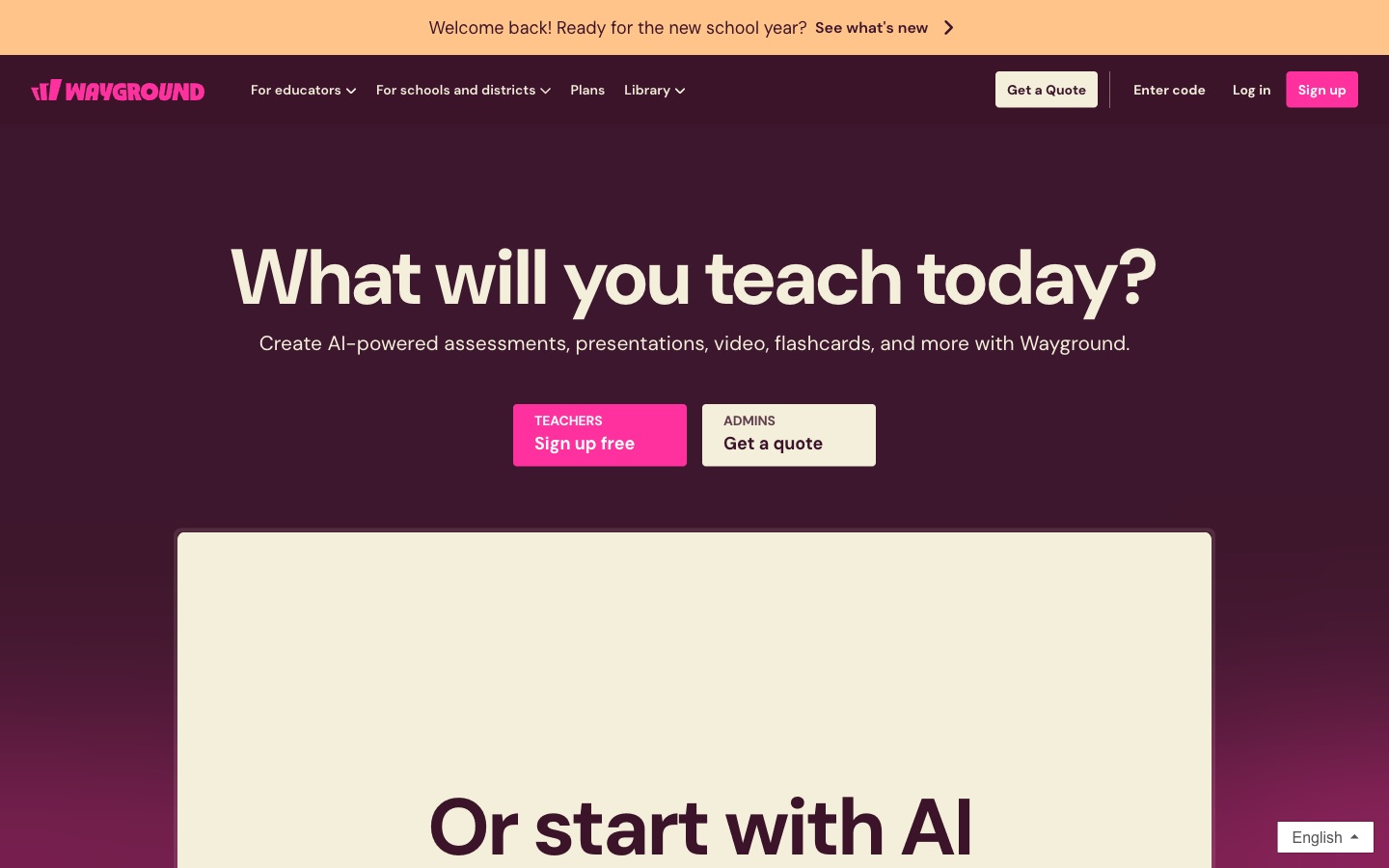 The official Wayground website, captured September 15, 2026. Credit: Wayground
What can Wayground do?
The capabilities divide into five layers: creation, delivery, accommodations, reports, and integrations. Here are the main ones according to the help center and the homepage, with one real-world use case beside each.
- AI creation from multiple source types. A topic or pasted text (up to 10,000 characters), PDF, PPT, PPTX, DOC, DOCX, JPG, and PNG files (only the first 16,000 characters are read; one file per upload), a public website, a public YouTube video, Google Drive, and a photo of a worksheet taken in the app. Use case: a trainer at an organization uploads the safety-procedure presentation and receives ten comprehension questions.
- Creation settings. Number of questions, grade level, subject, output language, and depth level. Questions can then be rewritten in a conversation with the AI or edited manually. Use case: the same quiz at two difficulty levels for a mixed-ability class.
- Question types. In the free plan: multiple choice, multi-select, true or false, fill in the blank, open-ended, interactive video, reading passage, drawing, poll, and word cloud. Paid plans add matching, ordering, categorization, drag and drop, image labeling, hotspot, graphs, math response, and audio or video recording. Use case: a word cloud at the opening of a training session, "What comes to mind when you hear 'information security'?"
- Live delivery modes. Teacher-Led, Classic (each participant advances at their own pace with a leaderboard), Mastery Peak (students climb a mountain and repeat questions they got wrong), Team (group score), Test (no distractions), and Paper Mode (the teacher projects and students hold up a QR card that is scanned by the app). Use case: Paper Mode in a classroom where not everyone has a device.
- Homework (async) modes. Practice with immediate feedback, Accuracy (students repeat mistakes until they reach a target accuracy), and Testing for a self-paced exam. Open and close dates can be set, and late submissions can be allowed. Use case: a review session that opens Sunday and closes Thursday, ahead of a test.
- Gamification. According to the help center: power-ups, leaderboards, avatars, and memes. Use case: a short team competition at the end of a unit, with all of it turned off for an actual exam.
- Student accommodations. Extended time, retakes, read aloud, speech to text, reduced answer choices, hints, the Desmos calculator, translation, bilingual dictionary, OpenDyslexic font, font size and spacing, and leaderboard hiding. The teacher assigns them to a student quietly, and they apply automatically to every assignment. Use case: a new immigrant student gets the bilingual dictionary without anyone in the class knowing.
- Reports. The free plan includes basic class-level reports that can be shared with colleagues and parents. School plans add school-level reports, progress-over-time charts, AI grading with custom rubrics, and AI Analyze, which recommends practice activities. Use case: a department coordinator sees which question failed across all parallel classes.
- Integrations. Google Classroom and Microsoft Teams are available on all plans (some Classroom features only on school plans); Canvas, Schoology, Blackboard, Moodle, Brightspace, and Toddle are available only on School and District plans. There is also a Chrome extension that turns any webpage into an activity. Use case: assigning a quiz directly to a Classroom class with grade sync.
- Academic integrity. The homepage mentions a lockdown mode and a tab-switching alert. According to the help center, Focus mode is not included in the personal Super plan. Use case: a final school exam, not a review quiz.
How to get started: step by step
Six steps from registration to your first quiz running in front of a class or a group of employees. It takes about half an hour, and all of it is on the free plan.
- Sign up. At wayground.com, click Sign up free as a teacher. Trainers in an organization sign up through Wayground for Business, which offers a 14-day trial.
- Create with AI from a real source. Click Create, choose an assessment or quiz, then Generate with AI. Upload a file, paste a YouTube link, or type a topic. Using your own source, like a procedure sheet or a chapter from a textbook, produces more accurate questions than a general topic.
- Configure before generating. Set the number of questions (ten is enough for the first time), grade level, and output language (Hebrew). According to the help center, files with fewer tables and images are processed with greater accuracy.
- Review every question. The company states explicitly that the AI may generate inaccuracies and asks users to review before publishing. Delete at least one question, fix phrasing, and confirm that the correct answer is actually correct.
- Choose a mode. For a class or workshop: Classic or Team, in real time. For homework: Practice with a close date. For an exam: Test or Testing, with the leaderboard off.
- Run it and check the report. Share the code and participants join at joinmyquiz.com or wayground.com/join. After the session, open the report and find the question with the highest failure rate. That is the starting point for the next lesson.
A practical tip: the free plan limits you to 20 saved activities. Instead of saving every experiment, build one good activity per unit and delete drafts. If you hit the limit after a month, you know the tool has become part of your routine and an upgrade is worth considering.
Hebrew and RTL
The short answer: content can be in Hebrew, and students can get help in Hebrew, but the interface is not in Hebrew. According to the help center, Hebrew is on the AI output language list (Hebrew, Modern) and on the list of 44 languages for translation and the bilingual dictionary, but not on the list of interface languages.
What works. You can ask the AI to write a quiz in Hebrew, type questions in Hebrew manually, and give students the translation and bilingual dictionary as an accommodation. This is especially useful in classes with new immigrant students: a student whose Hebrew is still developing can see a difficult word in their own language. It is not officially stated whether Hebrew quizzes from the public library display correctly, so check every quiz you copy from there.
What breaks, or may break. The interface language list includes English, Spanish, French, Russian, and others, without Hebrew, and the help center does not address RTL at all. In practice, buttons and system labels will appear in a different language, and lines that mix Hebrew with numbers, formulas, or English words may display punctuation and parentheses on the wrong side. It is not officially stated whether Read Aloud supports Hebrew.
What to test before running in class (ten minutes):
- A question with numbers and English. For example, "What is the value of x in the equation 2x+4=10?" Check that the order is preserved in the student view on a phone.
- Answers with punctuation. A period, a question mark, and parentheses at the end of a Hebrew line.
- Read Aloud. Turn on Read Aloud for a Hebrew question and check whether it is read in Hebrew at all.
- An AI-generated quiz. Verify that all answers are in Hebrew, not just the question, and that there are no American-curriculum references (such as "Grade 8" instead of the Hebrew equivalent).
- Student view. Join as a student from a phone using the code, before the class enters.
How Much It Costs: Every Plan from the Official Site
Two separate worlds: plans for education (teacher, school, district) and plans for organizations. The table draws from the plans page, the help center, and the Wayground for Business pricing page, verified September 15, 2026. According to the help center, features may vary by region.
| Plan | Price | What You Get | Limits |
|---|---|---|---|
| Basic (teachers) | Free, "for every teacher, forever" | Quizzes, presentations, flashcards, videos, live mode and homework, AI, 25+ accommodations, live teaching data | Up to 20 activities, 100 students per class, limited question types and AI, 5 shared team activities |
| Individual (Super) | Not shown on the official page; according to a Tarphi review, in the range of $12/month ($144/year), as of February 2026 | Unlimited storage, up to 1,000 participants, all question types, full AI, premium content, basic LMS integration | 10 shared team activities, no Focus mode, no Review and Submit |
| School and District | Quote | Everything in Super, shared library, admin dashboard, SSO, Canvas, Schoology, Clever and ClassLink, AI grading with rubrics, progress charts, dedicated customer manager | Requires inquiry, payment by purchase order, credit card, or transfer |
| Business Essential | $75/month billed annually ($900), or $125/month billed monthly | Live and self-paced training, gamification, templates and document import, performance tracking, 24/7 support | Up to 150 participants per session, suitable for up to 3 seats |
| Business Pro | $125/month billed annually ($1,500) | Everything in Essential, AI that converts documents, slides, and videos into content, translation into 180 languages, courses, team and department assignment, visual questions | Up to 1,000 participants per session, minimum 5 seats |
The business prices are what appears on the pricing page when one seat is selected, and they vary with the number of seats. There is also an Enterprise tier for organizations, with custom branding and additional integrations, available by quote. An older help article states there is no monthly plan for businesses, but the current pricing page does show a monthly Essential option. Prices change, so check the official site.
What you are actually paying for. In education, you pay for three things: how many activities you can save, which question types are available, and what the school can see and manage (dashboard, SSO, integration with Canvas or Moodle). In organizations, you pay for seats for whoever creates and manages content, and for session size: 150 participants is enough for most training sessions; 1,000 is needed for a conference or company-wide event.
The cheapest plan that fits. A solo teacher: Basic, and upgrade only when the 20 activities run out or when you need drag-and-drop or sorting questions. A school that wants Canvas, Moodle, or cross-class reports: School and District, because LTI integrations are only available there. A small Israeli business training employees: annual Essential, up to three training managers and up to 150 participants. An organization that needs courses, team assignment, and translation for employees who speak other languages: Pro. Before any payment, the 14-day trial is enough to run one real training session.
Uses for Businesses and Educational Institutions in Israel
The examples are built from templates that recur in team training sessions, without any names or data belonging to students, employees, or organizations.
A subject teacher in middle school. At the end of each unit, she uploads the textbook chapter as a PDF, generates ten questions in Hebrew, deletes two and corrects three. In class she runs Team mode for review, and sends Practice as homework with a due date. The report shows which question most students missed, and that is where the next lesson starts. A student with a reading disability gets extra time and a dyslexia-friendly font, without the rest of the class knowing.
A business owner with a field team. A small retail chain that onboards new employees every month. The training manager uploads the onboarding presentation, generates an eight-question quiz, and sends it as a self-paced assignment. Instead of "I read and signed," there is a report showing who actually understood the cash-register procedure. That is annual Essential.
HR: annual compliance tests. Sexual harassment prevention training, information security, or safety training, each ending with a short exam. Test mode with no leaderboard, a due date, and a report per participant. Anyone building a broader framework around this will find more ideas in the guide AI for HR. Important: a compliance exam does not include the names of complainants, real case details, or medical information.
Marketing and sales: knowledge check on a new product. Before a launch, the product training video goes in as a YouTube link (public or not), and the AI produces a quiz on the features and prices. In the team meeting they run Classic with a leaderboard, five minutes. Sales reps who failed the pricing question get Accuracy mode as homework.
Operations and training coordinators: an event or conference. A live session for hundreds of participants requires Business Pro (up to 1,000). A word cloud at the opening, a poll in the middle, a short quiz at the end. In a school, an ed-tech coordinator can do the same thing at a parent evening or a staff meeting. And anyone who also builds the presentation itself with AI will find that covered in the Gamma guide.
Wayground vs. Kahoot, MagicSchool, and Google Forms: An Honest Comparison
No single tool wins in every column. The key difference: Wayground is strongest for quizzes with accommodations, homework, and reports; Kahoot for live whole-class quizzes; MagicSchool for preparing teaching materials; Google Forms for simple, free assessments.
| Criterion | Wayground | Kahoot | MagicSchool | Google Forms |
|---|---|---|---|---|
| What it is | Quizzes and lessons with AI, game modes, homework, and accommodations | Live, gamified quizzes in front of the class | 80+ AI tools for teachers and student rooms | Forms and quizzes with an answer key |
| Price for teachers | Basic free; Super paid | Kahoot! Go free; Plus from $3/month annually (50 participants) up to ONE at $19 (800 participants) | Free; Plus at $8.33/month annually | Free with a Google account |
| AI for question creation | Yes, from a topic, document, website, or YouTube | Yes, at varying levels by plan | Yes, quiz and worksheet generator | Not as part of the quiz itself |
| Student accommodations | 25+, including Hebrew translation | Not reviewed in this guide | Accommodation and leveled-writing tools | Limited |
| Hebrew | AI output and translation in Hebrew; Hebrew interface not specified | Not reviewed in this guide | Translation into 98 languages including Hebrew; Hebrew interface not specified | Google interface in Hebrew |
| For organizations | Wayground for Business | Separate plans | Not the intended use case | Via Google Workspace |
When to use Wayground. When you want both a live quiz and homework from the same activity, when the class includes students who need accommodations, and when you are training employees and want a report per participant. That is its real strength: the same activity works in three modes, with one report.
When to use Kahoot. When the goal is energy in the room: a live, fast quiz on the big screen, at the start of a lesson or a conference. According to Kahoot's teacher page, Plus plans billed monthly are more expensive (for example $9 for Bronze and $25 for Gold), so it is worth checking in advance how many participants you will actually have.
When to use MagicSchool. When the need is not the quiz itself but everything around it: a lesson plan, a rubric, a worksheet, a text rewritten at different levels. Many teachers will use both: MagicSchool for preparation, Wayground for delivery and assessment. Full details in the complete MagicSchool guide.
When to use Google Forms. When you need a simple quiz with an answer key, scoring, and feedback; the school already runs on Google; and there is no need for game mechanics or accommodations. According to Google's help center, you can assign points to each question, add written feedback or a YouTube video per answer, and choose whether the score is shown immediately or after manual review.
Privacy and Limitations
This is where the difference lies between a teacher trying out a quiz and a school or organization deploying a tool. Wayground publishes detailed privacy statements, but they are framed around US and European law. What is written here is general information and not legal advice.
What the company states. According to the privacy policy (updated June 9, 2026): Wayground does not rent, sell, or exchange data; students do not receive behaviorally targeted advertising; and with all of its AI providers, the use of user data for model training has been disabled. Data is stored on Amazon Web Services in the United States, and from children below the age of consent no personal information is collected as defined by COPPA, other than a parent's email. Accounts that have been inactive for a long time may be deleted, generally not before one year.
According to the help center, the company complies with FERPA, COPPA, and GDPR; data is encrypted in transit; passwords are protected with bcrypt; and students can participate without creating an account and without providing identifying details, unless a specific feature requires it, such as saving progress. The homepage displays SOC 2 and ISO badges, and the help center mentions a Common Sense Media privacy seal.
What this means in Israel. FERPA and COPPA are US laws. Compliance with them is a sign of seriousness, but not authorization to use the tool in the Israeli education system. The Ministry of Education's AI page states that student privacy must be maintained and that identifying details must not be uploaded. According to reporting on the Davar website about guidelines from January 2025, student use of AI requires parental consent, there are rules by grade level, and tools must come from the Ministry's approved catalog. In addition, Amendment 13 to the Privacy Protection Law took effect on August 14, 2025, and the data described here travels to servers abroad. Full details in the guide to Amendment 13 and AI.
What a school or organization checks before deploying:
- Whether the tool is in the Ministry of Education's approved tools catalog, and what the current wording of the guidelines says.
- Whether students join by code, without an account and without a full name, or with a nickname.
- Who in the school sees the reports, and for how long they are stored.
- In an organization: whether the training materials uploaded to AI include internal information that must not leave an external cloud.
- Whether there is a data processing agreement, especially with the School and District and Enterprise plans.
What you never upload:
- Full names, ID numbers, photos, or parent details of students.
- Diagnoses, medical or emotional information, even when configuring accommodations. Assign the accommodation; do not upload the diagnosis.
- In an organization: classified procedures, customer data, payroll, or real cases from disciplinary investigations.
Honest limitations. The AI can make mistakes, and the company itself says so. Only the first 16,000 characters of a document are read, so a full book will not fit. Some standards and curriculum mapping are available only for the United States. The interface is not in Hebrew. On the free plan, 20 activities run out quickly. And the personal Super price does not appear on the official page, making it hard to budget without logging into an account.
Common Mistakes
- Publishing an AI quiz without reading it first. One question with the wrong correct answer is enough for the entire class to learn something incorrect. Review every single question.
- Uploading a whole book and expecting a quiz on all of it. Only the first 16,000 characters are read. Upload one chapter or one procedure at a time.
- Running a real test in Classic mode. Leaderboards, memes, and power-ups are right for review. For an actual test, switch to Test or Testing mode.
- Testing only on the teacher's computer. Rows with Hebrew, numbers, and English look different on a student's phone. Log in as a student before class.
- Creating student accounts with full names before the school has decided on a policy. A join code without an account is enough for most use cases.
- Paying for Pro when an organization is running training for 40 employees. Essential covers up to 150 participants per session. Run the 14-day trial before deciding.
Frequently Asked Questions
What is Wayground?
A learning platform for teachers and instructors, known until June 2025 as Quizizz. You use it to create quizzes, interactive presentations, videos with embedded questions, and flashcards, including AI-generated content from a topic, document, or video. You can run them live in class or assign them as homework, with reports and student accommodations.
Why did Quizizz change its name to Wayground?
According to the company's announcement from June 24, 2025, the tool had long since grown beyond just quizzes into a full supplemental learning platform with AI, resources, and accommodations. Accounts, the legal entity (Quizizz Inc.), the privacy policy, links, and the join code at joinmyquiz.com all stayed the same.
How much does Wayground cost?
According to the plans page (checked September 15, 2026): Basic is free for teachers, with up to 20 activities and 100 students; School and District pricing is by quote. The Super individual price is not displayed on the official page. For organizations: Essential is $75 per month billed annually and Pro is $125. Prices change, so check the official site.
Does Wayground work in Hebrew?
Partially. According to the help center, Hebrew is supported in AI output, translation, and the bilingual glossary for students. Hebrew does not appear on the list of interface languages, and there is no official mention of RTL support. Test one quiz in Hebrew, including questions with numbers and English terms, before running it in class.
What sources can Wayground's AI use to generate a quiz?
According to the help center: a topic or text (up to 10,000 characters), PDF, PPT, DOC, and image files (the first 16,000 characters are read), a public website, a public YouTube video, Google Drive, and a photo of a worksheet taken in the app. The company itself warns that the AI can make mistakes, so review every question.
Wayground or Kahoot?
Kahoot is strong for fast, live quizzing in front of the whole class. Wayground is strong for self-paced work, homework, student accommodations, and reports as well. Wayground's free tier allows up to 100 participants per session; Kahoot's Plus plans start at $3 per month billed annually for 50 participants.
Can Wayground be used for employee training?
Yes, through Wayground for Business (formerly Quizizz for Work): onboarding, compliance tests, frontline employee training, and events. There is a free 14-day trial, Essential covers up to 150 participants per session, and Pro covers up to 1,000, with courses and the ability to assign training to teams.
Is it permitted to enter student data into Wayground?
The company declares compliance with FERPA, COPPA, and GDPR, states it does not sell data, and does not train models on user data. These are declarations under foreign law, however. In Israel, check the Ministry of Education guidelines, do not upload identifying details, and prefer join-code access without a student account. This is general information, not legal advice.
The Bottom Line
The name change is the headline, but what actually changes a teacher's or instructor's week is something else: a chapter from a textbook or a procedure slide deck that becomes a quiz in minutes, the same activity running in class, at home, and as a test, and a report that shows exactly which question students failed. What changes a school or organization is not the AI, but the decision about what is allowed in: no identifying details, a join code, and only after checking the guidelines.
What to do this week: sign up for free, upload one chapter or one procedure, generate ten questions in Hebrew, review them, and run the ten-minute list from the Hebrew section. Anyone who also wants to build the lesson plan around the quiz will find that in the MagicSchool course, and anyone looking for the bigger picture of AI in the classroom will find it in the Claude for Teachers guide.
Want to practice all of this inside the page itself? The interactive Wayground course for 9.90 ILS, and the rest of the interactive courses, are all in the same place.
Sources
All sources checked September 15, 2026. Prices change, verify on the official site.
- Official homepage (90% of schools in the United States and 150+ countries per the company, resource types, 25+ accommodations, tab locking and tab alert, SOC 2 and ISO badges): https://wayground.com/
- Official plans page (Basic free, 20 activities, 100 students, School and District, organization plans): https://wayground.com/home/plans
- Name change page (reasons, what changes and what does not, new capabilities): https://wayground.com/home/from-quizizz-to-wayground
- Press release, Quizizz Becomes Wayground (June 24, 2025, launched in 2015): https://www.prnewswire.com/news-releases/quizizz-becomes-wayground-announces-new-ai-and-curriculum-supports-302489367.html
- Help center, what changes and what does not (updated November 4, 2025, joinmyquiz.com, Quizizz Inc., Common Sense): https://help.wayground.com/support/solutions/articles/158000403867-quizizz-is-now-wayground-what-s-changing-and-what-s-not
- Help center, plan comparison (participants per session, storage, AI, regional differences): https://help.wayground.com/support/solutions/articles/158000403874-understanding-wayground-plans
- Help center, Starter (Basic) plan: https://help.wayground.com/support/solutions/articles/158000404038-wayground-starter-basic-plan
- Help center, Individual (Super) plan: https://help.wayground.com/support/solutions/articles/158000404040-wayground-individual-super-plan
- Help center, School and District plans: https://help.wayground.com/support/solutions/articles/158000404039-wayground-school-and-district-plans
- Tarphi, Wayground review (Super price, February 1, 2026, not an official source): https://tarphi.com/blog/competitors/wayground-review
- Help center, creating with Wayground AI (sources, 10,000 and 16,000 characters, settings, accuracy warning): https://help.wayground.com/support/solutions/articles/158000405091-wayground-ai-generate-assessments-from-prompts-documents-videos-more
- Help center, AI output languages (Hebrew, Modern): https://help.wayground.com/support/solutions/articles/158000411404-supported-languages-for-ai-generated-output-on-wayground
- Help center, interface languages: https://help.wayground.com/support/solutions/articles/158000404030-language-options-on-wayground
- Help center, question types by plan: https://help.wayground.com/support/solutions/articles/158000411419-question-types-explained
- Help center, live session modes: https://help.wayground.com/support/solutions/articles/158000404918-live-session-modes-on-wayground
- Help center, homework session modes: https://help.wayground.com/support/solutions/articles/158000404919-async-homework-session-modes-on-wayground
- Help center, student accommodations (44 translation and glossary languages, including Hebrew): https://help.wayground.com/support/solutions/articles/158000404955-accommodations-available-on-wayground
- Help center, all LMS platforms by plan: https://help.wayground.com/support/solutions/articles/158000411387-all-lms-platforms-you-can-integrate-with-wayground
- Help center, how Wayground protects student data (FERPA, COPPA, GDPR, AWS, bcrypt): https://help.wayground.com/support/solutions/articles/158000404026-how-does-wayground-protect-student-data-
- Privacy policy (updated June 9, 2026): https://wayground.com/privacy
- Wayground for Business, product page (onboarding, compliance, integrations, 4,000+ brands per the company): https://wayground.com/forbusiness
- Wayground for Business, pricing page (Essential, Pro, participants, 14-day trial): https://wayground.com/wfb/forwork/plans
- Wayground for Business, help center article on monthly plan and 14-day trial: https://forbusiness-help.wayground.com/support/solutions/articles/158000411089-can-i-buy-wayground-for-business-formerly-quizizz-for-work-for-a-month-
- Kahoot, K12 teacher tools page (Kahoot! Go, Plus and ONE plans, participant limits): https://kahoot.com/schools-u/
- Google, help center, creating a quiz in Google Forms: https://support.google.com/docs/answer/7032287?hl=en
- Ministry of Education, Pedagogical Space, Artificial Intelligence (privacy protection, do not upload identifying details): https://pop.education.gov.il/special-education/ai/
- Davar, report on Ministry of Education guidelines from January 2025: https://www.davar1.co.il/576584/
- MagicSchool data from the guide on this site, verified against the official pricing page: https://www.magicschool.ai/pricing
Yaakov Tzedek is an AI lecturer, consultant, and organizational AI implementer, and leads the Daily AI Tip community. Join the WhatsApp group.
Frequently asked questions

Yaakov Tzedek
An Israeli AI lecturer, consultant and implementer who has supported 100+ organizations in AI implementation and lectured for 200+. Official content partner of Meta, Google, Canva and TikTok, featured on Israel's Channel 13.
More about Yaakov →