- What Grammarly is, what changed with the Superhuman rebrand, how much Pro costs vs. free, why Hebrew isn't supported, and a full guide for Israelis writing in English. 2026.
Grammarly was founded in 2009 in Kyiv, Ukraine, by three Ukrainian entrepreneurs. In late 2025 the company itself was renamed Superhuman, while the product continues to carry the Grammarly name.
Grammarly is an AI writing layer that sits on top of everywhere you type, Gmail, LinkedIn, Word, Slack, and corrects, rewrites, and upgrades your English in real time. For Israelis who work with international clients, write academic papers, or manage a career in tech, it is one of the most cost-effective tools available. But one thing needs to be said honestly, right from the start: Grammarly does not check Hebrew, and it probably will not anytime soon. This guide covers everything you need to know as of July 2026, including the dramatic change the company went through when it renamed itself Superhuman.
What is Grammarly?
Definition: Grammarly is an AI-powered writing assistant that checks and improves text in English (and other languages) in real time: spelling, grammar, punctuation, clarity, tone, and flow. It runs as a browser extension, a desktop app, and a mobile keyboard, and integrates with almost every place you write, from emails to documents to social networks.
If you still think of Grammarly as a "souped-up spell checker," that picture is out of date. The 2026 version is a complete system: it catches errors, but it also suggests alternative phrasings for entire sentences, adapts your tone to your target audience, generates new text from a prompt, checks originality against billions of pages, and even attempts to detect whether a piece of text was written by AI.
The company's backstory surprises a lot of people: Grammarly was founded in 2009 in Kyiv, Ukraine, by Max Lytvyn, Alex Shevchenko, and Dmytro Lider. What started as a tool for checking student papers became one of the largest software companies in the world in the writing space, with tens of millions of active daily users and tens of thousands of paying organizations, figures the company itself publishes.
For Israelis, the core value is straightforward: most of us write English at a solid but imperfect level. An email with a grammar mistake to an American client, a LinkedIn post with an awkward phrase, or an abstract with sentences that feel "translated from Hebrew," all of these cost you credibility. Grammarly is exactly the layer that closes the gap between "Israeli English" and professional English.
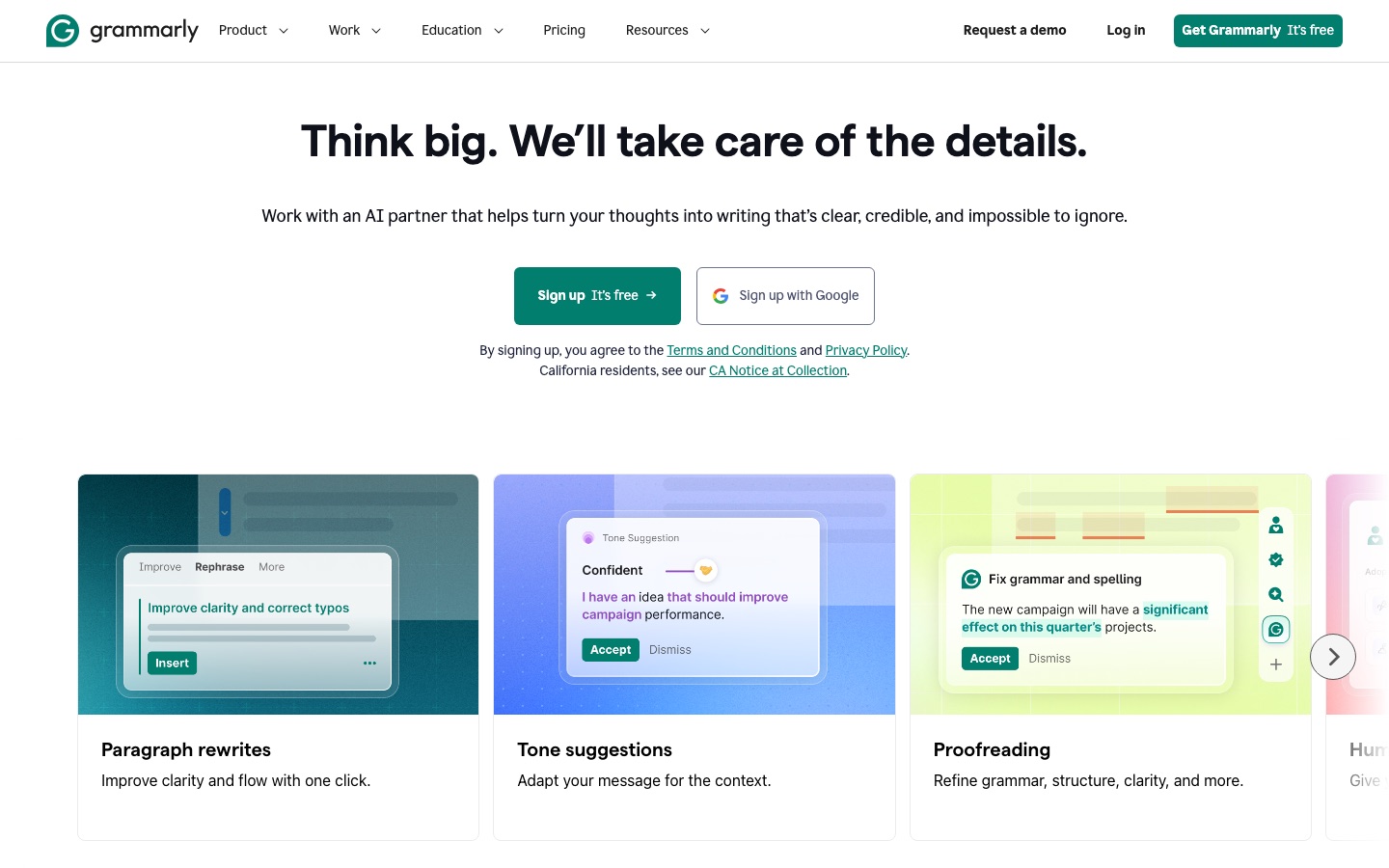 Grammarly's official website, captured in September 2026. Credit: Grammarly
Why is everyone talking about Grammarly right now?
The short answer: because the company behind it went through one of the biggest transformations in the software industry. In late 2025, following the acquisition of the document platform Coda and the email app Superhuman, Grammarly Inc. announced it was changing its name to Superhuman and pivoting from a "grammar checker" company to a full AI-agent productivity platform.
This change confuses a lot of users, so let's sort it out:
- The Grammarly product is still called Grammarly. The tool you know keeps running under the same name, with the same extensions and the same subscriptions.
- The company is now called Superhuman, and under it sit four products: Grammarly (the writing assistant), Coda (a workspace and documents platform), Superhuman Mail (a smart inbox), and Superhuman Go (a new proactive AI assistant).
- The CEO is Shishir Mehrotra, former founder of Coda, who replaced Grammarly's original leadership after the acquisition.
Why does this matter to you as a user? Because the strategic direction has shifted. Grammarly is no longer competing only with LanguageTool and other grammar checkers. It is competing to become "the AI layer on top of all your work," going up against giants like Microsoft Copilot and Google Gemini. Product investment has risen accordingly, and new generative AI and agent features are arriving at a fast pace.
From the field: In the workshops I run at organizations, Grammarly is almost always the one tool that is "already installed" on half the participants' machines, long before we ever started talking about AI. That is exactly its advantage: it is not yet another chat window you have to open, but a transparent layer working in the background. The habit is already there. What most people miss is how far the tool has advanced since they first installed it.
The Superhuman era: what actually changed?
From grammar checker to agent platform
The late-2025 move was not just a rebrand. The company announced the "Superhuman Suite," a bundle that brings all four products under one account, with an automatic migration for existing Grammarly, Coda, and Superhuman Mail users.
The central new addition is Superhuman Go, an AI assistant that delivers proactive suggestions wherever you work and runs a "team" of AI agents that understand the context of your work. At launch it was offered free to all users through February 2026, and since then it has entered the company's standard pricing structure.
What does this mean in practice for the Israeli user?
In practice, most Israelis will continue using Grammarly exactly as before: an extension that flags and fixes English. But the direction is worth knowing. Generative capabilities (writing from a prompt, full rewrites, summarization) are becoming the center of the product, and the integration with email and documents is deepening.
The competitive context matters too. This world of "AI agents that work for you" is precisely the space being led by Anthropic as well, with Claude and its AI agents. The key difference is that Grammarly/Superhuman is building closed agents inside its own products, while in the Claude ecosystem you can build your own agents and connect them to any system through the MCP protocol. For anyone who wants real control over automation, that is a critical distinction, and we will expand on it later.
Does the new branding affect my price or my account?
As of July 2026, not dramatically. Existing Grammarly subscriptions were preserved, and the migration to a Superhuman account happens automatically. What did change: the plan structure has been unified (more on that in the pricing section), and new additions like Superhuman Go are priced separately or as part of upgraded bundles.
Grammarly's core capabilities in 2026
Real-time spelling, grammar, and punctuation checking
This is the foundation, and it is still the best in its category for English. Grammarly flags errors as you type: a red underline for critical mistakes, a blue underline for clarity suggestions, with a one-click fix. It catches classic "Israeli" errors too: confusing "a" and "an," inconsistent tenses, wrong prepositions (the difference between "on," "in," and "at" that trips up almost everyone), and false friends like writing "actual" when you mean "current."
The advantage over Word's or Gmail's spell check: Grammarly understands context. It will catch "their" that should be "there," a sentence where the subject and verb do not agree, and a missing comma before a dependent clause, things that basic spell checkers miss entirely.
Tone adjustment: the feature Israelis need most
Grammarly detects how your text "sounds," direct, formal, friendly, confident, hesitant, and suggests adjustments. For Israelis this is especially critical: our business culture is very direct, and what we consider "to the point" often reads as blunt or even rude to Americans.
A real example from the field: an Israeli writes to a client, "You need to send the file today." Grammarly will flag the tone as demanding and suggest "Could you please send the file today?" Three words of difference, and an enormous difference in impression.
Full sentence rewrites and generative AI
Beyond point fixes, Grammarly can rewrite entire sentences and paragraphs: shortening clunky text, flipping a negative phrasing to a positive one, simplifying a convoluted academic sentence. On top of that, there is a full generative AI layer. You write a prompt ("write a polite follow-up email about the delayed invoice") and get a ready draft, directly inside the email window.
Usage limits matter here. The free version gives you a limited number of AI actions per month (around 100 as of July 2026), and Pro gives you several times that. For anyone who uses generative AI heavily, it is worth comparing against working directly with Claude or dedicated tools. More on that in the comparison section.
Plagiarism checker
Pro subscribers get a plagiarism check that compares text against billions of web pages and academic databases. For Israeli students writing in English, whether for seminar papers, theses, or journal submissions, this is a genuine safety net before submission: it catches citations you forgot to attribute and phrasings too close to the source.
AI detector
Grammarly also includes a detector that tries to assess whether a text was written by AI. It is worth pausing here and being honest: AI detectors, all of them, not just Grammarly's, are not reliable enough for high-stakes decisions. Independent tests published in 2026 found false-positive rates (human text flagged as AI) ranging from roughly 14% to roughly 34% across different benchmarks. Grammarly itself states on the product page that no detector is 100% accurate. This has significant implications for students, and we have dedicated a full section to it later in this guide.
It works everywhere: that is the real advantage
Grammarly's power is not in the quality of any single suggestion (models like Claude and GPT are stronger at free-form rewriting). It is in presence. It runs as:
- A browser extension (Chrome, Edge, Firefox, Safari), working inside Gmail, LinkedIn, WhatsApp Web, Notion, Jira, Salesforce, and almost any website.
- A desktop app for Windows and Mac, floating above Word, Outlook, Slack, and local applications.
- An official add-in for Microsoft Word and Google Docs.
- A mobile keyboard (iOS and Android) that corrects English in every app on your phone.
This is a different model from a chatbot: there is no "open a window, paste, copy back." The correction happens where the mistake happens.
How to get started: a step-by-step guide
Setup takes less than five minutes. Here is how to do it right:
- Open a free account at grammarly.com with a Google account or email. No credit card is needed for the free version.
- Install the browser extension. This is the most important first step, because it covers Gmail, LinkedIn, and the entire web.
- Set your English variety in settings: American English if you work with the US (the standard in Israeli tech), British English for academia in Europe or British clients. This affects spelling (color/colour) and style recommendations.
- Set your Writing Goals. For each document you can define the audience (general/expert), formality level, and intent. Suggestions change accordingly.
- Install the desktop app if you work in Word, Outlook, or a local version of Slack.
- Add the mobile keyboard if you answer English emails from your phone. That is where the most embarrassing mistakes tend to happen.
- Read through the first suggestions carefully, not on auto-approve. During the first week you will learn which types of suggestions are relevant to you and which ones flatten your personal voice.
One important tip for new users: do not accept everything. Grammarly tends to "Americanize" text, and sometimes your original sentence was perfectly fine and the rewrite just strips out its character. My rule: grammar and spelling fixes, almost always accept; style suggestions, consider one by one.
Real-World Uses for Israeli Businesses and Professionals
Emails in English to Clients and Partners Abroad
This is scenario number one. An Israeli company selling to the US or Europe sends dozens of English emails a day: quotes, follow-ups, scheduling. A grammatical error in a first sales email is not "just a typo." Marketing research has shown repeatedly that spelling mistakes erode trust and willingness to buy. Grammarly on Gmail or Outlook is cheap insurance against exactly that.
A concrete scenario: a salesperson at an Israeli SaaS company writes a follow-up after a demo. Grammarly corrects two wrong tenses, flags the tone as "hesitant" (overuse of "just" and "maybe," an Israeli disease in English writing), and suggests a more assertive close. Time spent: 20 seconds.
LinkedIn and Personal Branding
LinkedIn is Israeli tech's public English arena. A post with English errors, especially from someone presenting themselves as a senior professional, is costly. Grammarly's browser extension works directly inside LinkedIn's publishing window: you write, see highlights, fix, publish.
This applies to comments too. Many Israelis write posts carefully but scatter quick comments full of mistakes. Grammarly covers that as well, because it lives in the browser, not in a document.
Tech: PRDs, Documentation, Slack, and Jira
Israeli development and product teams write enormous amounts of internal English: spec documents, Jira tickets, technical documentation, Slack messages to global teams. Grammarly's desktop app works across all of them.
A note for developers: if you write both documentation and code, there is an interesting overlap with coding assistants. Grammarly improves the English in your README and PR descriptions; tools like Cursor and Claude Code write the code itself and can even draft the documentation from scratch. In the teams I work with, the common combination is: a coding assistant generates the draft, Grammarly polishes the English before it goes to a client or gets published.
Academia: Papers, Theses, and Grant Applications
Researchers and graduate students in Israel publish almost exclusively in English. Grammarly Pro delivers a powerful combination here: academic grammar, clarity suggestions (overly long sentences, the plague of academic writing), plagiarism checking before submission, and formality adjustment. Human language editors for a thesis charge thousands of shekels. Grammarly does not replace them entirely, but it dramatically reduces what is left for them to fix, and sometimes eliminates the need altogether.
Customer Support and Global Service
Israeli support agents answering customers around the world in English work under time pressure, exactly the conditions that produce errors. Grammarly in the browser, running on top of Zendesk, Intercom, and similar tools, corrects in real time. The snippets feature in Pro lets you save well-worded, ready-to-use responses. Organizations that implement this see an immediate improvement in tone consistency with customers.
A side note: organizations that want to go a step further, not just correcting responses but generating them automatically with an AI agent connected to their systems, that is already the world of agents, usually built on Claude and MCP, as part of AI consulting for organizations.
Freelancers and Job Seekers Targeting Global Markets
Another Israeli audience that benefits from Grammarly disproportionately: freelancers working on global platforms, and job seekers pursuing relocation or remote positions. A quote on Upwork, an English resume, a cover letter, written interview answers, in every one of these, a single English error can be the difference between a reply and silence.
The classic scenario: an Israeli developer submits a proposal to a US client. The proposal is technically professional but written in "translated English," sentences that are too long, Hebrew word order, phrasing that is too blunt. Grammarly flags the awkward sentences, suggests splitting and shortening them, and comments on the tone. The result reads like a proposal from a local freelancer, and that is exactly what raises close rates.
For resumes specifically, pay attention to your goal settings: choose an "expert" audience and high formality, and do not let Grammarly soften achievement phrasing. "Led a team of 12" is excellent phrasing even if the tool suggests something softer. On a resume, assertiveness is a feature, not a bug.
Hebrew and Grammarly: Let's Be Honest
This is the chapter I most want you to read, because it generates more confusion than anything else.
Grammarly does not check Hebrew. Full stop. As of July 2026, Grammarly's list of supported languages includes English and more than 20 others: Spanish, French, German, Portuguese, Italian, Dutch, Ukrainian, Korean, Hindi, and more. Hebrew is not among them. There is no official announcement of planned Hebrew support either. If you write Hebrew in a document, Grammarly will simply ignore the text, and sometimes annoy you with false flags on Hebrew words it tries to read as English. It is worth disabling it in Hebrew documents.
What does work for Israelis:
- Writing in English, fully and excellently. That is the product, and here it is among the best in the world.
- Mixed documents: in an email that is mostly English with some Hebrew words, the check on the English portion works, but expect odd flags around the Hebrew sections.
- The interface: English only. There is no Hebrew UI, and the error explanations are also in English. For anyone whose English is basic, that is actually a double disadvantage.
So What Do You Do with Hebrew? (The Answer: a Language Model, Not a Grammar Checker)
The good news: in 2026 you no longer need a "Grammarly for Hebrew," because large language models have closed the gap. Claude by Anthropic is, in my view, the most powerful tool available today for working with Hebrew text: proofreading, phrasing improvements, register adjustment, shortening and editing, with genuine understanding of Hebrew syntax, construct forms, gendered agreement, and register. Instead of a red underline, you paste a paragraph and get a full edit with explanations.
The conceptual difference matters: Grammarly is a passive layer that corrects as you go; Claude is an active editor you work with in dialogue. For Hebrew, that dialogue is better, because good business Hebrew is a matter of phrasing and context, not just spelling. Anyone who wants to see how to build that workflow properly will find full lessons in our free Academy, including ready-made prompts for editing Hebrew.
From the field: In every organization I train, the same question comes up: "Is there a Grammarly for Hebrew?" My answer is always the same: there is something better. An employee I showed how Claude edits her Hebrew emails told me after a week that she "no longer sends anything without running it through Claude first." The winning combination I have seen in dozens of organizations: Grammarly running in the background on all English, and Claude open in a tab for every important Hebrew text.
Grammarly vs. the Competition: An Honest Comparison
Before the table, an important framing note: Grammarly competes today on two fronts, against classic grammar checkers and against general-purpose language models. Those are two very different comparisons.
| Criterion | Grammarly | Claude | ChatGPT | Wordtune | LanguageTool |
|---|---|---|---|---|---|
| Real-time correction across all apps | Excellent, that is the product | No (chat/API) | Partial (app) | Browser extension | Browser extension |
| Free-form rewriting quality | Good | Excellent | Excellent | Very good | Basic |
| Hebrew | None | Excellent | Very good | Partial Hebrew understanding | None |
| Plagiarism detection | Yes (Pro) | No | No | No | Partial (paid) |
| Tone and audience adjustment | Built-in and dedicated | Via prompt | Via prompt | Built-in | Limited |
| Free version | Full and useful | Yes | Yes | Limited | Generous |
| Best suited as... | Permanent background layer | Active editor and Hebrew | General assistant | Sentence rewriter | Budget alternative |
A few notes the table does not cover:
- Wordtune deserves a special mention. It was developed by Israeli company AI21 Labs and excels at rewriting sentences. But it is narrower than Grammarly (less systematic grammar checking) and does not fully edit Hebrew.
- QuillBot is the competitor that disappears from most comparison tables, and it plays a different game entirely. It is not a background grammar checker but a rewriting engine with writing modes (Academic, Formal, Creative), plus a plagiarism checker, summarizer, and citation generator in one place. For students writing in English, it is a stronger package than Grammarly. But just like Grammarly, its rewriting engine has no Hebrew support at all, which is a dealbreaker for a large share of readers here. We covered the full picture in the complete QuillBot guide in Hebrew.
- LanguageTool is the European, partially open-source alternative: cheaper and privacy-friendly (you can even run it locally), but weaker on style and tone suggestions, and also without Hebrew.
- Claude and ChatGPT win on any "heavy" rewriting task, but they do not sit under your fingers while you type. This is not an either-or competition; they are complementary layers.
For a deep comparison of the language models themselves, who is strongest in Hebrew, in writing, in code, see our full AI models comparison. And if you are weighing additional writing assistants, our guides on Notion AI and Perplexity round out the picture.
One more player not in the table because it operates on a different field: DeepL, which does not check grammar but translates entire documents and offers DeepL Write for English polishing. As of June 2025 it also supports Hebrew. Full comparison in the DeepL guide in Hebrew.
Pricing and Plans: Free vs. Pro vs. Enterprise
An important recent update: Grammarly merged its Business plan into Pro, so team features that were previously reserved for businesses (style guides, analytics, centralized management) are now available to every Pro subscriber. The structure as of July 2026:
| Free | Pro | Enterprise | |
|---|---|---|---|
| Spelling, grammar and punctuation | Yes | Yes | Yes |
| Basic clarity suggestions | Yes | Full | Full |
| Full sentence rewrites and tone | No | Yes | Yes |
| Generative AI actions | Small quota (around 100/month) | Large quota (thousands/month) | Unlimited |
| Plagiarism detection and AI detector | No | Yes | Yes |
| Organization style guide, snippets | No | Yes | Yes + customizations |
| Enterprise security (SSO, etc.) | No | Partial | Full |
On pricing, in general terms and with appropriate caution: an annual Pro subscription as of July 2026 runs around $12 per user per month, while paying month-to-month is significantly more expensive (roughly two and a half times as much). Enterprise is priced individually with organizations. Prices change from time to time, especially in the Superhuman era where plan structures are updated, so check the official pricing page before purchasing.
My practical recommendation: Start with the free version. It is genuinely enough for most users; all grammar and spelling corrections are included. Upgrade to Pro only if you answer "yes" to one of the following: you write professional English for hours a day; you need plagiarism detection (academia); you want systematic tone adjustment (sales, support); or you manage a team that writes to customers.
AI Detectors and Students: The Chapter You Must Read Before Submitting Any Assignment
This is one of the most sensitive issues of 2026, and it directly affects Israeli students writing in English.
The problem in brief: Academic institutions use AI detectors to identify work written by chatbots. But the detectors, including Grammarly's own, make a lot of mistakes. Independent tests published in 2026 found false-positive rates ranging from roughly 14% to roughly 34%, depending on the test and the type of text. That means: in certain tests, up to one in three human-written texts was incorrectly flagged as AI-generated.
And why does this hurt the best writers? Because the hallmarks of high-quality academic writing, clear topic sentences, logical flow, formal vocabulary, consistency, are exactly the patterns detectors identify as "machine-like." A student who writes well is at higher risk of being suspected. For writers whose first language is not English (meaning most Israelis), the problem is even worse: research has shown that detectors are biased against non-native writers.
There's another layer: Tests by detection companies found that heavy use of Grammarly's own suggestions, accepting full rewrites of text you wrote yourself, can also trigger external detectors. Targeted spelling and grammar fixes almost never set off detectors; sweeping rewrites of entire sentences can.
What to do in practice? Four defensive rules:
- Keep a version history. Write in Google Docs or Word with Version History active. That is the best proof the work is yours, because it shows the writing process unfolding over time.
- Corrections yes, wholesale rewrites in moderation. Use Grammarly freely for grammar and spelling; be measured about automatically accepting full-sentence rewrites on submitted assignments.
- Check your institution's policy. Some Israeli universities explicitly define what is permitted (language correction) and what is not (content generation). Know where your line is.
- Do not treat a detector as a truth machine: not when checking your own work, and not if you are a lecturer checking someone else's. Grammarly itself notes that no detector is 100% accurate and that results should only ever be part of a holistic assessment.
A note from the field: A lecturer who attended one of my workshops told me she almost failed an excellent assignment because the detector showed "87% AI," until the student opened her Docs version history right there in the meeting and showed three weeks of writing, deletions, and rewording. Since then I open every academic lecture with the same sentence: an AI detector is a hint, not evidence. If you would convict on the basis of a test that is wrong one time in five, you would have to disqualify the entire justice system.
Advanced Tips for Grammarly Users
- Build a personal dictionary. Add product names, terms, and Israeli names (Grammarly flags "Yossi" and "Netanya" as errors until you teach it otherwise). This saves thousands of false marks.
- Set Writing Goals for each document type. A sales email is not an academic paper. Changing the audience and formality setting transforms the suggestions from one end to the other.
- Use snippets (in Pro) for recurring responses, sales paragraphs, company descriptions, and support replies. Write it perfectly once, pull it forever.
- Organizational style guide: If you have a team, define uniform spelling for company terms (your name in English, product names, banned buzzwords). Everyone on the team gets the same corrections.
- Disable Grammarly on Hebrew documents (the extension button, then disable for site/document) to get rid of false marks on Hebrew text.
- Work with the quota cycle. Generative AI actions reset monthly. If you are on the free plan, save them for your most important texts and correct the rest manually from the highlighted suggestions.
- Combine with a language model for heavy lifting. First draft of a large document: write it with Claude (faster for long text). Final polish and ongoing proofreading: Grammarly. That is the most efficient pairing I have found.
- For developers and agents: Grammarly has no official MCP as of July 2026, so you cannot connect it directly to AI agents. If you are building an automated workflow that includes style checking, you do that today with Claude via API or Claude Code, where the proofreading layer is simply another step in the chain.
Common Mistakes and How to Avoid Them
- Accepting everything automatically. Grammarly's suggestion is a statistical default, not the truth. Blind acceptance flattens your personal voice and turns every text into generic corporate English.
- Expecting it to check Hebrew. It will not. Do not pay for Pro hoping it will. For Hebrew, go to Claude.
- Trusting the AI detector as evidence. We have seen why: double-digit error rates.
- Writing directly in the final field. For a critical email, write it first in an editor with Grammarly active, read it once yourself, and only then send. The tool does not catch factual errors or a wrong client name.
- Ignoring the dialect setting. The default is American English. If your lecturer is British, colour/color will cost you comments.
- Pasting sensitive information. Grammarly processes text in the cloud. Many organizations' policies prohibit running confidential documents through it. Check your policy before pasting a contract or proprietary code.
- Paying monthly instead of annually. The gap between monthly and annual plans is one of the largest in the industry. If you have decided to stay, annual is almost always worth it.
The Limitations: Honestly
No tool is perfect, and Grammarly is no exception. Here is what you need to know before you fall in love with it:
- No Hebrew. The central limitation for Israeli users, and there is no sign it will change anytime soon.
- The cloud is a condition. Your text is sent to the company's servers for processing. There are privacy statements and enterprise-level security in the Business plan, but for classified documents it is still a no-go in many organizations.
- Conservative style suggestions. Grammarly aims for "safe," standard English. Experienced writers will feel it levels out distinctive voices. Bold marketing copy can come out flat.
- The AI detector is problematic: double-digit false-positive rates in independent tests. Treat it as an indicator only.
- The free AI quota is small and runs out quickly for anyone using rewrites.
- Growing overlap with tools you already have. Gmail, Word, and LinkedIn are all improving their built-in AI writing checks, and language models handle rewriting better. Grammarly's unique value, presence everywhere, still exists, but the moat narrows year by year.
- A period of brand transition. The Superhuman era brings account mergers, plans that change names, and features migrating between products. Expect price and packaging shifts in the coming year.
Who Grammarly Is Right For, and Who It Is Not
A very strong fit for:
- Israelis writing everyday professional English: emails, proposals, follow-ups with international contacts.
- Tech workers communicating in English on Slack, Jira, and LinkedIn.
- Students and researchers writing academic work in English (with the AI-detector caution described above).
- Sales, marketing, and support professionals working with English-speaking audiences.
- Anyone whose English is "good but not native," the tool's exact target audience.
Less of a fit for:
- Anyone writing primarily in Hebrew. The tool is simply not relevant. Better to invest the time in learning to work with Claude.
- Native English speakers who write at a high level. They will mostly receive suggestions they would have written themselves.
- Organizations with extreme data sensitivity that cannot send text to the cloud (except perhaps on Enterprise, and even then maybe not).
- Anyone looking for a primary content-creation tool. A full language model will deliver far more for the same money.
Frequently Asked Questions
Does Grammarly check Hebrew?
No. As of July 2026, Grammarly supports English and more than 20 other languages, and Hebrew is not among them, with no announced plans for future support. For Hebrew editing, a language model like Claude does meaningfully better work than any grammar checker.
Is the free version enough?
For most people, yes. It includes all real-time spelling, grammar, and punctuation corrections across every application. Pro is mainly needed for full rewrites, tone adjustment, plagiarism checking, and a larger AI quota.
What is the difference between Grammarly and Superhuman?
Superhuman is the new company name (since late 2025), and under it sit four products: Grammarly, Coda, Superhuman Mail, and Superhuman Go. The Grammarly product itself has not been renamed, and existing subscriptions were carried over.
Does Grammarly work in Word and Google Docs?
Yes, officially. There is an add-in for Microsoft Word (and Office broadly) and a dedicated integration for Google Docs via the browser extension. In addition, the desktop app works on top of almost any application on your computer.
Can lecturers tell I used Grammarly?
Targeted spelling and grammar fixes are practically undetectable and are generally academically legitimate as well. Full AI-assisted rewrites can be caught by detectors, but the detectors themselves are wrong at rates of 14% to 34% according to 2026 tests, so serious institutions do not rely on them alone. Keep a version history as proof of your work.
Can Grammarly be connected to AI agents or automations?
Not officially. Grammarly has no MCP or open public API for that purpose as of July 2026. Superhuman Go offers closed agents within the company's own ecosystem. Anyone who wants to build an automated workflow that includes rewriting and proofreading, for example an agent that drafts emails and checks them before sending, will do that today with Claude agents or in combination with automation tools, as covered in the guide on building an AI agent with Zapier and Make.
Grammarly or Wordtune: which is better for Israelis?
Wordtune (from Israeli company AI21) excels at rewriting individual sentences and offers partial understanding of Hebrew as input. Grammarly is broader: systematic grammar, tone, plagiarism checking, presence in every application. For ongoing professional writing in English, Grammarly is the foundation. Wordtune is a nice addition for anyone whose main need is rewriting.
Does Grammarly store my texts?
Text is processed on the company's servers, subject to its privacy policy. Grammarly states it does not sell content and offers organizational controls in Enterprise. That said, for sensitive or classified material, consult your organization's data security policy before using it.
The Bottom Line
Grammarly in 2026 is still the most efficient way to upgrade your written English without changing any habit. You install it once, and it works quietly across every email, post, and document. For Israelis living in professional English, it is close to a mandatory install, and the free version alone is worth five minutes of your time. Just keep the three truths in mind: it does not check Hebrew (that is what Claude is for), its AI detector is a hint not evidence, and the Superhuman era means the product will keep shifting, so watch the plans before you upgrade.
And if you want to build a complete toolkit, not just polished English but smart AI work in Hebrew, automations, and agents, start with the free courses at the tzedek.me academy, browse the full course tracks, and if you want to learn one-on-one how to implement these tools in your specific work, a private lesson is the fastest path. For organizations that want to train entire teams, our AI workshops have already run at more than 100 organizations in Israel.
Frequently asked questions

Yaakov Tzedek
An Israeli AI lecturer, consultant and implementer who has supported 100+ organizations in AI implementation and lectured for 200+. Official content partner of Meta, Google, Canva and TikTok, featured on Israel's Channel 13.
More about Yaakov →