- Google AI Studio is Google's free browser-based playground for Gemini: advanced models, image and video generation, an API key in minutes, and Build mode. Full guide.
Google AI Studio is completely free to use in the browser, including access to Google's most advanced models that require a paid subscription inside the Gemini app. Google subsidizes this deliberately: it wants developers to fall in love with the API.
Google AI Studio is Google's free, browser-based workspace that gives you direct access to its most advanced models, Gemini, image generators, and video generators, without paying a cent. Unlike the Gemini app built for consumers, AI Studio is designed for people who want control: system instructions, parameters, live voice conversation with screen sharing, an API key in two minutes, and even a Build mode that creates applications from plain-text descriptions. This is the gateway that takes you from "AI user" to "AI builder," which is why it's one of the most important tools to know in 2026.
What is Google AI Studio?
Definition: Google AI Studio is a free browser interface at aistudio.google.com that serves as Google's official AI model playground and the entry point to the Gemini API. It lets you test models, fine-tune behavior, generate images and video, run live voice conversations, and get an API key to build real products.
If you've ever wondered where developers go to experiment with Google's models before building something with them, this is the answer. AI Studio is where Google puts the rawest, most powerful version of its technology, for free, to entice you into building on top of it.
And it works. As of July 2026, AI Studio is no longer just a "chat screen with settings." It includes:
- Access to the entire Gemini family: including the latest models, sometimes before they reach the consumer app.
- Image generation with the Nano Banana family (the official-unofficial name for Gemini's image models).
- Video generation with Veo, Google DeepMind's video generator.
- Stream: real-time live voice conversation, including screen sharing or camera.
- Build: a Vibe Coding mode that assembles complete applications from a plain-language description.
- A free API key: the fastest path in the world to start building with a language model.
And most importantly: all of this, in the browser, for free. Not "free for a trial week." Free.
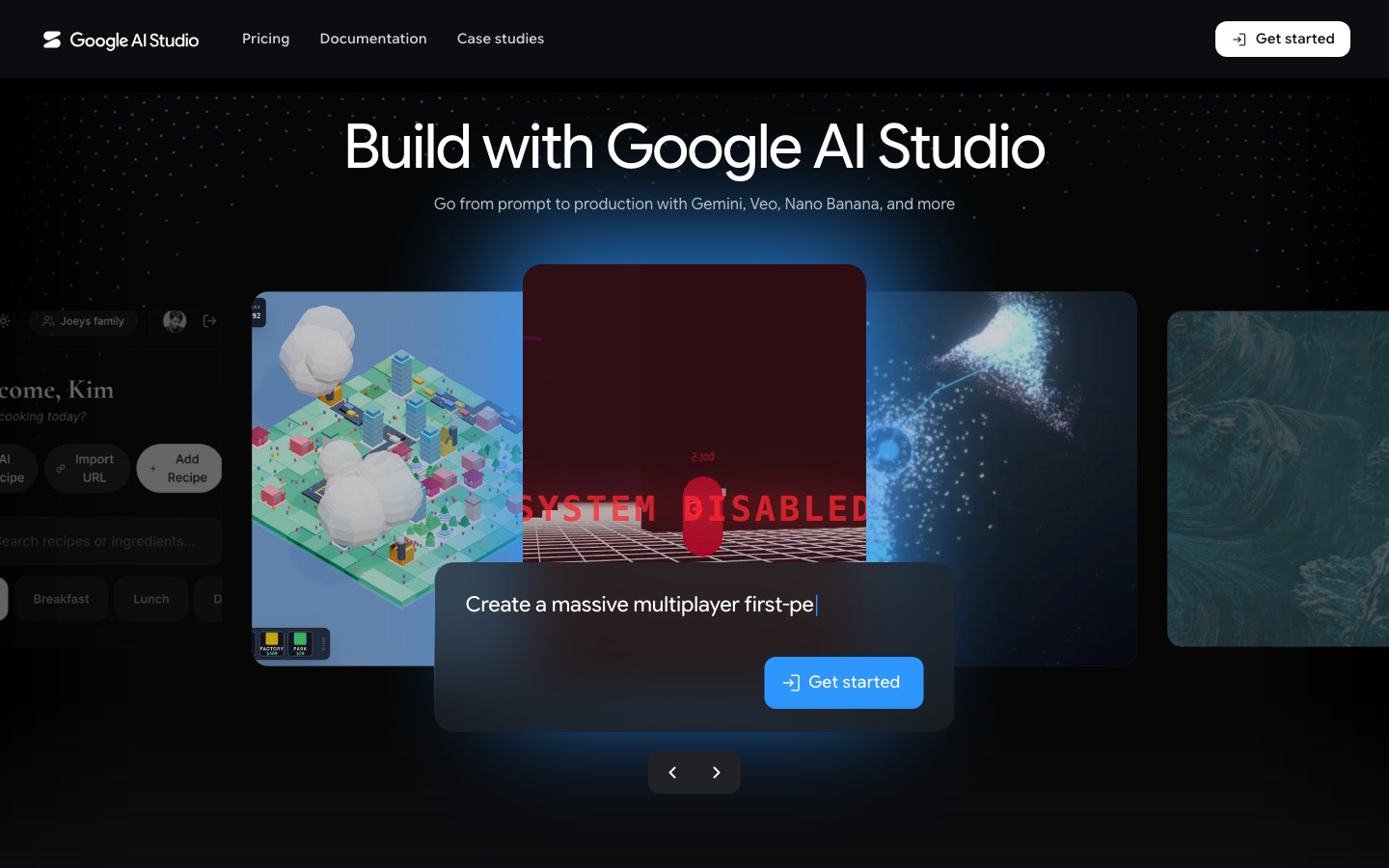 The official Google AI Studio website, captured in September 2026. Credit: Google AI Studio
AI Studio vs. the Gemini App: The Difference Everyone Misses
This is the biggest source of confusion, so let's settle it once and for all. Google has two products that run on the exact same models but are built for completely different people:
| Gemini App | Google AI Studio | |
|---|---|---|
| Target audience | Consumers, like ChatGPT | Builders, developers, experimenters |
| What you get | Polished chat, memory, Gmail/Drive integration | Raw model access and full control |
| System instructions | No real control | Full control (System Instructions) |
| Parameters (temperature, etc.) | No | Yes |
| API key | No | Yes, in two minutes |
| New models | Released gradually | Usually arrive first here |
| Advanced versions | Some require a paid subscription | Everything free in the browser |
| App building | No | Yes, Build mode |
Notice the surprising row: in the Gemini app, full access to the most powerful models requires a paid subscription (Google AI Pro/Ultra). In AI Studio? The same models, free. Google is subsidizing this deliberately, because whoever gets used to building with Gemini today will pay for the API tomorrow.
If you know Gemini from our complete guide, think of it this way: the Gemini app is the family car. AI Studio is the garage with the engine exposed and keys to the race track.
From the field: In the trainings I run, the moment I show people that AI Studio gives them for free what they're paying for in the Gemini app is a moment of collective raised eyebrows. But the more important moment comes two minutes later, when they realize what it's actually there for: not to save a subscription, but to start building.
Why Is Everyone Talking About AI Studio in 2026?
There are a few reasons this tool went from a niche developer name to one of the most searched AI terms in Israel:
1. The most generous free tier on the market. While competitors charge per token, Google offers full free browser access plus a real free API tier. For students, early-stage entrepreneurs, and small businesses, this is an entry point with no competition.
2. The models have become genuinely good. The Gemini 3 family closed the gap against competitors in reasoning and code, and in multimodality, working with images, video, audio, and long documents, it ranks among the strongest on the market. The enormous context window lets you feed an entire book or an hour of video into a single prompt.
3. Image and video generation in one place. Nano Banana Pro generates images with readable text (including Hebrew), and Veo produces video at a quality that two years ago would have looked like science fiction. Both are accessible through AI Studio, with no separate subscription required.
4. Build mode changed the game. The ability to type "build me an app that scans receipts and summarizes expenses" and get a working application you can deploy with one click transformed AI Studio from a testing tool into a creation tool.
5. It's the psychological bridge. Most people who use AI stay at the chat level. AI Studio is where you discover there's a whole world beyond it: system instructions, APIs, automation. Once you cross that bridge, you don't go back.
The Core Capabilities, One by One
1. The Playground: Chat with Full Control
The heart of AI Studio is the chat screen, but it's a professional-grade chat. On the side of the screen you choose a model (Flash, the fast and cost-efficient option; Pro, the most capable; or image and video models) and tune:
- Temperature: How "creative" the model is versus how predictable and consistent. Turn it up for marketing copy; bring it down to zero for precise data extraction.
- Structured Output: Force the model to return JSON in a defined format, critical for automations.
- Grounding with Google Search: The model is anchored to real search results, dramatically reducing "hallucinations" about current information.
- Response length, stop sequences, safety settings: all under your control.
2. System Instructions: The Feature That Changes Everything
This is probably the most important capability for anyone coming from the consumer chat world: a separate field where you define who the model is before the conversation begins. For example:
You are a customer service representative for an Israeli online sports equipment store.
Always respond in Hebrew, in a warm and concise tone.
If asked about returns, the policy is 30 days with a receipt.
Never invent prices. If you don't know, direct the customer to the website.
This instruction is "layered onto" every message in the conversation. The difference between a plain chat and a model with a solid system instruction is the difference between a generic assistant and an employee trained for the role. That's exactly what you do when building a real product, which is why AI Studio is the perfect training ground before development.
3. Stream: Live Conversation with Screen Sharing and Camera
One of the most impressive features to demonstrate: click Stream and start talking to Gemini by voice, in real time, including in Hebrew. But the real magic is that you can share your screen or camera with it:
- Share your screen with an Excel sheet and ask aloud, "What's wrong with the formula in row 12?"
- Point your phone camera at a product and ask, "How do I install this?"
- Walk through your website together with the model and ask for live feedback.
This is a preview of the future of AI interfaces, and it's available for free, today, in the browser. Under the hood this is Gemini's Live API, which developers can also integrate into their own products.
4. Image Generation: The Nano Banana Family
Google's image models, affectionately nicknamed "Nano Banana" in a way that became official, are available directly in AI Studio. As of July 2026, Nano Banana Pro (technical name: Gemini 3 Pro Image) leads the world in two things businesses care about most:
- Readable text inside images: including Hebrew. Yes, a banner with correct Hebrew lettering. Anyone who has battled image generators that produce gibberish instead of letters knows how significant this is.
- Smart editing: upload an existing image and request changes in plain language: "Replace the background with a modern office," "Add the logo to the shirt."
For anyone interested in comparing dedicated image generators, we wrote a complete guide on Midjourney, but the bottom line is: for business use cases involving text, Nano Banana usually wins.
5. Video Generation: Veo
Google DeepMind's video generator, one of the world's leading models, is accessible through AI Studio and the API. Type a scene description and receive a video clip with cinematic camera movement and even a soundtrack. For businesses this means short brand videos, product demos, and Stories, with no videographer and no studio. Free-tier quotas are limited (video is expensive to generate), but to try it and understand the potential, this is the place.
6. Working with Files: Video, Audio, PDFs, and Massive Documents
Gemini is a multimodal model by design, and AI Studio gives that capability a full stage: drag in a video file, a meeting recording, a contract PDF, or a folder of images and ask questions. Gemini's enormous context window lets you analyze an hour of video or hundreds of pages in a single pass. This is a capability Notebook LM also builds on, but in AI Studio you get it in a rawer, more flexible form.
Getting Started: Step by Step
Here is the complete path from zero to confident, in five steps:
Step 1: Sign in. Go to aistudio.google.com and log in with a regular Google account. No installation, no credit card, no form. If you have a Gmail address, you're inside within 30 seconds.
Step 2: First conversation with a model. On the main screen, choose a model from the list (start with Flash, it's fast and generous with quotas) and write a prompt. In Hebrew. Yes, it works great.
Step 3: Play with the system instruction. Open the System Instructions field and write a role definition: "You are a marketing consultant for small businesses in Israel. Respond concisely, with local examples." Send a few questions and feel the difference.
Step 4: Try the advanced tools. Upload a PDF and ask questions about it. Switch to Stream and talk to the model by voice. Generate an image with Nano Banana. All of this, without paying.
Step 5: Save your prompts. Every conversation can be saved as a Prompt to Drive, returned to, and duplicated. This is how you build a business prompt library, a real asset for any team.
From the field: The most common beginner mistake is opening AI Studio, seeing an English interface full of buttons, and retreating back to the familiar chat. My advice: ignore 90% of the buttons on day one. Model, prompt, system instruction. That's it. You'll discover the rest when you need it, which is exactly the learning sequence we follow in the free courses at the Academy.
An API Key in Two Minutes: The Moment You Become a Builder
This is the part that transforms AI Studio from a playground into a gateway to development. An API key is the "entry ticket" that lets any software, script, website, or automation talk to Gemini directly.
How to get one:
- In AI Studio, click Get API key.
- Create a key in a new (or existing) project with a single click.
- Copy it. That's it. You have a working key.
No credit card, no approval process, no waiting. And that key works immediately with the Gemini API free tier, meaning you can build and test real things at zero cost.
What do you actually do with it?
- Connect it to automations in Make or Zapier, here's how to build an AI agent with Zapier and Make.
- Write a script that summarizes emails, tags incoming requests, or analyzes files.
- Add a smart chat widget to your business website.
- And most importantly for our working method: hand the key to a code agent like Claude Code, and it builds the integration for you.
💡 From the field: I say this in every lecture: the difference between someone who "uses AI" and someone who "builds with AI" is exactly those two minutes it takes to issue an API key. Once you have a key, every automation idea shifts from "wouldn't it be nice if" to "let's build that tonight." I've seen business owners with zero lines of code on their resume build themselves a request-summary system in a single evening, because the key was free and the fear disappeared.
Build Mode: Vibe Coding Inside the Browser
Build is probably the feature that most clearly signals where everything is headed. You describe an application in plain words, and AI Studio writes it, runs it, and displays it, all inside the browser. As of July 2026, you can:
- Build full web applications from a text description, with Gemini models embedded inside them.
- Edit the generated code directly, or keep requesting changes in plain words.
- Deploy the result to Google Cloud (Cloud Run) in a single click.
- Even build Android applications, a relatively new addition that has mobile developers genuinely excited.
It's excellent for prototyping: showing a client a concept, testing feasibility, building a small internal tool. To be honest about the limits: Build produces prototypes and small apps, not complex production systems. For real projects with security requirements, testing, and ongoing maintenance, we work with Claude Code, which gives you full control over the code, the files, and the process. But as an "interactive scratch pad," Build is a great tool.
Real-World Use Cases for Businesses in Israel
Let's move from features to practical reality. What does an Israeli business actually do with this starting tomorrow morning?
Accounting firm: Upload PDF financial reports to AI Studio and define a system instruction of "analyst that extracts data into a table." Once the prompt is polished in the Playground, connect it via the API to an automation that runs on every incoming report.
Online store: Build a Hebrew-speaking customer-service agent in a system instruction, one that knows your returns policy, test it against dozens of real scenarios in Studio, and only then embed it on the site. Cost for the entire development and testing phase: zero.
Marketing agency: Nano Banana Pro generates banners with proper Hebrew text for campaigns, and Veo produces short teaser videos. It saves hours of studio work on draft materials, and sometimes on the final deliverables too.
Consultant or lecturer: Share your screen in Stream and walk through a presentation with Gemini in a live voice conversation, a full rehearsal with a personal coach available 24/7.
Operations manager: Record a team meeting, upload the file, and receive a summary with decisions and action items, with a prompt saved once and run on every meeting.
The entrepreneur in you: Have an app idea? Build mode produces a prototype to show investors that same evening.
Law firm (on a paid plan!): Gemini compares contract versions, identifies unusual clauses, and summarizes case law. The massive context window lets you feed in an entire case file. Important: this scenario must run on a paid API or Vertex AI, not the free tier, because of the privacy issue we'll cover shortly.
💡 From the field: In a workshop I ran for a retail chain, the marketing team built a "product description generator" in under an hour. One system instruction with the brand's tone rules, running across a hundred products via the API. What amazed them wasn't the AI. It was that everything happened without buying a single new license. AI Studio's free tier covered the entire pilot phase, and the budget decision only came after they saw results.
The common thread across all these scenarios: start in the Playground for free, refine, and only once it works, connect to the API and launch the automation. That's exactly the methodology we teach in AI consulting and guidance for businesses.
Hebrew: What Works and What Doesn't
As of July 2026, Hebrew support in AI Studio is very good, with one asterisk.
What works great:
- Understanding and writing in Hebrew: The Gemini 3 family is among the best in the world for Hebrew. Natural phrasing, understanding of slang and Israeli context, correct syntax.
- Voice conversation in Stream: The model understands and speaks Hebrew in real time, including mid-sentence interruptions.
- Hebrew text in images: Nano Banana Pro is one of the very few systems in the world that generates readable Hebrew text inside images. Not perfect every time, but definitely usable.
- Transcription and audio analysis in Hebrew: At a high level.
What's weaker:
- The tool's own interface: English only, no Hebrew version, and no full RTL support in text fields (Hebrew text is left-aligned, annoying but workable).
- Build mode: Apps generated require an explicit request for Hebrew and RTL, and even then sometimes need manual corrections.
- Documentation and learning: All official documentation is in English. (That's exactly why this guide and the Academy exist.)
Competitor Comparison: AI Studio vs. OpenAI Playground vs. Anthropic Console
Every major player has a developer playground. Here's the honest comparison, as of July 2026:
| Google AI Studio | OpenAI Playground | Anthropic Console | |
|---|---|---|---|
| Browser usage cost | Completely free | Requires paid credits | Requires paid credits |
| Free API tier | Generous (with rate limits) | Very limited | Almost none |
| Models | Gemini family + image + video | GPT family + image | Claude family |
| Video generation | Yes (Veo) | Partial | No |
| Live conversation + screen sharing | Yes (Stream) | Partial (Realtime) | No |
| In-browser app building | Yes (Build) | No | No |
| High-level code writing | Very good | Very good | Best in market (Claude) |
| Unique strength | Multimodal + accessibility | Massive ecosystem | Reasoning quality, code and agents |
The bottom line on the table: AI Studio wins by a wide margin on accessibility and multimodality. There is no cheaper place to experiment seriously. Claude leads on writing quality, code, and complex agent work. And in our world? Both things are true simultaneously, and that's not a contradiction.
How does this fit with the Claude ecosystem we teach? In full honesty: for our real production systems, automations, agents, websites, we build with Claude Code, because for long-term code and agent work it's simply the best there is. But AI Studio is an excellent complementary tool: for free experimentation with Gemini models, for image generation with Hebrew text, for video with Veo, and for testing prompts before automation. And sometimes they're combined directly: Claude Code can call the Gemini API (with the key you issued in two minutes) inside an automation it builds, for example for automatic image generation for a blog. For anyone who wants to go deeper on choosing the right model for each task, we have a full AI model comparison.
Pricing, Plans, and Rate Limits
Let's make sense of the structure, without committing to numbers that change every few months.
Layer 1, the browser interface: free. Full stop. All usage of AI Studio itself, chat, files, Stream, image generation (within reasonable quotas), costs nothing.
Layer 2, the free API tier: The API key comes with a real free quota. A limited number of requests per minute and per day, more generous for the fast Flash models and more restricted for the Pro models. As of July 2026, these figures are comfortably sufficient for development, testing, and personal automations, but not for an application with an audience.
Layer 3, paid API (pay-as-you-go): Add a payment method and pay per token. Flash models are significantly cheaper than Pro models. Images and video are priced per unit and are the most expensive in the group. Prices change frequently. Check the official pricing page before planning a budget.
Rate limits are Google's way of differentiating between tiers. The same models, but on the free tier the number of requests per minute is lower. For testing, that's invisible. For an automation running across hundreds of items, you'll feel it, and that's the signal it's time to move to paid.
Privacy: The Note Every Business Must Read
This is the most important section of the guide for anyone using the tool for work purposes, so let's say it plainly:
The rule: On the free tier (both in the browser and on the free API), Google's terms allow it to use the content you send, prompts, files, conversations, to improve its products and models, including human review of samples. On the paid API tier, data is not used for model training.
What this means in practice for an Israeli business:
- Do not upload to the free tier: Client contracts, financial data, medical information, personal details of employees or customers (remember: the Privacy Protection Law applies to you), proprietary code, or trade secrets.
- Perfectly fine for the free tier: Prompt experiments on generic data, public marketing content, learning and experimentation, documents that are already public.
- Need to work with sensitive information? Move to the paid API, or to an enterprise deployment through Google Cloud's Vertex AI with contractual commitments.
💡 From the field: In every organization I walk into, someone has already pasted a sensitive document into some free AI tool. It's not negligence. It's a lack of awareness. The rule I give teams is simple: "Free means you are the product. Before you paste something in, ask yourself whether you'd send it to an external vendor without a non-disclosure agreement." For organizations that want a structured policy, that's exactly part of what we build in AI workshops for organizations.
Advanced Tips: Getting the Most Out of the Tool
1. Flash first, Pro only when you need it. Get into the habit of testing every task on Flash first. For the vast majority of everyday work, the difference from Pro is negligible, and the free quota is far more generous. Save Pro for genuinely complex reasoning.
2. Use Structured Output for every automation. If the result is going to another system (a spreadsheet, a CRM, a website), define a JSON schema. The difference between "roughly the format I asked for" and "exactly the format I asked for" is the difference between an automation that works and one that breaks.
3. Enable Grounding for time-sensitive questions. When you need current information or verified facts, turn on Google Search grounding. It dramatically reduces the hallucination rate.
4. Build a system instruction library. For every role in the business, a saved system instruction: "the support rep," "the analyst," "the copywriter." A team working from a shared library gets consistent results every time.
5. Use AI Studio as a prompt lab for your automations. This is the tip worth the most money: before you write a prompt into an automation (in Make, in Zapier, or in a Claude agent), polish it in AI Studio against dozens of real examples. The free playground saves hours of debugging inside the automation itself.
6. Exploit the massive context window. Instead of splitting a large document into chunks, give Gemini the whole thing. Comparing two contracts? Upload both and ask for a differences table. Analyzing a year of reports? In one shot.
7. Save every prompt that works. The Save button is the real asset: within a month you will have built yourself a personal toolkit you can share with the entire team through Drive.
Common Mistakes: And How to Avoid Them
Mistake 1: Treating it like "just another chat." Anyone using AI Studio without system instructions and without touching the parameters is missing the entire point. For chat, there is the Gemini app.
Mistake 2: Uploading sensitive information on the free tier. We covered this above. It is the most expensive mistake, because it goes unnoticed until it doesn't.
Mistake 3: Building an automation on the free tier and being surprised when it chokes. The free tier's rate limits are designed for development, not production. Real business automation needs a paid plan. It is cheap, but it is not zero.
Mistake 4: Forgetting that your key is exposed. An API key is a password. Do not paste it into public code, do not send it over WhatsApp, do not leave it in a shared file. A leaked key means someone else burns through your quota (or your wallet).
Mistake 5: Expecting Build to replace a developer. An impressive prototype in ten minutes, yes. A secure system with users, payments and ongoing maintenance, no. That takes serious tools and a serious process.
Mistake 6: Giving up because of the English. The interface is in English, but all the actual work can run in full Hebrew. Do not let the language of the buttons stop you. You need to know roughly eight terms, and we covered every one of them in this guide.
The Limitations: Honestly
As with all our guides, we end with the unvarnished truth:
- Privacy on the free tier is a deal, not a bug. You get an amazing free tool; Google gets data. For personal use and learning, that is a fair trade. For a business with sensitive information, it is not suitable without a paid plan.
- The interface is busy and changes constantly. Google adds and moves features at a dizzying pace. What was in the left menu last winter moved to a different button by summer. Anyone coming back after two months will need a minute to reorient.
- There is no real official support for free-tier users. There are forums and documentation, but do not expect customer service. Something stuck? You and Google, alone in the room.
- Free-tier rate limits are real. On a heavy day you will hit "wait a minute," and during peak hours the newer models can slow down.
- Build still does not replace development. For prototypes, great. For production, not yet, and probably not soon.
- Complete dependency on Google. Free Google products are known for changing, merging, and sometimes shutting down. AI Studio looks like it is here to stay (it is the revenue gateway for the API), but build on the capabilities, not on a specific screen.
- RTL is missing from the interface. Writing Hebrew in text fields works but aligns left. Cosmetic, but annoying in long texts.
Who This Is Right For: And Who It Isn't
A very good fit for:
- Anyone who wants to take the first step from "chat user" to "builder." There is no better entry point than this.
- Small business owners who want to try AI seriously at zero cost before committing.
- Marketers and content creators, thanks to Hebrew-captioned images and video in one place.
- Developers and automation specialists who need a free prompt lab and a quick API key.
- Instructors, lecturers and students. A perfect demonstration tool at zero cost.
Less suitable for:
- Organizations with sensitive data that do not yet have an AI policy. Policy and a paid plan first, tools second.
- Anyone looking for a comfortable everyday chat. The Gemini app or Claude will suit them better.
- Development teams building complex agent systems. There, Claude Code and the paid APIs are the right tools.
- Anyone who needs absolute interface consistency. This tool changes at a pace that demands flexibility.
Frequently Asked Questions
Is Google AI Studio really free, or is there fine print? Browser use is genuinely free, with no time limit and no credit card required. The "fine print" comes in two parts: rate limits (number of requests per minute/day), and the fact that on the free tier Google is permitted to use your content to improve the models. Money only enters the picture if you choose the paid API.
What is the difference between Google AI Studio and Vertex AI? Both give access to the same models. AI Studio is the fast, lightweight tool for experiments, prototypes and small businesses. Vertex AI is the enterprise platform inside Google Cloud, with the security controls and contractual commitments that large organizations need. Start in Studio; grow, then move to Vertex.
Can I use AI Studio in Hebrew? Yes. Write prompts in Hebrew, receive answers in Hebrew, hold a voice conversation in Hebrew, and even generate images with Hebrew captions. Only the interface itself (buttons and menus) is in English.
Do you need to know how to code to use AI Studio? Not at all. The Playground, Stream, image generation and video are all visual interfaces. Coding is only required if you want to use the API key in your own code, and even then, tools like Claude Code can write that code for you.
Which model should I choose, Flash or Pro? Rule of thumb: Flash for everything routine (summaries, phrasing, data extraction, customer service). It is fast, cheap and comes with a generous free quota. Pro for tasks that require deep reasoning: complex analysis, non-trivial code, long documents with multi-step inference. Not sure? Test on Flash first.
My API key, how dangerous is it if it leaks? A leaked key lets anyone consume your quota, and if you have attached a payment method, at your expense. Treat it like a password: in environment variables or a secrets manager, never in visible code. If you suspect a leak, delete the key with one click and issue a new one.
Can you connect Gemini to Claude and other tools? Yes, and that is a workflow we actually use: an agent built on Claude Code can call the Gemini API, for example to generate blog images with Nano Banana or to analyze video, as part of a larger automation. Through MCP and API tools, different models become "workers," each assigned the task it handles best.
What is better to learn first, AI Studio or Claude Code? It depends on the goal. If you want to understand models, experiment with multimodal and build prompts, start with AI Studio. It is free and immediate. If you want to build real automations and systems, Claude Code for beginners is the more worthwhile investment. The truth? They complement each other, and most of our students end up with both in the toolkit.
The Bottom Line
Google AI Studio is one of the most generous offerings in the AI world in 2026: Google's most advanced models, text, image, video and live conversation, free, in the browser, with an API key two minutes away. It is not "just another chat app." It is the door through which you move from consuming AI to building with AI.
Our recommendation is simple: open an account today, play with system instructions, try Stream, generate an API key, even if you have no idea yet what you will do with it. And just remember the golden rule: sensitive business data does not go on the free tier.
If you want to make this journey properly and in Hebrew, we built exactly that with the free courses at the Tzedek AI Academy, which walk you step by step from your first prompt all the way to real automations. And anyone who wants to shorten the road with personal guidance on their own business is welcome to book a one-on-one private lesson, where we build your first AI system together. See you on the builders' side.
Frequently asked questions

Yaakov Tzedek
An Israeli AI lecturer, consultant and implementer who has supported 100+ organizations in AI implementation and lectured for 200+. Official content partner of Meta, Google, Canva and TikTok, featured on Israel's Channel 13.
More about Yaakov →