- What Copilot Studio is, how to build AI agents on SharePoint and Teams, Copilot Credits pricing, Hebrew support, governance, DLP, and how it compares to Foundry and n8n.
According to the official Copilot Studio language support page, Hebrew is supported in generative answers, orchestration, and the authoring interface, but event triggers, the component that makes an agent autonomous, are officially supported in English (en-US) only.
A response from an agent sourced from SharePoint costs 2 credits, and for an employee with a Microsoft 365 Copilot license it costs nothing.
In an organization with thousands of employees that is already paying for the licenses, that sounds like the end of the cost conversation. It isn't. The real money and the real risk are elsewhere: an autonomous agent running with the permissions of whoever built it, flows that are billed regardless of the license, and a public-facing agent on a website where every conversation is counted.
This guide was built from the official Copilot Studio documentation on Microsoft Learn, the Microsoft pricing page, the governance and security pages, the language support page, and the data locations page (all verified on September 15, 2026). It is intended for IT, digital, and innovation teams in organizations and public-sector bodies in Israel that are already running on Microsoft 365. If you are not yet familiar with Microsoft 365 Copilot itself, start with the complete Copilot guide. Here we focus only on building agents.
In short
| Question | Short answer |
|---|---|
| What it is | Microsoft's low-code environment for building AI agents and workflows, connected to the organization's knowledge and systems |
| How much it costs | $200 per month for 25,000 credits, or $0.01 per credit on a pay-as-you-go basis. Internal use by employees with Microsoft 365 Copilot is included |
| What you pay for | Copilot Credits: a fixed answer costs 1, a generative answer costs 2, an agent action costs 5, grounding in the organizational graph costs 10 |
| Hebrew | Interface, generative answers, and orchestration work in Hebrew. Voice does not, and autonomous triggers are English-only |
| Where you publish | Teams and Microsoft 365 Copilot, SharePoint, website, app, WhatsApp, Facebook, and Azure Bot Service channels |
| Who it suits | IT and digital teams in organizations that live inside Microsoft 365 and want agents with built-in governance |
What is Copilot Studio?
Copilot Studio is where an organization builds its own AI agents on Microsoft's infrastructure: knowledge from SharePoint, actions through Power Platform connectors, and publishing to Teams and Microsoft 365 Copilot.
Definition: Microsoft Copilot Studio is Microsoft's graphical, low-code environment for building and managing AI agents and workflows. An agent built there receives instructions, connects to organizational knowledge sources, uses tools to perform actions, and is published to the channels where employees and customers already are. The tool is available as a web app at copilotstudio.microsoft.com.
According to the official overview page, the Studio has three building blocks. An agent is an AI assistant that manages a conversation and completes tasks. A Workflow is an automation built by dragging and dropping, where each step can reason and act. An Agent flow is the older flows format, similar to Power Automate, which can run on its own or be connected to an agent as a tool.
A new concept worth understanding from the start is the harness, the runtime engine underneath the agent. Microsoft defines three. The GitHub Copilot harness is designed for multi-step work that requires reasoning, creates and edits Word, Excel, PowerPoint, and PDF files, and supports memory and skills. The standard harness is designed for rule-based agents and structured conversations, using topics (topics) that you define. The Copilot chat harness is designed to extend Microsoft 365 Copilot Chat with organizational knowledge, for internal audiences only. The choice also affects billing.
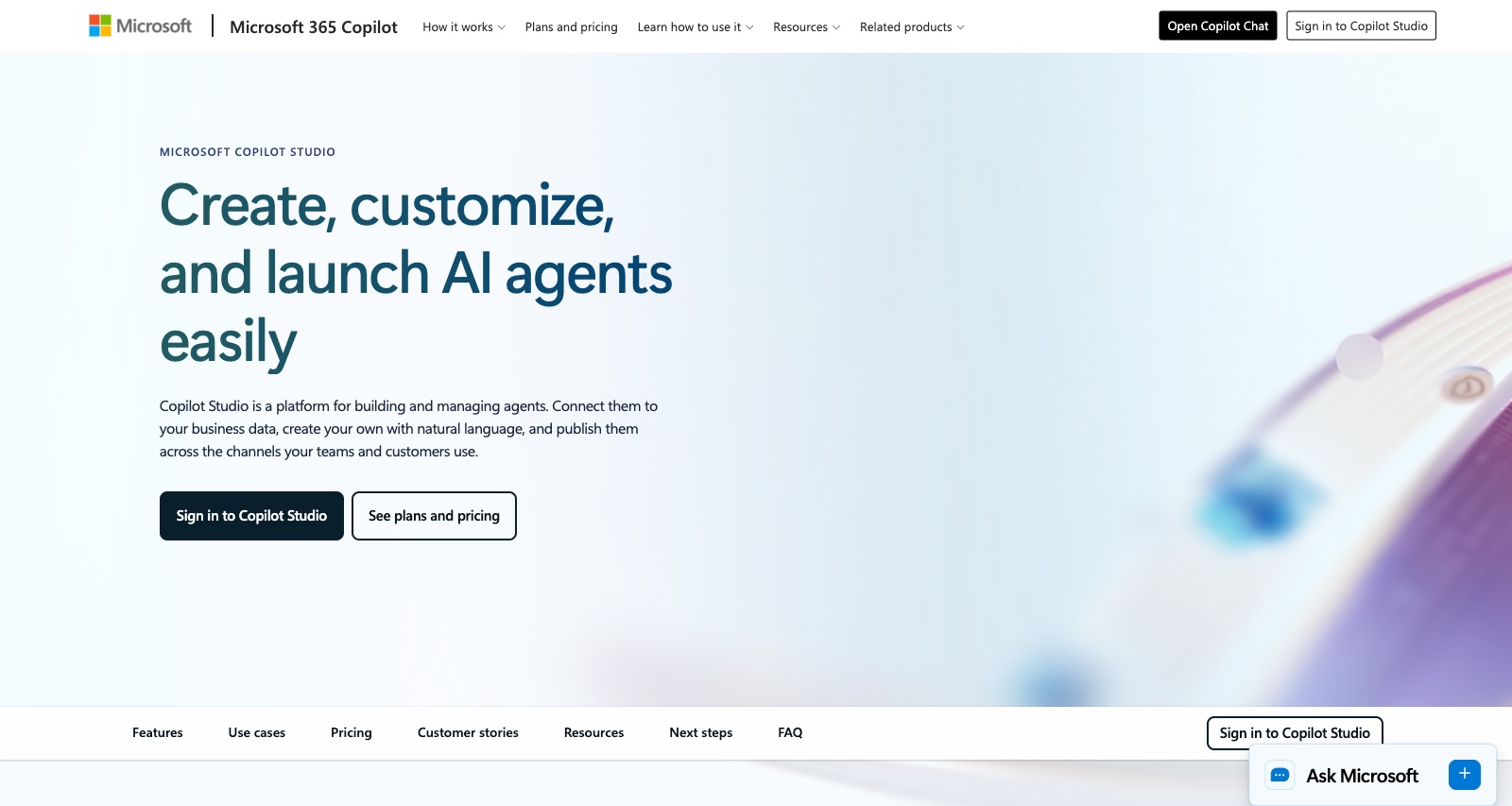 The official Microsoft Copilot Studio product page, captured September 2026. Credit: Microsoft
An agent for Microsoft 365 Copilot vs. a standalone agent
According to the documentation, agents can be added to Microsoft 365 Copilot in two ways, and this is the distinction that confuses IT teams the most.
A Microsoft 365 Copilot agent (Microsoft calls it a declarative agent) is essentially a focused Copilot: instructions, personality, and rules, with knowledge from SharePoint, Teams chats and meetings, emails, websites, and Copilot connectors. It requires a Microsoft 365 Copilot license for both users and builders, and it does not deploy automatically on publish: you submit it to the organizational catalog, share it via a link, or download it as a zip file.
A standalone agent (custom agent) is built from scratch and can include knowledge, tools, topics, triggers, and conversation starters. It can be published to Teams and Microsoft 365 Copilot, but also to a website, an app, and external channels. If your audience includes customers or citizens, this is the route to take.
What can Copilot Studio do?
It answers from the organization's knowledge, performs actions in systems, and responds to events without anyone initiating a conversation. Here are the core capabilities, each with one business use case.
- Knowledge sources. According to the official knowledge page: public websites (up to 25 in generative mode, via Bing), uploaded documents, SharePoint (up to 25 URLs), Dataverse, and organizational knowledge connectors. Use case: a policy agent that answers employee questions from the HR SharePoint site.
- User-scoped knowledge permissions. In SharePoint and Dataverse, the agent authenticates the user against Microsoft Entra ID and surfaces only the content that specific user has access to. Use case: one agent for the entire organization, without a branch employee seeing a management document.
- Generative orchestration. The default in new agents. The agent independently selects topics, tools, other agents, and knowledge sources based on their descriptions, and can chain several of them together for a single request. Use case: "Check my leave balance and open a request for Thursday" in one message.
- Topics. Conversation paths you design, with questions and conditions. Use case: a fault-reporting flow that must collect an asset number and location before it opens a ticket.
- Tools. Ready-made connectors to "thousands" of interfaces according to Microsoft, custom connectors, agent flows, prompts, REST APIs, MCP servers, and computer use that operates graphical interfaces. Use case: an agent that sends an email from Outlook and creates a task in Planner.
- Event triggers. The agent acts on its own when something happens: a new item in SharePoint, a new file in OneDrive, a completed task in Planner, or a time-based trigger (Recurrence). Use case: a new-employee onboarding form that triggers a welcome message with training materials.
- Model selection. According to the documentation, you can select the primary model for an agent, including external models from Anthropic, Mistral, and xAI, subject to admin approval. Use case: comparing the quality of Hebrew answers between two models before going live.
- Monitoring and evaluations. Analytics, evaluation test sets, and an agent inventory for management. Use case: seeing which questions the agent failed to answer during the first week.
How to get started: step by step
One working day is enough for a first internal agent that answers from SharePoint and performs one action. Order matters: environment and permissions first, then knowledge, and only then actions.
- Environment and license. Request a dedicated development environment from the Power Platform team (environment routing is designed exactly for this). A trial license lets you build and test in the test pane, but not publish.
- Create an agent at copilotstudio.microsoft.com, describe in plain language what it does, and choose a primary language. Note: according to Microsoft, the primary language cannot be changed after creation.
- Connect knowledge. Add the SharePoint URL for the policies, and in the Generative AI settings turn off "Allow ungrounded responses," so the agent does not answer from general knowledge when it has not found a source.
- Write instructions and descriptions. The description of every tool, topic, and knowledge source is what generative orchestration reads to make decisions. Test in the test pane and open the activity map to see what the agent chose and why.
- Add one tool. For example, an Outlook connector to send a summary. In the tool settings, leave user authentication (the default), and check "Ask the end user before running" so the agent asks for confirmation before it acts.
- Publish to yourself first. Publish to the Teams and Microsoft 365 Copilot channel, open the agent in Teams for personal use, test it, and only then share it with a group. After a week, check the monitoring page to see how many credits were consumed.
A testing tip: according to the documentation, a published version only takes effect in a new conversation. In Teams, type "start over" to see it immediately.
Hebrew and RTL
Hebrew is officially supported in most of the product, but not all of it, and the gaps are in exactly the advanced capabilities. This information comes from the official language support page, last updated June 29, 2026.
What works: Hebrew (he-IL) appears in the builder interface language list, so a builder with a browser set to Hebrew sees the interface in Hebrew. It also appears in the "generative answers, orchestration, and user language" list, meaning a user can ask in Hebrew and the agent will orchestrate and respond in Hebrew. An agent created with a supported primary language also receives system topics in that language.
What breaks: event triggers, the component that makes an agent autonomous, are officially supported only in English (en-US). Hebrew voice does not appear in the language list for voice-enabled agents. And one small detail that surprises people: according to the same page, if the agent's primary language is not English, conversation starters (suggested prompts) do not appear in the Microsoft 365 Copilot channel, even though they work in Teams and the website chat.
What to test before you launch:
- Questions containing organizational acronyms, professional terms, and clause numbers, verifying that the citation points to the correct document.
- A SharePoint document written in Hebrew with tables, verifying that the answer does not mix up rows.
- An agent with a trigger: trigger instructions (payload) in English and the output to the user in Hebrew, checking that the result is consistent.
Pricing: All Plans From the Official Site
You pay for Copilot Credits, a unit that measures how much work an agent has done. According to Microsoft, starting September 1, 2025, credits replaced "messages" as the currency, with no change to the quantity per package or the pay-as-you-go rate.
| Plan | Price | What you get | Limitations |
|---|---|---|---|
| Prepaid Copilot Credits package | $200/month per package | 25,000 credits per tenant, build for any channel and premium connectors | Unused credits do not roll over to the next month |
| Pay-as-you-go | $0.01 per credit | Billed at end of month for what was consumed, no commitment | Requires an Azure subscription and billing policy in Power Platform admin center |
| Prepaid purchase plan (CCCU) | Annual upfront payment, up to 20% savings | Annual credit pool | Purchased through Azure portal |
| Microsoft 365 Copilot | $30/user/month, billed annually | Copilot Chat, the standard harness in Studio, and internal agent use with no credits | Flows on a non-agent trigger, computer use, and external audiences are billed |
| Copilot Studio for Teams | Included in some Microsoft 365 subscriptions | Agents in Teams with classic orchestration | No generative orchestration, no Power Platform connectors, Teams only |
| Trial | Free | Build and test in the test pane | Cannot publish; extendable by 30 days |
Prices are from the Microsoft pricing page and the Power Platform consumption meter page, September 15, 2026. Prices are subject to change; always check the official site.
Here is how many credits each action consumes, per the billing rate card (standard harness):
| Action | Credits | For users with Microsoft 365 Copilot |
|---|---|---|
| Classic answer | 1 | No charge |
| Generative answer | 2 | No charge |
| Agent action (trigger, inference, topic transition) | 5 | No charge |
| Tenant graph grounding | 10 | No charge |
| Agent flow actions, per 100 actions | 13 | No charge, only on "When an agent calls the flow" trigger |
| Basic / standard / premium AI tool, per 10 responses | 1 / 15 / 100 | No charge |
| Content processing, per page | 8 | No charge |
| Voice, per minute | 10 to 75 depending on tier | Not specified |
What you actually pay for. Not the number of agents, and not the number of builders, but what the agents do. Microsoft's own example: a website service agent with four classic answers and two generative answers per conversation, handling 900 customers per day, consumes 7,200 credits per day. At $0.01 per credit, that is $72 per day. Two more things worth knowing: per the enforcement policy, when a tenant reaches 125% of its prepurchased capacity, custom agents are disabled. And for agents on the GitHub Copilot harness, billing starts at the build and test stage, not only after publishing.
The cheapest plan for a small organization or a pilot. If the employees who will use the agent already hold Microsoft 365 Copilot licenses and the agent is internal, you start with no additional cost. If not, start with pay-as-you-go and measure for a couple of weeks. The math is straightforward: 25,000 credits on pay-as-you-go costs $250, while the package costs $200, so the package makes sense when consumption is stable and exceeds 20,000 credits per month. Either way, set a monthly cap per agent in Power Platform admin center, under Licensing, Copilot Studio, Manage Agents.
Use Cases for Businesses in Israel
Five scenarios by role, all built on infrastructure that already exists in an organization living in Microsoft 365. The examples are intentionally generic, without naming specific organizations.
Management: a policies-and-circulars agent. An agent for Microsoft 365 Copilot with knowledge sourced from the SharePoint circulars-and-policies site, answering with a citation to the source document. If all users hold Microsoft 365 Copilot licenses, usage is included. The expanded discussion on deployment in a public-sector body is in the guide to AI deployment in the public sector.
Marketing and digital: a website FAQ agent. A standalone agent published to a website, with knowledge drawn from site pages and policy documents, with a handoff to a live agent when needed. Here every conversation is counted in credits, because visitors do not hold licenses, so start with pay-as-you-go and measure for two weeks.
Operations and IT: a service-request agent. A built-in topic that collects fault type, location, and asset number, then calls a tool that opens a ticket in the existing system via a connector or REST API. The agent requests confirmation before opening the ticket, and the tool runs under the user's permissions.
Human Resources: employee onboarding. A trigger on a new item in the SharePoint new-employees list that kicks off a welcome email and Planner tasks. Important: the trigger runs under the permissions of whoever built it, so build it with a limited service account, not the system administrator's account.
Sales and service: pre-meeting customer summary. An agent that pulls customer data from Dataverse or the CRM and summarizes it in three lines in Teams before a meeting.
Copilot Studio vs. Microsoft Foundry and n8n: An Honest Comparison
Copilot Studio is a low-code SaaS product inside Microsoft, Foundry is a PaaS platform for developers, and n8n is open-source automation you can run on your own server. The question is who is building and what needs to be controlled.
| Copilot Studio | Microsoft Foundry | n8n (and Make) | |
|---|---|---|---|
| Approach | SaaS, low-code | PaaS, pro-code and low-code | Visual automation; n8n is open-source, Make is cloud-based |
| Who builds | IT and digital teams, solution builders | Developers and AI teams | Implementers and automation builders |
| Organizational knowledge | SharePoint, Dataverse, and the tenant graph, with built-in user permissions | Connectors to any source, code-based | Via nodes and APIs, permissions are your responsibility |
| Models | Studio models and external models with admin approval | Choice from a broad catalog including OpenAI, Anthropic, Meta, and Mistral | Any model with an API |
| Governance | Data policies in Power Platform, Purview, Sentinel, CMK | Standard configuration with private networking and Azure controls | Organization's responsibility; n8n on your own server |
| Publishing | Teams, Microsoft 365 Copilot, website, WhatsApp, and more | Microsoft 365 and Agent 365, or any application | Webhooks, chat, and messaging |
| Pricing | Copilot Credits, or included in Microsoft 365 Copilot for internal use | Based on Azure resource and model consumption | n8n self-hosted is free; cloud and Make are subscription-based |
| Best for | Organizations living in Microsoft 365 | Complex workflows and full control | Flexible automation across many systems |
When to choose Copilot Studio: when knowledge already lives in SharePoint and Teams, when users hold Microsoft 365 Copilot licenses, and when the security team requires DLP, audit logs, and Entra ID from day one.
When to choose Foundry: when you have developers, when you need full control over the code and the model, or when the requirement is a private network and isolation. Microsoft's technology planning guide (Cloud Adoption Framework) recommends not guessing: build a short proof of concept on each platform, one to two weeks per option, and compare development speed, coverage, and integration complexity. If the low-code prototype meets the requirements, go with it.
When to choose n8n or Make: when the workflow crosses many systems that are not Microsoft, when you want your own server without vendor dependency, or when you need highly flexible automation at low cost. Full details are in the n8n guide and the Make guide.
Privacy and Limitations
Data is managed within the organization's Power Platform environment, with broad governance controls, but the data locations page does not list an Israeli region. This is the first point the data protection officer will ask about.
Data location. The Copilot Studio data locations page lists regions in Asia, Australia, Canada, Europe, the UAE, the UK, the US, and others, and does not list Israel. Per that same page, a tenant whose location does not appear in the table is stored in the United States. Additionally, per the Power Platform data transfer page, generative capabilities outside the US may require enabling "Move data across regions," and Bing search data is processed in the US. On the same page, Microsoft states that it does not use the data to train Azure OpenAI base models. For any project involving sensitive information, get written confirmation from Microsoft before going live.
Governance and security controls, per the official security and governance page:
- Data policies (DLP) in Power Platform admin center govern authentication, knowledge sources, tools and connectors, HTTP requests, publishing to channels, and triggers.
- Publish blocking of agents with generative capabilities at the tenant level, and restriction of available channels.
- Audit logs of builders in Microsoft Purview, monitoring and alerts in Microsoft Sentinel.
- Sensitivity labels from SharePoint sources displayed in responses, and customer-managed encryption keys (CMK).
- Security scanning that alerts the builder before publishing, and Agent 365 as a central control layer for organizations that have joined.
What not to upload and what not to do:
- Do not publish without authentication. Per the documentation, "No authentication" allows anyone with the link to chat with the agent.
- Do not connect a trigger to a system administrator account. Triggers run only under the builder's permissions, and users of the agent may access through it information that the builder has access to.
- Do not build a medical agent. Microsoft explicitly states that the tool is not intended for medical diagnosis or treatment and is not intended for emergencies.
- Do not upload unclassified documents. A document uploaded to an agent is available to anyone who chats with it, unlike SharePoint, which respects permissions.
Honest limitations: Users cannot attach files in chat (per the limitations list, across all channels). Generative orchestration handles up to 128 tools per agent, but Microsoft recommends 25 to 30. The documentation recommends not chaining more than 15 actions or topics in sequence.
Common Mistakes
- Starting with an agent for the entire organization. Publish to yourself first, then to a group, and only then to the catalog.
- Leaving generic descriptions. "The tool answers questions" does not help the orchestrator decide what to call. Write what the tool does and what it does not do.
- Assuming everything is included in the license. Flows on a trigger other than "When an agent calls the flow," computer use, and external audiences all count against credits.
- Setting a Recurrence trigger every few minutes. Per Microsoft, a trigger every 10 minutes sends the agent a message every 10 minutes, and each one is counted.
- Choosing a primary language without thinking it through. It cannot be changed after creation, and choosing Hebrew removes the conversation starters in the Microsoft 365 Copilot channel.
- Skipping a development environment. Building in the default environment and then discovering that the data policy blocks the connector the agent needs.
Frequently Asked Questions
What is Copilot Studio?
Microsoft's graphical, low-code environment for building and managing AI agents and workflows. You connect the agent to organizational knowledge (SharePoint, websites, files, Dataverse), give it tools to act, and publish it to Teams, Microsoft 365 Copilot, your website, and other channels.
How much does Copilot Studio cost?
According to Microsoft's pricing pages (checked September 15, 2026): a package of 25,000 Copilot Credits costs $200 per month per tenant, and pay-as-you-go costs $0.01 per credit through an Azure subscription. There is also an annual prepurchase plan with savings of up to 20%. Prices change, so check the official site.
Is Copilot Studio included in a Microsoft 365 Copilot license?
Partially. A Microsoft 365 Copilot license includes using agents inside Copilot Chat, Teams, and SharePoint, and internal use by a licensed employee does not count against credits. Flows triggered by other triggers, computer use agents, and use by external customers are billed.
Does Copilot Studio work in Hebrew?
Yes, mostly. According to the official language support page, Hebrew (he-IL) is supported in the authoring interface, generative answers, orchestration, and user language. Voice in Hebrew does not appear on the list, and event triggers are supported in English only. The agent's primary language is set at creation and cannot be changed afterward.
What is the difference between a Microsoft 365 Copilot agent and a standalone agent?
A Microsoft 365 Copilot agent (declarative agent) extends the Copilot chat with instructions and knowledge, and requires a Microsoft 365 Copilot license for both users and builders. A standalone agent (custom agent) is built from scratch, can include topics, tools, and triggers, and can be published to a website, an app, and external channels.
Where is Copilot Studio data stored, and is there an Israeli region?
The Copilot Studio data locations page (checked September 15, 2026) does not list an Israeli region, and according to that page a tenant whose location is not on the list is stored in the United States. Generative capabilities outside the US may require approval to move data across regions. Before any sensitive project, check with Microsoft directly.
Copilot Studio, Foundry, or n8n?
Copilot Studio for an IT or digital team in an organization that lives in Microsoft 365 and wants built-in governance without writing code. Microsoft Foundry for developers who need full control, model selection, and a private network. n8n for implementers who want flexible automation, open source, and their own server, with no dependency on Microsoft.
The Bottom Line
Copilot Studio is the shortest path for an organization that lives in Microsoft 365 to take an AI agent from idea to Teams, with the permissions, audit logs, and data policies that already exist. It is not the most flexible tool on the market, and it does not need to be: its advantage is that it sits inside the house.
And to come back to the opening: yes, a response to a licensed employee costs nothing. But the questions that determine whether the project succeeds are different ones: whose permissions does the agent run under, who can talk to it, and what happens when it responds to an event in the middle of the night. Those who answer those questions before building the first agent build an agent that can scale to the entire organization.
Want to practice this inside the page? The interactive Copilot Studio course for 9.90 ILS, part of the interactive courses series. If you are not yet working with Copilot itself, there is also an interactive Copilot course, and for the principles that apply to every agent platform there is the AI agents course.
Further reading: Copilot: The Complete Guide · Implementing AI in a Public Sector Organization · Safety Rules for AI Agents · MCP: The Complete Guide · n8n: The Complete Guide
Sources
All pages checked September 15, 2026. Prices change, so check the official site.
- Copilot Studio overview on Microsoft Learn: https://learn.microsoft.com/en-us/microsoft-copilot-studio/fundamentals-what-is-copilot-studio (building blocks, harnesses, tool access)
- Runtime engines (harnesses): https://learn.microsoft.com/en-us/microsoft-copilot-studio/harnesses-overview (comparison of GitHub Copilot, standard, and Copilot chat)
- Extending Microsoft 365 Copilot with agents: https://learn.microsoft.com/en-us/microsoft-copilot-studio/microsoft-365-copilot-extend-with-agents (Microsoft 365 Copilot agent vs. standalone agent, licensing, availability)
- Knowledge sources: https://learn.microsoft.com/en-us/microsoft-copilot-studio/knowledge-copilot-studio (source types, limits, authentication, Allow ungrounded responses)
- Generative orchestration: https://learn.microsoft.com/en-us/microsoft-copilot-studio/advanced-generative-actions (generative vs. classic orchestration, descriptions)
- Tools for agents: https://learn.microsoft.com/en-us/microsoft-copilot-studio/add-tools-custom-agent (tool types, authentication, 128-tool limit)
- Event triggers: https://learn.microsoft.com/en-us/microsoft-copilot-studio/authoring-triggers-about (autonomous triggers, builder permissions, billing)
- Publishing channels: https://learn.microsoft.com/en-us/microsoft-copilot-studio/publication-fundamentals-publish-channels (channels, authentication, known limitations)
- Language support: https://learn.microsoft.com/en-us/microsoft-copilot-studio/authoring-language-support (Hebrew in interface, responses, and orchestration; triggers in English; voice)
- External model selection: https://learn.microsoft.com/en-us/microsoft-copilot-studio/authoring-select-external-response-model (Anthropic, Mistral, xAI, admin controls)
- Licensing: https://learn.microsoft.com/en-us/microsoft-copilot-studio/billing-licensing (Copilot Credits, plans, what is included in Microsoft 365 Copilot)
- Billing rates and enforcement: https://learn.microsoft.com/en-us/microsoft-copilot-studio/requirements-messages-management (credits table, examples, enforcement at 125%)
- Billing in GitHub Copilot harness: https://learn.microsoft.com/en-us/microsoft-copilot-studio/agents-experience/billing-credit-overview (billing starts from the build)
- Trial and Copilot Studio for Teams: https://learn.microsoft.com/en-us/microsoft-copilot-studio/requirements-licensing-subscriptions
- Pay-as-you-go meters in Power Platform: https://learn.microsoft.com/en-us/power-platform/admin/pay-as-you-go-meters ($0.01 per credit)
- Copilot Studio pricing page: https://www.microsoft.com/en-us/microsoft-365-copilot/pricing/copilot-studio ($200 for 25,000 credits, Microsoft 365 Copilot at $30, savings of up to 20%)
- Security and governance: https://learn.microsoft.com/en-us/microsoft-copilot-studio/security-and-governance (DLP, Purview, Sentinel, CMK, Agent 365)
- Data locations: https://learn.microsoft.com/en-us/microsoft-copilot-studio/data-location (regions table, tenant not on the list is stored in the US)
- Data movement for generative capabilities: https://learn.microsoft.com/en-us/power-platform/admin/geographical-availability-copilot (Move data across regions, Bing processing in the US)
- Technology planning for agents (Cloud Adoption Framework): https://learn.microsoft.com/en-us/azure/cloud-adoption-framework/ai-agents/technology-solutions-plan-strategy (Copilot Studio vs. Foundry, prototypes)
Yaakov Tzedek, AI lecturer, consultant, and organizational AI implementer, and leader of the daily AI tip community. Join the WhatsApp group.
Frequently asked questions

Yaakov Tzedek
An Israeli AI lecturer, consultant and implementer who has supported 100+ organizations in AI implementation and lectured for 200+. Official content partner of Meta, Google, Canva and TikTok, featured on Israel's Channel 13.
More about Yaakov →