
- What Clay is, how one table enriches a lead list through 200+ data providers in a waterfall, what Claygent does, all plans and pricing (Free, Launch, Growth, Enterprise), credits, actions, HubSpot, Salesforce, Apollo, GDPR, and when manual research is enough.
According to Clay's official pricing page, if an enrichment returns no result you pay nothing, no credits and no actions. In a multi-provider waterfall you pay only the provider that actually finds something, which means the order of providers in the waterfall, cheapest first, is the single most important economic decision you make in the tool.
A list of 200 leads, with verified work emails for most rows, and nobody opened LinkedIn or Googled a single CEO's name. That is not even the interesting part.
The interesting part is how Clay does it: it holds no database of its own. It queries more than 200 data providers one after another, stops the moment one succeeds, and charges you only for that one. People who understand this build a table that finds emails cheaply. People who don't burn through a month of credits on a single table and never figure out why.
This guide was built from Clay's official pricing page, Claygent page, documentation center, integrations pages, and privacy page (checked September 14, 2026), along with our hands-on work with sales teams in Israel. What it is, what the tool can do, how to count credits and actions, what it costs, what works in Hebrew, what Israeli law says about lists like these, and when Apollo or an hour of manual research is simply enough.
In short
| Question | Short answer |
|---|---|
| What it is | A leads table where every column is a data provider or an AI agent. Feed in companies, get back emails, phone numbers, and research |
| How much it costs | Free: 100 credits and 500 actions per month. Launch from $167/month (annual). Growth from $446 (annual). Enterprise is custom |
| What you pay for | Two meters: data credits (the data itself) and actions (the platform's work). No result, no charge |
| The differentiator | A waterfall of 200+ providers instead of a single database, plus Claygent, which researches the web row by row |
| Hebrew | Not officially listed. Interface is English and not RTL, data passes through fine, Claygent responds in Hebrew if you ask explicitly |
| vs. Apollo | Apollo is cheaper and self-contained, with its own database. Clay costs more per lead, is more accurate, and suits a team that has someone who enjoys working with tables |
What is Clay?
Clay is a platform for building, enriching, and activating lead lists. At its center is a table: every row is a company or a person, and every column is an action, a data provider that finds an email, an AI agent that reads the company's website, or a push to a CRM. Run a column, and the table fills in.
Definition: Clay is an orchestration layer for sales data. It holds no contact database of its own. Instead, it connects more than 200 data providers and AI models into a single table and charges only for what is actually found. Table = list. Column = provider or agent. Waterfall = several providers queued in order until one succeeds.
According to the official homepage, Clay defines itself as GTM (Go-To-Market) infrastructure, "get any data, run agentic workflows, and activate sales plays," and reports more than 500,000 teams using it. That matters for understanding the positioning: this is not "another leads database." It is the tool that sits on top of the databases.
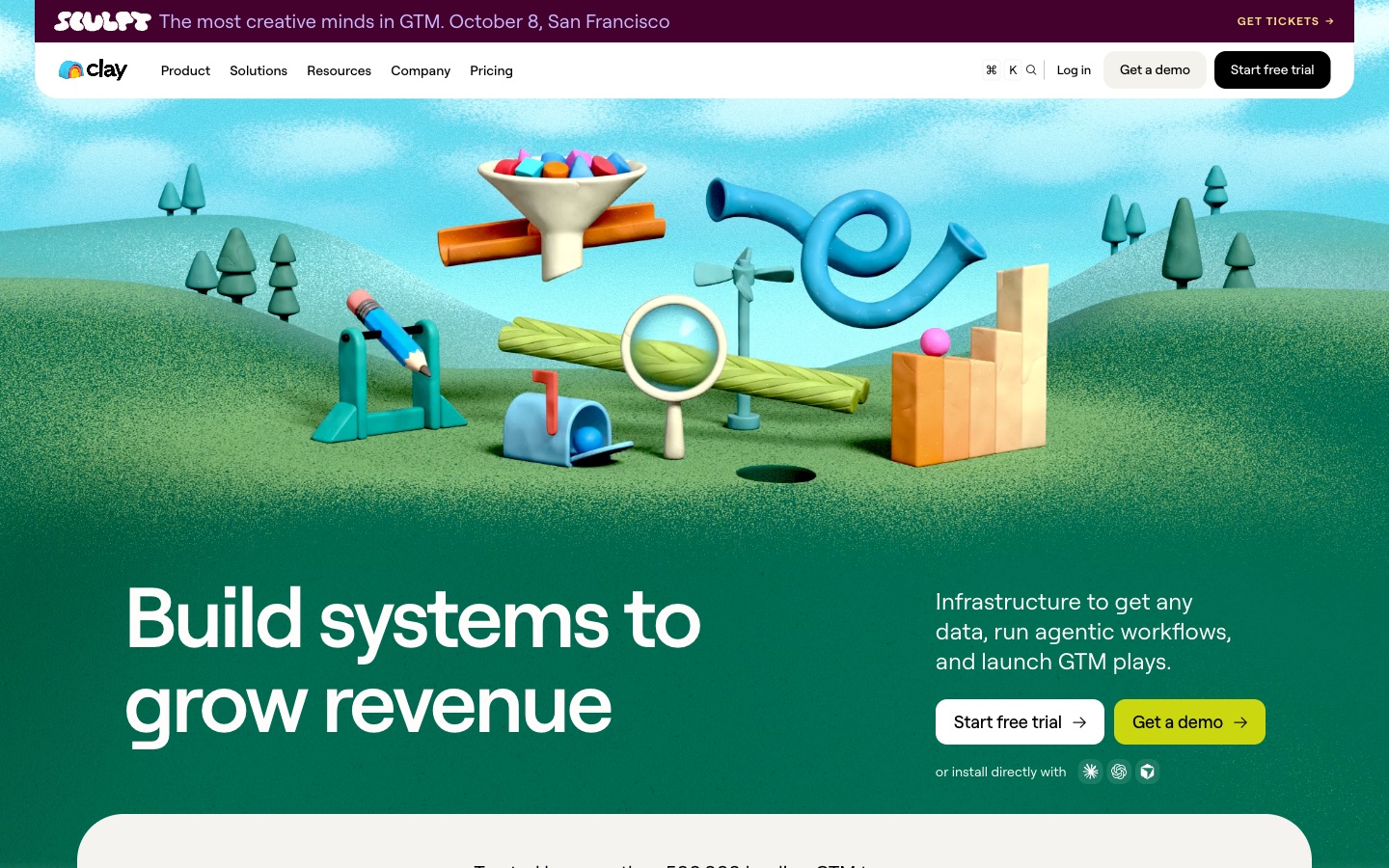 Clay's official homepage, captured September 14, 2026. Credit: Clay
The mental model that saves the most money: the table is a spreadsheet where each cell costs money only if it gets filled. Anyone comfortable with Google Sheets will understand the interface within an hour. Anyone used to buying pre-built lists needs to change their habit: here you do not buy a list, you build a machine that produces one.
What can Clay do?
Clay can find, enrich, research, score, and send, all from the same table. These are the capabilities that actually change something for a sales team, drawn from the official product and documentation pages, each paired with one real business use case:
- List building (Find people / Find companies). Filter by role, industry, size, and country and get rows back. Use case: a list of operations managers at logistics companies with 50 to 200 employees.
- Enrichment waterfall (Waterfall). According to the documentation, "use multiple data providers in a fixed sequence, to avoid duplicate lookups and avoid wasting credits." Use case: a verified work email for every row, without paying three providers for the same person.
- Import from CRM, CSV, and lists. Per the HubSpot and Salesforce documentation, import records, update existing ones, and create new ones. Use case: enrich 2,000 old CRM leads with current phone numbers and job titles.
- Claygent, an AI research agent. According to the official Claygent page, "agents that perform tasks on your behalf: they accept input, follow instructions, and write structured output." Use case: "Is this company currently hiring salespeople?" for every row.
- Multiple AI models. Per the AI in Clay documentation: Clay's own models (Helium, Neon, Argon), OpenAI, Anthropic (Claude), and Gemini, with the option to bring your own API key. Use case: a personalized opening line for each lead based on their website.
- Signals. Job changes and promotions, and from Growth onward also purchase intent (web intent), per the pricing page. Use case: a lead who was a satisfied customer and just moved to a new company gets an outreach in their first week.
- Clay Sequencer. A built-in email sequence, available on the free plan according to the pricing page, and on Growth you can purchase sending domains and inboxes. Use case: a three-email sequence to the enriched list, no extra tool needed.
- CRM and API sync. On Growth and above: automatic CRM sync and enrichment, Webhooks, HTTP API to any system. Use case: every lead that enters HubSpot automatically gets a job title, company size, and AI summary.
- Chrome extension. Per the documentation, "Clay for Chrome" extracts structured data from web pages into the table, and "Clip to Clay" saves full pages. Use case: a list of speakers from a conference website goes into the table in one click.
- Ad audiences. Per the homepage, sync audiences to LinkedIn, Meta, and Google. Use case: the enriched list becomes a custom audience in a campaign.
How to count credits and actions, and why it determines the price
Clay has two separate meters, and confusing them leads to a badly planned budget. Per the pricing page: "Think of it as two things happening in parallel: Clay is doing work, and Clay is buying data on your behalf."
Data Credits pay for the data itself: email, phone number, company data, from the 200+ providers in the marketplace. Per the pricing page they start at $0.05 per credit and get cheaper at volume. How many credits a specific piece of data costs depends on the provider. For example, per the Prospeo integration documentation, a Clay-managed account is charged 2 credits per enriched cell.
Actions pay for the platform's work: running a column, calling an AI model, pushing to an external system, exporting. Per the pricing page they cost "less than a cent" each. Actions reset every month and do not roll over. Data credits on Launch and Growth roll over up to twice the monthly allowance.
The rule that saves budgets, from the official FAQ: "No. You will only be charged data credits when Clay successfully returns data. The same applies to actions." A search that finds nothing, or a call that fails, costs nothing. And anyone who brings their own API key for a provider or model, per the pricing page, pays only one action and no credits.
What this means in practice: a table of 200 companies, each requiring a contact lookup, an email, a phone number, and one Claygent question, is on the order of 800 actions and up to a few hundred credits, depending on how much is found. That already exceeds the 500 actions on the free plan, which is exactly why you start with 20 rows.
How to get started: step by step
Within two hours you have a first table with verified emails, and within two weeks you know whether you need to pay. Order matters: a small list that works first, then the list of a thousand.
- Free account at clay.com. Per the pricing page: 100 credits, 500 actions, 200 rows per table, unlimited seats.
- A table of 20 companies. Import a CSV with name and domain, or use Find companies filtered by industry and size. Twenty, not 200. You do not yet know what providers cover in Israel.
- A "Find contact" column. Find people by job title and domain. Run it on 20 rows and see how many come back.
- Work email waterfall. Add a Work Email waterfall. Per the documentation, the Infer Email step (guessing a pattern like first.last@domain) does not cost credits, so place it first. Check how many verified emails come back from 20.
- One Claygent column. One question with a short, structured answer: "Does this company have customers in Israel? Answer yes or no with one explanatory sentence, in Hebrew." One action per row.
- Export or send. On the free plan, export to CSV and Google Sheets, or use the built-in Sequencer. Automatic CRM sync requires Growth. After two weeks, count credits and actions and decide.
One tip that saves most of the money: before running a column on the whole table, run it on 5 rows (Run on selected). That habit alone is the difference between staying on the free plan for two months and panic-buying Growth in the first week.
Hebrew and RTL
Clay makes no official claim about Hebrew support, and that is precisely the kind of thing to test rather than assume. We found no mention of interface languages or output languages in the documentation, the FAQ, or the Claygent page. Here is the ground-truth map as of September 2026:
What works:
- Hebrew data in the table. Company names, cities, and descriptions in Hebrew are stored and exported correctly. The table is a spreadsheet and it does not care about language.
- Claygent in Hebrew, when you ask. The models behind Claygent (Claude, GPT, Gemini per the documentation) respond in Hebrew. A known issue documented in the Clay community: an agent randomly switching languages between rows. The reported fix is to state explicitly in the prompt which language and format to use. Do this in every prompt.
- Pushing to a Hebrew CRM. Via HubSpot, Salesforce, Google Sheets, or Webhook, Hebrew fields arrive as-is.
What breaks, and what to do about it:
- Interface is English and not RTL. Table names, column names, and variable names are in English, and so are prompts for technical actions. Content intended for a person goes in Hebrew.
- Provider coverage for small Israeli companies. Most of the 200+ providers are built around the US and European markets. An Israeli business without a proper LinkedIn presence and without an English-language domain may come back empty. You are not charged for what is not found, but you also do not get a list. Test on 20 rows.
- Email pattern inference. Per the waterfall documentation, the common first.last@domain pattern succeeded in roughly 31% of cases in Clay's internal test on software-industry data. In Israel, first-name-only patterns are common, so the verification step is mandatory before sending.
- Phone numbers. Phone enrichment starts at Launch, and Israeli mobile numbers are partially covered. For a team that lives on WhatsApp, this is the first field to test.
What to check before buying: 20 companies you already know, an email waterfall, a phone column (on a Launch trial), and a Claygent question in Hebrew. If fewer than 50% of verified emails come back, Clay is not the right tool for that list, and you build it manually or via an AI sales agent on Israeli sources.
How Much It Costs: Every Plan from the Official Site
Four plans: Free, Launch, Growth, and Enterprise, each measured along two dimensions. In March 2026, Clay replaced its old tiers (Starter, Explorer, Pro) with this structure, which is why older guides online show prices that no longer exist. Per the official pricing page, checked September 14, 2026:
| Plan | Price | What You Get | Limitations |
|---|---|---|---|
| Free | Free | 100 data credits and 500 actions per month, unlimited seats and tables, Waterfalls, Claygent, Sequencer | Up to 200 rows per table, no phone enrichment, no signals, no CRM sync |
| Launch | From $167/month billed annually (approximately $185/month billed monthly) | 15,000 actions, roughly 2,500 to 3,000 credits per month at the entry tier, phone enrichment, job change signals, email campaign tool integrations, custom functions, scheduled enrichment | Up to 50,000 rows per table, no automatic CRM sync, no HTTP API |
| Growth | From $446/month billed annually (approximately $495/month billed monthly) | 40,000 actions, 6,000 credits per month, automatic CRM sync and enrichment, HTTP API, Webhooks, purchase intent, unlimited ad audiences, priority support | No SSO or RBAC, no dedicated account manager |
| Enterprise | Custom, annual commitment | Custom actions and credits, SSO and RBAC, custom Data Processing Agreement (DPA), dedicated growth manager, sync every 15 minutes instead of daily | By quote |
What you actually pay for. Launch and Growth are each built from two components: an actions tier and a credits tier, both of which can be expanded. Per the pricing page, unused credits roll over up to twice the monthly allowance, and overages are purchased as top-ups at a 30% premium. Claygent is available on all plans: Clay's "fixed-price" models cost a set number of credits per run, while advanced inference models (GPT, Claude) are billed on actual tokens. If you bring your own API key for a model, you pay only actions.
The cheapest plan that makes sense for a small Israeli business: the Free plan, seriously, for two months. 200 rows per table and 100 credits are enough to build one targeted list per month and find out which providers have coverage in Israel. Once you need phone numbers and lists in the thousands, go with Launch on annual billing. Growth is only necessary when your CRM needs to update itself, and that is a team-stage decision, not a two-person operation. Prices change, so check the official site.
Use Cases for Israeli Businesses
Clay pays off when you have a list that repeats: the same type of customer, every month, with the same fields. Five scenarios by role, all using synthetic examples:
Business owner (B2B services company): A list of 150 companies in a single industry, an email waterfall, a Claygent prompt asking "What does this company do in one sentence, in Hebrew", and a three-email sequence in Sequencer. Instead of a day of Googling: two hours of setup and one monthly run.
Marketing: A professional conference attendee list pulled from the event website via the Chrome extension, enriched with job title and company size, AI-scored "fit / no fit" against an ideal customer profile, and synced as an audience to LinkedIn. The same list serves both ads and personal outreach.
Operations and sales (RevOps): 2,000 old leads in HubSpot with empty fields. Import to Clay, enrich with current title and job change signal, sync back. On Growth this happens automatically every day, and that is the point where the CRM stops being a graveyard.
HR and recruiting: A list of companies currently laying off or hiring in a specific field (Apollo returns open roles according to the documentation), with Claygent summarizing each careers page. A recruitment cycle with a ready-made sourcing list instead of manual searching.
Sales (SDR): A "changed role" signal on past customers. The lead who was happy with you and just became a manager somewhere else gets a personal message in their first week. This is the sequence with the highest reply rates available, and it is built once and runs on its own.
The common thread: none of these scenarios starts with "let's enrich the entire database." All of them start with a defined list and a single question. Anyone who wants that list to land in the CRM and in the salesperson's WhatsApp without Growth can connect the export to n8n or to Zapier via Webhook or spreadsheet.
Clay vs. Apollo vs. Manual Research: An Honest Comparison
Apollo sells a database and tools, Clay sells a machine that assembles databases, and manual research sells your time. All three are legitimate depending on volume and who is running them:
| Clay | Apollo | Manual Research | |
|---|---|---|---|
| Where the data comes from | 200+ providers in a waterfall, no proprietary database | Its own contact database (hundreds of millions of records, per Apollo), with sequences and a dialer | LinkedIn, websites, Google |
| Accuracy and coverage | Highest, because the waterfall tries multiple sources | Good within its own database, thin outside it | Highest per individual row, slow |
| Custom research (AI) | Claygent per row | Basic summaries | You |
| Cost per lead | Higher, pay per data point | Lower, flat subscription | The time of whoever does it |
| Learning curve | Tables and waterfalls, a few days | An hour | Zero |
| Best for | A team with an operator who enjoys data, recurring lists, a CRM that needs to stay current | A small team that wants everything in one place | Up to 30 leads per month, large deals |
When to use Clay. When you have a recurring list, when a single provider's database doesn't have coverage, when you need a field that exists in no database (Claygent), and when your CRM needs to update itself. Apollo itself is also available as a provider inside Clay, per the integration documentation: finding people by title and domain, enriching email and phone, and surfacing open roles.
When to use Apollo. When a team of two to five people wants a database, sequences, and a dialer in one subscription with no table operator required. Apollo's own comparison page explains explicitly that it is a full platform and Clay is an enrichment tool, and that is a fair characterization.
When to go manual. When you are dealing with dozens of leads per month and deals worth tens of thousands of shekels. Ten minutes of personal research on a lead like that is worth more than any automated enrichment, and sales prompts speed that up too.
Privacy and Limitations
Clay defines itself as a data aggregator, not a provider, and that shifts part of the responsibility onto you. Here is what the official documents say and what it requires from an Israeli business:
What Clay declares. Per the official privacy page, Clay offers a Data Processing Agreement (DPA) with standard contractual clauses on request at privacy@clay.com, honors deletion and access requests, and per its CCPA declaration has not sold personal information to third parties. In the official FAQ: "We are very selective about the providers we integrate, and work only with companies that comply with GDPR." Per the AI in Clay documentation: "Your data is never used to train AI models," backed by contractual agreements with model providers. Enterprise includes a custom DPA.
What that does not mean. In an official thread in the Clay community, the team explains that Clay is "an aggregator of data sources" and that responsibility for lawful data acquisition "lies directly with the source." In other words, an email that arrived from a provider inside the waterfall is the provider's responsibility, and your use of it is yours. The team references GDPR Article 14: when data was not collected directly from the individual, you are required to inform them of its origin.
And what about Israel. Business contact data, name, title, and email, is personal information under Israel's Privacy Protection Law, enforcement of which tightened with Amendment 13. The accepted basis for B2B prospecting is legitimate interest, but that requires a clear business purpose, minimal retention, and an opt-out option in every communication. In addition, the spam law (Section 30a of the Communications Law) restricts sending marketing email and messages without prior consent, with a narrow exception for one-time outreach to a business. This is not legal advice: consult a lawyer before your first outbound campaign and anchor it in an organizational AI policy.
What not to upload to Clay. Lists of private (B2C) customers with sensitive details, medical or financial information, and lists collected without a legal basis. Clay is built for B2B, and a list of "everyone who ever left us their details" is not a list to enrich, it is a legal problem waiting to be enriched.
Honest limitations. No self-hosted option, everything runs on Clay's cloud. Coverage in Israel is not guaranteed. The interface requires someone willing to live in spreadsheets. Cost per lead is higher than Apollo. Any list beyond 200 rows requires a paid plan. The official privacy policy we found carries an old update date (September 2020), so for current details go to Clay's Trust Center and request a DPA.
Common Mistakes
- Running a column across the entire table on the first try. Run 5 rows first. Always.
- Building the waterfall in reverse order. The expensive provider first and the cheap one after, so you pay the maximum for every row. Per the official guide, the order is cheapest to most expensive, with Infer Email (free) first.
- Using Claygent for a field a standard provider already covers. Asking the agent "how many employees does this company have" costs an action and tokens, while a company provider returns that at a fixed price. Claygent is for what no database has.
- Forgetting to specify the output language. Claygent without "answer in Hebrew" switches languages between rows. Write language and format in every prompt.
- Sending without verification. A guessed email that has not been verified burns your domain reputation. The verification step in the waterfall is not optional.
- Buying Growth for CRM integration before you have a process. Automatically syncing a messy list pushes dirty data into your CRM twice as fast. Start with a manual weekly export, and only once that works, automate it.
- Treating the list as an asset. The data goes stale within months, and the law requires a purpose and a deletion policy. Define when the list gets deleted on the same day you build it.
Frequently Asked Questions
What is Clay?
A platform for building and enriching lead lists: a table where each column is a data provider or an AI agent. You feed in companies or people, and the table finds emails, phone numbers, company size, and information from web research, through more than 200 providers in one place, then pushes the result to your CRM or email sequence.
How much does Clay cost?
According to the official pricing page (checked September 14, 2026): free with 100 data credits and 500 actions per month, up to 200 rows per table. Launch from $167/month billed annually (around $185/month billed monthly). Growth from $446/month billed annually (around $495/month billed monthly). Enterprise at custom pricing. Prices change, so check the official site.
What is the difference between a data credit and an action?
A data credit pays for the data itself purchased from a provider, at a rate of $0.05 per credit. An action pays for the platform's work: running a column, calling an AI model, sending to a CRM, at less than a cent. An enrichment that finds nothing costs neither.
What is Claygent?
An AI agent inside the table: you give it a task in plain language ("find out whether the company has a branch in Israel"), and it browses, reads, and returns a structured answer for each row. According to the official site it is available on all plans including the free one, and costs one action per run plus credits according to the model.
What is enrichment waterfall?
A chain of providers in a fixed order: you query the first one, and if no verified result comes back you move to the second, and so on until something is found. You only pay the provider that found the result. According to Clay's official guide, switching from a single provider to a waterfall can double coverage.
Does Clay work in Hebrew?
Not officially stated. The interface is in English and is not RTL. Hebrew data passes through the table, and Claygent will respond in Hebrew if you explicitly state the language in the prompt. Coverage from data providers for small Israeli companies is not guaranteed, so test on 20 rows before purchasing credits.
Clay or Apollo?
Apollo maintains its own contact database with sequences and a dialer, and suits a team that wants everything in one place at a lower cost. Clay does not maintain a database but queries 200+ providers, and suits anyone who needs maximum coverage, accuracy, and customized AI research. Many teams use Apollo as a provider inside Clay.
Is using Clay permitted under Israeli privacy law?
Business contact data is personal information under both GDPR and Israel's Privacy Protection Law. The accepted basis for B2B prospecting is legitimate interest, with a mandatory opt-out mechanism. The anti-spam law restricts commercial email without consent. This is not legal advice, so consult a lawyer before running a campaign.
The Bottom Line
Clay is the tool that turns "build a lead list" from a full day's task into a table that runs on its own, free for up to 200 rows and 100 credits a month. The real differentiator is not yet another database, but a waterfall of 200+ providers that only charges the one that delivered, and an agent that researches for each row what no database holds. The choice between it and Apollo is a question of who is operating it and at what volume, not of quality.
And to return to where this started: 200 verified emails without opening LinkedIn is genuinely not the interesting part. The interesting part is that your next list will be built from 20 rows, with a waterfall in the right order and one question in Hebrew, and will cost less than a cup of coffee.
Want to practice this inside the page? The interactive Clay course for 9.90 ILS, part of the interactive AI courses series.
Further reading: AI for the sales department · AI agent for sales · n8n: the complete guide · Zapier: the complete guide · Fireflies: call summaries to CRM
Sources
All pages checked on September 14, 2026. Prices change, so check the official site.
- Official Clay pricing page: https://www.clay.com/pricing (Free, Launch, Growth, Enterprise plans, data credits and actions, rollover and top-up, your own API key, 200 rows on the free plan)
- Official homepage: https://www.clay.com/ (200+ data providers, 500,000+ teams, HubSpot, Salesforce, LinkedIn, Meta and Google integrations)
- Claygent page: https://www.clay.com/claygent (agent definitions, one action per prompt, fixed vs. variable pricing)
- AI in Clay documentation: https://university.clay.com/docs/ai-in-clay (list of models, your own API key, no use of data for training)
- FAQ, unsuccessful searches: https://www.clay.com/faq/do-unsuccessful-searches-consume-data-credits-what-about-actions (charged only when data is returned)
- General FAQ: https://www.clay.com/faq (GDPR-compliant providers, subscription cancellation)
- Waterfall documentation: https://university.clay.com/docs/building-a-data-waterfall (provider order, skipping a step, name of the provider that found the result)
- Work email waterfall documentation: https://university.clay.com/docs/work-email-waterfall (Infer Email for free, verification strategies, 31% in internal testing)
- Official enrichment waterfall guide: https://www.clay.com/guides/waterfall-enrichment (definition, doubling coverage, ordering from cheapest to most expensive)
- Prospeo integration documentation: https://university.clay.com/docs/prospeo-integration-overview (2 credits per enriched cell in a managed account)
- HubSpot documentation: https://university.clay.com/docs/hubspot-integration-overview (import, create, update, associate)
- Salesforce documentation: https://university.clay.com/docs/salesforce-integration-overview (lists and reports up to 2,000 records, upsert, lead conversion)
- Apollo.io documentation: https://university.clay.com/docs/apollo-io-integration-overview (finding people, email and phone enrichment, open jobs)
- Chrome extensions documentation: https://university.clay.com/docs/clay-chrome-extensions (Clay for Chrome, Clip to Clay)
- Integrations page: https://www.clay.com/integrations (CRM: HubSpot, Salesforce, Pipedrive, Dynamics 365; sequences: Smartlead, Instantly, Outreach, Salesloft)
- Official privacy page: https://www.clay.com/privacy (DPA on request, deletion and access rights, CCPA statement, updated September 2020)
- Official Clay community thread on privacy: https://community.clay.com/x/general/k72yf426x9dg/best-practices-for-handling-data-privacy-concerns (aggregator not provider, source responsibility, GDPR Article 14)
- Official Apollo comparison: https://www.apollo.io/insights/apollo-vs-clay (own database, full platform vs. enrichment tool)
Yaakov Tzedek, AI lecturer, consultant and implementer in organizations, and leader of the daily AI tip community. Join the WhatsApp group.
Frequently asked questions

Yaakov Tzedek
An Israeli AI lecturer, consultant and implementer who has supported 100+ organizations in AI implementation and lectured for 200+. Official content partner of Meta, Google, Canva and TikTok, featured on Israel's Channel 13.
More about Yaakov →