- Wix became a full AI site builder in 2026 with Wix Harmony and the Aria agent. What vibe coding means, how to build a site by chat, pricing, and the truth about Hebrew and RTL.
Wix now owns two separate vibe coding tools under one roof. Wix Harmony was built in-house and launched in January 2026, while Base44 was acquired in June 2025 for approximately 80 million dollars in cash, less than a year after this Israeli tool went live. The two products coexist, each built for a different job.
Wix is the Israeli website-building company that virtually every Israeli knows, and in 2026 it transformed from "a site where you drag components" into a full artificial intelligence platform. The new core is called Wix Harmony, a hybrid editor launched in January 2026 that lets you build a simple website through a free conversation with an AI agent named Aria, without giving up precise design control. At the same time, Wix also owns Base44, the Israeli vibe-coding tool it acquired in 2025, which means that under one roof there are now two completely different AI engines. If you are a business owner, a professional, or a shop owner who wants a professional website without writing a single line of code, this is probably the most relevant tool for you, especially because it is the only one that handles Hebrew and right-to-left layout as part of its DNA.
This is an honest guide. It will not try to convince you that Wix is the only or best tool for every purpose, because it is not. What it will do is explain exactly what changed in 2026, what Aria can and cannot do, when to use Harmony and when to use Base44 instead, where Hebrew actually works and where a human hand is still needed, and what this really costs. We will start from the basics and work our way up to the advanced use cases and the pitfalls worth knowing about.
What is Wix AI
Definition: Wix AI is an umbrella term for the full suite of artificial intelligence tools built into the Wix website-building platform. At the center of that suite sits Wix Harmony, a hybrid editor that combines free-language website building with classic visual editing, powered by an AI agent named Aria.
Wix itself is a long-established Israeli company. It was founded in 2006 in Tel Aviv, trades today on the Nasdaq, and serves millions of businesses around the world. For years it was associated with one simple idea: allowing anyone, even without technical knowledge, to build a website by dragging and dropping components onto a canvas. That was a revolution in its time, but it still required a fair amount of manual work.
In 2026 the picture has changed fundamentally. Instead of starting from a blank page and dragging components, you can open a conversation, describe your business in plain words, and receive a complete website within minutes. That is the big leap, and it is not just a gimmick: it changes who can build a website and how long it takes. But, and this is an important point, Wix has not abandoned manual editing. It has combined both worlds, and that is exactly what makes its approach different from other AI tools.
One distinction is worth understanding from the start. "Wix AI" is not a single product but an umbrella. Under it you will find the new editor Harmony, an agent named Aria, a text generator, image tools, tools for stores and marketing, and even the separate product Base44. When someone says "I built a website with Wix's AI," they could mean several different things. In this guide we will break them down one by one.
To appreciate the scale of the leap, it is worth comparing it briefly to the old version. Before the era of generative AI, Wix offered a tool called ADI, short for Artificial Design Intelligence. It was innovative for its time but limited: it asked a few closed questions and produced a fairly templated site, with no real ability to hold a conversation, make changes on the fly, or understand complex intent. Aria in 2026 is a generational leap beyond that. It understands free language, remembers context, and self-corrects over the course of a conversation. The difference between the two is the difference between an automated form and a conversation with an assistant who understands what you are trying to achieve.
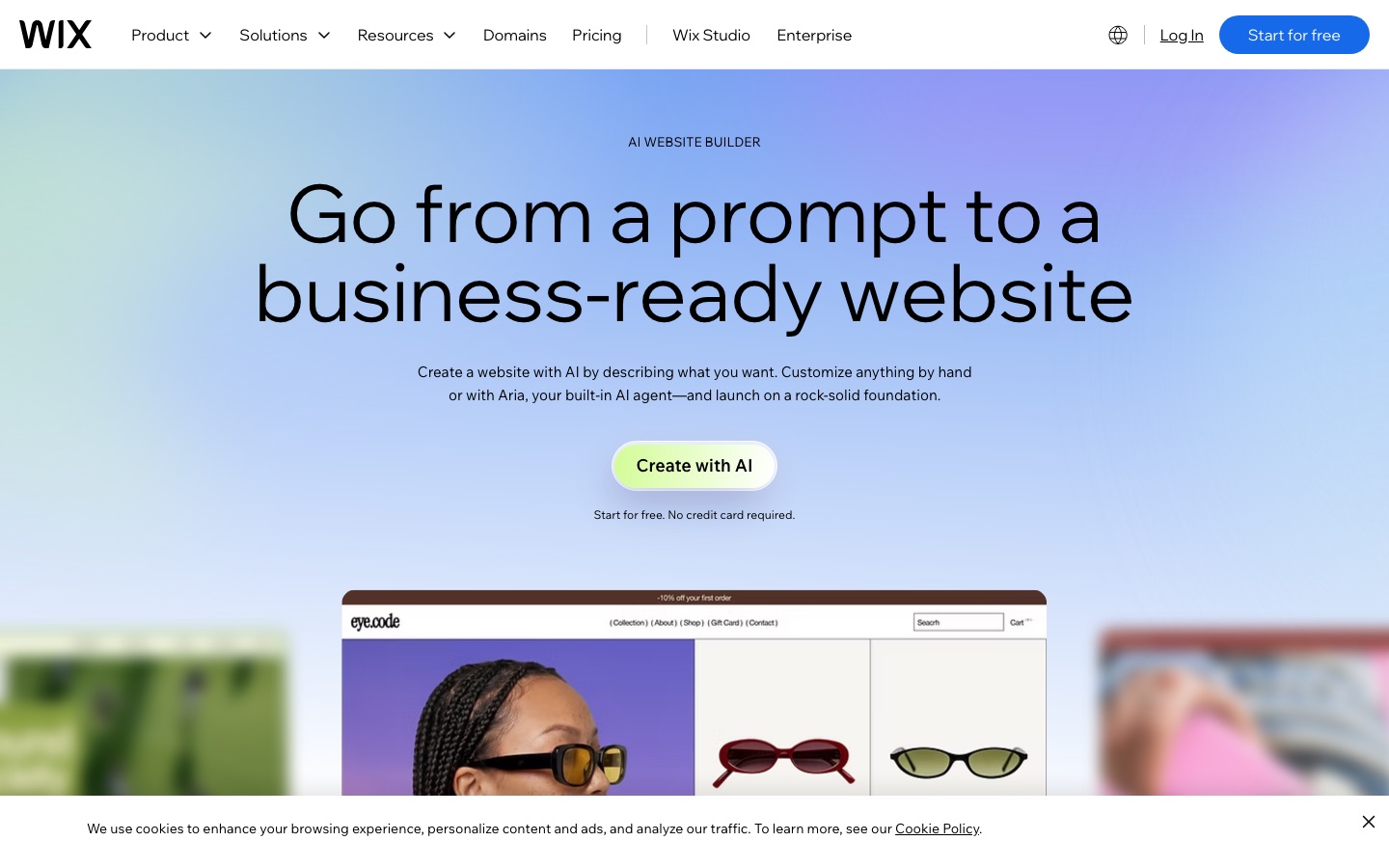 The official Wix AI website, photographed in September 2026. Credit: Wix AI
Why Everyone Is Talking About Wix Right Now
Most of what has been written in Hebrew about Wix is outdated. Articles from 2022 and 2023 describe a tool called ADI, an old and limited website generator that asked a few questions and produced a basic site. That is no longer relevant. The reason Wix returned to the center of the conversation in 2026 is one major launch and one smart acquisition.
The first: in January 2026 Wix launched Wix Harmony, a new website builder that it has positioned as its flagship product. Harmony is not a cosmetic upgrade but a new approach. It takes the idea of "vibe coding," meaning building through a free-form description in natural language, and connects it to the precise visual editing that Wix is known for. In other words, both the speed of AI and the control of a designer, in the same environment.
The second: in June 2025 Wix acquired Base44 for approximately 80 million dollars in cash, with performance-contingent follow-on payments. Base44 is a remarkable Israeli story in its own right: Maor Shlomo, a solo entrepreneur, built it and sold it to Wix in less than a year. The acquisition gave Wix a second vibe-coding tool, oriented more toward building applications and tools, alongside Harmony which is oriented toward websites. We have a separate, in-depth guide to Base44, and later in this guide we will explain when each one makes sense.
The third point, and the most important for Israeli readers: Wix is an Israeli company, and that fact has a direct impact on the Hebrew experience. While almost every other AI-based website builder in the world was built around English and left-to-right languages, Wix supports Hebrew and right-to-left layout as a foundational part of the platform. This is a point that every foreign guide misses, and it is usually the decisive factor for an Israeli business.
Wix Harmony: The New Engine of 2026
Wix Harmony is the star of this guide, so it deserves a closer look. The core idea behind it is the "hybrid editor." Instead of choosing between AI and manual editing, you get both on the same screen. You can ask the agent to build an entire page through conversation, and immediately afterward drag a button into position by hand, change a color, or move an image to the exact pixel. There is no switching between two separate modes; everything lives in the same environment.
That may sound obvious, but it is not. Most vibe-coding tools in the world work differently: you describe what you want, you receive a result, and if something is not quite right you have to ask again in conversation and hope it comes out correctly this time. Pixel-level design control is precisely what they lack. Harmony tries to solve this by connecting AI capability to Wix's classic visual editor.
Aria, the Agent at the Heart of Harmony
Aria is the AI agent that powers Harmony. It is not a one-time generator that builds a site once and disappears, but an agent that continues to work alongside you throughout the entire process. You can speak to it in free language and ask for simple things, such as changing the site's color palette, and for complex things, such as redesigning an entire page or adding e-commerce and store capabilities.
What sets Aria apart is that it understands the full context of the website. It does not look only at the current request but at the entire site as a whole, so when you ask it to change something, the change fits in with everything else. That makes the conversation with it feel natural: you can ask it to "add a team page," "make the tone of the text more professional," or "adapt the site better for a store." Aria executes, and you continue to update manually whatever you want.
Why This Is Not "Just Another Vibe Coding Tool"
There is a justified criticism of many vibe-coding tools: they are fast, but brittle. A change in one place can break something in another, introduce a bug, or damage functionality that was already working. That is a real problem that anyone who has built an entire application with such a tool knows well.
Harmony's advantage here is that it is built on Wix's mature infrastructure, the same infrastructure that has been running millions of business websites for years. The practical implication is that when Aria makes a change to one part of the site, it should not break another part. That is a promise that is hard to deliver on a tool built from scratch, and Wix draws here on two decades of experience running websites at scale. In practice, it means less "the site worked yesterday and suddenly it broke," which is one of the most common complaints about automated building tools.
💡 From the field: I work with a lot of small businesses that first tried a foreign vibe-coding tool, got excited about the speed, and then got stuck when the site broke or when the Hebrew came out reversed. The first thing I tell them is that the problem is usually not the tool itself but the fit between the tool and the task. For an Israeli business that wants a website, Wix's mature infrastructure and its native handling of Hebrew are worth far more than one more shiny feature. Less "wow" up front, more a site that is still working six months from now.
Base44 Inside Wix: Two Tools, Not One
This is one of the most important points to understand, because it confuses a lot of people. Wix now has two vibe-coding tools, not one, and each of them has a different role.
Base44 is an Israeli tool that Wix acquired in June 2025. Unlike Harmony, which is oriented toward building marketing and branding websites, Base44 is aimed more at building applications and internal tools: systems with logic, forms, a database, user management. If you want to build a beautiful landing page or a business website, Harmony is the direction. If you want to build an internal team tool, a simple customer management system, or a small application, Base44 is the better fit.
Wix chose to keep Base44 as a separate brand and product within its family rather than absorbing it into Harmony. That is a smart decision, because they address two different needs. The table below summarizes the difference:
| Aspect | Wix Harmony | Base44 |
|---|---|---|
| Built or acquired | Built inside Wix, launched January 2026 | Acquired June 2025 (Israeli company) |
| Best suited for | Marketing websites, branding, stores | Applications, internal tools, systems |
| Core strength | Precise design + mature website infrastructure | Logic, data, application flexibility |
| Natural audience | Business owners, marketers, professionals | Entrepreneurs, teams, product builders |
| Pixel-level design control | Yes, built in | Less so, focused on functionality |
If you are still deciding between the two, a simple rule of thumb: need a website, go with Harmony. Need a tool or application, go with Base44. And if you want to go deeper on the other tool, our full Base44 guide covers it in detail, including a comparison to other vibe-coding tools such as Lovable.
This acquisition also tells a broader story about the market. Until two years ago, building a website and building an application were two completely separate worlds, with different tools and different people. Vibe coding is blurring that line, and when Wix paid that sum for a young Israeli tool in less than a year from its launch, that is a clear signal: the company understands that the future of building a digital presence is a conversation with AI, not dragging components. The double bet, building Harmony in-house while simultaneously acquiring Base44, gives Wix coverage for both needs without waiting for either one to mature on its own.
💡 From the field: When a client asks me "what should I choose," I ask them to complete one sentence: "I need the user to be able to..." If the rest is "read, get in touch, get an impression, buy a product," that is a website, and that is Harmony. If the rest is "log in, fill in data, get a report, manage something," that is an application, and that is Base44. That one simple sentence saves hours of trial and error with the wrong tool.
Wix AI's Core Capabilities in 2026
Beyond Harmony and Aria, Wix packs dozens of specific AI capabilities throughout the platform. Here are the most significant ones.
Building a Site from Text
This is the entry point. You answer a few questions about your business, or simply describe it in conversation, and Wix generates a complete site: pages, structure, initial copy, images, and a matching color palette. It's a starting point, not a finished product. The real power kicks in after that, when you refine things with Aria and the editor.
AI Content Writing
Wix has integrated a text generator directly inside the editor. You can request headlines, slogans, page copy, and product descriptions, and the tool generates them from your prompt. There are also quick improvement commands: "shorter," "write as a list," "more professional." It saves time, but as with any AI tool, the final text needs to be read and edited, especially in Hebrew. I'll expand on that shortly.
Images and Media
Wix offers AI tools for creating and editing images: generating images from text, background removal, image expansion, and automatic enhancements. For most business websites, this is enough to avoid generic stock photos. If you need higher image quality or full control, dedicated tools like Midjourney still deliver stronger results, but for website purposes, what's built into Wix is usually sufficient.
Store and Commerce
For online store owners, Wix offers AI tools that help with store setup, writing product descriptions, pricing suggestions, and catalog organization. Aria can add commerce capabilities to an existing site in a single request. This makes Wix highly relevant for small businesses that want to sell online without building a complex system.
Marketing, SEO, and Business Tools
Beyond building, Wix bundles AI tools for marketing: generating social media posts, drafting emails, SEO improvement suggestions, and business planning tools. There are over 20 such AI capabilities across the platform. Not all of them are essential, but the idea is clear: Wix wants to be not just the place where you build your site, but the place from which you manage your entire digital presence.
The business implication of this consolidation is that a small business owner without a marketing team gets a site, content, social media management, and an SEO foundation all under one roof. It doesn't replace a real marketing strategy, but it significantly lowers the barrier to entry. Instead of paying several separate vendors or learning five different tools, you can start from one place and expand gradually. The downside, which I'll return to later, is that all your eggs are in one basket.
Microsoft 365 Copilot Integration
An interesting point for businesses already working in the Microsoft environment: Wix partnered with Microsoft 365 Copilot, so you can generate a Wix Harmony site directly from Copilot, without switching between systems. Anyone already living inside the Microsoft work ecosystem will benefit from that workflow.
How to Get Started, Step by Step
If you want to build a site with Wix in 2026, here's the basic process:
- Sign up for a Wix account and choose to start with AI. You can start for free.
- Describe your business in conversation. The more precise the description, the better the initial result. Mention the type of business, the audience, the desired tone, and the primary action you want visitors to take.
- Receive an initial site with pages, copy, and images. This is the starting point, not the finish line.
- Refine with Aria in conversation. Request changes: an additional page, a different tone for the copy, a new section, a store feature.
- Fine-tune manually in the editor. Drag, move, change colors and fonts, adjust the mobile layout separately.
- Configure Hebrew and RTL if the site is in Hebrew, and check the result on both desktop and phone (important, I'll explain why shortly).
- Connect a domain (requires a paid plan), publish, and connect marketing and SEO tools.
The common mistake here is expecting the initial site the AI generates to be ready to publish as-is. It isn't. It's an excellent foundation, but a site that converts customers requires additional work: fine-tuning, proofreading the copy, and precisely aligning the messaging. AI saves hours; it doesn't eliminate the need for judgment.
Use Cases for Businesses in Israel
Let's get concrete. Here are some real scenarios where Wix with AI does excellent work for an Israeli business:
An independent professional (consultant, therapist, architect) who needs a respectable brand site with a services page, testimonials, and a contact form. Wix will build this from conversation, and the site will be in Hebrew with correct directionality from the first moment. This is exactly the case where the Israeli advantage stands out.
A small shop that wants to sell online without investing in development. Wix's commerce tools set up a catalog, write product descriptions, and connect payment processing. For a business just getting started, it's a fast way to begin selling.
A local business (restaurant, barbershop, clinic) that needs a digital presence with opening hours, a menu or price list, and appointment booking. Aria can add all of these components on request, and everything connects to Wix's management systems.
A business with an old, neglected site that wants a quick refresh. Instead of starting from scratch, you can ask Aria to redesign pages, refresh the copy, and update the colors to reflect current branding.
An early-stage startup or entrepreneur who needs a quick landing page to test an idea in the market. Instead of investing weeks in development before knowing whether there's demand, you can launch a professional Hebrew landing page in hours, connect a lead capture form, and start testing. If the idea gains traction, you build something fuller later; if not, you haven't wasted much.
In all these scenarios, the combination of AI speed and native Hebrew support makes Wix a strong contender. The difference between businesses that succeed with the tool and those who end up disappointed is almost never about the quality of the tool itself; it's about expectations and the polishing work that follows. Anyone who treats the AI output as an excellent draft that needs to be completed comes away satisfied. Anyone who expects a perfect site at the click of a button comes away disappointed.
💡 From the field: One piece of advice I repeat most often in workshops: don't let AI write your homepage and leave it as-is. The homepage is the face of your business. Let AI generate the structure and the draft, then sit down for ten minutes and rewrite the main headline and opening sentence in your own voice. Those two lines determine whether a visitor stays or leaves, and no generator knows your business the way you do.
If you want to go deeper on integrating AI into your business beyond the website alone, it's worth checking out our consulting and implementation service for organizations, and also the hands-on workshops that teach teams how to work with these tools properly.
Hebrew and RTL: What Works and What Doesn't
This is the point that leads an Israeli business to choose Wix, so it's important to be precise here, without exaggeration and without glossing over anything.
What works, and this is a genuine advantage: Wix supports Hebrew and right-to-left directionality as part of the platform. When you add Hebrew as a language, the system automatically detects it and flips the text direction to right-to-left, mirroring the entire page layout accordingly, including the menu and content alignment. This is exactly what's missing from almost every foreign AI-based site builder, where a Hebrew site looks broken because everything is aligned to the wrong side. Here, because the company is Israeli, it works out of the box.
What requires attention: There are three points worth knowing in advance.
First, AI content in Hebrew still requires proofreading. Wix's text generator produces reasonable content, but natural-sounding, human Hebrew marketing copy is not the strong suit of any automatic generator. The texts the AI writes need to be read, corrected, and brought to life. This is true of every tool, not just Wix, and we write about it extensively in the context of comparing language models, but it's important to state clearly here.
Second, RTL display on mobile doesn't always match the editor. The editor's preview doesn't always accurately reflect how right-to-left languages appear in mobile browsers. Things that look great on the desktop screen sometimes break on the phone, because responsive layout handles RTL mirroring differently. That's why it's mandatory to test the site on a real phone before publishing, not just in the editor.
Third, some built-in components can't be fully edited. You can translate form field labels, button text, and confirmation messages, but certain components, such as month names in a date field or default error messages, can't always be edited manually. For most sites this is minor, but if you're meticulous about every word in Hebrew, it's worth knowing.
The bottom line on Hebrew, then: Wix is the best choice among AI site builders for a Hebrew-language site, thanks to native RTL support, but it doesn't exempt you from human proofreading and mobile testing.
Comparison to Competitors
Where does Wix stand against the alternatives? Here's an honest picture:
| Tool | Core Strength | Hebrew / RTL | Best For |
|---|---|---|---|
| Wix Harmony | AI + precise design + mature infrastructure | Native, strongest in category | Business and brand sites |
| Base44 | Logic, data, applications | Reasonable (owned by Wix) | Tools and applications |
| Lovable | Building apps from conversation | Partial, not native | Prototypes and products |
| Framer / Webflow | Design control for designers | Limited RTL | Professional designers |
| Other foreign site generators | Speed | Usually broken in Hebrew | English-speaking market |
The conclusion: if the goal is a Hebrew site for an Israeli business, Wix Harmony is the safest choice, primarily because of the Hebrew support. If the goal is an application or a tool, Base44 or Lovable are more relevant. And if you're developers who want full code control, tools like Cursor or working directly with Claude Code are an entirely different world, far more powerful but requiring technical knowledge.
Pricing and Plans
Wix operates on a tiered pricing model. Here is the picture as of 2026, with the caveat that prices change:
Free plan: Includes the core AI tools, including site generation, text, and images. The limitations: you cannot connect a custom domain, and a Wix banner remains on your site. It is great for experimenting and seeing what the tool produces, but not for a real business site.
Paid plans: Start at around $17 per month and allow you to connect a custom domain, remove the banner, and unlock additional features. As you move up the tiers, you get more storage, advanced commerce capabilities, and more business tools. For businesses with an online store, there are dedicated plans with broader commerce capabilities.
A good rule of thumb: to test whether the tool works for you, start free. To publish a real business site with your own domain, you will need a paid plan. For exact pricing, check the Wix website directly, since the company periodically restructures its plans.
It is also worth putting the cost in perspective. A branding site that a freelance developer builds from scratch in Israel costs thousands of shekels and takes weeks. A Wix site with a domain costs a few dozen dollars a year and is ready in days. For the overwhelming majority of small businesses, this is not really a dilemma: the cost-to-result ratio is excellent. The real dilemma only starts when a business grows and needs unique functionality, at which point moving to custom development becomes a conversation. But at the stage most businesses are at, Wix delivers outstanding value for money, especially once you factor in the time savings the AI brings.
Advanced Tips
After building a few sites with the tool, these are the things that separate a mediocre result from a good one:
Describe your audience, not just your business. Instead of "I'm a fitness trainer," write "I'm a fitness trainer for postpartum women who want to ease their way back to themselves." The more focused the description, the more precise the texts and messages Aria produces.
Work with it in an ongoing conversation, not a single request. Aria works best when you talk to it over time and refine gradually. Rather than expecting a perfect site from the first prompt, ask for one improvement at a time.
Check mobile separately. Most Israeli users arrive from their phones. Always go through the mobile version and tune it, especially on a Hebrew site because of RTL.
Edit the texts manually. Take what the AI wrote as a draft, and give it a human voice. That is the difference between a site that sounds like everyone else and a site that sounds like you.
Connect external tools through integrations. Wix connects to a range of external services. If you work with automations, it is worth getting familiar with building automations with Zapier and Make to connect your site to the rest of your systems.
Common Mistakes
These are the mistakes I see most often from people starting out with Wix AI:
Publishing the first draft. The site the AI generates is a starting point, not a finished product. Publishing it as-is, without tuning and proofreading, produces a generic result.
Neglecting the Hebrew. Assuming that "Wix is an Israeli company so everything will be fine" without actually checking. Native RTL is there, but the texts and mobile still require review.
Confusing Harmony with Base44. Trying to build a complex application in Harmony, or a branding site in Base44. Each tool has its purpose.
Expecting perfect automatic SEO. Wix's SEO tools help, but ranking on Google requires quality content, correct structure, and links. The AI does not solve that on its own.
Not checking on mobile. Mentioned again, because this is the mistake that damages Hebrew sites the most. What looks great on a desktop can break on a phone.
The Limitations, Honestly
No tool is magic, and Wix is no exception. These are the limitations worth knowing before you commit:
Platform lock-in. A Wix site lives inside the Wix ecosystem. You cannot simply export it and move it to another server the way you can with an open-source site. If you ever want to leave, the process is a rebuild, not a migration.
Less control than real development. For anyone who needs very complex functionality, a unique system, or extreme performance, Wix is limiting. It is excellent for 80 percent of businesses, but the 20 percent that truly need something special will hit its ceiling.
AI content in Hebrew is not perfect. We said it and we will say it again: the texts require a human hand.
Cumulative cost. The free plan is limited, and for a real business the monthly cost adds up, especially with commerce capabilities and add-ons. It is still cheap relative to custom development, but it is not "free."
Single-vendor dependency. Every capability, from the site to the business tools, sits with Wix. That is convenient, but it is also a dependency. As with any vendor, it is worth being aware of that.
Who This Is Right For and Who It Is Not
This is right for you if: you are a small business owner, a professional, or a shop owner who wants a professional Hebrew-language site without writing code; you want speed and no technical headaches; you value native RTL support; and you are willing to invest a bit of work in tuning and proofreading.
This is less right for you if: you need a complex system with heavy logic (consider Base44 or custom development); you are a developer who wants full control over the code (consider Claude Code or Cursor); or you need to export and migrate your site between platforms freely.
Frequently Asked Questions
What is Wix Harmony and when was it launched? Wix Harmony is Wix's new AI-based site builder, launched in January 2026. It combines vibe coding through free-form conversation with classic drag-and-drop visual editing, powered by an AI agent named Aria.
Who is Aria? Aria is the AI agent at the heart of Wix Harmony. You describe what you want in plain language, and it builds and updates the site: changing colors, adding pages, redesigning sections, and adding commerce capabilities. It understands the full context of the site, so its changes fit with everything else.
What is the difference between Wix Harmony and Base44? Both are Wix vibe coding tools, but for different purposes. Harmony is built for creating marketing and business websites with full design control. Base44, which Wix acquired in June 2025, is aimed more at building applications and tools with logic and a database. Need a site, use Harmony; need an app, use Base44.
Does Wix really support Hebrew better than other tools? Yes, by virtue of being an Israeli company. The platform detects Hebrew and automatically flips the text direction and layout to right-to-left, which almost every foreign AI-based site builder fails to do properly. That said, the content the AI generates in Hebrew needs proofreading, and the mobile version needs to be checked separately.
Can you build a site on Wix for free? Yes, there is a free plan that includes the core AI tools. But on the free plan you cannot connect a custom domain and the Wix banner remains. For a real business site you need a paid plan starting at around $17 per month.
Is the site the AI builds ready to publish immediately? No. The initial site is an excellent starting point, but a site that converts customers requires design tuning, text proofreading, and message alignment with your audience. The AI saves hours of work; it does not replace your judgment.
Can you connect Wix to other AI tools like Claude? Wix connects to a range of external services through integrations and automations. Advanced businesses connect their site to other systems and AI-based workflows. If that interests you, it is worth learning about building automations and AI agents that connect systems together.
The Bottom Line
Wix went through a real transformation in 2026. From "a site you drag components onto," it became a full AI platform, with Wix Harmony and the Aria agent at the front, and Base44 alongside it for anyone who needs an app rather than a site. Its biggest advantage for the Israeli market is clear: it is the only AI builder that treats Hebrew and right-to-left layout as part of its DNA, not as an afterthought.
But it is not magic. The site the AI produces is a starting point, not a finish line. The content needs proofreading, mobile needs testing, and for genuinely complex tasks there are more powerful tools. If you are a small business owner, a professional, or a shop owner who wants a professional Hebrew-language site quickly, Wix with AI is probably the best choice for you today. If you need something more complex, it is worth getting to know the other tools we have covered as well.
The tools keep changing, but the principle stays the same: the person who knows how to work with AI correctly, not just run it, gets a far better result. If you want to learn that in depth, the free courses at our academy are open to everyone, and for anyone who wants personal, hands-on guidance, a private lesson is the fastest path to results.
Yaakov Tzedek, AI lecturer, consultant, and organizational AI implementer, and operator of his daily AI tip group.
Frequently asked questions

Yaakov Tzedek
An Israeli AI lecturer, consultant and implementer who has supported 100+ organizations in AI implementation and lectured for 200+. Official content partner of Meta, Google, Canva and TikTok, featured on Israel's Channel 13.
More about Yaakov →