
- What it is: One-click background removal, in the browser, in plugins for Photoshop and Figma, in desktop and Android apps, and via API.
- Free tier: According to the help center, preview up to 0.25 megapixels, one trial credit, and 50 preview calls per month through the API and apps.
- Paid plans: According to the pricing page as of September 20, 2026: a subscription from $9/month for 40 credits, or pay-as-you-go from $3 for 3 credits. One credit equals one full-quality image, up to 50 megapixels.
remove.bg was born in Vienna, Austria, as a product of Kaleido AI, and was acquired by Canva in 2021. Five years later, according to the notice on the site, the tool is coming home: background removal moves inside Canva, and the API moves to Leonardo.Ai, the image generator that is also part of the Canva group.
remove.bg is an automatic background removal tool: you upload an image and within seconds you get it back with a transparent background, no selecting, no painting, no Photoshop skills required. It was developed in Vienna by Kaleido AI, acquired by Canva in 2021, and today appears on the site as "a brand of Canva Austria GmbH." Removal works in free mode too, as a preview. That part is no longer the interesting bit. The interesting part is the blue banner at the top of the site: according to the announcement, the standalone site will not be available from December 1, 2026, credits expire at that moment, and the API is moving to Leonardo.Ai. Anyone who has built a workflow on remove.bg has ten weeks to decide what comes next.
In short
- What it is: One-click background removal, in the browser, in plugins for Photoshop and Figma, in desktop and Android apps, and via API.
- Free tier: According to the help center, preview up to 0.25 megapixels, one trial credit, and 50 preview calls per month through the API and apps.
- Paid plans: According to the pricing page as of September 20, 2026: a subscription from $9/month for 40 credits, or pay-as-you-go from $3 for 3 credits. One credit equals one full-quality image, up to 50 megapixels.
- The news: According to the site announcement, the standalone site closes on December 1, 2026 at 9:00 AM Central European Time. Removal moves to Canva, and the API moves to Leonardo.Ai ($0.1047 per image, per their documentation).
- Alternatives: Photoroom for product images, Canva for everything around the image.
What is remove.bg?
Definition: remove.bg is an AI-based service that identifies the subject in an image (person, product, animal, vehicle, graphic) and separates it from the background automatically, returning a file with a transparent background or a new background. It is available as a website, as plugins for design software, as desktop and mobile apps, and as an API for developers and automation systems.
The headline on the homepage sums up the promise: "Remove Background from Image, 100% Automatically and Free." And that is exactly what turned the tool into a category synonym: no brushes, no "select the hair," no steps. Upload, wait a few seconds, download. The help center details what goes beyond removal itself: replacing the background with a color or image, AI backgrounds, erasing and restoring areas, and Bulk Editing for dozens of images at once.
The key concept in the business model is the word credit. According to the help center, "removing the background from one image requires one credit if you want to download it in high quality," and high quality means up to 50 megapixels (for example, 5,774 by 8,660 pixels). The preview is free on the site, while through the apps and API it costs a quarter of a credit.
What do you get with remove.bg for free?
The short answer: full removal, but at preview size. According to the help center, "free removal supports low-resolution (preview) images of up to 0.25 megapixels." In numbers: an image of 625 by 400 pixels. That is enough for a profile picture, an icon, or a quick test. It is not enough for a product image in a store, a banner, or print.
Beyond that, a free account gets, according to the same page, "one bonus credit (to test a high-quality download) and 50 free preview calls per month through the API and apps." The API page phrases it this way: "The first 50 API calls each month are on us."
Testing the preview before any purchase is worthwhile: upload your most difficult image (wild hair, a glass cup, a product that matches the background color) and see whether the cutout is accurate. The credit will not change the quality of the detection, only the resolution of the output file.
How much does remove.bg cost, and what is the difference between a subscription and pay-as-you-go?
The short answer: according to the pricing page as of September 20, 2026, a subscription of $9/month for 40 credits, or a one-time pack of $3 for 3 credits, with both tracks offering larger quantities from a dropdown menu.
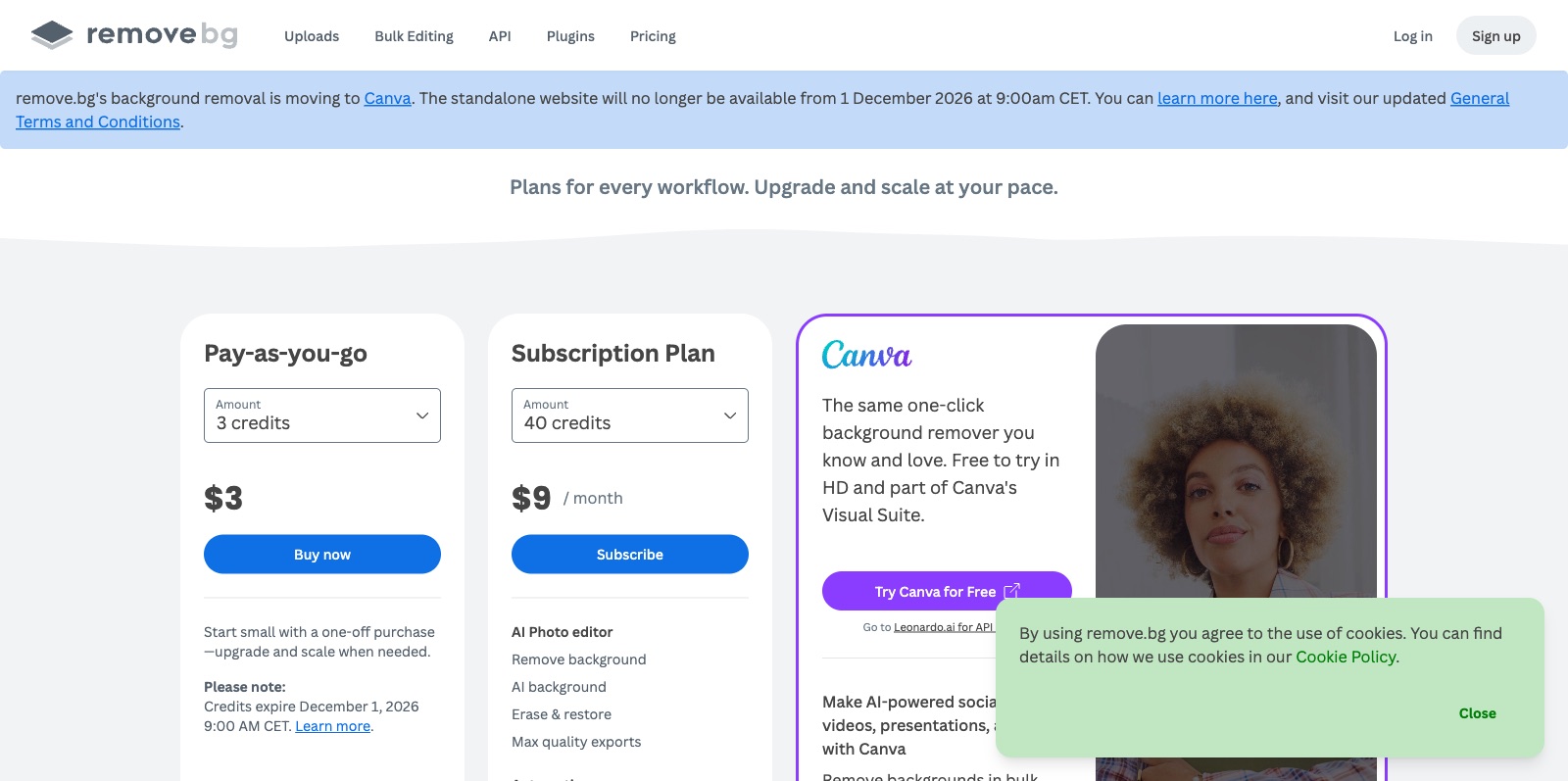 remove.bg pricing page, captured on September 20, 2026: pay-as-you-go, subscription, and a Canva card. Credit: remove.bg
| Plan | What is published (pricing page, September 20, 2026) | What you need to know |
|---|---|---|
| Free | One trial credit "for AI edits," no-cost base, API and integrations included | Preview only at full quality, per the help center |
| Pay-as-you-go | 3 credits for $3, "start small with a one-time purchase" | The page includes a note: "Credits expire on December 1, 2026, at 9:00 AM Central European Time" |
| Subscription | 40 credits for $9/month; includes AI image editor, background removal, AI backgrounds, erase and restore, maximum-quality export, automation, API and integrations, batch editing | Per the help center, "subscription credits are only valid while there is an active subscription"; the subscription renews automatically and can be cancelled at any time |
| Enterprise | "Starts at 100,000 images per year," flexible API, custom credits and rate limits | Contact sales |
The help center adds a useful rule for anyone combining plans: "You can combine a subscription with pay-as-you-go, in which case the pay-as-you-go credits serve as a backup, used only after the subscription credits run out." A quick calculation: at $9 for 40 credits, one full-quality image costs about $0.22. A business processing 40 images per month pays roughly 33 ILS. A business processing 400 per month should check the larger packages in the dropdown, and above all, read the next section before signing up for an annual subscription.
What happens on December 1, 2026, and what should you do before then?
The short answer: according to the announcement at the top of every page on the site, "the standalone site will not be available from December 1, 2026 at 9:00 AM Central European Time," and removal moves into Canva. This is the most significant announcement in the tool's history, and it is the reason this guide is being written now.
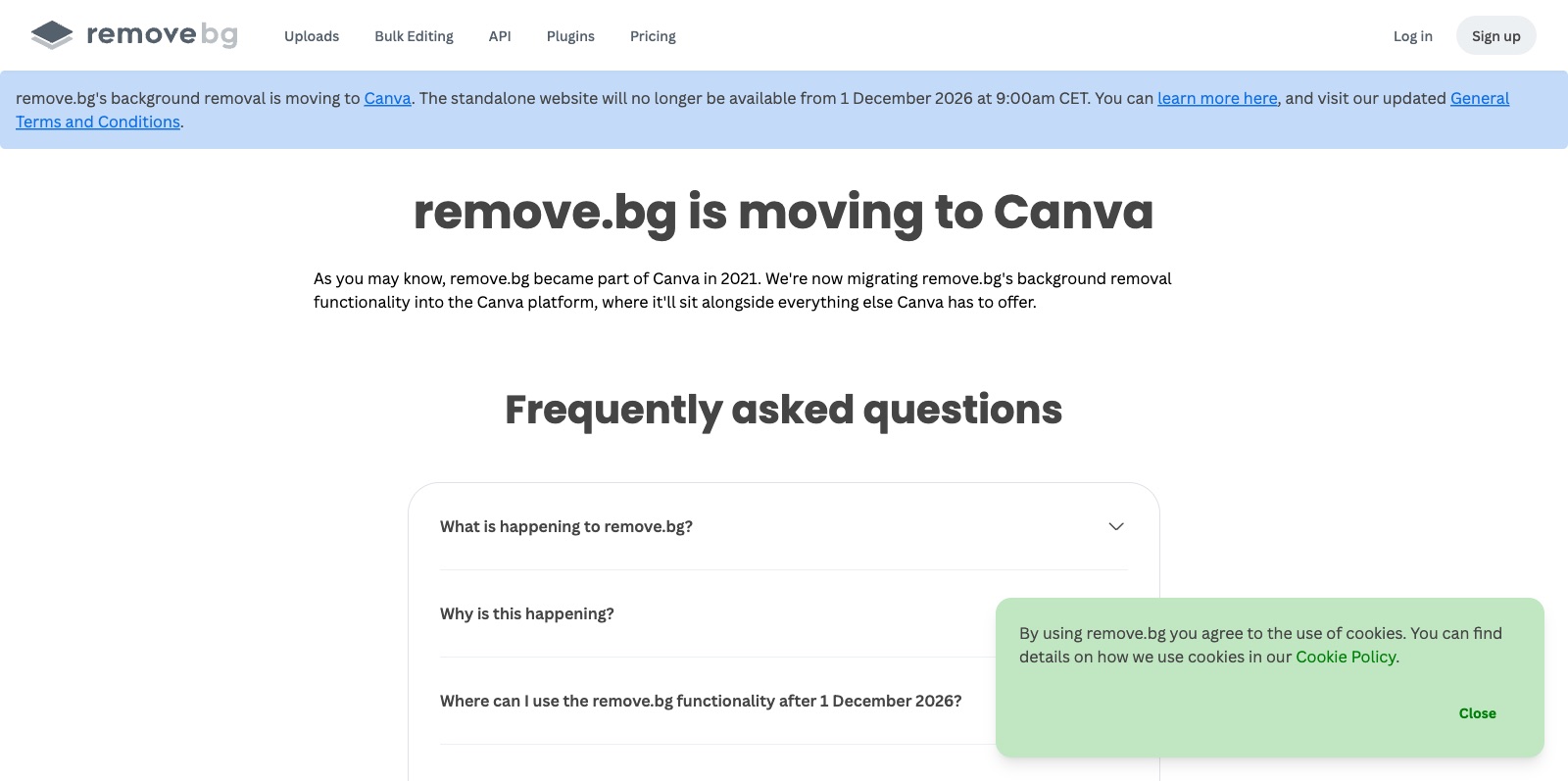 "remove.bg is moving to Canva": the official FAQ page, captured on September 20, 2026. Credit: remove.bg
On the FAQ page, remove.bg explains: "As you may know, remove.bg became part of Canva in 2021. We are now moving remove.bg's background removal functionality into the Canva platform, where it will sit alongside everything else Canva has to offer." The news site AlternativeTo covered the announcement on September 14, 2026 under the headline "End of an Era."
What is known from the site itself, as of September 20, 2026:
- Date: December 1, 2026, 9:00 AM Central European Time (10:00 AM Israel time).
- Credits: On the pricing page, next to the pay-as-you-go pack, it is stated explicitly that credits expire at that date. The FAQ page includes separate sections on annual subscriptions ("Will I get a refund?"), monthly subscriptions, and pay-as-you-go credits. The answers there are the authoritative source, and I recommend reading them before making any further purchase.
- Account data: There is a section on "What happens to my account data after the shutdown." A ground rule that does not depend on the answer: download all your images, masks, and invoices now, for accounting purposes.
- Plugins and apps: There are sections on the Photoshop plugin, the desktop app, and other integrations. Anyone relying on the Photoshop plugin in a daily workflow needs an alternative before December.
- API: Moving to Leonardo.Ai. More on that in the next section.
What to do, in this order: read the FAQ page; do not buy large credit packs for the coming months; use existing credits through November; choose an alternative (covered in the final section of the guide) and practice it on 20 images before the site disappears.
How does the remove.bg API work, and what does the move to Leonardo.Ai mean?
The short answer: the API is how stores, content management systems, and automations remove backgrounds from thousands of images without human intervention, and according to the remove.bg pricing page it is moving to Leonardo.Ai, the image generator that is also part of the Canva group.
What the remove.bg API offers today, per the API page: up to 500 images per minute (the limit drops for larger images: a 50-megapixel image is capped at 10 per minute), PNG output up to 10 megapixels and JPG, WebP, or ZIP output up to 50 megapixels, and 50 free preview calls per month. Integrations for Photoshop, Figma, Zapier, and e-commerce platforms have been built on top of it.
The transition: on the remove.bg pricing page, the Canva card points to "Leonardo.ai for API pricing." In the Leonardo.Ai documentation there is a dedicated guide, "Migrating from the remove.bg API to Leonardo.Ai" (updated September 2, 2026), which states: "Background removal costs $0.1047 per image," and recommends the "Sync API (recommended for remove.bg migrations): a single request returns the processed image in the response," without polling for status repeatedly. The guide details the differences between the two APIs and the code changes required.
What this means for anyone with code that calls remove.bg: open an account on Leonardo.Ai, read the migration guide, update the endpoint and request structure according to the guide, and run both APIs in parallel on a sample of 100 images to compare quality and cost. And do it in October, not on November 30.
How to remove a background in remove.bg in four steps
Until December, this is still the fastest process on the market:
- Upload. Drag an image to the homepage or paste a URL. Common formats (JPG, PNG, WebP) are supported.
- Check the cutout. Zoom into problem areas: hair, transparent edges, shadows. If something is cut incorrectly, use Erase and Restore to fix it manually.
- Choose a background. Transparent, a solid color, your own image, or an AI background. For a product image in a store: clean white. For a post: whichever background fits the design.
- Download. Free preview, or full quality for one credit. For batches, use Bulk Editing and upload dozens of images at once (each full-quality download is counted separately).
A tip that saves credits: finish all corrections in preview mode, then download at full quality once.
remove.bg, Photoroom, or Canva: Which One to Choose?
The short answer: it depends on what happens after the removal. If removal is the endpoint (you just need a transparent PNG), remove.bg is the fastest option, until December. If after removal you need a new background, a shadow, and a template for Amazon, that's Photoroom. If removal is the first step in creating a post, presentation, or catalog, that's Canva, which is exactly where remove.bg itself is headed.
| Criterion | remove.bg | Photoroom | Canva |
|---|---|---|---|
| Specializes in | Background removal only, fast | Product photos for e-commerce | Full design: posts, presentations, catalogs |
| Free tier | Preview up to 0.25 megapixels | Background removal and basic backgrounds, personal use only per terms of service (see our guide) | Full editor; background removal is a Pro feature (see our guide) |
| Batch processing | Bulk Editing, counted per download | Up to 250 images, counted per export | Bulk removal on paid plan |
| Interface language | English only | Mobile interface follows the App Store locale, browser version likely not localized | Full Hebrew interface with RTL support |
| API | Moving to Leonardo.Ai, $0.1047 per image | Available | Not the right tool for automation |
| After December 1, 2026 | Standalone site closes | Continues | Gains remove.bg functionality |
The Canva card on remove.bg's pricing page frames the offer this way: "The same one-click background remover you know and love. Free to try in HD and part of Canva's Visual Suite," listing bulk background removal, image upscaling, distraction removal, background generation, and 3.6 million templates. In our Canva guide we noted that background removal in Canva is a Pro plan feature, so anyone making the switch should check what is included in a free Canva account versus what requires a subscription, as of the transition date.
What This Means for Your Business
Three questions to answer before deciding:
1. How many images per month, and what happens to them afterward? Up to 40 images a month, most going straight to a store: a remove.bg subscription through November, then Canva or Photoroom. Hundreds of images with new backgrounds and shadows: Photoroom, starting now. Thousands processed through code: Leonardo.Ai, and start the migration this month.
2. Do you have a workflow built around the Photoshop plugin or the app? If so, that is the first item on your October task list: check the FAQ page to see what happens to the plugin, and practice with an alternative.
3. Who downloads the files? Source images, transparent files, invoices. Anyone storing these only in their remove.bg account needs a local backup before December 1.
For anyone who wants to learn the complete product photo workflow, from background removal through a store-ready image, including choosing the right tool for each step and what to do before the transition, there is an interactive Hebrew course on remove.bg and background removal for business.
Frequently Asked Questions
Is remove.bg still working? Yes, as of September 20, 2026 the website, apps, and API are all operational. According to the announcement on the site, the standalone service closes on December 1, 2026 at 9:00 AM Central European Time.
What happens to credits I already purchased? The pricing page states that credits expire on December 1, 2026 at 9:00 AM Central European Time. The FAQ page has separate sections for annual subscriptions, monthly subscriptions, and pay-as-you-go credits. Read those before buying more, and use whatever you have through November.
Is it permitted to use images from remove.bg for commercial purposes? The terms of service are the binding source, and the site notes they were updated ahead of the transition. When uploading an image, also verify that you hold the rights to the original.
What resolution do you get at full quality? According to the Help Center, up to 50 megapixels (for example, 5,774 by 8,660 pixels). In PNG format via the API, up to 10 megapixels; in JPG, WebP, and ZIP, up to 50.
What is the best free alternative? For a single image at low resolution, remove.bg itself through December. For a product image, Photoroom's free plan (personal use only, per its terms of service). For a post or presentation, Canva, and check whether removal is included in the free account as of the day you use it.
I'm a developer. What should I do with my code? Read the migration guide in Leonardo.Ai's documentation, switch to their Sync API, and run both services in parallel on a sample set of images in October. The price there, per the documentation: $0.1047 per image.
The Bottom Line
remove.bg is the tool that taught everyone that background removal can take a second, and through December 1, 2026 it still does it faster than anyone: free in preview, one credit per full-quality image, $9 for 40 credits. But according to the announcement on the site, the standalone service is closing, credits are expiring, and the API is moving to Leonardo.Ai. Any business using it needs to do three things this month: read the FAQ page, back up its files, and choose between Canva and Photoroom based on what happens to the image after removal.
For all our guides and courses on AI tools for business: interactive AI courses at $9.90 and our implementation services.
Sources: remove.bg homepage · remove.bg pricing page · remove.bg moving to Canva: FAQ · Help Center: the difference between free, subscription, and pay-as-you-go · Help Center: what are credits · remove.bg API page · Migration guide from remove.bg API to Leonardo.Ai · AlternativeTo on the standalone service closure, September 14, 2026 · Independent review: remove.bg, pricing, API, and Canva ownership (Gappsy). All prices in USD, accurate as of September 20, 2026, and subject to change.
Yaakov Tzedek is an AI lecturer, consultant, and organizational AI implementer, and leads the largest Claude Code community in Israel.
Frequently asked questions

Yaakov Tzedek
An Israeli AI lecturer, consultant and implementer who has supported 100+ organizations in AI implementation and lectured for 200+. Official content partner of Meta, Google, Canva and TikTok, featured on Israel's Channel 13.
More about Yaakov →