- OpenClaw is the most-starred project in GitHub history: a personal AI agent that runs on your machine and talks to you over WhatsApp. What it is, how to install it, and why security matters.
The project actually started life as Clawdbot, a wordplay on Anthropic's Claude. After Anthropic asked for a name change it became Moltbot (a nod to the lobster's molting process), and a few days later it got its final name: OpenClaw. Three names in three months, and it still broke GitHub's all-time star record.
OpenClaw is an open-source personal AI agent: software you install on your own computer, connect to a language model like Claude and to WhatsApp, and get a personal assistant available 24/7 over chat. It reads files, runs commands, manages your calendar, summarizes emails, and carries out real tasks on your machine. Within six months it went from a single developer's weekend project to the most-starred project in GitHub history, overtaking React, crossing hundreds of thousands of stars, and landing its creator a job at OpenAI. Alongside all the excitement, it is also the tool at the center of some of the most widely discussed security incidents of 2026. This guide cuts through the noise: what it actually is, how to install it, what it has to do with Claude, and who should probably wait before touching it.
What is OpenClaw?
Definition: OpenClaw is an open-source framework (TypeScript/Node.js) for a personal AI agent that runs locally, on your Mac, Linux machine, or private server. It connects on one side to a language model of your choice (Claude, GPT, Gemini, and others) and on the other side to your communication channels: WhatsApp, Telegram, Discord, Slack, and dozens more. The result is a single, private "digital worker" you talk to over messages, and it acts on your behalf on your machine.
To understand why this is different from anything you have seen before, it helps to break that sentence into three components.
1. It runs on your machine, not someone else's cloud. When you use ChatGPT or Claude on the web, you are a guest on a company's servers. OpenClaw is the inverse: the software, the memory, the history, and the permissions all live on a machine you control. Only the calls to the language model itself go out to an API. That is precisely the difference from commercial personal assistants like Instinct, which run on the company's cloud and ask for broad access to your email, screen, and device.
2. It lives inside your existing messaging channels. There is no new app to open. You send it a WhatsApp message the way you would message a human assistant: "Remind me tomorrow at 9 to call my accountant," "What was in that email from the supplier?" "Put together a summary of the file I sent you," and it replies right there, in the same conversation.
3. It actually does things. This is the fundamental difference between a chatbot and an agent. A chatbot answers in text; an agent runs commands, opens a browser, reads and sends emails, updates your calendar, and writes files. The tagline that accompanied the project from day one was "the AI that actually does things," and that is exactly why it became a meteoric success, and why it also carries the security risks we will discuss later.
If you are familiar with the world of Claude AI agents, the concept is similar, but OpenClaw takes it one step further: not an agent for a specific business task, but one general-purpose personal agent that stays with you across everything.
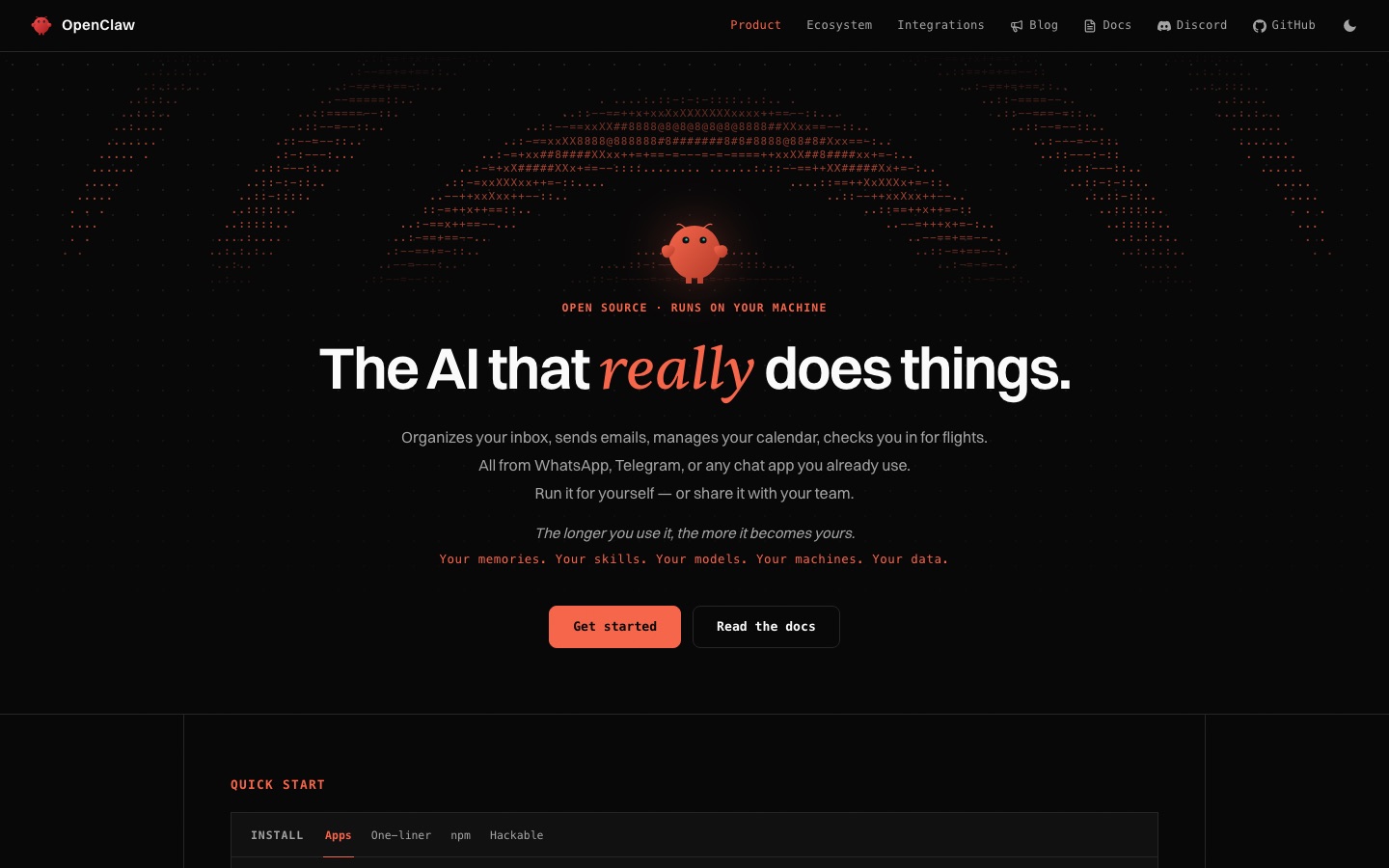 The official OpenClaw website, photographed in September 2026. Credit: OpenClaw
Why everyone is talking about it: the wild story of 2026
It is hard to find a precedent for the speed at which OpenClaw exploded. Here is the timeline, as of July 2026:
- November 2025: Austrian developer Peter Steinberger, previously known as the founder of PSPDFKit, releases a side project called Clawdbot: a personal bot that runs on his Mac and answers him on WhatsApp, using Claude as the brain. The name was a cheeky play on Claude.
- Late January 2026: After Anthropic expresses discomfort with the similarity to its trade name, the project renames itself Moltbot (from "molting," as in a lobster shedding its shell), then settles on its final name a few days later: OpenClaw. The wave of press coverage around the name changes only amplified the exposure. The project reportedly gained around 100,000 GitHub stars within 48 hours of the relaunch.
- February 15, 2026: Sam Altman announces that Steinberger is joining OpenAI. The project itself, and this is an important distinction, was not sold. It was placed into an independent foundation.
- April 2026: OpenClaw overtakes React and officially becomes the most-starred project in GitHub history. As of July 2026, that number stands at over 350,000 stars and keeps climbing.
- June 2026: Microsoft unveils Scout, an "always-on" personal agent built on the OpenClaw infrastructure, and official iOS and Android apps are released by the end of the month.
- July 8, 2026: The OpenClaw Foundation receives official status as an American nonprofit (501(c)(3)), chaired by entrepreneur Dave Morin, with an initial team of roughly ten employees and dozens of organizational partners. The stated vision: to be "the Switzerland of AI," a neutral infrastructure that every model lab can work with.
Why this project specifically? Because it hit a raw nerve. Millions of people had tried chatbots and felt the gap: the tool is smart, but it doesn't do anything for you. OpenClaw offered exactly the missing piece, and it offered it as open-source, free, and entirely under your own control.
A note from the field: In my lectures over the past few months, OpenClaw is the question I hear most from the audience, ahead of even ChatGPT. People saw a video of someone sending a WhatsApp message while their computer books a flight, and they want that right now. My job is usually to slow them down and ask: do you understand what it means to give software full permissions on the machine that holds your bank account? The excitement is justified, but the right order is to understand first, install second.
Wait: did OpenAI buy OpenClaw or not?
Because this point is reported imprecisely in many places, it deserves its own paragraph. There was no classic acquisition. What actually happened, as of July 2026:
- Peter Steinberger joined OpenAI as an employee in February 2026, to work there on the next generation of personal agents. In his own words: he wants to change the world, not build a large company, and joining OpenAI is the fastest way to do that.
- The project was transferred to an independent nonprofit: the OpenClaw Foundation, managed separately from OpenAI, with its own staff and its own donors. OpenAI supports the foundation but does not own it.
- The code remains fully open and continues to support all model providers, including Anthropic's Claude and Google's Gemini, not only OpenAI's models. That neutrality is the foundation's flagship declaration.
So if you have heard "OpenAI bought OpenClaw," that is an imprecise shorthand. The precision matters, because the practical implications are entirely different: the tool did not become a closed OpenAI product, and you are not locked into its models when you use it.
Core capabilities
One agent, every communication channel
As of July 2026, OpenClaw connects to dozens of messaging platforms: WhatsApp, Telegram, Slack, Discord, iMessage, Signal, and more, all through a single unified interface. That means the same agent, the same memory, the same personality, wherever you already communicate. Send it a voice message on WhatsApp on your way to work, then pick up the conversation in Slack from the office.
Real actions on your machine
The agent can (depending on the permissions you configure): run terminal commands, read and write files, browse the internet, manage your calendar and emails, and even control applications. That is why it feels like a "worker" and not a chat interface, and it is also exactly the security vulnerability we will examine later.
Skills and ClawHub
Think of it like a plugin store. A skill is a capability package that teaches the agent a new task: booking a restaurant, tracking expenses, posting to social media. The community has uploaded thousands of skills to the community repository ClawHub. Important to know: this is also the primary entry point for attackers (the security chapter below is mandatory reading).
Persistent memory and proactivity
Unlike a regular chat session that forgets everything, OpenClaw maintains persistent local memory: preferences, context, open tasks. On top of that, a "heartbeat" mechanism lets it act on its own initiative: checking emails every hour, giving you a morning briefing of what is waiting for you, alerting you when something needs attention. For anyone who wants to understand in depth how to build automations of this kind using more controlled tools, our guide to building an AI agent with Zapier and Make is a safer starting point.
A fast-growing ecosystem
Within months, an entire scene built up around OpenClaw: official mobile apps for iOS and Android (released at the end of June 2026) that serve as a remote control for the agent running at home; hosting platforms offering "managed OpenClaw" in the cloud for those who do not want to maintain a server; and even major products built on the infrastructure, most notably Microsoft's Scout, an "always-on" personal agent unveiled in June 2026 and built on OpenClaw under the hood. For a tool less than a year old, that level of industrial adoption is unprecedented, and it is also a signal that the category of personal agents is not a passing trend but a new infrastructure layer.
Freedom to choose your model
OpenClaw is a "body" without a "brain." You supply the brain. You can connect Claude (the project's original and historical choice), OpenAI models, Gemini, and others, and switch between them. For anyone weighing which model suits which task, our full AI model comparison brings clarity.
How does this relate to Claude?
The connection is deeper than it might appear, and it is especially relevant to readers of this blog.
1. The project was born around Claude. The original name, Clawdbot, was a direct nod to Claude, and the first brain powering the bot was Anthropic's models. Even today, as of July 2026, a large share of users run OpenClaw with Claude as the engine, including the option to connect through an existing Claude Code account.
2. It is a conceptual cousin of Claude Code. Anyone who has worked with Claude Code will immediately recognize the pattern: an agent that runs locally, receives a task in natural language, and carries it out directly on the machine. The difference is that Claude Code is focused on development work and launched on demand, while OpenClaw aims to be a permanent all-purpose assistant living inside your WhatsApp.
3. MCP bridges the two worlds. The MCP (Model Context Protocol), the standard Anthropic opened for connecting tools to models, is supported in the OpenClaw ecosystem as well. Capabilities you built as MCP servers for Claude can be connected to your personal agent too, and vice versa. This is exactly the kind of architecture we teach in depth in our courses and training sessions: once you understand the agent-tools-protocol principle, you know how to work with any tool in the category, not just one.
4. Competition sharpens everyone. The fact that the creator was hired by OpenAI, that Microsoft built a product on top of it, and that the foundation declares neutrality has turned OpenClaw into a space where all the model providers meet. In practice, Anthropic's models remain a very popular choice for agent tasks, thanks to their precision when working with tools.
Step-by-Step Getting Started
Before the steps, one ground-level warning: the installation itself is straightforward, but safe operation is not. Do not install this on a work machine holding sensitive data before reading the security section first.
Step 0: Make sure you have the basics. As of July 2026 you will need: a Mac or Linux machine (on Windows, via WSL2), an up-to-date Node.js environment (version 22 or higher), and basic terminal familiarity. If the word "terminal" makes you anxious, that is a good sign you should wait or bring someone along to help.
Step 1: Install. The official installation runs a single terminal command that downloads a script from the official site and executes it. Immediately after, run the setup wizard (openclaw onboard), which walks you through the process step by step.
Step 2: Connect the brain. The wizard will ask for an API key from a model provider, for example an Anthropic key from console.anthropic.com (or sign in with a Claude Code account), or an OpenAI key. This is the part that costs money: the software is free, but model calls are billed per use.
Step 3: Connect a messaging channel. The most popular choice is WhatsApp. Scan the QR code that appears in the terminal (similar to WhatsApp Web) and your account is linked. Telegram, Discord, Slack and others are also supported.
Step 4: Start small. Really small. My recommendation: spend the first week on read-only tasks. "Summarize the news for me," "What do I have on my calendar tomorrow," "Remind me." Only once you understand how it behaves should you gradually open up action permissions, and even then, not on sensitive files.
Step 5: Lock down security before going further. Make sure the interface is not exposed to the network, do not install skills from public repositories without reviewing them, and keep the agent away from sensitive data. Full details are in the dedicated section below.
From the field: The most common mistake I see from new enthusiasts is "install everything on day one." WhatsApp, email, calendar, file access, and ten skills from the store, all in a single evening. Then the agent does something unexpected and they have no idea which component is responsible. Do the opposite: one capability at a time, two or three days of use, then the next. You would not hand a new human employee every permission on their first day either.
Use Cases for Israeli Businesses
Where does this actually meet an Israeli business in practice? A few concrete scenarios that are already running in the field, as of July 2026:
Freelancer or consultant, digital assistant on WhatsApp. The agent filters emails, alerts you only to what is urgent, drafts replies, and manages your calendar, all within a single continuous WhatsApp conversation. For a consultant living between meetings, this is the most tangible saving: no more "I forgot to get back to that client."
Marketing agency, automated morning report. A daily heartbeat that pulls data from ad accounts, compares it to yesterday, and sends a neatly written Hebrew summary to the team's Telegram group. Exactly the kind of workflow we build for clients in our AI consulting engagements, except here the infrastructure is open-source running on the business's own server.
Online store, monitoring and alerts. The agent tracks new orders, identifies abandoned carts, and sends real-time alerts. Important note: automated responses to customers is an advanced step that requires tight oversight. Do not start there.
Development team, ops assistant. "What is the deployment status?" "Run the tests and tell me what broke," from your phone, Saturday night, without opening a laptop. This is where the line between OpenClaw and Claude Code blurs, and many people combine both.
Senior executive, daily briefing. A morning summary of calendar plus important emails plus relevant industry news, waiting in WhatsApp at 7:00 AM. Relatively simple to set up, immediate value, and low risk since it is a read-only task.
Notice the pattern: the greatest value starts with reading and summarization tasks, not action tasks. A business that lets a young agent send messages to customers or process payments is getting ahead of itself, and sometimes ends up in tomorrow's headlines.
One more important Israel-specific point: WhatsApp is the central business communication channel in this country, far more so than in the American market, which makes the potential of an agent that lives in WhatsApp especially large here. But it also means your business WhatsApp account is a critical asset. Connecting it to an autonomous agent without proper controls puts at risk the very channel through which your customers reach you. My recommendation to businesses is almost always to start with a dedicated separate number for experiments, and only after a month of stable behavior consider bringing the agent closer to your real channels.
Hebrew: What Works and What Does Not
The good news: conversation in Hebrew works great, because it depends on the model you connected, not on OpenClaw itself. With Claude or GPT as the brain, the agent understands Hebrew messages, responds in natural Hebrew, and handles spoken Hebrew and voice messages well too (subject to transcription settings).
What works less well, as of July 2026:
- The entire operational layer is in English. Installation, the setup wizard, configuration files, the management interface and documentation: English only. There is no official Hebrew UI.
- Community skills are biased toward English. Most skills on ClawHub were written with American-market assumptions, services, date formats, and sometimes internal instructions in English that cause the agent to "slip" into English mid-Hebrew conversation.
- RTL in the management interface. Hebrew text display in the local web interface is reasonable but not perfect. Alignment issues are well known to anyone who has worked with it.
Practical tip: write an explicit instruction in the agent's permanent instructions (the personality configuration file) to always respond in Hebrew unless asked otherwise. This fixes most of the English-slip issues.
Comparison with Competitors
How does OpenClaw stack up against the main alternatives in the agent category, as of July 2026:
| OpenClaw | Claude Code | Cloud agents (ChatGPT and similar) | |
|---|---|---|---|
| Where it runs | On your own machine or server | On your machine (terminal-focused) | In the provider's cloud |
| Focus | General personal assistant, 24/7 | Development, code and work automation | Conversation and managed tasks |
| Interface | WhatsApp, Telegram, Slack and more | Terminal and IDE | Provider's app or website |
| Model choice | Open (Claude, GPT, Gemini...) | Anthropic models | Provider's models only |
| Price | Free + API pay-per-use | Subscription/API | Monthly subscription |
| Security risk level | High, entirely your responsibility | Medium, built-in guardrails | Relatively low, provider's responsibility |
| Best suited for | Tech-minded users who want full control | Developers and automation builders | General audience |
The honest takeaway: these are not really substitutes for each other. OpenClaw wins on freedom and control, Claude Code wins on focused development work with sane guardrails, and cloud agents win on simplicity and provider accountability. The right question is not "which is best" but "how much operational responsibility am I willing to take on."
Price and Plans
OpenClaw's cost structure is different from a typical SaaS tool, and it is worth understanding before you start:
- The software: completely free. Open source, no subscription, no "pro" tier. The foundation is funded by donations and partnerships, not by you.
- The model: pay per use. Every message you send to the agent translates into paid API calls to the model provider. As of July 2026, moderate personal use typically adds up to a few dollars a day, but a proactive agent that runs every hour, processes long documents, or manages multiple conversations can reach tens of dollars a month or more. It is important to set spending caps with your API provider.
- Hardware: A decent home computer is enough, but anyone who wants true 24/7 availability runs it on a dedicated Mac mini or a small cloud server, adding a few dozen shekels a month.
- The hidden cost, your time: Maintenance, updates, security. This is a "product" that you are the manager of.
The simple comparison: a cloud provider's chat subscription is like a lease, fixed price, provider's responsibility. OpenClaw is like a car you bought and maintain yourself. Maximum flexibility, maximum responsibility.
Security: The Section You Cannot Skip
Here I take off my enthusiast hat and put on my consultant hat. OpenClaw was at the center of some of the most talked-about security incidents of 2026, and the facts, all published and publicly verified, need to be in front of anyone considering an installation:
- Hundreds of thousands of installations exposed to the internet. In early versions, the management interface listened by default on all network interfaces, meaning the open internet as well. Security researchers identified more than 100,000 exposed instances on the network, some with full access to their owners' machines.
- Prompt injection with real damage. It was demonstrated that a well-crafted web page or email can cause the agent, innocently reading it as part of a task, to leak SSH keys and API tokens. When the agent can read files and send messages, every piece of text it reads is a potential attack vector.
- An industrialized malicious-skill campaign. In a campaign dubbed ClawHavoc, more than a thousand malicious skills were identified planted in the ClawHub repository, combining prompt injections, backdoors and password theft from configuration files. A Snyk study found prompt-injection patterns in roughly one third of the skills it examined.
- Dozens of official vulnerabilities. As of July 2026, dozens of CVEs and security advisories have been published around the project, and national CERT bodies, including in China, have issued dedicated warnings about exposed instances.
- Secrets in plain-text files. API keys and credentials have historically been stored as plain-text files in the home directory, an attractive target for any malware looking for something to steal.
To be precise: the foundation and community respond quickly, recent versions have closed a large portion of the vulnerabilities, and defaults have been hardened. But the structural problem remains: an agent that has hands on your machine is by definition a massive attack surface.
If you install anyway, here are the five rules I require of every client:
- Isolation. Run it on a separate machine (or an isolated user or container), not on the machine holding your client files and banking.
- Closed network. Make sure the interface listens only locally (localhost), and never expose it to the internet without an authentication layer.
- Zero unvetted skills. Install only skills whose code you have read or that come from a verified source. Community store does not equal safe store.
- Minimum permissions. Start with read-only, open up actions gradually, and require human approval for every irreversible action (sending, deleting, paying).
- Regular updates. In a project moving at this pace, a two-month-old version is a vulnerable version.
From the field: An organization that asked me to "roll out OpenClaw for all the managers" got an answer that surprised them: not yet. We first ran a pilot on an isolated machine with read-only tasks, two weeks of observation, and only then expanded. The difference between an organization that adopts agents successfully and one that ends up in a data-breach story is not the tool. It is the adoption process. That is exactly what our corporate AI workshops are built around: a safe framework first, capability second.
Advanced Tips
For those already up and running who want to level up:
- Write a "constitution" for your agent. The persistent instructions file (the persona) is your most valuable asset: language (Hebrew!), tone, what it can do without asking, what always requires approval, and what is off-limits under any circumstances. Invest in it the way you would invest in writing a proper job description for an employee.
- Separate environments. A "work" agent and a "personal" agent with different permissions are better than one super-agent. Just as you would not give a single employee every key to the building.
- Use the heartbeat wisely. Recurring tasks (a morning report, checking emails) are where the real value lies, but every run costs money and every run carries risk. Schedule the minimum that delivers value.
- Connect capabilities through MCP. Instead of a sketchy community skill, you can usually connect an official, maintained MCP server for the same service. It is a standard that works with Claude and in the OpenClaw ecosystem alike.
- Manage costs actively. A powerful model (like Claude Opus) for complex tasks, a cheap and fast model for filtering and tagging. The difference on your monthly bill can be tenfold.
- Document what the agent does. Enable full logging and read the logs during the first few weeks. You will be surprised how many times the agent "almost" did something you never intended.
- Set a weekly "maintenance day." Fifteen minutes a week: update the version, review the logs, check your API provider bill, and do a quick scan for new security warnings in the community. That small habit is the difference between an agent that serves you for years and an unpleasant surprise.
Common Mistakes
- Installing on your main computer on day one. The number one mistake. Use an isolated machine first.
- Granting "everything" permissions because it is faster. The permission you granted for convenience today is tomorrow's headline.
- Installing ten skills from the store "just to try them." Roughly a third of the skills that have been tested contained injection patterns. Every skill is foreign code running with your agent's permissions.
- Forgetting that every call costs money. A proactive agent with no spending cap equals a surprising API bill at the end of the month.
- Confusing demo with production. Just because an agent ordered pizza in someone's Twitter video does not mean it is ready to interact with your customers. The gap between "works in a demo" and "reliable in production" is exactly where most projects fall apart.
- Skipping backups and updates. A young project that changes at a weekly pace requires ongoing maintenance. Anyone not prepared for that should choose a managed tool.
The Limitations: Honestly
Without any marketing spin, here are the real weaknesses of OpenClaw as of July 2026:
- A massive attack surface. Not a bug but a structural feature: a tool that can do everything is a tool that can be exploited for everything. The project's short history already includes more security incidents than most tools we have ever covered.
- Non-deterministic reliability. The agent sometimes interprets a task differently than you intended, gets stuck in a loop, or "initiates" something unnecessary. In read-only tasks that is annoying; in action tasks it is dangerous.
- Requires real technical maintenance. This is not a consumer product. Updates, configuration, cost monitoring, tracking security warnings, ongoing work.
- The project is young and turbulent. Three names, a move to a foundation, a team still taking shape, all within half a year. The direction is positive (the foundation adds stability), but anyone building a critical business process on top of it is building on ground that is still shifting.
- No warranty and no official support. Open source: the community is excellent, but no one owes you anything when something breaks at three in the morning.
- Unpredictable API costs. Unlike a fixed subscription, the bill depends on usage, and the agent itself decides how often to call the model.
Who This Is Right For, and Who Should Wait
A strong fit for:
- Developers and technologists who want a personal agent under full control and are willing to maintain it
- Anyone already working with Claude Code or similar tools who wants to extend it into a permanent personal assistant
- Small tech businesses with a technical person who can build an isolated, controlled pilot
- Open-source enthusiasts for whom privacy and independence from a single cloud vendor matter
You should wait if you are:
- Not technical. If terminal, permissions, and API are not your language, this tool is not ready for you yet. Managed, user-friendly versions will come; waiting will cost you nothing.
- An organization with sensitive data and no security team. Law firms, clinics, financial entities: the regulatory and reputational risk outweighs the benefit at this stage, unless you have close professional guidance.
- Looking to "install and forget." OpenClaw is the exact opposite of that. Managed cloud agents will suit you better.
- Wanting an agent that talks to your customers. Customer-facing automation requires control layers this tool does not provide out of the box.
And what instead, for those who are waiting? Invest the time in learning the fundamentals: how agents think, what tools and protocols are, how to write good instructions. The free courses at our academy are built exactly for that, and when the tools mature, you will be ready ahead of everyone else.
Frequently Asked Questions
What is the difference between OpenClaw, Clawdbot, and Moltbot? There is no difference; it is the same project at three stages of its life. It was born as Clawdbot in November 2025, renamed to Moltbot at the end of January 2026 following a request from Anthropic (due to the similarity to "Claude"), and settled on OpenClaw just days later. If you come across older guides using the previous names, the content is usually still relevant, but prefer up-to-date documentation.
Do you need to know how to code to use OpenClaw? To code, no, but to be "technical," yes. Installation requires working in a terminal, understanding API keys, and reading documentation in English. And the more important part: safe operation requires an understanding of permissions and networking. Anyone lacking that foundation is better off starting with managed tools or learning first.
What computer do you run this on? As of July 2026: Mac or Linux (Windows via WSL2), with an up-to-date Node.js installation. For 24/7 availability, many people dedicate an old Mac Mini or a small cloud server. The mobile apps released in June 2026 are a remote control for the agent; the agent itself still needs a machine running all the time.
What does it actually cost per month? The software is free; you pay only for API calls to the model. Moderate personal use is on the order of a few dollars to a few dozen dollars per month; a heavily loaded proactive agent can exceed that. Your spending is under your control through caps at your API provider, just do not forget to set them.
Can you run OpenClaw with Claude? Yes, and that is actually the project's historical starting point. Connect an Anthropic API key (or a Claude Code account) and the agent thinks with Claude models. Many in the community prefer this combination for agent tasks. You can also mix and match: Claude for complex tasks, a cheaper model for routine ones.
The agent reads my WhatsApp. Where does that data go? The messages themselves are stored locally with you, that is the whole point. But when the agent "thinks," relevant content is sent to the API of whichever model provider you have chosen, subject to their privacy policy. In other words: more private than a cloud bot, but not "zero data leaving your device." Anyone for whom that is critical can connect a local model, at the cost of a significant drop in capability.
I heard OpenClaw has serious security problems. Is that true? It is true, and it is well documented: more than one hundred thousand instances exposed to the internet, a campaign of malicious skills in the official repository, demonstrated theft of API keys through prompt injection, and dozens of registered vulnerabilities. Recent versions have been significantly hardened, but the responsibility is yours: isolation, minimum permissions, no unvetted skills, and regular updates. Anyone not prepared for that should wait.
Will OpenClaw replace a personal assistant or secretary? In well-defined digital tasks, filtering emails, reminders, summaries, simple scheduling, it is already a genuine helper. In judgment calls, human relations, and handling exceptions, absolutely not. The right way to think about it: not a replacement for a person, but a force multiplier for the person who runs it correctly.
The Bottom Line
OpenClaw is the big story of the AI world in early 2026, and rightly so. It proved, in free and open-source code, that the vision of a true personal agent, one that sits in your WhatsApp and actually gets things done, is no longer science fiction. The GitHub milestones, the recruitment of its creator by OpenAI, and the founding of the independent foundation all signal that this category is here to stay.
And in the same breath: this is an exceptionally sharp tool in an inexperienced hand. The security incidents of recent months are not background noise. They are a live lesson in what happens when you give autonomous software the keys to a computer without a proper framework. My recommendation, as of July 2026: technologists, experiment, in an isolated environment with minimum permissions. It is excellent practice for the future we are all heading toward. Everyone else, learn the principles now, and give the tools a few more months to mature.
Want to build the right foundation? The free courses at the academy will bring you into the world of agents at your own pace, and anyone who wants guidance on a real project, an internal agent, business automation, or a controlled pilot of tools like OpenClaw, is welcome to book a one-on-one private lesson, and we will build it together: safe, measured, and working.
Frequently asked questions

Yaakov Tzedek
An Israeli AI lecturer, consultant and implementer who has supported 100+ organizations in AI implementation and lectured for 200+. Official content partner of Meta, Google, Canva and TikTok, featured on Israel's Channel 13.
More about Yaakov →