- GitHub has announced general availability of GPT-6 Astra inside Copilot, across all dev environments and business tiers. A practical guide to selecting the model, what to do if it doesn't appear, and why its self-verification capability is the risk worth checking.
The metric GitHub chose to highlight is not a code benchmark score but step count: in internal testing, Astra completed long-horizon coding tasks in fewer steps than previous OpenAI models. Fewer steps is not just about speed. It also means fewer points where an agent can drift off course without anyone noticing.
On September 4, 2026, GitHub announced the general availability (GA) of GPT-6 Astra inside Copilot. The announcement itself is short and dry. What it contains is larger than it looks.
Because this time GitHub isn't selling a benchmark score. It's selling a way of working: a model that plans and validates as it goes, then independently confirms that the task is complete. That's precisely the point that requires you to test it, not simply trust it.
In short: Astra is available now on Pro+, Max, Business, and Enterprise plans, across virtually every development environment that exists. The rollout is gradual, and an organization admin can block it via model policy, so if it doesn't appear for you that's usually not a bug. Pricing follows the provider's list price under usage-based billing. And the real differentiator, according to GitHub, is fewer steps per task. Worth measuring that for yourself.
Where exactly can you use Astra?
The short answer: almost everywhere you already work.
The list GitHub published covers Visual Studio Code, Visual Studio, Copilot CLI, the Copilot coding agent, GitHub.com, GitHub Mobile, and also JetBrains, Xcode, and Eclipse environments. This isn't a launch that starts in one editor and spreads. It's a full horizontal deployment from day one.
In terms of plans, the model is available to Pro+, Max, Business, and Enterprise. Developers on the base plan won't see it.
It's worth pausing on what that list actually means. When a new model enters one editor, it stays an experiment for a handful of curious developers. When it enters every environment at once, including the terminal, the website, and mobile, it becomes the organization's operational default. And once it's a default, the question is no longer "should we try it" but "what controls do we have over it."
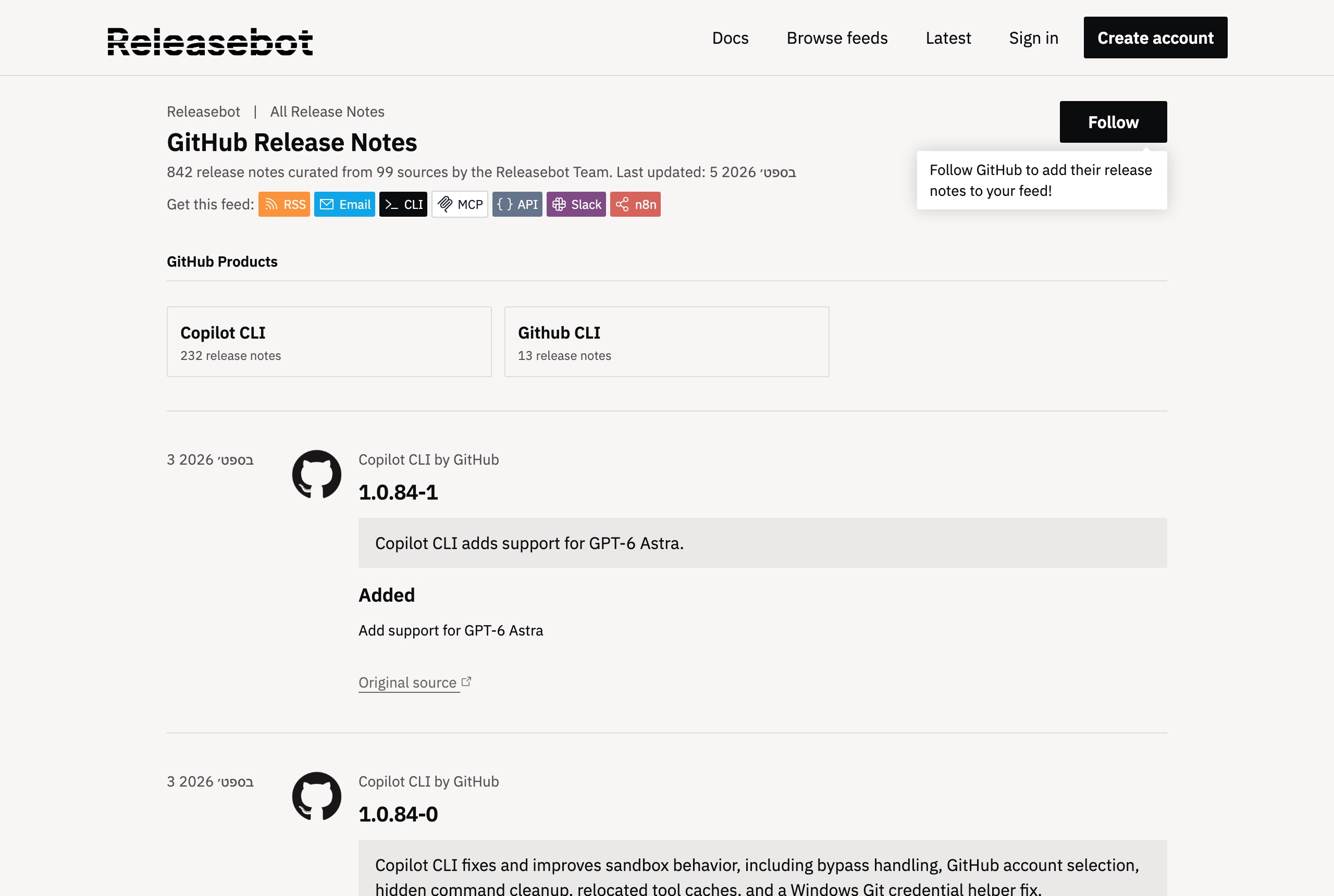 Documentation in the field: in Copilot CLI update 1.0.84-1, one line appears, "Add support for GPT-6 Astra". Screenshot: Releasebot, GitHub changelog page
How do you select Astra inside Copilot?
The process is the same across all environments, because the model picker is a single component that appears in all of them.
- Open the Copilot chat window in the environment you're working in, or run Copilot CLI from the terminal.
- Click the model picker, the field that currently shows the name of the active model, usually at the bottom or top of the chat window.
- Select GPT-6 Astra from the list. The selection is saved for the conversation, not for the entire project. If you open a new chat, verify that the model is still the right one.
- For the coding agent, select the model before you open the task, not in the middle of it. An agent that has already started running continues with what it started.
What do you do if Astra doesn't appear in the list?
Before you open a support ticket, two checks. Both take a minute.
First check: the gradual rollout. GitHub explicitly states that the deployment is staged, and that an eligible subscription does not guarantee immediate access for the entire organization. That means two developers in the same organization, on the same plan, can see a different state on the same day. That's not a bug, that's a queue.
Second check, and this is the more common one in organizations: model policy. Copilot Enterprise and Business admins can control access to models through Copilot settings. If the model is blocked at the organization level, no developer will see it, regardless of the queue. So if you're on an eligible plan and the model is missing, the first question goes to your Copilot admin, not to support.
On cost, GitHub notes pricing at the provider's list price, within a usage-based billing framework. It's worth watching consumption during the first two weeks before opening the model up to the entire team.
What is actually different about this model?
According to GitHub, the differentiator isn't just code quality but the way it works. The model plans and validates as it goes, bundles diagnosis together with verification, and independently confirms the result before declaring the task complete.
In GitHub's internal testing, this translated to stronger performance on long-horizon coding tasks, in fewer steps than previous OpenAI models.
Pay attention to exactly what is being measured here. Not "wrote better code" but "reached the result in fewer rounds." On a long task, every step is an opportunity to drift. Fewer steps means less noise, and also fewer places where you can catch a drift before it enters the codebase. Two sides of the same coin.
There's also a quieter statement here about what counts as an achievement today. For two years the competition between models was measured by scores on standard code benchmarks. This announcement moves the conversation somewhere else: not how well the model solves an exercise, but how well it manages a task that takes an hour. That's exactly the transition from autocomplete tool to agent, and that's also where the gaps between models start to matter to the organization, not just to the benchmarks.
And that transition changes who needs to make the decision. When it's about completing a line, that's a developer's preference. When it's about an agent running a long task on your codebase and declaring on its own that it's done, that's a decision for whoever is responsible for code quality.
If you want the full picture on the model itself, its capabilities and limitations outside the Copilot context, we wrote a complete guide to GPT-6 Astra. Alongside the Copilot launch, OpenAI also deployed Astra in ChatGPT and Microsoft 365.
Why is "self-confirmation" specifically the thing you need to check?
Here's the part no press release will tell you.
A model that confirms to itself that the task is complete generates exactly the kind of confidence that is hard to challenge. The output doesn't look like a guess. It looks like work that passed a review. But that review is the agent reviewing itself, and whoever checks their own work tends to find that everything is fine.
The problem isn't that the model lies. The problem is that the declaration "done" enters your workflow with the same standing as a real test result, and in practice it isn't. It's one signal among many.
And there's a behavioral cost here, not just a technical one. A developer who reads "task completed and verified" reads the diff differently from a developer who reads "here's a suggestion." They scan instead of review. After two weeks of good results, the scanning gets faster, and the critique turns into a rubber stamp. That's not a failure of the model, it's a failure of the process around it, and it happens quietly.
And this is exactly where the paradox lies: the better the model, the greater the temptation to reduce oversight, and that's precisely when the one mistake that does slip through costs more. A model that makes many errors trains you to check. A model that makes few errors trains you to stop.
And at this timing it's hard not to notice the coincidence: a model that validates itself is entering developers' workflows in exactly the week when OpenAI's chief scientist warned that the ability to monitor models' thinking may be weakening. Both announcements came from the same house. One promises the model checks itself, the other warns that visibility into its thinking is narrowing.
How do you test whether this actually reduces errors?
Not by impression. With three measurements any team can run in two weeks.
1. Count correction rounds on the same task. Take five tasks that are similar in nature. Run some with Astra and some with the model you used before. Count how many times you had to go back and fix things until the result passed. That's the only metric that actually counts, not the agent's declaration.
2. Measure how many "completed" tasks failed in testing. Of all the tasks the model declared complete, how many failed in CI, in tests, or in code review? A high ratio here means self-confirmation is creating work instead of saving it.
3. Look a week ahead, not a day. A task that was closed and reopened after five days was never closed. Measure how many tasks come back, because that's where the difference between code that works and code that looks like it works becomes visible.
The table you need has four columns and can be managed in a spreadsheet: the task, the model that ran it, the number of correction rounds, and whether it came back within a week. Five rows a day, two weeks, and that's no longer a feeling but a data point. Make sure to give both models tasks of the same difficulty level, otherwise you're measuring your own selection, not the model.
And don't forget the side that's easy to miss: even if the results are good, check what those two weeks cost you. Usage-based billing tends to look cheap in the first week and less cheap when the whole team makes the switch.
What this means for your development team
Three bottom lines, for the coming week.
- Check eligibility before you promise the team anything. Confirm the plan, then confirm that the organization's model policy isn't blocking it. Two checks, two minutes, and they save a week of "it doesn't work on my end."
- Don't change your review policy because the model is better. Self-confirmation is not a substitute for code review, testing, and the CI gate. If something changes because of the model, let it be delivery speed, not the amount of oversight. If you want an organized framework for agent failures, there's a playbook for responding to AI agent incidents.
- Decide in advance what will make you roll back. If after two weeks the percentage of tasks that return hasn't dropped, the model hasn't improved your process, even if the vendor's metrics say otherwise. Set the threshold before you start, not after.
Want to build with this, not just read about it?
Sources: GitHub announcement on general availability of GPT-6 Astra in Copilot (September 4, 2026) · Neowin on Astra's deployment in ChatGPT, Microsoft 365, and Copilot · GitHub changelogs on Releasebot
Frequently asked questions

Yaakov Tzedek
An Israeli AI lecturer, consultant and implementer who has supported 100+ organizations in AI implementation and lectured for 200+. Official content partner of Meta, Google, Canva and TikTok, featured on Israel's Channel 13.
More about Yaakov →