
An MCP server turns Claude from "an assistant that advises" into "a worker that acts" inside your systems. With more than 10,000 public servers available, in most cases you don't need to build anything, just connect. Here are 10 MCP servers worth knowing.
What is an MCP server, in short?
An MCP server is a small "translator" that wraps a tool or data source (GitHub, a database, Gmail) and exposes it to an AI agent in a language it understands. You can browse published servers in the official MCP Registry.
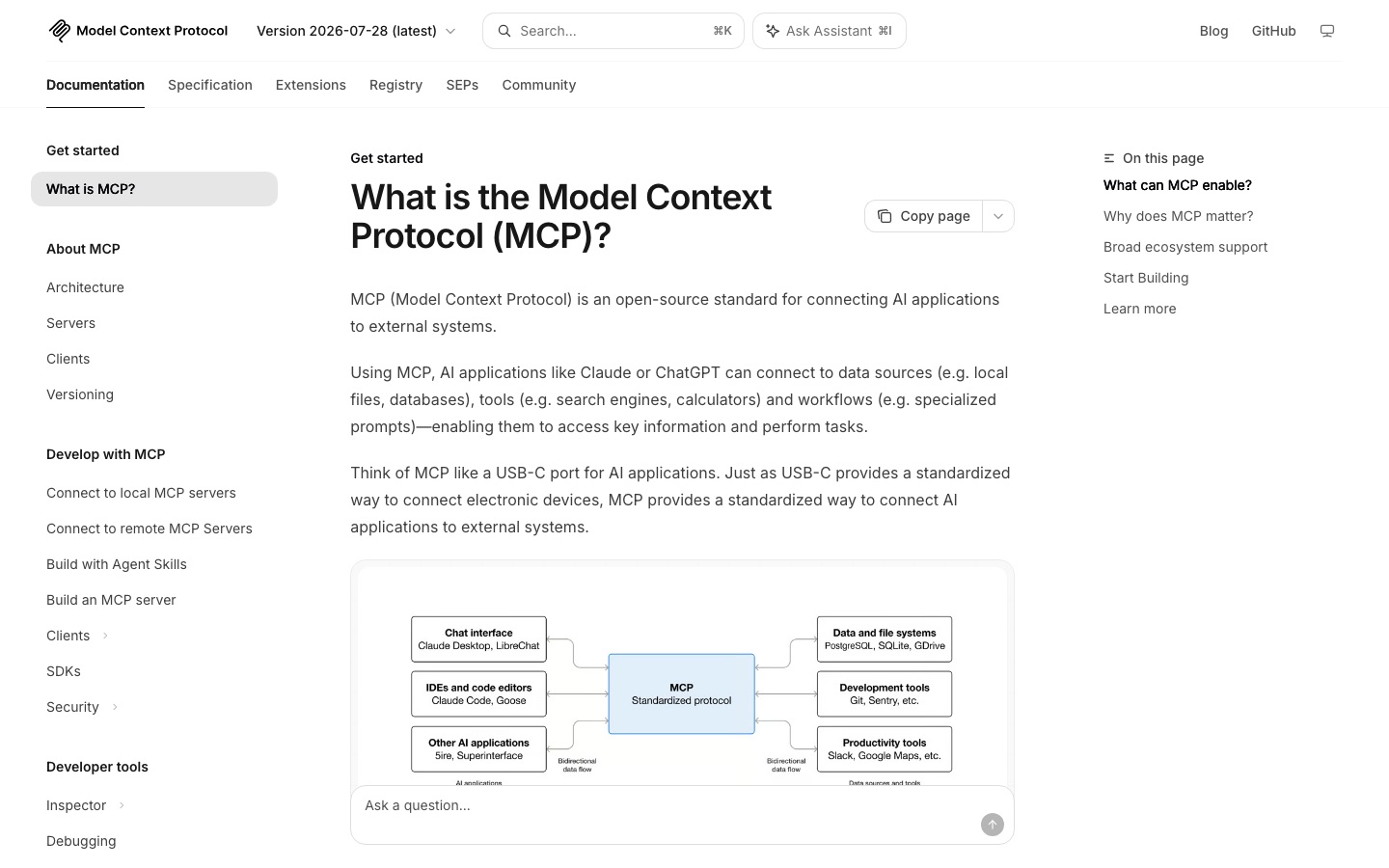 The official MCP website, captured in September 2026. Credit: MCP
10 recommended MCP servers
A note before the list: several of the original reference servers (GitHub, PostgreSQL, Puppeteer, Slack, Google Drive) have been archived by the MCP project. Where that is the case, the list points to the maintained replacement.
- GitHub: review pull requests, open issues and check builds directly from Claude. Use GitHub's official server (github/github-mcp-server), available as a hosted remote server or locally.
- PostgreSQL / databases: ask your data questions in plain language, like "how many customers signed up this month?" The old reference Postgres server is archived, so use a server from your database vendor (Supabase, for example, offers one).
- Gmail: read emails, draft replies and send updates. Available as a connector inside Claude.
- Slack: read channel messages, summarize them and post updates to your team. Slack now runs an official, hosted MCP server.
- Notion: search and summarize internal docs and knowledge bases, create and edit pages. Notion offers an official MCP server.
- Google Drive: find files, summarize documents and extract data. Available as a connector inside Claude.
- Filesystem: read and write local files in a controlled way. Still an active reference server from the MCP project.
- Browser automation: browse and collect information from websites. The archived Puppeteer server has been superseded by tools like Microsoft's Playwright MCP, which works from page accessibility snapshots.
- Stripe: look up payments, invoices and customers. Stripe runs an official remote server at mcp.stripe.com, and some sensitive actions (refunds, for example) require your confirmation in the Stripe Dashboard.
- Google Sheets: read and write spreadsheets and generate automatic reports. There is no single official server here, so check community options carefully before connecting.
How to choose servers for your business
The rule is simple: start with the systems your team uses most. An agent connected to your CRM, your email and your database creates value immediately. Beyond business servers there are also creative MCP servers, for example the Higgsfield server, which connects AI video and ad generation straight to Claude Code.
The next step
Once your servers are connected, the next stage is to build an AI agent with Claude that uses them to run entire processes. Want to connect your tools to AI? Book a consultation.
Frequently asked questions
Where do I get MCP servers?
From the connector directory inside Claude, from the official MCP Registry (registry.modelcontextprotocol.io), or from the vendor's own documentation. Most servers install with one command or a few clicks.
Are MCP servers safe?
Connect only servers from trusted sources, grant minimal permissions, turn on tool-call approval in your client, and watch out for prompt injection from servers that pull in external content.
How many servers should I connect?
Only the ones you actually need. A pile of unnecessary servers makes permission management harder. Start with 2 or 3 relevant ones.
What is an MCP (Model Context Protocol) server?
An MCP server is a component that connects Claude to an external system (GitHub, a database, Gmail, Notion, Slack and more) through a standard protocol called the Model Context Protocol. Instead of Claude only giving advice, the server lets it take real actions in that system: read, write, search and update.
Which MCP servers are best for Claude?
For most business users, a good start is the GitHub server (code and issues), a database server such as Supabase or Postgres, and Gmail or Google Drive for working on documents and email. From there, expand to Notion, Slack or a specialized server as needed. The rule: start with 2 or 3 servers that touch your daily work.
Do MCP servers work in both Claude Desktop and Claude Code?
Yes. The same MCP servers are supported in both Claude Desktop and Claude Code. Setup differs slightly in each environment, but the server itself is the same, so you can connect it once and use it from both.