- What is Consensus, how the Consensus Meter works, filters, Deep reviews, Hebrew support (tested), all pricing tiers, privacy, and Consensus vs Elicit vs Perplexity.
The Consensus Meter appears only when at least 5 relevant classifiable papers are available, and it draws on just 5 to 20 papers. Consensus's own help center gives an example of how it can mislead: a question about ibuprofen safety in adults could return a "yes" based on a study conducted in children.
A yes-or-no question, up to 20 papers, and a single meter showing which way the research leans. That is how Consensus answers from a database of more than 220 million academic papers. But the meter is exactly where it is easiest to go wrong.
Not because the tool fabricates anything. Consensus searches first and summarizes second, so every paper it cites exists. The problem is that a meter reading "95% Yes" looks like a verdict, when in practice it is a summary of a handful of papers the engine selected, and the company itself writes in its Help Center that the meter "is not a perfect reflection of all the science on a topic."
This guide was built from Consensus's pricing page, Help Center, changelog, and privacy policy (checked September 15, 2026), plus a test we ran ourselves in Hebrew: what it is, what the tool can do, how to get to a first answer you can actually trust, what it costs, and when Elicit or Perplexity will do the job better.
In short
| Question | Short answer |
|---|---|
| What it is | An AI-powered academic search engine: searches more than 220 million papers, summarizes with a citation for every claim |
| How much it costs | Free tier at no charge. Pro at $20/month ($144/year). Deep at $65/month ($540/year). Teams and Enterprise for organizations |
| What you pay for | Pro messages, Deep reviews, research snapshots, and API calls. Paper search without summarization is unlimited even on the free tier |
| Defining feature | The Consensus Meter: a yes-or-no question returns a Yes, No, Possibly, or Mixed reading drawn from 5 to 20 papers |
| Hebrew | Not officially listed. In our test, a question in Hebrew worked, the answer came back in Hebrew, and the papers were in English |
| Differentiation from Elicit | A fast answer to a single question, versus a data table and a systematic review |
What is Consensus?
Consensus is an academic search engine that uses AI to summarize research, not a chatbot that knows things. You ask a question, the engine finds the most relevant papers, and only then does the model write an answer in which every sentence points to a paper.
Definition: Consensus is an AI-powered academic search engine that searches a database of more than 220 million peer-reviewed papers, ranks them by relevance and quality, and returns a summary with a citation for every claim. For yes-or-no questions it displays a "Consensus Meter" showing which way the leading papers lean.
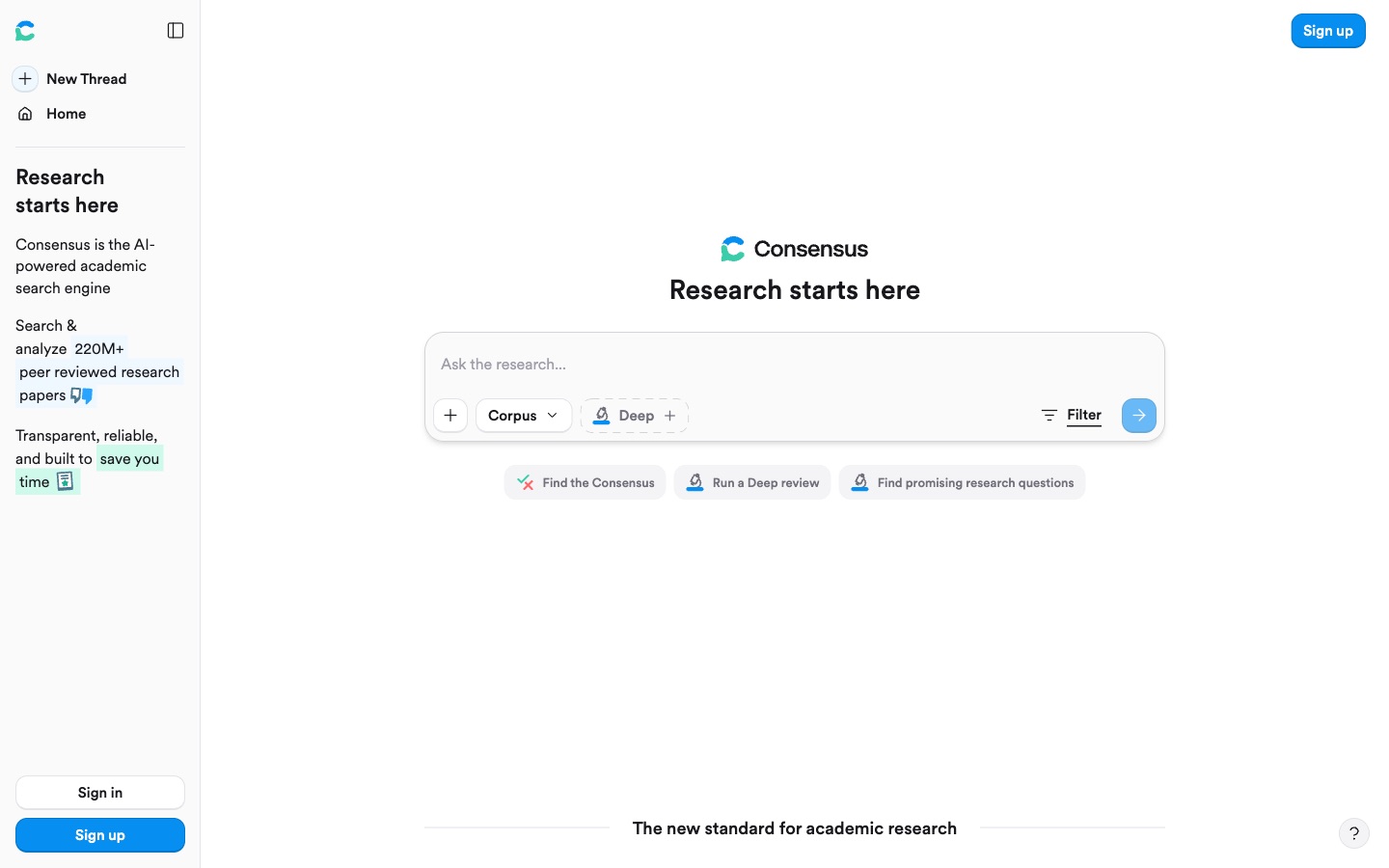
According to the Help Center, papers come from Semantic Scholar, OpenAlex, independent crawling of the academic web, and publisher partnerships, and the database is updated every week. It includes all of PubMed, more than 37 million biomedical records. Retracted papers are flagged and are excluded from summaries.
The search itself works in three stages. First, a combined semantic and keyword search across the entire database. Then a narrowing to the top 1,500 results, ranked by recency, citation count, and journal quality. Finally, a more powerful model re-ranks the top 20 papers, and those are the papers the answer is built on.
The company behind the tool is Consensus NLP, which according to the changelog raised $30 million in May 2026. The documents do not agree on user numbers: the pricing page says 5 million and the Help Center says 10 million.
What can Consensus do?
Consensus can find papers, summarize them with citations, show which way the literature leans, filter by research quality, and export everything to a reference manager. These are the capabilities listed in the Help Center and changelog, each with one practical business use case:
- Pro messages (formerly Pro Analysis). The default mode: a summary of the leading papers with citations, a table of claims and evidence, a research gap map, and a timeline. You can request a format, such as "create a table." Use case: a consultant preparing a background chapter for a proposal who asks for a table of claims ranked by strength of evidence.
- Consensus Meter. For a yes-or-no question, the AI classifies the conclusions of the top 20 papers as Yes, No, Possibly, or Mixed, and each citation is color-coded by position. Use case: a journalist fact-checking a "studies show" claim before quoting it.
- Study Snapshot. Seven fields the AI extracts from each paper: population, sample size, duration, country, method, measures, and results. Use case: an HR manager who sees in seconds that the study everyone cites was done on 40 students.
- Deep review (formerly Deep Search). An agent that runs up to 20 searches, scans more than 1,000 papers, typically analyzes up to 50 and sometimes up to 100, and returns a literature review with introduction, methods, results, and discussion. Use case: a policy team that needs a snapshot of a field before a briefing.
- Advanced filters. Publication year, open access, citations, journal ranking, study type, human or animal, sample size, duration, publisher, field, and country. Use case: filtering for only randomized controlled trials with more than 500 participants, so decisions are not built on pilot studies.
- Medical Mode. According to the Help Center, a sub-database of roughly 8 million papers and roughly 50,000 clinical guidelines from the top 1,000 medical journals. Use case: a charge nurse checking what the guidelines say without wading through fringe journals.
- My Library. Collections of papers, PDF upload, Zotero import, chat with an entire collection, and sharing. Use case: a team keeping all project papers in one place and asking questions across them.
- Citation Graph. Start with up to 5 seed papers and see who cited whom, including foundational studies and follow-up research. Use case: a master's student looking for the original paper everyone else is building on.
- Source export. Search results to CSV, RIS, or a bibliography (APA, MLA, Chicago, Harvard, BibTeX, AMA), and answers to Word, PDF, or LaTeX with citations. Use case: a report writer who moves the list straight into EndNote or Mendeley.
- Consensus inside ChatGPT and Claude. According to the changelog, 2026 added a ChatGPT app, an MCP connector for Claude, and a self-serve API. Use case: a Claude response grounded in real papers, without leaving the window. For the protocol itself there is a Hebrew MCP guide.
How the Consensus Meter works, and why not to read it as a verdict
The meter summarizes the positions of the 5 to 20 papers most relevant to your question, not all the research in the world. According to the Help Center, it appears only when the question is framed as yes or no, and only when at least 5 classifiable papers have been found.
In the corner of the meter you can see how many papers went into the calculation, and clicking All details opens the Consensus Snapshot. There, each position gets four quality indicators: recency (average publication date), methods (how many meta-analyses, systematic reviews, and randomized controlled trials), journals (average SJR score), and citations (total). This is the part most worth looking at.
The company itself lists three limitations. The meter relies on a small sample of papers. The model sometimes misclassifies. And it does not always catch nuances in the question: the Help Center's own example is that a question about ibuprofen safety in adults could receive a "Yes" from a study done on children.
The practical rule: 90% "Yes" from recent meta-analyses is a finding. 90% "Yes" from small, old studies is a hint. The snapshot is what tells them apart.
How to get started: step by step
Within fifteen minutes you have a first answer with a meter, papers, and snapshots, and within a week you will know whether the free tier is enough. Order matters: start with a narrow question you already know something about, and only then move to a real one.
- Go to consensus.app and open a free account. In our test it was possible to ask without signing in, but only with an account are searches saved and the monthly quota visible.
- Ask a yes-or-no question on a topic you are familiar with. For example, "Does remote work reduce employee turnover?" This lets you quickly judge whether the engine picked sensible papers.
- Read the snapshot before the meter. Click All details and check how many of the papers are meta-analyses or randomized controlled trials, and what the average recency is.
- Open two or three papers. Click a citation, read the quoted sentence and the Study Snapshot. A checkmark next to a citation means the AI read the full text; without it, it read only the abstract.
- Add a filter and ask again. For example, only systematic reviews and meta-analyses from 2020 onward. If the meter shifts sharply, that is itself important information.
- Save and export. Save the search to a collection, export the papers to RIS or a bibliography, and only if you need a broader picture, run one Deep review using one of the three free credits.
Tip: an open-ended question ("What affects burnout?") will not trigger the meter. That is not a bug. If you want a meter, frame your question as yes or no.
Hebrew and RTL
Consensus does not publish a list of supported languages, but in Settings you can choose a language for responses, and in our test a question in Hebrew worked. The database itself is academic, so the papers you receive will almost always be in English.
According to the Help Center, Settings includes a language menu that determines in which language Pro messages, summaries, and key insights will be delivered. We found no explicit statement about Hebrew in the official documentation, so this falls under "not officially listed."
What we saw in the test we ran on September 15, 2026, without signing in: we asked "האם פעילות גופנית משפרת מצב רוח?" (Does physical activity improve mood?). The engine translated the question into an English search ("exercise improve mood"), displayed a Consensus Meter based on 19 papers, and the answer was written in readable Hebrew, including a table of claims. Paper titles, the insights next to each paper, and the meter labels ("Yes," "Possibly") stayed in English.
What to check for yourself:
- The translation of your question. The engine shows the search terms it generated. If a technical term was translated incorrectly, ask again in English.
- Terms in the answer. A Hebrew translation of "effect size" or "cohort" can be misleading. Compare it with the original citation.
- Questions about Israel. The country filter (more than 200 countries according to the Help Center) is the right way to surface research conducted in Israel, rather than writing "in Israel" in the question and hoping.
- The interface. The interface is in English and built left to right. Hebrew text in an answer renders correctly, but mixing Hebrew and numbers on the same line can jump around.
The rule that worked for us: ask in Hebrew to see whether any research exists at all, and in English when the answer matters. Write the summary for an Israeli audience afterward, with the citations in English as they are.
How Much It Costs: Every Plan from the Official Site
Free is free, Pro is $20/month, Deep is $65/month, and Teams starts at $20/seat on annual billing. Those are the numbers from the pricing page and help center, verified September 15, 2026. Prices may change, so check the official site.
| Plan | Price | What You Get | Limits |
|---|---|---|---|
| Free | $0 | Unlimited article search, 10 Pro messages, up to 3 Deep reviews, 10 research summaries | 30 API and MCP calls per month. Each Deep review also consumes a Pro message |
| Pro | $20/month, or $144/year ($12/month) | Unlimited Pro messages and summaries, 15 Deep reviews, all tools including citation graph | 500 API and MCP calls included, then $0.05 per call up to 1,000 |
| Deep | $65/month, or $540/year ($45/month) | Everything in Pro, plus 200 Deep reviews per month | 2,000 API and MCP calls included, then $0.05 per call up to 10,000 |
| Teams | $20/seat/month on annual billing ($240/year) | Everything in Pro, 50 Deep reviews per month, user management, consolidated billing, Search API | Up to 200 seats. 500 API and MCP calls per user |
| Enterprise | Custom pricing through sales | Everything in Teams, volume discounts, institutional library integration, SSO (Okta, Azure AD, OpenAthens, Google Workspace), dedicated support | Per contract |
Discounts. According to the pricing page, students and academic staff with an institutional email address, and U.S. healthcare workers with an NPI number, can get up to 40% off. Doctors and nurses in Israel do not have an NPI, so that discount does not apply to them. Israeli students should try registering with their academic email and see whether it qualifies.
What you are actually paying for. The search itself, returning a list of articles with no summary, is free and unlimited. You pay for the AI layer on top: Pro messages that summarize, Deep reviews that read dozens of papers, and research summaries. Someone asking two or three questions a week will hit the 10-message monthly cap fast. Someone who checks one claim here and there can get by on the free plan indefinitely.
The cheapest plan that makes sense for a small Israeli business. For a consultant, a content writer, or a manager who needs to verify a handful of claims per month, Free is enough. Once Consensus becomes a weekly work tool, Pro on annual billing at $144/year is the logical step. Deep only makes sense for someone running literature reviews nearly every day. A team sharing collections will save mostly on administration and billing by moving to Teams.
Use Cases for Israeli Businesses
Consensus was not built for an online store. It was built for anyone who makes decisions, writes, or gives recommendations based on a claim that someone said "research shows." Five role-based scenarios, all synthetic:
- Private clinic owner (dietitian, physiotherapist, psychologist): A patient arrives with a claim from social media about a nutritional supplement. A yes-or-no question in medical mode, a filter for controlled trials, and within five minutes you have an evidence-based answer with three papers you can show the patient. It does not replace clinical judgment, but it does replace "I read something once."
- Marketing and content: A writer at a digital health company needs a citation for every claim in a post. One Pro message with a claims-and-evidence table, an APA bibliography export, and the article goes out with real sources. The Hebrew phrasing gets done in ChatGPT or Claude, and the citations stay exactly as they are.
- Operations and safety: An operations manager at a restaurant chain is considering switching to 12-hour shifts. One question ("Do 12-hour shifts increase workplace accidents?"), the consensus summary with quality indicators, and a filter for recent studies. Management gets a picture of what the literature says, not an opinion.
- Human resources: An HR manager asked to introduce personality tests into the hiring process. Research summaries on a handful of papers show sample size, population, and country, and it turns out some of the cited studies were conducted exclusively on students. That is exactly what you want to know before paying a vendor.
- Sales and organizational consulting: A consultant submitting a proposal for an employee wellness program to a public-sector body. One Deep review produces a background chapter with an introduction, findings, and knowledge gaps, and the proposal rests on literature that can be defended in a committee. That is the kind of work described in the guide to AI in the public sector, just with academic research instead of internal documents.
Beyond businesses, the tool is especially well suited for healthcare professionals, policy teams, journalists, and students. In every case it covers the first stage: finding and understanding. The decisions are made by people.
Consensus vs. Elicit vs. Perplexity: An Honest Comparison
All three tools answer with sources, but they draw from different databases and suit different types of questions. Consensus for a single question about what the research says. Elicit for structured work across many papers. Perplexity for everything outside academia.
| Consensus | Elicit | Perplexity | |
|---|---|---|---|
| What it searches | 220 million+ academic papers | 138 million+ academic papers | The entire web: sites, news, articles |
| Primary output | Answer with citations, consensus meter, Deep review | Table of extracted data, systematic review, report | Written answer with numbered citations |
| Strength | Fast yes-or-no question, filters by study quality, medical mode | Structured extraction from dozens to thousands of papers, PRISMA | Recency, business and news context |
| Hebrew | Not officially stated, worked in our testing | Designed for English, not guaranteed | Works in Hebrew |
| Entry-level paid price | Pro $20/month ($12/month on annual) | Pro $49/month | Pro subscription available, see the guide |
| Free tier | Unlimited search, 10 Pro messages | Unlimited search and summaries | Free plan available |
When to pick which: Consensus when you have one clear question ("Does X affect Y") and want to know within minutes where the research leans, with the option to filter by study type. Elicit when the deliverable is a table or a literature review: you need to extract sample size, method, and outcome from 40 papers into columns, and the full details are in the complete Elicit guide. Perplexity when the question is business-related or time-sensitive, such as supplier pricing, new regulations, or what happened this month.
And if the papers are already sitting in your folder and you just want to ask questions about them, Gemini Notebook answers from the sources you uploaded, in Hebrew, without searching at all. In practice, many people use two tools: Consensus to find and understand, and Elicit or Gemini Notebook to work in depth.
Anyone who needs to read a specific paper Consensus found in depth, with explanations of tables and equations inside the file, will find all the details in the complete SciSpace guide.
Privacy and Limitations
According to its privacy policy, Consensus does not train models on what you write or upload, but content is processed by external model providers. Here are the facts from the official documents:
- What is collected. According to the privacy policy (updated August 18, 2026): account and payment details, your questions, content and responses, device data, and approximate location by IP. Data is encrypted in transit and at rest.
- Training on your data. The privacy policy and the security page in the help center state explicitly that questions, content, and personal information are not used to train models, neither Consensus's own models nor those of any third party, and that no data is sold to advertisers.
- Who processes the content. According to the policy, some processing runs on models from OpenAI, Anthropic, Google, and Baseten. Consensus does not attach your name, email, or account ID to content it sends, but those providers may run safety checks and retain content briefly under their own terms. Voice dictation in the browser is transcribed by OpenAI.
- Deletion. Settings include "Clear thread history" and "Delete account." Files you upload are private unless you share a collection that includes them.
- What not to upload. Published papers are not confidential. Medical records, identifying data about patients or research subjects, confidential draft manuscripts, and client materials should not be uploaded on a personal plan, even if they are not used for training, because they still pass through external providers. An organization that needs that level of control should be talking about Enterprise with SSO and an information security review.
- Not all research is in there. 220 million papers is a lot, but the company itself acknowledges it does not have access to all research, and that any summary is a "snapshot" of what is available. Full text exists only for open-access papers or papers from partner publishers (Wiley, Taylor and Francis, Sage, ACS, APA, AAAS, and De Gruyter Brill). In all other cases, the AI reads only the abstract.
- Hallucinations. According to the limitations page, of the three types of hallucination (invented source, false fact without a source, and misreading of a real source), only the third is structurally possible in Consensus. The company adds models that check relevance before summarizing and displays the quoted sentence, but says itself that "no AI is perfect." Always verify a citation before passing it on.
Common Mistakes
- Reading the meter instead of the summary. "80% yes" from small, old studies is worth less than "60% yes" from recent meta-analyses. Always click All details.
- Asking a question that is too broad. "Is coffee healthy?" mixes together heart health, sleep, pregnancy, and cancer. A narrow question ("Does coffee consumption increase atrial fibrillation risk?") produces a meter you can actually do something with.
- Ignoring the population. A study on mice, children, or athletes does not answer a question about office workers. The "Human" filter and the research summary fix that in one click.
- Citing the summary instead of the paper. In a paper, report, or post, you cite the original study after reading at least its abstract, not the AI's phrasing.
- Burning Deep reviews on simple questions. The free plan gives you up to 3 per month, and each one also consumes a Pro message. A yes-or-no question does not need a 50-paper review.
- Uploading sensitive documents to a personal account. "We don't train on your data" does not mean the data never passes through third-party provider servers.
Frequently Asked Questions
What is Consensus?
An AI-powered academic search engine: you ask a question, it searches a database of more than 220 million peer-reviewed papers first, then summarizes the findings with a citation for every claim. For yes-or-no questions, a Consensus Meter appears, showing which way the leading research leans.
How much does Consensus cost?
According to the pricing page (checked September 15, 2026): Free is free; Pro is $20/month or $144/year; Deep is $65/month or $540/year; Teams is $20 per seat per month billed annually, up to 200 seats; Enterprise is custom-priced. Students and faculty receive up to 40% off. Prices change, so check the site.
Is Consensus free?
Yes, there is a Free plan: unlimited paper search, 10 Pro messages per month, up to 3 Deep Reviews, 10 Study Snapshots, and 30 API and MCP reads. For Free users, each Deep Review also consumes one Pro message.
How does the Consensus Meter work?
You ask a yes-or-no question. The AI reads the 20 most relevant papers and classifies each conclusion as Yes, No, Possibly, or Mixed. The meter appears only when there are at least 5 matching papers, and clicking "All details" opens a comparison by recency, research method, journal quality, and citation count.
Does Consensus work in Hebrew?
No officially supported languages are listed, but you can choose a response language in the settings. In our test on September 15, 2026, a question asked in Hebrew was translated into an English search, the answer came back in Hebrew with a Consensus Meter, and the paper titles stayed in English. It is worth checking technical terms against the original source.
Does Consensus hallucinate sources?
According to the help center, search precedes summarization, so every paper cited actually exists. The remaining risk is a misreading of a real paper. The company adds models that check relevance and surfaces the in-paper quote, but still recommends verifying the source before relying on it.
Consensus or Elicit?
Consensus is built for a single question and a quick answer with a meter showing which way the research leans. Elicit is built for structured work: a table of data extracted from dozens of papers and systematic review. For a factual question, use Consensus. For extracting data into a table, use Elicit.
Consensus or Perplexity?
Perplexity searches the entire web and cites websites, news, and articles. Consensus searches only the academic literature, flags retracted papers, and filters by study type and sample size. For the question of what the research says, use Consensus. For what happened this month or what the market offers, use Perplexity.
The Bottom Line
Consensus is the fastest way today to go from "I heard studies show" to a list of real papers with a citation for every claim. It is relatively inexpensive, works for free for casual use, answered us in Hebrew, and documents its own limitations honestly. It does not replace reading the paper, it does not see all the research, and it was not built for large extraction tables. For those things, other tools exist.
And to return to where this guide opened: the meter really is the easiest place to make a mistake. But it is also the easiest place to learn not to, because right below it sits the summary showing how many meta-analyses, how many years, and how many citations stand behind each "yes." Anyone who gets into the habit of clicking there is already reading research better than most of the people who cite it.
Want to practice this inside the page? The interactive Consensus course for 9.90 ILS, part of the interactive AI courses series.
Further reading: Elicit: The Complete Guide · Perplexity: The Complete Guide · Gemini Notebook: The Complete Guide · AI in the Public Sector · Elicit course for 9.90 ILS
Sources
All pages checked on September 15, 2026. Prices change, so check the official site.
- Consensus official pricing page: https://consensus.app/pricing/
- Subscription plans in the help center: https://help.consensus.app/en/articles/10087865-subscription-plans
- How Consensus works: https://help.consensus.app/en/articles/9922673-how-consensus-works
- FAQs: https://help.consensus.app/en/articles/10073509-faqs
- The Consensus Meter: https://help.consensus.app/en/articles/10069920-the-consensus-meter
- Research database: https://help.consensus.app/en/articles/10055108-consensus-research-database
- Advanced search filters: https://help.consensus.app/en/articles/9922799-advanced-search-filters
- Study Snapshot: https://help.consensus.app/en/articles/10065008-using-the-study-snapshot
- Pro messages: https://help.consensus.app/en/articles/10008300-how-to-use-pro-messages
- Deep Review: https://help.consensus.app/en/articles/11740827-how-to-use-deep-review
- Medical mode: https://help.consensus.app/en/articles/13404479-medical-mode
- My Library: https://help.consensus.app/en/articles/9922807-my-library-how-to-save-papers-and-searches
- Changing language: https://help.consensus.app/en/articles/9912656-how-to-change-your-default-language-in-consensus
- Responsible AI and limitations: https://help.consensus.app/en/articles/10083353-responsible-ai-limitations
- Security: https://help.consensus.app/en/articles/10093291-security
- Product changelog: https://help.consensus.app/en/articles/11954907-consensus-product-changelog
- Privacy policy: https://consensus.app/home/privacy-policy/
- Deep Search launch on the official blog: https://consensus.app/home/blog/deep-search/
- Our Hebrew test: question in Hebrew at consensus.app, September 15, 2026, without logging in
Yaakov Tzedek, AI lecturer, consultant, and organizational AI implementer, and leader of the daily AI tip community. Join the WhatsApp group.
Frequently asked questions

Yaakov Tzedek
An Israeli AI lecturer, consultant and implementer who has supported 100+ organizations in AI implementation and lectured for 200+. Official content partner of Meta, Google, Canva and TikTok, featured on Israel's Channel 13.
More about Yaakov →