- On November 17, 2026, Microsoft opened Ignite: Word, Excel and PowerPoint are now available to everyone inside the Copilot app, Autopilot is a persistent personal agent, Copilot Code builds apps from text and ships to everyone in December, and two new Microsoft coding models. What happened, what it means for you, and what to do this week.
Every Autopilot agent Microsoft runs has its own identity in the organization's permission system (Microsoft Entra Agent ID) and a named human manager. That means the agent does not run on your account, and IT can block it at any moment without touching the user.
Microsoft is no longer adding AI to Office. It is putting Office inside the AI. And that is not even the interesting part.
Microsoft Ignite opened on November 17, 2026, and the first headline is straightforward: Word, Excel and PowerPoint are now available to everyone inside the Copilot app. But on that same day Microsoft began rolling out Autopilot, a personal agent that runs in the background over time, with its own identity, memory and human manager. The first changes where you work. The second changes who does the work.
In short:
- What happened: Office in Copilot is generally available (GA), Autopilot and Copilot Workspaces are opening in the Frontier program, and Copilot Code, which builds apps from text, is launching for everyone in December.
- What it means: Copilot is moving from chatting with an assistant to a work environment where agents handle recurring tasks on their own.
- What to do: If you have a Microsoft 365 Copilot license, try Office in Copilot this week on a real task, and check with IT whether you are in the Frontier program.
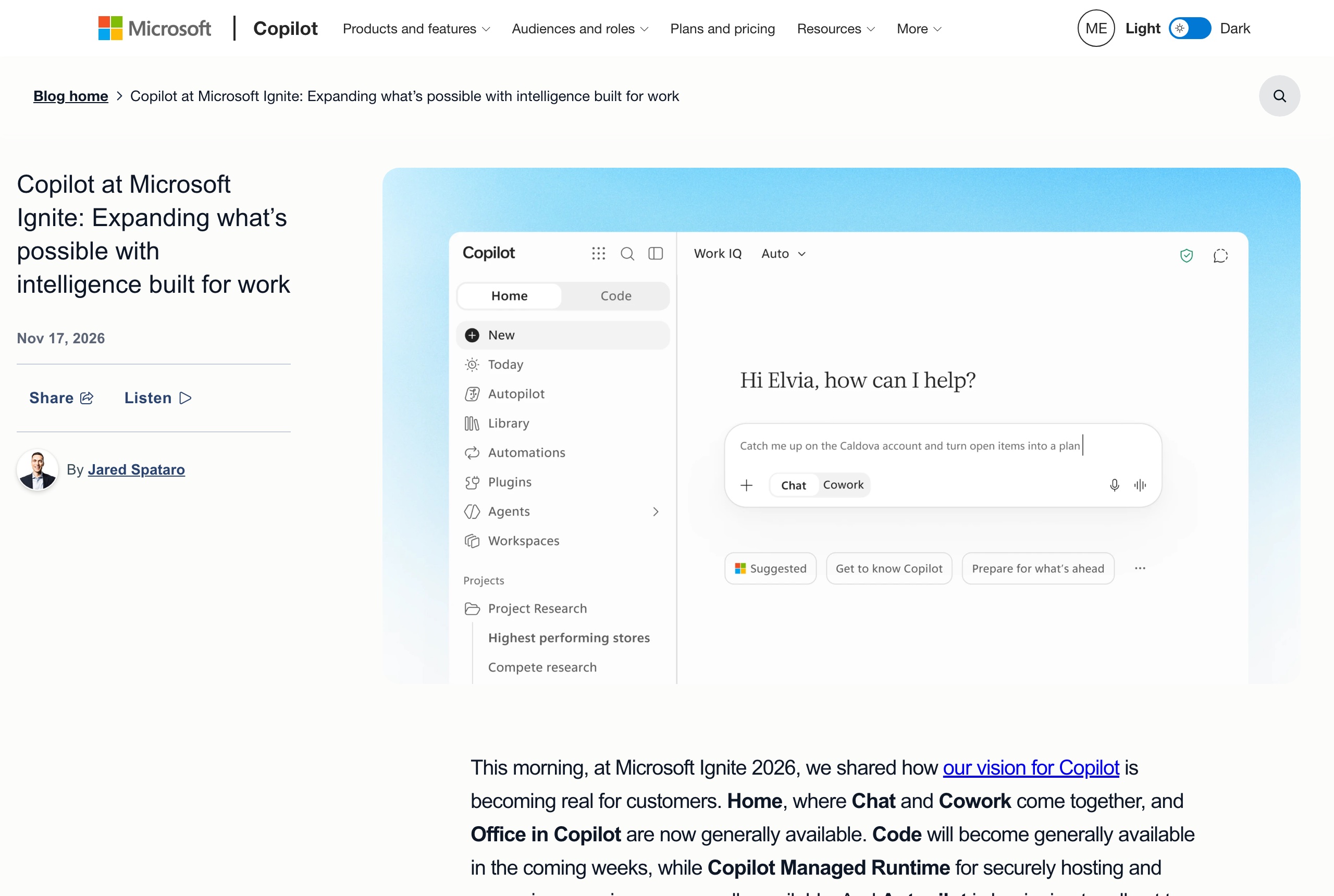 Screenshot: the official Microsoft Copilot blog (microsoft.com), November 17, 2026.
What exactly is Office in Copilot?
Until now, Copilot lived inside Word or Excel as a side panel. The direction is now reversed: you open the Microsoft Copilot app, start a conversation, and move straight into creating and co-editing a document, spreadsheet or presentation without ever leaving it. According to the Book of News, Microsoft's official announcement summary, Office in Copilot is "available now for everyone." Files are saved in OneDrive and retain the permissions, sensitivity labels and compliance controls of Microsoft 365.
Jared Spataro, Microsoft's Chief Marketing Officer for Copilot, wrote on the official blog that all of this is already included in the Copilot license, "without running a meter." At the same time, Home also launched for everyone: a screen that brings the chat and Cowork together in one place. Cowork is the mode in which Copilot carries out longer tasks. We covered Cowork in the complete guide to Copilot.
What is Autopilot, and why is it different from everything before it?
Microsoft defines Autopilot as "its first enterprise agent that runs over time for personal productivity." It operates inside the organization with its own identity, memory and tools. It can track open threads, run recurring work and be tagged in Teams like a coworker. It sits in the sidebar of the Copilot app.
The part that matters to organizations is control. Each Autopilot has its own identifier in the organization's permissions system (Microsoft Entra Agent ID) and a named human manager, and IT can block it at any moment. This is the difference between an assistant that waits for a question and an employee who takes on areas of responsibility.
The caveat: Autopilot is rolling out only to customers in the Frontier program, Microsoft's early-access program, and has no general availability date yet. Copilot Workspaces is in the same position: a shared space for a team, its files, Copilot and agents, which Microsoft describes as "an evolution of Copilot Notebooks."
What else was announced at Ignite?
- Copilot Code: Builds dashboards, tracking tables and apps in natural language, on the same agentic technology as GitHub Copilot. Currently open in Frontier and, according to the Book of News, launching for everyone in December. Apps are deployed through Copilot Managed Runtime and are visible to the system administrator.
- Microsoft's own code models: MAI-Code-2 for demanding agentic coding work, and MAI-Code-2-Flash for high-volume everyday work. Both are available to everyone on GitHub, with the fast version in private preview on Foundry.
- Dynamics 365 inside Copilot: Add-ons for sales, customer service, and finance and operations are generally available, with more than 100 ready-made skills according to Spataro, including meeting preparation, pipeline prioritization and building a customer presentation.
- Agent 365: A cost-management tool for agents, with spend policies, caps and alerts (in preview), because some of the new capabilities are billed by usage.
- Copilot in Windows: Local file management, PC diagnostics and integration into the new taskbar search, all in preview and user-activated.
Spataro also cited a price claim: according to a GigaOm study that Microsoft cites, Copilot is 84% cheaper than Claude and 63% cheaper than ChatGPT for an everyday user. This is a comparison Microsoft is presenting, not an independent test we ran, and it is worth checking against your own actual usage. Our comparison of the tools is at Copilot vs. Gemini vs. Claude for the enterprise.
What does this mean for your business or organization?
If you have a Microsoft 365 Copilot license: Office in Copilot is already yours, at no additional cost according to Microsoft. Pick one real task this week, a monthly report or a client presentation, and do it from start to finish inside the Copilot app. Within an hour you will know whether it saves you time.
If you manage IT or innovation: Check whether your organization is in the Frontier program. If so, Autopilot is an opportunity for a controlled pilot: one employee, one recurring process (a weekly summary, tracking quotes), and a human manager who reviews. Equally important: set a spend cap in Agent 365 upfront, because these services are billed by usage.
If you are outside the Microsoft world: The direction matters for you too. Microsoft, Google, OpenAI and Anthropic are converging on the same model: an agent with an identity, permissions and a manager, handling recurring work on its own. Anyone who maps out which processes in their business repeat every week will know exactly where to plug in an agent when it arrives. If you are building agents in your organization, the Copilot Studio guide is a good starting point.
Also this week in leading tools
Gemini: Gems are becoming skills, and you have until December 17
From November 17, 2026, in personal Google accounts for users 18 and older, Gems in Gemini are becoming skills and going read-only: you can view them but cannot use, edit or create new ones. On December 17, 2026 they are deleted. Google converts each Gem into a skill automatically, with sharing permissions intact, and Workspace business accounts make the transition only in March 2027.
What does not carry over: files above the 100 MB per-skill limit (Google deletes the largest ones first), GitHub files, audio, video, older Office formats (.doc, .xls, .ppt) and compressed files. Video creation, music creation, Canvas and Deep Research also do not yet work with skills. What to do: open each important Gem next to its new skill, and download any file that did not transfer before December 17. Activate a skill with / followed by the skill name in any chat. Source: Google's help page on the transition. Full context in the Gemini guide.
ChatGPT for Sales: a sales add-on with Salesforce and HubSpot integration
OpenAI launched ChatGPT for Sales this week: a Sales plugin alongside more than 30 new and expanded partner plugins. According to OpenAI's plugin page, built-in skills include analyzing signals from customer accounts, competitor briefings, company and contact data enrichment, and conversation tracking. Apps it connects to include Salesforce, HubSpot, Slack, Teams, Zoom, Fireflies and Otter.ai.
Availability depends on plan, region and workspace settings, and in Business and Enterprise accounts an administrator approves the installation. Installing the plugin does not automatically connect all partner accounts and does not include a paid subscription to them. If you have a sales team already working in ChatGPT, now is the time to check which parts of their daily routine (meeting prep, summaries and follow-ups) can move to the plugin. Source: OpenAI's plugin page. We covered AI tools for CRM systems in the AI for CRM guide.
Want to understand AI agents before they reach you?
Autopilot, Copilot Code and the sales plugins are all the same idea: an agent that receives a task and executes it on its own. The AI agents video course includes 50 short lessons in Hebrew, step by step, so you understand what an agent can do, where it fails and how to run one correctly in your business.
Sources: the Microsoft Copilot blog on Ignite 2026, Microsoft Ignite 2026 Book of News, the announcement on Microsoft Source, the Dynamics 365 blog, Google: the transition from Gems to skills, OpenAI: the Sales plugin.
Frequently asked questions

Yaakov Tzedek
An Israeli AI lecturer, consultant and implementer who has supported 100+ organizations in AI implementation and lectured for 200+. Official content partner of Meta, Google, Canva and TikTok, featured on Israel's Channel 13.
More about Yaakov →