- OpenAI launched ChatGPT Images 2.5 on September 8, 2026: targeted edits that preserve the rest of the image, up to 50% faster generation, a Sketch tool for drawing inside ChatGPT, templates, and two API models (Flare and Sunburst).
The Images 2.5 system card reveals that OpenAI has started embedding SynthID, Google DeepMind's invisible watermark, alongside C2PA metadata. Two competing companies, using the same detection layer. The rate of problematic images that slipped through adversarial testing dropped from 1.64% in Images 2.0 to 1.09% in Sunburst.
3 billion images per week. That is the volume people are now generating inside ChatGPT and OpenAI's developer platform, and it is the backdrop against which the company released a new image model yesterday. That is not even the interesting part. The interesting part is what OpenAI chose to improve: not beauty, but obedience. A model that changes only what you asked for, and leaves everything else alone.
In short: OpenAI launched ChatGPT Images 2.5 on September 8, 2026. The improvements: sharper details and more natural lighting, better preservation of people from reference images, precise editing that does not touch the rest of the image, consistency across multiple editing rounds, and generation times cut by up to 50%. Inside ChatGPT, four new features were added: Sketch (freehand drawing as a reference), templates, image annotations, and prompt sharing. In the API, two new models were introduced: GPT-Image-2.5 Flare (fast, the default) and GPT-Image-2.5 Sunburst (more precise, slower), both at the same price as the previous generation. The model is rolling out to all users across all plans.
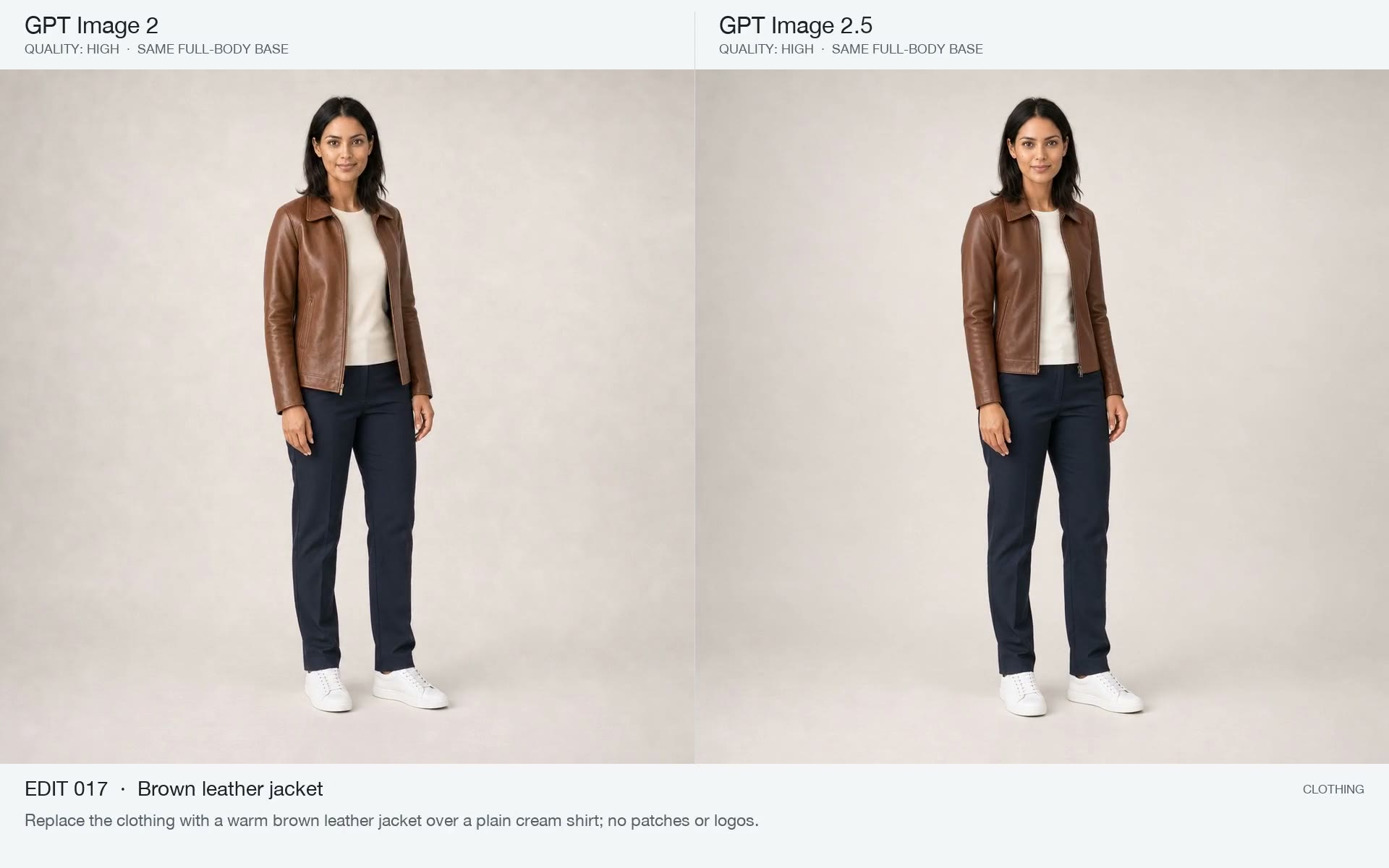 The request: "Replace the clothing with a brown leather jacket over a cream shirt." Left: GPT Image 2, right: 2.5. The difference is not in the jacket. It is in everything that stayed put. Frame from the launch video. Credit: OpenAI
What exactly changed in Images 2.5?
Four improvements to the model itself, and all four are about control rather than beauty. OpenAI describes them as follows:
- Reference fidelity. When you upload a photo of a person, a pet or a place and ask to move them into a different environment or style, the subject remains more recognizable, lighting and textures look more natural, and distinctive features are preserved.
- Precise editing. The model changes only what you asked for and preserves the remaining details, even with complex subjects and backgrounds. For developers, this means swapping a product, a background or a piece of text without dismantling the composition and branding around it.
- Consistency across rounds. In a long conversation, previous edits are retained and each new edit builds on the last, without quality degrading over time.
- Instruction comprehension and style. Complex visual instructions are translated into coherent results, images containing real-world information are more accurate, complex layouts including transparent backgrounds are supported, and the model stays truer to the artistic style you requested.
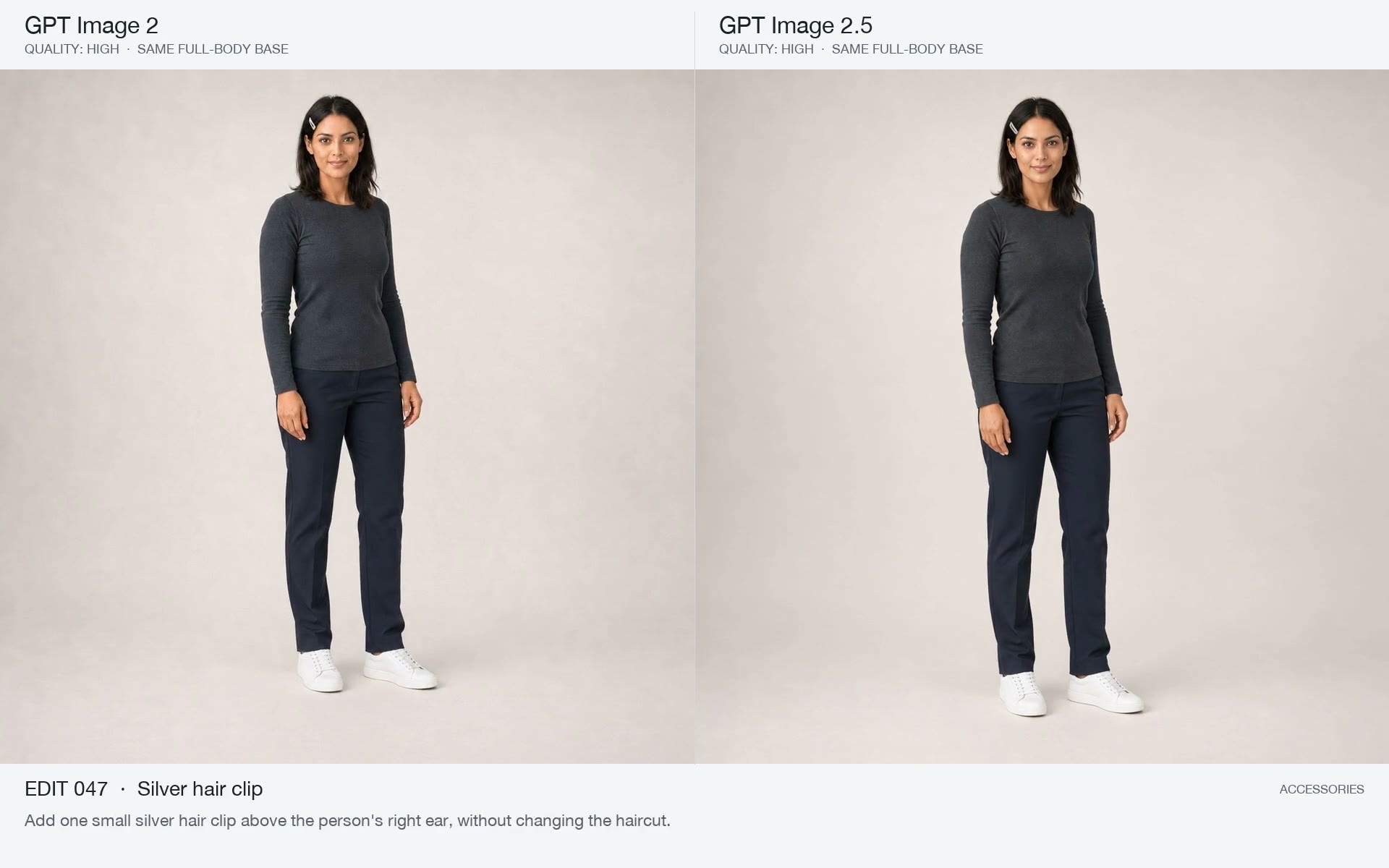 "Add a small silver hair clip above the right ear, without changing the hairstyle." Edit number 47 in OpenAI's internal test series on the same character. Credit: OpenAI
The fifth improvement is speed: generation time is cut by up to 50% compared with Images 2.0. In practice, a round of five edits that used to take several minutes now takes roughly half that.
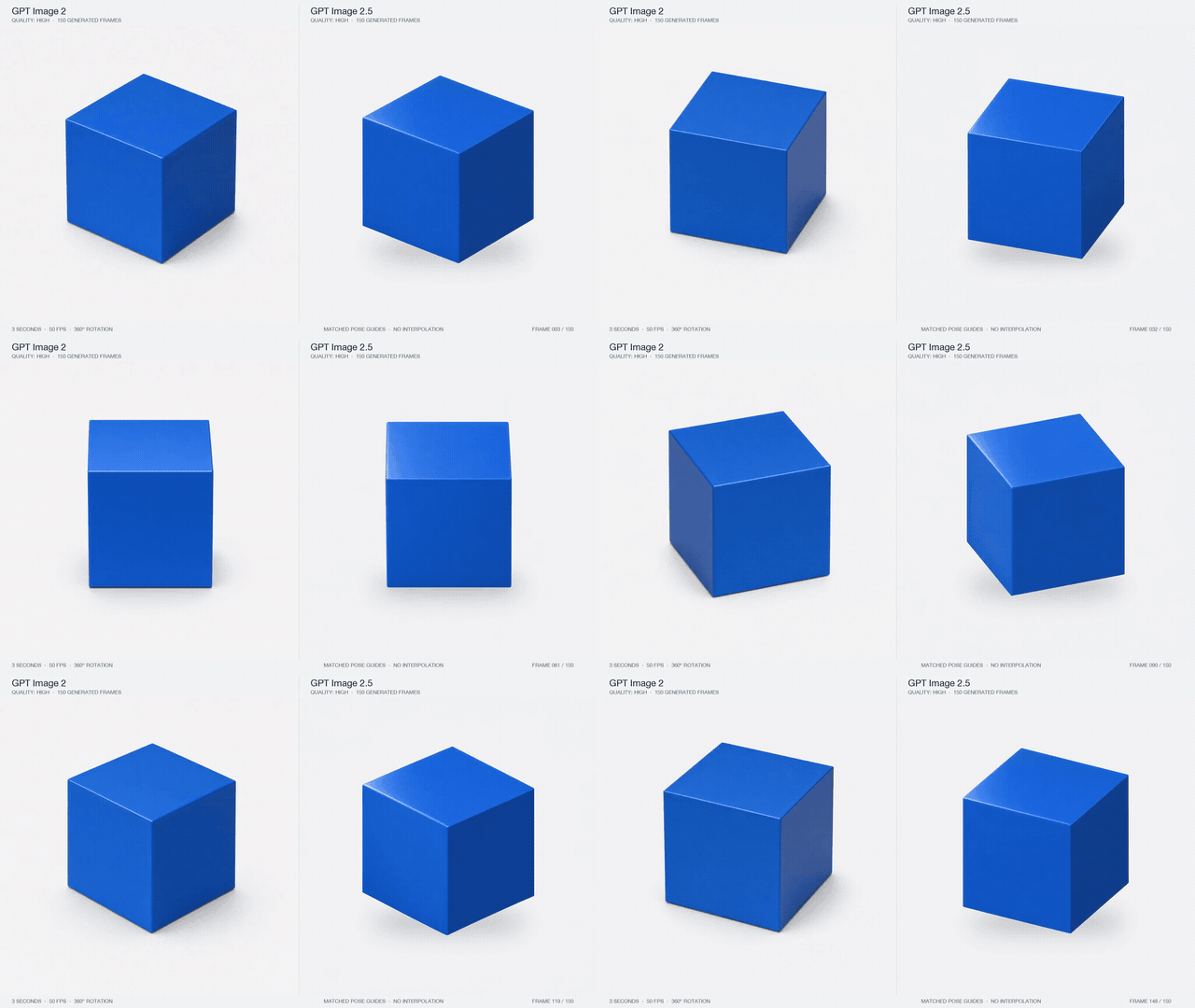 150 frames generated separately, without interpolation, assembled into a video. The left (Image 2) shakes; the right (2.5) holds steady. This is the multi-round consistency demonstration. Credit: OpenAI
Practical application: One use case that the improved reference fidelity unlocks is expanding a room photo into a 360° panorama. Full guide with a ready-made prompt: How to create 360° interior visualizations with ChatGPT.
What is Sketch, and how do you use it?
Sketch is a new tool that lets you draw inside ChatGPT and use that drawing as a reference for the final image. Type @Sketch in a conversation, roughly sketch out what you have in mind, for example a room layout, a clothing outline or just a doodle, add a style description, and send it. The model turns the sketch into a full image. OpenAI emphasizes that you do not need to be an artist: it is simply another way to get the result closer to what you imagined, for those moments when words alone are not enough.
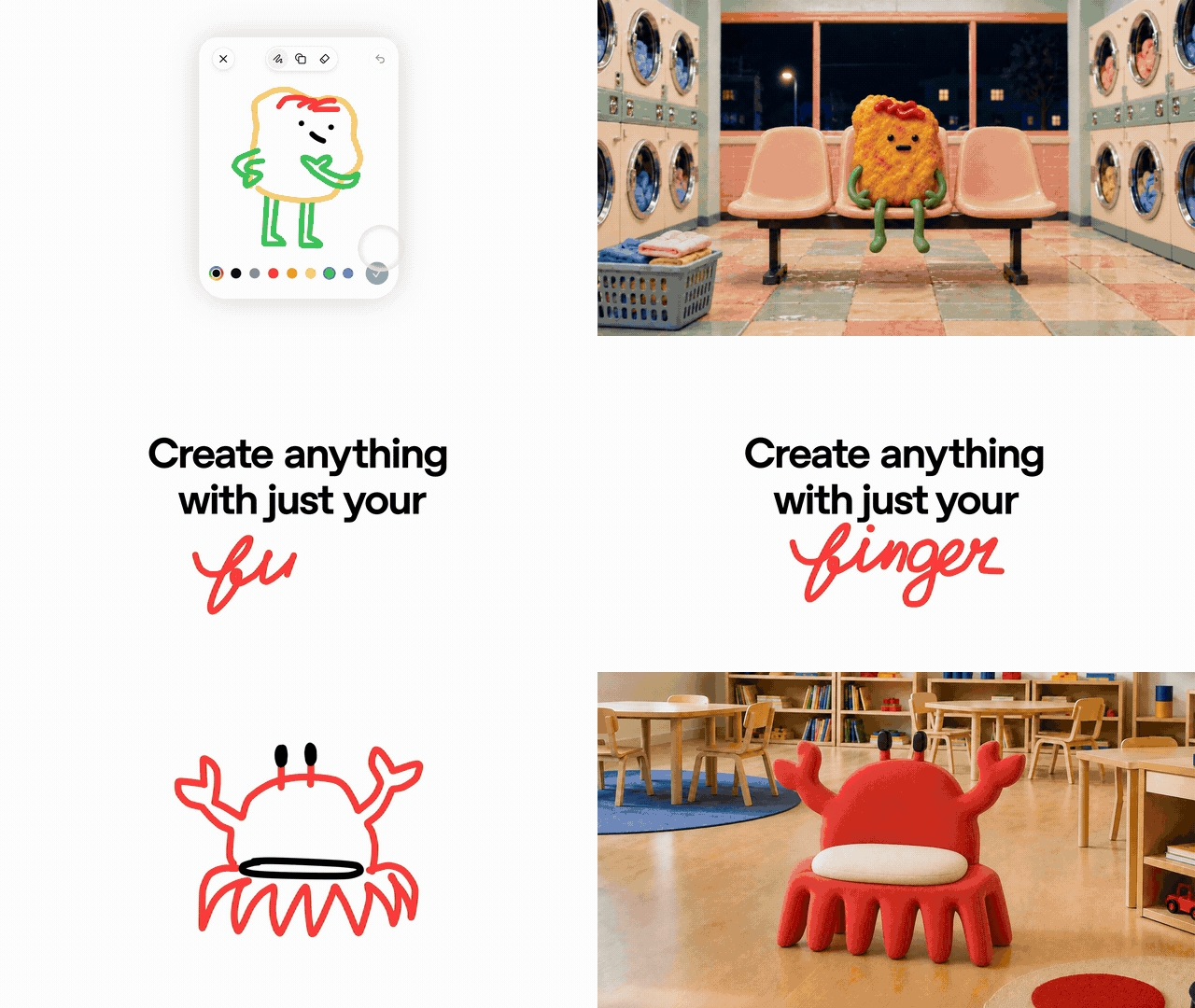 From outline to product image. Clip from the Sketch launch video. Credit: OpenAI
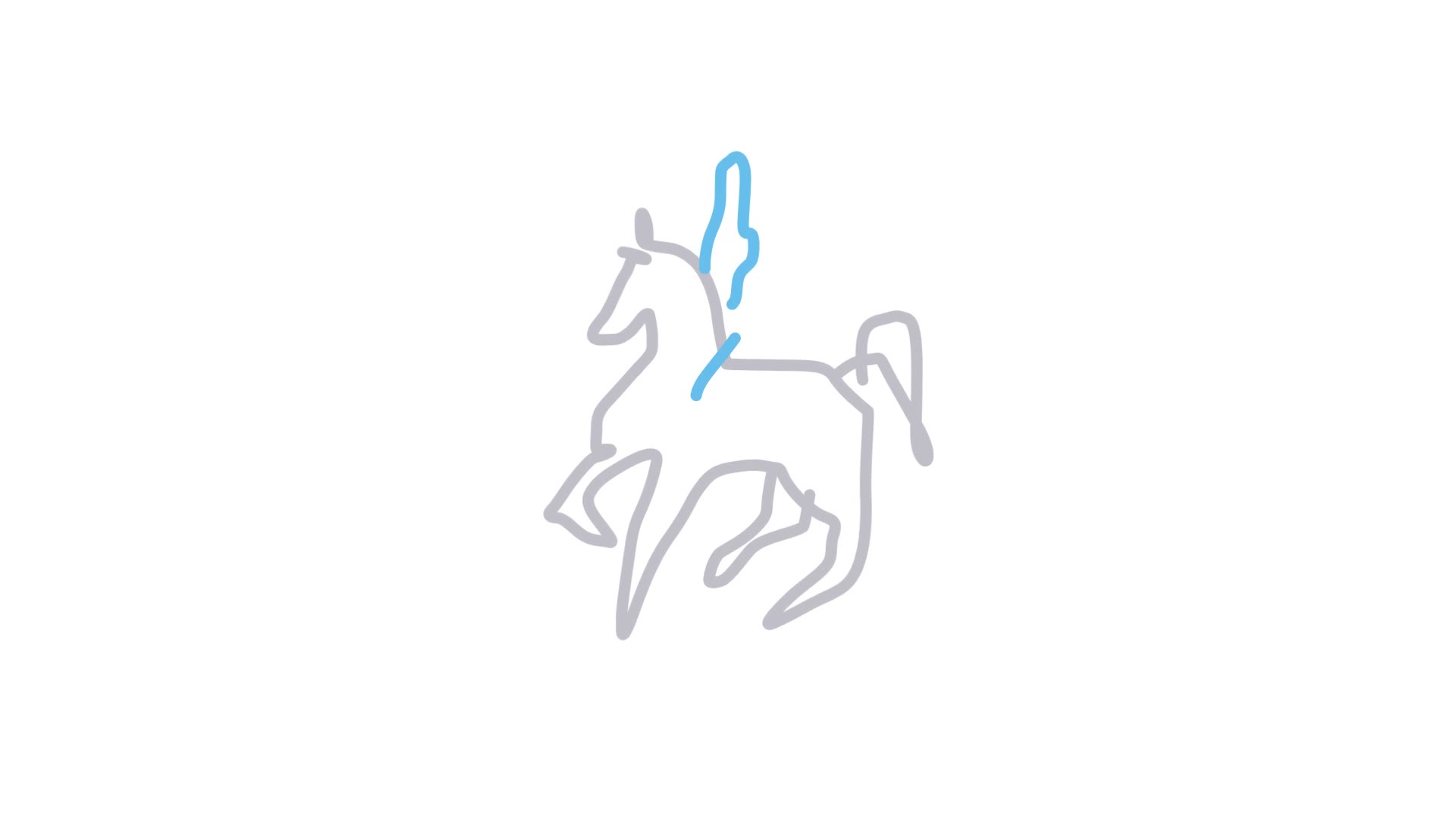 Napkin-level drawing. That is all the model needs as a reference. Credit: OpenAI
Templates, annotations and prompt sharing
Three additions to the interface, all designed to shorten the path from idea to result.
- Templates. Instead of a blank canvas, you choose a template such as "poster," "merch" (branded merchandise), interior design, logo or flyer, then fill in the details: what to convey, which design elements, which style.
- Image annotations. You can pin a note to a specific point in the image instead of describing in words exactly where to make a change. This complements the precise-editing improvement in the model itself.
- Sharing with the prompt. When you share an image, you can attach the prompt that created it, and whoever receives it can run the same idea with their own images and details.
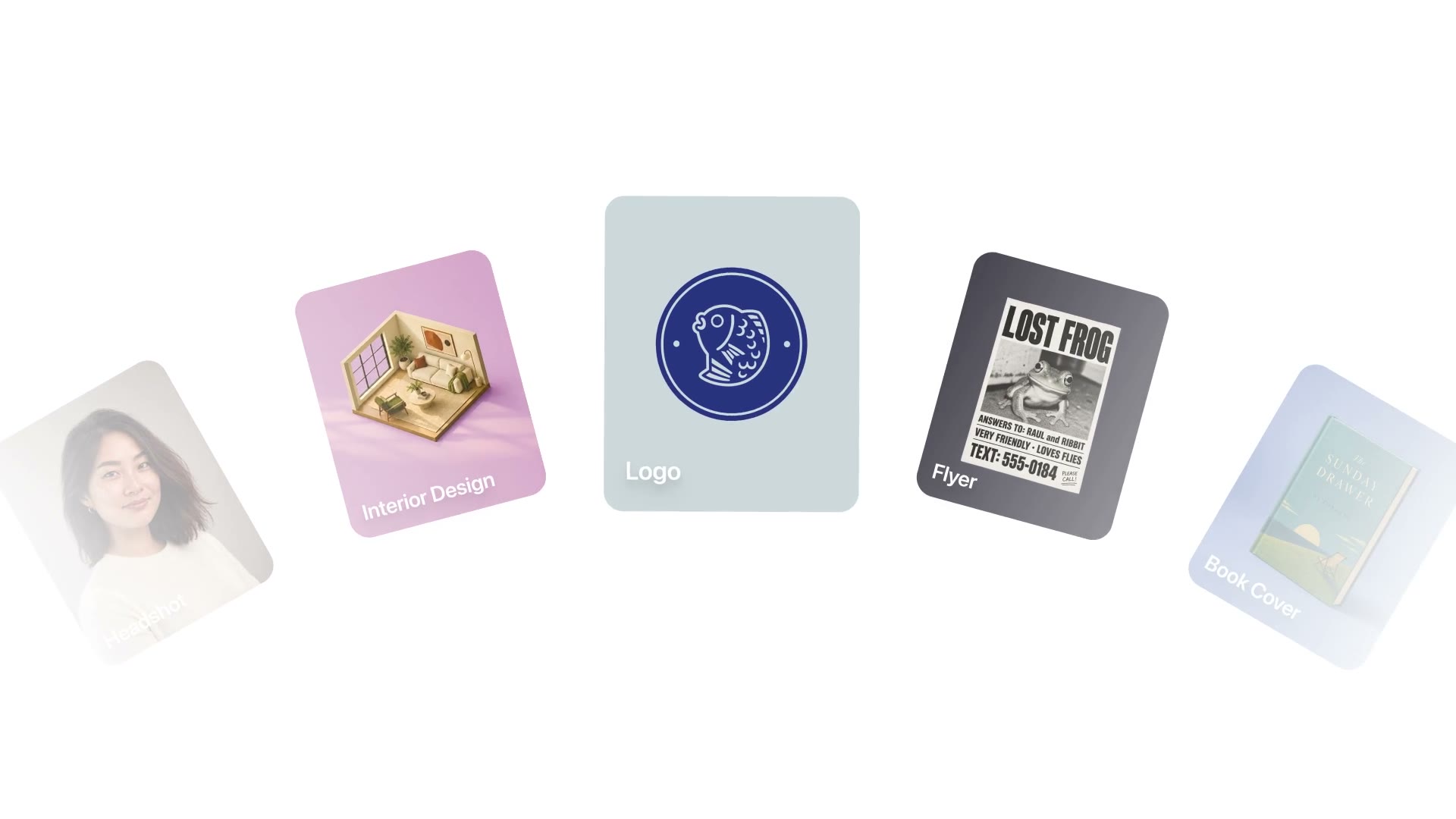 The template cards, from the demo video. Credit: OpenAI
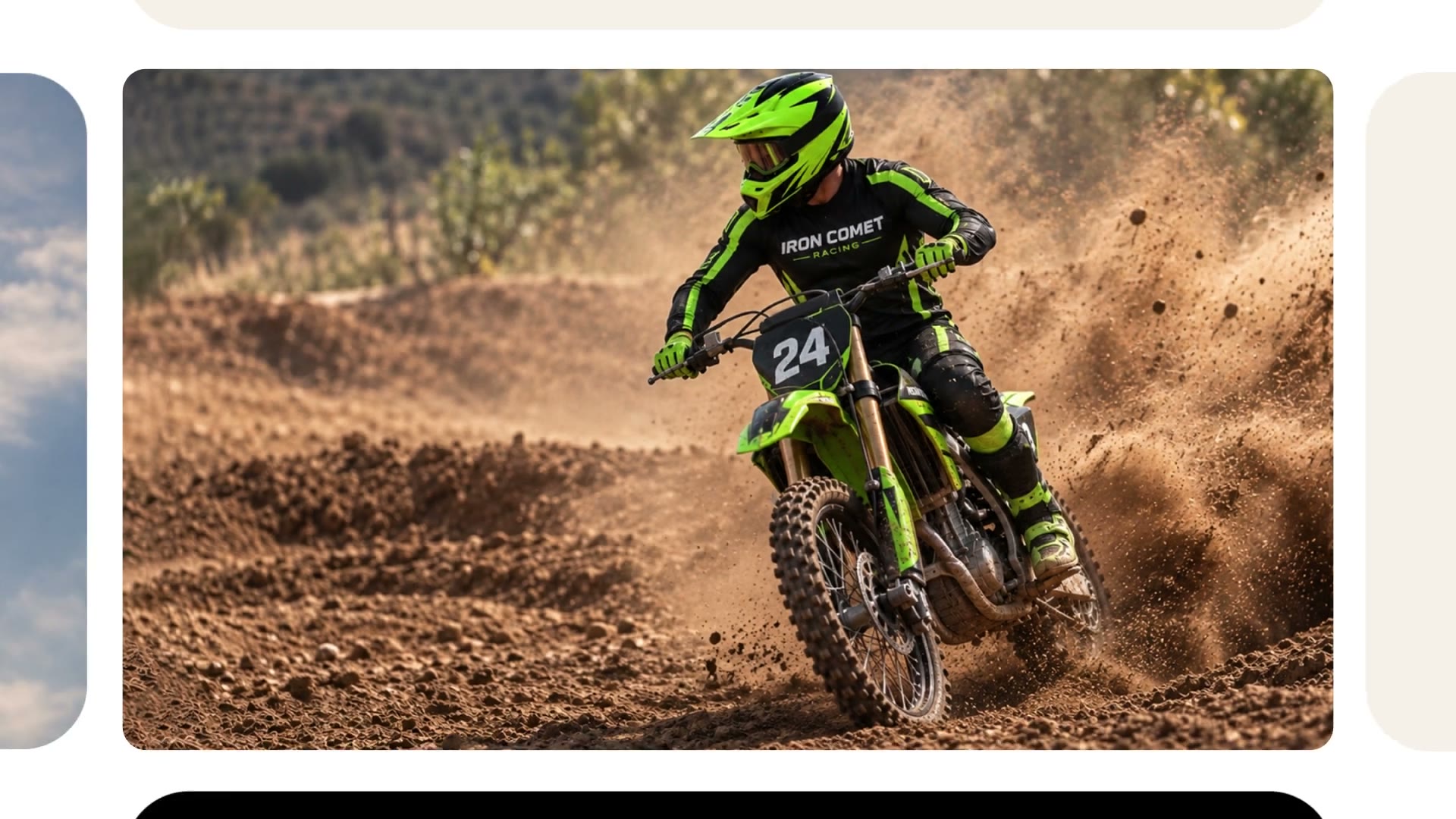 From logo to product image in two steps: first the "logo" template, then the "merch" template with the logo as a reference. Credit: OpenAI
Flare and Sunburst: the two new API models
OpenAI is splitting its image model into two versions for the first time, one optimized for speed and one for precision, at the same price.
| GPT-Image-2.5 Flare | GPT-Image-2.5 Sunburst | |
|---|---|---|
| Built for | Most applications: creator and social content, product experiences, visual search, rapid prototyping, high volumes | Premium workflows: campaign creative, polished product photography, edits that require tight control |
| Speed | 50% shorter response time than GPT-Image-2 | Longer generation times |
| Text input | $5 per million tokens ($1.25 with caching) | Identical |
| Image input | $8 per million tokens ($2 with caching) | Identical |
| Image output | $30 per million tokens | Identical |
The prices are taken from OpenAI's pricing page as of September 9, 2026, and they are identical to GPT-Image-2 pricing. That means anyone already paying for the previous generation gets the upgrade at no extra cost, and anyone who needs the higher precision gets Sunburst at the same price, just slower. Flare offers quality levels from low to max, and supports generation, editing and inpainting.
For anyone who wants the full context of OpenAI's image models from DALL-E through GPT Image 2, it is all in the guide to DALL-E and what replaced it.
What does the safety card reveal?
Two things that do not appear in the launch announcement, and both matter to organizations.
The first: OpenAI is embedding an invisible watermark in images using SynthID, Google DeepMind's technology, alongside the C2PA metadata that was already there. This is the first time the two leading companies in the field are using the same identification layer, which makes it easier for anyone who needs to verify the origin of an image.
The second: the numbers. In adversarial tests (prompts specifically designed to bypass filtering), the rate of problematic images surfaced to users was 1.09% for Sunburst and 1.41% for Flare, compared with 1.64% for Images 2.0. OpenAI notes that these numbers do not reflect the frequency in normal traffic, because the prompts were selected to be difficult. Still, the direction is improvement, and the more precise model is also the safer one.
An honest note: 1.09% is still not zero. An organization generating images at scale, for a catalog or for campaigns, still needs a human review layer before publishing, exactly as before.
What this means for your business
The improvement that actually changes workflows is precise editing, not image quality. Until now, the problem with AI images in marketing was not that they were not attractive. The problem was that you asked to change the shirt color and got back a different person. That is what broke the use case for catalogs, ad series and anywhere consistency is required.
Three things you can do this week:
- An ad series from a single asset. One approved product image, then variations: background, copy, season. With Images 2.5, the product should stay identical across all variations. Test this on one product before you produce twenty.
- The "merch" template for branding checks. Before printing shirts or ordering branded merchandise, generate images of the product with the logo on it and see if it works. Cost: a few minutes.
- Sketch for briefing a designer. Instead of describing in words "I want the logo top-left and the copy below it," sketch it, get an image, and send that to the designer as a reference. It eliminates an entire feedback round.
And one thing not to do: do not publish an image of a real person, whether a customer or an employee, that was created or edited with the model, without explicit consent. The improved reference fidelity works in both directions.
Frequently asked questions
What is ChatGPT Images 2.5?
OpenAI's new image model, launched on September 8, 2026, replacing Images 2.0 inside ChatGPT. The key improvements: editing that changes only what you asked for, better preservation of people from reference images, consistency across multiple editing rounds, and generation times cut by up to 50%.
What is the difference between Flare and Sunburst?
Flare is the default: fast and cost-efficient to run, suitable for most applications. Sunburst is designed for work that requires tighter control over edits, with longer generation times. The price is identical.
How much does GPT-Image-2.5 cost?
$5 per million text input tokens, $8 per million image input tokens, and $30 per million image output tokens, the same for both models and identical to GPT-Image-2 pricing.
How do you activate Sketch?
Type @Sketch in a ChatGPT conversation, draw something, add a description, and send.
Is Images 2.5 available in Israel?
OpenAI states a rollout to all ChatGPT, ChatGPT Work and Codex users across all plans, with no geographic restriction mentioned in the announcement. The rollout is gradual, so features may appear a few days apart between accounts.
Sources
- Introducing ChatGPT Images 2.5, the official OpenAI announcement
- ChatGPT Images 2.5 system card
- OpenAI API pricing
- GPT-Image-2.5 Flare model page
The frames and images in this article are taken from OpenAI's launch videos and announcement page for coverage purposes. The examples and data are OpenAI's.
Yaakov Tzedek is an AI lecturer, consultant, and organizational AI implementer, and leads the largest Claude Code community in Israel.
Frequently asked questions

Yaakov Tzedek
An Israeli AI lecturer, consultant and implementer who has supported 100+ organizations in AI implementation and lectured for 200+. Official content partner of Meta, Google, Canva and TikTok, featured on Israel's Channel 13.
More about Yaakov →