- On July 16, 2026 Google officially renamed NotebookLM to Gemini Notebook.
- Same product: same site (notebooklm.google.com), same notebooks, same links. Automatic redirects preserve everything you've built.
- The real change: every notebook now gets a "secure cloud computer" that writes and runs code, meaning genuine data analysis inside the notebook, plus export to new formats like JSON and PPTX.
A language model asked to "calculate an average" without a computation tool is guessing based on text patterns. A model that writes code, runs it, and returns the output is actually computing. That is exactly the difference Gemini Notebook's upgrade brings to your notebooks.
On July 16, 2026, Google officially renamed its research tool NotebookLM to "Gemini Notebook." Same product, same site, same notebooks, same links, but the rename comes alongside the most significant upgrade in the tool's history: a secure cloud computer built into every notebook, one that writes and runs code on your data. You don't need to do anything, but you should absolutely know what just opened up here.
In short (TL;DR)
- On July 16, 2026 Google officially renamed NotebookLM to Gemini Notebook.
- Same product: same site (notebooklm.google.com), same notebooks, same links. Automatic redirects preserve everything you've built.
- The real change: every notebook now gets a "secure cloud computer" that writes and runs code, meaning genuine data analysis inside the notebook, plus export to new formats like JSON and PPTX.
- Availability: from July 16 for AI Ultra subscribers and enterprise Workspace customers; AI Pro subscribers on the web in the coming weeks.
- What you need to do: nothing. No file migrations, no link updates, no reinstalls.
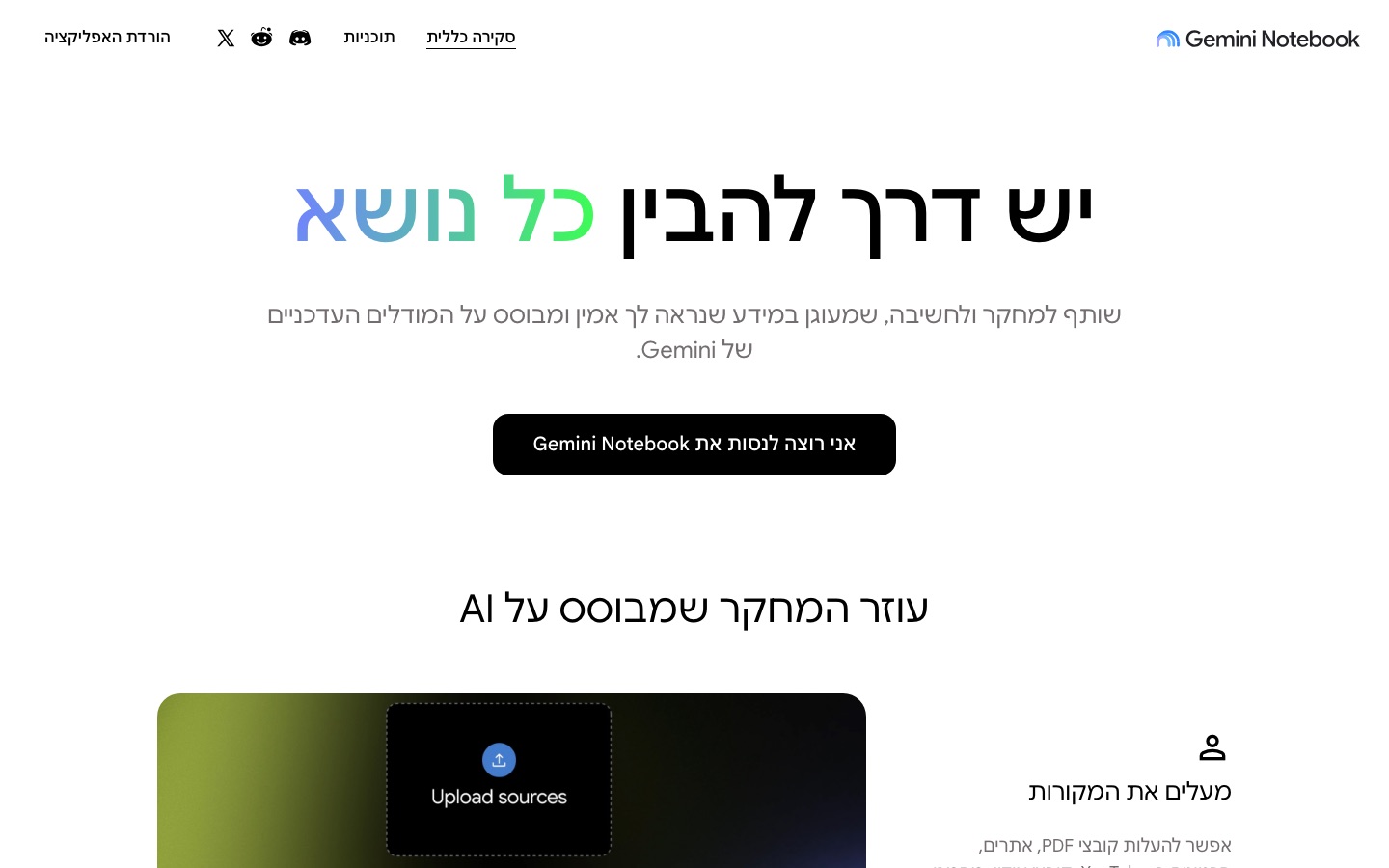 The official Gemini Notebook website, captured in September 2026. Credit: Gemini Notebook
What exactly did Google announce on July 16, 2026?
The short answer: Google renamed its research tool NotebookLM to Gemini Notebook, adding a new logo and a significant technical upgrade: access for every notebook to a secure cloud computer capable of writing and running code.
The announcement came through several channels simultaneously: an official post on the Google blog, an update on the Google Workspace blog, and a direct email to all users, the same email many of you received this week in your inbox, with the subject line "NotebookLM is now Gemini Notebook."
The email itself is short and reassuring: you can continue using Gemini Notebook on the web and mobile as a standalone product, and you can also access your notebooks directly from within the Gemini app. Google highlights three points: the update does not change how your data is handled, your data continues to be managed under the existing privacy policy, and use remains subject to the same terms of service.
What is Gemini Notebook? A Google research tool that works exclusively on sources you upload to it, documents, links, videos and files, and answers questions with precise citations back to the source. Formerly NotebookLM; since July 16, 2026 under the Gemini brand, with a new capability to run code on your data.
Why did Google change the name?
The short answer: Three reasons, brand consolidation, simplicity, and preparation for deeper integration with the rest of Google's products.
1. Consolidating the brand around Gemini
The research tool is joining the family. From Google's perspective, a user who knows Gemini will immediately understand that the notebook belongs to the same world.
2. A simpler name
"Gemini Notebook" is far friendlier than a name that includes the words "Language Model." The logo will be updated to a blue-purple gradient in the Gemini style.
3. Preparation for broader integration
Gemini Notebook remains "a standalone product focused on being your leading research tool," but it "will do more across the Google ecosystem." Notebooks are already available inside the Gemini app, and will soon be available in Google Search's AI Mode as well.
What's actually new? The secure cloud computer and code execution
The short answer: The big change is that every notebook now gets a secure cloud computing environment where the AI writes and runs code on your data, without you needing to know how to program.
Until now, NotebookLM was primarily a reading tool: it read your sources, summarized them, answered questions and produced outputs. This upgrade turns it into an execution tool. Google has begun rolling out an update that gives every notebook a secure cloud computer, enabling it to write and run code. This allows deep data analysis of your sources, and the update also adds new output formats: JSON files and PowerPoint files (PPTX).
What is a "Secure Cloud Computer" in a notebook? An isolated execution environment (sandbox) attached to each notebook. When you request an analysis, for example "find trends in this sales file," the AI writes code (typically Python), runs it in the isolated environment on the files you've uploaded, and returns a genuinely computed result, not a linguistic guess.
What does this make possible in practice?
- Real data analysis: Complex analyses based solely on your research data, tables, CSV files, financial reports.
- Charts and visualizations: Instead of a verbal description of a trend, the notebook computes and displays it.
- Structured export: Outputs in JSON format (for integration with other systems) and in PPTX format (a ready-made presentation).
- Sources only: The original principle is preserved. The tool analyzes only the sources you feed it, and will not search the internet for an answer if the sources don't contain one.
What does not change? (The long, important list)
The short answer: Almost everything stays exactly as it was, the address, the notebooks, the sources, the outputs, the permissions and extensions. There is nothing you are required to do.
- The address isn't moving. The site remains at notebooklm.google.com, with the same notebooks and the same capabilities, just a new name and logo.
- Links won't break. Google has guaranteed that automatic redirects will preserve the integrity of shared notebooks and existing links.
- Notebooks and outputs are saved. There is no need to migrate anything. Notebooks, sources and Studio outputs remain unchanged.
- Data and privacy. According to the official email: the update does not change how data is handled, and use continues to be subject to Google's Terms of Service and the additional Generative AI terms.
- Browser extensions keep working. The name change does not alter the site URL or how the interface behaves.
- Gradual rollout. The name and logo will update across interfaces over a number of weeks; mobile users may need to update the app. No action is required.
Gemini Notebook vs. Notebooks inside the Gemini app: what's the difference?
The short answer: Gemini Notebook is the full standalone product; Notebooks inside the Gemini app are an additional access point to the same notebooks. The two are synced, but the experience is different.
This is the main source of confusion surrounding the move: a notebook inside Gemini is not quite the same experience as the standalone product, but the two are connected.
| Feature | Gemini Notebook, standalone | Notebooks in the Gemini app |
|---|---|---|
| Purpose | Full research tool: sources, summaries, podcasts, video, data analysis | Conversation organization and work collection, quick notebook access |
| Access | Web + dedicated Android and iOS apps | From within the Gemini app |
| Sync | A notebook created on one side is available on the other (since April 2026) | Same sync |
| Coming soon | Google plans to enable bringing notebooks into Search's AI Mode as well | Same |
Who gets it and when? The full rollout schedule
The short answer: The name change applies to everyone and rolls out over weeks; code execution capabilities arrive first for higher-tier paid subscribers and organizations, then for everyone else.
- From July 16, 2026: Code execution capabilities are available to Google AI Ultra users and enterprise Workspace customers with AI Ultra Access and AI Expanded Access.
- In the coming weeks: AI Pro users on the web version will receive access to the new capabilities.
- Name and logo: Updating gradually across all interfaces; a mobile app update may be required.
- Free users: Continue using the product as normal under the new name; advanced code capabilities require an appropriate subscription.
A practical guide: how to get started with Gemini Notebook?
The short answer: Go to the site, create a notebook, upload sources, then ask questions, produce outputs, and now run data analyses as well. (Completely new to the tool? There is also a full NotebookLM beginner's guide in Hebrew.)
Step 1: Sign in and create a notebook
- Go to
notebooklm.google.com(the address is unchanged) or open the app on mobile. - Sign in with a Google account.
- Click "New Notebook" and give it a name, for example: "Competitor Research Q3."
Step 2: Upload sources
- Upload your raw materials: PDF files, Google Docs, URLs, YouTube videos, audio files or plain text.
- Rule of thumb: the more focused the sources, the more precise the answers. Ten relevant documents beat fifty general ones.
- Keep the core principle in mind: the notebook answers only from the sources. If the answer isn't there, it will say so.
Step 3: Ask questions and get cited answers
- Write a question in natural language (Hebrew works too): "What are the three main risks mentioned in the report?"
- Every answer comes with citation numbers that link to the exact sentence in the source, so you can verify the AI isn't making things up.
- You can save good answers as Notes inside the notebook.
Step 4: Produce outputs (Studio)
- Audio Overview: A two-host podcast that summarizes the sources, great for learning on the go.
- Video Overview: A video overview based on the sources.
- Structured documents: Study guides, review quizzes, briefing summaries.
Step 5 (new): Data analysis with code execution
- Upload a data file, for example a leads CSV, an expenses spreadsheet or a Google Analytics export.
- Request an analysis: "Calculate the conversion rate by channel and show the top three channels."
- The notebook writes code, runs it in the secure cloud computer, and returns a computed result.
- Export the output in your preferred format, including JSON for other systems or PPTX for a client presentation.
Practical use cases for businesses, lecturers and students in Israel
The short answer: The tool is a good fit for anyone who works with large volumes of written material, training, sales, market research, studying, and now also for anyone who needs basic data analysis without a dedicated analyst.
For businesses and agencies
- Onboarding materials: Upload procedures and product documents, produce a guide plus a podcast for new employees.
- Sales call analysis: Upload transcripts and request extraction of recurring objections, customer pain points and frequently asked questions.
- Client reports: Upload campaign data and produce an analysis plus a ready-made PPTX presentation.
For lecturers and educators
- Turn a syllabus and articles into study aids: practice quizzes, study guides and audio summaries.
- Build a shared "course notebook" where students ask questions, with citations back to the source instead of invented answers.
For students
- Convert notes into audio and video summaries for learning on the way to campus.
- Exam preparation: upload all course material and ask focused questions with references back to the source.
How Does Gemini Notebook Work Under the Hood?
The short answer: The tool is built on a principle called Source Grounding: the Gemini model is given access only to the materials you have uploaded, locates the relevant passages for each question, and formulates a response that cites them precisely.
The problem the tool was designed to solve: general language models can "hallucinate," inventing facts that sound convincing. Google's solution is to narrow the answer space: instead of drawing on everything the model was trained on, the notebook answers only from within the fence of your sources.
What is Source Grounding? A method in which an AI model is required to base every response on specific documents provided to it, and to attach a reference (citation) to the exact sentence from which the information was taken. If the information does not exist in the sources, the model is supposed to say it has no answer, rather than invent one.
The Processing Chain Behind Every Question
- Source ingestion: Every uploaded file is broken into passages, indexed, and stored inside the notebook only.
- Retrieval: When a question is asked, the system locates the most relevant passages from the sources.
- Grounded formulation: The Gemini model formulates a response based on the retrieved passages, with clickable citation numbers.
- New step, computation: When quantitative analysis is required, the system shifts from "formulation" mode to "execution" mode: writing code and running it on the notebook's secure cloud compute environment.
The distinction between formulation and computation is the core of the July 2026 upgrade. A language model asked to "calculate an average" without a computation tool is guessing based on text patterns. A model that writes code, runs it, and returns output is actually computing. That is the difference between a plausible answer and a correct one, and it is critical when you are working with business data.
Gemini Notebook vs. Competing Tools: Where It Wins and Where It Does Not
The short answer: Its clear advantage is clean work on closed source sets with citations, media outputs (podcast, video), and a massive user base. Other tools are stronger for open-ended conversation, live web search, or agentic workflows.
An important point: these are tools with different purposes, not direct substitutes for one another. The comparison here is at the scenario level, not "which is best" but "what fits what."
| Scenario | The right tool | Why |
|---|---|---|
| Deep research on a closed document repository (policies, contracts, syllabi) | Gemini Notebook | Full source grounding with citations down to the exact sentence |
| Turning written material into a podcast or video | Gemini Notebook | Built-in Audio/Video Overview, the feature that made the tool go viral |
| Ongoing conversation, brainstorming, writing | General chatbots, Gemini, Claude, ChatGPT | Conversational flexibility and creativity without a source constraint |
| Research that requires current information from the web | Answer engines with live search, such as Perplexity | Gemini Notebook deliberately does not search the web beyond your sources |
| Automation and coding in a software project | Dedicated agent tools, such as Claude Code | Code execution in the notebook is designed for source-data analysis, not software development |
Our practical recommendation for organizations: do not choose "one tool for everything." The right combination is usually a source notebook for internal knowledge, plus a general chatbot for day-to-day work, plus a specialized tool for the professional domain. We have gathered the recommended AI tools in Hebrew in one place.
Security and Privacy: What Is Important to Know After the Name Change?
The short answer: The name change did not alter anything in the data policy. That is an explicit statement Google made in its email to users. Even so, every organization should verify which account framework it is working under, because the protections differ between a personal account and an organizational Workspace account.
Questions Every Organization Should Ask Before Deployment
- Which account is being used? An organizational Workspace account comes with contractual commitments and administrative controls that do not exist in a personal Gmail account. If employees are uploading company documents, make sure they are doing so from the organizational account.
- Which documents are permitted to be uploaded? Set a simple internal policy: what is allowed (marketing materials, general procedures), what requires approval (customer data), and what is prohibited (medical information, sensitive financial data, critical trade secrets).
- Who can see shared notebooks? A notebook shared by link is accessible to anyone who holds the link. Review the permissions on old notebooks, especially now, since the automatic redirects keep all old links alive.
- What happens with code output? The new capability runs computations on your data in an isolated cloud environment. For regulatory purposes, document which types of data go through that kind of processing.
The Marketing Angle: What Does the Name Change Mean for Website Owners and Content Creators?
The short answer: The planned integration of notebooks into AI Mode in Google Search reinforces a clear trend: more and more information consumption is passing through an AI layer. Content that is built to be cited by answer engines (GEO) is shifting from a nice asset to a business necessity.
What is GEO (Generative Engine Optimization)? Adapting content so that AI-based answer engines, such as Google AI Overviews, ChatGPT, Claude, and Perplexity, choose to cite it in their responses. It is a layer on top of traditional SEO, not a replacement for it.
The Numbers That Explain the Urgency
- A joint study by Princeton, Georgia Tech, the Allen Institute, and IIT Delhi (KDD 2024), which examined 10,000 queries across 25 domains, found that incorporating citations in the source improves visibility in AI responses by approximately 41%, statistics by approximately 32%, and references to sources by approximately 30%.
- According to Brandlight data, the overlap between top Google results and the sources cited in AI responses has dropped from 70% to less than 20%. A high Google ranking no longer guarantees presence in AI responses.
- Gartner (February 2024) forecasts a 25% decline in traditional search volume by 2026, and according to Seer Interactive, visitors arriving from AI engines convert at a significantly higher rate than regular organic traffic (approximately 15.9% vs. approximately 1.76%).
What do you do with this in practice? Build content in the format that AI engines like to cite: direct answers at the opening of every section, short paragraphs, statistics with a named source, definition blocks, and FAQs. The article you are reading right now is built exactly this way, and that is not by accident. We expanded on the method in the guide SEO in the AI Era.
Advanced Tips: How to Write Requests That Produce Better Results
The short answer: The more a request defines a role, format, and target audience, the better the output. Instead of "summarize this document for me," ask for a summary in a defined format, for a defined audience, with a length limit.
The Recommended Request Formula
A simple formula that works in most cases: Role + Task + Format + Audience + Constraint. For example: "You are a training consultant. From the sources, produce an onboarding guide for a new employee in the customer service department, in the format of 7 numbered steps, in plain language, up to 400 words." (We went deeper on this topic in the guide How to Write a Good Prompt.)
Six Requests Worth Saving
- For extracting decisions: "List all decisions made in the documents, who is responsible for each one, and the target date, in a table."
- For identifying contradictions: "Are there any contradictions between the sources? Detail each contradiction with a citation from both sides."
- For preparing questions: "Formulate 10 questions that a critical manager would ask after reading this material, and answer each one from the sources."
- For data analysis (new): "Analyze the CSV file: calculate a summary by month, identify anomalies, and explain in plain language how you performed the calculation."
- For an executive summary: "Write a one-page executive summary: bottom line at the top, three insights, three action recommendations."
- For coverage testing: "Which important questions on topic X do the sources not answer? List the gaps."
The last request is especially important: it turns the tool's limitation (answers only from sources) into an advantage, a structured map of what you are missing before making a decision based on an incomplete picture.
What Is Coming Next? The Roadmap According to Google
The short answer: Two clear directions have been announced: connecting notebooks to AI Mode in Google Search, and expanding code execution capabilities to all subscription tiers.
- Notebooks in Search: Google is planning to soon integrate the ability to bring notebooks into AI Mode in regular Search. In practice: you will be able to ask Search questions that draw on your personal knowledge base.
- Expanding code execution: AI Pro subscribers on the web will receive the capabilities in the coming weeks, after the initial rollout to Ultra and enterprise accounts.
- Deeper integration with the Gemini app: The two-way sync that began in April 2026 is expected to deepen.
It is also worth remembering the competitive context: following NotebookLM, additional companies and startups added podcast-generation capabilities from source materials and similar research tools. The name change and upgrade are also Google's way of maintaining its lead in a category it created itself.
Five Common Mistakes and How to Avoid Them
The short answer: Most disappointments with the tool stem from using it as a general chatbot, from overloaded sources, or from expecting it to know things that were never fed into it.
- Treating it like a general chatbot. If you ask "what is the weather tomorrow," you will not get an answer, and rightly so. The tool answers only from the sources.
- Overloading with irrelevant sources. 50 general documents dilute the quality of responses. Focus is better.
- Not checking citations. The citation numbers exist precisely for this: a habit of one click to verify saves mistakes.
- Forgetting the recency limitation. The notebook knows nothing that happened after the documents you uploaded. Market research requires refreshing sources.
- Giving up after one generic request. "Summarize this for me" produces a mediocre output; the Role + Format + Audience formula produces an excellent one.
What Should You Do This Week?
The short answer: Nothing is urgent, but five short actions will help you get up to speed and take advantage of the new capabilities.
- Do not migrate anything. No migration is necessary. Everything stays in place, including shared links.
- Update the mobile app to get the new name and logo.
- Update internal materials: guides and procedures that mention NotebookLM, replace with Gemini Notebook to avoid confusion.
- Check your subscription tier: if data analysis matters to you, verify whether your account (Ultra / Workspace / Pro) has already received the code capabilities.
- Run a small pilot: take one real data file from the business and try step 5 from the guide above. Ten minutes of experimentation is worth more than ten articles.
The bottom line
The rename from NotebookLM to Gemini Notebook is primarily a branding move, but it comes alongside the most significant upgrade in the product's history: the ability to write and run code directly on your data. The 30 million existing users don't need to do a thing; for businesses and educators, this is an opportunity to turn a summarization tool into a genuine analysis tool.
Three takeaways: don't get confused by the name, it's the same product and the transition is seamless; the new code execution capability is the real reason to take another look at the tool, even if you walked away from it; and the upcoming integration with Google Search signals where things are heading, consuming information through AI layers, where the winners are the ones whose content is built to be quoted.
Want to learn how to work effectively with the leading AI tools, including building a complete workflow? The free courses at the Academy are the starting point, and anyone who wants to go further is welcome at the Claude Workshop on Zoom.
Primary sources: The official Google Blog (blog.google), TechCrunch, 9to5Google, Forbes, Yahoo Tech, July 2026.
Frequently asked questions

Yaakov Tzedek
An Israeli AI lecturer, consultant and implementer who has supported 100+ organizations in AI implementation and lectured for 200+. Official content partner of Meta, Google, Canva and TikTok, featured on Israel's Channel 13.
More about Yaakov →