- The full guide to Anthropic's Claude for Nonprofits program: what's included, who qualifies, pricing vs. standard plans, and how an Israeli nonprofit completes Goodstack verification step by step.
In Goodstack's eligibility definitions list, Goodstack being the partner that verifies nonprofits for Anthropic, a registered Amuta appears as an eligible organization type separately from "Amuta with proper management certification." In other words, according to the list, proper management certification is not a threshold requirement for an Amuta's eligibility.
Anthropic sells Claude Team to nonprofits at $8 per user per month. A regular user pays $20 to $25 for the same seat. According to the company, verification takes 2 to 3 minutes. And that is not even the part that determines whether you get the discount.
The part that determines it happens before you open the form: what type of organization you are registered as, which email address you use to apply, and what you have on hand if the system cannot find your nonprofit. I reviewed all the official sources from both Anthropic and Goodstack (the partner that verifies nonprofits), captured the screens, and wrote this up as a guide for Israeli nonprofits and public benefit companies.
In short:
- What it is: Claude for Nonprofits, an Anthropic program that sells Claude Team and Claude Enterprise to nonprofit organizations at a discounted price.
- The price: $8 per user per month, minimum 2 users and up to 150. The $3 tier exists only for organizations in low- or middle-income countries, and Israel is not among them.
- What is included: Claude and Claude Code, document and presentation and spreadsheet and PDF creation, connectors for nonprofit tools, SSO, and centralized billing.
- Who qualifies: Registered nonprofits and international equivalents of 501(c)(3). Israel appears in Goodstack's country list, including Amuta, Public Benefit Company (Chevra LeTo'elet HaTzibur), and public endowment.
- Who does not: Government bodies, political campaigns, higher education institutions, and health systems.
- How to apply: An organization of fewer than 20 people goes through verification on Goodstack. A larger organization contacts sales.
- Bonus: A free Anthropic course called AI Fluency for Nonprofits.
What is Claude for Nonprofits?
Claude for Nonprofits is an Anthropic program, run by the company that develops Claude, that sells the enterprise plans of Claude to nonprofits at a discounted price and adds connectors for tools nonprofits already use. It is not a separate product and not a stripped-down version. According to Anthropic's official getting-started guide, both plans give access to the same models as the standard Team and Enterprise plans.
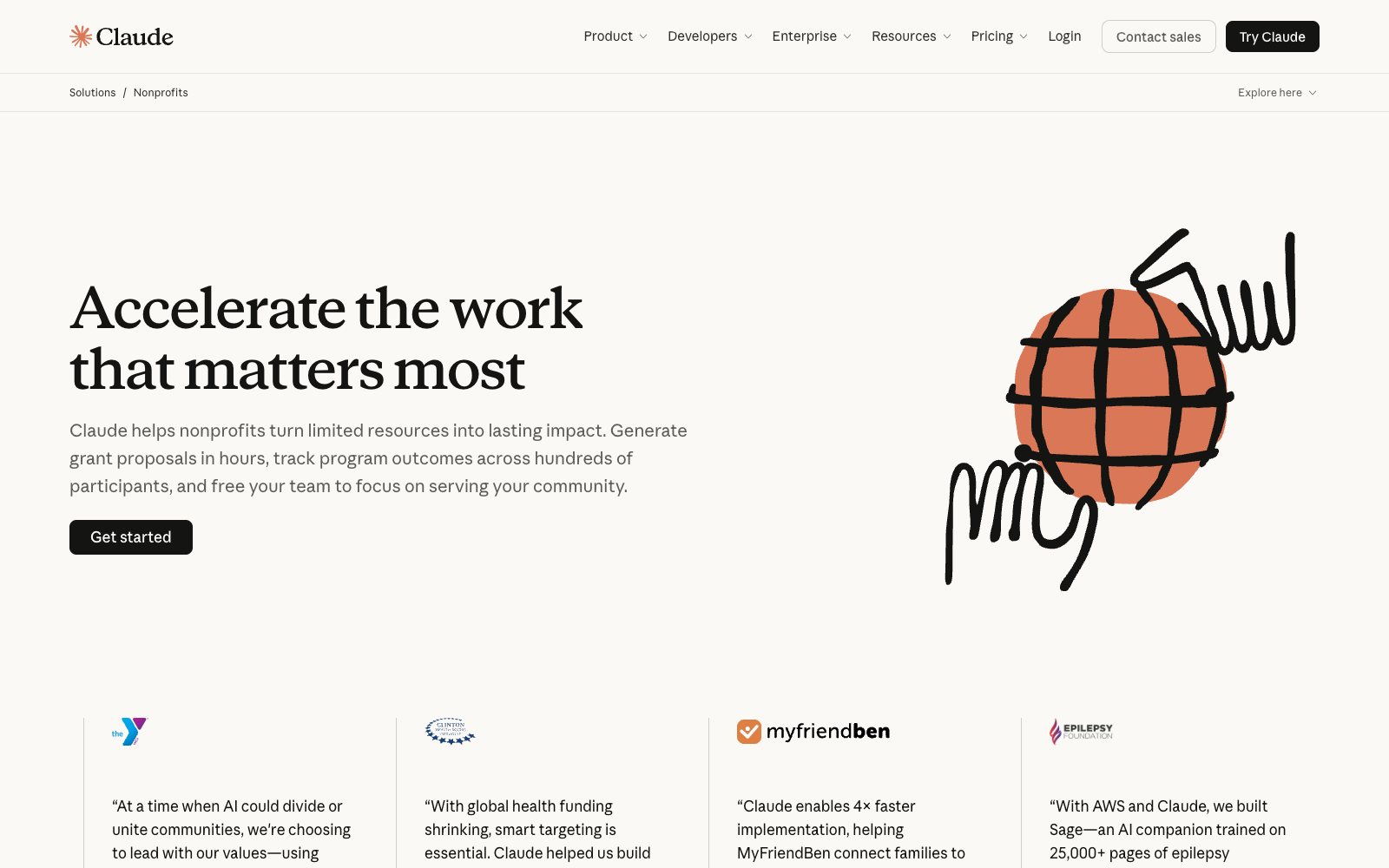 The official program page at claude.com/solutions/nonprofits, captured October 25, 2026
On the page itself, Anthropic describes the goal as helping nonprofits turn limited resources into lasting impact: writing grant applications in hours, tracking program outcomes across hundreds of participants, and freeing staff to focus on community work. The practical difference from a regular subscription comes down to three things: price, dedicated connectors, and a verification path that replaces the sales call.
Anyone who is not yet familiar with Claude itself can start with the complete guide to Claude in Hebrew and return here when the nonprofit is ready to open an organizational account.
What do you get with the nonprofit plan?
The nonprofit Team plan includes Claude and Claude Code, file creation, nonprofit connectors, secure sign-on, and centralized management, with a minimum of 2 seats. This is the full list as it appears on the plan card:
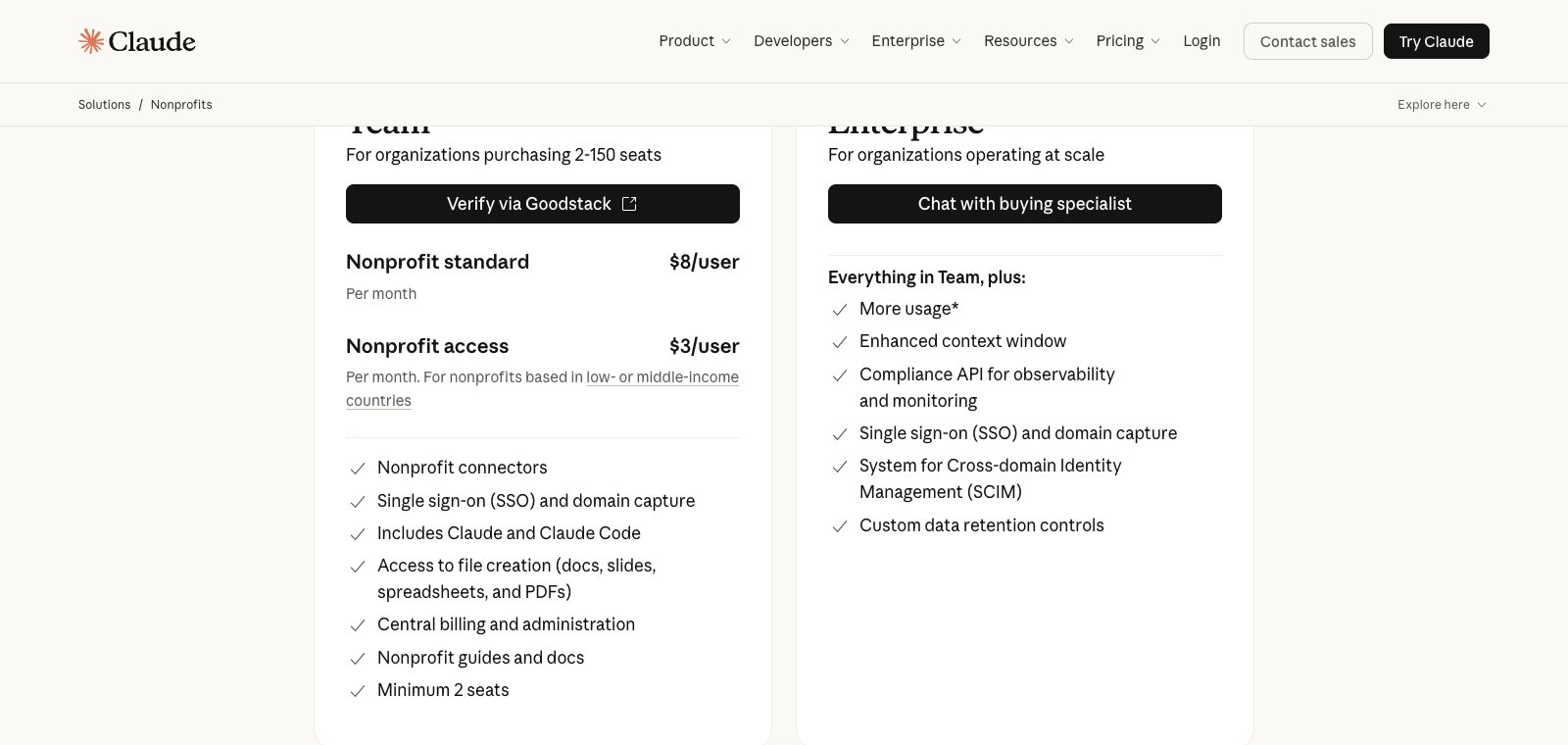 Team and Enterprise plan cards on the program page. Screenshot: claude.com
- Nonprofit connectors: Direct connections to systems the nonprofit already works with.
- Secure sign-on (SSO) and domain capture: Anyone who signs in with the organization's email is automatically linked to the organizational account.
- Claude and Claude Code: Both the chat interface and the tool that builds automations and small utilities.
- File creation: Documents, presentations, spreadsheets, and PDFs, directly from the conversation.
- Centralized billing and management: One invoice, one admin who adds and removes users.
- Nonprofit guides and documentation.
The Enterprise plan adds, according to the page, higher usage limits, an extended context window (the amount of material Claude holds in its head in a single conversation), a Compliance API for monitoring, automated user management (SCIM), and control over data retention duration. It is suited to a large organization with an IT department, not a five-person nonprofit.
Which connectors are available for nonprofits?
The three dedicated connectors are Blackbaud, Benevity, and Candid, alongside connectors for general work tools. According to Anthropic's getting-started guide, each one does something different:
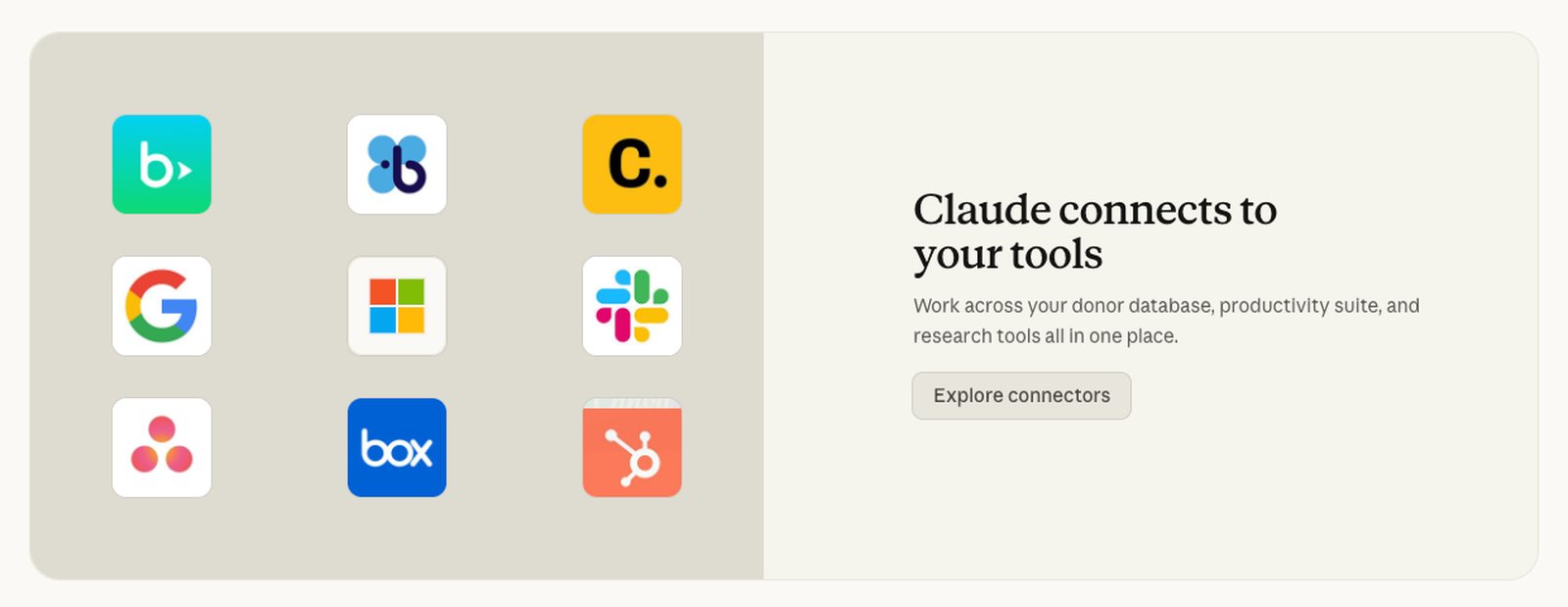 Some of the connectors shown on the program page. Screenshot: claude.com
| Connector | What it provides |
|---|---|
| Blackbaud | Connection to Raiser's Edge NXT: donor records, giving history, events, and personalized outreach |
| Benevity | A database of verified nonprofits, for researching partners and areas of activity |
| Candid | Nonprofit and foundation search with profiles, financial data, and grant information |
| General tools | Microsoft 365, Gmail, Google Drive, Asana, Slack, and HubSpot, with Box and Canva also appearing on the page |
To be honest: Blackbaud and Candid are primarily used in the United States. For the average Israeli nonprofit, the useful connectors will be Google Drive, Gmail, and Microsoft 365, because that is where grant applications, reports, and meeting minutes live. For a broader look at connectors and how to set them up, I wrote a guide to Claude connectors.
Who qualifies for Claude for Nonprofits, and who does not?
Eligible organizations include American 501(c)(3) organizations and their international equivalents, K-12 schools, and certain types of community health institutions. Not eligible: government bodies, political campaigns, higher education institutions, and health systems. This is how it is worded in the FAQ of the official getting-started guide:
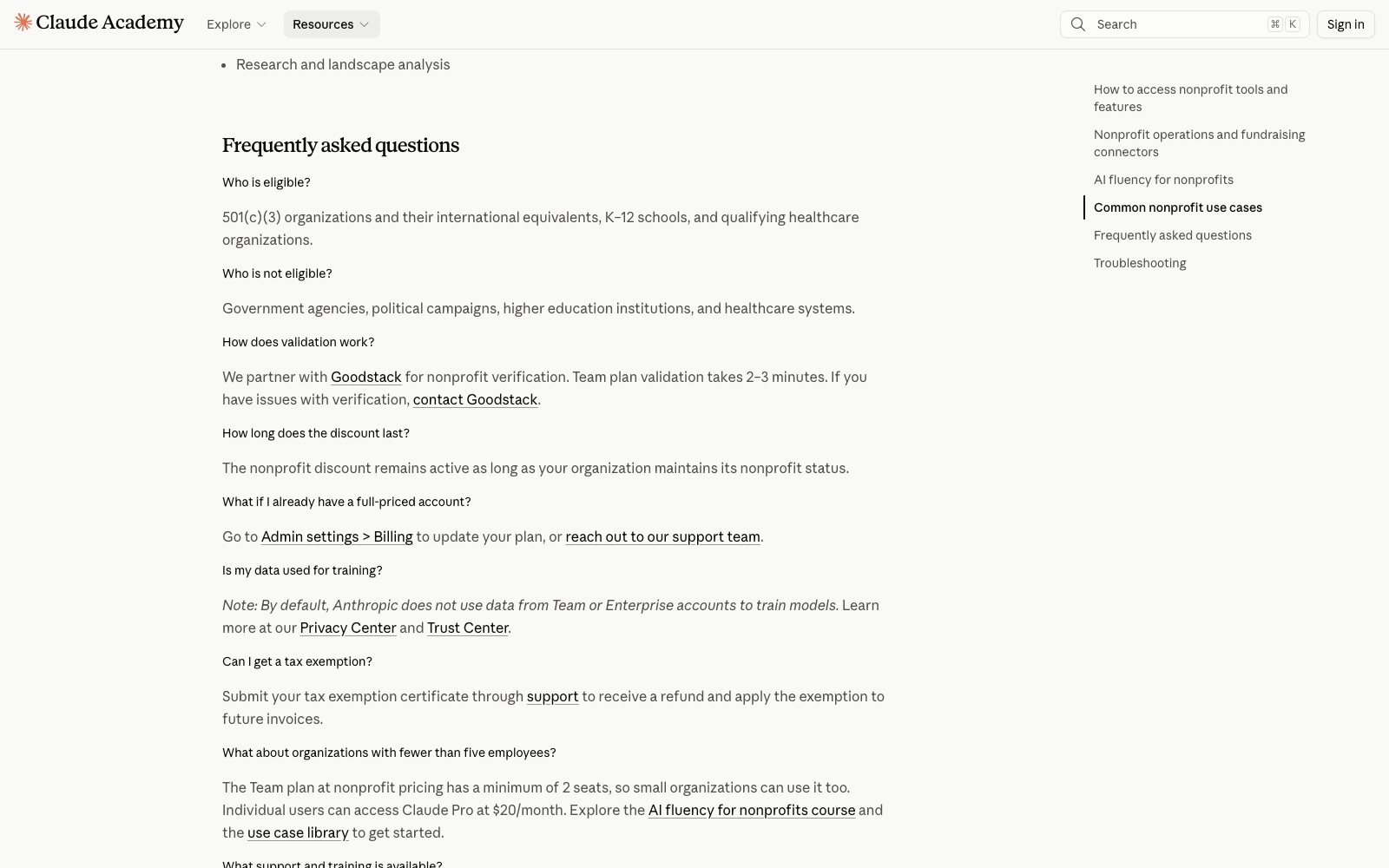 The FAQ from the Getting started with Claude for nonprofits guide. Screenshot: academy.claude.com
Eligibility in healthcare is very narrow. According to the program page, eligible organizations include independent rural Critical Access Hospitals, rural emergency hospitals, federally qualified health centers (FQHCs), and rural health clinics. All of these are American classifications. An Israeli hospital or health fund does not fall into this category.
Does an Israeli nonprofit count as an "international equivalent"?
Yes, according to Goodstack's definitions list, which verifies nonprofits on behalf of Anthropic. That list specifies, country by country, which types of organizations qualify as nonprofits. For Israel, eight types are listed:
- Amuta
- Amuta with proper management certification
- Public Benefit Company (Chevra LeTo'elet HaTzibur)
- Public endowment
- Public endowment with proper management certification
- Public institution approved for tax exemption
- Public Endowment Organization
- Religious endowment
Note the small detail: "Amuta" and "Amuta with proper management certification" appear as two separate types. According to the list, proper management certification is not a prerequisite. In addition, Goodstack defines three general conditions that apply to every country: the organization is recognized as a nonprofit by the local regulator, operates on a not-for-profit basis, and operates for the benefit of the public.
What is not eligible? Beyond Anthropic's exclusions, Goodstack states explicitly that it cannot verify an organization that is not required to register in order to operate. An unregistered volunteer group, or an initiative that has not yet received a nonprofit registration number, needs to complete registration first.
How much does Claude cost for a nonprofit, compared to the regular price?
An Israeli nonprofit can expect to pay $8 per user per month, instead of $20 on an annual plan or $25 on a monthly plan for a standard Team subscription. Here is the comparison, based on the nonprofit program page and Claude's general pricing page as they appeared on October 25, 2026:
| Standard Team seat | Nonprofit Standard | Nonprofit Access | |
|---|---|---|---|
| Price per user per month | $20 on annual billing, $25 on monthly billing | $8 | $3 |
| For whom | Any organization | Verified nonprofits | Nonprofits in low- or middle-income countries |
| Relevant for an Israeli nonprofit? | Yes | Yes | No |
| Number of users | 2 to 150 | 2 to 150 | 2 to 150 |
| 5-person nonprofit, per month | $100 to $125 | $40 | Not relevant |
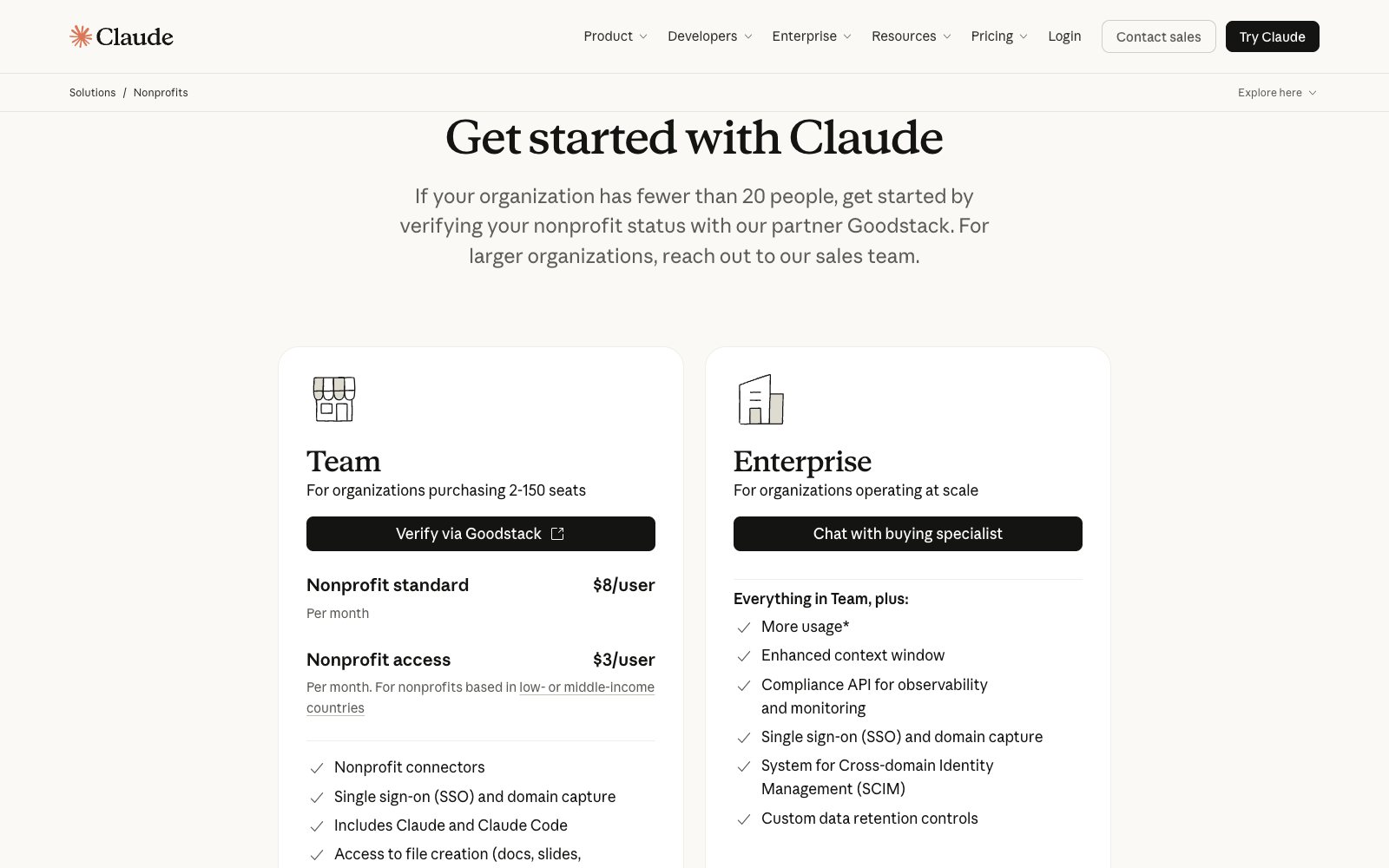 The pricing section of the program page. Screenshot: claude.com
Why is the $3 tier not relevant? That tier is defined as being "for nonprofits located in low- or middle-income countries," with a link to the World Bank classification. Under the World Bank's current classification, Israel is on the high-income country list. Israeli nonprofits should therefore budget based on $8 per user.
Three small notes worth knowing before submitting a budget to the board:
- Tax: The page states that prices do not include applicable taxes. Anthropic notes that it is possible to submit a tax exemption certificate through support and receive a refund. How this applies to VAT in Israel is worth checking with the nonprofit's accountant.
- Annual or monthly: The nonprofit page does not specify whether the $8 is billed annually or monthly. It is worth checking the payment screen after approval.
- Single user: Someone working alone can use Claude Pro at $20 per month, according to Anthropic. The nonprofit discount applies only to Team and Enterprise. For a look at what is possible before paying anything at all, there is a guide to Claude's free tier.
How an Israeli Nonprofit Applies, Step by Step
An organization of fewer than 20 people goes through verification via a Goodstack form and receives an email to complete setup. A larger organization contacts Anthropic's sales team. Here is the full process, including what to prepare beforehand.
Step 0: Gather Your Materials Before Opening the Form
This preparation is what cuts the process from days to minutes. According to the Goodstack Help Center, these are the factors that affect speed:
- An organizational email address. You can apply with a personal email, but Goodstack recommends using your nonprofit's domain email, because that is how it quickly verifies that you actually work there. If the nonprofit does not have a domain, now is the time to consider getting one.
- A website or social media page. A website speeds things up. If there is no website, Goodstack accepts a link to the nonprofit's main social media page, or any site that mentions the organization's name and purpose.
- A registration document, in case the nonprofit is not in the database. Documents are not required if Goodstack finds the organization in its own database. If it does not, upload an official document such as a registration certificate, tax-exempt status approval, or registrar extract, showing the nonprofit's name.
- Documents proving your affiliation with the nonprofit, if requested. According to Goodstack, every document must be an original PDF, without redactions, showing the organization's legal name. An organizational document (bylaws, board meeting minutes, an employment or volunteer confirmation letter) must be dated more than 30 days before submission. A bank document must be an original electronic statement, not a scan. One document of each type speeds up the review.
A practical tip: copy the nonprofit's registration number and exact English name, if one exists, directly from the official registry rather than from memory. The name you enter must match the name on your documents.
Step 1: Open the Goodstack Verification Form
Go to validate.poweredbypercent.com/anthropic, or click Verify via Goodstack on the program page. The first screen asks one thing: where your organization is registered.
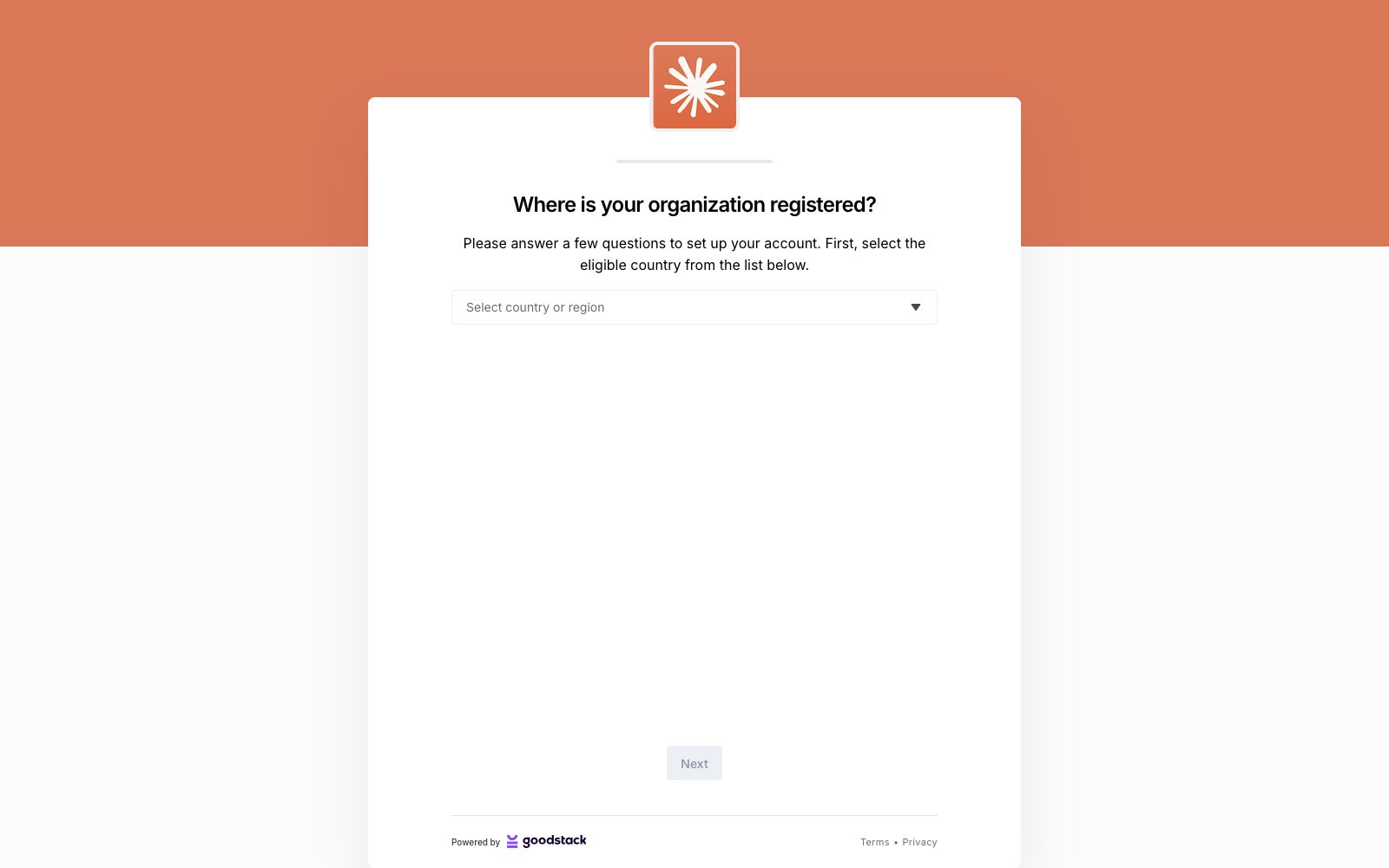 The opening screen of the verification form, before entering any data. Screenshot: Goodstack
Select Israel from the list and click Next. This guide stops here deliberately: I did not fill out the form on behalf of any organization, so I am not describing the subsequent screens from personal experience. According to the Goodstack Help Center, the next step asks you to search for your organization in the database. If it does not appear, you select "I can't find my organization" and add details so that Goodstack can add it.
Step 2: Wait for Approval, and Check Your Spam Folder
According to Anthropic, filling out the form takes 2 to 3 minutes. According to Goodstack, processing an application takes up to 72 hours, and often less. Both numbers are correct together: the minutes are your time with the form, and the hours are the review time on the other side.
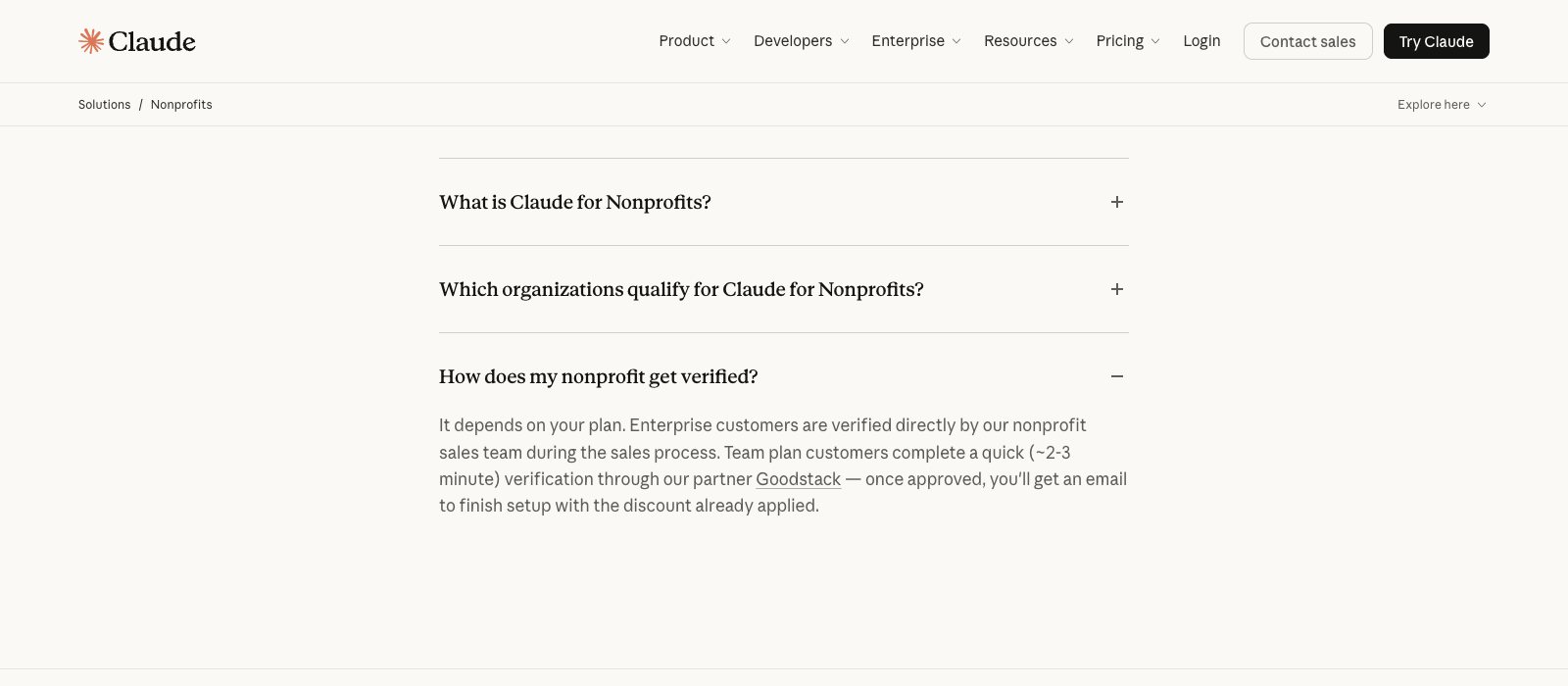 The official explanation of the verification process. Screenshot: claude.com
All updates are sent to the email address you used to apply. Goodstack explicitly recommends checking spam and promotions folders as well. If Goodstack sends an email to someone else at the nonprofit to confirm your affiliation, make sure that person knows to expect it and does not delete it.
Step 3: Complete Account Setup
According to Anthropic, once approved, you receive an email to complete setup with the discount already applied. From there it works like setting up any Team account: choose an admin, configure the domain, and invite team members.
Two common problems, and the official solutions from the getting-started guide:
- The discount link is not working: Clear your browser cache and try again in an incognito window. If that does not help, contact support.
- The Team option is grayed out: Make sure you are logged into the correct account and that you have admin permissions.
One more question that comes up often in nonprofits that work with volunteers: according to Anthropic, not all team members need an email address on the same domain.
What If the Nonprofit Has More Than 20 People?
Anthropic directs organizations of 20 or more to its sales team, via the Chat with buying specialist button. Note the gap: the Team plan itself is designed for 2 to 150 seats, but the Goodstack self-verification path is presented for organizations of fewer than 20. A nonprofit with 40 employees is not left out. It simply goes through verification via the sales team rather than the form. For Enterprise customers, according to the page, verification is handled directly by the nonprofit sales team.
I tried to capture a screenshot of the sales team chat page as well, but it is protected by a bot-detection security check, so there is no screenshot of it here. It opens perfectly normally in a regular browser.
What If the Nonprofit Already Has a Full-Price Subscription?
According to Anthropic, go to Admin settings and then Billing to update the plan, or contact the support team. The discount remains valid as long as the organization maintains nonprofit status.
What to Do in the First 30 Days
My rule: do not start with the tool, start with the task that costs your team the most hours. Here is a plan for the first month, week by week. All prompts assume you have already removed any identifying information about beneficiaries beforehand (more on that in the next section).
Week 1: Grant applications and funding requests. This is the task where the blank page costs the most. Upload your nonprofit's vision document, a successful past application, and the new call for proposals to a Claude Project, and ask for a draft.
I am a resource development coordinator at a nonprofit working in [field]. I have attached three files: our organization's background document, a grant application that was approved last year, and the call for proposals from [name] Foundation.
Write a first draft of the new application in Hebrew, following the sections the call for proposals requires and in the same order.
In each section, use only the facts and figures that appear in the files I attached. If a data point is missing, write [missing: ...] and do not fill it in yourself.
At the end, provide a list of 5 questions the foundation may ask that are not answered in our materials.
Week 2: Donor reports and impact reports. The same data gets written over and over in different formats. Upload a summary spreadsheet (without names) and ask for several versions.
I have attached a spreadsheet with activity data from last quarter: number of participants by program, sessions held, and completion rates. It contains no identifying details.
Prepare three versions of an impact report in Hebrew:
1. A one-pager for an individual donor, in a warm tone with one representative story (leave a placeholder for a story I will write).
2. A detailed report for a foundation, with a table and metrics against defined targets.
3. Five lines for a newsletter.
Every number in the report must appear in the spreadsheet. If you calculated a percentage or average, show the calculation in a note.
Week 3: Volunteers. Role descriptions, an onboarding sheet, and a thank-you message template. Anthropic itself lists volunteer management as one of the use cases on the program page.
We are recruiting volunteers for [program name], which takes place [days and times] at [location].
Write:
1. A short volunteer role description covering what is expected and what they receive.
2. An onboarding sheet for the first week: who they will meet, what they will learn, and what they must not do (including participant privacy rules).
3. A template for a monthly WhatsApp thank-you message, in a personal and informal tone.
Write in plain Hebrew, for volunteers between the ages of 16 and 70.
Week 4: Board and meetings. A board meeting protocol summary with decisions, responsible parties, and dates.
I have attached a transcript of the board meeting from [date].
Prepare a summary in Hebrew in this structure: attendees (roles only), topics discussed, decisions made, tasks with owner and due date, and items deferred to the next meeting.
Do not add any decision that was not stated explicitly. If something in the transcript is unclear, mark it [to verify].
At the end, write a draft of a brief email to board members with the summary.
And one bonus prompt, worth running before you start anything else:
We are a nonprofit with [number] staff and [number] volunteers working in [field], and we have just started using Claude.
Help me write a one-page AI use policy for the team: what types of information may be uploaded, what is never permitted (identifying information about beneficiaries, minors, medical data), who approves an output before it goes out, and what to do if someone accidentally uploads sensitive information.
Write in clear Hebrew, without legal jargon. This is a draft that the nonprofit's lawyer will review.
Two features will help you turn this into a routine. Projects in Claude store your standing organizational materials so you are not uploading them again at the start of every conversation. And anyone who wants Claude to work directly with folders on their computer, read documents, and create files on its own will find that in the Claude Cowork guide.
How to Protect Beneficiary Privacy
The first rule, before the first prompt: identifying information about beneficiaries does not go into Claude without a formal organizational policy in place. This is not a footnote at the end. A nonprofit holds information about people in vulnerable situations: minors, health status, family circumstances, financial hardship.
What Anthropic says: according to the getting-started guide, by default the company does not use data from Team or Enterprise accounts to train models. The program page also notes that the plans can be configured to meet the requirements of SOC 2 Type II, ISO 27001, ISO 42001, and CSA Star. That is good, and it is not enough. Not being used for training does not mean everything is fair to upload.
The Israeli context: Amendment 13 to the Privacy Protection Law, which came into effect in 2025, strengthened the obligations of anyone holding personal data databases and expanded the powers of the Privacy Protection Authority. I am not a lawyer, and this is not legal advice. What is clear: a nonprofit that uploads information about beneficiaries to an external tool needs to do so deliberately, with a written policy, not because someone on the team pasted in a spreadsheet.
My practical recommendation, in four steps:
- Work with structure, not with case files. Most of the work (applications, reports, training materials) does not require names at all. Aggregate numbers are sufficient.
- Remove identifying details before uploading. Names, ID numbers, addresses, phone numbers, dates of birth, and medical details are replaced with codes (Participant A, Participant B).
- Every output is a draft. Define who approves each type of output before it is sent to a donor, a foundation, or a family.
- Policy before training. The last prompt in the previous section is a good starting point, and after that a legal professional should review it.
What Is the AI Fluency for Nonprofits Free Course?
AI Fluency for Nonprofits is a free Anthropic course for nonprofit teams, built in partnership with GivingTuesday, and requires no technical background. According to the course page on Claude Academy, it includes 9 lessons, one quiz, and a completion badge you can share.
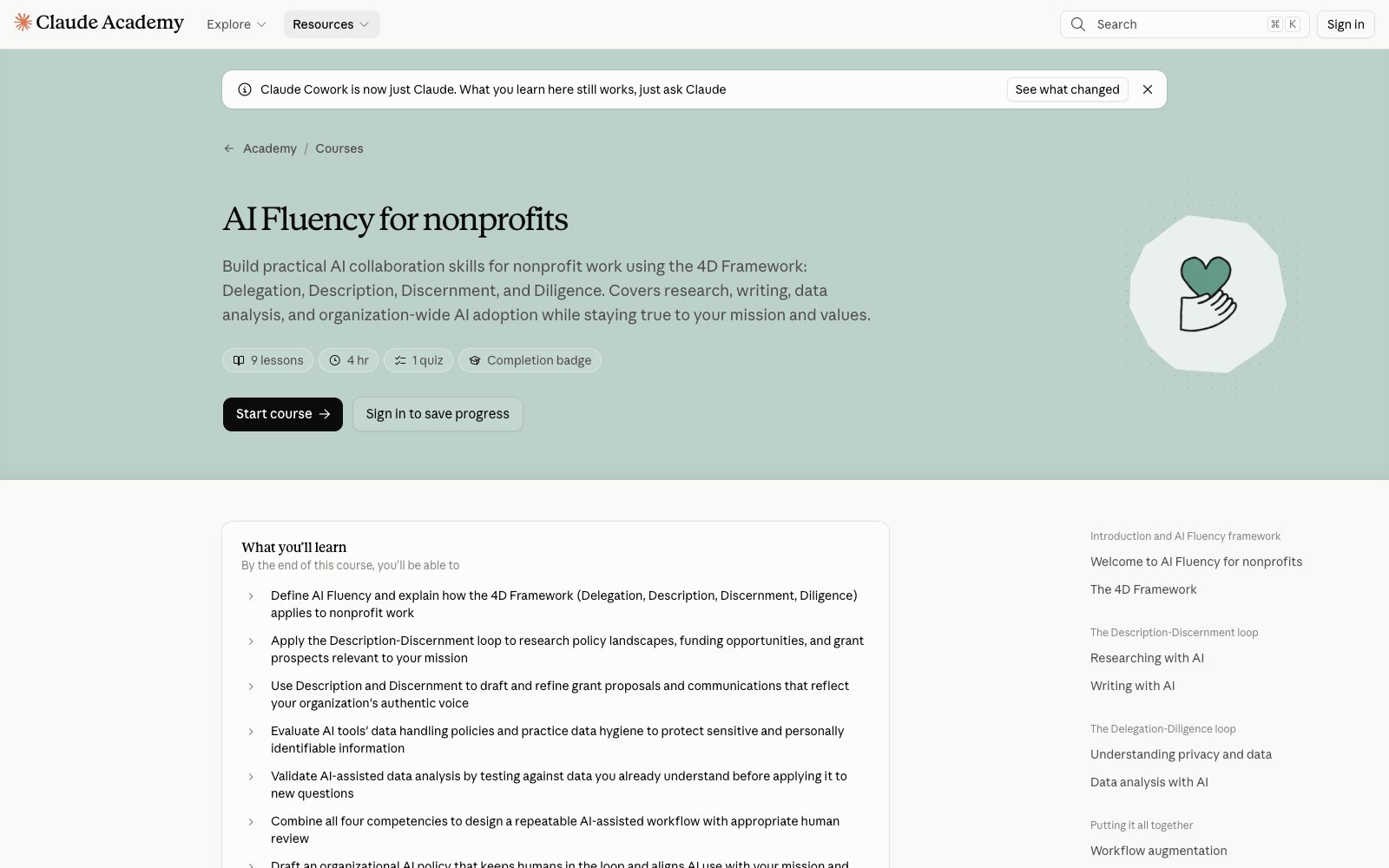 The course page on Claude Academy. Screenshot: academy.claude.com
The course is built around a framework called the 4Ds: Delegation (what you hand off to AI), Description (how you explain it), Discernment (how you evaluate what it returns), and Diligence (the responsibility that stays with the human). According to the course page, by the end participants should know how to research funders and grants, write grant proposals in the organization's voice, protect personal information, check data analysis against numbers they already know, and draft an AI policy for the organization.
The course is in English. Anyone who prefers to learn Claude in Hebrew, at their own pace, can use the Claude video course or the Claude 2026 course.
In Short: What Do You Do Now?
Three steps, in order: confirm that your nonprofit is registered as one of the eight types listed on Goodstack, prepare your organization's email address and registration document, and only then open the application form. After approval, start with the single task that eats up the most hours, and a one-page privacy policy.
Eight dollars per user is not the story. The story is how many hours come back to the work you do with the people you serve.
Claude for Nonprofits Workshop with Yaakov Tzedek
Anthropic's discount solves the price. It does not solve the question that arrives in week three: what exactly do you do with this on a Monday morning. That is where my work with nonprofits begins.
I am Yaakov Tzedek, an AI expert, lecturer, and AI implementation consultant for organizations. I build AI workshops for nonprofits around each organization's real work, and Claude is one of the central tools in them: grant applications, donor reports, board meeting summaries, volunteer training materials, and advocacy content. And the same rule opens every workshop: identifying information about beneficiaries does not go into external tools.
There are four formats, depending on the size of the organization and its goals:
- Full-team introductory lecture: one to one and a half hours, with live demos drawn from nonprofit work, no cap on participants.
- Intensive training day: every participant at a computer, leaving with at least one process running end to end.
- AI Champions program: training one point person from each branch or program, with ongoing monthly support.
- Executive coaching: where AI changes the picture at the organizational level, and which rules get written into policy.
Pricing is tailored to the nonprofit sector and is built after a short discovery call, because there is a significant difference between a single lecture and an annual program. All the details are on the AI for Nonprofits page, and you can also leave your details on the contact page to hear back.
The information in this guide was verified against Anthropic's and Goodstack's official sources on October 25, 2026. Prices and terms may change at Anthropic's discretion, so it is worth confirming them on the program page before applying.
Frequently asked questions

Yaakov Tzedek
An Israeli AI lecturer, consultant and implementer who has supported 100+ organizations in AI implementation and lectured for 200+. Official content partner of Meta, Google, Canva and TikTok, featured on Israel's Channel 13.
More about Yaakov →