- ChatGPT Ads Manager is open to Israeli advertisers. Full guide: who sees ads, account setup, 60 ILS/day minimum budget, CPC and CPM, context hints, Pixel, prohibited categories, and official data.
ChatGPT ads are not shown at all to Plus, Pro, Business, Enterprise, or Edu subscribers, or to accounts identified as belonging to users under 18. They appear only to Free and Go users, only below the answer, and never in temporary chats. In other words, the audience you are buying is not "all ChatGPT users" but the portion that does not pay for an advanced subscription.
On September 17, 2026, at 8:15 in the morning, an email from OpenAI landed in my inbox: ChatGPT Ads Manager is now available to advertisers based in the Middle East. In the official availability table, Israel was marked Available that same morning. That is not even the interesting part.
The interesting part is what the advertising policy says, and why a large share of Israeli businesses that jump at the opportunity, law firms, medical clinics, insurance agents and mortgage advisors, will get stuck at the approval stage. And alongside that, why an online store with a product feed, a digital college or a SaaS company could actually be among the first to master this channel in Hebrew.
One more thing, in full honesty: three days ago we published a piece here on the upcoming ChatGPT ad format, which stated that Israel was not on the list of supported markets. I checked again this morning against the official help page, and the picture had changed. That is why every fact in this guide is linked to a source, with a verification date.
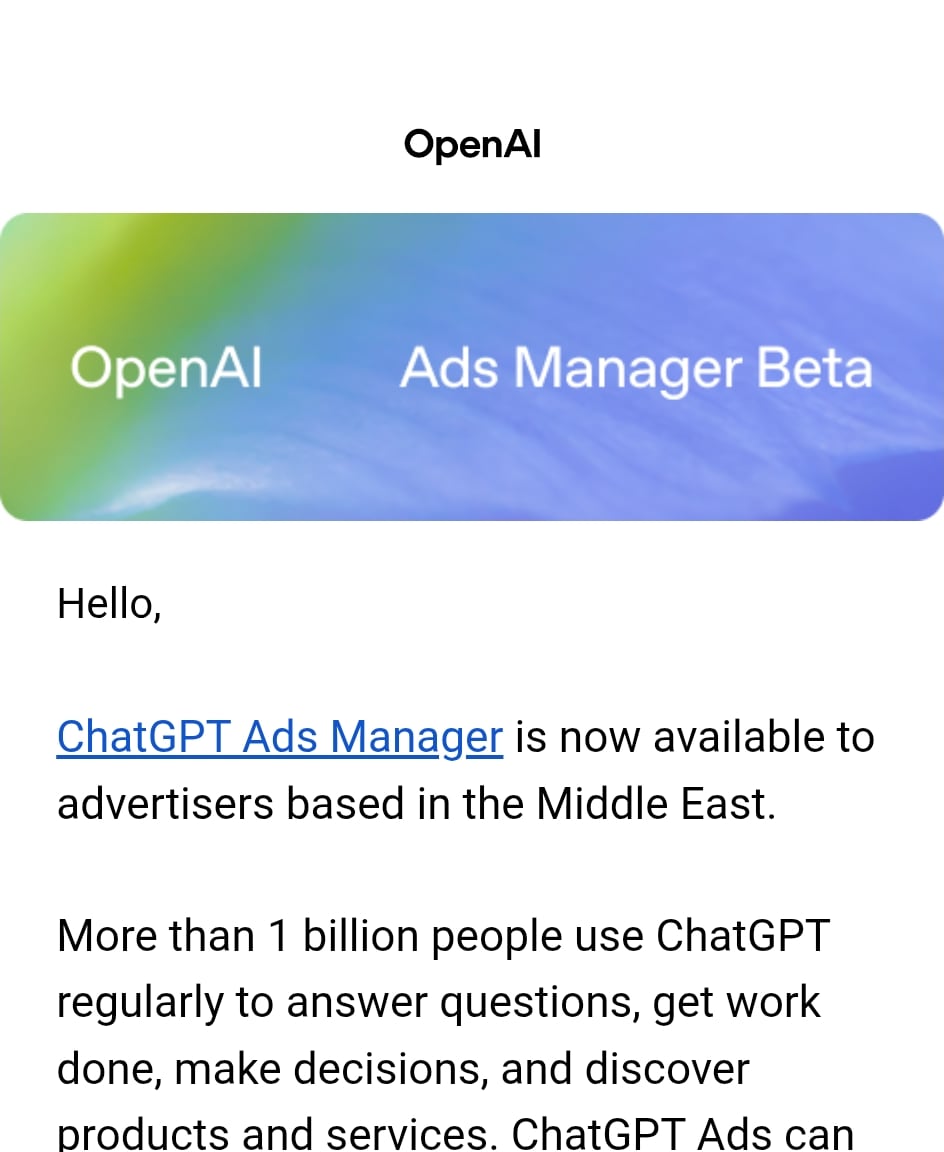 The email from OpenAI dated 17.9.2026: "ChatGPT Ads Manager is now available to advertisers based in the Middle East." Screenshot: Yaakov Tzedek's inbox
Update October 5, 2026, rechecked against official sources: Israel is still marked available for self-service, and the country list has grown to 63. Ads are now shown to logged-out users as well, not only to logged-in ones. OpenAI announced today an ad format during image generation (US-only test, later this month) and Negative Phrases, the ability to exclude certain conversations, for advertisers who meet unpublished criteria. ChatGPT now reaches 1.2 billion people per week. And an important pixel correction: purchase amount is sent in agorot, so 9.90 ILS is
990. I broke all of this down, on real screens from my own account, in the ChatGPT paid advertising video course.
In short
| Question | Short answer |
|---|---|
| What is it? | OpenAI's self-serve advertising platform, at ads.openai.com, where a business creates a campaign that appears below ChatGPT responses. |
| Is it available from Israel? | Yes. Israel is marked Available in the official availability table (verified September 17, 2026). The legal entity must be registered in an available country. |
| Who sees the ads? | Free and Go users aged 18 and up. Not Plus, Pro, Business, Enterprise or Edu users, and not in Temporary Chat. |
| What does it cost? | A minimum daily budget of 60 ILS per campaign. Pricing by impressions (CPM), clicks (CPC) or conversion optimization. |
| What is prohibited? | Among other things: alcohol, gambling, politics, dating, and financial, medical and legal services outside the United States. |
| How large is the channel? | Per OpenAI: an annualized revenue run rate of one billion dollars in under 200 days, and tens of thousands of advertisers. |
| What is the single most important thing to know? | There are no keywords here. There are "context signals," and the ad is chosen based on the conversation. This is a new skill set, not a copy of Google Ads. |
What is ChatGPT Ads Manager?
Definition: ChatGPT Ads Manager (also called OpenAI Ads Manager) is OpenAI's platform for creating, launching and managing campaigns in ChatGPT Ads, with tools for performance tracking and editing in one place. It is in beta and accessible at ads.openai.com.
In plain terms, this is the "Meta Ads Manager" or "Google Ads" of ChatGPT. You register as a business, enter a payment method, build campaigns, ad sets and ads, set a budget and bid, and receive reports on impressions, clicks, spend and conversions.
The fundamental difference from Google is the moment when the ad appears. OpenAI describes ChatGPT as a place where discovery, consideration and decision-making all happen within the same experience: a person explains what they want to achieve, what matters to them and what their constraints are, and ChatGPT helps them define criteria and compare options. The ad enters that moment, right below the response.
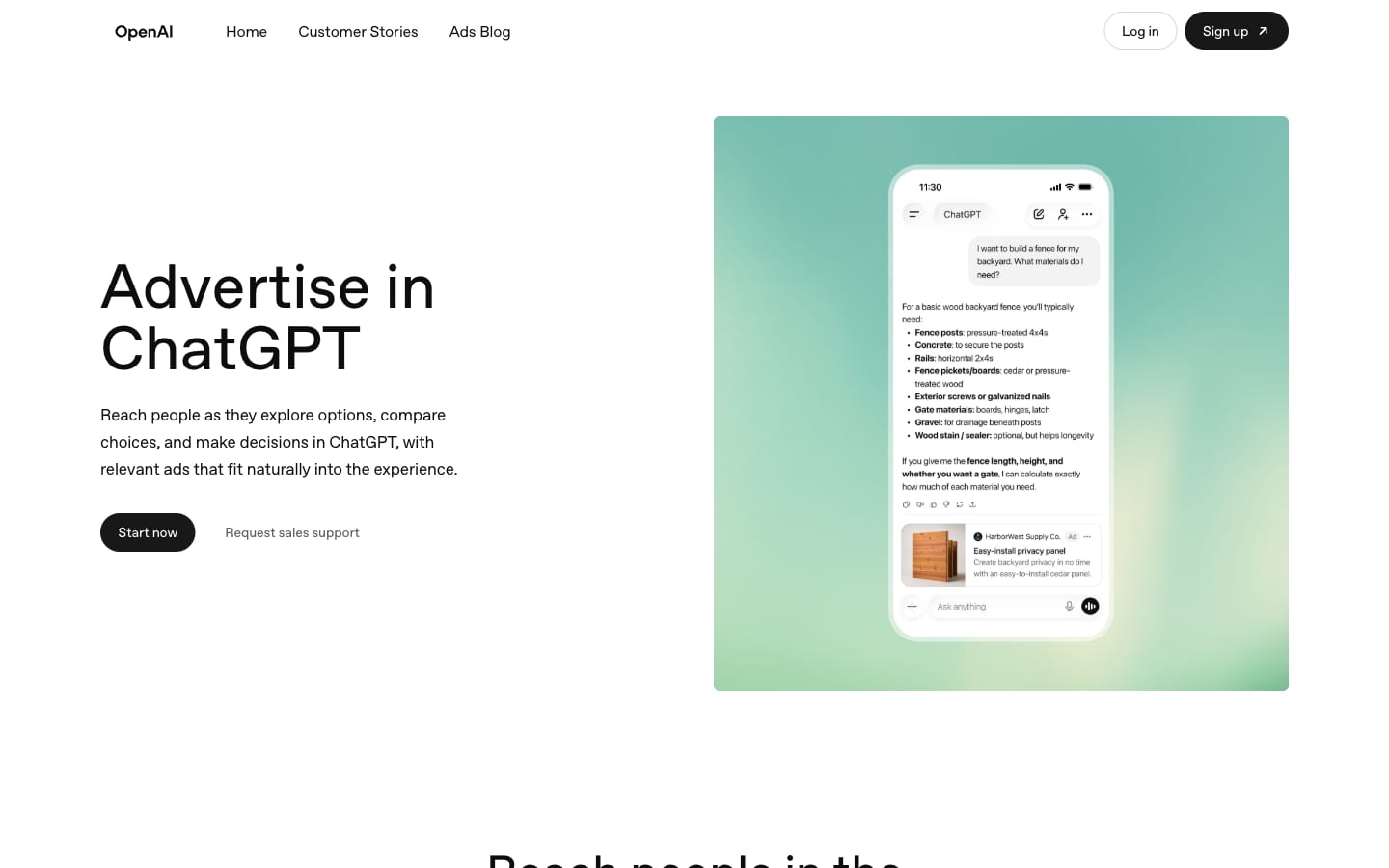 The advertising platform homepage. Notice the phone mockup: a question about building a fence, a detailed answer, and below it an ad marked "Ad" from a building materials supplier. Screenshot: ads.openai.com, September 17, 2026
How did we get here? The ChatGPT advertising timeline
In less than eight months, advertising on ChatGPT went from a statement of intent to a self-serve platform available in Israel. Here are the milestones, based on official sources:
- January 16, 2026: OpenAI publishes its advertising principles, authored by Fidji Simo, the company's CEO of Applications. Five principles: relevance to the task, independence of responses, conversation privacy, choice and control, and long-term value.
- February 9, 2026: The advertising trial begins in the United States, for Free and Go users.
- February through April 2026: A focused pilot with a small group of advertisers, priced by impressions (CPM). According to eMarketer, the pilot participation threshold dropped in April from 200,000 dollars to 50,000 dollars.
- May 5, 2026: Ads Manager launches in self-serve beta, with cost-per-click (CPC) bidding and measurement via pixel and Conversions API. Agency partners (Dentsu, Omnicom, Publicis and WPP) and technology partners (Adobe, Criteo, Kargo, Pacvue and StackAdapt) are announced simultaneously.
- August 18, 2026: Expansion to Europe.
- August 31, 2026: OpenAI announces an annualized revenue run rate of one billion dollars, and the opening of self-service in India, Europe, the Middle East and North Africa.
- September 16, 2026: New AI tools for advertisers: an Ads Manager extension inside ChatGPT, automatic copy and image suggestions, ad text adaptation and translation, integrations with HubSpot and Shopify, and a Sponsored Agents experiment.
- September 17, 2026: The email to advertisers in the Middle East.
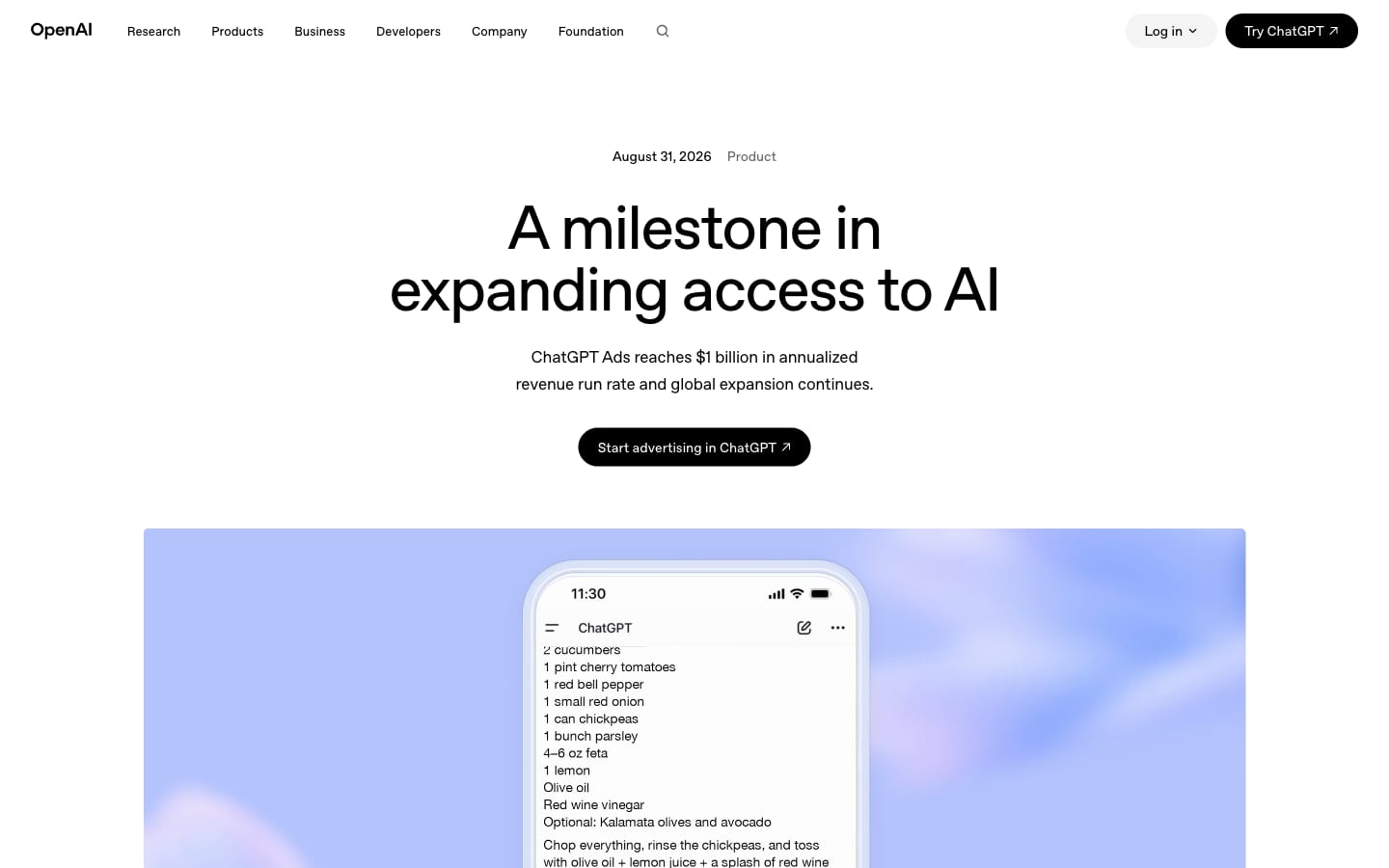 The official announcement from August 31, 2026: "A milestone in expanding access to AI." Screenshot: openai.com
How large is this channel? The official numbers
The central figure: ChatGPT Ads reached an annualized revenue run rate of one billion dollars in under 200 days from launch. That is according to OpenAI's announcement of August 31, 2026. The same announcement includes several other numbers worth knowing:
- More than one billion weekly active users on ChatGPT, whose free tier is supported by advertising.
- Tens of thousands of advertisers are already using the platform.
- More than 40 countries where ads are available, through OpenAI's sales team and partners.
- More than 50 technology and measurement partners.
- Small and medium-sized businesses represent, per OpenAI, "a meaningful share" of the business since Ads Manager launched in May.
- Cost-per-click bidding and outcome optimization already account for the majority of campaigns.
Two performance data points appeared in the same announcement: an e-commerce advertiser that achieved a 3x return on ad spend over 28 days, and a technology partner that reported more than 80% of traffic arriving from ChatGPT ads was from new customers.
What the customer stories tell us
OpenAI's customer stories page features four cases with actual numbers. It is important to read them correctly: these are cases OpenAI chose to publish, not a representative sample.
| Advertiser | What they did | Published result |
|---|---|---|
| Newegg (computer retailer) | Ongoing product feed campaign alongside seasonal CPC campaigns | 3x return on ad spend over 28 days, and 7x during a two-week sale campaign |
| Jotform (form builder) | General campaigns, brand campaigns and usage-based campaigns | More than 10% of clicks converted to sign-ups; cost per sign-up 60% lower than paid social and 30% lower than paid search |
| LegalNature (legal documents, US) | A separate campaign for each document, leading directly to its form | About 40% of visitors started filling out a document immediately, and about 8% completed a full document |
| Stream (developer API interfaces) | Short conversational copy offering a next step to a developer who was stuck | 2x return on ad spend, and more than 70% of clicks converted to website visits |
And what does OpenAI itself say about benchmarks? The official FAQ states explicitly that as an early platform, ChatGPT Ads does not yet have performance benchmarks across advertisers, industries or campaign types. That is the most important sentence in this section. Anyone who promises you a cost per lead on ChatGPT is making it up.
From the field: Notice the common thread across all four cases. None of them succeeded with a generic message. Newegg showed a specific component, LegalNature a specific document, Stream a specific technical problem. In a ChatGPT conversation the person has already detailed what they need, and a generic ad next to that looks like noise.
Can you advertise on ChatGPT from Israel?
Yes. As of September 17, 2026, Israel is marked Available for self-service in OpenAI's official availability table. The table covers 56 countries, including the United Arab Emirates, Saudi Arabia, Jordan, Egypt, Morocco and Turkey.
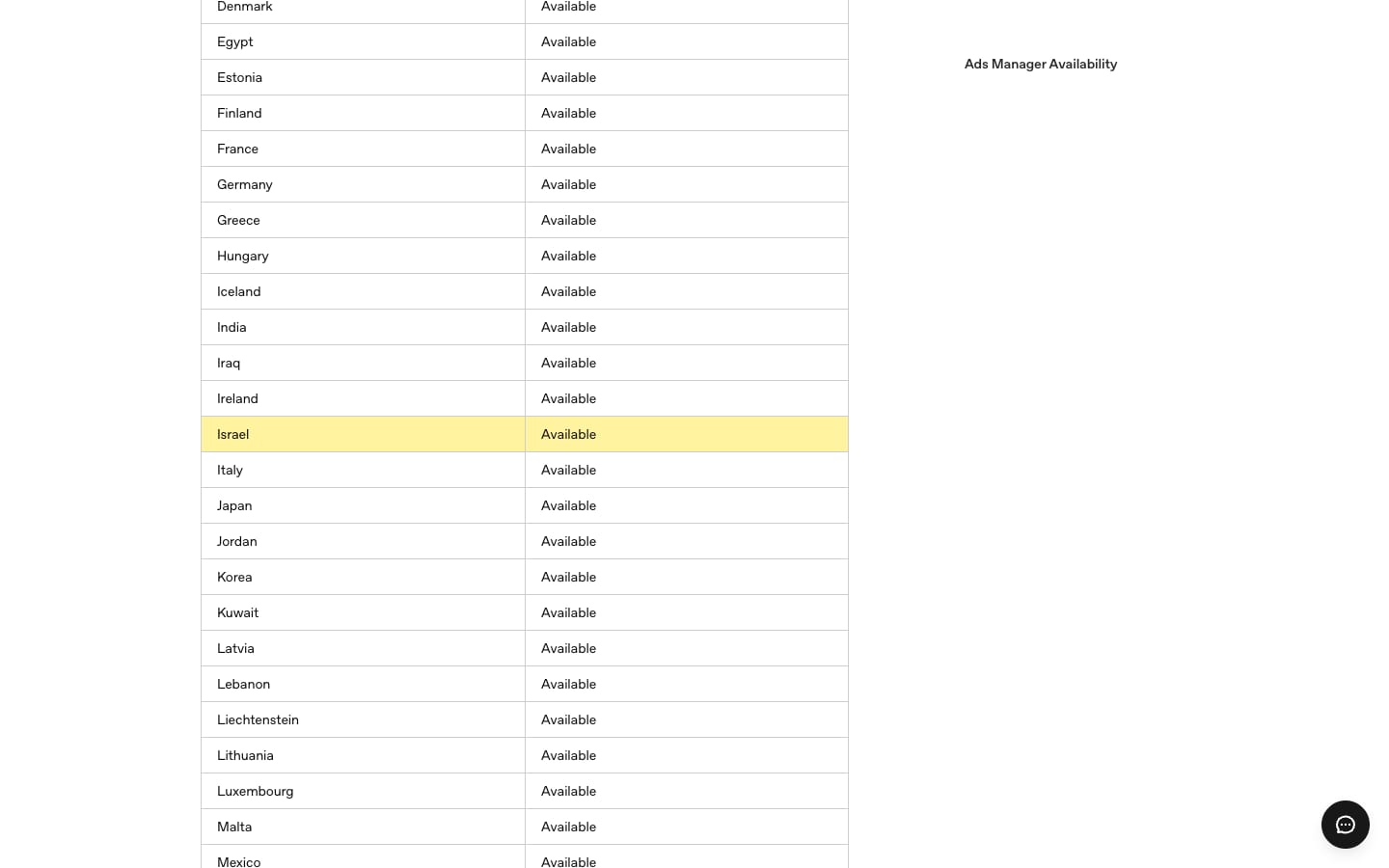 The Ads Manager Availability table in OpenAI's Help Center. The yellow highlight on the Israel row was added by us. Screenshot: help.openai.com, September 17, 2026
A few conditions worth understanding before signing up:
- The legal entity determines eligibility, not the user. According to the Help Center, the entity that advertises and pays must be based in an available country. The country of your personal ChatGPT account does not change that.
- Businesses only. There is no registration for individual private advertisers.
- An agency cannot open an account on a client's behalf. The client opens the account and then invites the agency as a user. This is an important change for Israeli digital agencies, which are used to opening ad accounts themselves.
- A new account starts in its home country. Some new self-serve accounts can initially advertise only in the account's home country. The ability to advertise in additional countries opens up after identity verification is approved and a required spend threshold is reached on campaigns in the home country. OpenAI has not published the amount.
What is not known? OpenAI has not published, in the pages I reviewed, a separate list of countries where users see ads, nor a list of supported ad languages. The Help Center states only that the ad language may differ from the conversation language, and that language selection takes into account location, language settings and the conversation language. Hebrew is not mentioned. The reliable way to check is to open an account and see which targeting options are actually shown to you.
Who sees ads in ChatGPT, and where do they appear?
Ads are shown only to Free and Go users, aged 18 and older, below ChatGPT's response. This is probably the single most overlooked fact among marketers.
Who does not see ads, according to the OpenAI Help Center:
- Subscribers on Plus, Pro, Business, Enterprise, and Edu plans.
- Accounts identified as belonging to users under 18, based on declared age and age prediction.
- Users in Temporary Chat.
- Browsers using ChatGPT Atlas, during the trial period.
- Free users who have opted into the "no ads" tier, which comes with a lower message limit and without some tools.
Where will an ad not appear even for a Free user? Alongside sensitive or regulated conversations: personal health, mental health, and politics, as well as contexts defined by policy as unsuitable for advertising, such as violence, fraud, self-harm, or situations involving emotional dependency on the model.
What does the ad unit itself look like?
Every ad includes six components: advertiser name, favicon, headline, description, landing page, and image. It is labeled as sponsored and visually separated from the response. Sometimes a single unit is shown; sometimes a unit with several items from one advertiser or from multiple advertisers.
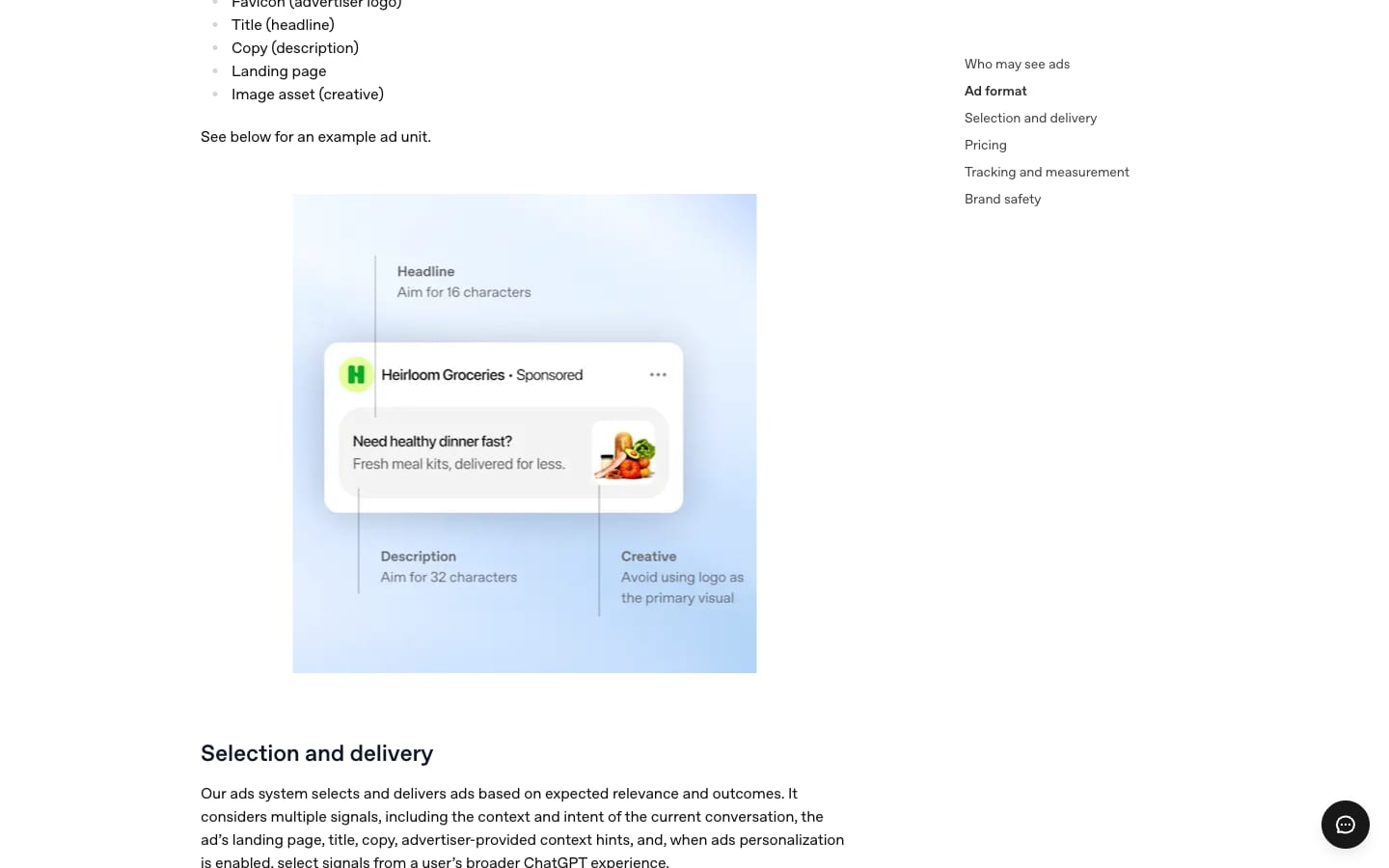 The ad unit as OpenAI presents it in the Help Center: a headline of roughly 16 characters, a description of roughly 32 characters, and an image that is not the logo. Screenshot: help.openai.com, September 17, 2026
Official length recommendations, from the campaign launch guide:
| Component | Recommended | Maximum |
|---|---|---|
| Headline | 16 to 24 characters | 50 characters |
| Description | 32 to 48 characters | 100 characters |
| Image | Square, PNG or JPG | Up to 1200 x 1200 pixels |
A note for Hebrew-language advertisers: 24 characters is very short. "Excel course for businesses, 9.90 ILS" already exceeds that with spaces. Write your Hebrew headlines to this length from the start rather than translating from English.
How does ChatGPT decide which ad to show?
The system selects an ad based on expected relevance and expected outcomes, and ranks competing ads by a combination of relevance and bid. The Help Center details the signals taken into account:
- The context and intent of the current conversation.
- The ad's landing page.
- The headline and description.
- The context hints written by the advertiser.
- The campaign's targeting selections.
- When ad personalization is enabled for the user: selected signals from their broader ChatGPT usage, including past conversations and memory.
The auction is a relevance-weighted, second-price auction. In practice, this means a high bid alone does not guarantee delivery, and a more relevant ad can beat one with a higher bid.
Context hints: the concept that replaces keywords
Definition: Context hints are short sentences the advertiser writes at the ad group level, describing what is being offered, who it suits, and in what situation it is useful. They help the system understand when an ad is relevant to a conversation.
Context hints are not keywords. OpenAI states this multiple times: they are not exact matches, not targeting rules, and they do not guarantee delivery in a specific conversation or to a specific audience. Users do not need to use the words you wrote for the system to identify the need.
The official formula is three questions: what (feature, service, price, service area), who (the customer's need, preference, or situation), and when (the situation or decision in which the offer is useful). Each hint focuses on one idea and does not need to answer all three.
The difference between a weak and a strong hint, using OpenAI's own example: "running shoes" is a weak hint. "Cushioned running shoes for everyday use, for beginners training for their first 5K" is a strong hint.
Three examples in Hebrew, for businesses permitted to advertise:
- Furniture store: "Extendable dining tables for small apartments, suitable for Friday family dinners of 8 to 10 guests"
- Digital college: "Online Excel course for finance staff who need to build monthly reports faster"
- Moving company: "Apartment move within Tel Aviv with furniture assembly and disassembly, including high-floor apartments with no elevator"
What not to write in a hint: display instructions. "Show this ad only to people living in Tel Aviv" is an instruction, and hints do not enforce geographic restrictions, schedules, or exclusions. That is what campaign settings are for.
How to open a ChatGPT Ads Manager account, step by step
Opening an account involves five steps, and campaigns will not run until all of them are complete. This is according to the account setup guide in the Help Center:
- Go to ads.openai.com and register. You need an OpenAI account, preferably on a work email. If you do not have one, you create it during the process. OpenAI recommends that only one account holder per business opens the advertiser account.
- Fill in business details and verify. Business name, website, logo, and industry; country, currency, and time zone. This is followed by additional verification through Persona, an identity verification provider. The account enters review, which includes checking whether the business complies with the advertising policy. OpenAI notes that the review queue is rolling, may take time, and cannot be expedited.
- Complete account details. After the confirmation email, go to Settings and confirm that the account name and logo appear exactly as you want them to appear in the ad. Without this step, ads will not be shown.
- Set up billing and payment. A billing profile (business name, address, invoicing email) and a credit card.
- Invite the team. From Settings, via Users and then Invite.
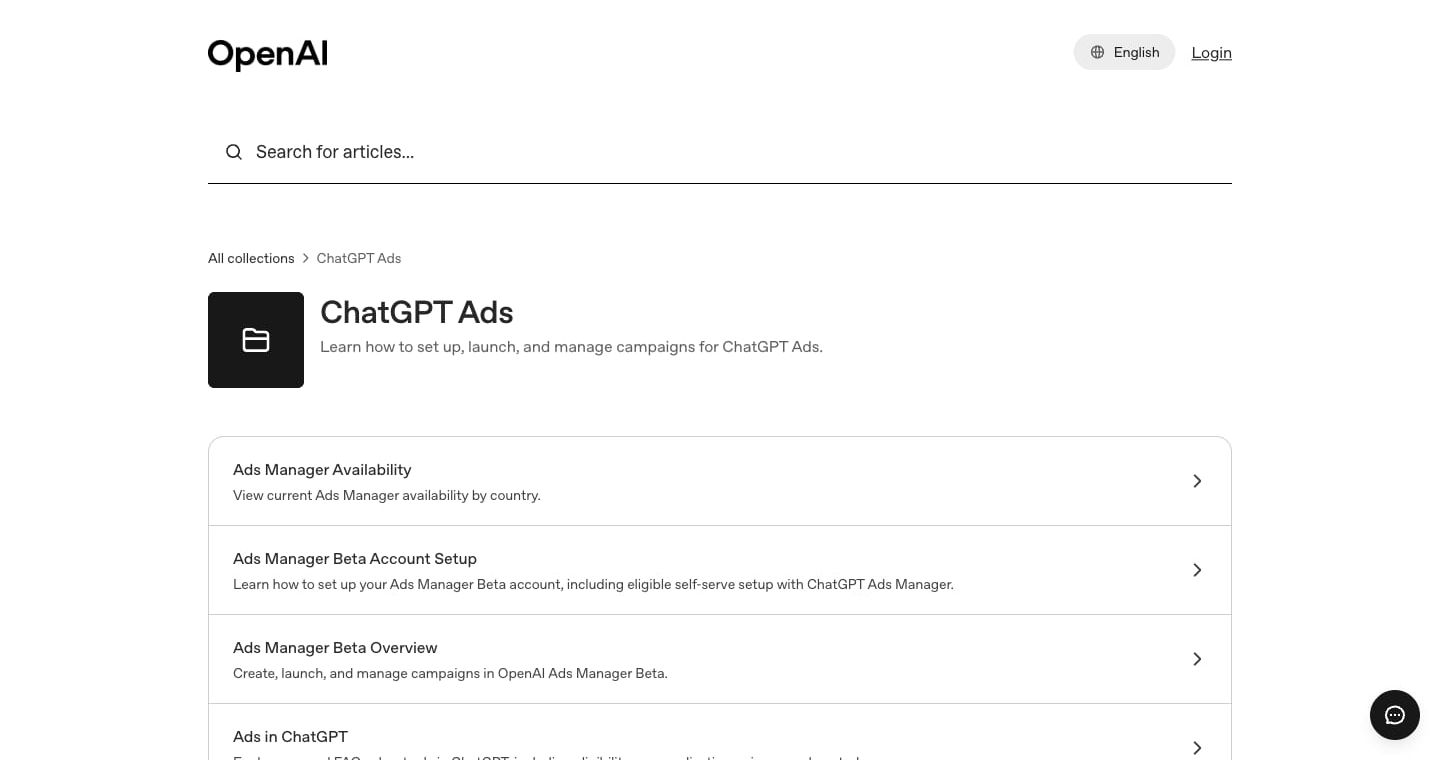 The official ChatGPT Ads guide collection in the Help Center. Every step in this guide is based on it. Screenshot: help.openai.com, September 17, 2026
Three decisions that cannot be changed later
This is the biggest trap in the registration step. Country, billing currency, and time zone are set when the advertiser account is created and cannot be changed. If you make a mistake, you need to open a new account.
For an Israeli business this means choosing Israel, shekels, and the Israeli time zone, unless you have a good reason to do otherwise. The choice affects billing, reporting, and eligibility. The credit card also needs to match the account's country: according to the Help Center, a card associated with a different country may not be accepted.
The agent that sets up your account for you
Since September 16, 2026, it is also possible to start from within ChatGPT itself, using the ChatGPT Ads Manager plugin. You ask ChatGPT to help set up a business advertiser account, choose an organization, confirm the name, website, country, currency, time zone, and logo, then continue to Ads Manager for billing and verification. According to OpenAI, the plugin also allows you to create, update, and analyze campaigns in natural language, and to turn a website or brief into a campaign.
How to build a first campaign
The three-layer structure will be familiar to anyone who has worked in Meta or Google: campaign, ad group, ad. What changes is what sits in each layer.
| Layer | What you define |
|---|---|
| Campaign | Name, objective, conversion event (in a conversions campaign), budget, dates, countries, platforms (optional), custom audiences for inclusion or exclusion (optional) |
| Ad group | One topic or need, context hints, bid strategy |
| Ad | Headline, description, image, landing page |
Choosing the objective: impressions, clicks, or conversions
There are three objectives, and they cannot be changed after the campaign is created:
- Views (impressions, CPM): You pay per 1,000 impressions. Suited to awareness.
- Clicks (CPC): You pay per valid click. Suited to driving traffic.
- Conversions: Optimization toward a single standard conversion event, with billing per click (oCPC) or per impression (oCPM). You do not pay per conversion.
A conversions campaign requires active conversion measurement (a pixel or Conversions API) and at least one standard event. Custom events are not currently supported for conversion optimization.
Bidding
When creating a new ad group, the Maximize results strategy is selected by default: the system sets and adjusts bids to get as many clicks or conversions as possible within the budget. OpenAI notes it does not guarantee a specific cost per conversion, cost per click, or any specific return. Those who need a ceiling choose Manual: Max bid.
For click campaigns, OpenAI recommends starting with a maximum bid of 3 to 5 dollars per click. This is the only published recommendation, and it is in dollars. OpenAI has not published an equivalent shekel recommendation, and for conversion campaigns it states that no recommended amount currently exists.
Targeting
- Location: Countries, and in standard campaigns also regions, cities, and postal codes where available. In product feed campaigns, country level only.
- Platform: Android app, Android web browser, desktop, iOS app, and iOS web browser.
- Custom audiences: Customer lists by email or phone number (in international format with country code), their SHA-256 hashes, or Google advertising IDs. For inclusion, you need at least 25,000 matched users, and OpenAI recommends 100,000. For exclusion, a smaller audience is also acceptable. Audience bid multipliers between 0.1 and 10 are also available.
Why this matters in Israel: 25,000 matched users is a high threshold for a mid-sized Israeli business. A customer list of 30,000 addresses can easily yield fewer matches. For most businesses, the realistic use of audiences will be exclusion: not showing ads to existing customers.
Product feeds
For online stores there is a separate path: a product feed campaign. You upload a catalog (CSV or TXT file, a hosted URL, or SFTP), filter which products to include, and build a single ad template for the group. Product ads display an image, title, star rating, price, and sale price. OpenAI writes that product feed ads have been "some of the strongest performing ads in the program to date."
Two practical details: uploaded items expire after two weeks, so OpenAI recommends using a hosted URL or automated SFTP. Products from the feed are currently used only for ads and do not appear in ChatGPT's organic responses.
Volume limits
Each ad account can contain up to 5,000 campaigns, 5,000 ad groups, and 5,000 ads. Campaigns can be created one by one in the interface, or via bulk upload of a template file (not supported for product feed campaigns).
How Much Does It Cost to Advertise on ChatGPT?
There is no minimum account spend for self-serve, but there is a minimum daily budget per campaign: 60 ILS per day for accounts billed in shekels. In dollars the minimum is $25, and in euros it is 15.
| Billing currency | Minimum daily budget |
|---|---|
| Shekel (ILS) | 60 ILS |
| Dollar (USD) | $25 |
| Euro (EUR) | €15 |
| Dirham (AED) | 65 AED |
| Saudi Riyal (SAR) | 50 SAR |
Source: Minimum Campaign Spend table in OpenAI's campaign creation guide, verified September 17, 2026
How the Daily Budget Works, and Why It Surprises People
The daily budget in ChatGPT Ads is an average over a week, not a hard daily cap. Here is how the Help Center describes it:
- On any single day, spending can reach up to twice the daily budget.
- Across seven days, it will not exceed seven times the daily budget.
- The budget week runs Sunday through Saturday, based on the account's time zone.
- A campaign that exhausts its weekly cap early may stop running until the following week, even when shown as active.
In shekel terms, for a campaign at the minimum: 60 ILS per day on average, up to 120 ILS on a single day, and up to 420 ILS in a week.
The alternative is a lifetime campaign budget, which gives tighter control over total spend. Without an end date, the system distributes the budget over 60 days by default; with an end date, up to 365 days. OpenAI recommends that beginners start with a daily budget, to see delivery pace before committing to a total amount. One important note: you can change the budget amount, but not the budget type.
How and When Your Card Is Charged
Billing is postpay. Spend accumulates, and the card is charged when the account reaches a predetermined payment threshold or at the end of the month, whichever comes first. Approved advertisers start with a low threshold, which may increase automatically with a solid payment history. The threshold cannot be changed manually, and support will not change it either.
When you add a card, the bank may show a temporary hold for verification purposes, which can appear for up to eight days. This is not a completed transaction. One more detail: spend in reports updates more slowly than impressions and clicks, so a zero in the spend column does not mean no charges have accrued.
How to Measure Results: Pixel, Conversions API, and UTM
Conversion measurement in ChatGPT Ads relies on two tools: the OpenAI Pixel on your site, and the Conversions API from your server. OpenAI recommends using both together, with the same event identifier, so the system can deduplicate.
Here is how it works: when someone clicks an ad, OpenAI appends a parameter called oppref to the landing page URL. The pixel stores it in a cookie on your site and attributes later events to it. If you are sending server-side conversions, you should save the oppref value and include it.
Three things worth knowing:
- Redirects strip the parameter. If the landing page redirects to another URL, or if your payment platform drops query parameters, the conversion will not be attributed. Test the full path.
- Automatic advanced matching. The pixel identifies customer details in forms on your site, normalizes them, and hashes them with SHA-256 in the browser before sending. According to OpenAI, raw data is not transmitted. Your legal obligation: show users clear information about data collection and obtain consent where the law requires it.
- Google Tag Manager is supported, as long as it loads the pixel on the right pages and does not disrupt the order of calls.
Attribution Windows and Reports
- Click window: 7, 14, or 30 days.
- View window: one day, or zero (off). When both an impression and a click qualify, the click receives the credit.
- Attribution is last-touch, not multi-touch.
- Conversions appear within 24 to 48 hours, and numbers may still shift.
- Changing the attribution window affects reports only, not optimization or billing.
Metrics in reports: impressions, clicks, spend, click-through rate, average cost per click, average CPM, and conversions. You can segment by device, country, and platform, export to CSV, and append dynamic parameters such as {campaign_id}, {ad_group_id}, and {ad_id} to your URLs.
What about analytics? UTM parameters you add to the URL are preserved on click, so you can see the traffic in GA4. OpenAI warns upfront that its numbers, those of your analytics platform, and those of other platforms will not be identical, due to attribution windows, time zones, cookie consent, and browser blocking. A discrepancy is not necessarily an error.
What Is Prohibited on ChatGPT? The Policy, Through an Israeli Lens
This is the section that can save you weeks of waiting for an approval that will never come. OpenAI's advertising policy was updated on September 10, 2026, and it is considerably stricter than what Israeli advertisers are used to on Google and Meta.
What Is Allowed at This Stage
According to the policy, the initial focus is on a limited set of consumer categories: consumer and household products, local services, travel and entertainment, and digital products and education. Everything else is, per the policy, prohibited at launch, and may expand over time.
What Is Prohibited, and What That Means for Businesses in Israel
| Category | What the policy says | What it means in Israel |
|---|---|---|
| Financial services | Restricted. US only, with individual approval. Outside the US, prohibited as a rule | Mortgage advisors, insurance agents, credit companies, and investment firms cannot advertise right now. Budgeting tools and finance courses that do not sell a financial service, yes |
| Healthcare | Restricted. US only, with individual approval. Outside the US, prohibited as a rule | Clinics, dental practices, aesthetics, and medical testing cannot advertise right now. Fitness equipment and wellness products without medical claims, possibly |
| Legal services | US only, and only for those licensed in the jurisdiction | Law firms in Israel cannot advertise right now. Educational legal content without a service offering, possibly |
| Real estate and jobs | Ads for a specific property or a specific job listing are prohibited | Linking to a platform that carries listings is possible, as long as the ad and the landing page do not refer to a specific property or position |
| Alcohol and tobacco | Prohibited, including beverages above 0.5% alcohol, cigarettes, and vaping | Wineries, breweries, and liquor retailers are out |
| Gambling | Prohibited, including lotteries and poker with cash prizes | A casino hotel can advertise its accommodation, not the gambling |
| Adult content | Prohibited, including dating apps | Even "clean" dating apps are out |
| Politics and controversial topics | Prohibited | Including public campaigns on policy issues |
| Wellness claims | Prohibited to promote products with unsubstantiated health claims | Supplements with promises, detox programs, and health coaching are out |
Three standards apply to every ad, even in a permitted category: no deception (including unfounded comparisons to competitors), no offensive language, and no imitation of the ChatGPT interface. The policy covers everything: copy, image, and landing page. An ad for food delivery that leads to a page for alcohol delivery will be rejected.
💡 From the field: Before you spend time setting up an account, do a five-minute check: open the landing page you are planning to promote and ask yourself whether it falls under any row in the table above. The business itself is reviewed against the policy at the account verification stage, not just the ad.
The Crawler That Must Be Able to Reach Your Landing Page
This is a technical point that will block many Israeli websites. OpenAI crawls every landing page to verify it meets the policy, and it also uses the page's content to decide when the ad is relevant. You must allow access to the OAI-AdsBot crawler, and it is recommended to also allow OAI-SearchBot.
Things to check with your developer or whoever manages the site:
- robots.txt: make sure it does not block either crawler.
- Firewall, CDN, and bot protection: make sure the crawler does not receive a 403 error. According to OpenAI, on Cloudflare the OAI-AdsBot crawler is already verified and allowed.
- CAPTCHA and "I am not a robot" checks: make sure they are not in the way.
- Geographic blocking: sites that block traffic from outside Israel will also block the crawler.
This is the same logic behind appearing organically in AI engine answers, so it is worth checking regardless. We covered this in more depth in the guide How to Get Pages Indexed Quickly in Google and Bing.
Watch the official videos
Getting started with ads in ChatGPT
OpenAI · May 4, 2026
What Is New Since September 16: AI Tools Inside the Ad Platform
One day before the email to the Middle East, OpenAI announced a suite of AI tools for advertisers. The announcement is titled "Reimagining advertising with AI," and it has five parts:
- An Ads Manager extension inside ChatGPT. Create, update, and analyze campaigns in natural language, turn a website or brief into a campaign, and receive recommendations on what to do next.
- Copy and image suggestions. When writing an ad in Ads Manager, the system suggests text and an image based on the landing page and campaign objective. The advertiser edits and decides.
- Automatic text adaptation (opt-in). When enabled, the system adapts existing headlines and descriptions to the context of the conversation, and automatically translates the ad text into the user's preferred language. OpenAI did not specify which languages are supported.
- Integrations. HubSpot is the first CRM partner: connect your account, create ads, track performance, and continue following up on leads from within HubSpot. Shopify is the first commerce partner: the ChatGPT Ads app in the Shopify App Store, currently available to merchants in the US, and according to OpenAI it will open internationally in markets where ChatGPT Ads is available starting September 23.
- Sponsored Agents. After clicking an ad, the user can open a labeled conversation with the business's branded AI agent. The format is being tested with selected advertisers in the US, is defined in the Help Center as a closed alpha test, and OpenAI is not currently accepting early access requests. We broke down this format in the article ChatGPT's Next Ad Format Does Not Send You to a Website.
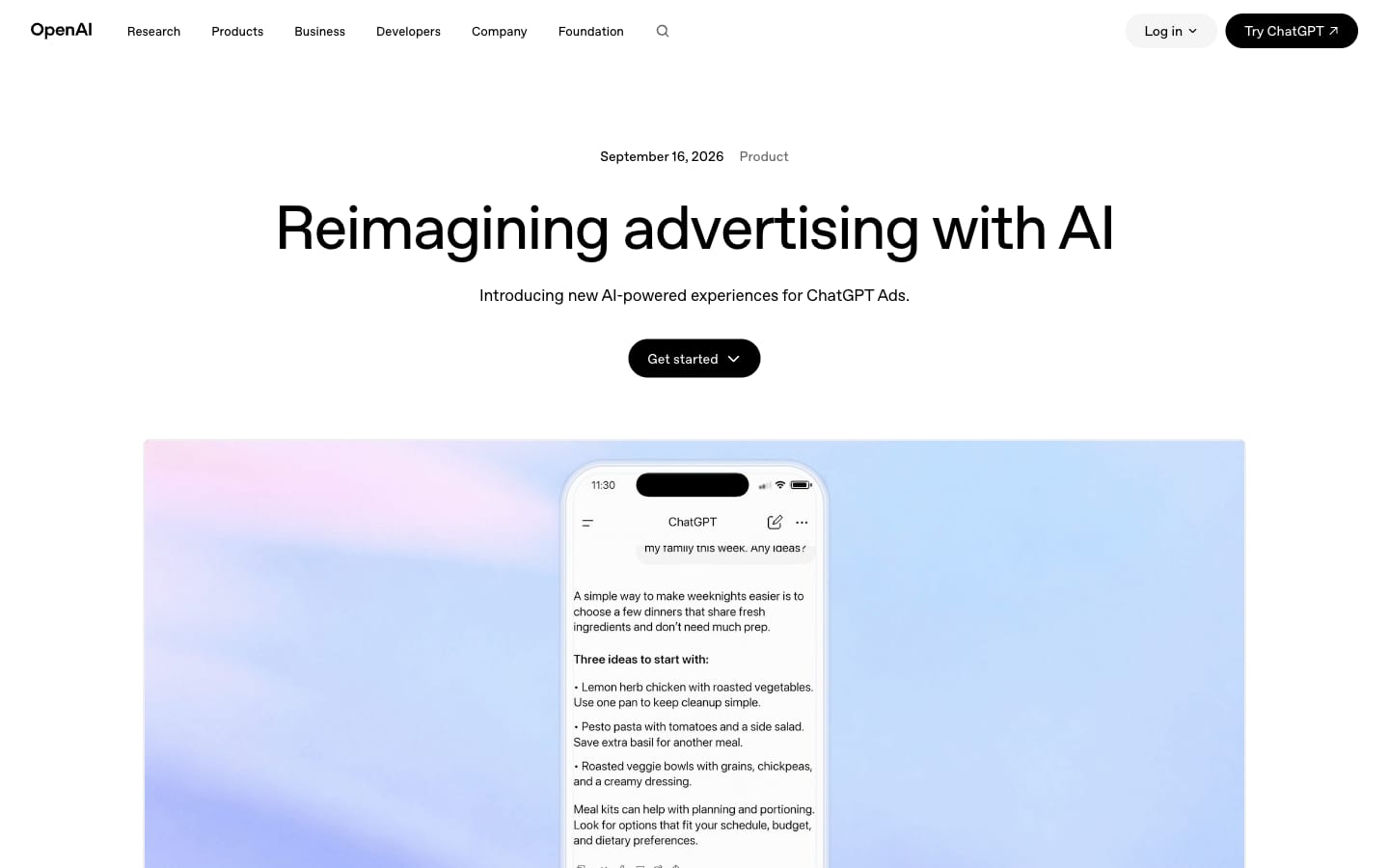 The September 16, 2026 announcement of AI tools for advertisers: Ads Manager extension, creative suggestions, automatic translation, HubSpot, Shopify, and Sponsored Agents. Screenshot: openai.com
What this means for a Shopify store in Israel: if everything proceeds as announced, within a week there will be a way to run a product feed campaign without manually building a feed, because the products are already connected through the Shopify catalog. That is the promise, not a verified fact. Worth checking on September 23.
Update September 30, 2026: OpenAI added bulk creation of product feed campaigns from a spreadsheet, a review status indicator per product, purchase reporting through the Insights API, and a separation between brand name and legal name (changing a brand name pauses delivery until it is approved). Full details: ChatGPT Ads September 2026 Product Update.
The official webinar: "The decision is the opportunity"
OpenAI published a recorded webinar called "The decision is the opportunity: ChatGPT Ads, a new channel for marketers", which also appeared in the email sent to advertisers. In it, Christin Klein and Zo Hajiyani from OpenAI present the vision behind ChatGPT Ads, how the product works today, and where it is headed.
Topics listed on the webinar page: how AI is changing the customer journey, what makes ChatGPT Ads a new channel, OpenAI's approach to advertising, and how the product is evolving. The webinar is hosted on OpenAI's own platform, not on YouTube, so it cannot be embedded here. Watch the webinar on the official page.
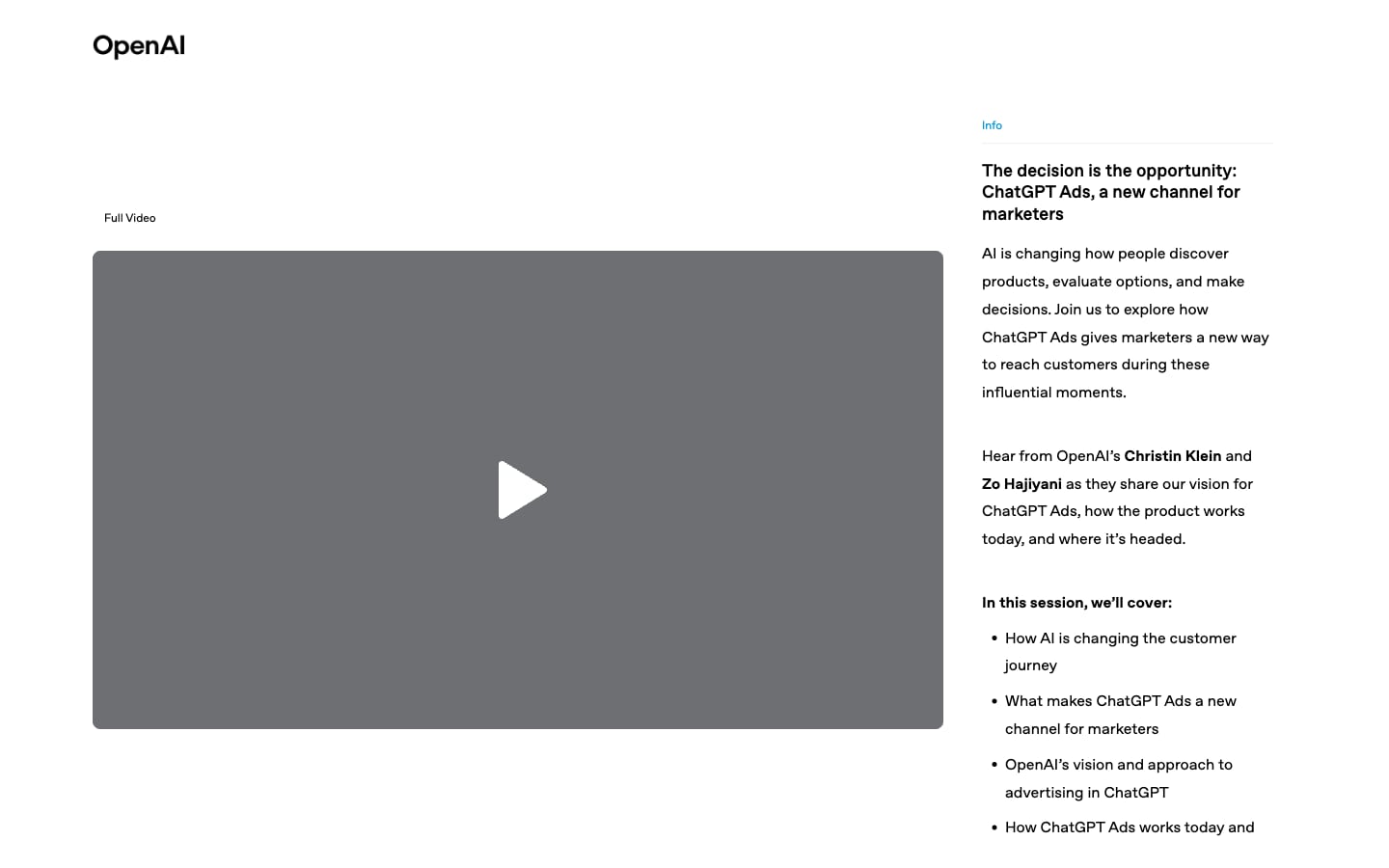 The recorded OpenAI webinar page. Screenshot: webinar.openai.com, September 17, 2026
Update September 18, 2026: An inside tour of the platform, screen by screen
We logged into an active Israeli advertising account at ads.openai.com and walked through every screen. Here is what the platform actually contains today, beyond what the help pages describe. The platform is labeled Beta in the corner, and the main menu is divided into five areas: Overview, Campaigns, Tools, Billing, and Settings.
The blocker almost every Israeli advertiser will hit: account logo
At the top of every screen sits a yellow banner: ads cannot run until account setup is complete, and the missing piece is uploading a logo to the account. Even when a payment method is already set, the campaign is built, the ad group is ready, and the ad has been created, the status will stay Not serving until a business logo is uploaded. The "Finish your account setup" screen shows only two tasks: billing setup (marked complete the moment a payment method is added) and logo upload, marked Required. The logo appears inside the ad itself, next to the advertiser name.
The campaign builder: three steps and every field
Creating a campaign opens a window with three steps: Create Campaign, Create Ad Group & Ads, and Review. You can save a draft at any point. These are the fields at the campaign level:
- Campaign name: at least three characters, or the system blocks you from moving to the next step.
- Campaign type: two options only, Standard and Product feed. The second type is for stores streaming a product catalog.
- Objective: three options, Reach, Clicks, and Conversions. The objective determines how bids are submitted in the auction and which formats are available.
- Conversion event: optional, and requires a data source to be configured in advance.
- Locations: one field to include and one to exclude. In an Israeli account, Israel is marked automatically, and a user in an excluded location will not see the campaign even if they match an included location.
- Eligible platforms: five options checked by default, Android app, Android web, Desktop web, iOS app, iOS web. You can narrow it down, for example to desktop only.
- Tracking parameters: a free-text field appended to the link on click. Supported placeholders:
{campaign_id},{ad_group_id},{ad_id},{ad_account_id}, and{oppref}. - Custom audiences: you can define an audience to include and an audience to exclude, and ads in the campaign will be shown only to users in the included audience.
- Budget: a daily budget in the account currency (ILS in an Israeli account), with an explicit note that the maximum daily spend is double the set daily budget. This confirms inside the platform what the documentation says: the budget is an average, not a hard daily cap.
- Start date and time: the time is set in GMT+3, meaning Israel Standard Time, not US time. End date is an optional checkbox.
- Text customization: a toggle that enables automatic generation of adapted and translated versions of the ad's headlines and descriptions. This is the automatic adaptation announced on September 16, and it is off until you turn it on.
Ad group level: what context hints actually look like
The ad groups table has three columns that exist in no other advertising platform: Context Hints, Billing Event, and Bid strategy. Context hints are not keywords. They are complete sentences describing a situation or an audience, for example a description of someone looking for a lecture or professional guidance in a specific field. The billing event we saw is Click, and the bid strategy is Maximize results.
This is the biggest practical difference from Google Ads: instead of a list of words, you write four to five sentences describing who the ad is relevant to, and the system decides when the context of a conversation is a match.
Ad level: character counter, link, and live preview
The ad editor includes an internal ad name, a headline with a 50-character counter, a description with a 100-character counter, a link, tracking parameters, an image, and a live preview showing exactly how the ad will appear: the advertiser logo, business name, an Ad label, headline, description, and a square image. The counters are the hard limit. OpenAI's recommendations, 16 to 24 characters for the headline and 32 to 48 for the description, are recommendations only, but in Hebrew that range is precisely what displays well without truncation.
Tools: four features most advertisers will miss
- Conversions. The screen is divided into Data Source, Conversion Events, and Event Stream, and shows an Event Quality Score (EQS) for each source. The process is four steps: create a data source, create a conversion event, implement and fire the event, and link the event to a campaign. API keys for conversions are created on the same screen.
- Feeds. Connect a product feed via SFTP, with an upload history tab. This is what powers a Product feed campaign type.
- Audiences. Upload email addresses and phone numbers, raw or hashed, for use as an audience filter in a campaign.
- Change History. A field-level change log: who changed what, when, and what the value was before and after, including changes to the headline, description, link, context hints, and budget. The log can be downloaded. For an agency managing a client account, this is the tool that explains what happened and when.
Billing and Settings: what matters for an Israeli business
The billing area is divided into Overview, Activity, Documents, and Settings. Invoices appear only after the first billing cycle, and the billing profile includes business name, address, invoice email, and a list of additional recipients.
The general settings screen has the account name, account country, currency, a time zone field that includes Jerusalem on Israel Standard Time (UTC+03:00), logo, and a verification section where the advertiser type is set. The advertiser type we saw is Business, and changing it requires re-verification. There is also an API Keys screen and a users screen with invitation, roles, and management through OpenAI's Cloud Console.
Small details worth your time
- The Create menu also includes Upload bulk, meaning batch upload of entities, not just one-by-one manual creation.
- Every row in the tables has an actions menu: View Insights, Change History, Edit, Duplicate, Archive.
- On an existing campaign there is an action called Clone as conversion campaign, which duplicates a clicks campaign as a conversions campaign in a single click. This is the easy path from data collection to optimization.
- Data in tables is labeled "Preliminary data" for the current day, so there is no point drawing conclusions from a day still in progress.
- The platform links directly to the Ads Manager plugin inside ChatGPT, which lets you create and manage campaigns through a conversation.
What this means in practice: anyone opening an account today needs three things before touching a campaign: a square business logo, a payment method, and four to five context sentences describing their customer. Without the logo the ads will not run, and without the context sentences the system simply will not know when to show them.
ChatGPT Ads vs. Google Ads vs. Meta: what is actually different?
The deep difference is not the format. It is what the system knows about the moment. On Google you are buying a three-word query. On Meta you are buying an audience defined by behavior. On ChatGPT, the system sees a conversation in which a person has already spelled out their need, their constraints, and their criteria, and you do not see the conversation at all.
| Google Ads (Search) | Meta | ChatGPT Ads | |
|---|---|---|---|
| Match basis | Keywords and query | Audiences, interests, and behavior | Conversation context and context hints |
| Advertiser control over matching | High (match types) | Medium | Low, the system decides |
| Pricing | Mostly CPC | CPM and optimization | CPM, CPC, oCPC, oCPM |
| Measurement | Google Tag and GA4 | Pixel and CAPI | Pixel, Conversions API, and oppref |
| Industry benchmarks | Abundant | Abundant | Per OpenAI, none yet |
| Category restrictions in Israel | Standard | Standard | Strict: finance, health, and legal outside the US are prohibited |
| Who sees ads | Everyone | Everyone | Free and Go users only, age 18 and above |
My conclusion: ChatGPT Ads does not replace a Google budget. It adds a layer before it. Many purchase decisions now begin with a ChatGPT conversation and reach Google only at the comparison stage. Being present in the conversation means being present earlier in the journey.
Paid advertising or GEO: which is better?
The two do not compete, because according to OpenAI they do not touch each other. Ads run on separate systems, and advertisers cannot influence the answers. That means an advertising budget on ChatGPT will not cause ChatGPT to recommend you inside the answer itself.
- Paid advertising buys placement below the answer, labeled as sponsored, only for Free and Go users, and only for as long as you keep paying.
- GEO (Generative Engine Optimization) builds presence inside the answer itself, for all users including paid Business and Enterprise subscribers who see no ads, and it keeps working even after the budget runs out.
A business that appears both inside the answer and in an ad below it gets two touchpoints at the same moment of decision. For the organic side, we have a GEO service for businesses that builds exactly that.
Who this is right for in Israel, and who it is not (yet)
It is right for you, in my view, if:
- You have an online store with a catalog, especially products people compare before buying: furniture, electronics, sports equipment, baby products.
- You are a SaaS company or a digital tool that solves a problem people describe to ChatGPT in their own words.
- You are a college, digital course, or educational content provider (not financial, medical, or legal advice).
- You are a local service: moving companies, renovations, cleaning, photographers, transportation.
- You are in tourism and entertainment: vacation rentals, hotels, tours, attractions.
It is not right for you, right now, if:
- You are a law firm, a medical clinic, a dental practice, an aesthetic clinic, an insurance agency, or a mortgage advisor.
- You sell alcohol, operate a lottery, or run a dating app.
- You advertise specific apartment listings or specific job listings.
- Your audience consists mainly of professionals inside organizations with a ChatGPT Business or Enterprise subscription, who see no ads at all.
First Pilot Plan: 14 Days, Controlled Risk
This is not an OpenAI recommendation. It is the approach I would take with any new channel that has no comparison benchmarks. The goal of the first two weeks is to learn, not to profit.
- Day 1: Check the policy for your business and landing page. Verify that OAI-AdsBot can access your site. Open an account with Israel, ILS and an Israeli time zone.
- Days 2 through 4 (while the account is under review): Install the OpenAI Pixel, configure one standard conversion event, and confirm that the oppref parameter survives every redirect through to the thank-you page.
- Day 5: One clicks campaign, minimum daily budget (60 ILS), manual bid within the recommended range, and a consistent UTM.
- Two ad groups, each built around a single need, with 3 to 5 context signals per group.
- Three to four ads per group, each from a different angle, because OpenAI recommends broad variation coverage rather than a single message.
- Days 6 through 18: Hands off. OpenAI asks that you give campaigns enough time and volume before making major changes.
- Day 19: Compare cost per result against Google and Meta, for the same landing page, over the same time window, then decide: scale up, switch the objective to conversions, or stop.
Common Mistakes Worth Avoiding
- Choosing the wrong currency or time zone. You cannot change these later.
- Copying ads from Google. A 30-character headline in Hebrew exceeds the recommendation, and a generic message will not stand out next to a detailed answer.
- Writing context signals as a list of keywords. OpenAI asks for a natural sentence that focuses on a single idea.
- Sending traffic to the homepage. OpenAI recommends the most relevant product page, category page or piece of content.
- Blocking the crawler without realizing it. The ad will be rejected, and the reason is not always obvious.
- Building on a small custom audience. Below 25,000 matched users you can only exclude, not target.
- Judging results after two days. Conversions appear with a 24 to 48 hour delay, and spend updates are also delayed.
- Submitting a duplicate request when verification is taking time. According to the Help Center, this does not shorten the review and only creates confusion.
The Limitations, Honestly
- This is a beta. OpenAI states that systems, inventory, formats and buying methods will continue to change, and that performance and spend may change as a result.
- There are no benchmarks. OpenAI acknowledges this directly.
- The success stories were selected by OpenAI. They show what is possible, not what is typical.
- Hebrew is not mentioned anywhere on the pages we reviewed: not as a supported ad language, and not as an unsupported one.
- There is no public data on audience size in Israel: how many Free and Go users are in the country, or how much ad inventory exists.
- Categories are very restricted for Israeli businesses in regulated industries.
- The 3 to 5 dollar per click recommendation is the only official guidance, and it is not calibrated to the Israeli market.
Frequently Asked Questions
Can you advertise on ChatGPT from Israel?
Yes. In OpenAI's official availability table, Israel is marked Available for self-serve (verified on September 17, 2026). The legal entity doing the advertising and paying must be registered in an available country, and the account goes through identity verification and policy compliance review before campaigns can run.
How much does advertising on ChatGPT cost?
There is no account minimum, but the minimum daily campaign budget in ILS is 60 ILS. The daily budget is a weekly average: up to twice the daily amount on any single day, and up to seven times on any single week. For clicks campaigns, OpenAI recommends starting with a maximum bid of 3 to 5 dollars per click.
Do you pay per conversion?
No. Even in a campaign with a conversions objective, billing is per click (oCPC) or per impression (oCPM). The system simply optimizes delivery toward people who are more likely to convert.
Can you write ads in Hebrew?
OpenAI has not published a list of supported languages. The Help Center states that ad language selection takes into account location, language settings and the language of the conversation. As of September 16, 2026, there is an optional setting to automatically translate ad text into the user's preferred language. The only way to know for certain is to check inside the account itself.
Does the advertiser see the user's conversation?
No. According to OpenAI, advertisers do not receive access to conversations, history, memory, name, email, precise location or IP address. They receive only aggregated performance data such as impressions and clicks. If a user chooses to send a direct message to an advertiser through an ad, the advertiser sees only what was sent to them.
Can a digital agency manage campaigns for clients?
Yes, but it cannot open the account. According to the Help Center, an agency cannot create an advertiser account on a client's behalf. The client opens the account and invites the agency. Each advertiser needs a separate account.
Why is my campaign not running?
According to OpenAI's FAQ, check five things: that the ads are approved (Serving), that the account is verified, that the campaign budget has not been exhausted, that the end date has not passed, and that there is no issue with the payment method. If the ad was rejected, also check that the OAI-AdsBot crawler can reach the landing page.
The Bottom Line
Back to this morning's email. "Available" in OpenAI's table is not an invitation for everyone. It is an invitation for businesses that fall within the allowed categories, whose landing pages are open to the crawler, and who are ready to write ads and context signals in the language of conversation rather than the language of keywords.
For businesses that meet all three conditions, this is a rare opportunity: to enter a new advertising channel while it is still quiet, to learn it on a budget of 60 ILS per day, and to build knowledge before competitors discover it. For those who do not, the more important work is organic: showing up inside the answer itself.
The channel is new. The skill it demands, writing for intent rather than for the keyword, will stay.
Prefer to have someone set this up and manage it for you? We offer ChatGPT Ads campaign management: policy compliance review, account setup, context signal and ad copywriting, conversion tracking and ongoing optimization.
Want to work through all of this step by step, including writing context signals in Hebrew, checking the policy for your business and building a pilot plan? There is an interactive ChatGPT Ads course for 9.90 ILS: 14 lessons with in-page exercises, a quiz and a certificate.
And if you want to learn to work with ChatGPT itself at a level that changes how you work every day, the ChatGPT 2026 course is the place to start. For those who prefer to have someone manage campaigns on the established channel, there is a Google Ads campaign management service.
Hebrew community: Dedicated tips, updates and discussion among advertisers around paid advertising on ChatGPT can be found in the Israeli ChatGPT Ads community on Facebook.
Sources
All facts, numbers, and dates in this guide were verified against the following sources:
- OpenAI: A milestone in expanding access to AI, announcement from August 31, 2026, checked September 17, 2026
- OpenAI: Reimagining advertising with AI, announcement from September 16, 2026, checked September 17, 2026
- OpenAI: New ways to buy ChatGPT ads, announcement from May 5, 2026, checked September 17, 2026
- OpenAI: Our approach to advertising and expanding access to ChatGPT, January 16, 2026, checked September 17, 2026
- OpenAI: Ad policies, updated September 10, 2026, checked September 17, 2026
- Help Center: Ads Manager Availability, checked September 17, 2026
- Help Center: Ads in ChatGPT, The Basics, checked September 17, 2026
- Help Center: Ads in ChatGPT (user FAQ), checked September 17, 2026
- Help Center: Ads Manager Beta Account Setup, checked September 17, 2026
- Help Center: Create Campaigns for ChatGPT Ads (including minimum budget table), checked September 17, 2026
- Help Center: Write Context Hints for ChatGPT Ads, checked September 17, 2026
- Help Center: Launch Campaigns, checked September 17, 2026
- Help Center: Daily Budgets, checked September 17, 2026
- Help Center: Billing and Payment, checked September 17, 2026
- Help Center: Conversion Measurement, checked September 17, 2026
- Help Center: Measure Results, checked September 17, 2026
- Help Center: Conversion-optimized Campaigns, checked September 17, 2026
- Help Center: Set up Custom Audiences, checked September 17, 2026
- Help Center: Create Campaigns from Product Feeds, checked September 17, 2026
- Help Center: Advertiser Guidance for Allowing OpenAI Web Crawlers, checked September 17, 2026
- Help Center: Frequently asked questions (ChatGPT Ads), checked September 17, 2026
- Help Center: Sponsored Agents in ChatGPT Ads, checked September 17, 2026
- Help Center: Quickstart, Launch your first campaign (including the official video), checked September 17, 2026
- ads.openai.com: homepage and customer story pages (Newegg, Jotform, LegalNature, Stream), checked September 17, 2026
- Official webinar: The decision is the opportunity, checked September 17, 2026
- Search Engine Journal: OpenAI Launches Self-Serve Ads Manager for ChatGPT, checked September 17, 2026
- eMarketer: OpenAI launches ads manager, reduces ChatGPT ad pilot cost to $50,000, checked September 17, 2026
- Campaign Middle East: ChatGPT Ads arrive in MENA, checked September 17, 2026
Findings from running a real campaign in Israel
While testing an active account in Israel, I found three practical things worth knowing before you start spending budget:
- A logo is not cosmetic: it can block submission. An ad can be approved and still receive zero impressions if the account is missing a logo and the Brand Review has not been completed.
- Conversions require a conversion source and events defined separately. A campaign can run on clicks without a Pixel/Conversion Source, but you cannot build real lead optimization without a proper measurement layer in place.
- Save
oppref. This is OpenAI's click identifier. On our site we added logic to recognize it as a paid source of type ChatGPT Ads, so the lead is not accidentally recorded as Direct or as organic traffic from ChatGPT.
The practical takeaway: before scaling budget, make sure the account is approved, that every service points to a relevant landing page, and that the click identifier is captured through to form submission.
Update September 20, 2026: how to connect the pixel in practice (tested on tzedek.me)
OpenAI's pixel is called oaiq, and the conversion measurement call is measure, not track. That is the first difference that trips up anyone coming from Facebook. Here is what I learned when installing it on our site:
- Data Source first. Under Tools, go to Conversions, create a source of type Web, receive a Pixel ID and installation snippet, and only then can you define a conversion event. Agreeing to the Conversion Terms happens with a single click on Create.
- The library:
https://bzrcdn.openai.com/sdk/oaiq.min.js. Initialization:oaiq("init",{pixelId:"..."}). Events are sent tobzr.openai.com/v1/sdk/events. - Event names are OpenAI's, not Meta's:
page_viewed,contents_viewed,items_added,checkout_started,order_created,lead_created,registration_completed,appointment_scheduled,subscription_created,trial_started. A lead looks like this:oaiq("measure","lead_created",{type:"customer_action"}). A purchase receivesamountandcurrency, and the amount is sent as an integer in the smallest unit of the currency, meaning agorot: 9.90 ILS is sent as990(for example{type:"contents",amount:990,currency:"ILS"}). A decimal amount is rejected, and that is exactly the error we caught in our own dashboard. - oppref is saved automatically. The library reads
oppreffrom the landing page URL and stores it in the__opprefcookie, so a conversion that happens on a different page during the same visit is still attributed to the click. On our site,opprefalso classifies the lead as the "ChatGPT Ads" channel in the lead management system, so it is not recorded as organic traffic from ChatGPT. - Event Stream in the third tab displays incoming events in real time (click Start polling). This is the way to validate the installation before running any budget.
- An environmental gotcha worth knowing: managed browsers and tracking blockers return 503 on all beacons, including Google's. If the Event Stream is empty, check from a plain browser first.
The practical rule: the measurement layer needs to be installed on the day you open the account, because Brand Review takes time, and when approval arrives, the campaign starts running immediately.
Frequently asked questions
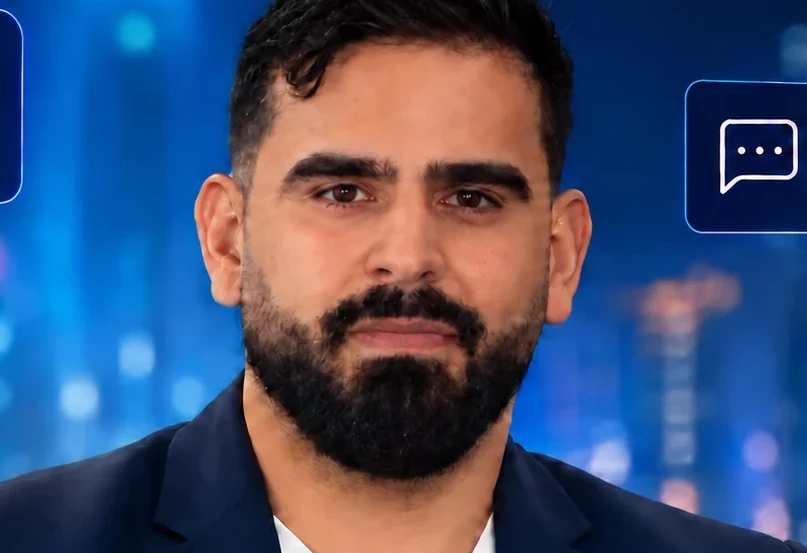
Yaakov Tzedek
An Israeli AI lecturer, consultant and implementer who has supported 100+ organizations in AI implementation and lectured for 200+. Official content partner of Meta, Google, Canva and TikTok, featured on Israel's Channel 13.
More about Yaakov →