

Jev is an AI model that does not write text. It receives a state from your software (a customer request, a document, a record) and a list of closed questions, and returns for each question an answer from the options you defined, with a probability and a confidence level, in under half a second. It was released on September 15, 2026 by TypeSafe AI, led by Diogo Almeida, a former OpenAI researcher who helped build the instruction-following and conversational methods behind ChatGPT. The price: $0.042 per million input tokens, and output is free. That is not even the interesting part. The interesting part is the claim behind the product: most of what we ask language models to do inside software today is not writing at all. It is deciding.
In short
- What it is: a new kind of model, "System One", that returns typed decisions (a choice from a list, a score on a scale, yes or no) instead of free text.
- Why it is different: instead of generating token after token, it scores all the answers in a single parallel pass. According to TypeSafe, that makes it 40 to 200 times faster than frontier models on decision-shaped tasks, and hundreds of times cheaper.
- What you get: an answer that is always structurally valid, a probability for each option, and a confidence score you can route on: act, check, or hand off to a human.
- What you do not get: explanations, drafting, code or calculation. Jev does not write, and it does not count or compare dates either.
- Who it is for: anyone building software with AI inside: request routing, classification, scoring, safety checks, tool selection for agents.
What is a System One model?
Definition: a System One model is an AI model designed to make fast, structured decisions that software can use directly. It receives a "state" and a set of typed questions, and returns answers from a predefined option space, with a calibrated probability for each option. It does not generate text, write code or explain itself.
The name comes from Nobel laureate Daniel Kahneman's book "Thinking, Fast and Slow": System 1 is fast, intuitive thinking, and System 2 is slow, deliberate thinking. Today's language models, with reasoning chains that run for seconds or minutes, live in System 2. TypeSafe's argument is simple: when software needs to decide which department gets a request, whether a comment is spam, or which agent tool to call next, it does not need an essay. It needs a fast, reliable answer with a number that says how much to trust it.
To see the difference, look at what it returns. You send the model a customer's message and get back something like this:
{
  "department": { "choice": "technical", "confidence": 0.78 },
  "frustration": { "score": 1.0, "confidence": 1.0 },
  "is_urgent": { "noul": 1.0 }
}
No paragraph to parse, no "Sure, here is the classification you asked for", and no chance the model invents a fourth department you do not have. Three answers, three numbers, and code that keeps going.
Who is behind TypeSafe, and why it matters
TypeSafe AI is a startup that has raised about $40 million, according to The Register. Its founder and CEO, Diogo Almeida, was a researcher at OpenAI who, in his words, helped build the instruction-following and conversational methods that became the research behind ChatGPT, the RLHF era of training on human feedback. That matters, because Jev's pitch is essentially an argument with the method he helped create.
Almeida's argument, as laid out in the launch post, goes like this: RLHF trains a model to write text people prefer. RLVR, the newer method, trains a model to solve problems software can verify. Both produce models that talk. But software does not need to be talked to. It needs typed values and honest probabilities. So TypeSafe developed a third training method it calls RLCD: Reinforcement Learning for Calibrated Decisions. Its goal is not pretty text but a probability that genuinely reflects the chance of being wrong.
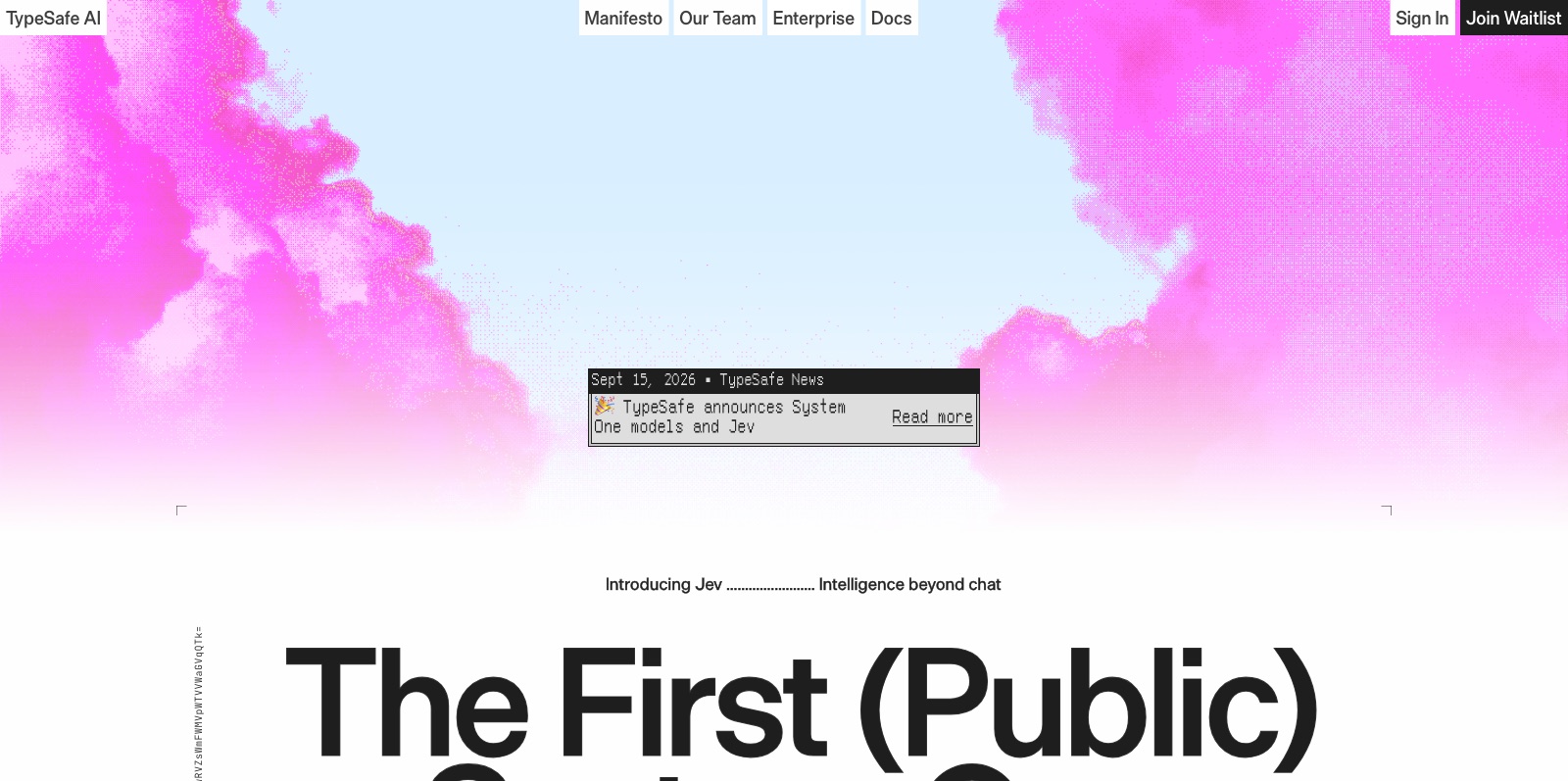 TypeSafe AI's official site, captured September 20, 2026. Credit: TypeSafe AI
How Jev works: typed questions
Every call to Jev has two parts: a state, the content you want judged, and questions, the judgments you want back. The state can be a string, a JSON object or an array of messages. The questions come in a handful of types, and these are all the building blocks there are:
| Type | What you ask | What comes back |
|---|---|---|
| Choice | Which option from a closed list | The chosen option, a probability per option, and confidence |
| Score | Where on an ordered scale with a description per level | The score, a probability per level, and confidence |
| Noul (yes or no) | Whether a statement is true | A probability between 0 and 1 that the answer is yes |
| Box (Jev 1.14, experimental) | Where an object sits in an image | A bounding box as fractions of the image size |
Noul is a word TypeSafe coined for a yes/no question that returns a probability, so it is not confused with an ordinary boolean. Below we just call it a yes/no question.
Here is a full call, taken from TypeSafe's quickstart:
{
  "model": "jev-latest",
  "state": "Hi, I've been trying to connect my Stripe account for 3 days and the integration keeps failing. I'm losing sales. Please help ASAP.",
  "questions": {
    "department": {
      "type": "choice",
      "instructions": "Which team should handle this",
      "criteria": {
        "billing": "Payment or subscription issues",
        "technical": "Bugs or integration problems",
        "sales": "Pricing or account questions"
      }
    },
    "frustration": {
      "type": "score",
      "instructions": "How frustrated the customer appears",
      "criteria": ["Calm, just stating facts", "Frustrated but civil", "Very angry, strong language"]
    },
    "is_urgent": {
      "type": "noul",
      "instructions": "The message conveys urgency or time-sensitivity"
    }
  }
}
Three things to notice:
1. Questions are independent. Each question is judged separately. Add a fourth question and the answers to the first three do not change. That lets you send dozens of questions in one call, in parallel, at almost no extra cost. TypeSafe calls this fan-out, and its cookbook includes a 13-question regulatory brief that runs 10 times faster and 12 times cheaper than 13 separate calls.
2. No parsing. The answer to department will be one of the three strings you defined. Not "Technical support", not "technical (probably)", and not broken JSON. TypeSafe describes this as a type error being mathematically impossible, and that is accurate, because the model simply cannot output anything else.
3. The probability is the product. Language models are notoriously overconfident, even when you explicitly ask them for a probability. Jev is trained so the probability is honest: if it says 0.6, roughly 60% of similar cases are actually correct. That enables the most important trick, which comes next: routing by confidence.
Probability vs. confidence: the difference that decides what your code does
TypeSafe separates two numbers, and that separation is the heart of the method:
- Probability is the distribution across options. For a three-option choice, for example, 90/6/4.
- Confidence is a single number between 0 and 1 derived from the shape of that distribution: how concentrated it is on one option. A 90/6/4 distribution gives a confidence of about 0.7. 40/33/27 gives 0.4. Three perfectly equal options give 0.
Confidence does not tell you what the answer is. It tells you whether to act on it. The docs recommend three tiers:
| Confidence | What the code does |
|---|---|
| Above 0.9 | Acts automatically |
| 0.5 to 0.9 | Acts carefully: verifies, asks for approval, or escalates to a more expensive language model |
| Below 0.5 | Hands off to a human |
The thresholds should move with the cost of a mistake. A read-only action? You can act at 0.7. Moving money? Only above 0.9, and below 0.5 always to a human, even if the model is "usually" right. That is what turns an AI model from a black box into a component you can write tests for and set policy on.
Speed, price and accuracy: the numbers, and who measured them
Precision matters here: every number in this section is TypeSafe's own measurement, on workflows it chose, and as of November 2026 we have not found an independent large-scale reproduction. With that caveat, here is what the company publishes.
Speed. End-to-end response time of 70 to 500 milliseconds per query, versus seconds to minutes for reasoning frontier models. In the demo cited by The Register: 0.114 seconds versus 8.566 seconds for GPT-5.6 Terra on the same task.
Price. $0.042 per million input tokens, and output is free. Frontier language models charge far more per input token, and output is several times more expensive again. TypeSafe calculates that scanning 50 million rows costs about $20 with Jev, versus thousands of dollars with a model billed on output.
Accuracy. On four workflows (security incident response, agent-trace observability, invoice processing and customer service), TypeSafe's evaluation reports:
| Model | Accuracy | Cost per case | Time |
|---|---|---|---|
| Jev | 67.8% | $0.0004 | 0.4 s |
| GPT-5.6 Terra | 67.9% | $0.0304 | 10.1 s |
| GPT-5.6 Sol | 74.1% | $0.0836 | 23.3 s |
| Claude Opus 5 | 73.1% | $0.1761 | 37.8 s |
The honest picture: Jev matches the accuracy of OpenAI's mid-tier model at about 1/76 of the cost and 25 times faster, but the strongest models are still 5 to 6 points more accurate. Two caveats. First, according to third-party analyses of the eval, the reference answers are not human labels but a consensus of other frontier models, so "accuracy" here means agreement with that consensus. Second, TypeSafe reports zero structured-output errors, which is impressive but built in: Jev cannot get the structure wrong because there is no structure for it to get wrong. The comparison that matters is "did it choose correctly", not "did it return valid JSON".
The demo everyone talked about: a bot that plays Doom
Beyond the numbers, TypeSafe showed two easy-to-grasp demos. The first: a bot that plays the classic computer game Doom in real time, at about 10 queries per second, for about $7 an hour. The model receives the game state as text and returns the next action. No language model could keep that pace. The second: Wikiracing, a race between Wikipedia articles via links, which demonstrates choosing from large lists. Jev supports up to 255 options in a single choice question.
Getting started: API, SDKs and a Claude Code skill
You create an API key in the TypeSafe console. The call is POST https://api.typesafe.ai/v1/systemone, with the model jev-latest, which as of November 2026 points to Jev 1.14 (released October 14, 2026). Pin jev-1.14.0 or jev-1.13.0 explicitly if you need reproducible behavior.
Python (3.10 or later):
# pip install typesafe-sdk   (API key in the TYPESAFE_API_KEY environment variable)
from typesafe_sdk import Choice, Noul, Score, TypeSafeClient

with TypeSafeClient() as client:
    response = client.system_one(
        state={"document": "I was charged twice. Please fix this ASAP."},
        questions={
            "billing": Noul(instructions="Is this ticket about billing?"),
            "tone": Choice(
                instructions="What is the customer's tone?",
                criteria={"calm": None, "frustrated": None, "angry": None},
            ),
            "urgency": Score(
                instructions="How urgent is this ticket?",
                criteria=["can wait", "this week", "today"],
            ),
        },
    )

print(response.nouls["billing"].noul)
print(response.choices["tone"].choice)
print(response.scores["urgency"].score)
JavaScript / TypeScript (Node 20 or later):
// npm install @typesafe-ai/sdk
import { choice, TypeSafeClient } from "@typesafe-ai/sdk";

const client = new TypeSafeClient();
const response = await client.systemOne({
  state: { document: "I was charged twice. Please fix this ASAP." },
  questions: {
    category: choice("What is this ticket about?", { billing: null, technical: null, other: null }),
  },
});

console.log(response.answers.category.choice);
In TypeScript, the types are derived automatically from the questions you define, so if you wrote three options, the compiler knows the answer is one of those three. Hence the company's name.
A Claude Code skill. TypeSafe publishes an official skill for coding agents, and installing it in Claude Code takes two commands:
claude plugin marketplace add typesafe-ai/skills
claude plugin install typesafe@typesafe-ai
After installing it you can ask Claude Code to "use the TypeSafe skill, go through the project and find where a judgment call would save code," and it suggests places where a complicated if could become a single question. LangChain users get a dedicated package, langchain-typesafe, with a TypeSafeClassifier class, and LangChain itself showcases two uses: routing tasks between a cheap and a strong model by complexity, and a safety gate that checks an agent's risky tool calls before they run (the middleware for both is marked experimental).
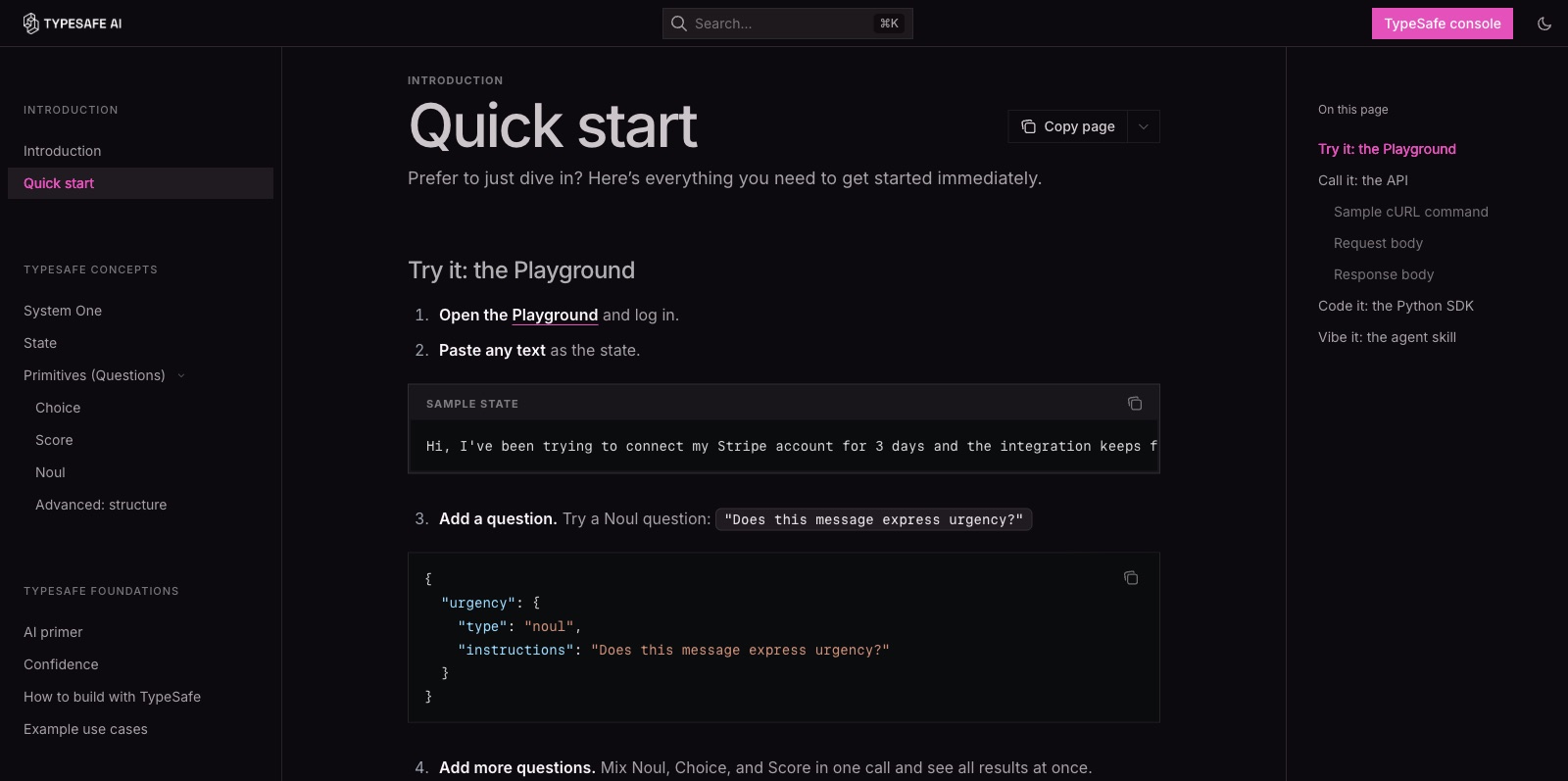 The quickstart page in TypeSafe's documentation, September 2026. Credit: TypeSafe AI
What is new in Jev 1.14
Jev 1.14, available since October 14, 2026, keeps the same price ($0.042 per million input tokens) and context limits, and adds two experimental capabilities, both behind opt-in request headers:
- Image input. PNG and JPEG images can be sent as assets and referenced in the state, instructions or criteria. TypeSafe flags images as experimental.
- Box questions. A fourth question type that returns where an object sits in an image as a bounding box. A sensible pattern is to ask a separate yes/no "is it present" question next to every Box question, and gate automation on both.
- Long context, on request. A
TypeSafe-Danger-Zone-Long-Context: trueheader raises the limits from 64k tokens per request (32k per question) to 262k, at the same price per token but slower and less accurate.
How to build with it properly: eight rules from the docs
TypeSafe's philosophy is the opposite of autonomous agents. Instead of asking the AI "what should I do now" and letting it run the loop, the code stays in control, and the AI gets narrow, structured questions. From the official guide, these are the rules that change results most:
- Whatever code can compute, code computes. Deterministic conditions, counting, dates, sums. Use AI only where you need judgment on unstructured text.
- Send only what is relevant. Accuracy drops as the state fills with details unrelated to the decision. Filter in code before sending.
- Point to fields by name. Instead of "the last message", write
ticket.messages[0].text. Less ambiguity, more accuracy. - Break a broad question into atomic questions. This is the most important rule. Instead of "is this spam?", ask five questions: does it ask for login details, does it offer an unexpected prize, does it create time pressure, does the sender's domain not match, is the link disguised. Each signal is exposed separately.
- Put structure in the questions, not the text. Values that come from code are sent as fields, not pasted into a sentence.
- Ask many questions in parallel. Dozens of questions in one call, no rounds.
- Combine answers in code. Rules or weights you control, not "you decide."
- Route by confidence. High: act. Medium: a human or a more expensive model. Low: always a human.
The full example in the docs, handling a support ticket, shows this end to end: closed tickets are handled in code with no AI call at all; for an open ticket, seven questions go out in parallel (topic, request for login details, sender mismatch, unexpected prize, refund request, order mention, frustration level); three spam signals are weighted in code; and a low-confidence ticket on a sensitive topic goes to a human.
What Jev cannot do: TypeSafe's own honest list
There is something refreshing about TypeSafe publishing a documentation page on the "jaggedness" of Jev 1.13: the model's weaknesses, in the company's own words. For anyone considering it for production, it matters more than any benchmark:
- Literal reading. The model answers what you wrote, not what you meant. Negations, implied conditions and scoping words are read literally. The fix: state the exact condition, and split an ambiguous question into two literal ones.
- Numbers and counting. It does not count reliably, whether characters, items or occurrences of a word. It recognizes the "shape" of an answer; it is not an adder. Count in code.
- Dates and times. It reads a date as text, not as an ordered quantity. Which date is earlier, how many days apart, whether it falls in a window: all unreliable. Extract date components as choices and compute in code.
- Indirection and multi-hop reasoning. Questions that require chaining several facts together are weaker. Break them into steps in code.
- Large, noisy state. Irrelevant details pull it off course. Filter first.
- Adversarial content. It does not treat data as hostile by default. Injected instructions or loaded wording can bias an answer. Test thoroughly before wide deployment.
- Contradictory instructions and criteria. If the instructions and the options pull in different directions, results suffer.
- Choice option order bias. The order of options can influence the choice.
- Text generation. Jev was not trained to generate text, and trying to force it through a chain of choices is slow and inefficient.
From the models page: the default context is 64k tokens per request, with the state plus the longest question capped at 32k (raisable with the long-context header above). There is no per-account fine-tuning; domain adaptation is done through request design. Rate limits are set per organization in tokens and requests per second and are visible in the console, with higher limits available on custom and enterprise plans.
What about languages other than English?
TypeSafe says English is the primary training language and where accuracy is best; other languages, including non-Latin scripts, are handled but not equally well, and there is no published per-language figure. The recommendation for non-English content: write the instructions and option names in English, send the state (the request, the document) as is in its original language, and measure accuracy on a hundred real, hand-labeled cases before going to production.
When to use Jev, and when to use a language model
This table is the whole guide in miniature:
| Task | Right tool | Why |
|---|---|---|
| Routing thousands of requests a day to departments | Jev | Options known in advance, high volume, a fraction of a cent per decision |
| Scoring a million reviews against a policy | Jev | Ordered scale, free output, about $20 instead of thousands |
| Safety-checking a chatbot answer before it goes out | Jev | Half a second, yes/no questions on risks, routing by severity |
| Choosing an AI agent's tool from 180 options | Jev | TypeSafe's cookbook demonstrates exactly this |
| Filtering search passages before a language model answers | Jev | Parallel relevance scoring, then a language model on what remains |
| Writing a reply to a customer | Language model | Jev does not write |
| Summarizing a document, generating code, explaining a decision | Language model | Open-ended output |
| A regulatory review that needs written reasoning | Language model, or both | Jev gives a number without an explanation |
| Calculating, counting, comparing dates | Plain code | Neither Jev nor a language model |
In most systems the right pattern is combination, not replacement: Jev does the fast routing and classification, and whatever is flagged as uncertain goes to an expensive language model or a human. TypeSafe itself puts it this way: the tools are complementary, not competing. If you are going deeper into building AI agents with Claude, this is exactly the layer most projects are missing today: not another agent that thinks, but a fast judge that tells the agent when to stop.
What this means for your business
Before you rush to the console, three two-minute tests:
1. Where does AI make a closed decision through free text in your systems today? A request routed by GPT writing "this looks like customer service". A social comment classified as "interested" by a long prompt. A document given "a score of 7 out of 10". Each of these is a candidate: the options are known in advance, and you are paying for output and then parsing it.
2. How often does it happen per day? Below a few dozen, the price difference is negligible and the language model you already have is enough. At hundreds, and certainly thousands, price and speed become a business case. And in real time (chat, games, a check before sending) there is no contest.
3. What happens when it is wrong? If a mistake costs an unnecessary phone call, automate fully. If a mistake costs a refund or a regulatory complaint, build the three tiers: act, check, human. That is precisely what Jev enables and a language model does not: an honest number you can write policy on.
If you already work with Claude Code, install the TypeSafe skill and ask it to map your project. It is the cheapest way to find out whether you have a System One problem at all.
Bottom line
Jev is not "just another model". It is a claim about how software with AI inside should look: code in charge, and a model that answers closed questions fast, cheaply, and with a number that says how much to trust it. The numbers the company publishes are impressive and not yet externally verified, non-English languages work with lower accuracy, and the model does not count, calculate or write. But if you have a closed decision that repeats thousands of times a day, it is the first tool worth testing against.
For help bringing this kind of architecture into your organization, see AI implementation for organizations, consulting and our courses.
Sources: TypeSafe's launch post · Docs: models and pricing · Docs: quickstart · The jaggedness of Jev 1.13 · How to build with System One · The Register on the launch · LangChain on Jev · LangChain TypeSafe integration docs. Pricing and model versions checked November 17, 2026.
Yaakov Tzedek, AI lecturer, consultant and implementer for organizations.
Frequently asked questions
What is Jev?
Jev is an AI model from TypeSafe AI, the first in a category the company calls System One. Instead of generating text token by token, it receives a state from your software (text or JSON) and a set of typed questions, and returns for each question an answer from options you defined in advance, together with a probability and a confidence level. It is designed to sit inside code, not to chat with people.
How is Jev different from ChatGPT or Claude?
A language model writes a free-form answer, token after token, and your code then has to parse it and hope it is valid. Jev writes nothing: it picks from options you defined, in a single parallel pass, so the answer is always in the right format, always comes with a probability, and arrives in 70 to 500 milliseconds according to TypeSafe. On the other hand, it cannot explain, draft or write code.
How much does Jev cost?
According to TypeSafe's models page, as of November 2026: $0.042 per million input tokens ($42 per billion), and output tokens are free. Frontier language models charge far more per input token, and much more again for output. Access is through API keys created in the TypeSafe console.
Does Jev really not hallucinate?
By design, Jev cannot return a value outside the options you defined, so structural and type errors are impossible. But it can certainly choose the wrong option. TypeSafe reports zero structured-output errors and 67.8% accuracy on its four evaluation workflows, almost identical to GPT-5.6 Terra and 5 to 6 points below the strongest models. These are the vendor's own measurements, without independent verification yet.
Does Jev work in languages other than English?
TypeSafe says English is the primary training language and where accuracy is best; other languages are handled, but not equally well. The practical approach for non-English content is to write the instructions and option names in English, send the customer's text as is in its original language, and measure accuracy on a real labeled sample before going to production.
What is Jev good for, and what not?
Good for: routing requests, classifying documents, scoring against a rubric, choosing a tool for an agent, filtering search results before a language model, and safety checks on responses. Not good for: writing, summarizing, generating code, calculations, comparing dates, counting, and any task where the possible answers are not known in advance.