
- Anthropic unifies Claude Cowork and Chat into a single experience: no more mode switching, tasks keep running in the cloud after you close your laptop, and there are Manual and Auto permissions. What changes, who gets it and when, what happens to existing projects, limitations, and use cases for organizations.
Cowork launched on January 12, 2026 as a preview for Max subscribers only, on the Mac app. Less than eight months later it stops being a separate destination: according to Anthropic's Help Center, once you've moved to the new experience there is no going back to choosing between 'Chat' and 'Cowork'.
On September 16, 2026, Anthropic announced that the choice between "Chat" and "Cowork" was gone, and that the two products were merging into one Claude. The official post on X passed 2.7 million views in under 24 hours. That's not even the interesting part.
The interesting part is who now decides how a task gets done. Until now, you decided: a quick question went to Chat, a full report went to Cowork. From now on, Claude decides on its own, and a long task keeps running in the cloud even after you've closed your laptop. For an organization, that's a shift in the question of who approves what, not just a redesign of the screen.
And honestly: in the guide we published here in July, What Is Claude Cowork, we defined Cowork as a work mode inside the desktop app. That definition no longer describes the full picture. That's why every fact in this guide is linked to an official source, with a verification date.
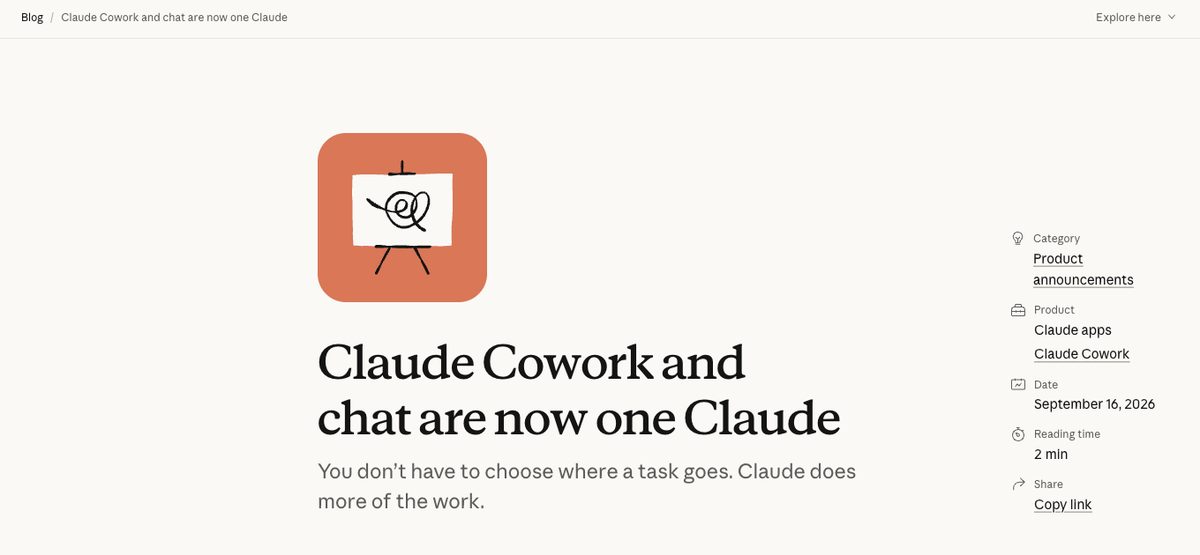 The official announcement on the Claude blog, September 16, 2026. Screenshot from claude.com, verified September 17, 2026
In short
| The question | The short answer |
|---|---|
| What changed? | Chat and Claude Cowork merge into one conversation. No mode selection: Claude decides which tools the task needs. |
| What's new in practice? | Long tasks run in the cloud even when your computer is off, you can follow along and reply to Claude from your phone, and you get finished files. |
| Who gets it and when? | Pro and Max first, on web, desktop and mobile, rolling out gradually over the coming weeks. Team and Free later. |
| What about Enterprise? | Admins will receive notice at least 30 days before anything changes in the organization. |
| Who's in control? | A permission setting: Manual (default, Claude asks before acting) or Auto (continues on its own, with automatic safety checks). |
| What happens to existing work? | Tasks, projects, connectors, skills, artifacts and files all carry over with you. |
| Anything else that same day? | New Claude Docs and Claude Slides, plus Claude Design working inside the conversation. All three are in beta on paid plans. |
| Price? | No price change was announced. Long tasks consume more of your plan's usage limit. |
What is "one Claude"?
Definition, One Claude: The new experience across Anthropic's apps, where regular Chat and Claude Cowork are a single conversation. The user describes the outcome they want, and Claude determines on its own whether to respond immediately or work through it in stages: searching the web, reading files, running code, activating connectors, and returning a finished document, spreadsheet or presentation.
This is how Anthropic puts it in the Help Center: everything that previously required Cowork is now available from any conversation. A quick question still gets a quick answer, and you can run several tasks in parallel.
The company's explanation for the change is straightforward. It built Cowork as a separate space for heavy work, and Claude Design as a separate space for visual work. Users used both, and said the frustrating part was deciding which space a task belonged in, and that what they started in one place didn't carry over to the other.
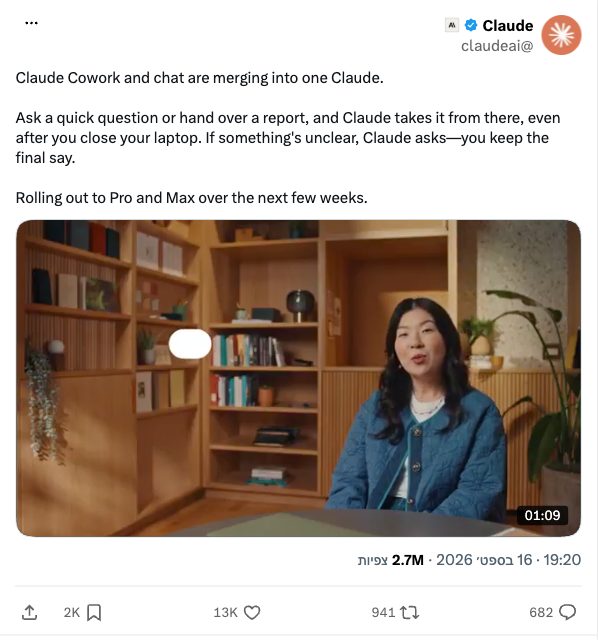 The official @claudeai account post on X, September 16, 2026, 2.7 million views at the time of the screenshot. Screenshot taken without login, September 17, 2026
What was Cowork and what was Chat, before the merger?
To understand what changed, it helps to remember where things started:
- Chat was the place for questions, drafting, quick analysis. Back-and-forth conversation, without Claude executing a long chain of actions on its own.
- Claude Cowork launched on January 12, 2026 as a research preview for Max subscribers, in the Mac app. You give Claude access to a folder on your computer, and it reads, edits and creates files in it: organizing your Downloads folder, building an expense spreadsheet from a pile of screenshots, or drafting a report from scattered notes. It was later expanded to additional plans and to Windows, as we described in the practical guide to organizing your computer with Cowork.
The problem, according to Anthropic, was the decision itself: before every task, users had to ask themselves "is this Chat or Cowork?" TechCrunch put it this way: customers struggled to pick the right tab for the right task.
Watch the official videos
Claude Cowork and chat are now one Claude
Anthropic · September 16, 2026
Meet Claude Slides, Claude Design and Claude Docs
Anthropic · September 16, 2026
What exactly changes in the new experience?
According to Anthropic's Help Center (updated September 16, 2026, verified September 17, 2026), these are the capabilities available from any conversation:
- Handing off a complete task. You describe the outcome, and Claude works through the steps on its own. No need to break the work apart or choose a mode.
- Working while you're away. Complex tasks continue running in the cloud even if you close your laptop or leave the page.
- Finished files. Documents, spreadsheets with working formulas, and presentations that open in PowerPoint.
- Designs, presentations and documents. Charts, diagrams and visualizations inside the conversation, and on paid plans also Claude Design, Claude Slides and Claude Docs (in beta).
- The apps you've connected. Connectors like Google Drive, Gmail, Microsoft 365 or Slack work in the middle of a task.
- Your computer and the web. Access to a folder on your computer via Claude Desktop, browsing via the built-in browser or Chrome via Claude for Chrome, and computer control (in beta on Pro and Max).
- Scheduled tasks. For example, a summary of your inbox every Monday morning. Scheduled tasks can run in the cloud, so they continue even when your computer is off.
- Tracking from your phone. A task started on your computer appears in Claude Mobile: you can see how it's progressing, answer Claude's questions, and redirect it.
- Personalization. Skills and plugins, memory from your chats, projects that work across every conversation, and persistent instructions.
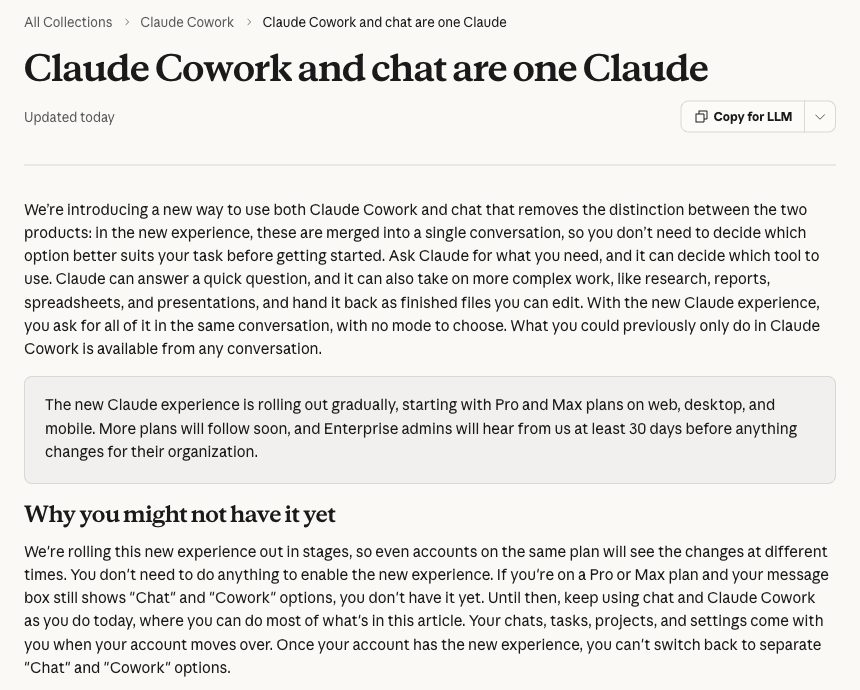 The official help page, "Claude Cowork and chat are one Claude". Screenshot from support.claude.com, September 17, 2026
What does "keeps working after you close your laptop" actually mean?
This is the sentence most likely to be misunderstood, so it's worth being precise. According to the Help Center, there are two types of tasks:
- Tasks that run in the cloud. Web searches, working with files you've uploaded to the conversation, connectors, creating documents and presentations. These continue even when your computer is off, and the result waits for you in the conversation.
- Tasks that touch your computer. Local files and folders, the built-in browser, and computer control. These only work while Claude Desktop is open.
In plain terms: "summarize ten articles and produce a presentation" will keep running on your way home. "Organize my Downloads folder" will not continue if the computer is off.
Anthropic has not published technical details about the cloud infrastructure on which tasks run (geographic region, maximum task duration, number of parallel tasks). Anyone for whom this is material, especially in organizations with data security requirements, should check directly with Anthropic before handing off sensitive tasks.
How does Claude ask questions, and who decides in the end?
"You keep the final say," Anthropic wrote, meaning the final decision stays with you. In practice that rests on three mechanisms:
1. Clarifying questions. In the example from the official announcement, if something in a request is unclear, Claude asks. If the task is running while you're out, the question arrives in the phone app and you can answer from there.
2. A permission setting for each conversation. There's a toggle in the message box with two modes:
| Mode | What happens | When it fits |
|---|---|---|
| Manual (default) | Claude asks before taking an action, and you approve or reject each one | New tasks, sensitive information, anything that touches clients |
| Auto | Claude continues without stopping at each step, and automatic safety checks run before every action | Familiar and recurring tasks, research, internal drafts |
3. Stopping and redirecting. You can stop Claude or change direction mid-task, and change the setting at any moment. It applies to the entire conversation.
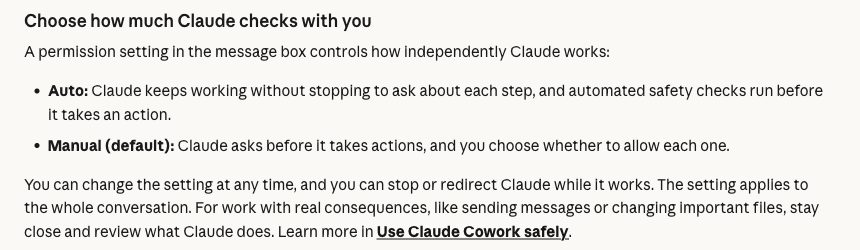 The Auto and Manual permission modes, as described on the official help page. Screenshot, September 17, 2026
There are two more safeguards worth knowing about: according to the Help Center, by default Claude requests confirmation before permanently deleting files. And Anthropic itself recommends that when working with real-world consequences, such as sending messages or modifying important files, you stay close and check what Claude is doing. In my view, that's the most important recommendation in the entire announcement.
Who gets this, and when?
According to the official announcement and the Help Center (both from September 16, 2026):
- Pro and Max: First, in the web app, desktop and mobile, rolling out gradually over the coming weeks, to existing and new users.
- Team and Free: "Soon," with no date.
- Enterprise: Admins will receive notice at least 30 days before any change in the organization. Claude Docs, Claude Slides and Claude Design inside the conversation are also admin-controlled, and admins decide when to enable them.
- Nothing to activate. Your account transitions on its own. The sign that you haven't switched yet: the "Chat" and "Cowork" options still appear in the message box.
- No going back. An account that has moved to the new experience cannot return to the separate options.
Anthropic has not published a country list for this rollout, and has not noted any differences between languages. We found no official indication that Israel or Hebrew is treated differently, but no explicit confirmation either. If you're on a Pro or Max plan, the simplest way to check is to look at the message box.
What does it cost, and how is usage counted?
Anthropic has not announced a price change. What the Help Center does say:
- Everything you do with Claude counts against your plan's usage limits.
- Long agentic tasks that search the web, run code or create files typically consume more than a short question.
- During the rollout, usage may be measured slightly differently on accounts that have switched versus accounts that haven't yet.
- You can check your consumption under Settings > Usage.
It's worth pausing here. Fortune cited research from the Stanford Digital Economy Lab finding that in coding tasks, agentic tasks consumed roughly 1,000 times more tokens than simple reasoning tasks in Chat. SiliconANGLE raised the same question from the perspective of users who pay per token. That doesn't mean every question will cost more, but when Claude decides on its own to run multi-step work, it's worth watching the usage meter in the first few weeks. For an explanation of tokens and limits, see the guide to Claude models and tokens.
What Happens to My Existing Cowork Work?
"Everything is where you left it," Anthropic wrote. According to the help center, here is what moves and where it ends up:
| Item | Where it is now |
|---|---|
| Cowork tasks | Together with chats in Recents, and they open just like before |
| Projects, connectors, skills, artifacts, and files | They come with you, and projects work in every conversation |
| Cowork Global instructions | Part of Instructions for Claude, under Settings > General (worth reviewing the content) |
| Web search toggle | No longer exists. Claude searches the web when it helps |
| Research | Type /deep-research, or click "+" and choose Research |
| Files Claude creates | Appear alongside the conversation. On desktop, the Cowork save folder is in Settings under Storage folder |
| Folders you granted access to | Appear under Trusted folders |
| Memory from local tasks | Memory from Cowork tasks that ran only on your computer stays with those tasks |
| Model selector and Code tab | Stay in place |
What Still Does Not Work?
According to the current limitations listed in the help center (checked September 17, 2026):
- Adding from GitHub is not supported.
- Branching a conversation from an earlier point is not available.
- Incognito chats still work, but they open in the old experience, so Claude does not create files or run code in them.
- Search does not include old Cowork tasks. You can still find them by name in Recents.
- Dispatch is not available to new users. Those already using it can continue for now.
Claude Docs, Claude Slides, and Claude Design: What Was Announced the Same Day?
The unification did not arrive alone. In the same announcement, Anthropic launched two new products and brought a third one into the conversation itself:
- Claude Docs: Ask for a document and you and Claude write it together. You can leave comments and share it with your team. According to Fortune and VentureBeat, you can export to Google Docs and Microsoft Word.
- Claude Slides: Ask for a presentation and Claude prepares the slides. Edit directly, present from within Claude, or download as PowerPoint or PDF.
- Claude Design: Now works inside conversations. Those using it as a standalone product, according to Anthropic, continue as before. For anyone who wants to learn it in depth, there is a Claude Design course 2026.
Everything created across all three lives at a single link you can share and open on your phone. You can select an element and move it, or tell Claude what to change. All three are in beta on paid plans. In November, a whiteboard, a spreadsheet, and a data tool joined them, and we covered them in detail in the complete guide to Claude Whiteboards, Sheets, and Data.
The practical advantage, per Anthropic's own example: when the report and the presentation are created in the same conversation, the slides already match the report. Anyone who has ever built an executive presentation from a report written somewhere else knows that problem well.
What Does This Mean for Businesses and Organizations in Israel?
This change touches exactly the spot where most organizations I work with get stuck: not the tool's capabilities, but the working habits built around it. Here are a few practical use cases, all based on capabilities documented in the help center:
1. A weekly report that starts itself. This is Anthropic's own example: ask Claude what moved in the sales pipeline last week, "the way we always write it," with flags on what was delayed and five slides for management, then schedule it for every Monday. For an Israeli organization this could be an inquiry report, a collections report, or a sales meeting summary, provided the data is accessible via a connector or files.
2. Research that runs on the way to a meeting. "Research our five competitors and prepare a comparison table, I'll check it later." That task runs in the cloud, and you can answer Claude's questions from your phone.
3. A folder that organizes itself. Sorting scanned documents, invoices, or CVs by type and date. This requires Claude Desktop to be open, since it involves local files.
4. A document and the team in the same place. A procedure draft or a quote in Claude Docs, with the manager's comments directly inside the document.
What to sort out before you start:
- Permissions policy. Decide in advance which types of tasks are allowed on Auto and which stay on Manual. Anything touching clients, sending messages, or personal data should stay on Manual, in my view.
- Connector mapping. Check which systems Claude is connected to and what it can read and write in each of them. Details in the Claude connectors guide.
- Organizations on an Enterprise plan receive 30 days' notice. That is exactly the time to update procedures, train employees, and decide whether to enable Docs, Slides, and Design.
- Responsibility for the output. A finished file looks final, and that is precisely the risk. Someone needs to check numbers and citations before they go out.
For a broader comparison of tools for organizational use, see Claude vs. ChatGPT for Business.
How to Get Started, Step by Step, When Your Account Transitions?
- Check whether you have transitioned. If the message box still shows "Chat" and "Cowork," you have not. Keep working as usual. Your work will come with you.
- Review the persistent instructions. In Settings > General, under Instructions for Claude, verify that the instructions from Cowork transferred correctly and that they are still accurate.
- Choose a permissions mode. Start on Manual (the default), and move to Auto only for tasks you have already seen Claude perform well.
- Connect what you need. In Customize > Connectors, connect Drive, Gmail, Microsoft 365, or Slack as needed.
- Install Claude Desktop and the mobile app. Desktop is needed for local files and computer control; mobile is for monitoring and answering Claude's questions on the go. Download and installation at the Claude Desktop page.
- Write a request like a briefing to a colleague. According to Anthropic, results are better when you include three things: the desired output ("a one-page summary"), the format ("a Word document," "a presentation"), and the materials Claude needs (files, links, apps).
- Start with one real task. Anthropic recommends trying the next report or presentation you would have built yourself. That is my recommendation too.
- Schedule only after it works. Once a task has run successfully two or three times, ask Claude to run it on a schedule.
- Monitor your usage. For the first two weeks, check Settings > Usage to see how much long tasks consume from your plan.
Anyone who wants to learn Claude in an organized way, from chat through working with files and skills, can start with the Claude course 2026 or the Claude Skills course. Anyone who wants to build real automations with Claude Code with live guidance is welcome at the Claude Code workshop. And for full teams there is a Claude Code workshop tailored to your audience, from management to operations and service teams.
How Is This Different from the Old Cowork and the Old Chat?
| Old Chat | Old Cowork | One Claude | |
|---|---|---|---|
| How you start | Choose Chat | Choose Cowork | Write a request, no choice required |
| Who decides how to execute | The user, upfront | The user, upfront | Claude, based on the task |
| Multi-step work and finished files | Limited | Yes | Yes, from any conversation |
| Continues when the computer is off | Not relevant | Depends on the task type | Cloud tasks yes, local tasks require Desktop open |
| Conversation list | Separate | Separate | One, in Recents |
| Permissions | Not relevant | Approvals | Manual or Auto per conversation |
The table is based on Anthropic's help center. Under "Old Cowork," capabilities changed over the course of the year, so this is a general picture rather than an exhaustive list.
And Compared to ChatGPT Work?
OpenAI went in a similar direction. According to Bloomberg, on July 9, 2026 it launched ChatGPT Work, an agentic mode inside ChatGPT that accepts complex tasks, works on them over time, and returns documents, spreadsheets, presentations, and web apps. We broke it down in the ChatGPT Work guide.
The key difference, as of the review date: in ChatGPT, Work is a mode you enter deliberately. In Anthropic's new experience, there is no separate mode at all. Claude decides. Fortune and SiliconANGLE note that OpenAI is itself planning a "super app" that would unify ChatGPT, Codex, and possibly the Atlas browser. We have not run a performance comparison between the tools, so there is no claim here about which one does the work better.
What Is Still Unknown?
To be clear about what has and has not been confirmed, as of September 17, 2026:
- Exact date for Team and Free: Anthropic wrote "coming soon," without a date.
- Cloud infrastructure: There is no official publication about where tasks run, their maximum duration, or the number of parallel tasks.
- Pricing: No change has been announced, but it has also not been published exactly how much a long task consumes from the quota.
- Availability by country and language: No list has been published, and we found no specific mention of Israel or Hebrew.
- The Docs, Slides, and Design beta: No end date has been announced.
- Dispatch: Anthropic wrote that existing users can continue "for now," without specifying what happens afterward.
The Bottom Line
The button that disappeared is the visible sign. The real change is that the decision "is this a question or a task?" moves from the user to Claude, and the work continues even when you are no longer in front of the screen. For an organization, this means one simple thing: decide now, before your account transitions, what Claude is allowed to do on its own, and what always goes through a person.
Sources
All facts and dates in this guide were verified against the following sources:
- Claude: Claude Cowork and chat are now one Claude, official announcement from September 16, 2026, checked September 17, 2026
- Claude Help Center: Claude Cowork and chat are one Claude, updated September 16, 2026, checked September 17, 2026
- Official @claudeai post on X, September 16, 2026, including the video, checked September 17, 2026
- YouTube, Claude channel: Claude Cowork and chat are now one Claude, September 16, 2026, checked September 17, 2026
- YouTube, Claude channel: Meet Claude Slides, Claude Design and Claude Docs, September 16, 2026, checked September 17, 2026
- ADTmag: Anthropic Expands Claude's Computer Agent Tools Beyond Developers with Cowork Research Preview, January 20, 2026, checked September 17, 2026
- TechCrunch: Anthropic merges Claude chat and Cowork in one interface, September 16, 2026, checked September 17, 2026
- Fortune: Anthropic merges its chat and agentic products into one AI assistant, September 16, 2026, checked September 17, 2026
- SiliconANGLE: Anthropic brings Cowork directly inside Claude's chat interface, September 16, 2026, checked September 17, 2026
- VentureBeat: Anthropic is folding Cowork into Claude, launching Claude Docs and Claude Slides, September 16, 2026, checked September 17, 2026
- 9to5Mac: Anthropic merging Claude Cowork with chat, September 16, 2026, checked September 17, 2026
- Bloomberg: OpenAI Launches ChatGPT Work Agent to Handle Complex Tasks, July 9, 2026, checked September 17, 2026
Frequently asked questions

Yaakov Tzedek
An Israeli AI lecturer, consultant and implementer who has supported 100+ organizations in AI implementation and lectured for 200+. Official content partner of Meta, Google, Canva and TikTok, featured on Israel's Channel 13.
More about Yaakov →